


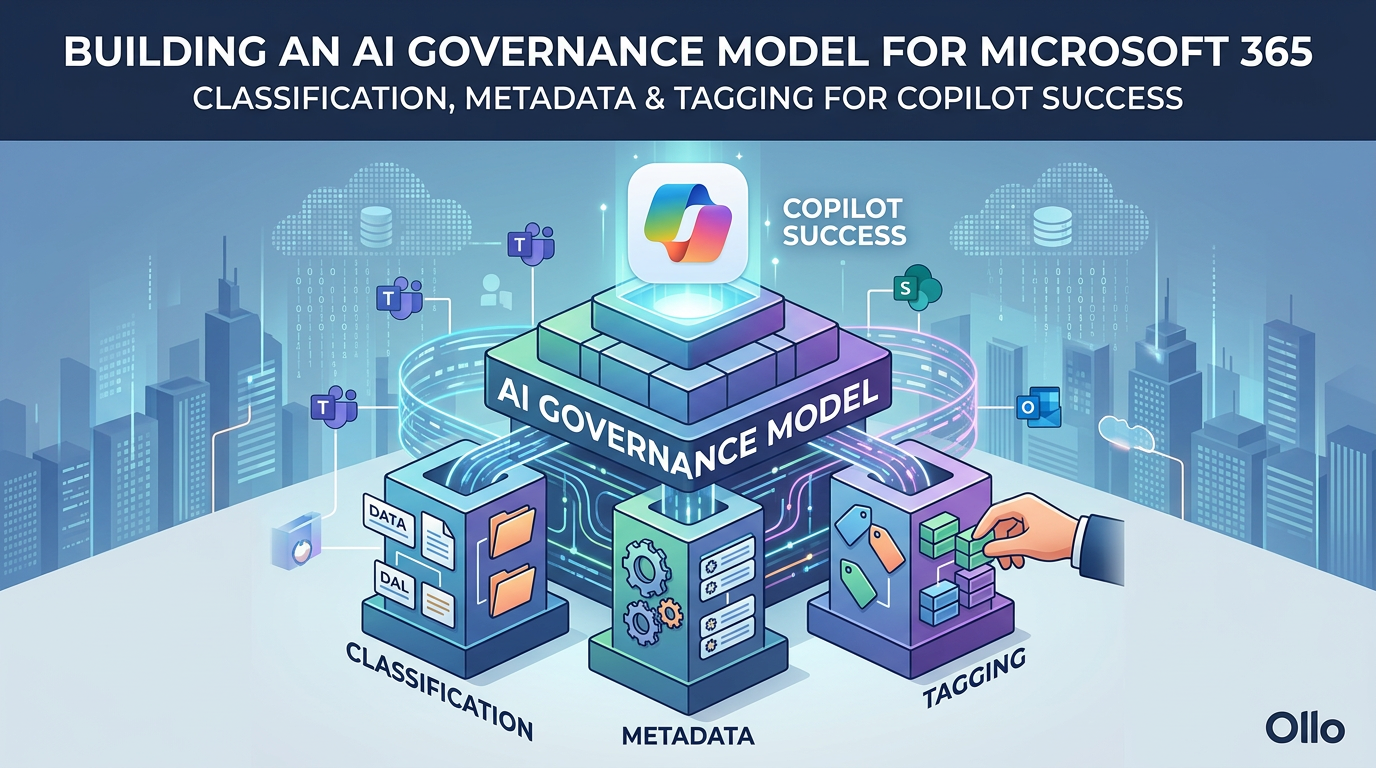

Building an AI Governance Model for Microsoft 365: Classification, Metadata, and Tagging for Copilot Success
Your organization just invested $30 per user per month in Microsoft 365 Copilot. That's $600 per employee annually—potentially millions in total licensing costs. But here's the uncomfortable truth that most IT leaders discover too late: if your SharePoint and Microsoft 365 environment is chaos, your Copilot investment is worthless.
The data tells a stark story. As of Q2 2026, only 35.8% of employees with Copilot access actually use it regularly. Among organizations that deployed Copilot without proper data governance, 73% discovered critical data exposure risks after deployment. The average enterprise activation rate sits at just 34% at the 90-day mark—though organizations with structured governance frameworks achieve 65-78%.
The difference between these outcomes isn't the technology. It's governance.
Microsoft 365 Copilot is a sophisticated AI orchestration engine that surfaces insights by querying your organizational data through Microsoft Graph. It can only be as good as the data it accesses. If your SharePoint sites are sprawling, your permissions are uncontrolled, and your content is unclassified, Copilot will amplify that chaos—surfacing confidential data to unauthorized users, generating irrelevant responses, and creating compliance nightmares.
This article provides a comprehensive framework for building AI governance into your Microsoft 365 environment before, during, or after Copilot deployment. You'll learn the three-layer governance model—sensitivity classification, metadata frameworks, and intelligent tagging—that transforms chaotic data into AI-ready intelligence. More importantly, you'll get a practical implementation roadmap tested across enterprise deployments.
The AI Governance Crisis in Microsoft 365
The Current State: Organized Chaos
If your Microsoft 365 environment evolved organically over years of self-service provisioning, you're likely dealing with what one CTO at a global biotechnology company described as "files scattered across 27 SharePoint sites, over 80 channels with no structure, and teams working in complete silos across offices."
This isn't unusual. It's the norm.
The typical mid-size to large enterprise faces:
SharePoint sprawl: Multiple site collections created ad-hoc by different departments with inconsistent information architecture, overlapping content, and no central governance.
Teams chaos: Dozens or hundreds of Teams with channels that duplicate each other, unclear ownership, and content that's effectively invisible to anyone who wasn't in the original conversation.
Permission sprawl: Years of accumulated sharing links, external users with lingering access, and permission structures so complex that nobody—including IT—understands who can access what.
Metadata poverty: Flat folder structures inherited from network file shares, with minimal or no classification, no controlled vocabularies, and users relying entirely on file names and memory to find anything.
Ungoverned external sharing: SharePoint sites and OneDrive folders shared broadly with "anyone with the link," creating invisible compliance risks.
This environment functioned adequately when humans were the only ones searching for content. Users developed workarounds. They knew which Teams to join, which SharePoint sites contained relevant documents, and could text colleagues to ask "where's that file we worked on last month?"
Why Traditional Governance Fails for AI
Enter Microsoft 365 Copilot, and these workarounds collapse.
Copilot doesn't have institutional knowledge. It doesn't know that the "real" project documentation lives in Sarah's Team while the "old" versions are in SharePoint. It doesn't understand that the confidential M&A planning documents in the Finance folder shouldn't be surfaced to marketing executives who technically have access because someone once shared the parent site too broadly.
Copilot queries the Microsoft Graph based on what it's technically permitted to access according to your permission structure. If a user can access a document—even if they shouldn't—Copilot will surface it. If content isn't classified with sensitivity labels, Copilot has no way to understand that some documents are confidential and others are public.
The result: Chaos in, chaos out.
Traditional information governance focused on compliance requirements and reducing litigation risk. It was project-based and reactive: "We need to implement retention policies because we're facing an audit." AI governance must be proactive and comprehensive because AI
amplifies existing problems:
Search quality depends entirely on metadata quality. Copilot ranks results based on relevance signals including metadata, classification, and recency. Poor metadata means irrelevant results.
Compliance risks are amplified. When a confidential document is buried in a folder structure, the risk of accidental exposure is low. When Copilot can surface it in response to a casual query, the risk becomes systemic.
Over-permissioned content becomes weaponized. That SharePoint site you shared with "everyone in the company" five years ago? Copilot now makes every document in it discoverable to every employee with a query.
Cost of poor governance is immediate. Users quickly lose trust in AI that gives them irrelevant or wrong answers. The typical enterprise pays $600 per user annually for Copilot. If users abandon it within 90 days because results are poor, you've written off that entire investment.
According to IBM's 2024 data breach report, the global average cost of a data breach reached $4.4 million. Compliance violations from Copilot inadvertently surfacing protected health information (PHI) or financial data can trigger regulatory penalties that dwarf the cost of the AI investment itself.
The Business Impact: Real Numbers
The financial impact of poor AI governance manifests in three ways:
1. Wasted AI Investment
At $30/user/month, a 1,000-employee deployment costs $360,000 annually. With only 35.8% activation rates, organizations are effectively paying for 642 unused licenses—$231,120 in wasted spend. Organizations with proper governance frameworks achieve 65-78% activation, reducing waste by 60-80%.
2. Compliance and Security Exposure
Research from Securiti indicates that without proper data governance controls, AI chatbots are likely to expose sensitive data to unauthorized users. A healthcare organization discovered this firsthand when a Copilot query revealed protected health information to a marketing employee who had inherited access to a SharePoint site from a previous role. The compliance exposure: potential HIPAA violations carrying fines of up to $50,000 per violation with a $1.5 million annual maximum.
For financial services firms under FINRA oversight, improper retention or disclosure of customer information can result in fines ranging from $5,000 to $775,000 per violation. When Copilot surfaces customer data that should have been restricted, every affected record becomes a separate violation.
3. Productivity Loss from Poor AI Results
Early Copilot adopters reported that inaccurate or irrelevant results were the primary reason users abandoned the tool. Recon Analytics tracked Copilot's accuracy Net Promoter Score from -3.5 in July 2025 to -24.1 by September 2025, recovering only partially to -19.8 by January 2026. Among lapsed users, 44.2% cited distrust of answers as the primary reason for stopping use.
The lost productivity extends beyond the AI tool itself. When employees can't find information efficiently, they revert to asking colleagues, searching manually, or recreating work that already exists somewhere in the organization. These "search and discovery" costs amount to an estimated 2.5-5 hours per knowledge worker per week—roughly $5,000-$10,000 per employee annually in lost productivity.
Understanding AI Governance Foundations
What is AI Governance in Microsoft 365?
AI governance for Microsoft 365 is the framework that ensures AI systems like Copilot access the right data, with the right context, respecting the right permissions and compliance requirements.
It rests on three pillars:
Classification: Identifying and labeling data by sensitivity, regulatory requirements, and business value so that AI systems can make appropriate access decisions.
Metadata: Enriching content with structured information about its purpose, ownership, relevance, and business context so that AI can understand what content means, not just what it says.
Access Control: Ensuring permissions reflect actual business need and that AI systems honor those permissions when surfacing information.
This differs from traditional information governance in its focus. Traditional governance asked: "How do we comply with regulations and reduce litigation risk?" AI governance asks: "How do we make our data trustworthy, discoverable, and safe for AI systems to use?"
The shift is from reactive compliance to proactive enablement.
The Microsoft AI Stack: How Copilot Actually Works
To understand why governance matters, you need to understand how Copilot queries your data.
Microsoft 365 Copilot operates through a sophisticated orchestration process:
1. User Interaction: A user submits a prompt in Word, Outlook, Teams, or Copilot Chat.
2. Pre-Processing: Copilot analyzes the prompt for intent, applies content filtering to block harmful requests, and checks for jailbreak attempts.
3. Grounding via Microsoft Graph: Copilot queries Microsoft Graph—the unified API that provides access to data across Microsoft 365—to find relevant content the user has permission to access. This includes documents in SharePoint and OneDrive, emails and calendar items in Exchange, chats and meeting transcripts in Teams, and organizational data like user profiles and org charts.
4. Relevance Ranking: Content is ranked based on multiple signals including recency, user's past interactions with similar content, semantic similarity to the query, metadata and classification, and social graph (content from close collaborators ranks higher).
5. Large Language Model Processing: The ranked content is passed to a large language model (LLM) as context. The LLM generates a response grounded in this organizational data.
6. Post-Processing: The response is filtered for harmful content, checked against DLP policies, and labeled with the highest sensitivity label from source documents.
7. Response Delivery: The user receives the response, along with citations to source documents they can access.
The critical insight: Copilot's quality depends entirely on steps 3 and 4—what content it can find and how well it ranks relevance.
If content isn't properly classified, Copilot can't determine if it should be restricted. If metadata is poor, ranking signals are weak and results are irrelevant. If permissions are over-broad, Copilot will surface content to users who shouldn't see it.
Microsoft's own guidance acknowledges this dependency. Their Copilot Control System framework prioritizes data security and governance as the foundation layer before adoption, with specific callouts for assessing oversharing risks using Microsoft Purview and SharePoint Advanced Management.
Compliance and Security Imperatives
For organizations in regulated industries, AI governance isn't optional—it's mandatory.
GDPR (General Data Protection Regulation): Article 5 requires data minimization and purpose limitation. Organizations must ensure personal data is adequate, relevant, and limited to what's necessary. When Copilot queries all accessible content, over-permissioned personal data creates GDPR violations. Article 32 requires appropriate technical and organizational security measures. Copilot deployments without classification and access controls fail this requirement.
HIPAA (Health Insurance Portability and Accountability Act): The Security Rule requires access controls ensuring that only authorized personnel access ePHI (electronic protected health information). Copilot surfacing PHI to users without a legitimate business need constitutes an impermissible disclosure under HIPAA, carrying penalties of $100-$50,000 per violation.
FINRA (Financial Industry Regulatory Authority): Rule 17a-4 requires broker-dealers to retain communications in tamper-proof formats. Copilot prompts and responses that reference customer data fall under this requirement. Organizations must implement retention policies for Copilot interactions and ensure customer data isn't exposed to users without appropriate oversight.
ISO 27001 Information Security: Clause 8.2 requires information classification based on legal requirements, value, criticality, and sensitivity. Copilot deployments without classification violate this control requirement.
For compliance officers, the personal liability is real. Under GDPR, supervisory authorities can impose fines up to €20 million or 4% of annual global turnover. Healthcare compliance officers can face personal criminal liability for HIPAA violations involving willful neglect.
The Three-Layer AI Governance Model
Building an AI-ready Microsoft 365 environment requires implementing three integrated layers of governance. Each layer serves a distinct purpose, and all three work together to create an environment where AI delivers value while maintaining security and compliance.
Layer 1: Sensitivity Classification
Why It Matters for AI
Sensitivity classification is the foundation of AI governance. It explicitly tells systems like Copilot which content requires special handling and which can be freely accessed.
Without classification:
- Copilot treats all accessible content equally, regardless of confidentiality
- Data Loss Prevention (DLP) policies can't automatically protect sensitive content
- Audit trails don't capture classification context
- Users have no visual indicator of content sensitivity
With proper classification:
- Copilot can enforce role-based access even within technically accessible content
- DLP policies automatically block inappropriate sharing or exposure
- Audit logs show who accessed what level of sensitive data
- Sensitivity labels travel with content even when shared externally or downloaded
- Generated content inherits classification from source documents
Classification Taxonomy Design
Effective classification starts with a clear, business-aligned taxonomy. Most organizations need 3-5 sensitivity levels:
Public: Content intended for public disclosure with no business impact if exposed. Examples: Published marketing materials, public job postings, press releases.
Internal: Business information for internal use only but not damaging if accidentally exposed. Examples: Internal policies, all-hands meeting notes, general project updates.
Confidential: Sensitive business information requiring protection. Exposure would cause moderate business damage. Examples: Strategic plans, unannounced product roadmaps, internal financial projections, customer lists.
Highly Confidential: Extremely sensitive information. Exposure would cause severe business damage or legal/regulatory consequences. Examples: M&A plans, executive compensation, unreleased earnings data, detailed security configurations.
Industry-specific classifications extend this base:
Healthcare: Add PHI (Protected Health Information) classification for content containing patient data governed by HIPAA.
Financial Services: Add PII (Personally Identifiable Information) for customer financial data under GLBA and Customer Information for FINRA-regulated communications.
Energy/Defense: Add CUI (Controlled Unclassified Information) for content governed by NIST 800-171 requirements.
Government Contractors: Add ITAR (International Traffic in Arms Regulations) classifications for export-controlled content.
The taxonomy should map to business risk, not IT complexity. Ask: "What would happen if this content was exposed to unauthorized people?" The answer determines the classification.
Implementation Approach: Microsoft Purview Sensitivity Labels
Microsoft Purview Information Protection provides the technical foundation for classification through sensitivity labels.
Creating the Label Taxonomy:
- Navigate to Microsoft Purview compliance portal (compliance.microsoft.com)
- Under Information Protection, select Labels
- Create parent labels for each classification level
- Define sublabels for industry-specific or department-specific needs
- Configure label settings: visual markings (headers, footers, watermarks), encryption requirements, content marking requirements, and label scope (files, emails, containers)
Auto-Labeling Policies:
Auto-labeling uses pattern matching and sensitive information types to classify content automatically.
Create policies that:
- Scan for credit card numbers → auto-label as Confidential
- Detect patient identifiers + diagnosis codes → auto-label as PHI
- Find terms like "M&A," "acquisition target," "pre-announcement" → auto-label as Highly Confidential
- Identify customer financial records → auto-label as PII
Auto-labeling reduces user burden and ensures consistency, but requires
careful tuning to avoid false positives.
Default Labels for SharePoint Libraries:
Set default labels at the library or folder level:
- Finance folder: Default to Confidential
- HR folder: Default to Confidential
- Legal folder: Default to Highly Confidential
- Marketing assets: Default to Internal or Public
Users can override defaults when appropriate, but starting with secure defaults reduces misclassification.
Inheritance and Override Rules:
Configure label inheritance so that:
- Documents created from templates inherit the template's label
- Email replies inherit the most restrictive label from the conversation
- Documents referenced in Copilot responses inherit the highest label from source content
Users should be able to increase sensitivity (Internal → Confidential) without approval but require justification to decrease sensitivity (Confidential → Internal).
User Training:
Classification only works if users understand it. Training should cover:
- What each label means in business terms (not technical jargon)
- Real examples of content that belongs in each classification
- How to apply labels in Word, Excel, PowerPoint, Outlook
- What happens when content is labeled (encryption, sharing restrictions)
- Why classification matters for AI and compliance
Technical Configuration Example:
# Create sensitivity label for Confidential content
$confidentialLabel = New-Label -Name "Confidential" -Tooltip "Sensitive business information requiring protection" -Comment "Business-sensitive content not for public disclosure"

# Configure encryption for Highly Confidential
Set-Label -Identity "Highly Confidential" -EncryptionEnabled $true -EncryptionProtectionType UserDefined -EncryptionRightsDefinitions "domain\executives@contoso.com:VIEW,EDIT,PRINT"

# Create auto-labeling policy for financial data
$financialPolicy = New-AutoLabelingPolicy -Name "Auto-label Financial Records" -Locations @{SharePointLocation="All"} -Mode Enforce -SensitiveTypes @("Credit Card Number","Bank Account Number","U.S. Social Security Number") -ApplyLabel "Confidential-Financial"
Layer 2: Content Metadata Framework
The Metadata-AI Connection
If classification answers "who should access this?", metadata answers "what is this about and why does it matter?"
Copilot uses metadata as relevance signals to rank search results. Documents with rich, accurate metadata surface in response to relevant queries. Documents with poor metadata remain invisible even if they're exactly what the user needs.
Microsoft's semantic index—the AI-powered layer that makes Copilot responses contextual—relies heavily on metadata to understand relationships between content, people, and business context.
Consider two documents:
- Document A: "Q4_Financial_Report_v3.docx" with no metadata
- Document B: "Q4_Financial_Report_v3.docx" with metadata: Department=Finance, Document Type=Financial Report, Fiscal Quarter=Q4 2025, Status=Final, Owner=CFO, Classification=Confidential
When a user asks Copilot "What were our Q4 results?", Document B ranks much higher because metadata provides semantic clarity that file names alone cannot.
Essential Metadata Fields
A well-designed metadata schema balances comprehensiveness with user adoption. Too few fields and you lose context. Too many and users won't complete them.
Core fields for most organizations:
Content Type/Document Type: Contracts, invoices, reports, presentations, policies, specifications. Allows filtering by document purpose.
Department/Business Unit: Finance, HR, Legal, Marketing, Operations, IT. Enables department-specific searches and permission boundaries.
Project/Initiative: Project name or code. Links content to business initiatives and enables project-based discovery.
Retention Period/Expiration Date: How long content must be retained and when it can be deleted. Critical for compliance and reducing data sprawl.
Subject Matter/Topic Tags: Controlled vocabulary of business topics. Improves search precision and helps Copilot understand content themes.
Author/Owner/Stakeholders: Who created, owns, or should be consulted about this content. Enables people-based discovery.
Status/Version/Approval State: Draft, Under Review, Approved, Archived. Prevents Copilot from surfacing outdated drafts.
Creation/Modified/Review Dates: Temporal context for relevance ranking. Recent content often ranks higher.
Industry-Specific Fields:
Healthcare: Patient ID, Encounter Date, Provider, Diagnosis CodesFinance: Account Number, Transaction Date, Regulatory Filing TypeLegal: Matter Number, Case Status, Jurisdiction, CourtManufacturing: Part Number, Product Line, Revision Level
Metadata Architecture: Content Types and Term Store
SharePoint content types and the managed metadata term store provide the technical foundation for consistent metadata.
Content Type Hub:
Create a centralized content type hub that defines reusable content types:
- Financial Report content type with fields: Fiscal Period, Report Type, Business Unit, Approval Status
- Contract content type with fields: Contract Type, Counterparty, Effective Date, Expiration Date, Contract Value
- Policy Document content type with fields: Policy Category, Effective Date, Review Cycle, Approval Authority
Publish content types from the hub to all site collections for consistency.
Term Store Structure:
The term store provides controlled vocabularies for metadata fields:
- Department term set: Finance, HR, Legal, Marketing, Operations, IT, etc.
- Document Type term set: Contract, Invoice, Report, Presentation, Policy, Specification, etc.
- Project term set: Synced from project management system or manually maintained
- Topic term set: Product launches, regulatory compliance, customer onboarding, etc.
Organize term sets hierarchically:
Business Units
├── Finance
│   ├── Accounting
│   ├── FP&A
│   └── Treasury
├── Operations
│   ├── Supply Chain
│   ├── Manufacturing
│   └── Quality
Managed Metadata vs. Free Text:
Use managed metadata (term store) for:
- Fields requiring consistency and reporting (Department, Document Type, Status)
- Fields used in permission boundaries
- Fields that feed AI relevance ranking
Use free text for:
- Descriptions and summaries
- Notes and comments
- Highly contextual information that doesn't fit controlled vocabularies
Mandatory vs. Optional Fields:
Balance data quality with user adoption:
- Make essential fields mandatory: Content Type, Department, Owner
- Make compliance fields mandatory: Retention Period, Classification
- Make enhancement fields optional: Topic Tags, Related Projects
Users are more likely to complete metadata if they understand why it matters. Position metadata as "making your content discoverable" not "IT requirements."
Metadata Inheritance Models:
Reduce manual data entry through inheritance:
- Library-level defaults: Finance library → Department=Finance
- Folder-level inheritance: Q1 2026 folder → Fiscal Period=Q1 2026
- Template-based propagation: Contract template → Document Type=Contract, mandatory fields pre-configured
Implementation Strategy: Crawl, Walk, Run
Don't attempt to metadata-enable your entire environment at once. Implement strategically:
Phase 1 - High-Value Content (Weeks 1-4):
- Identify 3-5 business-critical SharePoint libraries
- Define content types and required metadata
- Implement mandatory fields
- Train power users
- Monitor completion rates
Phase 2 - Department Expansion (Weeks 5-12):
- Roll out to entire departments based on Phase 1 learnings
- Adjust metadata schema based on user feedback
- Implement auto-classification where possible
- Develop department-specific training
Phase 3 - Enterprise Rollout (Weeks 13-24):
- Standardized deployment across organization
- Integration with document templates
- Ongoing metadata quality monitoring
- Continuous improvement based on AI query patterns
Metadata Quality Monitoring:
Track metrics to ensure ongoing quality:
- Percentage of documents with complete metadata
- Average metadata completeness score
- User metadata entry time (optimize if too high)
- Search success rate improvements
- Copilot result relevance ratings
Layer 3: Intelligent Tagging and Taxonomy
Taxonomy vs. Folksonomy
Metadata provides structured fields. Tagging adds flexible, multi-dimensional classification.
Taxonomy: Controlled vocabulary managed by information architects. Ensures consistency and enables reliable filtering and reporting.
Folksonomy: User-generated tags without central control. Allows organic discovery of emerging topics but creates inconsistency (synonyms, misspellings, ambiguous terms).
Best practice: Hybrid approach.
Use managed taxonomy for:
- Business-critical categorization (products, services, business units)
- Regulatory and compliance tagging
- Core business processes
- Fields used in permission boundaries or AI access control
Allow user-generated tagging for:
- Emerging topics and trends
- Cross-cutting themes
- Informal knowledge sharing
- Experimental AI use cases
Periodically review user-generated tags, promote valuable ones to managed taxonomy, and consolidate synonyms.
AI-Powered Auto-Tagging: Microsoft Syntex
Microsoft Syntex uses AI and machine learning to automatically classify and tag content.
Content Understanding Models:
Train custom models to:
- Extract key information from documents (contract terms, invoice amounts, project codes)
- Classify documents by type (contracts, invoices, reports, specifications)
- Apply metadata automatically based on content analysis
Form Processing:
Structured forms (purchase orders, invoices, applications) can be processed to automatically:
- Extract field values into metadata
- Route for approval
- Apply appropriate sensitivity labels
Document Fingerprinting:
Identify documents that match known patterns or templates and auto-apply metadata, classification, and retention policies.
Syntex Implementation:
- Identify high-volume, structured content suitable for automation
- Create document libraries for model application
- Train models using example documents (typically 5-10 positive examples, 1-2 negative examples)
- Test model accuracy (target >90% for production use)
- Deploy to production libraries
- Monitor performance and retrain as needed
Business-Aligned Taxonomy
Effective taxonomy mirrors how the business actually works, not how IT wishes it worked.
Department/Function Taxonomy:Maps to organizational structure. Enables department-specific AI access and filtering.
Product/Service Taxonomy:Critical for product companies. Allows filtering by product line, SKU, or service offering. Enables product managers to query "What did we decide about Product X?"
Customer/Project Taxonomy:Links content to specific customers or projects. Essential for professional services, consulting, and B2B companies.
Process/Workflow Taxonomy:Tags content by business process (onboarding, procurement, incident response, compliance reporting). Helps automate workflow-specific AI responses.
Regulatory/Compliance Taxonomy:Tags content by applicable regulation (HIPAA, GDPR, FINRA, SOX). Enables compliance-specific searches and automated retention.
Technical Implementation:
Configure SharePoint managed metadata:
- Create term store structure matching business taxonomy
- Configure term sets with proper permissions (who can add terms)
- Create site columns linked to term sets
- Add columns to content types
- Configure default values where appropriate
- Enable suggestions and synonyms for user convenience
Example PowerShell for term set creation:
# Connect to SharePoint admin
Connect-PnPOnline -Url "https://contoso-admin.sharepoint.com"

# Create term group
$termGroup = Get-PnPTermGroup -GroupName "Business Taxonomy" -ErrorAction SilentlyContinue
if (!$termGroup) {
    $termGroup = New-PnPTermGroup -Name "Business Taxonomy"
}

# Create Product term set
$productTermSet = Get-PnPTermSet -TermGroup "Business Taxonomy" -TermSet "Products" -ErrorAction SilentlyContinue
if (!$productTermSet) {
    $productTermSet = New-PnPTermSet -TermGroup "Business Taxonomy" -Name "Products"
}

# Add terms
New-PnPTerm -TermSet "Products" -Name "Product A" -TermGroup "Business Taxonomy"
New-PnPTerm -TermSet "Products" -Name "Product B" -TermGroup "Business Taxonomy"
New-PnPTerm -TermSet "Products" -Name "Product C" -TermGroup "Business Taxonomy"
Tagging Accuracy Monitoring:
Measure and improve tagging quality:
- Accuracy rate of auto-tagging models (target >90%)
- User correction rate (how often users override auto-tags)
- Tag coverage (percentage of content with appropriate tags)
- Tag consistency (are synonyms properly handled)
- Tag utility (which tags actually improve Copilot results)
[Article continues in next part due to length - remaining sections: Implementation Roadmap, Measuring Success, Common Pitfalls, Real-World Success Patterns, and Conclusion]
Practical Implementation Roadmap
Building AI governance isn't a six-month waterfall project. It's an iterative process that delivers value at each phase while building toward comprehensive coverage.
Phase 1: Assessment & Planning (Weeks 1-2)
Content Inventory
Understand what you have before you govern it.
Run discovery across all SharePoint sites, OneDrive accounts, and Teams:
- Total volume (document count, storage size)
- Content by site/library
- File types and ages
- Orphaned content (no owner, no recent access)
- External sharing (who has access from outside the organization)
Use PowerShell or third-party tools to generate reports:
# Get all SharePoint sites
$sites = Get-PnPTenantSite

# For each site, get document libraries and statistics
foreach ($site in $sites) {
    Connect-PnPOnline -Url $site.Url
    $lists = Get-PnPList | Where-Object {$_.BaseTemplate -eq 101} # Document libraries

    foreach ($list in $lists) {
        $itemCount = $list.ItemCount
        Write-Host "$($site.Title) - $($list.Title): $itemCount documents"
    }
}
Permission Audit
Identify over-permissioned content:
- Sites shared with "Everyone" or "All Employees"
- Folders with more than 50 unique permissions
- External users with access
- Users with access who've left the company
- Sharing links that are broadly accessible
Microsoft Purview Data Access Governance reports and SharePoint Advanced Management provide this visibility for E3/E5 customers.
Compliance Requirement Mapping
Document which regulations apply:
- GDPR: If you have EU customers or employees
- HIPAA: If you handle protected health information
- FINRA: If you're a broker-dealer or financial services firm
- SOX: If you're a public company
- Industry-specific: PCI-DSS, ITAR, FedRAMP, etc.
For each regulation, identify:
- What data is subject to regulation
- Required retention periods
- Access control requirements
- Audit trail requirements
- Data residency restrictions
Stakeholder Identification
AI governance succeeds when it's business-led, IT-enabled.
Identify decision-makers and owners for:
- Executive sponsor (CIO, CTO, or CDO)
- Business owners for each major content area (Finance CFO owns financial content)
- Compliance officer (owns classification taxonomy aligned to regulations)
- IT/Cloud architect (owns technical implementation)
- Power users in each department (owns training and adoption)
Success Metrics Definition
Define what success looks like before you start:
Governance health metrics:
- 80%+ of content with sensitivity labels within 6 months
- 90%+ of new content with complete metadata
- 50% reduction in over-permissioned sites
- Zero high-risk external sharing
AI effectiveness metrics:
- 60%+ Copilot activation rate within 90 days
- User satisfaction score >7/10 for Copilot results
- 20% reduction in time spent searching for information
Compliance metrics:
- Zero compliance violations from Copilot exposure
- Clean audit reports for data classification
- 100% audit trail coverage for sensitive data access
Phase 2: Framework Design (Weeks 3-4)
Sensitivity Label Taxonomy Design
Working session with compliance officer and business stakeholders:
- Define business impact of exposure for each classification level
- Map classifications to encryption, sharing, and access requirements
- Identify industry-specific labels needed (PHI, PII, CUI, etc.)
- Document user guidance for each label with examples
- Define auto-labeling rules for common patterns
Output: Classification taxonomy document with business definitions and technical requirements.
Metadata Schema Design
Working session with information architects and business representatives:
- Identify essential metadata fields across organization
- Define department-specific or content-type-specific fields
- Determine which fields are mandatory vs. optional
- Design content type hierarchy
- Map metadata to business processes and AI use cases
Output: Metadata schema document with field definitions, content types, and term store structure.
Tagging Taxonomy Development
Working session with subject matter experts from key departments:
- Inventory existing informal tagging practices
- Identify business-aligned categorizations (products, processes, regulations)
- Define hierarchical term sets
- Establish governance for term set management (who can add terms, approval process)
- Identify opportunities for AI-powered auto-tagging
Output: Taxonomy specification with term sets, hierarchies, and management procedures.
Governance Policy Documentation
Create policies that users can understand and follow:
- Who is responsible for classification
- When classification must be applied (at creation, before sharing externally)
- How to choose appropriate classification
- What happens if content is misclassified
- How to request new taxonomy terms
- When auto-classification can be overridden
Output: User-friendly governance policy document.
Tool and Automation Selection
Decide which tools you'll use for implementation:
- Microsoft Purview for sensitivity labels and DLP (included in E3/E5)
- SharePoint Advanced Management for access governance (E3/E5 add-on)
- Microsoft Syntex for AI-powered classification (separate license)
- Third-party tools for migration, metadata enrichment, or specialized compliance
Output: Tool selection and licensing requirements.
Phase 3: Pilot Implementation (Weeks 5-8)
Select Pilot Department/Team
Choose a pilot group that:
- Has clear business value from better AI results
- Is willing to provide honest feedback
- Represents typical use patterns
- Has manageable content volume (not so large it's overwhelming)
Ideal pilot: 50-200 users, single department or business unit, high engagement with knowledge work.
Configure Labels and Metadata
Implement the framework in the pilot environment:
- Create sensitivity labels in Microsoft Purview
- Publish labels to pilot users
- Create content types with metadata fields
- Configure document libraries with content types
- Set default labels for libraries
- Deploy auto-labeling policies for pilot content
Deploy Auto-Classification
If using Microsoft Syntex:
- Identify high-volume, structured content in pilot
- Create and train classification models
- Test models against sample content
- Deploy models to pilot libraries
- Monitor accuracy and tune as needed
Train Power Users
Conduct hands-on training sessions:
- Business context: Why governance matters for AI
- How to apply sensitivity labels
- How to complete metadata fields
- How to use managed metadata (term pickers)
- How Copilot uses classification and metadata
- Real examples from their work
Provide job aids and quick reference guides.
Gather Feedback and Iterate
Weekly check-ins during pilot:
- What's working well?
- What's confusing or frustrating?
- Where are users struggling with classification decisions?
- Which metadata fields aren't being completed?
- Are auto-labeling policies too aggressive or too lenient?
Adjust the framework based on feedback before broader rollout.
Phase 4: Enterprise Rollout (Weeks 9-16)
Phased Deployment Strategy
Roll out department-by-department or site-by-site:
- Week 9-10: Legal and Compliance
- Week 11-12: Finance
- Week 13-14: Operations
- Week 15-16: Sales and Marketing
Each department gets:
- Customized training focused on their content
- Department-specific metadata fields if needed
- Support during initial adoption period
- Feedback loop for issues
Communication Campaign
Multi-channel communication before and during rollout:
- Executive messaging: Why this matters to the business
- Manager toolkit: Talking points for team meetings
- User-facing guides: "Getting Started with Governance"
- FAQs: Common questions and answers
- Success stories from pilot department
Monitor Adoption and Quality
Real-time monitoring of:
- Classification coverage (% of documents labeled)
- Metadata completeness (% with required fields)
- User feedback and support tickets
- Copilot usage and satisfaction in deployed departments
Weekly reports to governance steering committee with status and issues.
Adjust Policies Based on Usage
Continuous improvement based on real usage:
- Simplify confusing metadata fields
- Adjust auto-labeling rules that create too many false positives
- Add frequently-requested taxonomy terms
- Refine content type definitions
Continuous Improvement Process
Establish ongoing governance:
- Monthly review of classification coverage
- Quarterly taxonomy updates
- Bi-annual policy review
- Continuous user education and communication
Phase 5: AI Enablement (Week 17+)
Copilot Deployment Preparation
With governance in place, prepare for Copilot:
- Run final oversharing and permission audit
- Remediate any high-risk external sharing
- Validate DLP policies are properly configured
- Confirm retention policies cover Copilot interactions
- Test Copilot with pilot users to validate governance is working
AI Access Policies Configuration
Configure Copilot-specific controls:
- Restrict Copilot access based on sensitivity labels if needed
- Configure SharePoint Restricted Search to limit which sites Copilot can query
- Set up monitoring for Copilot prompts and responses
- Enable Microsoft Purview audit logging for Copilot interactions
User Enablement and Training
Train users on effective Copilot use:
- How to write good prompts (role, goal, context, expectations)
- How Copilot uses classification and metadata
- What Copilot can and can't access
- Privacy and security features
- How to provide feedback on results
Monitor AI Query Quality
Track Copilot usage patterns:
- Which types of queries get good results
- Which types get poor results
- Where are users abandoning Copilot
- What content is frequently referenced
- What content is never surfaced (potentially poor metadata)
Optimize Based on AI Usage Patterns
Improve governance based on real AI usage:
- Enrich metadata for frequently-queried content that shows poor results
- Reclassify content that's being inappropriately surfaced
- Add taxonomy terms for emerging query patterns
- Refine auto-labeling to improve result quality
Measuring Success: KPIs and Metrics
AI governance is only valuable if it delivers measurable business outcomes. Track metrics across three dimensions: governance health, AI effectiveness, and compliance/risk.
Governance Health Metrics
Classification Coverage
- Metric: Percentage of documents with sensitivity labels
- Target: 80% within 6 months, 95% within 12 months
- Measurement: Microsoft Purview classification reports
Metadata Completeness
- Metric: Percentage of documents with all required metadata fields
- Target: 90% for new content, 70% for existing content within 12 months
- Measurement: PowerShell queries against SharePoint libraries
Metadata Completeness Score
- Metric: Average number of metadata fields completed per document
- Target: 7/10 fields for typical document
- Measurement: Custom Power BI report on metadata fields
Classification Accuracy
- Metric: Percentage of auto-classified documents that users don't override
- Target: >90% (indicates auto-labeling is working correctly)
- Measurement: Microsoft Purview audit logs showing label changes
Permission Sprawl Reduction
- Metric: Percentage of sites with >50 unique permissions
- Target: 50% reduction within 6 months
- Measurement: SharePoint Advanced Management reports
AI Effectiveness Metrics
Copilot Activation Rate
- Metric: Percentage of licensed users actively using Copilot
- Target: 65-75% within 90 days (vs. industry average of 35.8%)
- Measurement: Microsoft 365 Copilot adoption report in Viva Insights
Query Success Rate
- Metric: Percentage of Copilot queries that return useful results (user doesn't immediately rephrase)
- Target: >70%
- Measurement: Copilot usage telemetry and user surveys
User Satisfaction
- Metric: Average user rating of Copilot result quality
- Target: >7/10
- Measurement: In-app feedback or periodic surveys
Time Saved
- Metric: Reported hours saved per week through AI assistance
- Target: 3-5 hours per user per week
- Measurement: User surveys and time-tracking studies
Content Discovery Improvement
- Metric: Reduction in time spent manually searching for documents
- Target: 40% reduction
- Measurement: Before/after time studies
Compliance and Risk Metrics
Data at Risk
- Metric: Number of sensitive documents without proper classification
- Target: <5% of total documents
- Measurement: Microsoft Purview data classification scanner
DLP Policy Effectiveness
- Metric: Percentage of sensitive data exposure attempts blocked by DLP
- Target: >95%
- Measurement: Microsoft Purview DLP reports
Audit Readiness Score
- Metric: Percentage of content with complete audit trail (creation, access, modification)
- Target: 100% for regulated content
- Measurement: Microsoft Purview audit log coverage
Compliance Violation Reduction
- Metric: Number of compliance findings from internal or external audits
- Target: Zero findings related to data classification or access control
- Measurement: Audit reports
Security Incident Reduction
- Metric: Number of data exposure incidents from over-permissioned content
- Target: 75% reduction year-over-year
- Measurement: Security incident tracking
Dashboard and Reporting
Create executive dashboard showing:
- Overall governance health score (composite of key metrics)
- Trend lines for classification coverage and metadata completeness
- Copilot activation and satisfaction
- Compliance risk indicators
- Department-by-department comparison
Update monthly and review with governance steering committee.
Common Pitfalls and How to Avoid Them
Pitfall 1: Over-Engineering the Taxonomy
The Problem:IT creates a 15-level deep taxonomy with 200+ metadata fields because "we might need this someday." Users see the complexity, get overwhelmed, and either ignore metadata entirely or fill it with garbage just to get past the required fields.
The Consequence:Low adoption, poor data quality, metadata that doesn't actually improve AI results because it's inconsistent or wrong.
The Solution:Start simple. Begin with 3-5 sensitivity labels and 5-7 core metadata fields. Add complexity only when users request it to solve actual business problems.
Ask: "Will AI results improve if we add this field?" If the answer isn't clearly yes, don't add it yet.
Deploy in phases. Launch with minimal viable taxonomy, gather feedback, add fields based on real usage patterns.
Pitfall 2: Insufficient User Training
The Problem:IT configures labels and metadata, sends a single email announcement, assumes users will figure it out. Users don't understand why classification matters, how to choose appropriate labels, or what metadata actually helps with.
The Consequence:Users classify everything as "Internal" (the default) regardless of actual sensitivity. Metadata fields are left blank or filled with meaningless values. Governance exists on paper but not in practice.
The Solution:Invest in multi-format training:
- Live training sessions explaining business context (not just technical steps)
- Short video tutorials embedded in SharePoint
- Job aids and quick reference guides
- Department-specific examples users recognize
- Ongoing "lunch and learn" sessions
Focus messaging on benefits to users, not IT requirements:
- "Make your content discoverable so others can benefit from your work"
- "Protect your department's sensitive information"
- "Get better AI results when Copilot understands your content"
Not: "IT requires you to complete metadata fields."
Pitfall 3: No Enforcement Mechanisms
The Problem:Classification and metadata are optional. Users can create documents, share content, and complete work without ever applying labels or filling metadata. "Governance" becomes suggestions that most people ignore.
The Consequence:Uneven adoption. Power users comply. Everyone else ignores it. Over time, governance erodes completely as people see others not following policies without consequences.
The Solution:Implement appropriate enforcement:
- Make essential metadata fields mandatory (users can't save without completing them)
- Require classification before external sharing
- Block creation of new content in unconfigured libraries
- Set default labels that users can increase but not decrease without justification
Balance enforcement with user experience. Don't make everything mandatory—just the fields that truly matter for compliance and AI quality.
Use "nudges" rather than hard blocks where possible: "You haven't added a retention date. This content may be deleted in 7 years. Add a date if you need to keep it longer."
Pitfall 4: Treating It as IT Project, Not Business Initiative
The Problem:Governance is led entirely by IT without meaningful business involvement. Business stakeholders aren't consulted on taxonomy design. Departments don't have ownership of their content classification. IT makes all decisions in a vacuum.
The Consequence:Taxonomy doesn't align with how the business actually works. Business users see governance as IT bureaucracy, not business enabler. No one outside IT feels ownership or responsibility for governance success.
The Solution:Business-led, IT-enabled governance:
- Executive sponsor from business side (CFO, COO, or business unit leader)
- Business owners define classification and taxonomy based on business risk and value
- IT provides technical implementation and platform expertise
- Cross-functional governance steering committee with business majority
Position governance as business initiative with business outcomes:
- "Enable AI to deliver business value"
- "Protect our most valuable business information"
- "Reduce compliance risk"
Not: "Implement Microsoft Purview technical requirements."
Pitfall 5: "Big Bang" Approach
The Problem:IT attempts to classify and metadata-enable the entire SharePoint environment in one massive project. Users across the organization wake up one day to completely new requirements they weren't prepared for.
The Consequence:Massive user confusion and resistance. Support tickets flood IT. Users find workarounds (email attachments instead of SharePoint). Executives question why the initiative is creating so much disruption. The project gets scaled back or killed entirely.
The Solution:Phased rollout with quick wins:
Week 1-4: Pilot with single friendly department
- Refine based on feedback
- Build case studies of success
- Identify and resolve technical issues in controlled environment
Week 5-12: Rollout to 3-5 departments
- Learn from pilot
- Build momentum and success stories
- Adjust training and communication
Week 13-24: Full enterprise deployment
- Standardized approach refined through earlier phases
- Confidence from proven success
- Change management learned from early adopters
Celebrate wins publicly. Share before/after Copilot results from well-governed departments. Create FOMO (fear of missing out) among departments not yet deployed.
Real-World Success Patterns
Healthcare Organization: HIPAA Compliance + Copilot Readiness
Challenge:Regional healthcare system with 5,000 employees needed to deploy Copilot but was concerned about PHI exposure. Existing SharePoint had patient information scattered across clinical, administrative, and research sites with inconsistent access controls.
Approach:
- Classified all content with PHI-specific labels integrated with existing HIPAA training
- Implemented auto-labeling for documents containing patient identifiers
- Configured DLP policies to block Copilot from surfacing PHI to unauthorized users
- Created role-based access controls aligning with clinical vs. administrative roles
- Deployed Copilot first to administrative staff, then to clinical documentation teams
Results:
- 92% of content classified within 4 months
- Zero HIPAA violations from Copilot exposure in first year
- Copilot activation rate of 68% (vs. healthcare industry average of 35%)
- Clinical documentation time reduced by 35% through AI-assisted note generation
- Clean external audit with specific commendation for data classification program
Key Success Factor:Integrated governance into existing HIPAA compliance program rather than treating it as separate initiative. Leveraged existing compliance culture.
Financial Services Firm: FINRA Records + AI Discovery
Challenge:Investment advisory firm with 2,500 employees under FINRA oversight needed to implement retention policies for Copilot interactions while enabling AI assistance for client communications and research.
Approach:
- Extended existing FINRA-compliant retention policies to cover Copilot prompts and responses
- Classified customer communications with PII labels triggering extended retention
- Implemented metadata framework linking all content to client accounts for eDiscovery
- Created separate Copilot access tiers for registered representatives vs. back-office staff
- Configured audit trails for all AI interactions involving customer data
Results:
- 100% audit trail coverage for customer-related AI interactions
- Reduced research time for investment analysis by 40%
- Passed FINRA examination with zero findings on AI governance
- Copilot adoption rate of 71% among registered representatives
- $400K annual savings from reduced external research subscriptions
Key Success Factor:Treated Copilot as extension of existing communications compliance program. Used familiar compliance frameworks rather than creating new processes.
Energy Sector Company: CUI Classification + Global Collaboration
Challenge:Energy infrastructure company with 8,000 employees across US and Europe needed to handle CUI (Controlled Unclassified Information) under NIST 800-171 while enabling global team collaboration through Copilot.
Approach:
- Implemented CUI classification aligned with existing federal contract requirements
- Created geographic metadata enabling data residency compliance
- Configured Copilot access policies restricting CUI to authorized personnel
- Deployed multi-geo SharePoint to meet data sovereignty requirements
- Built project-based taxonomy linking content to contracts and security clearances
Results:
- 89% classification coverage within 6 months
- Zero CUI spillage incidents in first year of Copilot deployment
- 45% reduction in time spent searching for project documentation
- Successful NIST 800-171 audit
- $1.2M efficiency gain from improved collaboration
Key Success Factor:Aligned governance taxonomy with existing contract security requirements. Made classification part of project initiation process rather than separate burden.
Common Success Patterns Across Industries
What separates successful implementations from struggling ones:
1. Executive Sponsorship:All successful deployments had C-level sponsor (CIO, CFO, or COO) who communicated business value and held leadership accountable for adoption.
2. Business Ownership:Governance was led by business stakeholders with IT in supporting role. Business defined taxonomy based on business value, not IT preferences.
3. Integration with Existing Processes:Successful organizations integrated classification into existing workflows (document creation, contract review, project initiation) rather than adding separate governance step.
4. User-Centric Design:Taxonomy and metadata were designed for how users actually work, not how IT wished they worked. Simplified to essential fields with clear business value.
5. Continuous Improvement:Governance wasn't "set and forget." Successful organizations monitored AI query patterns and refined metadata to improve results.
ROI Patterns:
Average payback period: 6-9 months from start of governance initiative to positive ROI from Copilot adoption.
Typical benefits realization:
- Months 1-3: Governance implementation costs, minimal benefits
- Months 4-6: Copilot pilot deployment, early productivity gains
- Months 7-12: Enterprise Copilot rollout, accelerating benefits
- Month 12+: Sustained productivity improvement and compliance risk reduction
Benefit sources:
- 40-50% from reduced time spent searching for information
- 25-30% from improved document quality through AI assistance
- 15-20% from compliance risk reduction
- 10-15% from reduced external research and consulting costs
Conclusion
The uncomfortable truth about Microsoft 365 Copilot is that most organizations aren't ready for it. The 35.8% activation rate and declining market share aren't failures of the AI technology—they're symptoms of ungoverned data environments that can't support AI value delivery.
Your $30 per user per month investment in Copilot will deliver returns only if you first invest in governance. Classification tells AI what's sensitive. Metadata tells AI what's relevant. Tagging tells AI how to connect concepts. Together, they transform chaos into intelligence.
The three-layer governance model provides the framework:
Layer 1 - Sensitivity Classification: Protect sensitive information while enabling AI to respect access boundaries. Implement Microsoft Purview sensitivity labels with auto-labeling policies aligned to business risk and regulatory requirements.
Layer 2 - Content Metadata: Enrich content with business context so AI understands not just what documents say, but what they mean and why they matter. Design metadata schemas that mirror how your business actually works.
Layer 3 - Intelligent Tagging: Create taxonomies that enable precise discovery and AI-powered auto-classification that scales beyond what manual processes can achieve.
Implementation is iterative, not waterfall. Start with high-value content. Deploy to pilot users. Learn and refine. Then scale across the enterprise. Measure success through governance health, AI effectiveness, and compliance risk metrics. Adjust based on real usage patterns.
The organizations succeeding with Copilot share common patterns: executive sponsorship, business-led governance, integration with existing workflows, user-centric design, and continuous improvement based on AI query patterns.
AI governance isn't optional—it's the prerequisite for AI value. The question isn't whether to implement governance, but whether to implement it before deploying Copilot and deliver value from day one, or after deployment when you're explaining compliance violations and user abandonment to the board.
Start now. AI adoption is accelerating. Your competitors are either implementing governance or discovering why they should have. The organizations that will win with AI are the ones who recognized that governance isn't a barrier to innovation—it's the foundation that makes innovation possible.
Take the Next Step
Wondering where your Microsoft 365 environment stands on AI readiness?
Ollo offers a comprehensive Microsoft 365 governance audit that assesses your current state across classification, metadata, permissions, and compliance readiness. You'll receive a detailed report identifying risks, gaps, and a prioritized roadmap for becoming AI-ready.
The audit includes:
- SharePoint and Teams content inventory and permission analysis
- Classification coverage assessment
- Metadata maturity evaluation
- Compliance gap analysis for your industry
- Copilot readiness score
- Prioritized remediation roadmap
Contact Dhruv at hello@ollo.ie or visit www.ollo.ie/free-audit to schedule your free governance assessment.
With 15+ years of enterprise experience delivering Microsoft 365 cloud solutions for organizations in healthcare, finance, and energy, Ollo helps mid-size to large enterprises build AI-ready governance frameworks that protect sensitive data while enabling Copilot to deliver measurable business value.
Don't wait until after Copilot deployment to discover your governance gaps. Build the foundation now.

















