


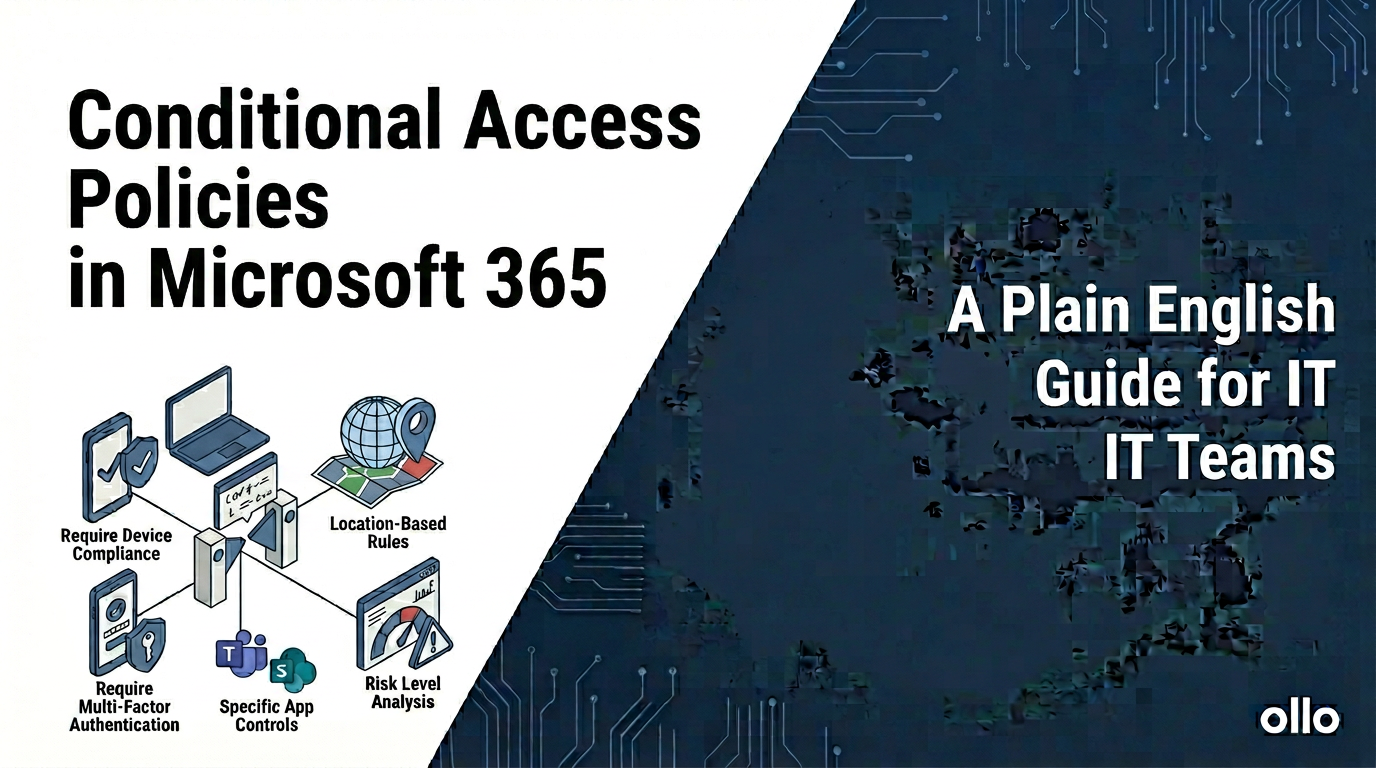

Conditional Access Policies in Microsoft 365: A Plain-English Guide for IT Teams
Conditional Access policies in Microsoft 365 are the core policy engine for a Zero Trust security model. They are a set of IF-THEN rules that evaluate every single authentication request, allowing you to enforce specific security controls based on the real-time context of the sign-in. Instead of just asking "who are you?", Conditional Access asks, "who are you, what are you trying to access, from where, and on what device?"
In our experience architecting secure tenants, the single point of failure for many IT teams is treating security as a collection of separate, static settings. Conditional Access, part of Microsoft Entra ID, consolidates these settings into one dynamic, powerful control plane. Mastering it is the difference between having a reactive security posture and having an intelligent, automated one. This is the modern way to manage access.
The Core Logic: Thinking in "IF-THEN" Statements
The trap many IT teams fall into is getting lost in the complexity of the portal. The simplest way to understand Conditional Access is to think of every policy as a basic IF-THEN statement.
- The IF (Assignments): This is the set of signals the policy looks for. It defines who, what, and where.
- The THEN (Access controls): This is the action the policy takes if the "IF" conditions are met. It defines the outcome.
By breaking down every scenario into this simple logic, you can build sophisticated policies without getting overwhelmed.
The "IF" Signals: What Conditional Access Evaluates
These are the conditions you can use to trigger a policy. The more signals you combine, the more granular your control.
- Users and groups: Who is the policy for? (e.g.,
All users, a specific group likeFinance Department, or roles likeGlobal Administrators). - Target resources (Cloud apps or actions): What are they trying to access? (e.g.,
All cloud apps, a specific app likeSalesforce, or an action likeRegistering security information). - Conditions: This is the rich context of the sign-in.
- Sign-in risk: What is the probability the request is compromised? This requires Entra ID P2 and uses machine learning to detect anomalies.
- Device platform: What operating system are they using? (e.g.,
iOS,Windows,Android). - Locations: Where is the sign-in request coming from? (e.g., trusted corporate network vs. an untrusted country).
- Client apps: What software is being used for access? (e.g.,
Browser,Mobile apps, or legacy clients likeIMAP/POP3). - Device state: Is the device known and managed? (e.g.,
Hybrid Entra joinedor marked asCompliantin Intune).
The "THEN" Controls: The Actions You Can Enforce
If the "IF" signals match, you can enforce a specific outcome.
- Block access: The most restrictive control. If conditions are met, the user is stopped cold.
- Grant access: This allows the user in, but only after they satisfy one or more requirements:
- Require multifactor authentication: The most common and essential control.
- Require device to be marked as compliant: A powerful control that forces the device to meet your security standards (e.g., have BitLocker enabled) before access is granted. This requires Microsoft Intune.
- Require Hybrid Entra joined device: Ensures the user is on a corporate-owned device joined to your local Active Directory.
- Require app protection policy: For mobile devices, this ensures the data within the app (e.g., Outlook) is sandboxed and protected.
- Session Controls: These are advanced controls that apply after authentication, like forcing a limited, web-only session in SharePoint to prevent downloads on unmanaged devices.
Conditional Access Best Practices: A Phased Implementation
A "big bang" approach to Conditional Access is dangerous; a single misconfigured policy can lock everyone out, including administrators. A phased rollout, starting with foundational policies and layering on more advanced logic, is the only responsible way forward.
Phase 1: The Foundational "Must-Have" Policies
These four policies are non-negotiable and should be configured in every Microsoft 365 tenant.
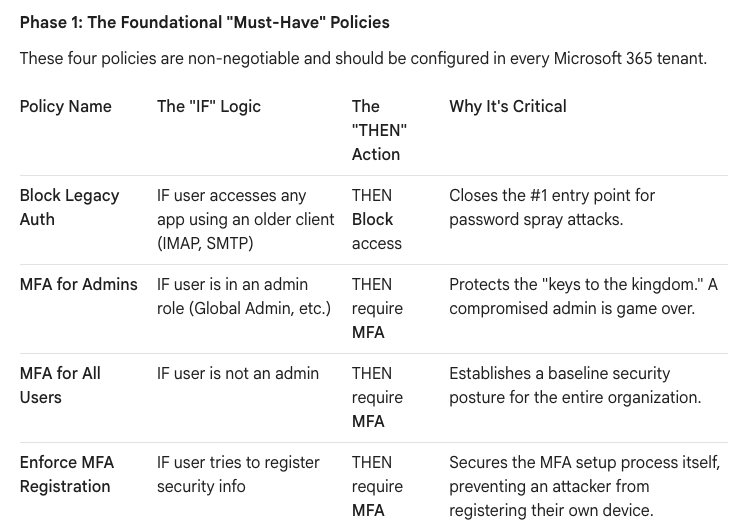
Crucial Note: When creating policies that apply to all users, always exclude at least one dedicated "break-glass" administrator account to prevent accidental lockout.
Phase 2: Intelligent, Risk-Based Policies
Once the foundation is stable, you can layer on more intelligence to reduce friction for users while increasing security.
- Block High-Risk Sign-ins:
- IF: Sign-in risk level is High.
- THEN: Block access.
- Benefit: Automates your response to a likely compromised identity, blocking the attack in real-time without human intervention. (Requires Entra ID P2).
- Require Compliant Devices for Sensitive Apps:
- IF: User accesses a sensitive app (e.g., your HR portal) AND their device is NOT compliant in Intune.
- THEN: Block access.
- Benefit: Ensures that your most sensitive data is only accessed from devices that meet your security standards (e.g., are encrypted and have AV).
Phase 3: Advanced Session & Data Protection
These policies control what a user can do after they have successfully authenticated.
- Prevent Downloads from Unmanaged Devices:
- IF: User accesses SharePoint Online from a device that is NOT compliant or Hybrid-joined.
- THEN: Use Session Control > Use Conditional Access App Control > Block downloads.
- Benefit: Allows users to stay productive by viewing files in the browser on a personal device but prevents them from exfiltrating company data by downloading it locally.
The "What-If" Tool: Your Essential Safety Net
Before you enable any policy, especially one that could have a broad impact, you must test it. The What-If tool in the Entra ID portal is your safety net. It allows you to simulate a sign-in scenario (a specific user, app, location, etc.) and see exactly which policies would apply and what the outcome would be—all without actually impacting any users. Skipping this step is a gamble you should never take.
Conditional Access is the heart of a modern Microsoft 365 security strategy. By moving from a static, fortress-like mindset to this dynamic, policy-driven approach, you create an architecture that is not only more secure but also more intelligent and user-friendly.

















