



Microsoft 365 Copilot Paradox: Architecting AI Agents When Compliance Kills Creativity
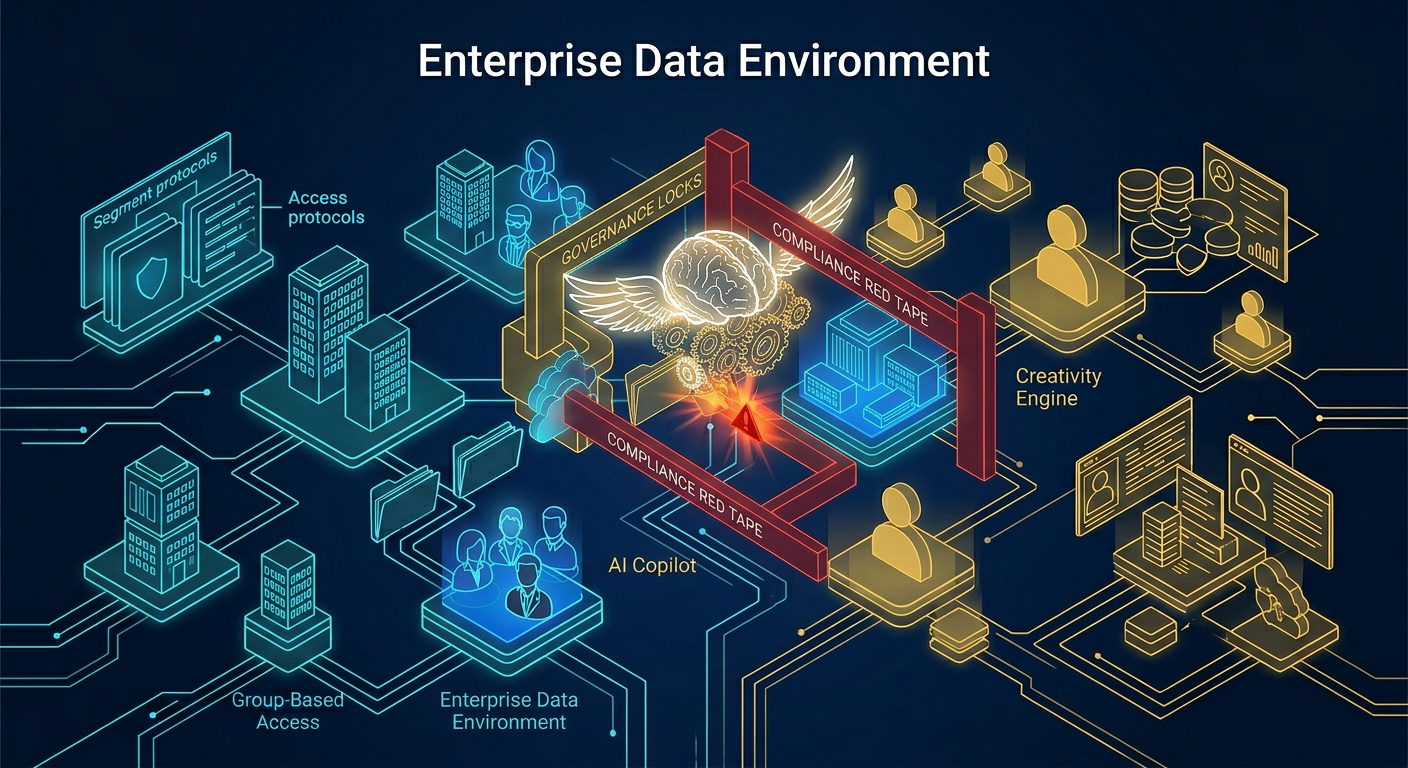
Enabling Copilot agents in Microsoft 365 requires more than purchasing licenses; it demands a rigorous architectural restructuring of your data governance. While Copilot offers immense creative potential, enterprise compliance teams often block deployment due to legacy oversharing. True enablement requires fixing permission structures before activating the AI.
The reality we found is that most organizations are paralyzed by the tension between AI innovation and data security. We hear endless talk about the potential of AI, but the engineering truth is that compliance bottlenecks are actively starving your workforce of these tools.
The "Search Bar Leak" on Steroids
The AI itself is not the security threat; your existing information architecture is. Microsoft 365 Copilot strictly adheres to your current tenant permissions. If you have a legacy "Everyone except external users" claim assigned to a sensitive financial site, Copilot will happily summarize Q3 payroll data for a junior intern.
This is the "Grey Zone" in action. Human error in permissions over the last decade has created a minefield of overshared data. Compliance officers see this reality and react by pulling the plug entirely, stifling the exact creativity and efficiency the AI was supposed to deliver.
Architecting the AI Landing Zone
You cannot solve a structural governance problem with a "Spreadsheet of Doom." To unblock Copilot agents, you must adopt an engineering mindset and systematically clean the destination. This requires identifying broken inheritance, dormant "ghost" data, and over-permissive SharePoint groups.
Before experimenting with prompt engineering, you must prepare your Semantic Index for Copilot. The Semantic Index is the mapping protocol the AI uses to understand your tenant's data relationships. If your taxonomic foundation is chaotic, the AI's map is practically useless.
To effectively tackle the threat of oversharing before enabling these tools, we recommend implementing rigid site access strategies similar to those detailed by SharePoint Maven. Do not rely on user discretion; rely on structural boundaries.
The "Dark Mode" Copilot Deployment Protocol
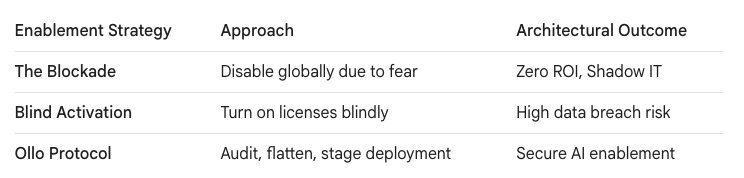
Never deploy AI agents to the entire enterprise at once. The trap most Architects fall into is treating Copilot enablement like a standard Office client update. We strictly enforce a "Dark Mode" deployment strategy.
We establish a quarantined pilot group—typically IT, Legal, and targeted early adopters. During this phase, we monitor their Copilot interactions using Microsoft Purview audit logs to detect if sensitive organizational data is surfacing improperly.
We lock down the permission gaps identified during this Dark Mode phase before the AI capabilities become indexable and visible to the broader organization.
Guardrails for Copilot Studio
Once the foundational data is secure, business units inevitably want to build custom agents using Microsoft Copilot Studio. This is where compliance truly clashes with creativity. Citizen developers want to connect agents to every available API, while InfoSec wants to block all external egress.
The solution is pragmatic architecture, not prohibition. We implement Data Loss Prevention (DLP) policies specifically targeting Copilot Studio connectors. You must architect boundaries defining exactly which internal SharePoint lists or external databases a custom agent is permitted to query.
Compliance should not be a roadblock. It must be the structural guardrail that allows enterprise creativity to scale safely. By treating Copilot enablement as a fundamental information architecture project, you transform a massive compliance risk into a secure, governed digital workplace asset.

















