



Your sharepoint online intranet may already look polished. The homepage has branded tiles, a news carousel, a CEO message, maybe even a dashboard or two. Stakeholders call it a success because it launched on time and nobody complained in the first week.
That means very little.
I've seen too many intranet programmes fail after launch, not before it. Search degrades. Permissions drift. Navigation forks into six competing versions. Department sites multiply because nobody set a control plane. Then audit season arrives and your team discovers that “people can find it eventually” isn't a governance model.
If you're an IT Director in energy, healthcare, or finance, you don't need another article about homepage inspiration. You need a survival guide. You need to know where SharePoint Online intranet projects break, what Microsoft's documentation implies, and which shortcuts turn into compliance incidents.
Your New Intranet Is Not a Success Story Yet
The most dangerous intranet is the one that looks finished.
It launches with fanfare, gets a few compliments, and immediately starts decaying underneath. The design team signs off on the homepage. Internal comms loves the news layout. HR uploads policy PDFs. Then problems begin. Nobody agrees where content belongs. Permissions inherit badly. Team sites get repurposed as publishing sites. Search starts returning stale, duplicate, or irrelevant material. Six months later, your “modern workplace” has become a governance landfill.
That pattern keeps repeating because organisations confuse launch with operational success. A sharepoint online intranet isn't a microsite. It's a long-lived enterprise platform. SharePoint first launched in 2001, and Microsoft now states the platform is used by more than 190 million people across 200,000 organizations worldwide in the historical baseline cited by Hubley's SharePoint overview. That scale is exactly why migration mistakes become expensive. Bad assumptions don't stay small.
The lift-and-pray mistake
We often see clients fail when they assume an old intranet can be copied into SharePoint Online with only minor clean-up. They expect site structures, permissions, and reporting behaviour to survive the move untouched.
They won't.
Legacy SharePoint-to-SharePoint moves are where false confidence does the most damage. Teams trust the source environment because it has existed for years. They mistake age for order. In reality, old intranets usually hide long path problems, broken inheritance, dead content, unmanaged subsites, and libraries nobody has reviewed in years.
Field lesson: If your current intranet doesn't have a clean information architecture, migrating it faster just spreads the damage faster.
A homepage redesign won't save a weak backend. Neither will a migration utility on its own. Your risk sits in the structure, not the colour palette.
What sceptical IT leaders should assume
Start with the harsh assumption that your current state is worse than the project board thinks. That mindset saves time because it forces proper discovery.
Treat these as warning signs:
- Unclear ownership: Content exists, but nobody can name the business owner.
- Inherited sprawl: Teams keep old sites alive because they're afraid to break links.
- Reporting confusion: Stakeholders use simple usage views as if they prove adoption or compliance.
- Migration optimism: Someone says, “We'll move it first and tidy it later.”
That last sentence is how intranet rescue projects begin.
Your new intranet is not a success story because it launched. It becomes one only when your team can defend its architecture, explain its permissions, control its growth, and survive an audit without improvising.
Designing a Defensible Intranet Architecture
Microsoft's guidance is clearer than many teams want to admit. If you skip information architecture and the hub model, you create content sprawl and weak findability. Microsoft Learn explicitly recommends planning around site purpose and hub structure before rollout in its guidance on planning a SharePoint intranet.
That isn't a design preference. That's the control plane.

Start with purpose, not pages
The fastest way to ruin a sharepoint online intranet is to let departments request pages before you define site roles. Once people start building, they create local logic. Local logic becomes duplicate navigation, duplicate content, and duplicate permission patterns.
A defensible architecture starts with a blunt classification:
- Communication Sites publish controlled information. Use them for corporate communications, policy surfaces, leadership updates, and stable department publishing.
- Hub Sites organise related sites and provide shared navigation, search scope, and thematic structure.
- Team Sites support collaboration. They should not inadvertently become publishing estates because someone wanted a shortcut.
If your team mixes those roles, governance degrades quickly. Search gets noisier because publishing and collaboration content bleed together. Owners improvise because the architecture never told them what each site type was for.
The hub model is your containment strategy
Most failing intranets don't collapse because SharePoint lacks features. They collapse because nobody imposed structure early enough.
Use a hub-and-spoke pattern to contain entropy:
Define the intranet core
This is your home site and central publishing layer. It handles enterprise news, global navigation, and high-trust content.Attach departmental publishing to hubs
HR, Finance, IT, Operations. Each gets a clear purpose and a named owner. No “miscellaneous” sites. No shadow portals.Separate project workspaces from published knowledge
Projects create churn. Your intranet shouldn't inherit that churn into primary navigation unless there's a governed reason.Control association rules
Not every site should join a hub because a site owner asks nicely.
For teams comparing platform work against broader digital estate decisions, this piece on understanding enterprise app costs and partners is useful because it frames architecture as a cost and risk decision, not just a build exercise.
Governance belongs in the blueprint
The documentation says plan the intranet first. In reality, many organisations still build pages first and governance later. By then, broken inheritance and inconsistent permissions are already embedded. That's why architecture work has to include governance from day one.
Your blueprint should define:
- Who can create sites
- Which site templates are allowed
- Where content types and metadata live
- How navigation is controlled
- When a team site qualifies for promotion into a governed publishing surface
If you're dealing with subsidiaries, regional separation, or merger complexity, multi-tenant decisions affect intranet structure far earlier than often acknowledged. Consequently, a proper view of SharePoint multi-tenant architecture becomes crucial.
A hub structure doesn't fix bad governance. It gives governance somewhere to live.
The Ollo verdict
Use Microsoft's communication-site and hub-site model exactly as the foundation. Don't flatten the architecture and promise to organise it later. That approach always creates expensive remediation.
If your stakeholders want wireframes before information architecture, push back. Hard. The page isn't the product. The structure is.
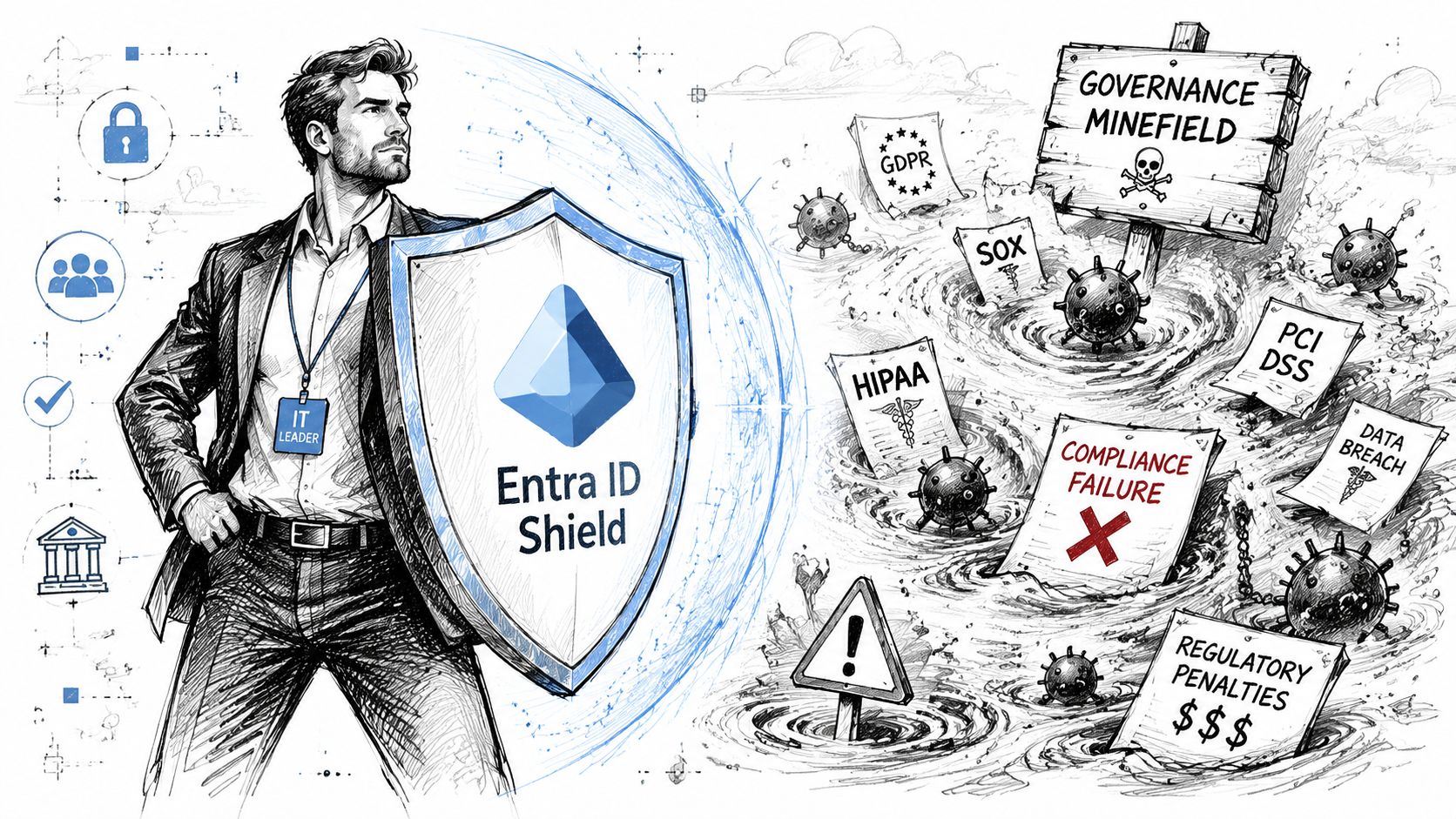
The Governance Minefield and Your Entra ID Shield
Most intranet teams still measure the wrong thing. They look at visits, viewers, and page popularity, then treat those numbers as proof that the platform is healthy.
That's reckless in a regulated environment.
Microsoft's own usage guidance says SharePoint site owners can see visitors, visits, and popular content over defined time windows, but those reports are aggregated and time-bounded. They are not forensic audit evidence, and deeper user-level tracing belongs in audit logs, as Microsoft explains in its documentation on viewing SharePoint site usage data.
Site analytics are not audit controls
We often see clients fail when they present standard site analytics as evidence of adoption, oversight, or compliance. The documentation says one thing. Reality says another.
A site owner can see a broad pattern. They cannot use that view to answer the questions your compliance team asks:
- Who accessed a sensitive document?
- Was access appropriate?
- When did a permission change occur?
- Did a user lose access when they changed role?
- Which content has drifted outside policy boundaries?
A sharepoint online intranet in a regulated business should function as a governed communications layer, not a vanity reporting surface.
Operational rule: If a metric can't support an access review, legal hold discussion, or policy challenge, it isn't a governance metric.
Embedded dashboards create a second problem
Many articles recommend embedding Power BI or Excel into intranet pages. Technically, yes, you can do it. Governance-wise, that's where trouble starts.
The issue isn't whether a chart renders. The issue is whether your team has just created uncontrolled re-publication of operational data through inherited page permissions, regional access drift, and uncertain ownership. For teams automating extraction or classification of files before publication, tools such as SharePoint document parsing can be useful in narrow workflows, but they don't solve the bigger governance question of whether the information should appear on the intranet in the first place.
If Finance wants KPIs on the homepage, ask who owns the source, who approves refresh logic, who validates discrepancies, and who removes access when organisational boundaries shift. Teams commonly ask those questions too late.
Your real defence sits in Entra ID
Many intranet programmes eventually demand serious attention to identity governance. SharePoint permissions alone won't rescue weak identity governance. Your shield is Entra ID, paired with a Zero Trust posture.
That means your intranet design has to work with:
- Conditional Access for device, location, and risk-aware access control
- Privileged access discipline so increased permissions aren't left standing
- Group lifecycle control to stop access drift
- Identity governance and access reviews so stale entitlements don't accumulate
- Clear separation between business ownership and technical administration
If your intranet security model still relies on ad hoc SharePoint groups and informal owner decisions, you don't have governance. You have local permission folklore.
For a practical identity foundation, this guide to Microsoft Entra ID strategy is the right place to start.
Here's the broader security context worth reviewing with your architecture team:
The Ollo verdict
If you run in a regulated Irish or UK environment, treat built-in SharePoint usage metrics as directional only. Use audit logs for traceability. Use Entra ID as the identity control layer. Be extremely selective about what data you surface on intranet pages.
Engagement matters. Auditability matters more.
Migration Realities Standard Tools Cannot Handle
A lot of intranet damage starts with a bad sentence from a well-meaning project manager: “We can probably do most of this with the standard tool.”
No. Not if your environment is large, old, merged, regulated, politically sensitive, or structurally inconsistent.
SPMT has a place. So does ShareGate. But neither one is a migration strategy. They are tools inside a strategy. If your sharepoint online intranet migration includes tenant consolidation, file share rationalisation, Google Drive ingress, metadata restructuring, or permission redesign, your risk profile changes immediately.
Microsoft's own documentation confirms the technical constraints people love to ignore. That includes API throttling, the 5,000-item list view threshold, path and structure constraints, and governance dependencies built into how SharePoint Online is organised. Those aren't edge cases. They're migration breakpoints.
Where the tools hit the wall
SPMT is fine for straightforward ingestion when the source is simple and the target is already designed. It is not built to think architecturally on your behalf.
ShareGate is more capable. It gives you stronger visibility and better control, especially for content moves and restructuring. But if you point it at a bad source estate without pre-migration analysis, you just industrialise the problem.
We often see clients fail when they rely on tooling to solve issues that are architectural:
- Broken inheritance doesn't become safer because a tool can copy permissions.
- Overgrown libraries don't become governable because a report says the copy completed.
- GUID conflicts in tenant-to-tenant scenarios don't disappear because the UI looks clean.
- Workflow dependencies don't survive just because files arrived in the target.
- List view threshold exposure still affects user experience after migration if nobody redesigned the information model.
Standard tools copy content. They don't clean your decisions.
Migration Approach Risk Profile
| Risk Factor | DIY / SPMT | Tool-Assisted (e.g., ShareGate only) | Specialist-Led (Ollo Approach) |
|---|---|---|---|
| Information architecture drift | High | Medium to high | Controlled through target-state design |
| Permission migration quality | Unpredictable | Better visibility, still risky without redesign | Reviewed, rationalised, and validated |
| API throttling handling | Reactive | Reactive with some operational control | Planned around wave design and scripting |
| 5k threshold exposure | Usually discovered late | Often identified but not structurally fixed | Addressed through redesign and partitioning |
| Long paths and naming issues | Frequently missed | Detectable, not always remediated cleanly | Caught in pre-flight analysis and corrected |
| Tenant-to-tenant complexity | Weak | Limited without deeper expertise | Managed with custom sequencing and validation |
| Auditability of outcomes | Weak | Partial | Designed into the process |
| Business disruption risk | High | Medium | Reduced through staged execution |
Custom scripting is not optional at scale
Once you move beyond simple volume and into complexity, custom PowerShell and PnP scripting stop being “nice to have”. They become essential.
You need scripting when you have to:
- normalise naming before migration
- map legacy structures into a new hub model
- remediate metadata in bulk
- sequence high-risk libraries separately
- validate permissions after transformation
- handle exceptions that a UI-driven tool won't resolve gracefully
This is also where specialist services become relevant. Some firms, including Ollo, combine ShareGate with custom PowerShell PnP execution for high-risk migrations rather than relying on SPMT for enterprise jobs.
If you're planning a serious move, review the migration risk patterns in this guide on moving to SharePoint Online.
The Ollo verdict
Use SPMT for small, simple, low-risk content moves where the target is already designed and the source is clean.
Use ShareGate as an execution component, not as a substitute for architecture.
For anything involving regulated data, tenant consolidation, permission redesign, large legacy estates, or structural remediation, you need pre-flight analysis, custom scripting, and staged validation. Missing that step doesn't just fail the migration. It breaks governance, delays cutover, and leaves your team defending outcomes it can't prove.
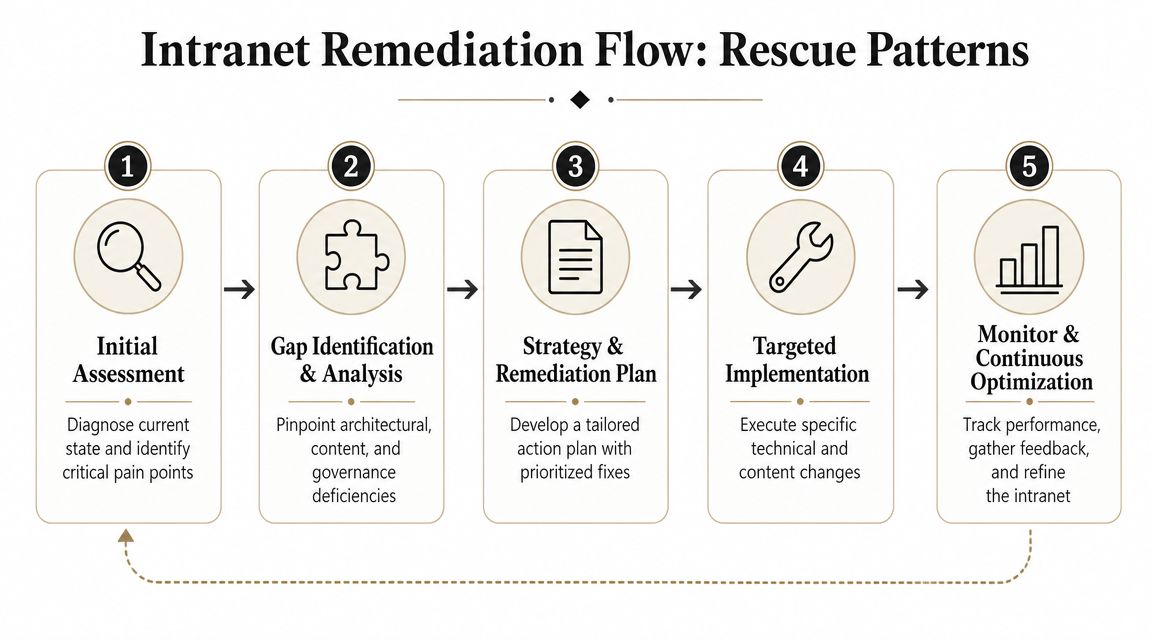
Remediation Patterns for Intranets Gone Wrong
By the time many clients call for help, the intranet already exists. The homepage works. The search box technically returns results. Users have adapted to the mess. That's the dangerous phase because the platform looks survivable.
It isn't.
The remediation job starts when you accept that the problem is systemic, not cosmetic. ShareGate's own coverage of modern intranet practice warns that poor site structure and search make content harder to find, and it cites a tenant that had to remove 15% of inactive sites before search improved in this discussion of modern SharePoint intranet best practices. That lines up with what we see in the field. DIY intranets usually fail at lifecycle governance, not page layout.
Pattern one is the forensic content audit
Don't start by redesigning the homepage. Start by interrogating the estate.
You need a site and content audit that identifies:
- Inactive sites that dilute search and confuse ownership
- Redundant material copied across departments
- Obsolete policies still appearing authoritative
- Trivial content that should never have been in a publishing estate
- Unowned libraries that nobody can defend
This isn't housekeeping. It's risk reduction.
Pattern two is the permission reset
Sometimes inheritance is too broken to repair delicately. If your team has years of ad hoc access grants, nested exceptions, and owner churn, the cleanest fix is often a controlled permission reset.
That means:
- Extract the current state.
- Map business roles properly.
- Rebuild access using a rational group model.
- Validate exceptions one by one.
- Remove historic permission folklore.
Teams resist this because it's painful. They prefer incremental clean-up. Incremental clean-up usually preserves the mess.
If nobody can explain why a user has access, the permission model is already compromised.
Pattern three is architectural retrofitting
Retrofitting a hub-and-spoke model onto a sprawling intranet is ugly work. It requires decisions that should have been made before launch. But it's still better than letting the estate continue to fragment.
That typically means reclassifying sites by purpose, separating communications from collaboration, reworking navigation, and relocating content into structures users can trust. Consequently, many organisations realise they don't need “more pages”. They need fewer, better-governed sites.
If you're already dealing with a project that drifted off course, this breakdown of a failed SharePoint migration will look uncomfortably familiar.
The Ollo verdict
Rescue work starts with removal, not decoration. Audit aggressively. Reset permissions where necessary. Rebuild the architecture around purpose. Then reintroduce design on top of a structure your team can govern.
If that sounds heavier than the original build plan, that's because it is. Remediation always costs more than doing the architecture properly the first time.
Defining Success with Metrics That Matter
Most intranet scorecards are childish. They celebrate views, clicks, likes, and homepage traffic as if that tells an IT Director anything useful.
It doesn't.
For a regulated sharepoint online intranet, success is not “people visited the page”. Success is “the platform reduced ambiguity, contained access, and supported defensible operations”. That's why embedded dashboards can become a trap. Many articles recommend Power BI or Excel on intranet pages, but in regulated workplaces the primary concern is preventing uncontrolled re-publication of sensitive metrics and access drift, as discussed in this example of dashboard-oriented SharePoint intranet design.
Replace vanity metrics with operational ones
The right metrics ask whether the intranet is governable.
Use measures such as:
Content ownership coverage
How much published content has a named owner and review date?Access review completion
Are business owners validating who should retain access?Policy findability
Can staff locate the correct controlled document without tripping over duplicates?Stale content removal
Are you actively retiring material that damages trust in search?Exception volume
How many manual permission exceptions exist outside your intended model?
None of those metrics are glamorous. They're also the ones your compliance team will care about when things go wrong.
Ask better executive questions
A CIO doesn't need another chart showing that the CEO message was popular. They need answers to harder questions:
| Executive concern | Weak intranet metric | Useful intranet metric |
|---|---|---|
| Compliance confidence | Page views | Content with owner and review discipline |
| Access control | Likes or reactions | Access reviews completed and exceptions resolved |
| Search quality | Search volume | Ability to find current controlled content reliably |
| Operational trust | Dashboard impressions | Reduction in duplicate, stale, or unmanaged content |
Board-level test: If a metric doesn't show reduced risk or improved control, it belongs in a comms report, not an enterprise governance report.
The Ollo verdict
Treat your intranet as infrastructure. Measure trust, control, ownership, and auditability. If your reporting framework still centres on engagement alone, you're managing the intranet as a brochure site.
If you need to justify the programme financially, this view of SharePoint migration ROI is more useful than another adoption dashboard because it frames value around operational outcomes instead of vanity numbers.
The Real Build versus Buy Calculation
The wrong way to frame this decision is to compare a partner fee against internal day rates.
The right way is to compare specialist cost against the cost of failure.
Failure in a sharepoint online intranet project rarely arrives as one dramatic outage. It shows up as accumulated damage. Permissions drift until the wrong people can see the wrong material. Search degrades until staff stop trusting the platform. Migration shortcuts preserve legacy chaos. Governance gaps become audit issues. The business then pays twice. First in remediation effort, then in lost confidence.
What internal teams usually underestimate
Your internal team may know Microsoft 365 well. That does not automatically mean they should lead a high-stakes intranet migration or rescue.
They are often already carrying:
- operational support load
- identity and endpoint responsibilities
- stakeholder management friction
- pressure to deliver quickly
- limited time for deep pre-migration analysis
That combination creates predictable shortcuts. Those shortcuts are expensive.
What you're actually buying
When you bring in a specialist, you aren't buying generic implementation capacity. You're buying reduced uncertainty.
You want people who will challenge bad assumptions early, reject weak source structures, script around technical constraints, and force governance decisions before content spreads. You want someone who has already seen the ugly combinations of API throttling, broken inheritance, threshold problems, path issues, and merger-driven tenant complexity that derail ordinary projects.
The build versus buy question isn't about capability in theory. It's about who carries the risk when your data, permissions, and compliance posture are on the line.
The Ollo verdict
If your intranet is small, unregulated, structurally clean, and politically simple, your internal team may manage it with standard tooling and strict discipline.
If it isn't, DIY is a high-risk bet.
For regulated organisations, a sharepoint online intranet is foundational infrastructure. Treat it like one. The specialist option isn't about convenience. It's the risk-reduction path when failure would hit governance, productivity, and executive trust at the same time.
If your team is staring at a SharePoint Online intranet that looks fine on the surface but feels unstable underneath, talk to Ollo. We work on the difficult end of Microsoft 365 migrations, intranet rescues, tenant consolidation, and Entra ID redesign where the true task is avoiding disaster, not just shipping pages.

















