



When calculating the return on investment for a SharePoint migration, you’re not just tallying up vague productivity gains. You're making a cold, hard calculation: risk mitigation versus catastrophic failure. The real ROI isn’t in a slick slide deck; it’s in the multi-million euro compliance fine you sidestep and the career-defining budget overrun you prevent.
The ROI Conversation Your CFO Actually Cares About
Let’s be blunt. Your CFO doesn’t care about vendor-supplied PowerPoints promising fuzzy improvements in "collaboration." They have been burned by failed IT projects before and view every new initiative through a lens of constructive cynicism. The business case that gets a signature isn't built on optimistic forecasts; it’s built on a foundation of avoiding disaster.

The real conversation about SharePoint migration ROI starts by acknowledging the brutal financial reality of what happens when these projects go sideways. Your team might point to Microsoft's 'free' SharePoint Migration Tool (SPMT), but the true cost isn't the software—it's what happens when that 'free' tool obliterates your project timeline and budget due to unhandled API throttling and broken inheritance.
Moving Beyond Fluff to Financial Reality
The entire conversation has to pivot from "what we could gain" to "what we stand to lose if this fails." This reframes the whole discussion from a 'nice-to-have' IT upgrade to an essential business continuity plan.
We see it all the time, especially in Dublin's finance and professional services sectors. An IT director, trying to be frugal, decides to go the DIY route. They figure they'll save a few quid. But their €25,000 project quickly balloons to €75,000 or more when they get slammed by Microsoft's API throttling, bringing their progress to a dead halt for weeks.
Your business case isn't a feature request; it's an insurance policy. The premium is the cost of specialist engagement. The payout is the avoidance of data loss, compliance breaches, and a project that spirals hopelessly out of control.
This is the language of risk that resonates with finance leaders. It acknowledges the high-stakes game you're playing when moving terabytes of sensitive corporate data. To make your case stick, you need to ground it in the top metrics in project management strategies to boost profitability that directly address these business-critical outcomes.
The True Cost of "Free" Tooling
The most common point of failure we see is a dangerous over-reliance on basic tools for what is an incredibly complex job. A free tool like the SPMT might seem like a quick win for the budget, but it introduces massive, unquantified risks that are far more expensive in the long run.
Here’s a direct comparison of the costs you can see versus the ones that blindside you.
Hard Costs Of A DIY Migration Versus A Specialist Engagement
This table makes it clear: the "free" option is often the most expensive one.
Let's break down the specific risks that turn a "free" migration into a financial headache:
- API Throttling Halts: The documentation says this protects the tenant. The reality is that without expert management, Microsoft will slow down migrations from tools that hammer their APIs, adding weeks or even months of stalled progress to your timeline, burning through staff time.
- Broken Permissions: When moving from complex on-premises environments, basic tools fail to map permissions correctly. This isn't a user frustration; it's a massive security and compliance gap when sensitive financial data suddenly inherits the wrong access rights. Missing this step doesn't just fail the migration; it breaks legal compliance.
- Data Integrity Gaps: Did every version of every critical document make it across? SPMT provides minimal validation. Discovering crucial contract versions are missing during a legal audit is a catastrophic failure, not a minor inconvenience.
The discussion with your CFO must centre on these tangible risks. It positions specialist oversight not as an optional expense, but as the only logical strategy for risk reduction. For a detailed breakdown of what a specialist engagement looks like, you should review our guide on SharePoint migration pricing.
Quantifying The Hidden Costs That Wreck Migration Budgets
Any IT director who’s been around the block knows hidden costs aren’t just a possibility in a big project; they’re a certainty. When it comes to SharePoint migrations, these financial black holes can derail your entire budget if you don’t see them coming. To figure out the real ROI of your migration, we have to look past the obvious licence fees and confront the specific technical failures we see time and time again in the field.

This isn't about fear-mongering. It’s about building a business case that’s grounded in the reality of what actually goes wrong. Your initial project plan probably accounts for software licences and some internal hours, but the real budget-killers are the unquantified costs that pop up when technical problems hit.
The True Cost Of Throttling Delays
Microsoft’s own documentation is clear: API throttling is a feature, not a bug. It’s built to protect the service from being overwhelmed. In a large migration, however, this “protection” quickly becomes your biggest bottleneck. We frequently see clients whose internal teams, using standard tools, find their migration speed slashed by up to 90%.
Let’s put a number on that. Imagine you have two IT professionals (€50/hour each) tasked with a migration that’s planned for four weeks (160 hours). If throttling doubles the timeline—a common scenario—you’ve just added €16,000 in direct labour costs. That’s before you even consider the ripple effect of missed deadlines on other critical business projects.
The documentation might say API throttling protects the tenant, but the reality is that without expert management, it can bankrupt your project timeline. A specialist doesn't just click "run" on a tool; they actively manage migration queues and use custom scripts to work with Microsoft's limits, not just crash into them.
When Automation Breaks The Business
Another catastrophic failure point we’re constantly called in to fix is broken automation, especially Power Automate flows and Power Apps. This is a massive issue during tenant-to-tenant migrations, particularly when two organisations merge.
The problem is a technical one: GUID conflicts. When lists and libraries are moved, their underlying unique identifiers (GUIDs) can change. All those Power Automate flows your team spent months building to automate invoicing or HR onboarding are hard-coded to the old GUIDs.
After the migration, they don’t just throw up an error message; they often fail silently. It could be weeks before anyone realises that hundreds of invoices haven’t been processed, creating a sudden cash-flow crisis. The cost here isn’t just the IT hours needed to fix the broken flows; it’s the very real business damage caused by core processes grinding to a halt. When you’re quantifying this risk, you have to ask: what’s the financial impact if our most important automated processes fail for a month?
For a deeper analysis of migration expenses, you can explore our detailed breakdown of SharePoint migration costs and how they compound.
Calculating The Cost Of A Compliance Failure
The most severe hidden cost, by far, comes from data governance failures.
Think about moving millions of files from a legacy file share. Your team runs a migration tool and gets a "99% successful" report. Great, right? But what they miss is that the 1% that failed—often due to things like long file paths or special characters—contained sensitive PII or crucial financial data that is now lost in limbo.
Even worse is the problem of broken permission inheritance. A basic tool might fail to replicate the unique, granular permissions on a folder containing sensitive board meeting minutes. The folder gets migrated, but it now inherits the open, company-wide permissions of the parent site it landed in. Suddenly, your most confidential documents are visible to everyone.
The cost here is not theoretical. It’s brutally real.
- Audit Failure: An auditor requests a specific file, and your IT team can't find it or, worse, can't prove its chain of custody since the migration.
- Legal Exposure: During eDiscovery for a lawsuit, you’re unable to produce critical documents because their permissions are broken, severely weakening your legal position.
- GDPR Fines: Sensitive data is exposed due to broken permissions, leading to a breach and a fine that can reach 4% of your global annual turnover.
The real ROI calculation for a SharePoint migration isn't about comparing the price of a specialist engagement to your internal team’s salary. It's about the multi-million euro fine you avoided, the lawsuit you didn't lose, and the project budget you didn't have to double. This is the financial ammunition you need to prove that specialist oversight isn't just another project cost—it's a non-negotiable insurance policy.
A Reality Check On Your Migration Toolkit
Your architects will inevitably suggest using standard, off-the-shelf tools for the migration. Let's get you ready for that conversation. The tools themselves aren’t the problem; the real issue is the dangerous assumption that they are a complete solution. We often see clients fail when they treat a tool purchase as the finish line.
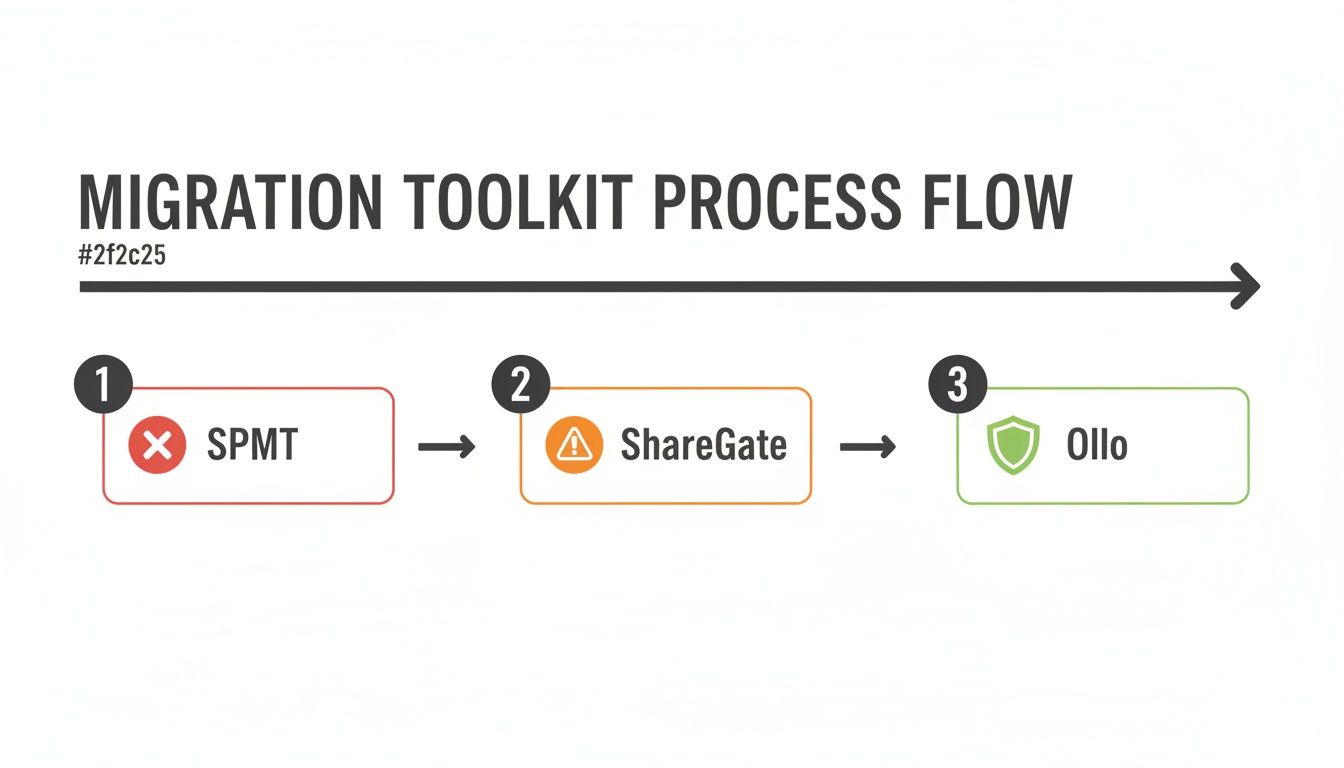
The real work—the work that separates a successful migration from a costly failure—happens long before and long after you click "migrate".
SharePoint Migration Tool (SPMT): The Free Tool That Costs You Dearly
Microsoft's SharePoint Migration Tool (SPMT) is functional, but only for the most trivial scenarios. It was never designed to handle terabytes of data, navigate the minefield of legacy on-premises permissions, or deal with SharePoint's 5k list view threshold.
The documentation says SPMT is a migration solution. In reality, it breaks the moment it encounters real-world enterprise complexity. It offers almost no control over API throttling, meaning your project can grind to a halt for days without warning, burning through your budget as your team sits around waiting. It cannot handle long path limits and will silently leave critical data behind.
The Ollo Verdict: Use SPMT for <50GB of simple files with no complex permissions. For anything else, you need custom scripting or a professional-grade tool operated by experts. Relying on SPMT for an enterprise migration introduces unacceptable risk to your data and timeline.
ShareGate: The Power Tool That Still Needs A Skilled Operator
ShareGate is a powerful, professional-grade tool. It's a core part of our own toolkit. But it is absolutely not a fire-and-forget weapon. We are frequently called in to rescue projects where a team bought ShareGate, ran the migration, and declared victory based on a 99% success report. The disaster is only discovered months later when they realise that the 1% of failed files contained all their critical contracts due to long path limits the tool couldn't handle out-of-the-box.
ShareGate will stumble on common enterprise roadblocks:
- Long Path Limits: It often fails on deeply nested folder structures that exceed SharePoint Online’s character limits, leaving behind a trail of orphaned files.
- Throttling: The documentation says it manages throttling, but in reality, it requires expert configuration and continuous monitoring to maintain migration speed without constant manual intervention.
- Broken Inheritance: It cannot magically fix years of accumulated permissions chaos. It migrates what you have, and if what you have is a mess, you're just migrating a security problem into the cloud.
The Ollo Verdict: ShareGate is the right tool for the job, but it is not the whole job. It's a scalpel that requires a surgeon. It requires an expert operator who can augment its power with custom PowerShell scripting to handle the inevitable edge cases and validate the integrity of every single file.
Tool Limitations In Enterprise Scenarios
As the table shows, relying solely on an out-of-the-box tool for a complex migration is like bringing a spanner to a job that requires a full mechanic's workshop. For a more detailed comparison, our guide on choosing the right SharePoint migration software provides a technical deep-dive.
The inescapable conclusion is that a successful outcome depends on a hybrid approach: commercial tools, constant expert oversight, and a library of battle-tested custom scripts to bridge the gap between what the tool can do and what your business requires to operate without risk.
Building a Defensible ROI Model Step by Step
Let's be honest. Your finance team has seen enough aspirational ROI models to wallpaper their offices. A defensible SharePoint migration ROI is built on a battle-tested framework that stands up to scrutiny because it prioritises what they care about most: predictable costs and mitigated risk. This isn't theoretical; it's the template we use to get high-stakes projects signed off.
We build our models on three pillars.
Pillar 1: Cost Reduction
This is the most straightforward part of the calculation. You need to present hard, tangible figures based on decommissioning your legacy infrastructure. Forget fuzzy numbers; we need specifics.
Start by adding up the annual costs of keeping your on-premises servers running. This must include:
- Hardware Maintenance: Contracts for support on your physical servers, SANs, and networking gear.
- Software Licencing: The annual bill for Windows Server, SQL Server, and legacy SharePoint licences.
- Data Centre Costs: The direct expense for power, cooling, and rack space.
- IT Admin Overhead: Calculate the fully loaded salary cost of the hours your team spends patching servers and managing backups instead of working on projects that move the business forward.
Summing these up gives you a concrete annual saving that decommissioning those servers directly enables.
Pillar 2: Risk Mitigation
This is where most ROI models fall apart, but it’s the most critical pillar. You have to assign a credible financial value to the disasters you are actively preventing. Your business case isn't just about savings; it's about cost avoidance on a catastrophic scale.
We work with clients to model the financial impact of specific failure scenarios. What is the probable cost of a single data loss event involving sensitive client information? The calculation should include real numbers for:
- Regulatory Fines: A quantifiable estimate based on GDPR. For GDPR, this can be up to 4% of global turnover. That's a number that gets attention.
- Legal & Remediation Costs: The expense of legal counsel, forensic IT, and PR firms to manage breach fallout.
- Reputational Damage: Estimate this based on projected customer churn and loss of new business.
A strong ROI model doesn't just promise a positive return. It proves that the cost of expert engagement is a fraction of the cost of a single, highly probable security or compliance failure. Missing this step doesn't just fail the migration; it breaks legal compliance.
This approach completely transforms the conversation from "How much does this project cost?" to "How much risk are we willing to tolerate by not doing this correctly?"
Pillar 3: Strategic Enablement
While risk mitigation is a powerful motivator, you also need to quantify the new value unlocked by moving to a modern platform. Vague statements won't cut it; you need specific, measurable outcomes.
We focus on three key areas:
- Modern Collaboration Value: Quantify the time saved by enabling co-authoring and seamless integration with Teams. A simple calculation can be: (Number of users) x (Average hourly wage) x (Time saved per week) x (52 weeks).
- Process Automation with Power Platform: Identify three to five high-volume, manual processes (like invoice approvals) that can be automated. Calculate the ROI by the reduction in manual hours and the decreased error rate.
- Zero-Trust Foundation: The value here is directly intertwined with risk mitigation. By establishing a secure foundation with Microsoft Entra ID (formerly Azure AD), you drastically reduce your attack surface. This directly lowers the probability of those costly breach scenarios you modelled in Pillar 2.
Gathering this data is why a complete pre-migration readiness check is essential. You can learn more about what's involved in our guide to a proper SharePoint migration assessment.
War Stories From The Migration Trenches
Theory is one thing; the field is another. We've been brought in to clean up the aftermath of migrations that went disastrously wrong, giving us a front-row seat to the technical failures that turn a planned project into a six-figure clean-up job. The greatest SharePoint migration ROI is measured by the disasters you avoid.
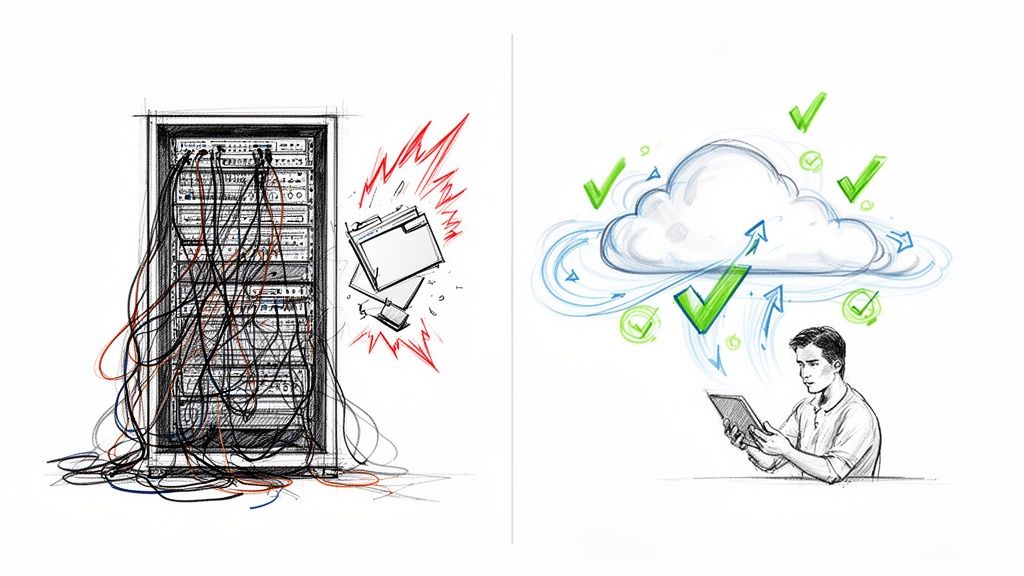
These are cautionary tales, anonymised but technically precise, proving one thing: the highest ROI comes from getting it right the first time.
The Financial Firm And The DIY Tenant-To-Tenant Disaster
We recently got a call from a Dublin-based financial services firm after their internal IT team attempted a tenant-to-tenant migration following a merger. On Monday morning, the true cost started to become brutally clear.
Their core automated invoicing process, built on Power Automate, had failed silently. The problem was GUID conflicts. The migration tool had created brand-new libraries in the destination tenant, assigning them entirely new Globally Unique Identifiers (GUIDs) and breaking every hard-coded workflow.
The result was a complete operational breakdown:
- Over 80 critical workflows were broken, halting everything from invoicing to compliance checks.
- The finance department was completely unaware for 48 hours, which led to a sudden and severe cash flow crisis.
- The remediation project, which involved us manually re-mapping and testing every single flow, ended up costing the firm over €120,000 in emergency consulting fees and lost revenue.
This wasn't a failure of the tool; it was a failure of planning. A proper pre-migration analysis would have flagged these GUID dependencies immediately. Their attempt to save a little on specialist fees cost them five times what a properly managed migration would have.
The Healthcare Provider And The Averted Budget Overrun
By contrast, we worked with a large Irish healthcare provider planning to move petabytes of sensitive patient data. Their primary concern was absolute data governance. The CIO was, rightly, sceptical of any ROI promises until we could guarantee a risk-free transition.
Our pre-migration analysis, using custom PowerShell scripts, uncovered a critical roadblock: Over 30% of their most important research data was stored in folder structures that exceeded SharePoint Online’s well-known path length limits. A standard "lift and shift" would have simply failed, leaving millions of essential files orphaned and inaccessible.
Instead of just hitting 'go', our strategy involved:
- Scripted Path Analysis: We identified every single file that would violate the path limits before a single byte was moved.
- Metadata-Driven Restructuring: We worked with their governance team to flatten the complicated folder hierarchy, programmatically applying folder names as metadata tags.
- Verifiable Migration: The migration was executed with scripts that used hash checks to ensure 100% data integrity.
The client’s internal projection for manually fixing these path limit errors after the migration was over €100,000 in lost productivity. Our proactive, scripted approach wiped that cost off the board entirely. For a closer look at common pitfalls, we've documented other SharePoint migration failures that cost enterprises millions and how to avoid them.
These two scenarios highlight a simple truth. The most significant factor in your SharePoint migration ROI isn’t the software you choose, but the expertise you deploy. Risk is expensive; expertise is not.
Answering The Hard Questions About Migration ROI
There's no marketing spin here. These are direct, technically grounded answers to the questions we hear every single day from IT Directors and Enterprise Architects. Your team is asking these same questions, and you need answers that go beyond the vendor sales pitch.
My Team Says ShareGate Can Handle The Migration. Why Do I Need Ollo?
ShareGate is an excellent tool; we use it ourselves. But a tool is not a strategy.
For any enterprise migration bogged down by years of technical debt, ShareGate alone will eventually hit a wall. It needs an expert in the driver's seat to configure throttling management, script solutions for broken permissions the tool can't fix, and validate the integrity of millions of files after the move.
We frequently see clients who ran the tool themselves, got a 98% 'success' report, and only discovered months later that the failed 2% contained their most critical financial records due to unhandled long path limits.
The Ollo Verdict: A tool is an accelerator, not a replacement for expertise. ShareGate gets you 80% of the way there; our job is to handle the final 20% where catastrophic failure lives. That 20% includes custom scripting for GUID updates, path length remediation, and post-migration validation that guarantees 100% data integrity.
How Can We Calculate The ROI Of Improved Security And Compliance?
You calculate it by quantifying the cost of a catastrophic failure. What is the regulatory fine for a data leak under GDPR for your business? What is the direct financial and reputational cost if client data is compromised? These are not abstract numbers.
We work with you to model your specific risk profile. The SharePoint migration ROI, in this case, is the multi-million euro cost of a fine or breach that you avoid by executing a migration that builds a secure, zero-trust environment from the ground up. The ROI isn't a benefit you gain; it's a loss you prevent.
The investment in a properly managed migration is the premium. The payout is the avoidance of a fine that could be 4% of your global annual turnover.
What Is The Single Biggest Mistake In Calculating SharePoint Migration ROI?
The biggest mistake is focusing exclusively on optimistic future benefits while completely ignoring the cost of the project itself going wrong. We've seen countless ROI models built on flimsy projections of '10% increased productivity' that fail to budget for the very real probability of the migration doubling in cost and timeline.
These failures are often caused by unhandled technical issues, like the 5,000 item list view threshold crippling a key business library or endless errors from long file path limits that standard tools can't resolve. When facing the complexities of a large-scale IT project, applying established principles like these data center migration best practices can help address critical questions and ensure a more successful outcome.
A defensible ROI calculation is a defensive one. It must first account for the cost of de-risking the project itself. The positive ROI from new features is a bonus. The primary ROI is the catastrophic loss you prevented by ensuring the project didn't implode on a technicality that your team, and their tools, were never equipped to handle.
At Ollo, we don't sell software; we deliver certainty. If you're an IT Director who understands that the real ROI is in risk avoidance, let's have a frank conversation about your upcoming migration. Visit us at https://www.ollo.ie to schedule a technical deep-dive.

















