



So, you’ve been put in charge of a SharePoint migration. Almost immediately, that one big question looms: "How much is this actually going to cost?"
While you might see standard SharePoint migration pricing advertised anywhere from €25,000 to €75,000 for a mid-sized company, the reality is that complex tenant consolidations can easily soar past €300,000. But those numbers only tell part of the story. The real cost isn’t just the number on the invoice; it’s the risk you carry throughout the entire project.
The True Cost of a SharePoint Migration
As senior architects who are often called in to rescue failed migrations, we’ve seen it all before. An initial budget of €30,000 spirals to over €100,000 because the true complexity was dangerously underestimated from the start.
Too many IT Directors fall for the deceptively simple pricing models they find online, like per-user or per-GB fees. For any serious enterprise project, these metrics are practically useless. This isn't just about moving a bunch of files from A to B. It's about navigating a minefield of hidden technical debt, thorny compliance regulations, and deep-seated architectural flaws that have been accumulating for years in your data.
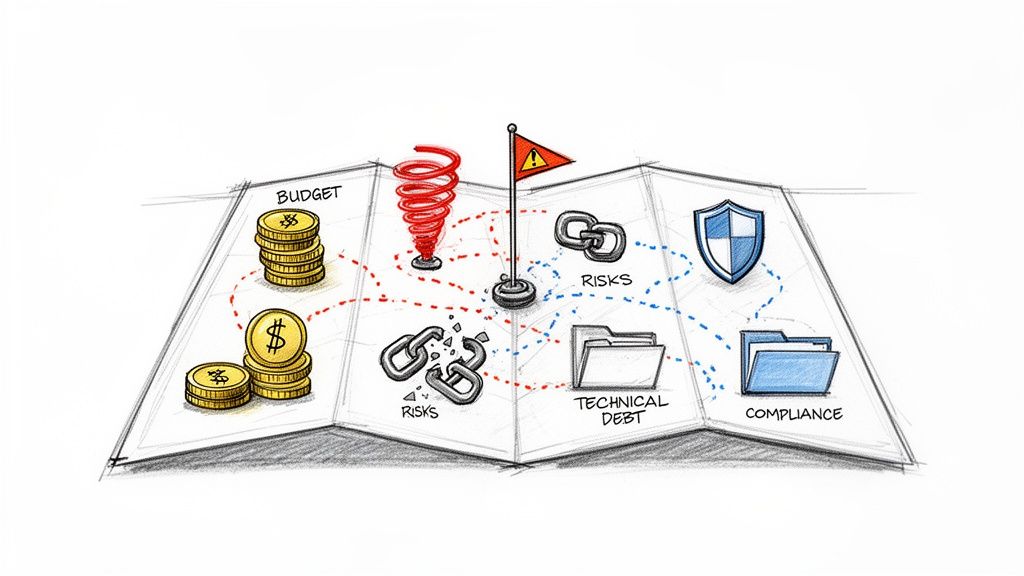
To give you a clearer idea of the financial landscape from the get-go, here’s a quick look at how costs can vary.
Quick Answer: SharePoint Migration Pricing Scenarios
This table shows why initial, low-end estimates are so misleading—they fail to account for the work required to do the job right.
Why Initial Estimates Almost Always Fail
One of the biggest failure points we see is a team's over-reliance on basic tools. It’s a common story: an IT director, trying to be budget-conscious, underestimates the project cost by as much as 70%. They opt for a DIY approach, perhaps using Microsoft's free SharePoint Migration Tool (SPMT).
Soon enough, they're watching their budget evaporate as they hit entirely predictable roadblocks. One of the most common is API throttling—a hard limit Microsoft itself confirms in its documentation that effectively cripples any attempt to move large volumes of data quickly. These kinds of technical walls turn what should be a straightforward project into an expensive crisis.
The documentation says you can plan for 4-6 weeks per terabyte, but in reality, a tangled legacy file server with broken permission inheritance will stretch that timeline to 3-6 months. We recently consulted on a €40,000 project for an Irish bank that turned into a nightmare. Post-migration, 20% of their most critical workflows were completely shattered—a direct result of hitting technical walls that the basic tools simply couldn't get around.
The Ollo Verdict: We’re not here to sell you on a "seamless transition." We're here to give you the battle map. Your goal isn’t just to migrate your data; it's to avoid becoming another cautionary tale.
This guide is designed to dismantle those simplistic pricing models, expose the hidden costs that derail projects, and give you a framework for building a budget you can actually defend. To get a complete picture of the financial landscape, take a look at our detailed breakdown of SharePoint migration cost drivers. We’ll show you how to build a plan that stands up to scrutiny.
Why Standard Pricing Models Fail Your Enterprise Project
Vendors love to simplify SharePoint migration pricing into neat, digestible boxes: 'per GB', 'per user', or 'fixed-fee'. For any enterprise project, these models are a trap. We are often called in to rescue projects where a seemingly straightforward quote concealed a mountain of complexity, causing budgets to implode.
Your goal should be to develop a healthy cynicism for any vendor who gives you a price without first doing a deep, forensic analysis of your environment.
These standard models are built on a fundamentally flawed premise—that volume is the primary cost driver. It’s not. Complexity is.
The 'Per GB' Illusion
A 'per GB' price is the most common and most misleading model. The sales pitch is simple: you have X terabytes of data, so the cost is Y. This completely ignores the nature of that data.
We’ve seen it firsthand. A financial services client was quoted a 'per GB' fee to migrate 2TB. The problem? This wasn't 2TB of simple PDFs. It was 2TB of deeply interconnected SharePoint lists, riddled with broken permission inheritance from a decade of organic growth and custom workflows tied to specific content types. The migration failed catastrophically.
The Ollo Verdict: A 'per GB' model only works if all gigabytes are created equal. They never are. 1TB of archived video files is a trivial task compared to 100GB of active project sites with unique permissions and third-party integrations.
The 'Per User' Fallacy
The 'per user' model is just as dangerous. A vendor might quote you €50/user, which sounds reasonable for your 5,000 employees. However, this model fails to distinguish between user types.
- Frontline Worker: Accesses a few key documents and a team site.
- Power User: Owns multiple sites, manages complex permissions, builds Power Automate flows, and has data stretching back years.
In a recent healthcare engagement, the 'per user' price seemed attractive. But the migration plan treated their 50 clinical research leads—each with vast, complex data sets and custom applications—the same as their 5,000 administrative staff. This led to a complete project breakdown when the custom solutions and compliance data for those 50 power users required more effort than the other 4,950 users combined.
The 'Fixed-Fee' Gamble
A 'fixed-fee' sounds like the safest option, promising budget certainty. But here’s the brutal truth: a fixed fee is only as good as the discovery process that informed it. Most vendors perform a superficial analysis, counting files and users without ever touching the toxic complexity underneath.
When a vendor’s inadequate discovery misses critical factors like GUID conflicts in a tenant-to-tenant migration or lists approaching the 5,000-item view threshold, their 'fixed fee' becomes a ticking time bomb. Either they will cut corners, leaving your data in a broken state, or they will come back with expensive change orders.
Understanding the scope of available SharePoint migration services is key to predicting costs accurately and spotting a superficial quote. For a deeper dive into the specific tools used, you can also explore our analysis of common SharePoint migration software.
Ultimately, these pricing models are designed for sales, not for successful project delivery. They create a false sense of security that evaporates the moment the first technical challenge arises.
Beyond the Quote: The Hidden Costs That Derail SharePoint Migrations
The price you’re quoted for a migration tool or service is just the tip of the iceberg. The real costs—the ones that shatter timelines and force uncomfortable conversations with the finance department—are almost always lurking beneath the surface. We see these financial time bombs detonate all the time on projects we're called in to rescue.
I’m talking about the unbudgeted cost of your internal IT team spending weeks manually fixing broken permissions after a so-called "successful" migration. I’m talking about the emergency consulting fees needed to repair critical Power Automate flows that shattered because they depended on legacy list structures your migration tool didn't understand. Suddenly, the initial SharePoint migration pricing you agreed to becomes a painful footnote.
The Financial Time Bombs in Your Project Plan
Long before the first file is moved, your budget is already at risk. Understanding the murky world of project estimation is key to spotting these traps. This is especially true for complex projects where you have to account for the potential for hidden fees in software development. The most dangerous costs aren’t line items; they show up as project delays and operational chaos.
Here are the big ones we see again and again:
Source Data Cleanup: Let me be blunt: your source environment is a mess. It always is. We consistently find deeply nested folders that blow past SharePoint’s path length limits, illegal characters in file names that bring migration batches to a grinding halt, and vast archives of redundant, obsolete, and trivial (ROT) data. This junk data not only bloats your storage costs but also seriously increases your legal risk. Cleaning this up before you migrate isn't optional, and it costs man-hours.
Post-Migration Validation: How do you actually prove the migration worked? A cheap partner will simply tell you they moved X terabytes of data and call it a day. A professional engagement, on the other hand, involves scripting and running validation checks to confirm file counts, preserve metadata integrity, and meticulously verify permissions. Skipping this doesn't just risk data loss; for regulated industries, it can be a major compliance breach.
User Retraining and Productivity Plunge: Your people have been working the same way for years. If you just drop a new system on them without a proper change management and retraining plan, you are guaranteeing a nosedive in productivity. The cost of this—measured in missed deadlines and deeply frustrated teams—is very real and very substantial.
The Iceberg of SharePoint Migration Costs
The quoted price is what you see, but the hidden costs are what sink the budget. This table breaks down what you're being sold versus what you'll actually end up paying for.
Think of the quote as the ticket price for a flight. The real cost comes from baggage fees, seat selection, and airport transfers—the things you need to actually complete the journey.
API Throttling: The Silent Project Killer
Perhaps the most predictable—and damaging—hidden cost is performance-related. I’m talking about Microsoft's API throttling. It's right there in the official documentation on migration performance, openly warning you it will happen. This mechanism is designed to protect the service for all tenants, but for your project, it’s a hard brake you are guaranteed to hit.
The documentation tells you to expect throttling, but it doesn't quantify what that means in terms of project delays. We will: hitting these limits doesn’t just slow you down. It can corrupt data packets that are in-flight, forcing you to re-run entire migration batches and completely destroying your carefully planned schedule. We've seen a four-week migration plan double in length because the team was using basic tools that couldn't manage API calls effectively.
The Ollo Verdict: Expecting a standard, off-the-shelf tool to handle API throttling without constant manual babysitting is a recipe for failure. It’s like trying to fill a swimming pool with a garden hose that the water company keeps turning off every few minutes. You need an intelligent approach that manages the data flow, automatically backing off and retrying to stay under the limits. This is where specialist scripts and professional-grade tools become absolutely essential.
The flowchart below shows how these seemingly simple pricing models mask the complex risks underneath.
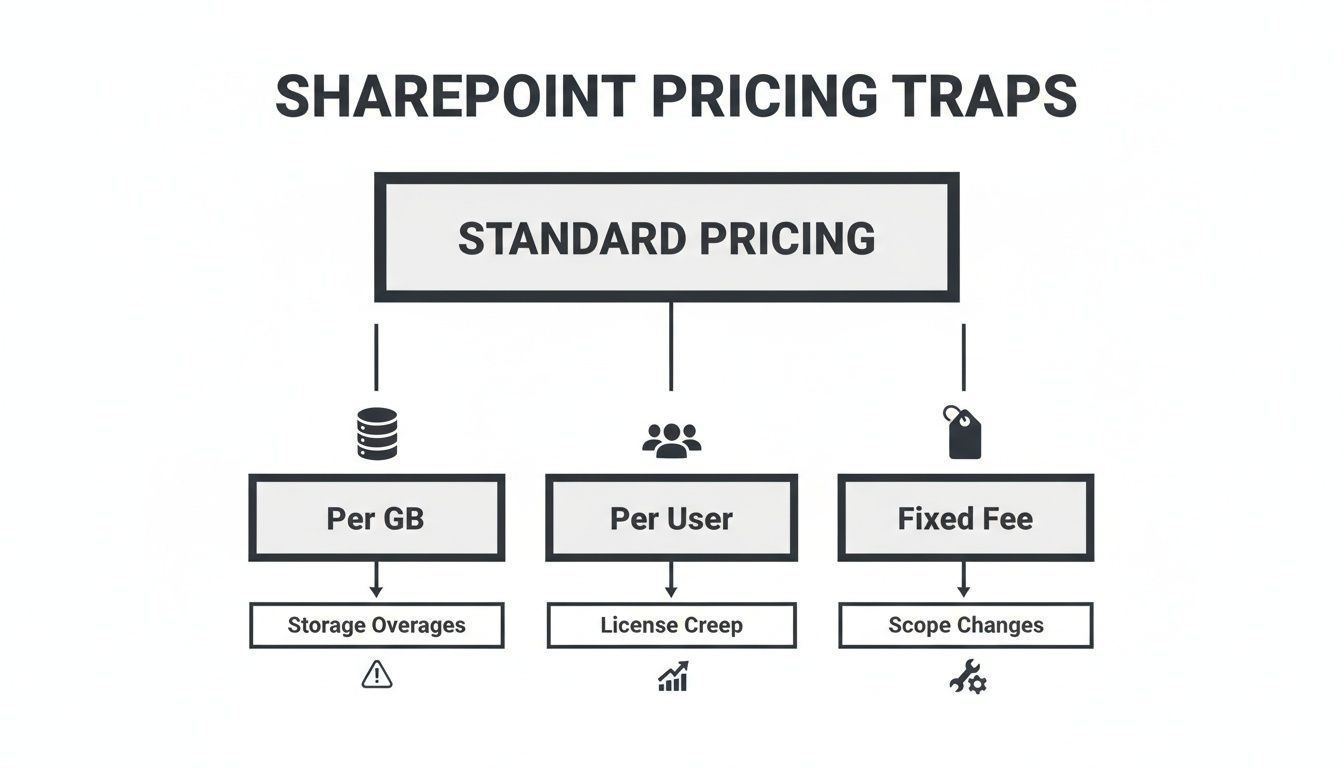
Every one of these standard pricing models fails to account for the technical depth and potential failures lurking in your project. These hidden costs are often magnified when migrations are delayed, a scenario with its own unique financial fallout. To understand this better, you can read our deep dive into the hidden costs of a delayed SharePoint migration.
A Reality Check On Migration Tools
Right, let's talk about the tools. When planning a migration, your team is probably looking at two main options: Microsoft’s free SharePoint Migration Tool (SPMT) or a paid, third-party product like ShareGate. If you only read the marketing blurbs, you’d think either one will get the job done.
As the architects who get called in when these projects go sideways, we can tell you the reality is starkly different. Your SharePoint migration pricing is directly tied to the limitations of the tools you choose.
Microsoft's SharePoint Migration Tool (SPMT)
The appeal of SPMT is obvious: it’s free. Your finance department will love the sound of that. Your project, however, will not. SPMT is a basic utility, really only designed for the simplest of moves—like shifting a single, small file share with flat permissions into a SharePoint library.
For anything more complex, it’s a liability. We often see clients try to migrate terabytes of data with SPMT, only to call us in a panic weeks later. The tool offers minimal, often cryptic, error reporting and provides no real help when a migration job fails halfway through. It simply chokes on complex, nested permissions and has no intelligent way to handle the inevitable API throttling that will bring your project to a dead stop.
The Ollo Verdict: SPMT is completely unsuitable for any serious enterprise migration. Use it for your personal files or a tiny departmental folder under 50GB. For any strategic project involving business-critical data, relying on SPMT isn't a cost-saving measure; it’s an active acceptance of project risk.
Third-Party Tools Like ShareGate
ShareGate is a powerful, professional-grade tool. It’s a core part of our own toolkit here at Ollo, and it dramatically outperforms SPMT in every metric that matters: error reporting, permissions mapping, and incremental migration capabilities. But simply buying a ShareGate licence is not a strategy.
We frequently encounter clients who bought the licence, ran the default "lift and shift" migration, and then called us to clean up the wreckage. Their projects fail for predictable reasons that the tool, on its own, is not designed to solve.
Common failure points include:
- GUID Conflicts: In tenant-to-tenant migrations, the tool can fail to correctly map user and group identities. This leaves thousands of files orphaned and inaccessible because the underlying Global Unique Identifiers don't match between the source and destination.
- Broken Workflows: Your Power Automate flows and legacy SharePoint Designer workflows are often tied to specific list IDs and internal structures. A standard migration shatters these dependencies, breaking business processes that nobody thought to document.
- The 5,000-Item Threshold: ShareGate can move lists with more than 5,000 items, but as Microsoft's own documentation warns, the views for those lists will break upon arrival in SharePoint Online. This doesn't just frustrate users; it can cripple any process that relies on querying that list data.
The Ollo Verdict: ShareGate is an excellent engine, but you still need an expert driver. For any migration over 1TB or one involving regulated data, it must be augmented with a layer of custom scripting and architectural oversight.
This is where our custom PnP PowerShell scripting becomes the non-negotiable layer needed to de-risk the project. We use scripts to pre-scan for issues like long file paths, analyse permission complexity, and, most importantly, manage the migration process intelligently to avoid API throttling. A tool is only one piece of the puzzle; you can explore the differences in our complete overview of the best SharePoint migration tool options available.
Relying on a tool alone is like giving a construction crew a high-end saw but no architectural blueprints. You'll get a lot of activity, but you won't get a stable building.
Building a Defensible Migration Budget
Any partner who quotes you a price for a SharePoint migration without doing a deep, forensic analysis of your current setup is either dangerously inexperienced or just trying to get a signature on a contract. A real, defensible budget is built on hard data, not guesswork. If you walk into a budget meeting with a number you can't back up with facts, you're setting your project up to fail before it even starts.
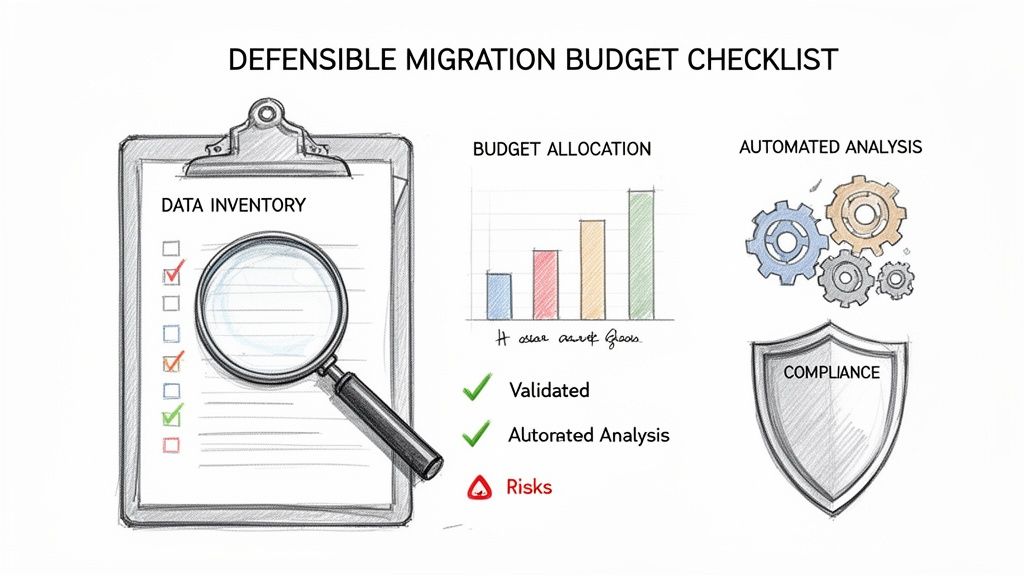
It’s a hard truth, but the cheap, "do-it-yourself" approach almost always turns into the most expensive decision your organisation can make. To avoid that trap, your budget must be grounded in a thorough analysis of your source data—one that goes far beyond just counting gigabytes.
The Ollo Pre-Migration Checklist
This is the exact framework we use at Ollo to find the technical time bombs hiding in your source environment—the kind of issues that derail projects and blow up budgets. You absolutely must script an automated analysis to find these problems before you even think about getting a quote. Any potential partner unwilling to do this level of detailed analysis isn't serious about your project's success.
Your data-driven assessment must uncover:
- Permission Complexity: Don't just count users. You need to know the exact percentage of files and folders with broken permission inheritance. If that number is high—we consider over 20% a major red flag—it signals a massive, manual remediation effort that basic migration tools simply cannot handle.
- Long Paths & Illegal Characters: You need to run a script that finds every single file path that exceeds SharePoint's character limit and every file name with illegal characters (like
#,%,&, etc.). Each one of these will cause a file migration to fail, stopping the process and requiring someone to fix it by hand. - The 5k Item Threshold: Microsoft’s documentation is crystal clear about the 5,000-item list view threshold. Your analysis must identify every single list and library that is near or over this limit. If you migrate these without a clear remediation plan, you will break user views and cripple critical workflows on day one in the new environment.
- Custom Solutions & Workflows: You have to map every custom solution, InfoPath form, SharePoint Designer workflow, and Power Platform solution. None of these will migrate automatically. Each one represents a separate mini-development project that has to be individually scoped, planned, and budgeted for.
Only when you have this level of data can you start to build a realistic picture of the actual effort involved. For a deep dive on this crucial first step, you can learn more about how to conduct a proper SharePoint migration assessment.
Aggressive Questions for Potential Partners
Once you have your data, you can start talking to potential partners. How they answer the following questions will instantly tell you everything you need to know about their experience and whether their pricing is based in reality.
The Ollo Verdict: A confident, technically detailed answer is a sign of competence. If you get vague marketing fluff or evasive responses, it’s a massive red flag. It means they don't have the real-world experience to handle your project's complexity.
Here’s what you need to ask:
- "How will you handle API throttling? What is your specific strategy for managing '429 Too Many Requests' and '503 Server Busy' errors to ensure our timeline isn't compromised?" An expert will immediately talk about things like exponential backoff algorithms, intelligent batch sizing, and spreading traffic across multiple service accounts. An amateur will just say their tool handles it.
- "What is your exact process for discovering and fixing lists that will hit the 5,000-item view threshold after migration?" A competent partner will discuss creating indexed columns, building filtered views, and developing data archiving strategies. They'll have a plan, not just a reaction.
- "Show me your script or your process for identifying and resolving broken permission inheritance at scale. How do you validate permissions are correct after the migration?" The answer has to be more than just "our tool generates a report." A real expert uses custom scripting to compare the source and destination Access Control Lists (ACLs) to prove it was done right.
- "For our tenant-to-tenant consolidation, what is your strategy for migrating identities and resolving GUID conflicts?" If they can't speak fluently about mapping Entra ID attributes and a plan for dealing with orphaned users, they are not equipped for your project. End of story.
Their answers will give you everything you need to know. A vendor who stumbles on these questions is a vendor who will fail your project.
Frequently Asked Questions About SharePoint Migration Pricing
As architects who specialise in complex SharePoint migrations, we get asked the same questions by IT Directors and Enterprise Architects. Your concerns are valid—you've likely been burned by failed IT projects before. Here are the direct, technically aggressive answers to the questions you should be asking about SharePoint migration pricing.
Why Can't I Just Use the Free SharePoint Migration Tool (SPMT)?
You can, but only for the most trivial scenarios—think a single, small file share with simple permissions. For any real enterprise project, relying on the free SharePoint Migration Tool (SPMT) is a high-risk liability. We are consistently called in to rescue projects where teams attempted to use SPMT for terabyte-scale jobs, only to be met with silent data loss and catastrophic timeline overruns.
The tool lacks robust, actionable error logging. When a batch fails, it gives you cryptic messages, not a clear path to resolution. More critically, it has no sophisticated mechanism to handle API throttling. As soon as your migration generates significant traffic, Microsoft’s servers will begin returning "429 Too Many Requests" and "503 Server Busy" errors, bringing your progress to a standstill. SPMT cannot manage this gracefully.
The Ollo Verdict: SPMT is a utility for basic tasks, not a tool for strategic enterprise migrations. Using it for a high-stakes project, especially in a regulated sector, is not a cost-saving measure; it’s a critical and entirely avoidable mistake.
Can We Just Get a Per-GB Price for Our Data?
A 'per-GB' price is an immediate red flag that a vendor either-misunderstands or is intentionally ignoring where the real effort and risk in a migration lie. Complexity, not data volume, dictates the cost. Anyone offering a simple volume-based price without a forensic analysis of your environment is selling you a future project failure.
Consider these two scenarios:
- Scenario A: One terabyte of archived video files with flat, inherited permissions.
- Scenario B: One hundred gigabytes of regulated financial records with unique item-level permissions, custom metadata, and integrated Power Automate workflows.
Scenario B is exponentially more difficult, time-consuming, and risky to migrate than Scenario A, despite being one-tenth the size. Insisting on a per-GB price forces a vendor to guess, and their guess will either be wildly inflated to cover their risk or dangerously low, leading to cut corners and an incomplete migration.
How Does a Tenant-to-Tenant Migration Affect Pricing?
A Tenant-to-Tenant (T2T) migration is one of the most complex and expensive undertakings in the entire Microsoft 365 ecosystem. This isn't just a SharePoint project; it's a full-stack merger that involves:
- Identity Remapping: Merging two separate Entra ID (formerly Azure AD) instances, which brings immense challenges with identity mapping and resolving GUID conflicts.
- Complete M365 Ecosystem: Migrating not just SharePoint sites, but also Exchange Online mailboxes, Microsoft Teams (including private chats and channels), and all associated Power Platform solutions.
- Security and Governance: Re-establishing external sharing policies, redesigning security boundaries, and ensuring compliance across the newly merged tenant.
Because of this complexity, SharePoint migration pricing for T2T projects skyrockets. The risk of major business disruption—from users being locked out of their accounts to critical cross-tenant applications failing—is enormous. These engagements easily start in the €75,000 range and frequently exceed €300,000. This is specialist territory where a DIY approach isn't just risky; it's non-viable.
What Is the Single Biggest Hidden Cost in Migrations?
Without a doubt, the single biggest hidden cost is the combination of post-migration remediation and lost user productivity. A "cheap" migration almost always ends with a messy destination environment riddled with broken links, incorrect permissions, and shattered workflows.
Your internal IT team, who are not migration experts, are then left to clean up the chaos for weeks or even months. The cost of their time, combined with the business impact of users who cannot find or trust their data, invariably dwarfs any initial savings from choosing a low-cost vendor or a basic tool.
Investing in a specialist firm like Ollo isn't about paying more for the migration. It’s about shifting the unpredictable, spiralling cost of post-migration failure from an open-ended operational expense into a predictable, managed project cost. You are paying for a clean landing on day one, not for a problem you have to solve for the next six months.
A successful migration is not about the tool you buy; it's about the expertise you deploy. If you are facing a high-stakes SharePoint migration and cannot afford to fail, your next step is to engage a partner who understands the risks. Contact Ollo today for a no-nonsense assessment of your project.

















