



Moving your enterprise to SharePoint Online isn't an IT project; it's a high-stakes business transformation where the default outcome is failure. Get it wrong, and you're not just looking at a failed migration; you're looking at crippling API throttling, broken legal compliance from shattered permissions, and legacy customisations failing in spectacular new ways. Success hangs entirely on a forensic discovery phase, a ruthless permissions redesign, and a paranoid approach to execution.
Why Most SharePoint Migrations Secretly Fail
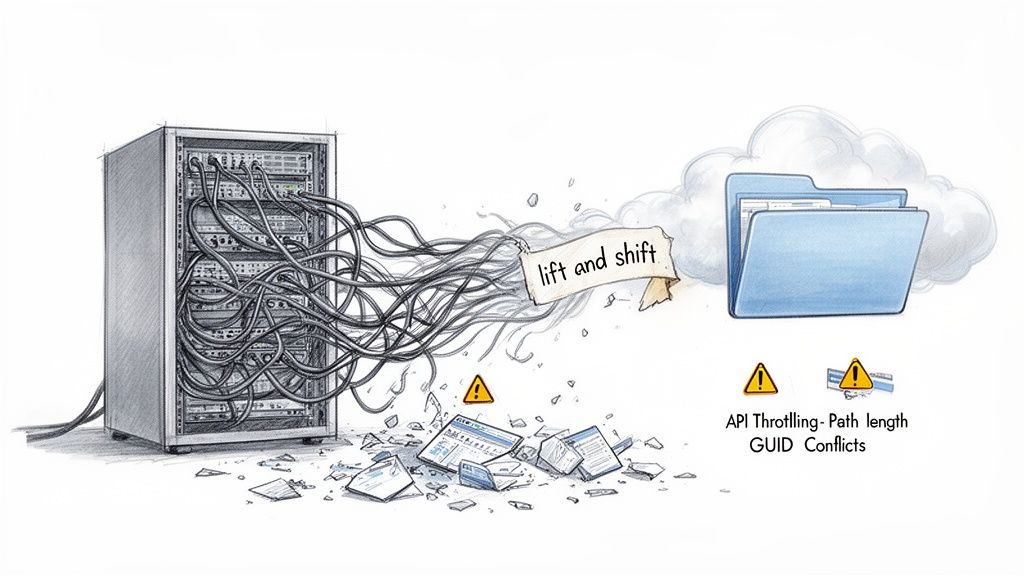
Let’s be blunt: if your team is calling this a 'lift and shift,' you're already on the path to failure. This project isn't about moving data; it's about confronting the technical landmines your on-premises environment has been accumulating for over a decade.
This is where we see the first, and most critical, mistake: underestimating the sheer complexity hidden in your legacy SharePoint Server. That 15-year-old farm, with its labyrinth of custom web parts, broken permission inheritance, and undocumented workflows, cannot be simply forklifted into the cloud.
Assuming it can is the single biggest predictor of a migration disaster.
The Myth of a Simple Move
You'll see plenty of impressive industry stats, like how over 85% of enterprises are moving to SharePoint Online. What those numbers don't show you is the grim reality behind many of those projects. Most organisations severely underestimate the migration's complexity, assuming Microsoft's cloud is the only variable.
It isn't. The official Microsoft Learn documentation explicitly warns that bottlenecks don't come from their infrastructure but from your source-side constraints. Think poor disk performance on the migration agent computer, insufficient RAM, antivirus software devouring CPU cycles, and your own network speed.
We once consulted for a mid-market financial services firm with 2.3TB of data across 47 site collections and over 340,000 items. Their internal team's estimate using the SharePoint Migration Tool (SPMT) was six weeks.
The reality? An 18-week ordeal.
The project ground to a halt when they hit crippling API throttling after attempting to queue 8,500 migration jobs at once—far exceeding Microsoft's recommended limit of 5,000. It's a classic case of what can go wrong when you treat documentation warnings as mere suggestions.
The Ollo Verdict: The documentation says throttling is a possibility; our experience proves it's an inevitability for any enterprise-scale migration. Your project plan must account for it from day one, with phased batching and error handling built into your scripts. Hoping for the best is not a strategy.
The gap between common assumptions and the technical realities of a SharePoint migration is where projects go off the rails. Many teams plan for the best-case scenario, only to be completely derailed by predictable, well-documented technical hurdles.
Myth vs Reality: The True Risks of a SharePoint Online Migration
Believing the myths leads directly to budget overruns, extended timelines, and a final product that leaves your users frustrated and your data insecure. Acknowledging the reality from the start is the only path to a successful outcome.
The Technical Debt You Cannot Ignore
Your legacy environment is a repository of technical debt. A 'lift and shift' approach doesn't pay it off; it just moves it to a more expensive location where it will fail in new and spectacular ways. Your team must confront these issues head-on.
Here are the silent project killers we consistently uncover during our pre-flight checks:
- Long Path Limits: SharePoint Online enforces a 400-character limit for the total decoded URL path. Your on-premises file server, with its deeply nested folder structures from 2008, almost certainly exceeds this. These files won't just fail to migrate; they will cause entire migration jobs to error out, requiring manual remediation or complex scripting to shorten paths before you even begin.
- GUID Conflicts: When you merge multiple site collections or tenants, you risk GUID (Globally Unique Identifier) conflicts with content types or site columns. The tools often don't flag this until it's too late, resulting in corrupted metadata and broken views post-migration. It's a subtle but destructive problem.
- Broken Permission Inheritance: Over the years, your users have created a spiderweb of unique permissions on folders and individual files. Moving this 'as-is' doesn't just fail; it creates a security and compliance nightmare. This isn't an inconvenience; missing this step doesn't just fail the migration; it breaks legal compliance and renders your data governance model indefensible during an audit.
Understanding these underlying realities is the first step. You can delve deeper into the required planning by reviewing our guide on SharePoint migration best practices. The goal is to reframe your thinking from a simple move to a strategic, high-stakes operation that demands specialist expertise.
How Your Migration Tools Will Betray You
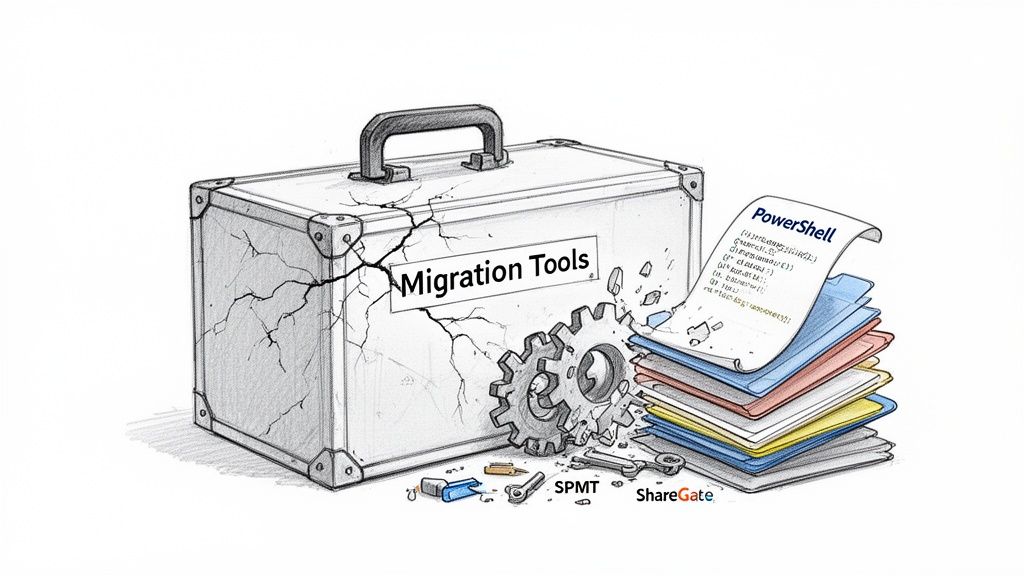
The market is flooded with so-called 'one-click' migration tools, and this has bred some dangerous false confidence among IT leaders. Your team has probably already picked one, likely Microsoft’s free SharePoint Migration Tool (SPMT) or the well-regarded ShareGate. The documentation says they work. And for small, simple data sets with clean permissions, they do.
But in a real, complex enterprise environment, these tools are brittle.
They don't just fail; they fail in ways that can silently corrupt your data, break your security posture, and completely derail your project schedule. This isn't about blaming the software. It's about facing the critical gap between their marketing promises and the messy, unforgiving reality of your legacy data.
To have any chance of a successful migration to SharePoint Online, you have to know exactly where your chosen tool will inevitably fall short.
The SPMT Trap for Large-Scale Migrations
The SharePoint Migration Tool (SPMT) is Microsoft's own offering. It's free, which makes it an easy first choice for any team trying to manage costs. We often see clients start here, assuming a first-party tool must be the safest bet.
That is a flawed, and often costly, assumption.
SPMT was engineered for simplicity, not scale. It does an adequate job of moving basic file shares or a handful of small SharePoint sites. But the moment you introduce enterprise-level complexity—terabytes of data, custom permissions, complex metadata—it hits a wall. Hard.
We consistently see it crumble when dealing with:
- Large Volumes: The tool simply wasn't built for job management at scale. It frequently leads to unexplained failures and timeouts on data sets over 500GB.
- Complex Permissions: SPMT has rudimentary support for permissions, but it chokes on broken inheritance and complex custom permission levels. It often defaults to failing the item or, far worse, applying incorrect permissions in the new environment.
- Lack of Granular Control: It's a black box. You have very little ability to script pre-migration checks, handle errors gracefully, or transform content on the fly. When it fails, your only real option is to try again.
The Ollo Verdict: Use SPMT for migrating your marketing team's 20GB file share. For anything involving complex site structures, critical business data, or volumes exceeding even 50GB, relying on SPMT isn't a risk; it's a guarantee of failure. Your team will spend more time troubleshooting its errors than they would have spent using a proper methodology from the start.
When ShareGate Is Not Enough
ShareGate is a robust, professional-grade tool that we use extensively at Ollo. It's far superior to SPMT, offering better reporting, granular control, and support for more complex scenarios.
But it is not a silver bullet. Treating it like one is a recipe for disaster.
Even a powerful tool like ShareGate has breaking points. It can fail silently or create subtle problems that only surface weeks after the migration is declared "complete." We often see this when a client runs the tool, sees a "successful" report, and celebrates, only to face a barrage of user complaints later.
In an enterprise context, the tool’s most significant limitations are:
- Silent Failures on Custom Permissions: While it handles standard permissions well, it can misinterpret or fail to apply highly customised, legacy permission levels without throwing an obvious error. Proper validation requires extensive, custom PowerShell PnP scripting to compare source and destination ACLs (Access Control Lists).
- Deeply Nested Structures: Like any tool, ShareGate is bound by SharePoint's 400-character path limit. It will flag these errors, but it cannot fix them for you. Your team must script the remediation work before the migration, a task often beyond the capabilities of a standard IT team.
- Metadata Transformation: The tool can map metadata, but it can't redesign a flawed information architecture. If your source metadata is a mess, ShareGate will diligently migrate that mess directly into SharePoint Online.
This reality is reflected in the ballooning market for these tools. The global Cloud Office Migration Tools market is expected to surpass USD 1.5 billion, a figure that points to a worrying trend. The availability of these tools creates false confidence, leading to DIY migrations that fail to address core governance. Read more about the Cloud Office Migration Tools market trends on Research and Markets.
In our experience, the real costs explode after the migration. A healthcare client we advised was quoted USD 180K for a DIY tenant consolidation using an off-the-shelf tool. The final bill to remediate broken access controls, fix HIPAA compliance gaps, and deal with orphaned sites reached USD 620K.
The tool didn't fail them; their over-reliance on it did.
This table pinpoints the exact breaking points for standard migration tools when faced with enterprise-level complexity.
Tool Failure Matrix: SPMT vs. ShareGate in Enterprise Scenarios
This is precisely why we pair powerful tools like ShareGate with our own library of custom validation and remediation scripts. As we detail in our deep dive on the SharePoint Migration Tool and its alternatives, this combination is the only way to bridge the gap and ensure a defensible, compliant migration.
The Unforgiving End of Support Deadline
Let's be blunt: the July 14, 2026, end-of-support date for SharePoint Server 2016 and 2019 isn’t a gentle suggestion. It’s a cliff edge. Pushing your migration to SharePoint Online further down the road isn’t a strategic choice; it's you actively accepting a level of business and security risk that should make any IT leader nervous.
To be crystal clear about what happens the moment that deadline passes: Microsoft turns off the lights. No more security updates. No patches for newly discovered vulnerabilities. No vendor support when something inevitably breaks.
For any organisation in a regulated industry—finance, healthcare, energy—running on an unsupported platform isn't just a technical headache. It's a guaranteed compliance failure just waiting for an auditor to flag it. If you're an IT Director who has kicked this project into the next quarter, this is your final warning. Waiting doesn't make the project cheaper or easier. It guarantees a frantic, failed, or incomplete migration that will cost exponentially more to clean up later.
A War Story of a Compressed Timeline
We see this scenario play out all the time. A client knows the deadline is coming but defers the project, thinking the migration itself is a simple "lift and shift" that can be squeezed into a tight window. This assumption is always wrong, and it’s always costly.
Q1 2026 is the absolute final window for these legacy SharePoint migrations. One of our energy sector clients had 1.8TB of critical operational data spread across 62 legacy SharePoint 2016 sites. Their original, sensible plan budgeted for a 12-week migration to allow for proper discovery, remediation, and user testing.
But they deferred the project. When they finally hit the 'go' button in April 2026, that 12-week window had collapsed into a frantic 8 weeks.
The result was a panicked execution. They were forced to abandon essential content cleanup and metadata standardisation—two things that are non-negotiable for compliance in energy sector data governance. This compromise left them with 340 orphaned documents with broken audit trails and 15% of file permissions flagged as 'Unable to Determine Ownership'. This is a common pitfall you'll hear about from experts in the SharePoint community, like those on SharePoint Library.
The Ollo Verdict: A compressed timeline doesn’t just mean your team works longer hours. It forces you to skip the most critical steps—data cleansing, permissions redesign, and user acceptance testing. You're not just migrating data; you are migrating, and compounding, a decade of technical debt.
Quantifying the Cost of Inaction
Kicking this project out of this year's budget only guarantees it will devour a much larger slice of next year's. Technical debt isn't static; it compounds. Every month you wait, more data is created in a legacy system, permissions become more tangled, and the scope of the inevitable cleanup grows.
Here’s the financial and operational reality of that delay:
- Skyrocketing Remediation Costs: What might be a two-week scripting task today to fix long file paths becomes a four-week manual slog when the data volume has doubled.
- A Higher Risk of Data Loss: Rushed migrations under a hard deadline always lead to mistakes. Critical files get missed, permissions are misapplied, and audit trails are broken, exposing you to significant financial and legal penalties.
- Severe Business Disruption: A well-planned migration happens with minimal disruption. A panicked one requires extended outages, frustrated users, and a helpdesk flooded with access issues for weeks after the cutover.
The choice isn't between migrating now or migrating later. It's between a controlled, strategic migration today versus an emergency rescue operation on the eve of a support apocalypse. We've analysed this exact scenario, and you can learn more about the hidden costs of a delayed SharePoint migration in our finance sector analysis. The numbers don't lie.
The Real Work of a SharePoint Migration
Let’s be honest. The single point of failure when you migrate to SharePoint Online isn't the data itself. It's permissions.
Your legacy Active Directory groups are a tangled mess, and years of ad-hoc changes have broken permission inheritance everywhere you look. This playbook forces a complete permissions redesign and content mapping from the ground up, because that's the only way to do it right.
We'll walk through how we inventory your content, define crucial sensitivity labels, and build a new, clean information architecture. Forget just lifting and shifting your content ‘as-is’. We build a new foundation on Microsoft Entra ID, implementing a Zero-Trust model with Conditional Access and modern Microsoft 365 groups.
Missing this step doesn’t just break the migration; it shatters your security posture and practically invites data breaches.
- Inventory content at scale with automated scans that are smart enough to catch sneaky list view threshold limits (the 5k item limit) and deeply nested folder issues.
- Define sensitivity labels tied directly to your compliance framework (like ISO 27001 or GDPR) to stop accidental data overexposure before it happens.
- Map permissions into modern security groups to get rid of GUID conflicts and the nightmare of individual, ad-hoc access rights.
Inventory Content at Scale
We’ve seen more migrations stumble at the first hurdle than anywhere else. Why? Because clients try to skip a comprehensive content inventory.
Microsoft's own documentation warns that list view thresholds at 5,000 items can silently block entire libraries from migrating, often without giving you a clear error message. It just fails. Likewise, long file path limits will kill migration jobs when your old, messy folder structure exceeds SharePoint’s 400-character maximum.
- Your automated scans must be built to handle API throttling and batching. Otherwise, you’ll hit Microsoft Graph limits that force your jobs to restart from scratch.
- Preflight checks should model real-world conditions, including antivirus impact, disk IO, and network latency to give you a true picture of migration performance.
- You have to document nested folder depths and file sizes to prevent unexpected failures mid-way through a full-scale run.
Redesign Permissions for Zero Trust
Broken inheritance in sites that are years—or even decades—old creates a spiderweb of unique Access Control Lists (ACLs). No off-the-shelf tool can map this chaos correctly. It’s a recipe for disaster.
Our approach is to standardise permissions into modern Microsoft 365 groups. This doesn’t just clean up the mess; it allows you to apply Conditional Access policies uniformly across your entire environment.
- We create sensitivity labels aligned with ISO 27001 and GDPR to enforce encryption and content marking automatically.
- Using tools like the Microsoft Information Protection SDKs or PowerShell, we assign these labels to your content at scale before it ever moves.
- We then build new security groups in Entra ID, often using dynamic membership rules to slash the time you spend on manual administration.
Build New Architecture From the Ground Up
If you don't rebuild your site structures logically, legacy GUID conflicts will corrupt your metadata during the move. We’ve seen it happen.
We design flat site architectures with hub associations to keep URL paths well under the 400-character threshold. This modern information architecture prevents an avalanche of broken links and saves you from manually fixing hundreds or thousands of misrouted items after the fact.
Validate and Test Before Cutover
Test migrations are where you expose throttling limits and API errors before they derail your tight cutover window.
We script delta syncs and create frozen snapshots of the source environment. This ensures there's absolutely no data drift after you freeze the source content for the final switch.
- Define clear rollback triggers. For instance, if error rates hit a certain percentage or permission validation fails a threshold, you need a clean way to abort.
- Automate your pre-cutover validation with PowerShell PnP and Graph APIs to compare source and target ACLs. Don’t trust, verify.
- Schedule your test runs during off-peak hours to respect API quotas and avoid getting throttled by Microsoft.
No generic tool can validate your unique security model without custom scripting. It's a hard truth many learn too late.
The Ollo Verdict: Use automated preflight scripts for permissions and architecture. Relying on off-the-shelf tools alone is a gamble you can't afford to lose.
Your team needs a forensic permissions audit and a complete architecture rebuild to succeed. Trying a DIY migration without this level of preparation is a high-stakes bet that rarely pays off.
Continuous Monitoring Post Migration
Even after a successful cutover, hidden permission gaps can emerge and expose sensitive data. We often discover uncontrolled sharing links and orphaned sites weeks later if there isn't a proactive audit plan in place.
- Run periodic ACL comparisons on your key site collections to catch any configuration drift before it impacts the business.
- Use Graph API logs to detect abnormal access patterns and remediate them immediately.
- Schedule quarterly governance reviews, tying them to your internal audit process to enforce compliance long-term.
Missing continuous monitoring doesn’t just let issues fester; it invites potential breach fines that can reach £2.4 million or more under GDPR.
Quantifying Risk Versus Reward
Skipping a thorough permissions audit might seem like it saves time upfront, but it multiplies your costs and risks down the line, especially when you're staring down a data breach.
In our experience, the cost of fixing a single broken ACL often exceeds the planned migration budget by 30%.
- Risk: Orphaned documents and unauthorised access leading to audit fines. Reward: Peace of mind knowing your data is secure with Ollo’s validations.
- Risk: Extended downtime and frantic, reactive fixes. Reward: A predictable cutover backed by custom, tested rollback scripts.
- Risk: Hidden API throttling that brings your migration to a halt. Reward: Phased migrations with automated backoff logic managed by our architects.
Quantifying risk means you budget not just for the migration itself, but for the critical discovery, cleanup, and governance that ensure its success.
Contact Ollo today to ditch the DIY gamble and secure your migration to SharePoint Online with a team of experts. Your organisation simply cannot afford a permissions failure.
Hiring Ollo cuts your risk, ensures compliance, and builds a future-proof platform ready for modern tools like Teams, the Power Platform, and Copilot.
Final Risk Reminder
A failure to rebuild permissions from the ground up can directly breach GDPR and ISO 27001, inviting regulators and hefty fines.
Ollo’s battle-hardened playbook is your best defence against these predictable, and entirely avoidable, failures.
Risk won’t wait. Act now.
Learn more about large scale SharePoint migration in our deep-dive article covering complex tenant strategies.
Executing a Defensible Cutover Strategy
The cutover weekend is where careers are made or broken. Success here isn’t accidental; it’s the result of relentless, almost paranoid planning. I’ve seen too many IT Directors treat the cutover like a final step when, in reality, it's a high-stakes performance where the script must be finalised and rehearsed months in advance.
Your team is likely overlooking the critical components of a truly defensible cutover plan. Hope is not a strategy. You need a plan grounded in the harsh reality that things will go wrong.
A successful plan for when you migrate to SharePoint Online is built on a foundation of rigorous testing, clear communication, and a pre-defined exit strategy. The following graphic outlines the preparatory phases we enforce before any cutover attempt.

This process visualises the non-negotiable groundwork—inventorying what you have, architecting where it will go, and securing it correctly—that must be completed long before the cutover weekend itself.
Test Migrations and Delta Syncs
The documentation might talk about test migrations, but it rarely conveys the sheer brutality required. You must execute multiple, full-fidelity test migrations in a production-like environment. This isn't about moving a sample folder; it's about throwing terabytes of your messiest data at the SharePoint APIs to see what breaks.
This is how you uncover and script solutions for throttling and API errors before they happen during the live event. We often see clients run a single, small-scale test and assume success. They are then stunned when their live cutover grinds to a halt under real-world load.
A proper cutover relies on delta synchronisations. After your initial full copy, you run incremental syncs to capture changes. The final delta sync, performed after freezing the source, is your most critical moment.
Your plan must detail:
- The Freeze: A hard "read-only" lock on the source environment. How will you enforce it technically and communicate it to the business to prevent last-minute file edits that get lost in transit?
- The Final Sync: How long will the final delta take? You must have metrics from your test runs. If your tests show a 10-hour delta sync, you can't schedule a 6-hour cutover window.
The Rollback Plan No One Wants to Discuss
This is the part of the meeting where everyone gets uncomfortable. What happens if it all goes wrong? A migration plan without a viable, tested rollback strategy isn't a plan; it's a prayer.
Your rollback plan must be ruthlessly specific. Define the triggers for aborting the cutover in advance. These are not last-minute judgment calls.
The Ollo Verdict: We define abort triggers with clients before we even start the final sync. For example: "If more than 1% of files fail validation post-migration, or if critical business-unit libraries are inaccessible after 1 hour, we initiate rollback." Vague plans fail.
Your rollback triggers could include:
- Permission Validation Failure: Your post-migration validation scripts show a significant mismatch between source and target ACLs.
- Data Integrity Issues: Hashing comparisons reveal corrupted files that weren't caught in testing.
- Critical System Unavailability: Key SharePoint sites or dependent applications fail to come online within the planned window.
Finally, how do you communicate failure? You need pre-written communications for the business explaining the situation, the decision to roll back, and the immediate next steps. A failed cutover is a crisis; you cannot afford to be drafting emails in the middle of it. This process is complex, but it's even more so in scenarios like a full tenant-to-tenant migration, which introduces another layer of risk. You can learn more about this by checking out our guide on planning a tenant-to-tenant migration.
Right, the data's moved. Congratulations. Now, if you think the job is done, you're making a huge mistake.
A technically perfect migration followed by zero user adoption is just a very expensive way to recreate the same old mess in a new, cloud-based home. The real work starts now. The project hasn't ended; it's just shifted gears from a technical exercise to a strategic one. Your goal is to make sure the business actually sees a return on this massive investment. This isn't about sending a generic "training" email and hoping for the best—it's about driving real, tangible business results.
Once your content is in SharePoint Online, you have to tackle the distinct security challenges in cloud computing that come with running your business on a SaaS platform. This means getting out of the "project" mindset and into one of continuous improvement and proper governance.
From Lift and Shift to Business Integration
I’ve seen it countless times. Clients breathe a huge sigh of relief after the cutover, only to find themselves staring at the same old problems six months later. To avoid that fate, you must immediately pivot to using the platform's full capabilities.
Teams Integration: Stop emailing documents around. Your very first post-migration action should be connecting key SharePoint document libraries directly into Microsoft Teams channels. This simple move forces collaboration into a modern workflow and starts breaking the habit of creating disconnected silos of information.
Power Platform Automation: Go find a painful, manual process that somehow survived the migration. Maybe it's a clunky holiday request form or a project intake sheet floating around as an Excel file. Rebuild it immediately using Power Apps and Power Automate. A single, highly visible win like this demonstrates the platform's value far more effectively than any slide deck ever could.
The Ollo Verdict: Don't just ask your team to "explore" the new SharePoint. Show them one high-impact business process you've automated. This creates genuine pull, proving the migration wasn't just an IT infrastructure project but a real upgrade for the business.
Preparing for the Future of Work
Your new, clean information architecture isn't the end goal; it's the foundation for everything that comes next. A properly structured SharePoint environment is an absolute prerequisite for using next-generation AI tools effectively.
Let me be crystal clear: you cannot simply "turn on" Copilot for Microsoft 365. Doing so without rock-solid permissions and well-organised content is a catastrophic security risk. It will instantly start surfacing sensitive data to users who should never, ever see it.
Your immediate post-migration priorities should be:
- Embed Governance: Your clean state will degrade without vigilance. Implement a continuous monitoring plan for permissions and external sharing right away.
- Drive Adoption with Purpose: Don't just leave users to fend for themselves. Retain expert support to help identify and build specific solutions for different business units.
- Validate Copilot Readiness: Before you even think about AI, conduct an information architecture review specifically to confirm your data is structured and secured for AI-driven search and analysis.
The work doesn't end at cutover; it transforms. At Ollo, we transition with you from migration architects to modernisation partners, ensuring your investment pays dividends by driving adoption, embedding governance, and preparing you for the AI-powered future. Don’t let your successful migration become a failed investment. Contact us at https://www.ollo.ie to build your post-migration roadmap.

















