



A tenant to tenant migration is a high-stakes business transformation disguised as a technical project. It's the process of moving all your users, data, and services from one Microsoft 365 environment to another, usually after a merger, acquisition, or divestiture.
Frankly, underestimating its complexity is the number one reason these projects go down in flames. We're not here to give you a marketing pitch about a "seamless transition"—we're here to show you how to avoid the disaster your last vendor walked you into.
Why Standard Migration Plans Lead to Failure
Let’s be blunt. The standard tenant to tenant migration advice you'll find online is built for a perfect world, not the messy reality of your live enterprise environment. It glosses over the brutal truths of identity management, API throttling, and the hidden technical debt that turns a 'simple' project into a career-defining failure.
This playbook isn’t marketing fluff; it’s a field guide from the trenches. We often see clients come to us after a failed attempt, holding a plan that looked great on paper but shattered on contact with reality. Their project was derailed not by one huge mistake, but by a dozen 'minor' oversights that cascaded into total operational paralysis.
The Myth of a Simple Checklist
The typical migration guide gives you a clean, linear checklist. It completely ignores the tangled, interconnected nature of a living, breathing M365 environment. It assumes you have a pristine source tenant, but your reality is probably a web of dependencies, broken inheritance, and undocumented workflows built up over years.
Here’s what those guides fail to warn you about:
- Identity is Not Just a User List: The documentation says "map your users." We say prepare for GUID conflicts, broken MFA registrations, and Entra ID Conditional Access policies that become utterly useless post-migration, leaving your new tenant wide open to attack.
- Data is Not Just Files: They suggest a simple 'lift-and-shift' of your data. We've seen that exact approach cripple a business when SharePoint's 5,000-item list view threshold halts the migration cold, or when broken permissions inheritance locks entire departments out of their own critical files.
- Business Continuity is Fragile: Standard plans rarely account for the subtle, business-critical workflows baked into Teams, Power Automate, and SharePoint. Missing a single undocumented flow doesn't just inconvenience a team; it can snap a core business process right in half.
The greatest risk in a tenant to tenant migration isn't a technical error—it's underestimating the complexity of the source environment. A flawed discovery phase guarantees a failed execution. You simply cannot migrate what you do not understand.
This whole process is less like moving house and more like performing open-heart surgery. Every system is connected, and a mistake in one area can have immediate, catastrophic consequences for another.
A proper SharePoint migration planning phase isn't optional; it is the single most critical risk-reduction activity you will undertake. It requires a forensic level of discovery that goes miles beyond what any automated tool can provide. This is where you unearth the undocumented dependencies that will otherwise sink your project six months down the line.
Navigating the Inevitable Identity Crisis
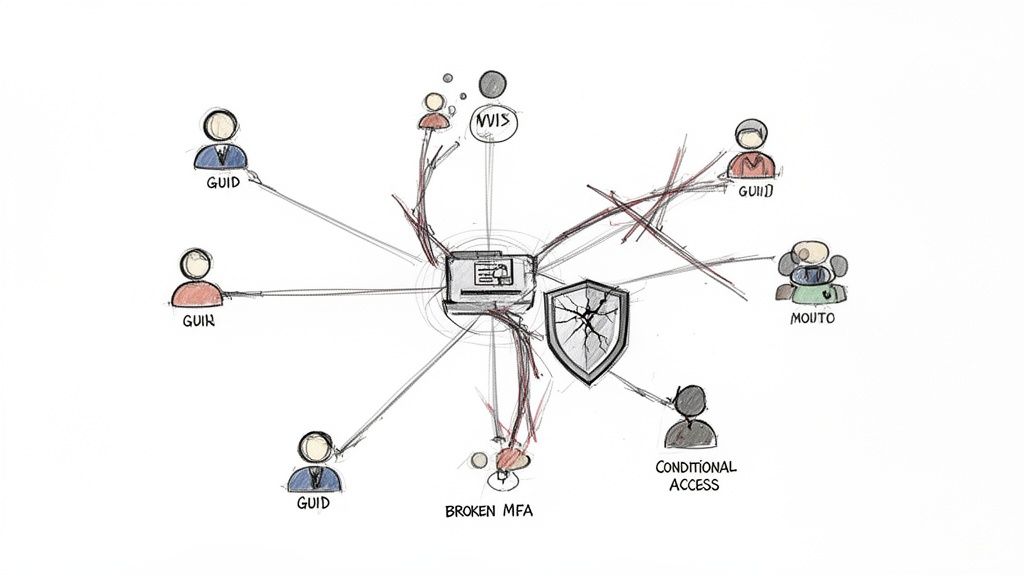
Identity is the absolute bedrock of your Microsoft 365 environment. During a tenant-to-tenant migration, it’s the first thing to shatter. I’ve seen it time and again: a company runs a tool, follows a simple checklist, and ends up with a complete mess of GUID conflicts, broken MFA registrations, and useless Conditional Access policies that leave the security doors wide open.
This is so much more than a simple user mapping exercise. Thinking you can just line up usernames and press ‘go’ is dangerously naive. That approach completely ignores the messy reality of mergers and acquisitions, where a neat one-to-one relationship almost never exists. You have to get into the brutal details of where a simple sync tool will inevitably fail.
Beyond the UPN Match
The standard documentation might tell you to match User Principal Names (UPNs) and you're good to go. In the real world, this is often where the disaster begins. Your team will almost certainly run into overlapping UPNs or find that a single person’s identity is fragmented across both tenants. Renaming a few accounts isn't a strategy; it's a sticking plaster on a fatal wound.
The real problem is the underlying ImmutableID. When a user object is created in the new tenant, it gets a brand new one. This fundamental mismatch breaks the trust relationship for any federated applications and completely severs the link to the user's existing MFA setup.
We often see clients fail when they decide to force everyone to re-register for MFA at once. This doesn’t just create a support ticket storm; it actually trains your users to ignore security prompts, undoing years of security awareness training in a single weekend.
Conditional Access Policies Do Not Migrate
Let’s be crystal clear: your carefully crafted Conditional Access policies in Entra ID will not migrate. You cannot export and import them. Your team has no choice but to rebuild every single one from scratch in the target tenant. This is a non-negotiable, manual process.
The documentation says this is a manual process. What it doesn't tell you is that the policy dependencies—like trusted locations, device compliance states, and group memberships—are completely different in the new tenant. We have inherited projects where a team faithfully recreated the policy logic, but because the underlying named locations were wrong, they locked out their entire C-suite or, even worse, left gaping holes for attackers.
Here are just a few of the identity components that will break:
- MFA Registrations: Phone numbers, authenticator app setups, and hardware tokens are all tied to the original user object's GUID. They will not transfer over.
- Application Registrations: Enterprise applications registered in the source Entra ID have unique identifiers and permissions that must be meticulously recreated and re-consented in the target.
- Dynamic Group Memberships: The rules that populate your security groups are often based on user attributes that might not exist or are formatted differently in the new tenant, breaking your role-based access controls.
Getting identity wrong isn't an inconvenience; it's a fundamental security failure. It exposes your new environment to significant risk before a single file has even been moved. Rebuilding policies without a zero-trust mindset is just recreating an old perimeter on new ground.
The sheer complexity of identity management is one of the core reasons why relying solely on off-the-shelf tools for anything beyond a simple move is a high-risk gamble. For a deeper look into our approach, you can explore the principles we apply in our specialist SharePoint migration services, where identity and permissions are inextricably linked.
This isn’t about blaming the tools. It's about acknowledging their limits. They are brilliant for moving data, but they were never designed for the surgical reconstruction of your organisation's security posture. For that, you need an architectural approach that anticipates these breaking points from day one.
Confronting the Data Migration Minefield
Your data isn't just files. It's a living ecosystem of permissions, metadata, and years of embedded business logic. Generic migration tools promise a simple lift-and-shift, but I’ve seen them break time and time again when faced with the sheer scale and complexity of real-world SharePoint and Teams environments.
This is the stage where a tenant-to-tenant migration project truly shows its teeth.
Relying on out-of-the-box software is a gamble that often backfires spectacularly. The marketing material says it supports large libraries, but in reality, it chokes on the hidden tripwires your organisation has accumulated over years of organic growth.
SharePoint’s Unspoken Breaking Points
We often get called in after a project has failed because the initial team treated SharePoint Online as a simple file repository. Your data’s structure and the rules governing it are far more fragile than most IT directors realise. A third-party tool might move the files, but it will almost certainly mangle the intricate web of permissions and metadata that make those files useful and secure.
Here are the technical nightmares we are consistently called in to solve:
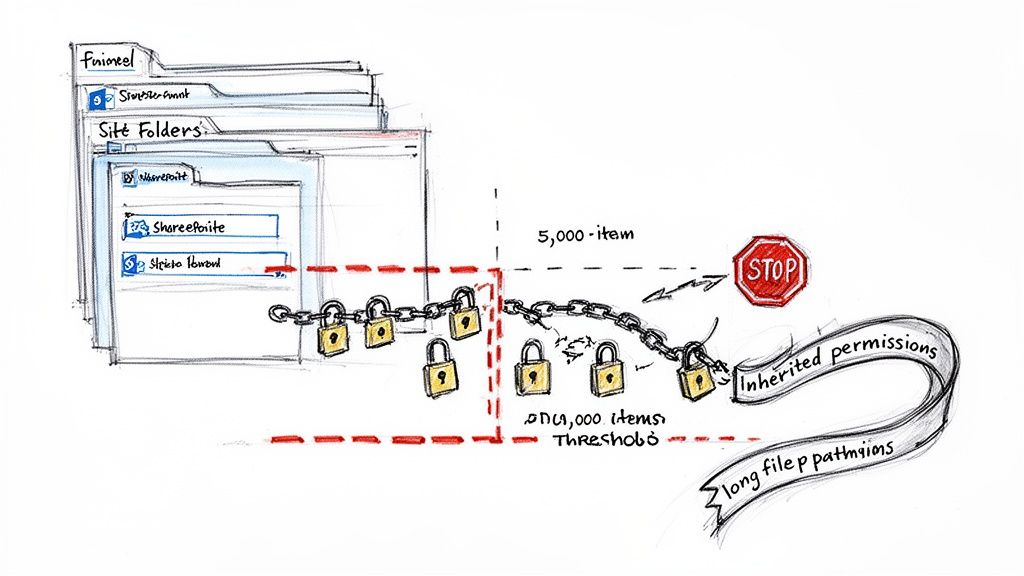
- The 5,000-Item List View Threshold: This isn't a suggestion; it's a hard limit baked into SharePoint's architecture. Any attempt to query a list or library with more than 5,000 items in a single view will fail. Migration tools hit this wall and simply stop, leaving your team with a partially migrated site and no clear error message. This doesn't just halt the migration; it can break business-critical automations that rely on those views.
- Broken Permissions Inheritance: Your team has likely spent years building a complex structure of sites, subsites, and libraries with unique permissions. A standard tool often flattens this structure or fails to remap permissions correctly, either locking everyone out or, worse, granting everyone access. Rebuilding this manually isn't just time-consuming; it's a security incident waiting to happen.
- Long Path and Character Limits: Vendors conveniently ignore the hard limits on file path lengths (260 characters for synced files) and special characters in filenames. We've untangled migrations where thousands of files were silently skipped because their legacy naming conventions were incompatible with the target environment.
Missing this step doesn't just fail the migration; it breaks legal compliance. If you cannot prove who had access to specific GDPR-sensitive data before and after the move, you have a major compliance breach on your hands.
For a deeper dive into the specific challenges of moving large datasets, explore our guide on executing a large-scale SharePoint migration, where these issues are magnified tenfold.
Teams Is More Than Just Chat History
Migrating Microsoft Teams is another area where standard tools fall dangerously short. A Team isn't just a collection of chat messages and files. It’s an entire collaborative fabric of channels, apps, tabs, and integrated workflows.
We've seen projects where the client thought they had successfully migrated Teams, only to find:
- Private Channels Are Gone: The data might be there somewhere, but the critical links between the channel, its dedicated SharePoint site, and its membership are severed.
- Planner and App Data Is Missing: The migration tool moved the files but left behind all the Planner tasks, OneNote tabs, and third-party app configurations that your teams rely on to function.
- The Ollo Verdict: For simple file shares under 50GB with flat permissions, Microsoft's own SharePoint Migration Tool (SPMT) is adequate. For anything involving complex permissions, nested sites, or preserving the full fidelity of a Teams environment, you must use a combination of specialist tools and custom PowerShell PnP scripting to avoid disaster.
The Irish private rental market offers a surprising parallel here. A huge increase in inward migration led to 38.2% of private rentals being headed by non-Irish nationals by 2016, according to this NESC report. This highly mobile group created significant identity churn, mirroring the intense need for robust governance in a tenant-to-tenant migration. User access must be cleanly deprovisioned and re-established with the same rigour.
Choosing Your Migration Tools Wisely
The market is flooded with third-party tools all promising a seamless, push-button tenant-to-tenant migration. Let's be brutally honest: for a complex enterprise project, relying solely on an off-the-shelf tool is like bringing a consumer drone to a military reconnaissance mission. It has the right shape, but it lacks the resilience, control, and precision needed for a high-stakes operation.
We’ve seen it happen. Clients come to us after their initial, tool-driven project has completely stalled. The dashboard was green, but the reality on the ground was data corruption, broken permissions, and a business in chaos. This isn't about which tool is ‘best’; it’s about understanding their precise breaking points and knowing when you must escalate to a specialist with a scripted, API-aware approach.
The Off-the-Shelf Illusion
Tools like ShareGate are excellent for specific, contained tasks. If you need to move a few hundred gigabytes from simple, flat SharePoint sites with basic permissions, they're fantastic—fast and effective. But the moment you introduce genuine enterprise complexity, these tools start to fracture.
Their core weakness is that they operate on top of the Microsoft 365 APIs. They're bound by the same throttling limits, path length restrictions, and query thresholds as everyone else, but they often hide the resulting errors or fail silently. Your team thinks the migration is progressing smoothly, but in reality, thousands of files are being skipped, and critical metadata is being left behind.
This becomes a critical liability in dynamic business environments. The administrative burden of managing a mobile workforce, a challenge intensified by Ireland’s recent migration surge which saw net migration reach 79,300 in the year to April 2024, requires robust identity and data management. As you can read in this EMN Ireland report, this kind of volatility demands systems that can handle constant change with precision—not a black-box tool that offers you no real control.
Where Scripts Are Non-Negotiable
A custom-scripted approach using PowerShell PnP isn't about reinventing the wheel. It's about building a vehicle specifically designed for the treacherous terrain of your unique environment. It gives us the granular control to anticipate and navigate the exact failures we know are coming.
Consider these common scenarios where a generic tool will almost certainly let you down:
- API Throttling: Tools often hammer the APIs with requests, triggering Microsoft's throttling mechanisms and grinding the migration to a crawl. Our scripts use intelligent back-off logic and managed API calls to work with the service, not against it, ensuring consistent, predictable throughput.
- Complex Workflows: Migrating a Power Automate flow with custom connectors or premium actions isn't a simple copy-paste. A tool might move the basic structure, but it can't re-establish the service connections or remap the API endpoints. This must be deconstructed and reconstructed via scripting.
- Unique Permissions at Scale: Trying to preserve item-level permissions on a library with 100,000+ files will overwhelm a third-party tool. A scripted process, however, can export the permissions matrix, remap identities, and reapply permissions in a controlled, verifiable batch process after the files are moved.
Relying solely on a third-party tool for an enterprise migration is an abdication of control. When something goes wrong—and it will—your team has no visibility into the process and no power to intervene. A scripted approach puts your architects back in command.
For a deeper dive into where different tools fit, you can read our breakdown of the SharePoint migration tool ecosystem and its limitations.
Migration Approach Reality Check: Tooling vs. Custom Scripts
To make this crystal clear, let's compare how these two approaches handle real-world migration challenges. The difference isn't just in the technology; it's in the fundamental level of control and assurance you get.
This isn't to say off-the-shelf tools have no place. They do. But their place is well-defined and much smaller than marketing materials would have you believe. For any migration where the business impact of failure is significant, you need the control and precision that only a scripted approach can deliver.
The Ollo Verdict: Use Microsoft's SPMT for migrating less than 50GB from a simple file share. Use a tool like ShareGate for straightforward site-to-site moves with flat permissions. For any tenant-to-tenant migration involving business-critical data, complex permissions, Teams, or the Power Platform, a custom-scripted PowerShell PnP process is the only method that provides the necessary control, error handling, and fidelity to avoid disaster. Anything less is a calculated risk your business cannot afford to take.
Mastering Your Coexistence and Cutover Strategy
Let's get one thing straight: the idea of a clean, "big bang" cutover in a tenant-to-tenant migration is a fantasy. It’s a story told by people who haven’t lived through the high-stakes reality. For any project of a decent size, a period of coexistence isn't just a good idea—it's non-negotiable.
But this is where things get messy. If you don't manage this phase with surgical precision, productivity grinds to a halt and user frustration skyrockets. We often see clients fail when coexistence is treated as a passive waiting period. It's not. It’s an active, high-risk phase where calendar lookups break, collaboration gets confusing, and your project can quickly go off the rails.
The goal is to make the final cutover a complete non-event. Why? Because you did all the heavy lifting during a controlled, meticulously planned coexistence.
This diagram breaks down the two fundamental paths your migration can take.
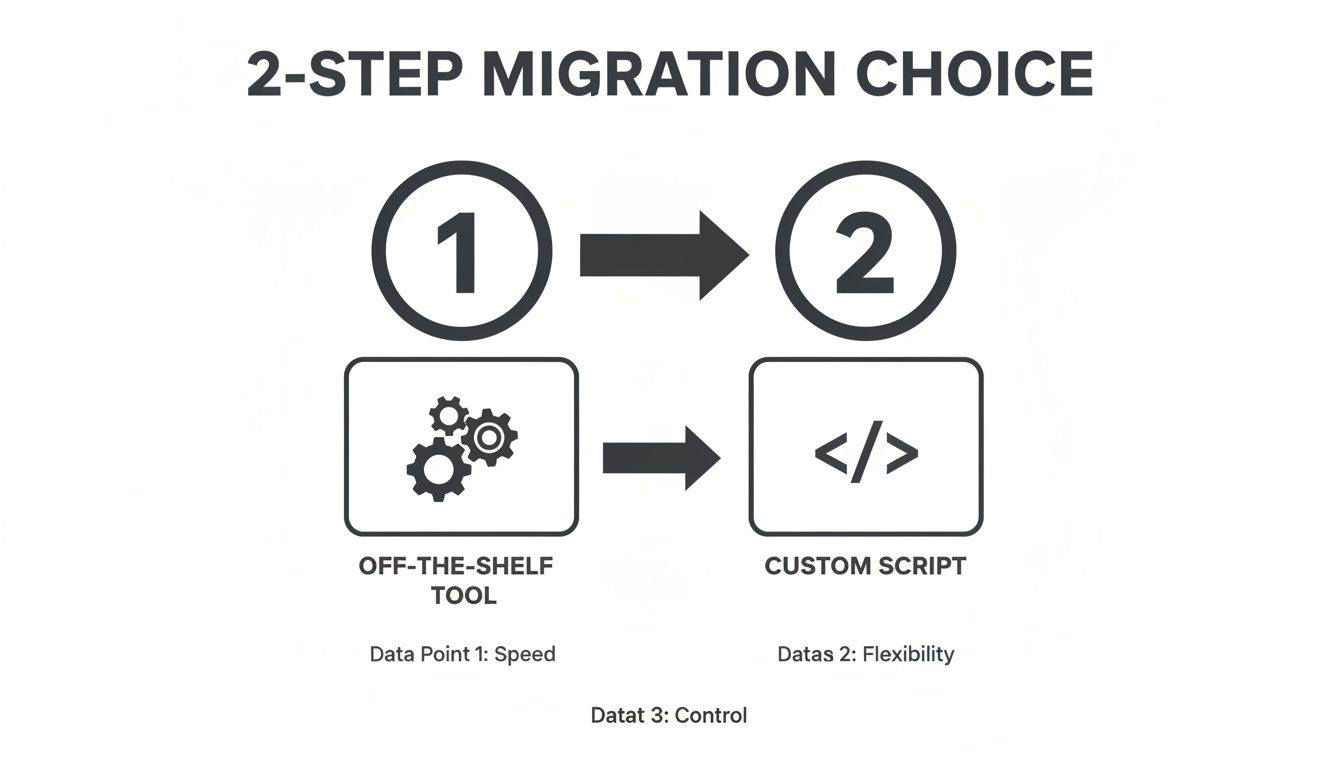
It boils down to a choice: a fast but rigid off-the-shelf tool, or a custom-scripted approach that gives you total control to handle the unique complexities of your environment.
The Treacherous Path of Coexistence
During this phase of operational duality, your two tenants have to act like one. The documentation says to set up organisational relationships, but in reality, the default settings are rarely enough. We’ve been pulled into projects where calendar free/busy information was technically working, but it was so delayed that it was useless, causing constant scheduling nightmares for the leadership team.
The challenge isn't just technical; it's about the user experience. How do you prepare people for a world where some colleagues are in the old tenant and some are in the new? Without a clear strategy, your teams will get bogged down by:
- Calendar Chaos: Users can't see when colleagues in the other tenant are free, leading to an endless email chain just to book a meeting.
- Teams Collaboration Breakdown: Total confusion over which tenant to use for chats and channels, which leads to fragmented conversations and lost information.
- Directory Sync Nightmares: New hires don’t show up in the other tenant’s address book, making them invisible to half the company.
This state of digital uncertainty is more than an IT headache; it cripples business agility. This is especially true in regulated Irish sectors like energy and finance, which often see high staff turnover. We see a parallel in the housing precarity faced by non-Irish nationals, who, according to one report, made up 33% of the homeless population despite being only 12% of the total. This real-world volatility is mirrored in the digital world of a mobile workforce. Ollo’s experience in delivering a structured Microsoft 365 migration brings the stability needed to manage this constant digital tenant churn. You can read more on the connection between migration and housing from RTÉ Brainstorm.
Engineering a Risk-Averse Cutover
A successful cutover isn’t a single event. It's a sequence of smaller, validated steps. Your plan must be phased, starting with the lowest-risk users and gradually moving to more complex departments. Every single phase needs its own clear success criteria, a validation checklist, and—most critically—a documented rollback plan.
Your rollback plan isn't an admission of potential failure; it's a mark of professional maturity. If you can't reverse a step within a set timeframe, you've lost control of the project.
We build our cutover sequences around these core principles:
- Pilot Group First, Always. We start with a hand-picked group of tech-savvy users from different departments. They're your canaries in the coal mine, tasked with finding the weird edge-case issues your test plans inevitably missed.
- Validate, Then Proceed. Before migrating the next batch, your team must run a scripted validation process. This checks everything from mailbox access and SharePoint permissions to Teams channel functionality for the users you just moved. You don't proceed until this validation is 100% successful.
- Communicate Aggressively. Users need to receive multiple, clear communications telling them exactly what to expect and when. The final "cutover complete" email should include a link to a simple post-migration checklist for them to follow (e.g., "Sign back into Outlook on your mobile").
This methodical, phased approach transforms the cutover from a high-stress weekend of hoping for the best into a predictable, manageable process. It ensures that by the time you migrate your C-suite or your most critical business unit, the process has been tested and hardened against the unique realities of your environment.
The Real Work Begins After Migration
Getting the data moved isn’t the finish line; it’s just the end of phase one. We often see clients fail when their IT teams, completely drained from the sheer effort of a tenant-to-tenant migration, declare victory and move on. They leave a huge amount of value on the table.
This is a grave mistake. Your new tenant isn't just a destination. It's a once-in-a-decade opportunity to build the secure, efficient, and well-governed environment that was impossible in your old, cluttered one. Without this final, crucial phase, the entire migration was just an expensive way to move a mess from one house to another.
Seizing the Governance Opportunity
The immediate post-migration period is your one shot to enforce a new standard. Your old tenant was likely a minefield of inconsistent permissions and legacy security settings. Now, you have a clean slate. You can implement a robust governance framework from day one, properly aligned with standards like ISO 27001.
This is the time to act decisively on key priorities:
- Redesign Permissions: Immediately scrap the old access models. Your primary objective should be to enforce a strict least-privilege access model across all of SharePoint, Teams, and OneDrive. This isn't just a tidy-up; it's a fundamental security uplift.
- Implement a Modern Security Baseline: Use this clean start to roll out a new security baseline built on modern Entra ID features. This means enforcing stricter Conditional Access policies, mandating phishing-resistant MFA, and leveraging identity protection features that were probably underused in the source tenant.
A successful migration isn't measured by the data moved, but by the security and governance posture of the new environment. Failing to lock down the new tenant immediately negates any technical success you achieved. It’s a strategic failure.
From Technical Project to Business Advantage
This final stage is what transforms a purely technical project into a genuine business advantage. By zeroing in on governance and security right after the cutover, you deliver tangible value far beyond simply having a new M365 environment. You create a more secure, compliant, and manageable platform that actively reduces organisational risk.
Don't let project fatigue rob you of the most important outcome. The heavy lifting of moving data is over, but the real architectural work—the work that will protect your organisation for the next decade—is just beginning. This is where you prove the true ROI of the entire tenant-to-tenant migration. Without it, you’ve simply reset the clock on accumulating the same technical debt all over again.
Common Questions We Hear
How Long Does a Tenant to Tenant Migration Really Take?
Honestly, there’s no simple answer. Anyone who gives you one is probably trying to sell you something. I’ve seen straightforward, small-scale migrations wrap up in about three months. It can be done.
But if we're talking about a complex project—one involving regulated data, intricate SharePoint permissions, and custom applications—you should realistically plan for nine to twelve months. The timeline isn’t dictated by the speed of a tool; it's shaped by the depth of your discovery, the complexity of your identity model, and the sheer volume of data. The length of your project is a direct reflection of its risk.
Can Our Internal Team Handle This with a Migration Tool?
For tiny, non-critical workloads? Maybe. But let's be realistic. If you're dealing with deeply nested SharePoint permissions, business-critical Power Automate flows, or have strict ISO 27001 compliance requirements, the answer has to be a firm no.
The risk of data loss, a security breach, or outright project failure is just too high. A far better use of your team's time is managing day-to-day business operations while specialists execute a controlled, scripted migration designed specifically to navigate those enterprise-level risks.
What Is the Single Biggest Point of Failure You See?
Inadequate discovery. Without a shadow of a doubt.
Time and again, we see projects fail when a company rushes into the migration without a forensic-level understanding of their source environment. They don’t know about that legacy SharePoint workflow that’s still business-critical, or the undocumented application registration in Entra ID that everything depends on.
This failure in upfront analysis is what causes projects to derail six months down the line. That's when the real, complex problems surface—long after the budget has been spent and the easy wins have been claimed.
A failed tenant to tenant migration doesn't just disrupt your operations; it can create irreversible compliance and security gaps that put your business at risk. Ollo provides the architectural rigour and hands-on expertise to navigate the complexities that overwhelm standard tools and internal teams.
Secure your migration and your business by scheduling a strategy call with our experts today at https://www.ollo.ie.

















