



A successful Microsoft 365 migration is not a simple data transfer; it's a strategic re-architecture of your digital workspace, particularly for organisations needing to align with standards like ISO 27001.
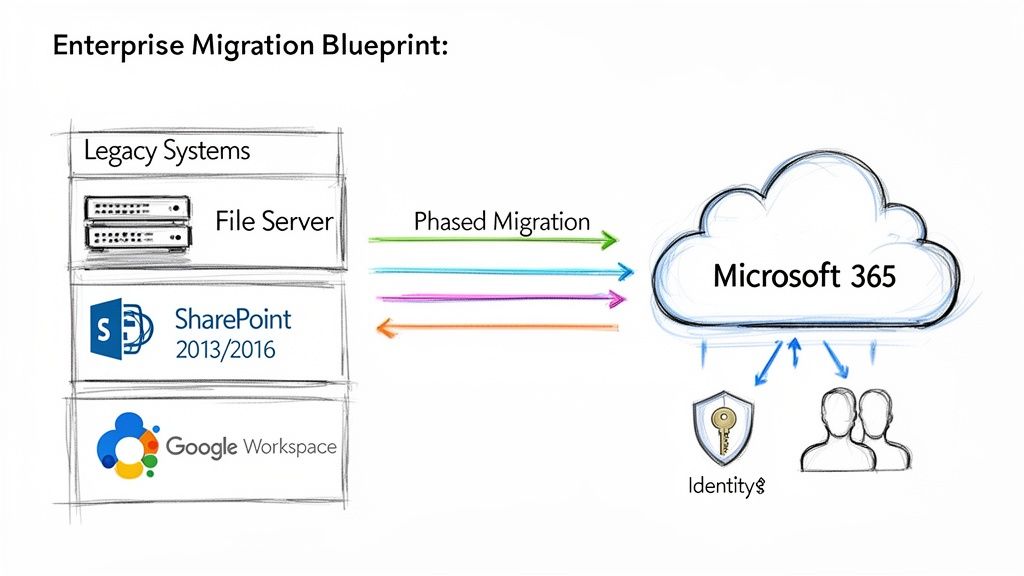
This playbook provides a technical, enterprise-grade methodology for migrating from legacy systems, such as on-premises SharePoint versions (2013, 2016, 2019) or unstructured file servers, to a modern SharePoint Online and Microsoft 365 environment.
Your Blueprint for a Seamless Microsoft 365 Migration
A cloud migration requires a structured, battle-tested methodology, not a generic checklist. The process begins with a deep technical assessment of your source environments, followed by architecting a zero-trust identity strategy with Microsoft Entra ID. From there, it's about building a robust governance framework from the ground up.
The objective is to minimise business disruption while maximising the technical and financial value of your Microsoft 365 investment. This process outlines the critical initial phases.
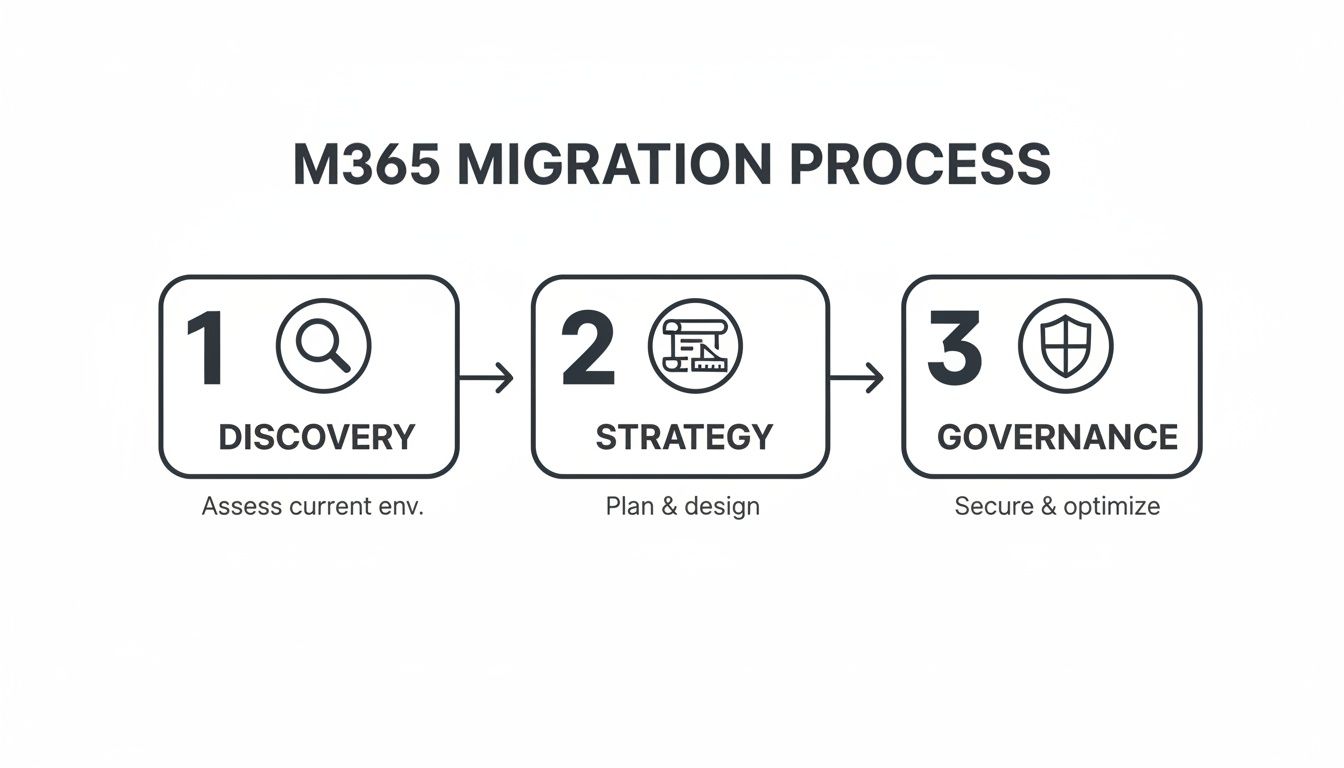
Each phase builds upon the last, ensuring technical execution is guided by a clear strategy and sound security principles.
The Accelerating Shift to Cloud Platforms
The migration to modern cloud infrastructure is a critical technological shift. For instance, Microsoft India reported a significant 38.66% year-over-year profit increase in FY25, a figure overwhelmingly driven by enterprise migrations to Microsoft 365 and Azure, especially within regulated sectors like finance and healthcare.
This data highlights the necessity of a precise, well-architected migration process. Without it, organisations risk data loss, security vulnerabilities, and poor user adoption, ultimately failing to realise the platform's full potential. Our expert-led cloud migration services are designed to navigate these technical complexities with precision.
A well-executed migration isn't just about moving files. It's an opportunity to re-architect your security posture, streamline collaboration, and establish a scalable foundation for future technologies like Microsoft Copilot and the Power Platform.
Mastering Your Pre-Migration Assessment and Identity Strategy
A successful Microsoft 365 migration is determined long before the first file is moved. It is built upon a foundation of rigorous discovery and a meticulously planned identity strategy. Projects often fail when this phase is rushed, akin to building on unsurveyed land.
The initial assessment is a deep technical audit of your current environment, uncovering complexities within legacy systems like SharePoint 2013/2016 or sprawling file servers. It involves analysing not just data volume, but the intricate web of permissions, legacy customisations (like full-trust code solutions or InfoPath forms), and undocumented workflows accumulated over years.
This deep dive identifies all redundant, obsolete, and trivial (ROT) data. Migrating this digital clutter pollutes the new environment, increases costs, and creates significant security risks.
Architecting Your Identity with Microsoft Entra ID
Once you understand what you're migrating, you must define who can access it. Modern security is anchored in identity, and for Microsoft 365, this means a robust Microsoft Entra ID (formerly Azure AD) architecture. This is not a simple "lift and shift" of your on-premises Active Directory.
This is an opportunity to redesign access control from the ground up, aligning with zero-trust principles. This model assumes a breach is possible and verifies every request explicitly—a critical posture for any organisation, especially those handling sensitive data under regulations like GDPR.
The goal is to transition from a perimeter-based security model to a granular, identity-centric one. Every access request, whether internal or external, must be treated as untrusted until verified.
This foundational work requires a detailed understanding of your current security posture and target state. An expert-led audit can map your specific identity and access management (IAM) requirements.
Implementing Granular Control and Zero Trust
With your identity foundation planned, you implement the controls that enforce your security policies. This brings your zero-trust strategy to life, extending far beyond simply enabling Multi-Factor Authentication (MFA)—though MFA is a non-negotiable baseline.
True granular control is achieved by leveraging Conditional Access policies within Entra ID. These are the powerful "if-then" rules that govern access in real-time based on contextual signals. For example:
- If a user attempts to access a sensitive SharePoint site from an unmanaged personal device, then block access or enforce limited, web-only access.
- If a sign-in attempt originates from a non-compliant device (as defined by Intune), then require remediation before granting access.
- If a user is a member of a high-privilege role like "Global Administrator," then always require phishing-resistant MFA to access admin portals.
These policies are your primary defence mechanism, enabling you to apply the principle of least privilege dynamically. This granular control is essential for demonstrating compliance with standards like ISO 27001, providing a clear, auditable trail of who accessed what, when, and under what conditions. The migration becomes an opportunity to dramatically strengthen your entire security posture.
Building Your Technical Migration Runbook and Toolset
With the identity and access strategy defined, the project moves to technical execution. This is where the architectural blueprint becomes reality, driven by the right tooling and a meticulous migration runbook. A well-defined process at this stage is the difference between a smooth transition and a chaotic cutover weekend.
Tool selection is a critical early decision. The options range from powerful third-party solutions to native Microsoft tools and custom scripting. The optimal choice depends on the complexity of the source environment.
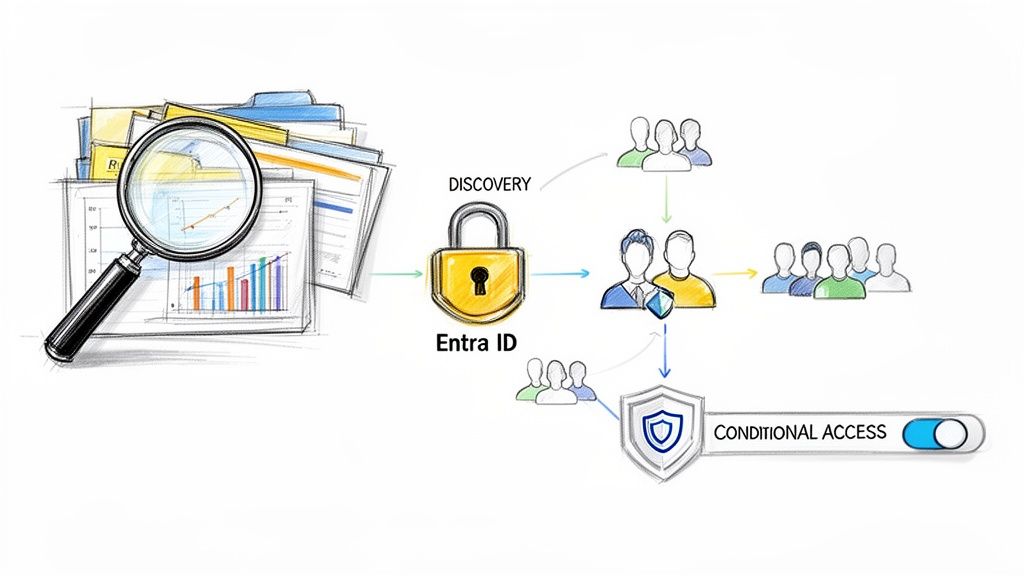
A centralised dashboard view for identity or migration analysis is crucial. The objective is to identify and remediate potential issues—such as broken permissions inheritance, invalid file characters, or excessively long file paths—long before initiating data movement.
Choosing the Right Migration Tool
There is no single "best" tool; there is only the right tool for the specific migration scenario.
For complex SharePoint migrations (on-premises to cloud), a third-party tool like ShareGate is often the industry standard. It excels at migrating complex artefacts—such as customised SharePoint features, web parts, and workflows—while preserving version history and metadata with high fidelity. Its pre-migration analysis and automated issue remediation capabilities can save hundreds of hours of manual effort.
For simpler file server to SharePoint Online migrations, Microsoft’s own SharePoint Migration Tool (SPMT) is a capable and cost-effective option. It is designed for bulk file migrations and handles basic scenarios efficiently.
For highly customised requirements, automation with PowerShell and the PnP (Patterns and Practices) framework provides ultimate flexibility. This approach is ideal for scenarios requiring complex, non-standard permission transformations during migration or for scripting intricate pre-migration checks and post-migration content validation.
For a closer look at how these tools fit into the broader ecosystem, explore our guide to Microsoft 365 integrations.
To aid in your decision, here is a comparison of common migration tools.
Microsoft 365 Migration Tool Comparison
ToolPrimary Use CaseKey StrengthsPotential LimitationsShareGateComplex SharePoint (on-prem or cloud) migrations, Teams, and file shares.Rich reporting, automated issue remediation, preserves metadata and versions, user-friendly interface.Premium cost, can be overkill for very simple file moves.SharePoint Migration Tool (SPMT)Bulk file share, SharePoint Server 2013, and OneDrive migrations to Microsoft 365.Free from Microsoft, simple to use for basic scenarios, good performance for bulk data.Limited reporting, minimal transformation capabilities, less granular control over permissions.PowerShell / PnPCustom, highly-specific migration scenarios and automation tasks.Unmatched flexibility, can script any logic, ideal for pre/post-migration tasks and complex transformations.Requires significant scripting expertise, no user interface, higher risk of error if not tested well.Microsoft 365 Migration ManagerCentralised management of file share and some cloud migrations.Integrated into M365 Admin Centre, agent-based for scalability, good for large-scale file share projects.Less feature-rich than dedicated third-party tools, primarily focused on file shares.
The final choice often involves a hybrid approach: a primary tool like ShareGate for the heavy lifting, supplemented with PowerShell scripts for bespoke clean-up, validation, or transformation tasks.
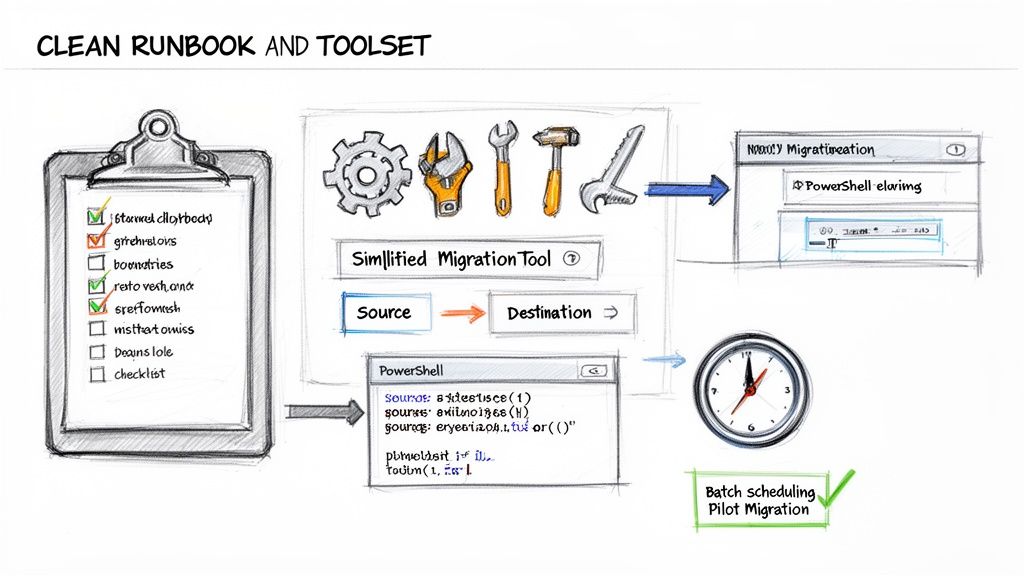
Constructing a Detailed Migration Runbook
The migration runbook is the single source of truth for the technical team. It is a living document detailing every action, dependency, sequence, and contact person for the migration event.
A robust runbook must include:
- Source-to-Destination Mapping: A precise manifest detailing the mapping of every source location (e.g., a specific file share or SharePoint library URL) to its corresponding destination in Microsoft 365, including ownership and permissions strategy.
- Batch Scheduling: A plan to break the migration into logical batches to manage network bandwidth and mitigate the impact of API throttling. For example, migrating large departmental sites over a weekend and smaller team sites during off-peak hours.
- Pre-Flight and Post-Flight Scripts: Specifications for which PowerShell scripts to execute before a batch begins (e.g., checking for checked-out files, identifying blocked file types) and after it completes (e.g., validating file counts, checking permissions).
- Escalation Paths: Clear instructions on who to contact for specific technical issues—network latency, permissions failures, or unexpected throttling—including out-of-hours contact details.
A professional runbook accounts for failure. It must clearly define the criteria for pausing a batch or initiating a rollback for a specific subset of data. This is not pessimism; it is professional preparedness.
The Critical Role of Pilot Migrations
Never attempt a full-scale migration without conducting several pilot runs. A pilot is a controlled test where the migration plan is validated against real-world conditions. Select a representative subset of data—a department site with mixed file types, unique permissions, and complex workflows—and perform an end-to-end migration.
This process uncovers the "unknown unknowns":
- Throttling Realities: Gain empirical data on Microsoft’s API throttling limits to adjust batch sizes and timing. It is far better to discover this with 100 GB of data than with 10 TB.
- Metadata and Permission Fidelity: Verify that custom metadata, content types, and unique permissions are being reapplied correctly. The pilot will reveal discrepancies that require adjustments to scripts or tool configurations.
- Performance Benchmarking: The pilot provides crucial throughput data (e.g., GB/hour), enabling a more accurate project timeline. You may find that migrating millions of small files is significantly slower than migrating a few large ones, directly informing your batching strategy.
By treating the pilot phase with the same rigour as the final event, you methodically de-risk the entire project and build confidence with technical teams and business stakeholders.
Executing a Smooth Cutover and Final Validation
The cutover is the culmination of all planning, scripting, and testing. A successful cutover is not a dramatic event but a seamless transition, orchestrated so precisely that users experience minimal disruption.
This phase demands a perfectly sequenced series of events, executed by a team that understands their roles and responsibilities as defined in the runbook. Clear communication and a robust rollback plan are essential safety nets.
The Final Delta Sync and Lock Down
Immediately before the final switch, a final delta sync is required to capture any last-minute changes made since the last major data transfer. Migration tools like ShareGate excel at this, efficiently identifying only new or modified files, which is significantly faster than a full re-scan.
Once the final delta sync is complete, the source environment must be locked down. This is a non-negotiable step to prevent users from creating or editing content on the legacy platform, which would be lost post-cutover.
- Set source file shares or SharePoint sites to read-only mode.
- Communicate clearly to users that the source locations are now frozen for the final transition.
- Execute one final, rapid delta sync to capture any files saved in the moments before the lockdown was enforced.
This controlled freeze guarantees data integrity and prevents the common issue of lost last-minute work.
Managing the Switch and the All-Important Rollback Plan
With the source environment locked and data fully synchronised, the technical switchover can commence. This typically involves updating DNS records, internal links, navigation elements, and application configurations to point to the new SharePoint Online and OneDrive locations.
However, even with meticulous preparation, unforeseen issues can arise. A critical dependency might fail, or post-migration validation scripts could uncover a show-stopping permissions issue. This is why a well-documented rollback plan is essential. It is a mark of a professional, experienced team.
Your rollback plan must clearly define:
- Defined Triggers: Specific failure criteria that justify initiating a rollback (e.g., data validation script failure rate exceeds 5%, a critical business application is non-functional).
- Step-by-Step Actions: The exact sequence required to revert all changes, including unlocking the source environment and communicating the rollback to stakeholders.
- Go/No-Go Decision Makers: The designated individuals with the authority to make the final call, including their contact information.
A rollback plan is your project's insurance policy. You hope to never use it, but you cannot proceed without it. The plan must be clear enough for any team member to execute without ambiguity.
Post-Cutover Validation and User Acceptance Testing
Once the technical cutover is complete, the focus shifts from data movement to data verification. Do not rely solely on the migration tool's "100% success" report. True validation is a multi-layered process, combining automated checks with hands-on testing by business users.
Begin with automated validation using PowerShell scripts to check key metrics across thousands of sites and libraries.
- File and Folder Counts: A script comparing item counts between source and destination provides a quick, high-level check for major discrepancies.
- Permission Checks: Script spot-checks to confirm that key user groups have the correct access levels (e.g., "Read," "Contribute") on their new sites.
- Metadata Verification: If migrating content with custom metadata, script a sampling process to confirm that metadata integrity has been maintained.
While scripts confirm the technical "what," User Acceptance Testing (UAT) confirms the business "how." Involve the pre-selected group of business champions from your pilot phase to validate their critical business processes. Their feedback on whether they can find reports, access shared documents, and execute familiar workflows is the ultimate measure of success. Their sign-off transforms a complex IT project into a tangible business win. This journey is detailed in our article on moving from manual to automated cloud migration.
Establishing Post-Migration Governance and Integration
The final data sync is complete, but the most critical phase is just beginning. The migration provides the technical foundation; now, you must govern, secure, and integrate the platform to unlock its promised business value. Without a robust post-migration strategy, you have merely created a more modern, cloud-based file share.
Building Your Governance Framework with Microsoft Purview
Your new Microsoft 365 environment is a dynamic ecosystem that will grow daily. Without a strong governance plan, it can quickly devolve into the same unstructured state you migrated from.
Microsoft Purview is the central command centre for data security and compliance.
The first priority is data classification. You cannot protect what you do not understand.
- Sensitivity Labels: Implement sensitivity labels to classify documents and emails (e.g., Public, Internal, Confidential, Highly Confidential). These labels are not just visual tags; they can enforce protection policies like encryption and conditional access.
- Information Protection Policies: Automate the application of these labels. Configure policies to identify and label sensitive content based on patterns, such as financial data or personally identifiable information (PII), ensuring consistent protection.
Once data is classified, you must manage its lifecycle with retention and deletion policies. This is non-negotiable in regulated industries. These policies enforce legal and compliance requirements and reduce risk by automatically disposing of data that is no longer needed. The consequences of failing to manage this are detailed in our guide on the hidden costs of poor data governance.
Establishing strong governance is a fundamental business requirement. In the event of a data breach or audit, demonstrating clear, enforced policies for data classification, retention, and loss prevention is your strongest defence.
Finally, implement Data Loss Prevention (DLP) policies to prevent the unauthorised exfiltration of sensitive information. A well-configured DLP policy can, for example, block an employee from emailing a spreadsheet containing customer credit card numbers to a personal email address.
This checklist outlines the immediate governance tasks to tackle post-migration.
Post-Migration Governance Checklist
This table provides a framework for building a compliant and controlled Microsoft 365 environment from day one.
Control AreaKey ActionTool/ServiceData ClassificationDefine and deploy sensitivity labels for key data types (e.g., Confidential, PII).Microsoft PurviewLifecycle ManagementEstablish baseline retention and deletion policies for Teams, SharePoint, and Exchange.Microsoft PurviewData Loss PreventionConfigure a starter DLP policy to monitor for the sharing of sensitive financial or personal data.Microsoft PurviewAccess ControlConduct an initial review of SharePoint site and Microsoft Teams permissions to enforce least privilege.SharePoint AdminIdentity & AccessEnsure Conditional Access policies for MFA are active and enforced for all users, including administrators.Entra ID (Azure AD)Endpoint ManagementVerify that all devices accessing corporate data are enrolled in Intune and meet compliance policies.Microsoft IntuneUser TrainingSchedule initial training sessions on how to use sensitivity labels and report suspicious activity.Internal Comms/L&D
Implementing these controls promptly establishes a secure foundation and prevents the formation of poor security habits.
Integrating Core Services to Drive Adoption
With a solid governance foundation, you can activate the services that transform how people work.
Unlocking Collaboration with Microsoft Teams
Your top priority should be rolling out Microsoft Teams. It serves as the central hub for collaboration. Start by creating teams based on existing departments or project groups. Demonstrate how files stored in the underlying SharePoint sites can be co-authored and discussed directly within the Teams interface, immediately breaking down email silos.
Automating Processes with the Power Platform
The real value is unlocked through business process automation. The Power Platform—specifically Power Apps and Power Automate—is designed for this purpose.
Identify low-hanging fruit: manual, repetitive tasks. A classic example is a leave request process managed via email and spreadsheets. A simple Power App for submitting requests, coupled with a Power Automate flow for approvals, can transform a clunky process into a streamlined, auditable workflow.
Preparing for the AI-Powered Workplace with Copilot
The final piece of the integration puzzle is preparing for Microsoft Copilot. The effectiveness of this AI assistant is entirely dependent on the quality, organisation, and security of your underlying data.
The governance work you implemented—classifying data, cleaning up permissions, and organising content—is the essential prerequisite for a successful Copilot rollout.
For businesses in the IE region, data sovereignty is a critical consideration. Ireland is part of the EU data boundary, ensuring Microsoft 365 services, including Copilot, process and store data within the European Union. This provides a significant advantage for performance and compliance.
By shifting your focus from a simple data move to a structured program of governance and integration, you ensure your Microsoft 365 migration delivers lasting value and becomes the foundation for continuous business improvement.
Your Foundation for Continuous Modernisation
Completing your Microsoft 365 migration is a significant milestone, but it is just the beginning. It is the foundation for the continuous modernisation of your organisation.
This playbook provides a repeatable blueprint, from the initial deep-dive assessment to ongoing post-launch governance. You have built a secure, scalable, and future-ready digital workplace.
The upfront investment in detailed technical planning will now yield dividends through minimal disruption, a stronger security posture, and higher user adoption. Your new environment is a platform ready for the next wave of innovation, whether that is leveraging the Power Platform or rolling out Microsoft Copilot.
This strategic shift aligns with Microsoft's infrastructure growth. For example, new Azure datacentre regions in Malaysia and Indonesia, which came online in June 2025, are enhancing migrations for local enterprises by offering improved data residency and low-latency access. You can find more details in Microsoft's commitment to cloud infrastructure in Asia on their blog.
A migration is a strategic business evolution, not just a technical project. Partnering with experienced specialists de-risks the process, ensuring your organisation fully capitalises on its investment and is prepared for future technological advancements.
Got Questions About Microsoft 365 Migration?
Based on our experience with numerous Microsoft 365 migrations, we've compiled answers to the most common questions from IT leaders and cloud architects.
What's the Single Biggest Risk and How Do We Dodge It?
The single biggest technical risk is significant business disruption or data loss during the cutover.
This risk is best mitigated through rigorous pilot testing with a representative subset of your actual data. This is where you uncover hidden complexities—unsupported file types, file path length issues, or convoluted custom permissions that will break standard migration tooling. These issues can be addressed methodically during the pilot phase or chaotically at 2 AM during the final cutover.
A detailed and, most importantly, tested rollback plan is non-negotiable. Furthermore, investing in a proven third-party tool like ShareGate can dramatically de-risk the process by providing more robust validation and error-handling capabilities than native tools.
Your final line of defence is a clear communication strategy. Keeping users informed minimises panic, reduces helpdesk ticket volume, and makes the transition feel controlled and intentional.
How Long Does an Enterprise SharePoint Migration Really Take?
The timeline for a SharePoint migration can vary significantly based on data volume, source complexity, and the level of customisation.
A small-scale migration (<1TB from a well-structured source) might be completed in a few weeks. However, for a large enterprise migrating from a legacy SharePoint farm with custom code, complex workflows, and terabytes of data, a timeline of 6 to 12 months is realistic.
A typical project timeline breakdown is as follows:
- Assessment & Discovery: 1-2 months. A thorough understanding of the source environment is critical.
- Planning & Remediation: 2-3 months. This phase involves designing the target architecture and remediating issues identified during discovery.
- Pilot Testing: 1-2 months. This phase should not be rushed; multiple test cycles are often necessary.
- Phased Migration: 2-5 months, depending on the batching strategy for users and data.
The most common cause of project delay is rushing the assessment and planning phases. Any shortcuts taken here will result in significant time and cost overruns during execution.
Should We Clean Up Our Data Before or After We Migrate?
Always clean up your data before you migrate.
Migrating redundant, obsolete, or trivial (ROT) data into Microsoft 365 is a critical mistake. It inflates storage costs, pollutes search results, and complicates governance from day one.
Use the pre-migration assessment phase to identify ROT and either archive it to a low-cost storage tier or delete it. This is also the ideal opportunity to overhaul your permissions model, moving away from legacy access control lists (ACLs) to a modern, group-based security model in Microsoft 365.
Starting with a clean, well-architected environment is infinitely more effective and less costly than attempting to remediate a cluttered environment post-migration.
Planning a migration properly demands deep technical expertise to sidestep common pitfalls and guarantee a secure, smooth transition. At Ollo, we specialise in architecting and executing complex Microsoft 365 migrations for regulated industries, ensuring zero data loss and maximum business value. Learn more about our expert-led migration services.
Article created using Outrank

















