



SharePoint migration planning isn't about ticking boxes on a checklist. It's a risk mitigation exercise. Most plans fail because they wildly underestimate the technical chaos lurking in legacy systems. A plan that actually works focuses on a forensic audit of where you are now, a complete rethink of your information architecture for the cloud, and a painstakingly detailed runbook for the actual move. This isn't about shifting data from A to B; it's about ensuring your business continues to function on day one.
Why Your Last SharePoint Migration Plan Probably Failed
Let’s be direct. Most SharePoint migration planning guides are marketing fluff. They promise a 'seamless transition' while conveniently ignoring the technical nightmares that cripple real-world enterprise projects—API throttling, broken permissions, and the dreaded 5,000-item list view threshold. This isn't one of those guides. We're here to discuss the messy, complicated realities that official documentation glosses over, the kind of problems that turn a straightforward project into a career-limiting disaster.
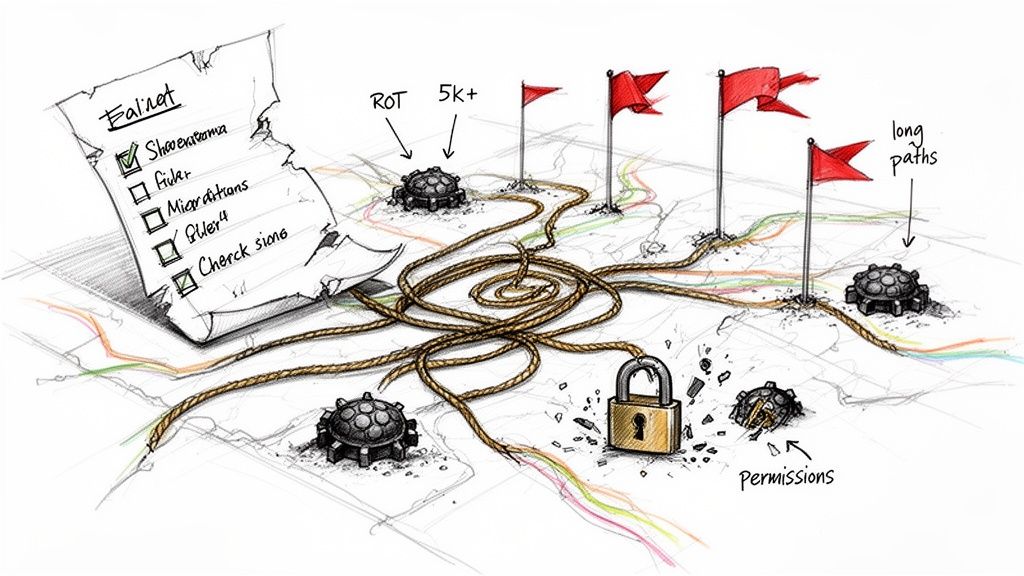
We've been called in to rescue projects where generic checklists met the reality of decades-old data, hopelessly broken permissions, and undocumented customizations. Your team isn't just moving files; you're attempting to untangle a complex, fragile ecosystem riddled with technical landmines.
Common Migration Promises vs. Enterprise Reality
Every migration kicks off with a dose of optimism. The vendor's documentation says X, the tool promises Y, but your actual environment is a hornet's nest of undocumented exceptions. That gap between glossy promises and brutal reality is where projects die. We often see clients fail when they mistake a migration tool's feature list for a genuine strategy, leading to completely predictable failures.
Here’s what the brochure says versus what we see in the trenches.
Ultimately, a migration plan built on an idealized view of your source environment is doomed. It fails to account for the hidden complexities festering after years of organic growth and nonexistent data governance.
The single greatest point of failure in SharePoint migration planning is treating it as a technical file-copying exercise instead of a business-critical risk management operation. The cost isn't just a delayed project; it's broken workflows, security vulnerabilities, and a loss of user trust.
Dealing with the hidden costs of poor data governance isn't an optional step; it is the absolute foundation for a successful move. Kicking off with an aggressive, forensic-level audit of what you actually have isn't pessimism—it's the only realistic path to getting this right.
Executing A Forensic-Level Audit And Discovery
Before your team moves a single byte of data, you need to understand exactly what you’re up against. I've seen more SharePoint migrations fail because of a superficial audit than for any other reason. Just counting sites and gigabytes is the fastest way to guarantee scope creep, budget overruns, and catastrophic cutover weekends.
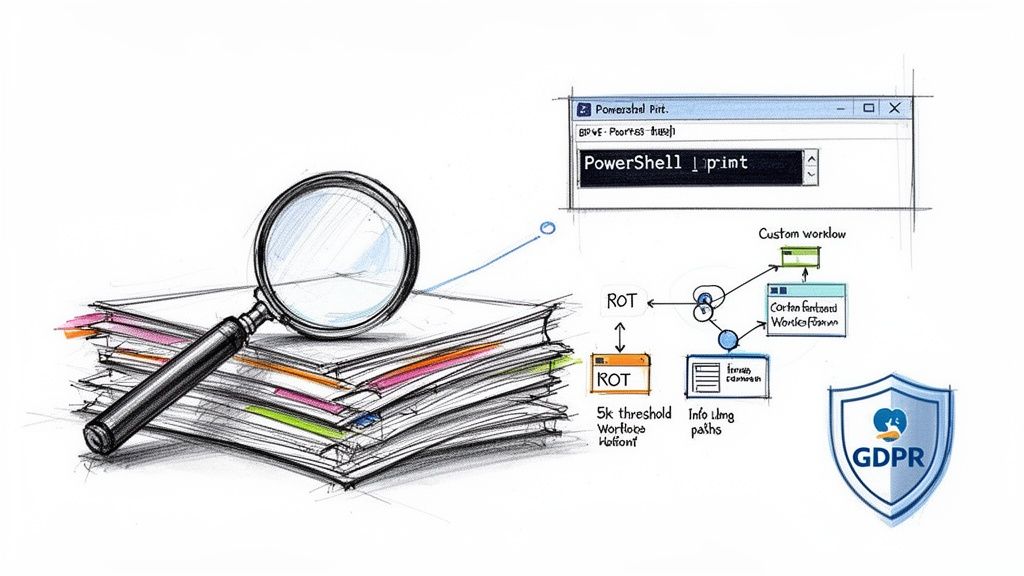
This isn’t a simple inventory; it’s a forensic-level investigation. Your team must run PowerShell scripts to proactively identify the technical landmines buried deep in your legacy environment. Anything less is guesswork. Hope is not a strategy.
Uncovering The Technical Debt That Breaks Migrations
We often get calls after a client's initial discovery completely missed the critical issues that bring a migration to a grinding halt. Standard tools provide a high-level summary, but the real threats are always hidden in the details. A proper audit must aggressively hunt for these specific breaking points.
Your audit checklist must focus on technical realities, not vanity metrics:
- Long Path Names: SharePoint Online has a strict 400-character URL path limit. Your on-premises environment almost certainly has deeply nested folder structures that violate this. You must find and fix these before you migrate, or entire directory trees will simply fail to transfer, silently.
- List View Thresholds: The infamous 5,000-item limit isn't a suggestion; it's a hard rule in SharePoint Online that completely breaks views, filters, and queries. We run scripts to flag every single list and library approaching this threshold because they require a total redesign—with indexed columns and filtered views—to function post-migration.
- Legacy Customizations: Every undocumented custom solution, SharePoint Designer workflow, and InfoPath form is a ticking time bomb. These are not supported in the modern environment and will break the second they arrive, disrupting critical business processes that no one remembered were tied to a decade-old system.
The documentation says you have a 400-character limit. In reality, your challenge is finding the thousands of violations hiding in a decade of unmanaged content. Failing this deep analysis doesn't just delay the project; it guarantees day-one operational failure.
Confronting Your Dark Data And Compliance Risks
Beyond technical blockers lies a bigger risk: your 'dark data'. This is the redundant, obsolete, and trivial (ROT) content that bloats your migration scope, jacks up your costs, and creates a massive compliance hazard. For any organization in Ireland operating under GDPR, migrating unclassified ROT data is a direct threat to your legal standing.
This isn’t spring cleaning; it’s active risk reduction.
Identifying and purging this data before you migrate is non-negotiable. Every gigabyte of ROT you move increases your attack surface in the cloud and makes it harder for tools like Microsoft Purview to effectively classify the data that matters. Missing this step doesn't just fail the migration; it breaks legal compliance.
This deep, forensic analysis is the bedrock of a predictable migration. It requires specialized scripts and experience that goes far beyond standard IT checklists. If your team isn't equipped for this deep-dive, get a professional assessment. Understanding the true state of your environment is the only way to begin a SharePoint migration planning process. We offer a free, no-obligation audit that provides a true map of the battlefield—not a hopeful guess.
Redesigning Your Information Architecture For The Cloud
A 'lift and shift' migration is not a strategy. It's a security catastrophe waiting to happen. We've seen organizations spend millions moving to Microsoft 365, only to drag their broken, overly permissive legacy structures right along with them.
Think of it like moving into a new headquarters but insisting on keeping the faulty wiring and broken locks from the old building. It makes no sense.
This migration is your one chance to dismantle years of accumulated chaos. It's the moment to flatten convoluted folder hierarchies, implement a modern hub-and-spoke model, and enforce a security posture built for the cloud. That means killing the nested folder obsession and replacing it with functional metadata and content types.
Dismantling The Old Guard Of Permissions
The single biggest threat in any migration is permissions. I guarantee your on-premises environment is a disaster of broken inheritance, direct user access assignments, and convoluted security groups that have no place in a modern architecture.
Migrating this mess as-is doesn't just replicate a problem; it punches massive, exploitable security holes in your new Microsoft 365 environment. You must redesign your permissions from the ground up. This is non-negotiable. The process has to be aggressive and methodical.
- Map Business Roles, Not Users: Stop assigning permissions to individuals. The first thing we do is map business functions to newly created Microsoft Entra ID security groups. This ensures access is role-based and easily revocable.
- Enforce Least Privilege Everywhere: The default permission for everyone should be "no access." From there, every group is only granted the absolute minimum permissions required to perform its function. Your legal and finance sites should be fortresses, not open libraries.
- Break The Inheritance Habit: We systematically untangle the spiderweb of broken inheritance chains in legacy sites. In SharePoint Online, permissions must be clean and predictable. Unique permissions should be a rare, documented exception, not the rule.
The documentation shows you how to assign permissions. In reality, migrating a decade of ad-hoc, broken permissions is the fastest way to fail a compliance audit and expose sensitive data across your organization. This step doesn't just support the migration; it prevents a security breach.
From Folders To Findability
Your users' reliance on deeply nested folders is a symptom of a failed Information Architecture. In the cloud, this structure becomes an active liability, regularly breaking the 400-character URL path limit and making content impossible to find.
The goal here is to shift your team's thinking from "where do I put this?" to "what is this?"
We achieve this by replacing endless folders with a robust metadata strategy. Instead of a folder called "Q4-2024-Final-Client-Contracts," you use a content type called "Client Contract" with metadata columns for "Fiscal Quarter," "Year," and "Status." Suddenly, your data becomes filterable, searchable, and manageable. For a deep dive into structuring large content repositories, explore our detailed guide on planning for a large-scale SharePoint migration.
The urgency to fix these architectural flaws is amplified by real deadlines. SharePoint 2013 reached its end-of-life in April 2023, and both SharePoint 2016 and 2019 will follow in July 2026, leaving a narrow window for a proper architectural redesign.
Ultimately, a successful SharePoint migration plan hinges on this redesign. It's the difference between building a secure, scalable cloud workspace and simply moving your old problems to a more expensive location.
Selecting Your Tools And Building The Migration Runbook
Let’s talk about your migration toolkit, because this is where a well-intentioned SharePoint migration plan goes completely off the rails. I’ve seen it time and again: a company thinks buying a software license is the same as having a strategy. It’s a dangerous and expensive assumption.
The tools you choose will either enable a controlled, predictable migration or actively work against you, creating a chaotic mess of failed jobs and corrupted data. This isn't about comparing feature lists; it's about understanding the specific breaking points of each tool in a high-stakes enterprise environment.
The goal isn't just to move files. It's to execute a fundamental architectural shift from tangled legacy systems to a clean, well-governed cloud structure, as the diagram below shows.
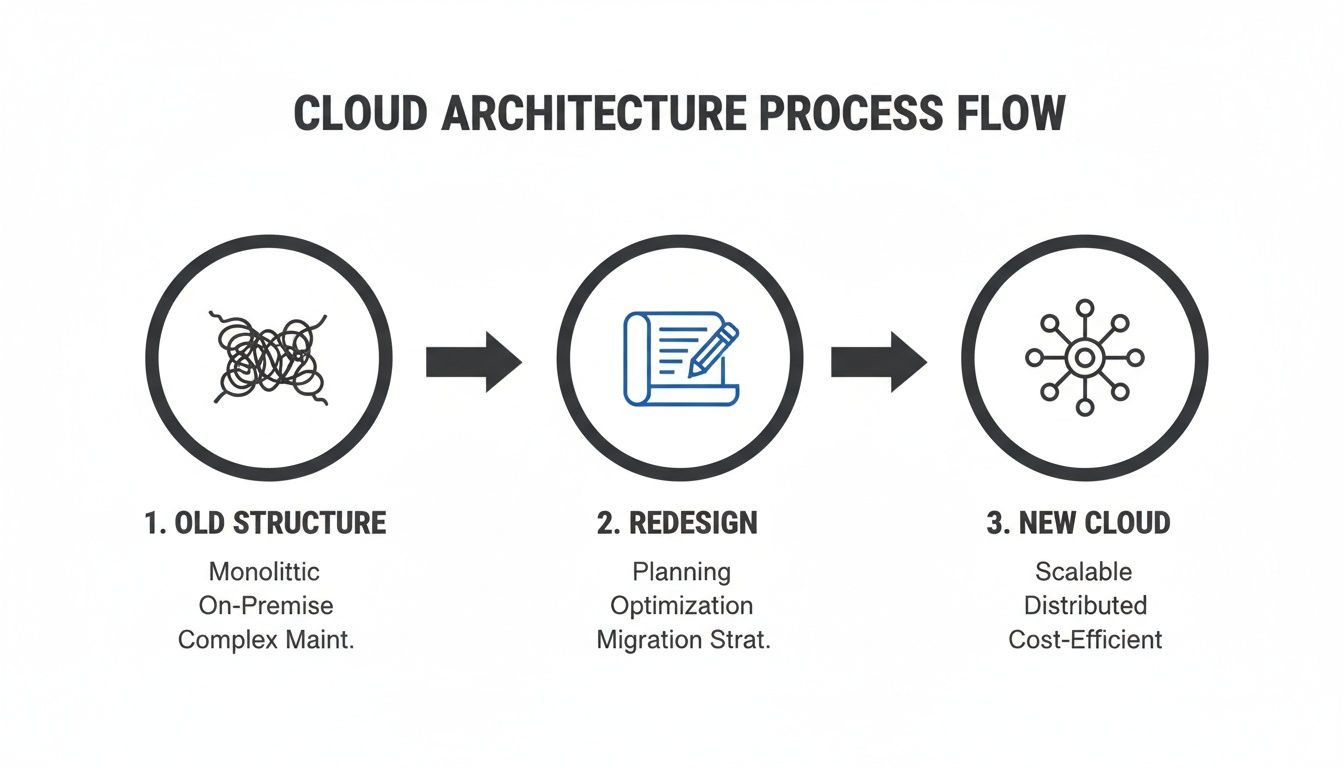
Your tooling choice must support this complete redesign, not just a simple data transfer.
The Tooling Trap: Microsoft vs. Third-Party
Your first option is Microsoft’s free SharePoint Migration Tool (SPMT). It exists, and it's free. For any serious project, that’s where the benefits end. The documentation positions it as a viable solution, but in the real world, it’s built for simple file share lifts or tiny, uncomplicated SharePoint sites.
The moment you push SPMT with complex permissions, large data volumes, or the need for granular error reporting, it fails spectacularly. It offers almost no control over job scheduling and is brutally susceptible to API throttling from Microsoft. We have a more detailed breakdown in our analysis of the SharePoint Migration Tool, but the verdict is clear.
The Ollo Verdict: Use SPMT if you're moving a single folder for a five-person team. For anything involving business-critical data, complex permissions, or more than 50GB, relying on SPMT is not a plan; it's professional negligence.
This brings us to commercial tools like ShareGate. These platforms are far more robust, offering serious reporting, scheduling, and pre-migration analysis capabilities essential for any enterprise-scale project.
However, even a powerful tool like ShareGate is not a 'fire-and-forget' solution. Naively running dozens of jobs simultaneously will get your tenant throttled by Microsoft just as fast as SPMT would, grinding your progress to a halt. A professional tool is a necessary part of the toolkit, but it isn't the whole toolkit.
Beyond The GUI: The Need For Scripting And Runbooks
Even the best off-the-shelf tool cannot handle every messy, real-world enterprise scenario. From our experience, we consistently find that 20-30% of any complex migration requires custom scripting to manage transformations that GUIs simply can't address.
This is where PowerShell, specifically the PnP (Patterns and Practices) library, becomes non-negotiable. It’s the key to handling the tricky parts:
- Complex Permission Transformations: Untangling years of broken inheritance and mapping legacy groups to new Entra ID structures requires logic that a point-and-click tool doesn't have.
- Bulk Metadata Application: Applying default metadata to entire libraries based on specific business rules is a classic scripted task.
- Post-Migration Fixes: Automatically fixing broken links inside thousands of Office documents or recreating complex list views after the move is purely a job for PowerShell.
Your entire process—tool configuration, script execution, and manual checks—must be codified in a Migration Runbook. This isn't a vague checklist; it's a minute-by-minute, command-by-command script for your cutover weekend. It details every single action, every dependency, and assigns a specific person to each task.
This runbook has to be built around the hard technical limits of the Microsoft 365 platform. Performance is key. Throughput is highest during off-peak hours, and to avoid creating an artificial bottleneck, Microsoft's own guidance suggests not queuing more than 5,000 migration jobs at once.
Without a detailed runbook, your team is improvising during the most critical phase of the project. That is a recipe for disaster. The combination of a professional tool for the heavy lifting and custom scripts for the complex exceptions, all orchestrated by a rigorous runbook, is the only proven way to de-risk the execution.
Executing The Cutover Without Catastrophe
The cutover weekend is where your migration planning gets its ultimate test. This isn't about kicking off a final delta sync and crossing your fingers. It's a high-stakes, coordinated sequence of events where one wrong move leads to data drift, compliance breaches, or a full-blown rollback. We've seen too many projects stumble here because they treat the cutover like a simple checklist instead of the complex technical operation it is.
Your team's runbook needs to be surgical. The first, and most critical, action is placing the source environment into a read-only state. It’s a step so often missed it’s become a cliché for disaster. Skip this, and you’ll have users modifying documents on the old system while you migrate, creating an instant versioning nightmare and guaranteeing data loss.
Once the source is locked, your pre-written validation scripts must be executed immediately. This means your team is actively verifying file counts, spot-checking permissions on critical libraries against the plan, and confirming that custom content types have been applied correctly. Simply trusting the migration tool’s summary report isn't validation; it's a gamble.
The Non-Negotiable Rollback Plan
Let’s be blunt. What’s the plan if your validation scripts fail spectacularly at 3 AM on a Sunday? What happens if a critical Microsoft 365 service goes down mid-migration? If you don’t have a documented, tested, and rehearsed rollback plan, your project is already set up for failure.
A proper rollback plan is far more than just "turn the old farm back on." It's a precise, ordered sequence:
- DNS Reversal: A step-by-step procedure for reverting DNS changes to point users back to the legacy on-premises environment.
- Communication Trigger: A pre-written communication ready to be sent to stakeholders and the project team, officially aborting the cutover.
- Unlock Source Data: The process for removing the read-only lock on the source environment, allowing business operations to resume without delay.
- Data Reconciliation: A method for documenting exactly how much data was moved and what the state of the target environment is. This is crucial for planning the next attempt.
Failing to plan for this doesn't just derail the migration; it breaks business continuity. You cannot afford to be figuring this out under extreme pressure with executives demanding answers.
The documentation says the final sync is the last step. In reality, the most critical step is having a battle-tested procedure to declare failure and retreat in an orderly fashion. Without it, you risk corrupting both the source and the destination.
Beyond The Data Copy
The final hours of the cutover are about more than just data. This is the window where your technical team executes the final configuration tasks that make the new environment usable and secure from day one. This involves applying final permissions tweaks, enabling new hub site associations, and running scripts to fix embedded links within documents that still point to old on-premises URLs.
Your communication plan needs to be just as precise. Don't send a vague "migration complete" email. A proper go-live communication gives users direct links to their key new sites, a link to the helpdesk ticketing system, and a brief FAQ covering the top three changes they’ll notice. From our experience, transforming a manual process into a well-orchestrated, automated one is key; you can see a real-world example of this transition in our migration case studies.
A catastrophic cutover is rarely the result of a single technical glitch. It's the predictable outcome of a failure in planning, discipline, and foresight. Your runbook and your rollback plan are the project's insurance policy against the inevitable issues that arise in any complex migration.
Frequently Asked Questions From The Trenches
After the runbooks are drafted and the cutover plans debated, the real questions finally surface. These aren't the softballs from a sales pitch; they're the direct, unfiltered queries from IT Directors and Enterprise Architects in the final, critical stages of planning.
This is where the rubber meets the road. No marketing fluff—just the technical realities learned from years of executing high-stakes migrations.
Can We Just Use The SharePoint Migration Tool For Our Enterprise Migration?
Let's settle this. The free SharePoint Migration Tool (SPMT) from Microsoft is built for simple jobs. Think moving a clean file share or a single, small SharePoint site with basic permissions. The documentation can give the impression it’s an enterprise-ready tool; our experience proves otherwise.
The moment you introduce complex, broken permission inheritance, legacy workflows, or data volumes pushing past 100 GB, SPMT becomes a liability. It provides minimal granular error reporting, so you won't know why thousands of your files failed to transfer. It also offers no transformation capabilities, so every problem in your source environment gets migrated as-is.
The Ollo Verdict: SPMT is fine for migrations under 50 GB with zero complexity. For any business-critical data, any permission remediation, or any significant scale, relying solely on SPMT isn't a risk-reduction strategy; it is the risk. You need a commercial-grade tool for control, supplemented with custom PowerShell for the inevitable complexities.
How Do We Handle Throttling From Microsoft During The Migration?
Throttling isn't a potential issue; it's a guaranteed feature of the migration process. Microsoft 365 actively restricts high-volume API requests to protect the service for all tenants. You can't negotiate your way out of it. You can only manage it with an intelligent strategy.
A naive approach involves running too many migration jobs in parallel, thinking more is faster. In reality, this floods the Migration API and gets your tenant's performance heavily restricted, grinding the project to a crawl. The documentation suggests migrating during off-peak hours, but that's only part of the story.
A professional strategy involves:
- Strategic Pulsing: We build runbooks that deliberately pulse data transfers, sending batches of jobs and then pausing to stay under the throttling radar.
- Job Optimization: Instead of one massive job for a terabyte-sized library, we script the creation of dozens of smaller, optimized jobs that run more efficiently through the API.
- Regional Awareness: We schedule transfers based on the target region’s off-peak hours (e.g., late nights in Dublin for an Irish tenant), not your local time.
Managing throttling requires a deep, practical understanding of how the Migration API actually behaves under pressure—something you only gain from experience.
What Is The Single Biggest Technical Mistake You See Companies Make?
By far, the most catastrophic mistake is attempting a "lift and shift" of permissions without a full, forensic redesign. Teams look at their legacy permissions and assume they are functional. They are almost always a disaster waiting to be amplified in the cloud.
We consistently find a toxic combination of:
- Broken Inheritance: Entire sub-sites with unique, undocumented permissions.
- Explicit User Permissions: Hundreds of individuals granted direct access to files instead of using proper security groups.
- Circular Nesting: Active Directory groups nested within other groups, creating an unmanageable mess that doesn't translate cleanly to Microsoft Entra ID.
Migrating this chaos directly into SharePoint Online doesn't just replicate an old problem. It creates a massive, immediate security breach in a more interconnected environment. It is the number one cause of skyrocketing post-migration support tickets and failed compliance audits. Missing this doesn't just fail the migration; it can break legal compliance from day one.
The only safe path forward is a full permissions redesign, starting from a zero-trust principle and mapping business roles to clean Entra ID security groups before a single file is moved.
Your SharePoint migration plan is too critical to leave to chance. At Ollo, we specialize in de-risking complex migrations by applying hard-won lessons from the trenches. We build strategies that survive contact with reality.

















