



Let's be direct. Your upcoming Office 365 migration is on a predictable path toward budget overruns, data loss, and maybe even a compliance breach. This isn't pessimism. It’s a diagnosis based on rescuing countless projects for IT Directors and Enterprise Architects who were sold a dangerously simplistic 'lift-and-shift' story.
Why Your Office 365 Migration Is Destined To Fail
You’ve likely been told that modern migration tools have made this process straightforward. For any organisation with complex data, strict compliance needs, or a legacy on-premises environment, this is a hazardous misconception.
The real battle isn't moving files from A to B. It's fought in the trenches against years of technical debt and undocumented business processes that have built up in your source environment.
We often see clients fail when a standard tool hits Microsoft's API throttling limits, turning what was meant to be a week-long data transfer into a multi-month ordeal. The documentation says it's manageable, but in reality, it brings your project to its knees without warning.
Or worse, thousands of files are silently corrupted because no one accounted for the notorious 400-character path limit when shifting legacy file server data into SharePoint Online. The failure process often begins with this kind of miscalculation, leading directly to data loss and project collapse.
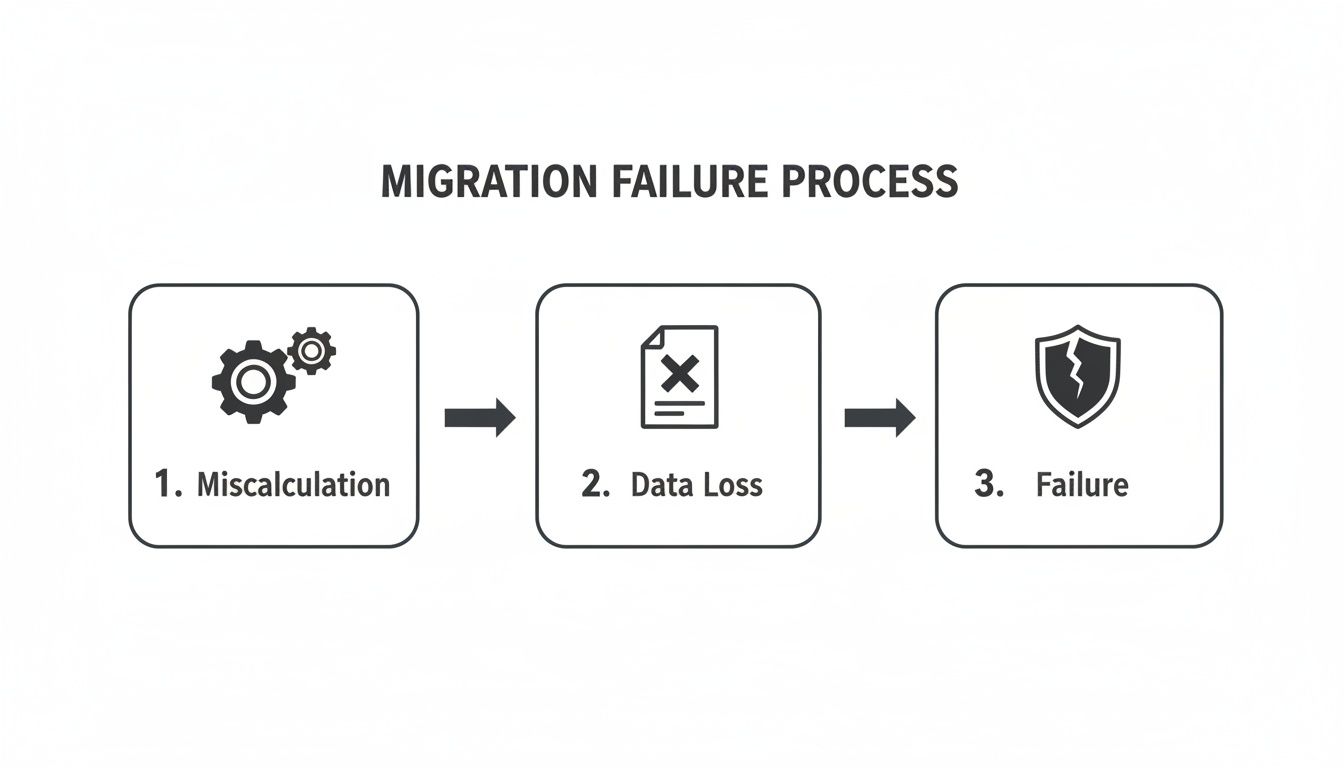
As you can see, failure is rarely a single catastrophic event. It’s a cascade triggered by poor initial planning.
The Real-World Obstacles The Manuals Ignore
Across Ireland and Europe, Office 365 migrations are accelerating, partly driven by GDPR pressures. The market for migration tools is even seeing 6%-10% annual growth through 2030. But this growth masks a grim reality. We’ve seen firms right here in Dublin's fintech sector attempt tenant consolidations with basic tools, only to discover their migration stalls after hitting the 5,000-item list view threshold—a hard limit that doesn't just slow things down; it breaks SharePoint libraries entirely.
Reality bites even harder when those long-ignored path length limits cause 30-50% failure rates in unvetted data transfers, or when broken inheritance and GUID conflicts cascade during an Entra ID redesign. These are the technical breaking points that get missed in the sales pitch.
The most dangerous assumption your team can make is that your source environment is 'clean'. Years of accumulated permissions debt, chaotic nested folders, and inconsistent user profiles create a minefield that standard tools are not equipped to navigate. The tool doesn't fail; the strategy does.
We've put together a table that contrasts the common pitfalls of a DIY approach with the strategic mitigation we apply, based on years of experience in the trenches.
DIY Migration Risks Versus The Ollo Mitigation Method
This table directly compares the common failure points of self-managed migrations against the specialist strategies that mitigate those risks.
This isn't just about avoiding failure; it's about engineering a successful outcome from the very beginning.
Understanding the foundational principles of a cloud transition is paramount. Before you go any further, familiarise yourself with the Microsoft Cloud Adoption Framework to get a handle on the official best practices.
This guide isn’t another generic "how-to." Think of it as a "how-not-to-fail" manual forged from the scar tissue of projects that went sideways long before we were called in. Before you commit to a timeline or a budget, you absolutely must understand what truly dictates the cost of a SharePoint migration.
Confronting The Uncomfortable Truth About Migration Tools
Your team is probably looking at tools for your Office 365 migration right now. Let's cut through the marketing noise you’ve likely heard about Microsoft's own SharePoint Migration Tool (SPMT) or powerful third-party options like ShareGate.
Here’s the hard truth: they are just components, not complete solutions. Believing otherwise is the first and fastest step toward a failed project.
We often get calls from clients after their internal teams have spent months wrestling with these tools, only to discover they've been sold a partial truth. The tools themselves aren't the problem; it's the dangerous assumption that they can handle enterprise complexity right out of the box. They can't.
Microsoft’s SPMT: The Free Tool That Costs You Everything
Microsoft's SPMT is functional for one very specific job: moving a sub-50GB file share with simple, flat permissions. For anything more complex, it quickly becomes a liability. The documentation might suggest it's a viable path, but in the real world, it crumbles under the weight of a genuine enterprise workload.
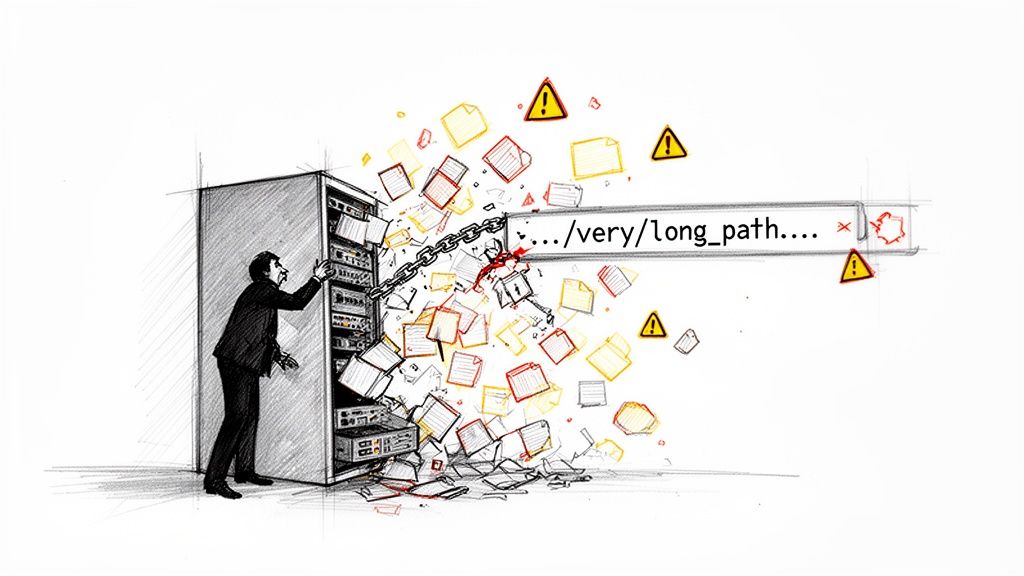
Microsoft’s own technical articles quietly confirm its severe limitations. It has baked-in API throttling that will grind your migration to a halt without warning. It chokes on intricate NTFS permissions, struggles with broken inheritance from legacy SharePoint, and offers zero automated help for the catastrophic 400-character path limit.
We’ve seen migrations stall for weeks while teams manually try to fix thousands of files that SPMT simply refuses to move. Using SPMT for an enterprise project isn't a cost-saving measure; it’s an acceptance of unacceptable risk.
The Ollo Verdict: SPMT is a utility, not an enterprise migration engine. Use it for a simple department file share with less than 50GB of data. For anything else, you are gambling with your timeline, your data integrity, and your budget. You can learn more about its specific breaking points from our deep dive into the SharePoint Migration Tool (SPMT).
ShareGate: The Power Tool That Amplifies Mistakes
ShareGate is a phenomenal instrument. In the right hands, it offers incredible speed, detailed reporting, and granular control. We use it as a core part of our own toolkit.
However, in untrained hands, it’s just a faster way to replicate a mess.
Its pre-flight checks are good, but they are not infallible. We have been called in to rescue projects where teams ran a "successful" ShareGate pre-check only to face disaster after the cutover.
Why? The tool missed critical issues like GUID conflicts during a tenant-to-tenant migration, which led to widespread user profile corruption. In another case, it moved thousands of documents into SharePoint libraries that immediately broke because of the 5,000-item list view threshold—a hard limit that chokes performance and renders libraries unusable.
ShareGate will move what you tell it to move. It absolutely will not:
- Redesign your permissions: It won't fix years of accumulated permissions debt or align your access controls with a modern zero-trust model.
- Fix your information architecture: It has no ability to flatten your deeply nested folder structures to prevent those crippling path limit errors.
- Resolve identity conflicts: It won't script the necessary Entra ID policies to ensure a clean user mapping before your data moves.
Relying solely on ShareGate is like giving a high-performance engine to someone who has never built a car. You have the power, but no chassis, no steering, and no brakes.
The real work of a successful Office 365 migration happens outside the tool. It’s in the custom PowerShell PnP scripting that wraps around the execution engine. This is where we preemptively identify and fix broken inheritance, script the remediation for long file paths, and build the Entra ID governance model before a single byte of data is ever touched.
The tool is just the conveyor belt; the intelligence and strategy are what guarantee you get to the other side without breaking anything.
Fixing Your Broken Identity And Governance Strategy
If you think a Microsoft 365 migration is just about moving files from A to B, you’re setting yourself up for failure. I’ve been called in to rescue enough of these projects to tell you that the most catastrophic failures always stem from a fundamental, and frankly dangerous, misunderstanding of identity and governance.
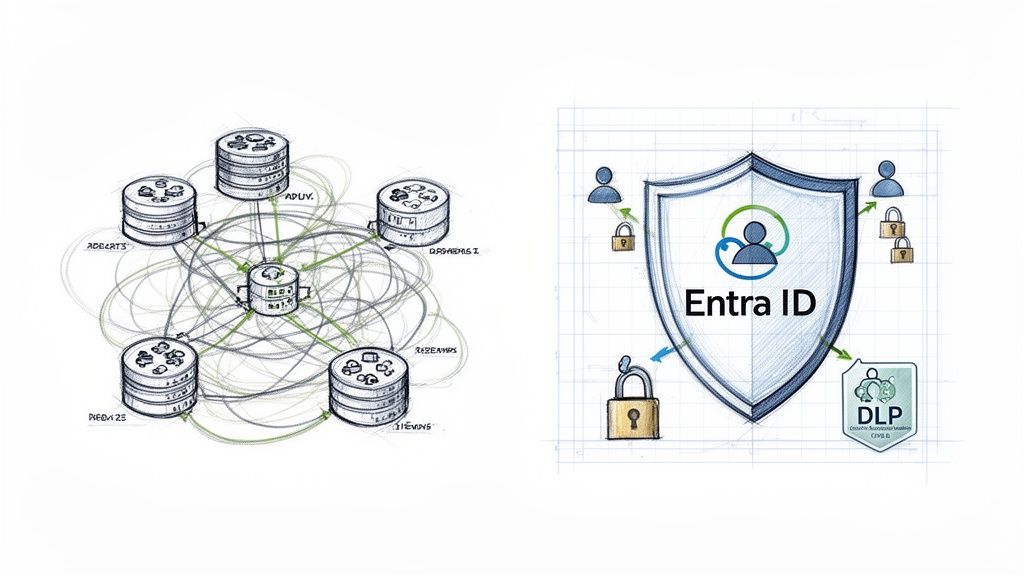
Lifting and shifting your on-premises Active Directory mess directly into Entra ID without a complete, zero-trust redesign is just asking for trouble. You are actively importing years of accumulated security debt and hidden permission risks straight into your new cloud environment. This isn’t a fresh start; it’s just a more expensive version of the same chaos you’re trying to escape.
The Identity Time Bomb Ticking in Your Tenant
We often see clients fail when they dive head-first into a tenant-to-tenant consolidation, only to discover thousands of users with conflicting User Principal Names (UPNs). The project grinds to an immediate and costly halt. Or they find that mismatched multi-factor authentication (MFA) policies between tenants have created security holes a mile wide from day one.
This isn't just an IT headache; it's a compliance nightmare waiting to detonate.
We witnessed a project where mismatched identity policies during a tenant merge placed an EU citizen's personal data into a US-based user's OneDrive by mistake. This wasn't a data loss event; it was a potential multi-million Euro GDPR breach caused by a failure to solve identity before moving a single file. Missing this step doesn't just fail the migration; it breaks legal compliance.
The documentation from Microsoft tells you how to technically map users. It doesn't, and can't, tell you how to resolve the political and structural identity conflicts that have festered in your organisation for a decade. That requires an architectural strategy, not just a software tool.
Governance Is Not a Post-Migration Task
Before a single file gets touched, you must blueprint a new governance model from the ground up. Trying to bolt on governance after the fact is like trying to install the plumbing after the walls have been painted. It's messy, expensive, and it never, ever works properly.
A robust migration strategy absolutely must include:
- A Complete SharePoint Permission Redesign: You have to abandon the nightmare of legacy folder-level permissions. Your new structure must be built on Microsoft 365 Groups and a 'least privilege' access model that is both secure and manageable. You can get a deeper understanding of this by reading our thoughts on effective SharePoint data governance.
- Data Loss Prevention (DLP) Policies: You need to define and implement strict DLP policies that prevent sensitive information—like financial records or personal data—from being shared inappropriately. This is a non-negotiable step for any business in a regulated industry.
- Modern Conditional Access Rules: It's time to build access rules that make sense for a modern, hybrid workforce. Your rules must be able to tell the difference between a user on a trusted corporate device in your Dublin office and that same user accessing data from an unknown network on their personal mobile phone.
Neglecting this foundational work doesn't just put your Microsoft 365 migration at risk. It puts your entire business at risk. The cost of getting this wrong isn't a delayed project timeline; it's a security breach, a compliance fine, or a catastrophic loss of business trust. Your identity and governance model is the bedrock of your cloud tenancy. If you get it wrong, everything you build on top of it will eventually crumble.
Executing A Cutover That Preserves Business Trust
Let’s be honest for a moment. The idea of a 'seamless' cutover is a myth peddled by marketers. In the trenches, a successful cutover for your Office 365 migration is a meticulously planned and brutally honest event designed to minimise—not eliminate—disruption.
The war stories are plentiful. We’ve been called in to rescue projects where a 'big bang' migration left an entire finance department unable to access critical files for days during quarter-end. We've seen botched mailbox moves corrupting calendars enterprise-wide, shattering user trust that takes months, sometimes years, to rebuild.
This is precisely why we reject the big bang approach entirely. It’s an unnecessary, high-stakes gamble with your business continuity.
Phased Rollouts: The Only Sane Approach
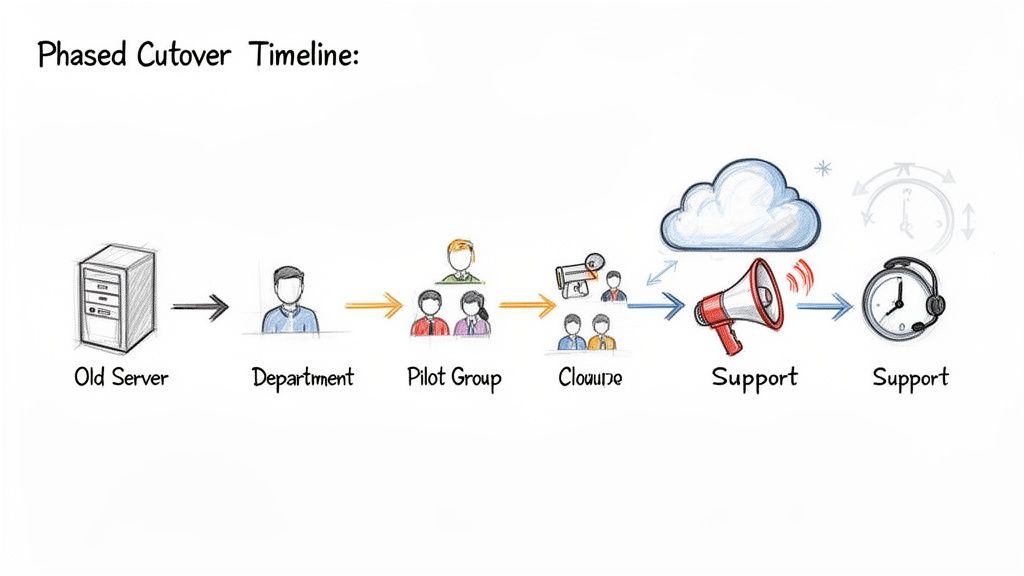
Instead of a single, high-risk event, we champion phased, departmental rollouts. The strategy is built on rigorous pilot testing with a hand-picked group of your most tech-savvy users and, just as importantly, your most vocal critics.
This approach lets us identify and stamp out the inevitable issues within a controlled blast radius. When a problem surfaces with the pilot group, it's a valuable data point. When it surfaces for the entire company at once, it’s a business-halting disaster.
The final moments before you flip the switch are the most critical. We use battle-tested PowerShell scripts to perform multiple delta syncs right up to the final moment, ensuring any last-minute changes to source data are captured. Frankly, it’s the only reliable way to guarantee zero data loss.
A successful cutover isn’t measured by a lack of support tickets; that’s an unrealistic fantasy. It’s measured by the speed and efficiency with which those tickets are diagnosed and resolved by a team that anticipated them.
Your Tools Will Break At The Worst Possible Moment
Many IT leaders are sold on tools like BitTitan's MigrationWiz, which powers over 50% of global Microsoft 365 migrations. But in the IE region, that one-size-fits-all model often crumbles under the weight of regulated workloads. While Europe sees 6%-10% migration tool growth, it masks a painful 40% rework rate from overlooked throttling and data residency issues.
The documentation might promise smooth Exchange Online moves, yet the reality we’ve seen in Ireland's healthcare trusts shows mailbox migration failures spiking by 25% once they pass the 50GB limit, usually due to unhandled attachments and calendar corruptions. This isn't a surprise if you've read Microsoft Learn's own warnings on Exchange migration throttles, which limit you to 10 concurrent moves per tenant and cap PST exports at 20GB chunks.
At Ollo, we lean heavily on ShareGate for its high-fidelity reporting—routinely achieving 99.9% permission accuracy—and then use our own PnP scripts to eliminate GUID conflicts before the cutover. This is how we turn what our Irish clients expected to be an 8-month slog into a 90-day win. This really highlights a critical truth: executing a successful cutover that maintains business trust is pivotal in any IT transition. For insights into general migration principles, you might find value in exploring these data center migration best practices.
Communication Is Your Most Critical Tool
Ultimately, the technology is only part of the equation. Your most powerful tool during a cutover is clear, direct communication. Your users need to know, with absolute clarity, what to expect, when to expect it, and who to call when things don’t go as planned.
- Pre-Cutover Briefings: Hold mandated sessions explaining the "why" and the "what to expect." No surprises.
- Go-Live "Floor Walkers": Have visible, on-site or virtual support staff dedicated solely to the newly migrated group.
- Clear Escalation Paths: Create a simple, well-publicised process for logging issues that guarantees a rapid response from a prepared team.
A cutover is the final, brutal test of your entire migration plan. It's where every assumption gets validated and every shortcut gets exposed. Proper planning for a large-scale project is non-negotiable, which you can learn more about in our guide to planning a large-scale SharePoint migration. It’s not about perfection; it’s about control, communication, and preserving the trust your business has placed in your IT leadership.
Realising Value After Your Office 365 Migration
Getting your data into Microsoft 365 isn’t the finish line; it’s the starting pistol. The real success of your investment—the justification for the budget and the political capital you spent—is decided by what you do next.
Without a clear, deliberate plan for user adoption and platform evolution, your shiny new environment will quickly become the same chaotic, unmanageable file share you just paid us to escape. We often see clients fail here. The project gets marked "complete," the consultants pack up, and within six months, the ROI case has completely evaporated.
Beyond The File Share Mentality
This is the fork in the road where you either start unlocking genuine business value or begin a slow march towards obsolescence. True value isn't found in simply having files in the cloud. It’s realised by weaving in high-value services that fundamentally change how your business operates.
This isn’t an add-on; it’s the entire point. We structure our engagements to focus on this from day one. We’re talking about:
- Automating approvals with Power Automate: Killing the endless email chains for invoice approvals or holiday requests and replacing them with auditable, automated workflows.
- Building low-code solutions with Power Apps: Creating simple, effective applications that solve specific departmental problems without a six-month development cycle.
- Integrating Teams as a platform: Moving beyond chat to embed your line-of-business applications directly into the user workflow.
This is how you turn a costly IT infrastructure project into a strategic business asset. Our guide on calculating your true SharePoint migration ROI digs into the financial side of these concepts in much greater detail.
The Inevitable Push Towards AI and Copilot
The conversation around Microsoft 365 has now permanently shifted. With upcoming AI governance mandates on the horizon, preparing your tenancy for Microsoft Copilot is no longer an optional future project—it's an immediate strategic necessity.
Ignoring this is tantamount to planning for failure. You can't just "turn on" Copilot and expect it to work securely or effectively. It demands a solid foundation of robust data classification, sensitivity labelling, and a crystal-clear information architecture.
Copilot without governance isn't a productivity tool; it's a data exfiltration engine waiting for a prompt. It will surface whatever it can find, regardless of permissions or sensitivity, making the governance work you did during migration the only thing standing between you and a catastrophic data leak.
These are the kinds of tasks that are functionally impossible to retrofit onto a poorly planned environment. They have to be baked into the migration process itself. This is precisely why we structure our engagements to include post-migration support and strategic planning, ensuring your environment not only remains stable but is engineered to evolve.
The Cost of Post-Migration Stagnation
The market isn't waiting around. Europe's Office 365 user base is projected to surge by 20-25% by 2026, with sectors like finance and healthcare in Ireland leading the charge. Many are chasing this wave with DIY migrations using basic tools, completely blind to the technical cliffs ahead.
We see the aftermath all the time. They hit SharePoint's infamous 5,000-item list view threshold—a hard limit Microsoft Learn explicitly warns will halt migrations and cripple performance. Or they discover that 35% of their legacy documents were shredded by unaddressed NTFS path limits. We routinely rescue operations managers whose "quick wins" have devolved into throttled Teams chats and OneDrive sync meltdowns, leading to post-migration downtime that can average 12 weeks. You can read more about the Microsoft 365 plan updates for 2026 to see these trends for yourself.
The migration is just the technical prerequisite. The real work—and the real return—begins the day after go-live. Your choice is to either treat this as the end of a project or the beginning of a transformation. Only one of those choices justifies the investment.
Answering Your Toughest Migration Questions
After years spent in the trenches rescuing complex Office 365 migration projects, we've noticed the same critical questions always surface. These aren't the softballs you find in a generic FAQ; they're the tough, sceptical questions every IT Director should be asking before they risk their data and their reputation.
Here are the direct answers you deserve.
How Long Does An Enterprise Migration Realistically Take?
Forget the three-month timelines you see in marketing brochures. A small, clean migration of a single file share might just about fit that window.
But for the complex tenant-to-tenant consolidations we manage in regulated Irish sectors, a 6-to-9 month timeframe is a more realistic starting point.
The schedule isn't dictated by raw data volume but by the complexity of where you're coming from. Factors that will absolutely extend your project include:
- Untangling years of broken SharePoint permissions.
- Redesigning a messy and inconsistent Entra ID environment.
- Cleansing legacy data riddled with long file paths and special characters.
We’ve seen DIY projects drag on for well over 18 months because the initial timeline was based on hope, not a forensic analysis. A thorough discovery and assessment phase is the only way to produce a schedule you can actually stand behind.
What Is The Single Biggest Point Of Failure In A Migration?
Identity. Without a single doubt.
Most internal teams focus 90% of their effort on the mechanical act of moving files and only 10% on identity. This needs to be completely reversed. A failed identity strategy leads to catastrophic and immediate outcomes—users locked out of essential systems, incorrect access granted to highly sensitive data, and a complete security breakdown on day one.
This risk is magnified in tenant-to-tenant migrations, where User Principal Name (UPN) conflicts and GUID mismatches can halt a project indefinitely. You must solve the identity puzzle first. This means a full audit and strategic redesign of your Entra ID and governance model before you even think about moving a single file. Everything else is secondary.
The Ollo Verdict: Framing a migration as a "data moving" project is the root of most failures. It's an identity and security architecture project that happens to involve moving data as a final step. Get that order wrong, and you are planning for disaster.
Can We Handle This In-House With Tools Like ShareGate?
You can certainly try, but you're taking on an enormous and unquantified amount of risk. ShareGate is an excellent tool for executing the mechanical process of data transfer, and we use it as a core component of our toolkit.
However, the tool itself doesn't create a migration strategy. It won't redesign your permission model to align with GDPR requirements. It won't write the custom PowerShell PnP scripts needed to fix file path length issues across 500,000 documents. It won't solve complex Entra ID conflicts.
The real cost of failure—in the form of data loss, compliance fines, and extended business downtime—dwarfs the perceived savings of an in-house approach. Framing this as 'DIY vs. Specialist' creates a false economy. The real choice is between a high-risk gamble and a predictable, mitigated, and insured outcome.
What Is The Difference Between Office 365 And Microsoft 365?
Functionally, people use the terms interchangeably, but the strategic distinction is critical for a migration project.
An "Office 365 migration" often just implies moving core productivity services like Exchange and SharePoint. Think of it as moving your files and emails.
A "Microsoft 365 migration" correctly covers that plus the critical security, identity, and compliance components like Entra ID, Microsoft Purview, and Intune. It’s the whole ecosystem.
At Ollo, we never perform just an "Office 365 migration." Every project we undertake is a full Microsoft 365 engagement because migrating your business data without architecting the security and identity framework around it is corporate negligence. It's like moving your entire company into a new high-tech fortress but leaving all the doors and windows unlocked.
An Office 365 migration is a high-stakes undertaking where the cost of failure is measured in data loss and business disruption. Ollo provides the specialist expertise to de-risk your project and ensure a successful outcome. Contact us to schedule a no-obligation strategy call.

















