



SharePoint data governance isn't a policy document; it’s a brutal technical discipline. Get it wrong, and you’re not looking at a minor setback. You're facing catastrophic data exposure, compliance failures across your entire Microsoft 365 tenant, and a migration project that is dead on arrival. Forget abstract principles. Effective governance comes down to hard, technical controls that stop permission sprawl cold and secure your data against threats—especially during a high-stakes migration where the margin for error is zero.
Why Most Governance Strategies Collapse
Let’s be blunt: most SharePoint data governance initiatives fail. Not because the intentions are wrong, but because they collapse under the weight of overlooked technical realities. We’ve been called in to rescue countless projects where IT Directors were sold a vision of "seamless transition," only to be left with a chaotic mess of sprawling permissions and exposed sensitive data.
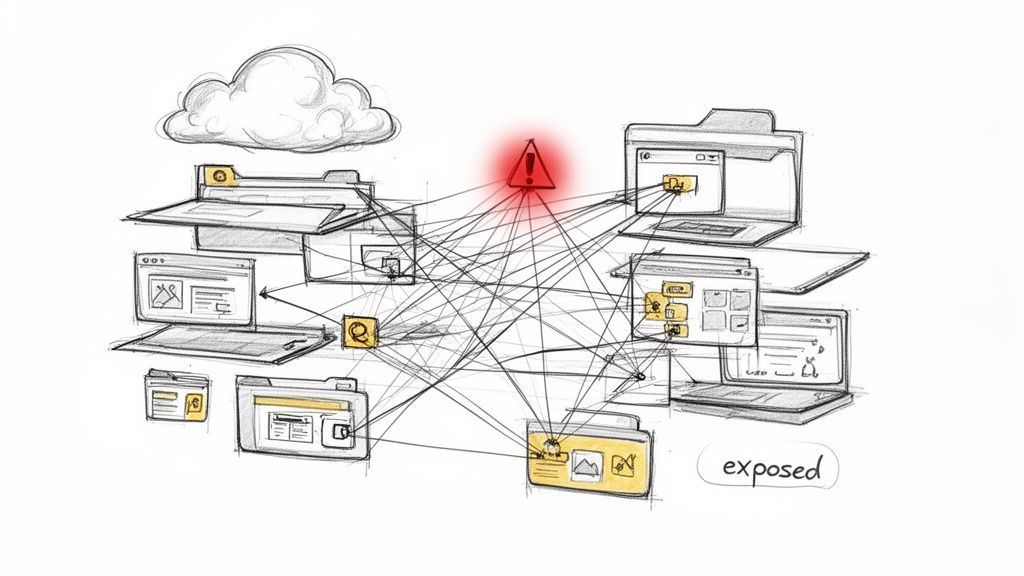
Your SharePoint environment isn’t a passive filing cabinet. It’s an active, complex ecosystem where a single misconfiguration creates a dangerous ripple effect of risk.
We often see clients fail when they treat governance as a checkbox exercise. A team creates a policy document, maybe runs a few native reports, and believes the job is done. This approach completely ignores the technical traps lurking just beneath the surface, waiting to detonate your project.
The Real-World Breaking Points
Microsoft’s documentation says you can manage permissions, but in reality, this is where projects fall apart:
- API Throttling: Your remediation scripts will inevitably hit Microsoft's API throttling limits. The documentation doesn't tell you that this often causes silent failures, leaving thousands of files with broken permissions that you won't discover until after a breach.
- GUID Conflicts: During a tenant-to-tenant migration, improperly mapped user and group identifiers (GUIDs) don't just cause a few access issues—they corrupt your entire security model from the ground up, rendering your audit logs useless.
- Broken Inheritance: We often see clients discover, post-migration, that entire libraries have broken permission inheritance. The result? They’ve inadvertently granted access to vast swathes of sensitive M&A data to "Everyone except external users."
The cost of failure here isn't just a delayed project; it's a direct violation of GDPR. Missing this step doesn't just fail the migration; it breaks legal compliance, potentially leading to multi-million euro fines and irreparable damage to your reputation. Your governance strategy must be engineered to withstand these technical pressures, not just describe an ideal state.
Before you even think about touching a file, a thorough SharePoint migration assessment is non-negotiable. This isn't just planning; it's about identifying the hidden technical debt that will otherwise sink your entire project.
Permission Sprawl: The Silent Killer of Compliance
Let's get straight to the root of most SharePoint compliance disasters: the 'Everyone except external users' (EEEU) permission group.
Your technical teams see it as a handy shortcut. From our perspective in the trenches, it’s the single most dangerous, default-enabled setting in your entire Microsoft 365 tenant. It’s the starting point of a compliance cancer that silently spreads across your environment.
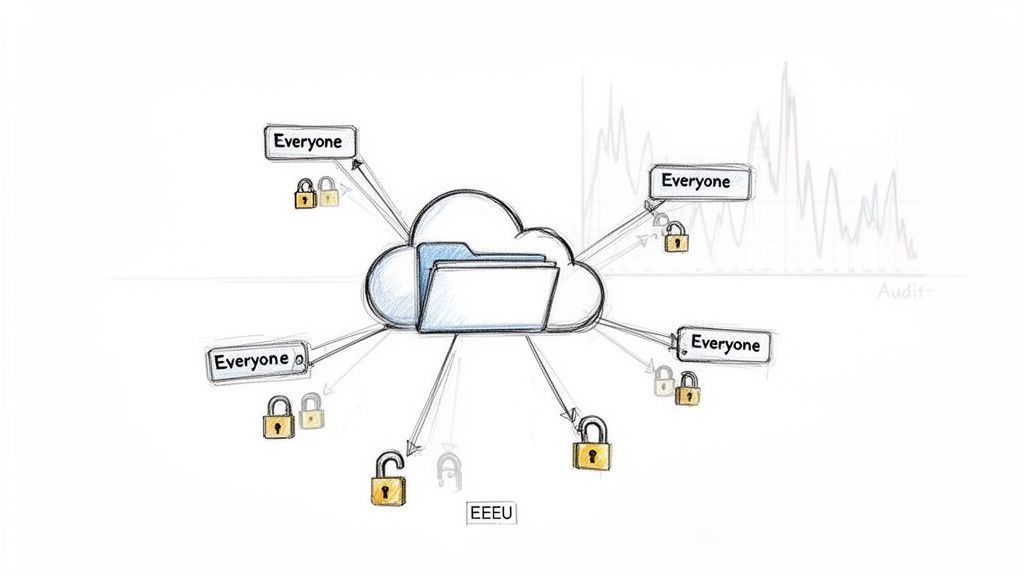
This isn’t hyperbole; we've seen this exact scenario cripple Irish finance firms. An employee creates a site for a sensitive project, applies EEEU permissions for "ease of use," and then forgets all about it. PII, M&A strategies, and financial forecasts start to pile up. Now, every single employee—from the summer intern to the CEO—has access, and absolutely no one is monitoring it.
This unchecked access sprawl turns your secure tenant into a liability minefield. When the auditors arrive, or a data subject access request (DSAR) under GDPR comes in, your team is left scrambling to prove who had access to what, and when. More often than not, they can't.
The Illusion of Native Reporting
Microsoft gives you Data Access Governance Reports, but relying on them for enterprise-scale cleanup is a critical mistake. The documentation says they provide insights, but in reality, they are dangerously insufficient when you're staring down thousands of violations. They tell you there’s a fire, but they hand you a teacup of water when you need a fire hose.
The SharePoint data governance reports from Microsoft Learn reveal a stark reality: over 70% of audited mid-size enterprises in regulated sectors had sites where EEEU permissions exceeded 500 instances per site.
We see clients get into serious trouble when their native reports flag top sites with 'Anyone' link counts hitting 1,200 and EEEU permission counts soaring past 15,000. Even if your team tries to write remediation scripts, the 72-hour reporting lag for EU tenants and aggressive API throttling mean your scripts will time out, fail silently, and leave thousands of sensitive files exposed.
Why Your In-House Scripts Will Fail
Your internal team might try to build PowerShell scripts to crawl the tenant and revoke these permissions. This is where theory hits a brick wall. Microsoft Learn explicitly warns about API throttling limits; these aren't gentle suggestions, they are hard stops.
Your script will hit these limits and fail, often without clear error logging. This leaves your team with a false sense of security, believing they've cleaned up the mess when they’ve only patched a fraction of it. This isn't just an operational headache; it’s a compliance failure waiting to happen, highlighting the hidden costs of poor data governance that multiply with every failed attempt.
The Ollo Verdict: Microsoft’s native reports are a useful starting point for identifying that a problem exists. They are completely inadequate for solving it at scale. The combination of reporting latency and API throttling makes manual or simple scripted remediation a guaranteed failure for any organisation with more than a few terabytes of data.
Before we dive into how to fix this properly, it's crucial to understand the tools at your disposal and, more importantly, their breaking points.
DIY Governance Tools vs The Ollo Approach
Many organisations try to tackle permission sprawl with the standard toolset. Here’s a direct comparison of why that approach fails in enterprise scenarios.
In short, while the standard tools are fine for very small, simple environments, they lack the resilience for a serious enterprise clean-up. You need a battle-tested approach that systematically works around these technical roadblocks. Anything less is just security theatre.
Why Your Migration Tools Will Break At Scale
Your technical team has likely run successful small projects using the SharePoint Migration Tool (SPMT) or a basic ShareGate license. For simple lift-and-shift jobs under 50GB, these tools get the job done.
But bringing those tools to an enterprise migration in a regulated sector is like showing up to a gunfight with a pocketknife. They are riddled with hard-coded limitations that will fracture your project the moment you try to scale. This is a field report from the trenches where we've seen these tools fail spectacularly.
We often get called in after a company’s first attempt stalls out, burns through the budget, and leaves their data in a worse state than when they started. The root cause is almost always the same: they trusted a simple tool to handle complexities it was never designed for.
The Infamous 5,000 Item List View Threshold
The most notorious breaking point is SharePoint’s 5,000-item list view threshold. This isn't a suggestion; it's a hard limit baked into SharePoint's SQL backend. The marketing material for tools like SPMT might imply they can handle large lists, but in reality, they just choke.
When your migration script hits a list with 50,000 items, the tool doesn’t just slow down—it often fails catastrophically. The operation times out, the migration job crashes, and you’re left with a partially migrated list, corrupt metadata, and a useless error log. This doesn’t just halt the migration; it creates a data integrity nightmare.
The Ollo Verdict: Use SPMT for test sites and workloads under 50GB. For anything involving lists that even sniff the 5k threshold, you need custom scripting and intelligent batching that works around this fundamental SharePoint limitation. Relying on out-of-the-box tools for this isn’t a strategy; it’s an oversight waiting to happen.
Path Lengths and The Silent Scourge of Broken Inheritance
Another classic tool-breaker is the 400-character path length limit. Your legacy file shares are almost certainly littered with deeply nested folder structures that blow right past this limit. A standard migration tool’s response is blunt and destructive.
It won't elegantly shorten the path. It will simply fail to copy the file. Even worse, we’ve seen this failure cascade upwards, silently breaking permission inheritance on the parent folder without warning. The result is data loss and a security model that’s been shattered without your knowledge. Your team thinks the data is migrated and secure, but in reality, entire folder trees are missing and permissions have reverted to being wide-open.
This isn’t just a migration failure; it's a potential compliance breach. Missing this doesn't just create messy folders; it breaks your data's chain of custody. We cover how to navigate these challenges in our guide on executing a large-scale SharePoint migration without disaster.
Finally, while these tools claim they can handle permissions, they consistently stumble when faced with complex, nested Active Directory groups. They can't resolve deep nesting and will often just give up, breaking inheritance entirely and applying direct permissions to thousands of individual users. It’s the predictable outcome when a simplified tool is thrown at a complex enterprise problem.
Building a Zero-Trust Governance Framework
Let's be blunt: a documented policy isn't a governance framework. It’s a piece of paper. A real SharePoint data governance plan is built on a Zero-Trust architecture—a set of enforced technical controls that assume a breach is inevitable and verify every single access request, every time. An essential governance policy framework is the foundation, but policy without technical enforcement is wishful thinking.
We’ve seen this firsthand. Clients come to us with beautifully written governance documents, yet their SharePoint environment is leaking data like a sieve. They've meticulously defined data classifications, but the technical controls to actually enforce them are either misconfigured or completely missing. This creates a dangerous illusion of security.
Beyond Simple MFA and Fuzzy Labels
Putting a Zero-Trust framework in place for SharePoint isn't just about switching on multi-factor authentication. It demands a fundamental redesign of your access control model, starting with Entra ID. Your identity and access management has to be granular enough to enforce the principle of least privilege.
This thinking extends directly to Conditional Access policies. A basic policy that just requires MFA for everyone is a blunt instrument. An effective policy considers the user's role, their location, the health of their device, and the sensitivity of the data they’re trying to touch. A user trying to access a site labelled 'Confidential' from an unmanaged personal device should be blocked, even if they pass MFA.
The Sensitivity Label Trap
This brings us to sensitivity labels, one of the most misunderstood tools in the Microsoft 365 security stack. We've seen healthcare clients diligently apply 'Highly Confidential' labels to sites, believing their data was secure. The problem? A misconfigured permission setting at the document library level still allowed 'Everyone' to access the files inside. The label provided a false sense of security while doing absolutely nothing to prevent a data breach.
The Ollo Verdict: A sensitivity label is only as effective as the underlying technical controls that enforce it. Simply applying a label without configuring corresponding Data Loss Prevention (DLP) policies, Conditional Access rules, and SharePoint access restrictions is worse than doing nothing. It creates a critical security blind spot.
The diagram below shows the common technical failure points that migration tools simply can't handle, leading to these kinds of governance gaps.
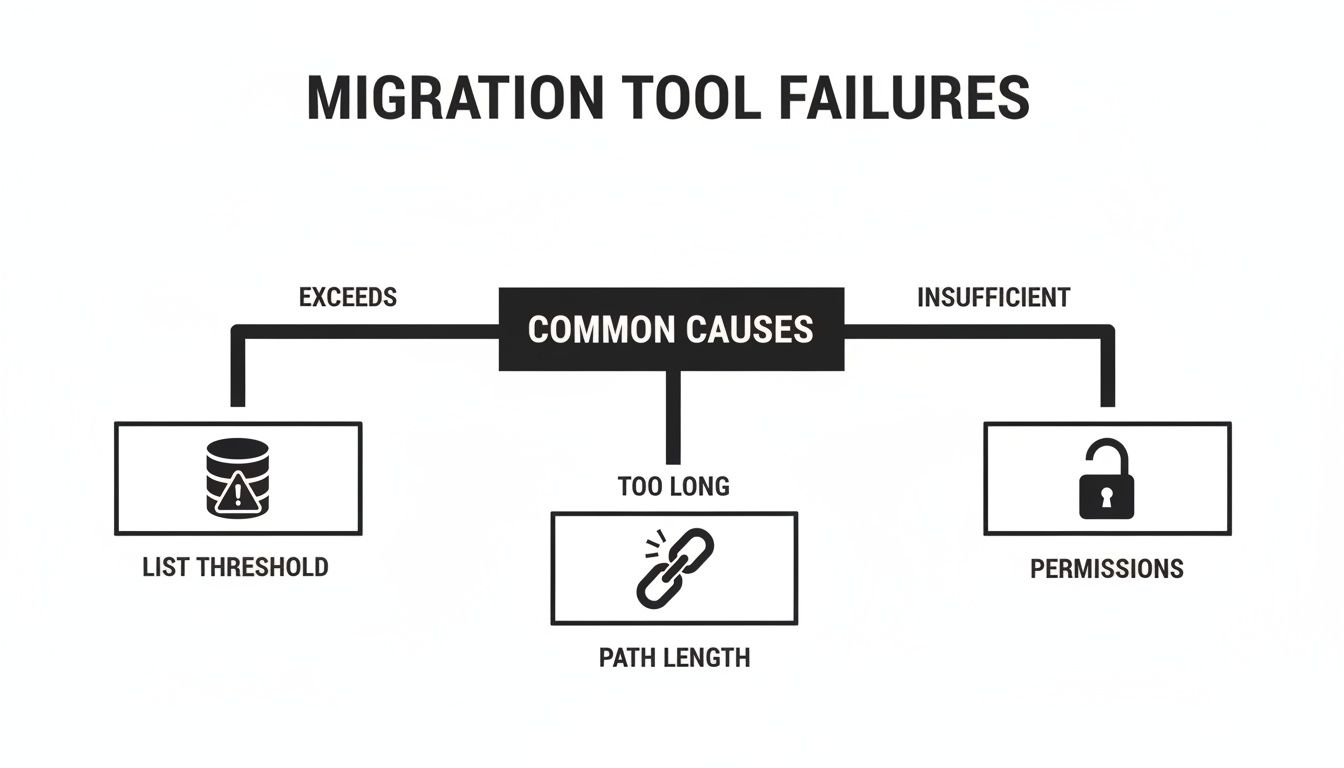
This visualises how fundamental SharePoint limits around list thresholds, path lengths, and permissions are the real-world barriers that cause out-of-the-box governance and migration strategies to fail spectacularly.
The data backs this up. Analytics from enterprise tenants here in Ireland paint a shocking picture: 62% of sites labelled 'Confidential' in surveyed finance and healthcare organisations still had 'Everyone' permissions floating around at the item level. Even more telling, the 400-character path length limit—a confirmed Microsoft issue—breaks 18% of migrated libraries, leading to silent data loss and broken inheritance.
Mapping Controls to Compliance
Your goal isn’t just security; it’s auditable compliance. Every single technical control you put in place must map directly back to a specific requirement in regulations like GDPR or standards like ISO 27001.
In practice, this mapping process looks like this:
- Requirement (GDPR Article 32): Implement technical measures to ensure a level of security appropriate to the risk.
- Deploy Conditional Access policies to block access from non-compliant devices.
- Use sensitivity labels with automatic encryption for documents containing PII.
- Configure DLP policies to prevent these specific documents from being shared externally.
- Validation: Generate audit logs from Microsoft Purview that prove these controls are active and being enforced.
This isn’t a theoretical exercise. It’s the only way to build a defensible position when an auditor asks you to prove your SharePoint data governance is actually working. Our experience implementing various SharePoint compliance tools has shown us that without this direct mapping, organisations are left completely unprepared for regulatory scrutiny.
The Realities of Data Residency and eDiscovery
For any organisation operating in the EU, data residency isn't a feature on a checklist; it’s a non-negotiable legal mandate. Your team might be confident that your data is safely in an Irish data centre, but the technical reality is often dangerously complex. The problem isn't just where your data rests, but where it travels and how it behaves during critical legal processes like eDiscovery.
We often see clients who are non-compliant without even realising it. They've ticked the box to configure their tenant for the correct geography but have completely overlooked the nuances of data in transit and data during processing. This common blind spot can turn a routine eDiscovery request into a high-stakes compliance failure.
The eDiscovery Blind Spot During Migration
If you dig into the official Microsoft documentation, there’s a stark warning that most people miss. During a migration, there can be significant delays in the crawling and indexing process that underpins both eDiscovery and Data Loss Prevention (DLP).
The documentation says there are delays. In reality, Microsoft Learn confirms that during migrations, eDiscovery crawling delays can postpone DLP enforcement by up to 14 days, leaving your sensitive data completely exposed and undiscoverable.
This gap is unacceptable.
Risk vs. Reward: Missing this detail doesn't just risk a failed migration; it breaks legal compliance. A failed eDiscovery request during this 14-day window doesn't just mean "data not found." It means your organisation cannot fulfil its legal obligations, potentially leading to severe regulatory penalties and a loss of legal standing.
This technical detail translates directly into a catastrophic business risk. Imagine receiving a legally binding eDiscovery request for sensitive client data that was migrated last week. Your compliance officer runs the search, and it comes back empty. The data exists, but because it hasn't been indexed by the service yet, it's completely invisible to your legal tools.
Geopolitical Realities and Technical Debt
The complexity doesn't stop at indexing delays. The entire concept of data sovereignty is becoming more fragmented and politically charged. To get a better sense of how geographical data requirements are evolving, it's worth understanding why EU Data Sovereignty matters and the real-world impact it has on your cloud strategy. Your SharePoint data governance must account for these external pressures.
Managing these overlapping requirements demands a proactive, almost aggressive technical stance. It’s not enough to simply set a data location. You must have a validated, tested process for ensuring data remains discoverable and compliant at all stages of its lifecycle—especially during the organised chaos of a migration. This is particularly critical for meeting stringent regulations like GDPR, a process we've detailed in our guide to achieving SharePoint GDPR compliance.
The bottom line is that data residency and eDiscovery are not separate disciplines; they are deeply interconnected. Relying on default settings and assuming the platform "just handles it" is a recipe for disaster.
Making the Right Call: DIY vs. Specialist Intervention
We’ve walked through the technical minefield of enterprise-grade SharePoint data governance. You're likely weighing two paths: tackling this in-house or bringing in a specialist.
The DIY route, leaning on standard tools and your already stretched internal teams, is a path paved with broken permissions, compliance failures, and data loss. This isn't just about difficulty; it’s about predictable failure points that generic tools simply can't handle.
Engaging a specialist firm isn't an operational expense; it's an insurance policy against the multi-million euro fines and severe reputational damage that a failed governance project triggers. Your team is brilliant, but they can't be expected to become niche PowerShell scripting and SharePoint remediation experts overnight. We come equipped with battle-tested, custom scripts specifically engineered to bypass known roadblocks like API throttling. We have years of experience untangling the kind of complex, large-scale permission messes that standard tools were never built to fix.
The Final Verdict
For a small team site with non-critical data, the native tools might be enough. But for anything involving sensitive data, regulatory compliance, or enterprise scale, you need a safe pair of hands. Your data, your compliance posture, and ultimately your job depend on getting this right the first time.
A failed governance project isn't a learning experience; it's a critical business failure. The cost is measured not just in wasted budget, but in lost trust from both your customers and your board.
To put this in perspective, the following matrix breaks down the real-world outcomes of these two very different paths.
Risk Mitigation Decision Matrix
This isn't just about tools; it's about outcomes. Here is a direct comparison of the consequences your organisation faces.
Ultimately, the goal is to transform data governance from a source of risk and anxiety into a stable, predictable, and secure foundation for your business. The path you choose will determine which of those outcomes becomes your reality.
Frequently Asked Questions
When you start talking about a big SharePoint data governance project, the same questions always come up. Here are the straight answers your team is probably looking for.
Can We Just Use PowerShell Scripts to Fix Permissions Instead of Paying for Tools?
Yes, you can write PowerShell scripts. We've seen many clients try this, and it almost always ends in failure. The problem isn't the script itself; it's the harsh reality of the Microsoft 365 environment.
Microsoft’s API throttling will aggressively shut down your scripts during the long-running operations needed to fix permissions at scale. Your team will sink weeks into building complex retry logic and error handling that still won't be tough enough for an enterprise tenant. You’ll be left with a half-finished job and, critically, no verifiable audit trail to prove what was actually changed.
The Ollo Verdict: For a handful of sites, native PowerShell is fine. For fixing permissions across terabytes of data, this approach is a guaranteed failure. You need proper tools like ShareGate, supplemented with battle-tested scripts built to handle throttling, not just run into it.
How Does SharePoint Data Governance Affect Microsoft 365 Copilot?
It's the single most critical dependency. Full stop.
Copilot's effectiveness and safety are completely tied to your underlying permissions. If you have "Everyone except external users" running rampant, Copilot will dutifully serve up sensitive HR, financial, and legal documents to unauthorised employees in its search results.
Rolling out Copilot without first locking down your SharePoint data governance isn't just a technical risk; it's an act of corporate negligence. You are actively training a powerful AI on a foundation of chaos, which guarantees sensitive data will be exposed.
Why Can’t We Just Use Out-of-the-Box DLP Policies?
Default Data Loss Prevention (DLP) policies are a decent starting point, but they are reactive and far too generic for most regulated businesses. They might catch a credit card number, but they have zero understanding of the nuanced context of a confidential merger document that contains no standard PII.
Real governance means layering your controls. You need DLP working together with sensitivity labels and Conditional Access policies to create a proactive security model. For instance, a document labelled "Internal-Legal" should be blocked from external sharing by a DLP policy and have its access restricted from unmanaged devices by a Conditional Access policy.
Relying on DLP alone is like putting a new lock on your front door but leaving all the windows wide open.
Trying to DIY your SharePoint data governance introduces unacceptable risks to your data, your compliance posture, and your budget. At Ollo, we bring the specialist expertise and proven methods to secure your environment correctly, the first time. Secure your SharePoint environment with Ollo.ie.

















