



A SharePoint migration project plan isn't a checklist for moving files. It’s a business continuity operation, and a high-stakes one. The goal isn’t to migrate data; it's to avoid data loss, compliance breaches, and the operational chaos that follows a botched project. Your plan must aggressively hunt down risks before you move a single byte, not after things have already caught fire.
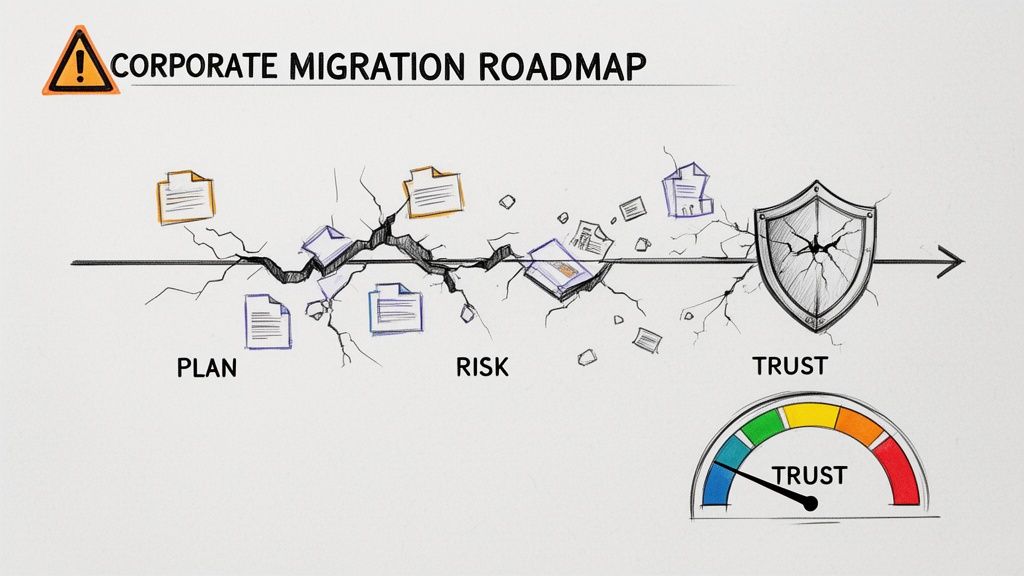
Why Standard Migration Plans Fail
If your current migration plan came from a vendor’s marketing deck or a generic Microsoft guide, it’s a recipe for disaster. It’s preparing your team for a fantasy, not the brutal reality of an enterprise migration. We often see clients fail when they underestimate the hidden complexities lurking in their own environments.
This isn’t about moving folders from point A to B. This is a high-stakes mission where the real landmines are data spillage from broken inheritance, failed audits due to lost metadata, and a complete collapse of user trust. The standard plan fails because it’s built on deeply flawed assumptions.
The Myth of "Lift and Shift"
The most dangerous assumption in any migration is that you can just "lift and shift" your data. This is a lie. Your legacy SharePoint environment is a minefield of technical debt. I'm talking about specific, project-killing issues like:
- Broken Inheritance: Sites with unique, cobbled-together permissions that migration tools will completely misinterpret, leading to massive data overexposure when a restricted document suddenly becomes visible to everyone.
- Long Path Limits & GUID Conflicts: Source systems often have file paths and structures that are illegal in SharePoint Online. A standard tool just fails, leaving your team to manually fix thousands of GUID conflicts or path-too-long errors mid-migration.
- Hidden Customisations: Old web parts or forgotten SharePoint Designer workflows that don’t just fail to migrate—they break the destination pages, creating a support nightmare on day one.
We constantly see projects fail when the team treats discovery as a simple content inventory. A real plan demands a forensic-level interrogation of the source environment. If you want to see the true financial and reputational cost of getting this wrong, you can read our breakdown of common SharePoint migration failures that cost millions.
The Ollo Verdict: A plan that doesn’t dedicate at least 40% of its total effort to pre-migration discovery and risk assessment isn't a plan; it's a gamble. The cost of failure isn't just a delayed project—it's a potential compliance violation your CISO will have to answer for. Missing this step doesn't just fail the migration; it breaks legal compliance.
Underestimating the True Cost and Effort
In regulated sectors, we see enterprise-level SharePoint migrations for 2026 carrying estimated costs of €75,000 to €300,000+. These budgets frequently overrun initial projections by 30-50%. This happens when organisations gloss over data complexity and the impact of legacy customisations.
We consistently see clients undercounting their actual data volume by 20-30% and completely failing to inventory deprecated solutions until the migration is already failing.
Even a technically flawless plan can be a total failure if it overlooks the human element. Mastering the nuances of strategic change management and change control is absolutely critical. Without it, even a perfect migration will be rejected by your users, defeating the entire purpose of the project.
Forensic Discovery and Risk Assessment
A SharePoint migration is won or lost long before your team moves a single file. This isn't about running a passive scan; it's a full-blown forensic interrogation of your source environment. You cannot afford to ‘discover’ critical issues mid-flight when the pressure is on and your data is at risk.
Your team has to go in with the express intent of finding what’s already broken. Think of it as actively hunting for the technical time bombs that are guaranteed to derail your project. A simple content report showing file counts and sizes is utterly useless here.
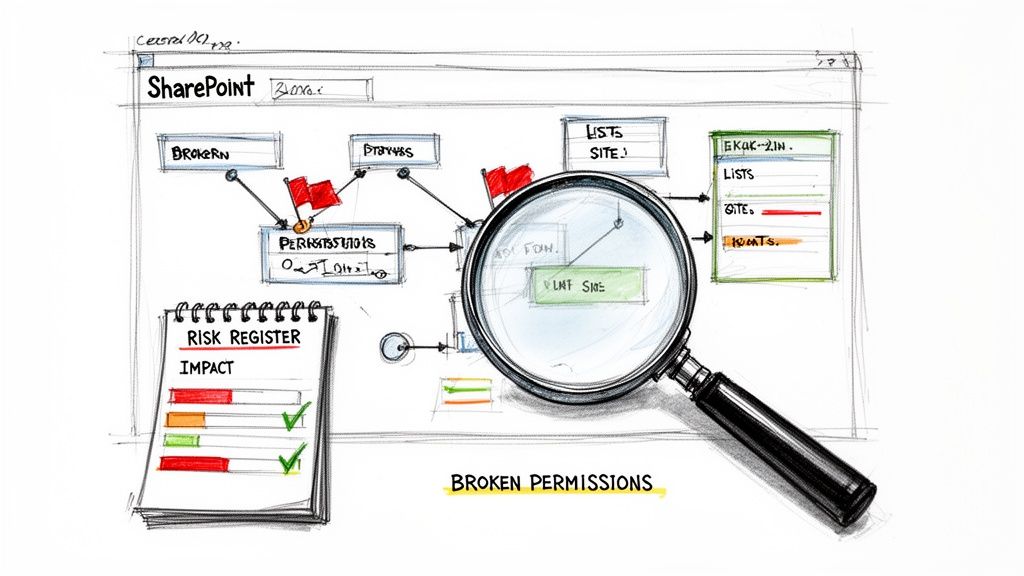
Hunting for Migration Showstoppers
In this phase, your team’s primary objective is to find the problems that will force your project into a code-red emergency. The documentation says these are rare edge cases, but in reality, they are the norm in any SharePoint environment that’s more than a few years old.
Your inventory must flag these specific, high-risk items:
- Broken Permission Inheritance: You need to identify every single site and library where permissions have been uniquely configured. These are the #1 cause of accidental data exposure post-migration. Standard tools often fail to replicate complex "Deny" assignments, silently promoting a user’s access without warning.
- List View Threshold Violations: Pinpoint every list and library hitting the dreaded 5,000-item view threshold. Migrating these as-is doesn't just fail; it breaks the user experience in SharePoint Online, rendering views and filters completely inoperable.
- Legacy Customisations: Unearth every last SharePoint Designer workflow, custom web part, or InfoPath form. These are not supported in the modern environment and represent a ticking clock. They must be re-architected in the Power Platform, not migrated.
- Long Paths and Illegal Characters: Source systems often permit file paths and characters that are illegal in SharePoint Online. A standard tool will just report these as "failed items," leaving your team to manually investigate and fix thousands of errors one by one during the migration itself.
From Technical Debt to Business Risk
Finding these issues is only half the battle. To secure the resources and stakeholder buy-in you need for proper remediation, you must translate this technical debt into tangible business impact. A simple list of problems won't cut it; you need a risk register that speaks the language of the business.
For example, "Broken Inheritance" isn't a technical problem; it's a GDPR compliance failure waiting to happen. "Exceeding the 5,000-item limit" isn't a list issue; it's an operational stoppage for a critical business unit. You can learn more about how we connect these dots in our detailed guide to a SharePoint migration assessment.
We often see projects stumble when the discovery phase produces a simple data inventory. A proper forensic assessment delivers a risk-prioritised backlog of remediation tasks, with each one tied to a specific business consequence. This is the ammunition you need to justify doing the job right.
A standard, tool-based scan gives a dangerous, false sense of security. It tells you what you have, but not what’s going to break. The difference between a DIY approach and an architect-led process is stark.
DIY Discovery vs Architect-Led Assessment
The gap between these two approaches is the difference between a project that succeeds predictably and one that spirals into a costly, chaotic rescue mission. This forensic discovery is the bedrock of a resilient SharePoint migration project plan.
Choosing and Stress-Testing Your Tooling
Picking the right tool for your SharePoint migration isn't about a slick feature list; it’s about understanding its specific, enterprise-scale breaking points. Your team's success hinges on knowing which tool to use and, more importantly, when to stop trusting its out-of-the-box promises.
The free SharePoint Migration Tool (SPMT) from Microsoft exists to move simple file shares and basic sites. It’s functional for a small business with uncomplicated data. But for any serious enterprise migration, relying solely on SPMT is professional negligence. It wasn't built for the complexity you're about to face.
ShareGate Is an Engine, Not a Chauffeur
This brings us to the industry workhorse, ShareGate. It is a powerful engine. The problem is that IT Directors are sold the idea that it's a 'fire-and-forget' solution. It absolutely is not, particularly in sectors where data fidelity and audit trails are non-negotiable.
We've seen projects grind to a halt because teams trusted the marketing materials. The documentation says ShareGate handles permissions. The reality? It struggles with complex 'Deny' assignments and can silently fail on deeply nested, broken inheritance chains. This doesn't just generate an error report; it creates auditable data spillage incidents. When choosing your destination, it's critical to weigh the pros and cons of cloud computing vs. on-premise solutions, as this choice fundamentally impacts your tooling and security model from the ground up.
The Ollo Verdict: We run ShareGate as the core migration engine on every project. But we never run it alone. Your team must treat it as a component inside a larger, custom-built execution framework. Out of the box, it’s a tool. Wrapped in our PowerShell scripts, it becomes a predictable, resilient migration machine. Use SPMT for <50GB. For anything else, you need custom scripting.
The diagram below shows the proper escalation of tooling based on complexity.
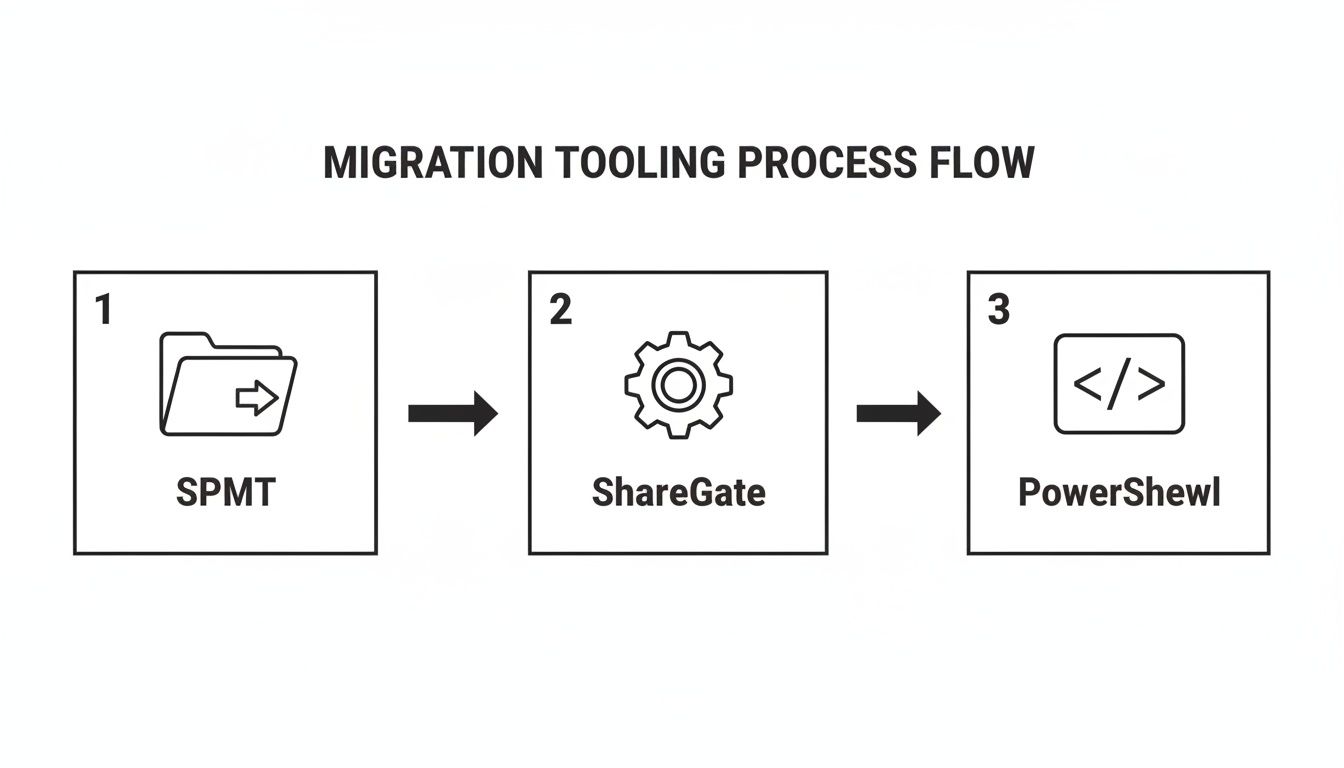
This flow illustrates a key principle: while SPMT is a starting point, any real-world complexity will inevitably require the raw power of ShareGate, augmented by custom PowerShell for control and validation.
The Inevitability of API Throttling and Custom Scripts
Here’s a hard truth of any large-scale move to Microsoft 365: you will be throttled. Microsoft’s APIs protect the service for all tenants, not expedite your project. During a large data move, any tool will hit these API throttling limits, grinding your throughput to a crawl. The tool's built-in retry logic is simply not aggressive enough for a time-sensitive cutover.
This is where a bespoke PowerShell framework becomes non-negotiable. Your team must wrap the entire migration execution in scripts that give you back control. These scripts must:
- Intelligently Manage Throttling: Detect throttling events in real-time and dynamically back off and retry, squeezing every bit of throughput from the API without getting locked out.
- Handle Complex Exceptions: Automatically remediate known failure points—like files with illegal characters or paths that are too long—that the GUI tool would simply flag as errors needing manual intervention.
- Perform Surgical Delta Migrations: Run fast, incremental jobs to sync only the changes made during the migration window, ensuring the final cutover is quick and complete.
- Validate Data Integrity: Run post-migration checks to compare source and destination permissions and file metadata, providing cryptographic proof that the migration was successful and auditable.
For a deeper dive into the limitations of Microsoft's default tool, read our detailed analysis of the SharePoint Migration Tool and its breaking points in an enterprise context.
Designing a Pilot to Break Things Early
A pilot migration should not be a 'happy path' test. Its sole purpose is to be a brutal stress test designed to break your tooling and processes early, while the stakes are low. The biggest mistake we see is running a pilot on a simple, clean team site. That proves nothing.
A proper, battle-hardened pilot must include the absolute worst-case scenarios your forensic discovery uncovered. Find the ugliest parts of your environment and throw them at the process.
- The document library with 300,000 items pushing the list view threshold.
- The site collection with a seven-level-deep broken permission inheritance structure.
- A batch of files with path lengths exceeding 250 characters and containing illegal symbols like
~and#. - A site containing a deprecated InfoPath form you plan to rebuild later.
The goal isn't to see if the tool works; it's to document exactly how it fails. This is how you build your remediation scripts and turn a hopeful SharePoint migration project plan into a reliable one.
Executing the Migration: From Plan to Reality
A 'big bang' migration, where you try to move everything over a single weekend, is a fantasy peddled by tool vendors, not a strategy used by professionals. The only sane way to handle a large-scale SharePoint migration without causing complete chaos is with a phased, surgically precise approach.
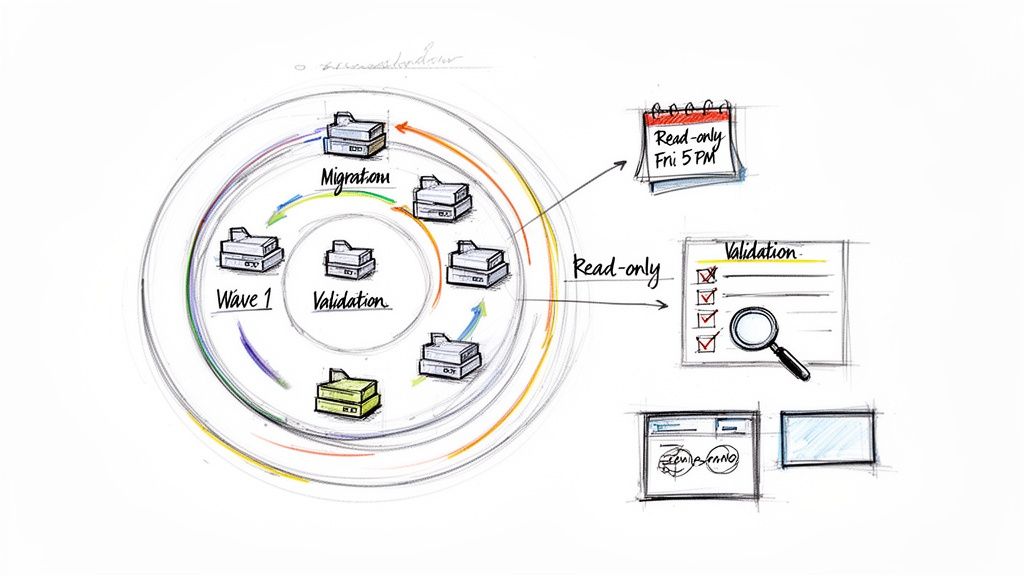
This is where your project plan moves from theory to execution. We break the migration down into logical, manageable waves based on business units, data sensitivity, and risk. This approach dramatically de-risks the entire project.
How to Structure Migration Waves for Control
One of the most common failure points is trying to migrate an entire department at once. A much safer method is to slice up those departments by the data they use.
Take a Finance department:
- Wave 1 (Low Impact): General team sites and collaboration spaces. This content is active, but it isn’t subject to the most stringent audit rules. It’s the perfect real-world proving ground for your migration scripts and user communications.
- Wave 2 (Medium Impact): Project sites and departmental archives. This data has more business value and probably more complex metadata. A failure here is painful, but recoverable.
- Wave 3 (High Impact): Audited financial records, contracts, and regulated data libraries. This is the crown jewels. By the time you get here, your migration process should be a well-oiled machine, perfected during the first two waves.
This phased approach isn’t about going slow; it’s about building momentum and confidence while systematically eliminating risk.
The Critical Pre-Cutover Lockdown and Communication
This is one of the most critical—and most frequently botched—steps. Users need clear, direct, and unambiguous instructions. A vague email sent on a Friday afternoon will be ignored, and you’ll have people modifying files in the old location while you’re trying to run the final synchronisation. This is how you get data conflicts and versioning nightmares.
Your communication has to be firm and impossible to misinterpret.
"Your files in the 'Old Finance Share' will become read-only starting Friday at 5 PM IST. Any changes made after this time will be lost. The new SharePoint location will be live on Monday at 9 AM."
This isn’t just a courtesy; it's a fundamental mechanic of the cutover. Over that final weekend, your team will set the source location to read-only, run one last delta migration, and then perform the final validation checks. Failing to enforce this lockdown guarantees data loss.
Validation Is More Than Just Counting Files
Post-migration validation can’t just be a file count comparison. That is dangerously superficial. It tells you nothing about data integrity, whether permissions were applied correctly, or if metadata is accurate. Your compliance officer is not going to accept "the numbers match" as proof that sensitive HR data wasn't accidentally exposed.
True validation is rigorous and evidence-based. Your team must use scripting to prove the migration was a success.
- File Version Integrity: You have to check that the latest version—and for regulated documents, key historical versions—migrated correctly. A migration that only moves the most recent version can break compliance.
- Metadata Validation: Key metadata fields, like 'Contract Status' or 'Review Date', must be spot-checked. We use scripts to ensure they were mapped correctly to new content types. A corrupted metadata field breaks business-critical workflows.
- Permission Audits: This is non-negotiable. You need to run post-migration permission reports to prove that no data was overexposed. We use custom PowerShell scripts to compare the effective permissions of a sample set of sensitive files—before and after. This creates an auditable record.
Missing these validation steps doesn't just mean your project was sloppy. It means you may have created security incidents now waiting to be discovered during an audit.
Post-Migration Governance and Cutover
Your SharePoint migration doesn’t end when the last byte is copied. We see clients breathe a huge sigh of relief at this point, thinking the hard part is over. This is a catastrophic mistake. The cutover and the immediate enforcement of new governance controls are where you either lock in the value of your project or condemn your new environment to become the same disorganised mess you just spent months escaping.
If your team fails to lock down the new environment with robust governance from the moment you go live, you’ll see a rapid return to the digital chaos of your old system. SharePoint Online doesn’t magically stay organised; it requires aggressive, automated controls.
The Non-Negotiable Governance Lockdown
The moment the migration is technically complete—before users are granted full access—your team must deploy your pre-defined governance framework. We see projects fail when this is treated as a "Phase 2" activity. By then, it's already too late. The damage is done.
Your immediate, non-negotiable actions must include:
- Deploying Sensitivity Labels: Your team has to apply Microsoft Purview sensitivity labels to all migrated libraries holding sensitive information. A label like 'Confidential - Finance' should automatically encrypt documents and block them from being shared externally. Failing to do this on day one means your most sensitive data is sitting unprotected.
- Activating Data Loss Prevention (DLP) Policies: You need DLP policies live from the second of cutover. Think of these as automated security guards, actively blocking the inappropriate sharing of sensitive information, like credit card numbers or personal health data. Without this, a single accidental 'share' by a user could trigger a major compliance breach.
- Establishing Lifecycle Management: You cannot trust users to clean up after themselves. Automated lifecycle management policies must be configured to find and archive stale content. For example, a policy can automatically move any project document not modified in two years to a low-cost archive, keeping your active environment clean.
This initial lockdown is the bedrock of a resilient SharePoint data governance strategy.
The Ollo Verdict: Governance is not a post-project task. It must be an integrated workstream within your SharePoint migration project plan, with policies built and tested during the pilot phase. Deploying these controls after the cutover is like installing a security system after you've already been robbed.
The Cutover Is a Point of No Return
The final cutover is the moment of truth. This is when you switch the old system to read-only and point your users to their new home. But for organisations on older on-premises versions, this event carries a weight that goes far beyond the technical steps.
This is particularly true for businesses still on SharePoint 2019. Its End-of-Life on 14 July 2026 represents a critical inflection point. After this date, any organisation still running this platform is operating on an unsupported system with zero security patches. This isn’t a technical inconvenience—it’s a documented control failure that auditors and cybersecurity insurers will immediately flag, creating instant compliance violations.
This deadline transforms your migration from an IT project into a board-level risk mitigation strategy. The cost of failure isn't just a messy SharePoint site; it's a direct and provable failure to maintain a secure and compliant IT environment.
Questions We Hear From The Trenches
When the marketing presentations are over and the reality of a high-stakes migration kicks in, we start hearing the real questions. These aren't about features; they're about risk, budget, and avoiding a career-limiting disaster. Here are the unfiltered answers we give.
Can My Internal IT Team Handle This Migration?
Your team is brilliant at running your day-to-day operations. But they don’t migrate enterprise content for a living. The crucial difference is in knowing where the landmines are buried before you step on them.
For example, what’s the plan when the migration tool hits thousands of files with characters that are legal on your old file server but illegal in SharePoint Online (like # or %)? Do they have a pre-built PowerShell framework ready to automatically rename those files, log every single change for your auditors, and re-queue them without bringing the entire migration to a grinding halt? This isn't some rare "edge case"; it's a guaranteed event.
Our Take: Using a tool like ShareGate is like having a scalpel. In the hands of a general IT practitioner, it’s a useful instrument. In the hands of a surgeon who performs the same complex operation every day, it becomes a tool for precision, speed, and absolute risk reduction. Your team are the GPs; we provide the surgical expertise.
How Should We Handle Legacy SharePoint Designer Workflows?
You don't.
You don't migrate them. You don't "lift and shift" them. You definitely don't waste time trying to find a converter tool. You rebuild them. These workflows are deprecated, completely unsupported, and represent a major security and operational risk in SharePoint Online.
We consistently see projects stall because a team wastes hundreds of hours trying to move these ancient processes. It’s a fundamental misunderstanding of the technology. The correct approach is to analyse the business logic during the forensic discovery phase and re-engineer the process using Power Automate. This is an opportunity to modernise a business process—a key ROI that is almost always missed by teams focused only on moving data.
What Is the Single Biggest Mistake You See?
Starting the migration too soon. Hands down. The number one mistake is caving to pressure to "show progress" by moving data before the deep discovery and risk assessment is complete.
Teams get excited. They run a pilot with a simple, clean team site, declare a quick win, and then hit an absolute brick wall of complexity when they try to move real, business-critical content. This is how timelines get obliterated, budgets are torched, and management loses all faith in the project—and the IT department.
A successful, battle-hardened SharePoint migration project plan dedicates at least 40% of the total project effort to the pre-migration work. Skimping here doesn't save you time; it just guarantees you will spend triple the time and budget cleaning up the mess later. It’s the difference between a controlled demolition and an unexpected building collapse.
A successful SharePoint migration isn't about the tools you use; it's about the expertise you bring to the table. If your organisation can't afford the risks of data loss, compliance breaches, and project failure, then you can't afford to do it alone. Ollo provides the surgical precision required to execute complex migrations predictably and securely. Let's build a plan that gets it right the first time.

















