



You’re probably staring at the same promise every IT Director gets sold. Replace the legacy PBX, move calling into Teams, simplify operations, give users one client, reduce spend. On paper, microsoft teams phone system setup looks like a telephony project with a few admin centre clicks.
It isn’t.
It’s an identity project, a network project, a carrier project, and a governance project wearing a phone system badge. That’s why so many internal teams get ambushed. They plan for handsets and number ports. They don’t plan for role scoping, throttling, emergency location failures, resource account policy drift, or the outage blame game between Microsoft, the carrier, and internal IT.
The documentation gets you to a configured tenant. It does not get you to an operational service your business can trust on a bad day.
Beyond the How-To Clicks The Real Risks in Your Teams Phone Migration
Your team probably thinks this is a voice refresh. That assumption is where the trouble starts.
Microsoft’s setup guidance tells you to choose a PSTN option and move through configuration. That’s useful, but it ignores the failure pattern we see repeatedly. Fragmented operational ownership causes long incidents because Teams Phone spans voice services, identity, and network infrastructure. In the IE market, where hybrid Direct Routing is common, multi-vendor handoffs are associated with 20-30% longer resolution times in VoIP environments, which is exactly the sort of delay that turns a minor fault into a business outage, as noted in Microsoft’s phone system setup guidance.
This fails when nobody owns the whole stack
If your network team owns QoS, your M365 team owns licensing, your carrier owns SIP, and Microsoft owns the cloud, then nobody owns the user experience. During an incident, each party proves the problem sits elsewhere. Your users don’t care whose console looks healthy. They care that they can’t ring reception, transfer a customer, or place an emergency call.
Practical rule: If one named technical owner can’t trace a call from identity to endpoint to carrier, your design is incomplete.
That’s why I don’t treat microsoft teams phone system setup as a provisioning task. I treat it as a continuity programme. The early decision isn’t “Which licence do we buy?” It’s “Who has authority to design, test, operate, and escalate every moving part?”
Vendor documentation stops where real accountability starts
The official material tells you what to configure. It doesn’t tell you how to survive a live outage across multiple suppliers. That gap matters more than most architects admit. If you want useful background on how Microsoft keeps expanding its voice and AI footprint, DialNexa discusses the Nuance deal, and it’s a helpful reminder that voice strategy now reaches well beyond basic telephony.
For your environment, the practical implication is simpler. Every Teams Phone decision touches compliance, identity, and service ownership. If your wider Microsoft estate already suffers from blurred admin boundaries, fix that before you touch voice. Our own view on Microsoft 365 Online governance and operational control applies here just as much as it does to SharePoint or Exchange.
A phone migration fails long before the first number port if you design the org chart badly.
The Foundation You Will Get Wrong Licensing and Identity
Your first outage usually starts before the first call.
A project team buys Teams Phone licences, assigns them in bulk on a Friday, sync breaks over the weekend, resource accounts inherit the wrong policies, and by Monday nobody can explain why some users can dial out, some can receive, and some have vanished into a licensing grey zone. That is the standard DIY pattern. The failure is not telephony. It is identity governance with a dial tone attached.
Licensing gets treated like procurement admin because the Microsoft screens make it look harmless. It is not harmless. Every licence decision affects entitlement, policy scope, number assignment, admin delegation, and support ownership. If your tenant already has messy group logic, stale synced objects, or years of half-finished role changes, Teams Phone will expose it fast.
Licence assignment is part of service governance
The Teams admin docs tell you to assign the right SKU and continue. Real projects fail because nobody defines who owns licence design, who approves role scope, and who validates the result before users are touched. That is how you end up paying for licences attached to the wrong people, missing add-ons on the right people, and a support queue full of “can’t call out” tickets that are really entitlement mistakes.
Cost gets ugly here too. Waste rarely comes from one dramatic decision. It comes from bad grouping, duplicate assignments, licensed resource accounts, and emergency fixes made by overprivileged admins in production.
Set the control model first:
- Scope admin roles before rollout: Use targeted Entra and Teams roles such as Teams Telephony Administrator. Broad global access creates audit risk and makes rollback harder.
- Separate user types: Voice users, common area phones, shared devices, and resource accounts need different assignment logic.
- Batch changes on purpose: Large identity and licence waves increase the chance of sync lag, policy drift, and partial enablement.
- Test entitlement paths: Confirm that a licensed user can sign in, receive policy, get a number, and place calls before you scale anything.
If your team is still fuzzy on who needs what for Direct Routing, Premier Broadband's licensing documentation is worth reading because it addresses the licensing edge cases that get skipped during rushed planning.
Dirty Entra ID turns voice into a forensic exercise
Legacy PBX migrations leave debris. So do mergers, tenant consolidations, old Azure AD Connect mistakes, and “temporary” admin fixes nobody documented. By the time voice enters the picture, those shortcuts become operational risk.
I have seen duplicate objects, bad UPN strategy, and stale on-prem sync anchors derail number assignment and policy application for weeks. Internal teams keep blaming Teams because that is where the symptom appears. The cause sits in identity. Microsoft’s documentation will not save you here because it assumes your directory is sane.
Run an identity review before any serious phone rollout. Check sync health, object duplication, admin role sprawl, group-based licensing logic, disabled but still-referenced accounts, and every legacy telephony artefact still hanging off the tenant. If your leadership team needs the broader context, our guidance on Entra ID architecture and governance for IT leaders explains why this is an operating model problem, not a settings problem.
The Ollo verdict on foundation work
Small, clean tenants can survive standard workflows.
Everyone else needs discipline before deployment. If you have hybrid identity, acquisition history, delegated admin confusion, or any previous directory incident, pause the phone project and clean the identity layer first. That is cheaper than funding a month of failed cutover attempts, emergency consultancy, user downtime, and finance questions about licences you bought but cannot use.
Miss this foundation work and every later voice issue becomes harder to prove, slower to fix, and more expensive to own.
Choosing Your PSTN Path Calling Plans vs Direct Routing
Your finance team approves licences. Your IT team ports numbers. Then the first invoice lands, support calls spike, and nobody can agree who owns the problem. That is the core PSTN decision.
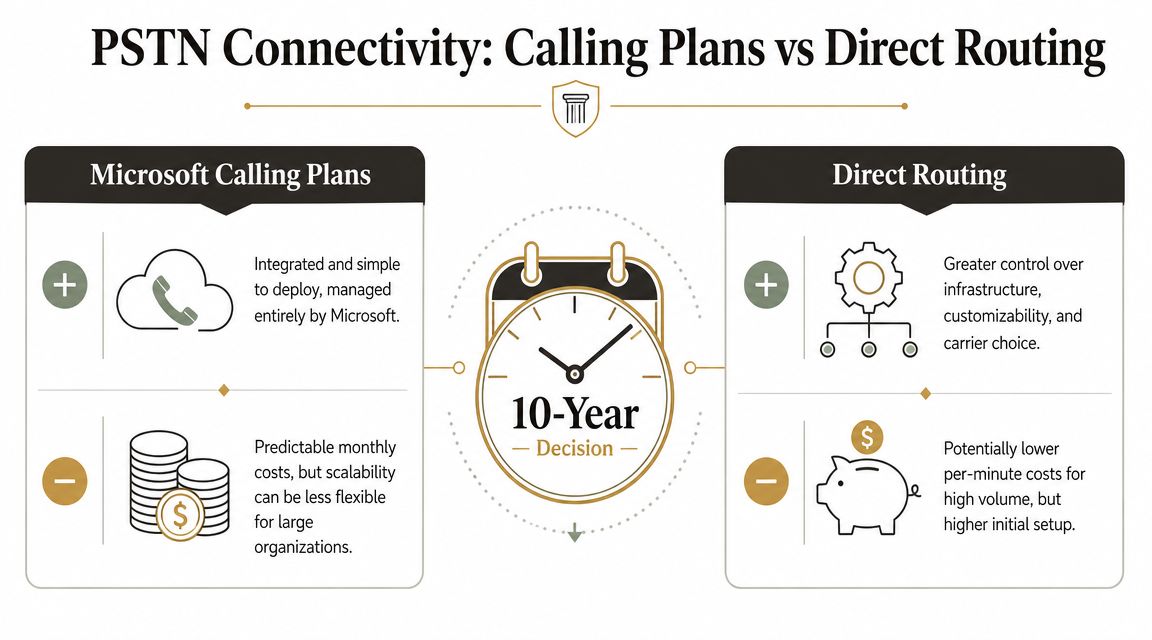
Calling Plans, Direct Routing, and Operator Connect are not feature checkboxes. They define who controls numbering, who carries operational risk, who gets blamed during outages, and how expensive change becomes two years after go-live. If your Microsoft 365 administration model is already loose, fix that first. A weak ownership model will turn any PSTN choice into a recurring service incident. This is why experienced teams review Microsoft 365 admin responsibilities and governance before they commit to carrier design.
Calling Plans reduces setup work and increases dependency
Calling Plans suits small, clean tenants that want one vendor and limited telephony customisation. That convenience has a price. You accept Microsoft’s service model, Microsoft’s number availability, Microsoft’s support boundaries, and Microsoft’s pace when something goes wrong.
That trade-off is often worse than it looks on a project slide. If you operate across multiple sites, need specific carrier relationships, have compliance constraints, or expect acquisitions and divestments, Calling Plans can become an expensive shortcut. What looked tidy during procurement becomes restrictive during change management.
Direct Routing gives you control and exposes every weakness in your team
Direct Routing is usually the right architecture for complex estates because it gives you carrier choice, routing control, and a design you can shape around the business instead of around Microsoft’s defaults. It also exposes poor network discipline, unclear ownership, weak change control, and admins who have never handled SBC operations under pressure.
Microsoft’s own training on configuring Teams Phone makes the point without saying it bluntly. Direct Routing requires proper planning for connectivity, voice routing, and operational support. Miss one dependency and you do not get a minor defect. You get dropped calls, bad call quality, failed number moves, and a cutover weekend that burns political capital fast.
Choose Direct Routing only if you can answer four ugly questions in advance:
- Who owns the SBC and carrier relationship during a live fault?
- Who signs off firewall changes and voice path testing before cutover?
- Who manages number porting, rollback, and user communications?
- Who has authority to stop the migration if call quality degrades?
If those answers are vague, the design is not ready.
If you want a broader business view on cloud telephony trade-offs, optimizing business communication with VoIP is worth a skim. It will not solve Teams architecture, but it reinforces a simple truth. Voice failures are usually operating model failures first, technical failures second.
Operator Connect is the compromise most organisations should examine first
Operator Connect sits between the two extremes. You keep a carrier relationship and avoid much of the SBC burden that internal teams routinely underestimate. That makes it a sensible option for organisations that need more accountability than Calling Plans but do not want the full engineering overhead of Direct Routing.
It is not magic. You still need clean number management, policy control, testing discipline, and proper service ownership. But it removes one of the easiest ways to wreck a Teams Phone deployment, which is handing complex voice infrastructure to a team that only knows the admin centre.
Use the table below as the blunt version:
| Option | What you gain | What can go wrong |
|---|---|---|
| Calling Plans | Faster deployment, fewer technical components | Higher long-term cost, limited carrier flexibility, dependence on Microsoft support boundaries |
| Direct Routing | Carrier flexibility, routing control, stronger long-term governance control | SBC mistakes, porting failures, network issues, harder support model |
| Operator Connect | Reduced infrastructure burden, managed carrier path | Less flexibility than Direct Routing, still needs governance, testing, and clear ownership |
Decision rule: If your organisation has compliance obligations, complex call flows, multiple sites, or any chance of structural change, do not buy short-term convenience. Choose the option your service desk, network team, identity team, and finance team can still live with in year five.
The Ollo verdict on PSTN choice
Calling Plans is acceptable for small estates with simple needs.
For regulated or operationally messy environments, Direct Routing is usually the better long-term design, and Operator Connect is often the safer choice when your team lacks proven SBC experience. DIY Direct Routing without clear ownership, tested network readiness, and carrier discipline is not ambitious. It is how companies turn a phone migration into a governance failure with a telecom invoice attached.
Building the Voice Engine Routing and Resource Accounts
The first live inbound call tells you whether your design is real or just well-documented.
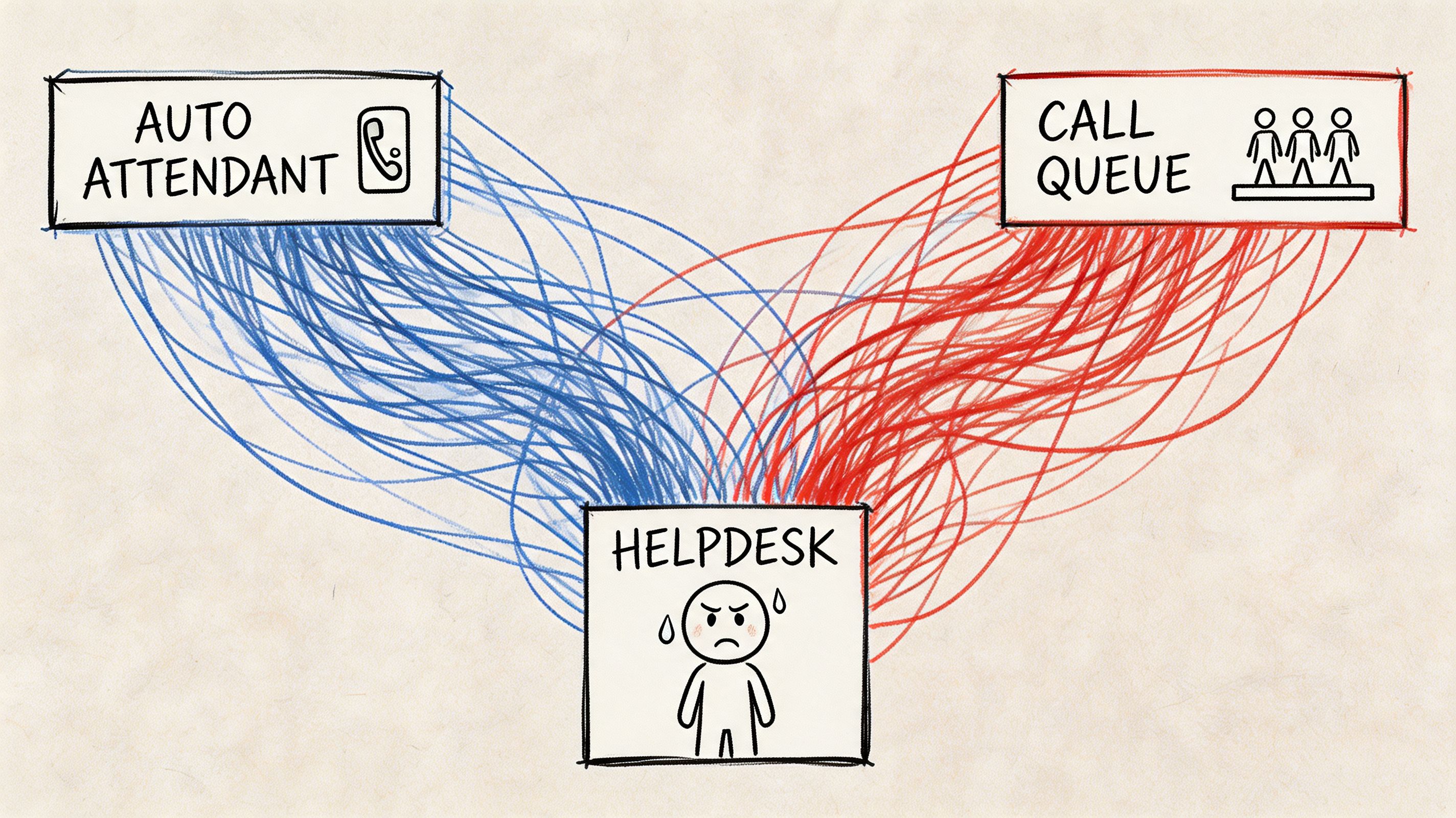
A customer rings your main number. The call should hit the Auto Attendant, route cleanly to a queue, land on a staffed endpoint, and allow transfer if the first destination can’t resolve it. In badly built tenants, that call dies in silence, loops, or lands on a device with no dial pad. The admin centre still looks fine. The service is still broken.
The silent failure starts with resource accounts
Common area phones are a perfect example. They look simple, but they punish sloppy setup. In IE deployments, 60% overlook default policies that disable the dial pad when the Calls app is unpinned, which causes zero adoption, according to Microsoft’s common area phone guidance.
That’s not a user training issue. That’s an architecture issue.
A reception phone needs the correct resource account, the right Teams Shared Devices licence, the correct usage location, and the right calling policy. Miss one dependency and your front desk becomes a decorative object.
We often see clients fail when they trust the wizard and never validate what the policy set does on the handset.
A single call path has too many failure points
Trace one routine call and look at what can fail:
- Number presentation: DDI mapped incorrectly during porting.
- Auto Attendant logic: Menu option routes to the wrong queue or an unlicensed target.
- Call Queue membership: Agents appear present in Teams but can’t receive queue traffic because policy assignment drifted.
- Common area endpoint: Dial pad missing because the Calls app is no longer pinned.
- Transfer behaviour: Reception can answer but can’t transfer correctly because the policy model was designed for convenience, not operations.
If your test script only checks “Can the phone ring?”, your test script is worthless.
The admin layer matters here as much as the voice layer. If your team doesn’t have strong operational discipline in Microsoft 365 generally, voice will expose it fast. That’s the same pattern we see in Office 365 admin practice and governance, where harmless-looking defaults turn into service failures later.
Latency ruins perfectly configured voice
The official setup material talks a lot about configuration. It says far less about quality thresholds that decide whether users trust the service. In Ireland, latency above 150ms on Direct Routing can push MOS below 3.8, and that becomes a direct cause of support SLA failure in DIY projects, as noted in the same Microsoft Learn guidance above.
So yes, you can build a neat IVR. Users will still hate it if the media path is poor.
Here’s a useful walkthrough of Teams Phone basics before you push into production validation:
The Ollo verdict on voice configuration
Use the admin centre for visibility, not blind trust. Auto Attendants, Call Queues, and common area phones need policy validation, endpoint validation, and real call-flow testing. For simple sites, native tooling may be enough. For scaled rollouts, tenant restructuring, or anything with policy complexity, we use ShareGate, custom PowerShell PnP scripts, and zero-trust Entra redesign patterns because basic tooling doesn’t understand voice topology risk.
The Non-Negotiables Emergency Calling and Compliance
This is the part that turns a technical mistake into a legal problem.
Emergency calling in Teams gets treated like a feature checkbox. It isn’t. It is part of your duty of care. If your network mappings, civic addresses, and number routing aren’t engineered properly, your organisation can send responders to the wrong site or fail an audit for reasons your deployment plan never covered.
The documentation is accurate and still incomplete
Microsoft documents Dynamic Emergency Calling. The problem is operational reality. Real estates aren’t clean. Users roam. Wi-Fi changes. Facilities teams rename buildings. Subnet maps lag behind physical changes. All of that breaks the tidy assumptions in the guide.
Verified field guidance from Ireland states that Dynamic Emergency Calling documentation omits throttling risks during civic address validation, and that teams often fail when Wi-Fi and IP subnet mappings break inheritance in the Teams admin centre, creating false location reports. It also notes that 25% of healthcare organisations in Ireland reported non-compliance in pilot audits due to unassigned number routing gaps under EU eCall mandates, as detailed in Ollo’s guide for multi-site Teams Phone setup.
Why this fails in real estates
Emergency configuration breaks for human reasons as much as technical ones:
- Facilities data is wrong: Building and room records don’t match what IT uploaded.
- Network mappings drift: Wireless changes and subnet updates never make it back into voice governance.
- Ownership is split: Nobody validates the emergency journey end to end.
- Testing is weak: Teams test a happy path, not edge cases across sites and roaming scenarios.
Missing this doesn’t just fail the migration. It breaks legal compliance.
If your compliance team still treats this as a telephony setting, they’re underestimating the risk. This belongs alongside your wider Microsoft governance controls, records obligations, and defensible operational processes. The same governance discipline you’d apply in Purview-led compliance design should apply to emergency calling because the consequence of drift is not theoretical.
The Ollo verdict on emergency calling
Don’t deploy users until emergency location mapping, routing logic, and validation workflows have been tested under real conditions. If your estate is multi-site, hybrid, or regulated, this is not a post-launch tidy-up task. It must be engineered before cutover.
The Cutover Checklist Your Team Is Missing
Most project plans describe cutover as a date. That’s amateur thinking. Cutover is a controlled failure exercise. You’re proving whether the service can survive when assumptions break under pressure.
A lot of teams build a polished pilot and then improvise the launch. That’s where careers get damaged. The final stage of microsoft teams phone system setup isn’t “go live”. It’s “stay functional while users, carriers, policies, and network paths all behave imperfectly at once”.
What a serious cutover plan actually checks
Your team needs a checklist built for operations, not governance theatre.
- Carrier lock timing: Confirm the exact number porting window and escalation path with the carrier. Don’t assume the change lands when the paperwork says it will.
- Rollback reality: If a critical number moves badly, know what your fallback is. Don’t write fantasy rollback steps your carrier can’t execute in the timeframe the business expects.
- Parallel service design: Keep the old PBX or fallback path alive where possible during pilot and early cutover waves.
- Call-flow validation: Test main lines, hunt groups, reception, executive assistants, common areas, queue transfers, voicemail, and after-hours routing with real users.
- Incident ownership: Name the person who owns the bridge if voice quality drops, numbers fail, or emergency calling tests misreport locations.
- User communications: Tell affected groups what will break, how to report it, and what temporary workaround exists.
The checklist should attack risk from three angles
I usually frame cutover readiness in a simple grid:
| Area | What your team tends to miss | Why it matters |
|---|---|---|
| Technical | Real failover testing, policy drift, endpoint validation | A working pilot can still collapse at scale |
| Operational | Named escalation ownership across M365, network, and carrier | Delays multiply when nobody commands the incident |
| Business | Reception, executive support, emergency process, user comms | The loudest failures come from the most visible functions |
Your cutover plan should assume that at least one dependency will misbehave. If it doesn’t, you wrote a presentation, not a runbook.
Testing has to mimic chaos, not comfort
Most DIY plans fail due to an overreliance on ideal test conditions, often mistaken for diligence. Real launch conditions aren’t ideal. Users sign into the wrong devices. Policies don’t replicate as expected. A queue agent goes unavailable mid-cutover. Carrier updates lag. A site with marginal network quality suddenly becomes your loudest executive complaint.
That’s why a cutover rehearsal must include adverse scenarios, not just expected ones. If your testing practice doesn’t include service failure thinking, fix that first. Our broader approach to migration and service testing comes from the same lesson. Production punishes optimism.
The Ollo verdict on cutover
Use internal staff for local user coordination and business sign-off. Use specialist execution for the cutover design, port sequencing, escalation bridge, and rollback logic when the environment is regulated, multi-site, or politically sensitive. By this stage, the technology isn’t the hard part. Managing live risk is.
If your team is planning a microsoft teams phone system setup and you already know the cost of getting it wrong, talk to Ollo. We handle the parts most projects underestimate: identity hygiene, tenant complexity, governance design, and cutover risk. If your environment is simple, your internal team can probably manage it. If it isn’t, treat specialist support as risk control, not procurement overhead.

















