



The most popular advice about microsoft teams governance is also the most dangerous. It tells IT directors to turn on a few policies, review Microsoft’s templates, and move on to the next priority.
That advice breaks regulated environments.
Teams governance isn’t a wizard in the admin centre. It’s a control system stretched across Teams, SharePoint, Entra ID, Microsoft Graph, guest access, lifecycle policy, retention, and identity. If your team treats it like a setup task, your data estate turns into an undocumented archive with chat on top.
I’ve spent enough time in rescue projects to say this plainly. The documentation tells you what features exist. It does not protect your tenant from bad sequencing, weak ownership, API throttling, broken inheritance, or tenant consolidation mistakes. Your team still has to design the operating model, enforce it, and keep it alive after the rollout hype dies.
Governance Is Not a Feature You Enable
Most failed Teams programmes start with false confidence. An IT lead enables naming conventions, creates a few sensitivity labels, restricts some settings in the Teams admin centre, and assumes the platform will stay organised. It won’t.
Governance is an operating discipline. It decides who can create teams, who owns them, how long they live, how guests get in, where files land, what gets archived, and who answers for abandoned collaboration spaces. If you don’t answer those questions before growth kicks in, users answer them for you. They answer them badly.
The dangerous part is that the rollout can still look successful at first. Users collaborate. Channels appear. Projects move out of email. Leadership sees adoption and assumes control exists. Then the hidden failures start stacking up. Teams lose owners. Private channels drift away from any sensible structure. Guests linger. SharePoint sites behind teams accumulate content nobody can classify or retire confidently.
What sceptical IT directors get wrong
The common mistake isn’t technical ignorance. It’s underestimating the maintenance burden. Your admins may know where the settings live. That’s not the same as knowing how those settings interact under pressure, especially when compliance, migration, and external access all collide.
A proper governance model needs:
- Provisioning rules: Who can create a team, under what naming logic, with what metadata.
- Lifecycle discipline: How inactive teams get reviewed, renewed, archived, or deleted.
- Ownership controls: How you stop collaboration spaces becoming ownerless liabilities.
- External access boundaries: How guests, shared channels, and B2B access fit your zero-trust model.
Practical rule: If your governance process depends on administrators remembering to run checks manually, you don’t have governance. You have a future incident.
That’s why governance needs executive backing and technical depth. It sits in the same risk category as identity architecture and data retention, not user adoption training. If your board needs a broader view of where M365 control usually breaks down, start with this Microsoft 365 governance audit checklist for CTOs.
The Anatomy of a Teams Governance Failure
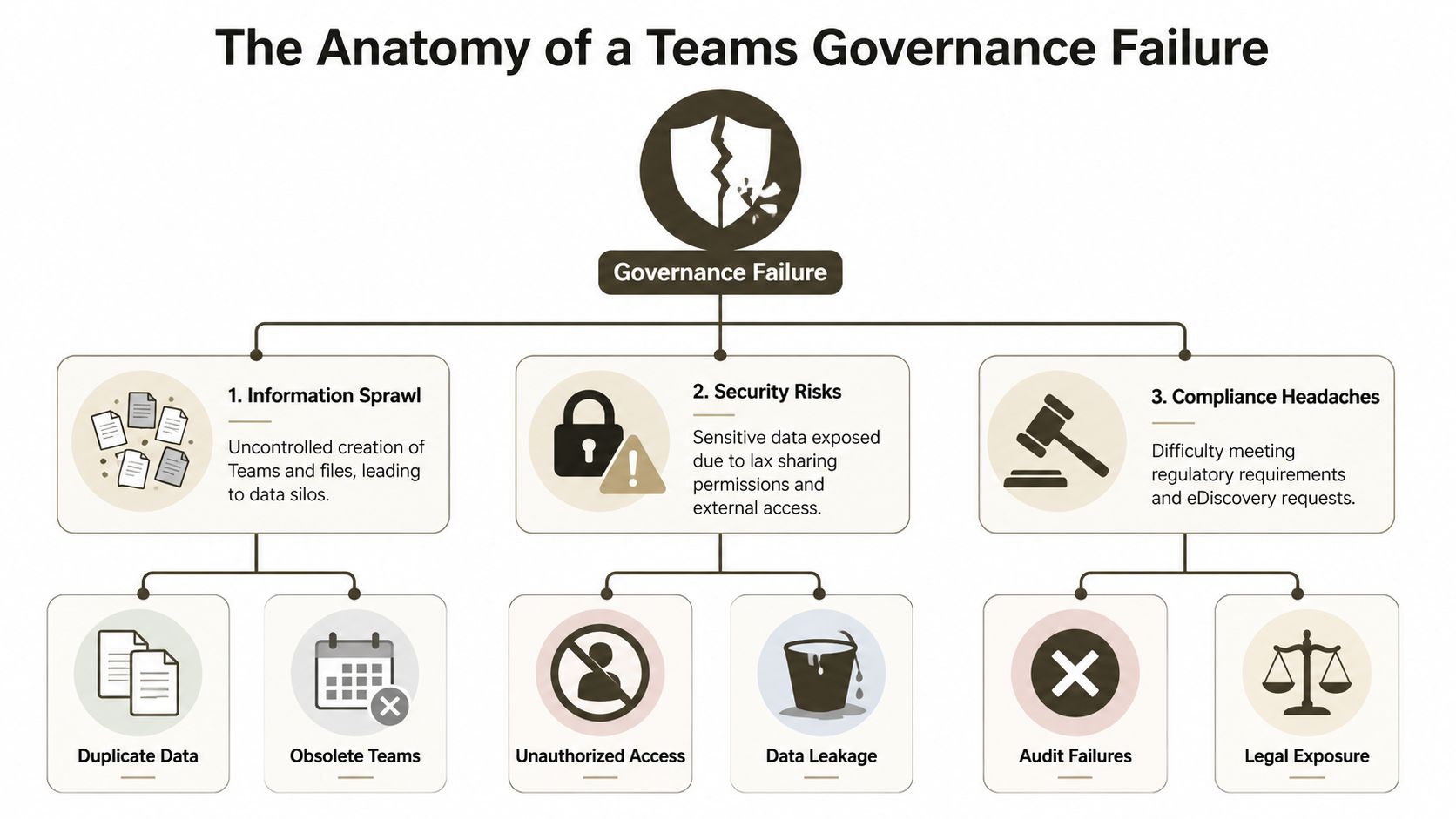
Failure in Teams rarely looks dramatic on day one. It looks administrative. Then legal, operational, and security issues start appearing behind it.
In Ireland, that pattern is already visible. Over 40% of enterprise Teams environments experienced uncontrolled sprawl within 12 months of deployment in a 2025 Central Bank of Ireland audit of 150 financial institutions, and 62 teams per organisation were found ownerless, which amplified GDPR risk according to this governance analysis referencing the audit findings.
Lifecycle fails first
Teams without active owners don’t stay neutral. They become dead zones full of live data. Nobody renews them, nobody audits membership properly, and nobody can answer whether the files behind them still matter.
That matters because Teams is not just chat. It’s a front end for SharePoint storage, permissions, tabs, apps, and often project history your business still depends on. If a team loses ownership, governance doesn’t weaken slightly. It becomes guesswork.
Provisioning chaos spreads sideways
Uncontrolled creation wrecks discoverability faster than most directors expect. The same department creates multiple project teams with near-identical names, different guest settings, and inconsistent ownership. Users stop trusting the official workspace, so they create another one.
That’s how sprawl becomes a business process. Nobody plans it. Everyone contributes to it.
A simple view of the damage looks like this:
| Failure area | What your admins see | What the business inherits |
|---|---|---|
| Ownerless teams | No clear business contact | Unmanaged data and stalled approvals |
| Uncontrolled creation | More teams than expected | Duplicate workspaces and shadow records |
| Loose guest access | Collaboration convenience | Exposure routes you can’t defend cleanly |
| Bad naming | Untidy directory | Users choosing the wrong team for sensitive work |
Security and compliance break together
The documentation tends to separate governance from security. Real tenants don’t. If you allow poor provisioning and loose external access, your compliance posture degrades at the same time.
We often see clients fail when they think Teams permissions are isolated from SharePoint consequences. They aren’t. Teams structure drives storage structure, and storage structure drives what legal discovery, retention, and access reviews will look like later.
When a regulator or auditor asks who owned a workspace, who had guest access, and where the files moved during restructuring, “we think this was the right team” is not an answer.
If you’re also evaluating AI and automation alongside collaboration control, Donely's 2026 AI platform list is useful context. Not because it solves governance, but because it shows how fast new operational layers get added before core data boundaries are stable.
The technical dependency many leaders still miss is the SharePoint layer. Teams governance fails there long before the Teams UI makes the damage obvious. This is why understanding how SharePoint and Microsoft Teams work together behind the scenes matters more than another policy checklist.
Mapping Controls to Chaos The Technical Breaking Points
Your team can point at controls all day. Naming policy in Entra ID. Team expiration. Sensitivity labels. Sharing settings. Approval workflows.
That still doesn’t mean your environment is governable.
The problem is simple. Every control in Microsoft 365 sits on top of another service with its own limits, timing issues, and dependency chain. In regulated estates, those limits matter more than the feature list.
Lifecycle policy hits real-world resistance
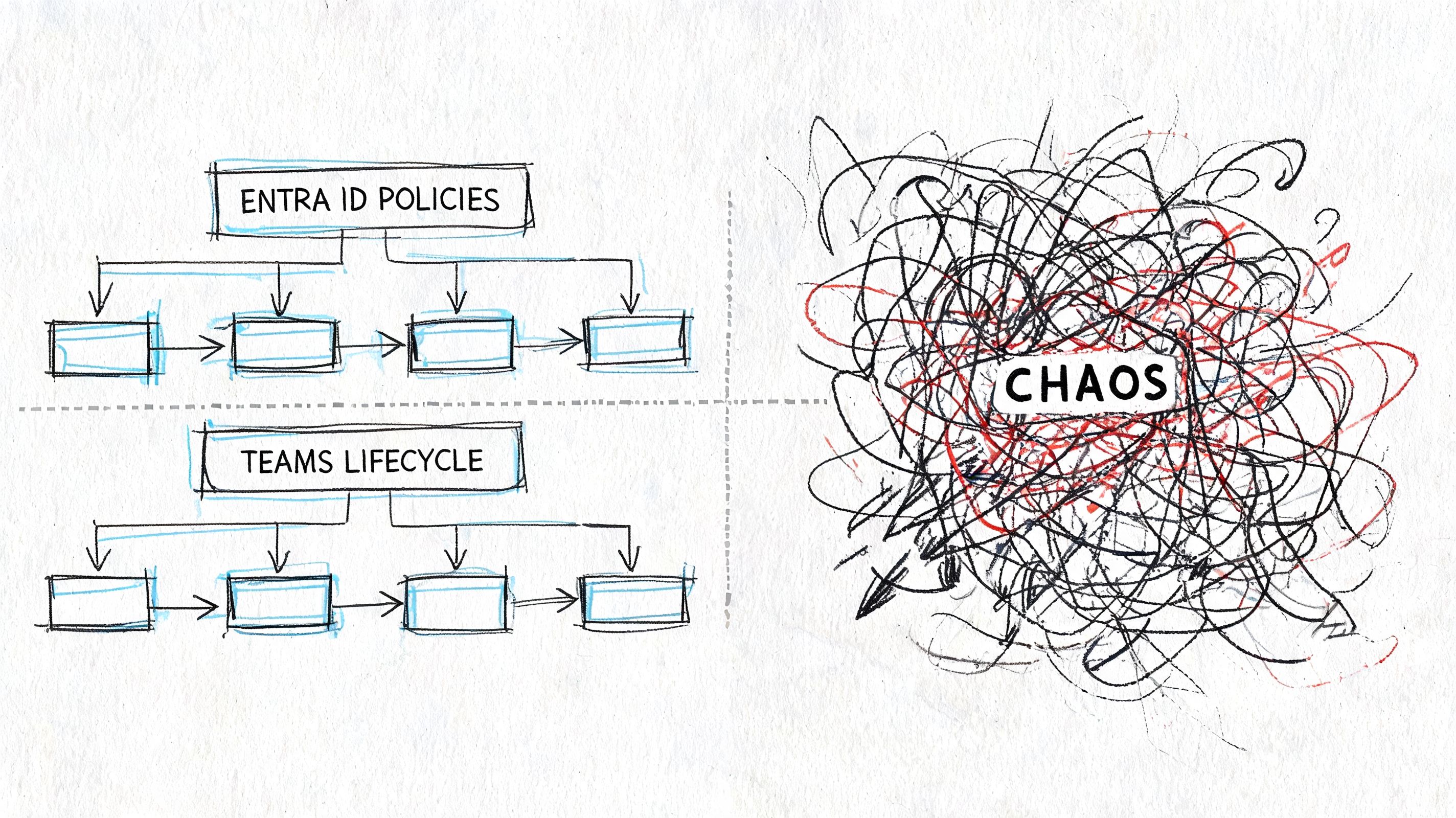
Microsoft recommends lifecycle controls, and that’s correct in principle. In practice, a blunt expiration policy creates two different failures. Either nobody trusts it because it archives the wrong teams, or admins keep exempting teams until the policy loses meaning.
Governance only works when lifecycle ties to ownership attestation, business review, and clear exceptions. If your process starts and ends with an automatic expiry setting, your users will route around it.
SharePoint limits are where governance projects start to bleed
Challenges frequently undermine DIY plans. In Ireland, 55% of mid-size healthcare organisations suffer Teams governance gaps, with 30% of teams exceeding the 5,000-item SharePoint limit causing migration throttling, and Microsoft Learn confirms that “List view thresholds trigger at 5,000 items, breaking inheritance and path lengths over 400 chars” in the Teams adoption governance quick-start guidance.
That one limit changes the entire conversation.
A team with messy file growth isn’t just untidy. It becomes harder to migrate, harder to permission correctly, and harder to audit. Once list view thresholds, long paths, and broken inheritance show up together, your governance issue has already crossed into operational failure.
The controls look like this on paper
- Naming conventions: Good for consistency, weak if users can still create teams outside controlled pathways.
- Sensitivity labels: Useful for classification, but they won’t fix broken ownership or poor external access decisions.
- Expiration policies: Necessary, but dangerous when applied without review logic.
- Guest settings: Essential, but only if they are granular and tied to identity boundaries.
The breaking points live underneath
| Control | Underlying service | Where it breaks |
|---|---|---|
| Team naming | Entra ID and provisioning flow | Users bypass structured provisioning |
| File governance | SharePoint document libraries | 5,000-item threshold, long paths, broken inheritance |
| Ownership review | Teams membership and directory objects | Departed owners leave unmanaged workspaces |
| Audit scripts | Microsoft Graph and PowerShell | API limits interrupt large-scale checks |
The documentation says the platform supports governance. Reality says your governance only works if you understand the service boundaries underneath it.
This is also where identity becomes inseparable from collaboration. If your Entra ID design is weak, your Teams governance won’t stay intact. Group-based controls, creator restrictions, external identity settings, and approval design all sit upstream. That’s why IT leaders need a practical grounding in what Entra ID actually controls in modern M365 estates.
The hard truth is that controls don’t fail because Microsoft forgot to provide them. They fail because enterprise tenants expose every edge case the quick-start guidance doesn’t solve for you.
The False Hope of Automation
The second most common bad idea after “the defaults are probably fine” is “we’ll script our way out of it.”
That’s where many environments get worse.
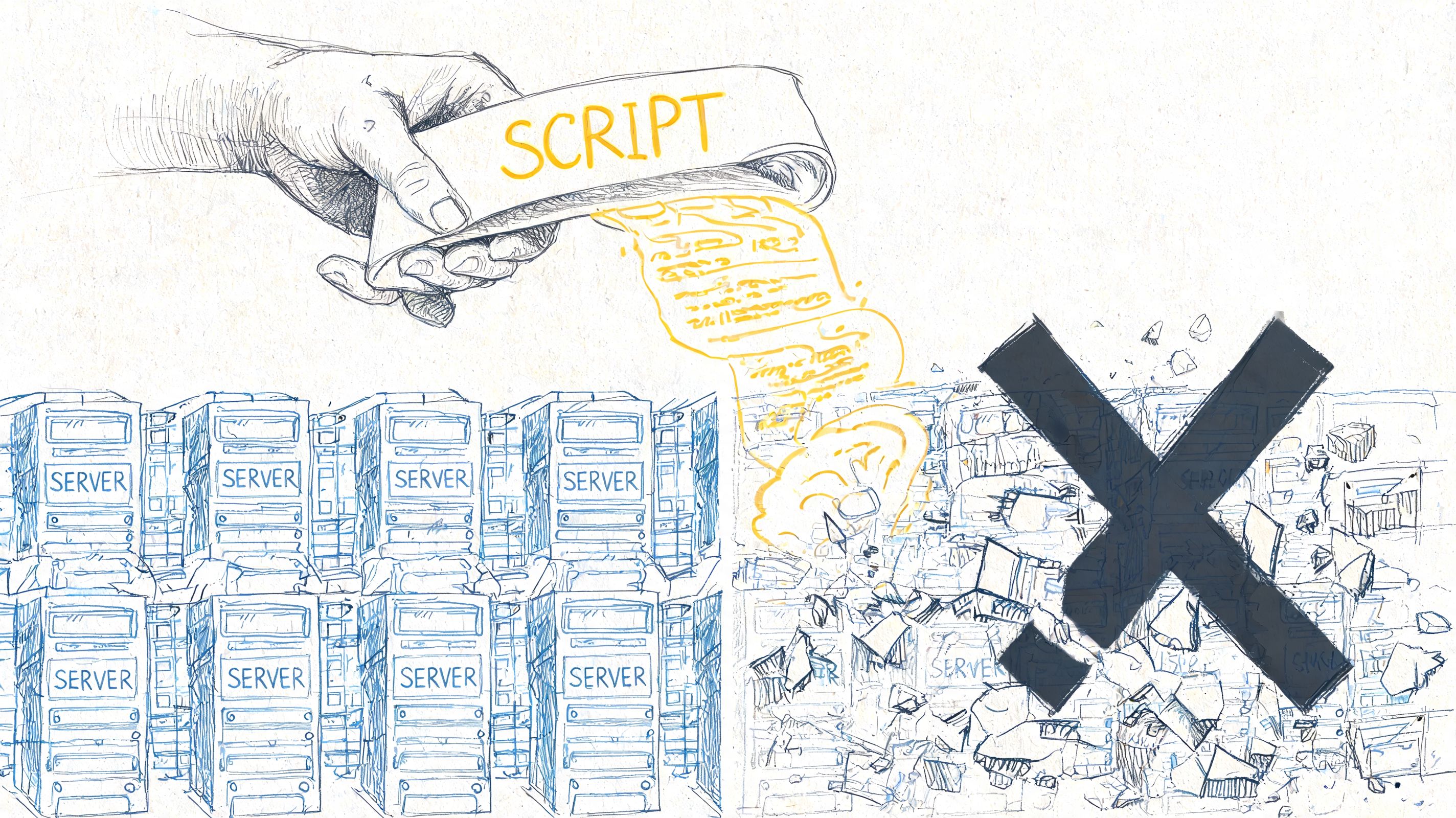
A script that works in a pilot tenant can still fail badly in production. Bulk owner reassignment, inactive team reporting, guest cleanup, archival, and metadata correction all look straightforward until you run them across a large tenant with historical mess, inconsistent naming, and years of abandoned structures.
PowerShell is not governance
PowerShell PnP, Graph scripts, and automation platforms are useful. I use them. But they’re tools, not judgement.
We often see clients fail when IT directors assume default settings suffice and try to bolt automation on after the fact. The result is usually the same problem with faster execution. According to Microsoft’s Teams governance planning documentation cited alongside Cayosoft benchmark data, 30% to 50% of teams can become orphaned within 90 days, which leads to broken inheritance and GUID conflicts, while DIY audit approaches hit API throttling limits in Microsoft Graph and stop mid-process.
That last part matters. If your script dies halfway through a cleanup run, you haven’t automated governance. You’ve created partial enforcement. That’s harder to unwind than doing nothing.
Automation breaks in predictable ways
- Bulk remediation without sequencing: Ownership changes happen before file and access reviews.
- Throttled Graph calls: Audit scripts stop before collecting a complete picture.
- Naive archival logic: Critical workspaces get archived because “inactive” was defined badly.
- Permission rewrites: Teams and linked SharePoint sites drift out of sync.
Field note: Bad automation doesn’t just waste time. It creates a false audit trail that convinces leadership the environment is under control.
Plenty of leaders rightly want to streamline operations with automation. That instinct is sound. The problem is assuming workflow automation principles translate neatly into regulated M365 cleanup. They don’t unless the architect understands Graph limits, ownership logic, exception handling, and rollback.
Here’s a practical walkthrough worth watching before anyone on your team starts a broad cleanup initiative:
The Ollo verdict on the tooling
I’ll be blunt.
| Tool or approach | Good at | Where it breaks |
|---|---|---|
| Native admin centre | Basic policy configuration | Weak for complex remediation at scale |
| PowerShell and Graph | Precision tasks and automation | Easy to misuse, easy to throttle |
| ShareGate | Strong migration and restructuring support | Still needs architecture and sequencing |
| SPMT | Simpler moves in limited scenarios | Not enough for high-risk enterprise governance work |
The Ollo verdict: use native tools for visibility, use PowerShell carefully, use ShareGate when restructuring or migrating serious data estates. If your tenant has regulatory exposure, historical sprawl, or tenant-to-tenant complexity, you need expert design before you touch production. Also, if you’re planning AI on top of bad governance, fix the estate first by checking whether your Microsoft 365 environment is actually ready for Copilot.
Measuring the Damage KPIs for Ungoverned Teams
Most reporting in Microsoft 365 is too flattering. It tells executives that users are active, files are being shared, and Teams usage is high. None of that proves control.
For governance, the useful metrics are damage indicators. They tell you where accountability has collapsed and where the next incident is likely to emerge.
In Irish regulated sectors, the scale can already be severe. Since Q2 2025, Irish energy operators have averaged 4,200 unmanaged Teams per tenant, and regulated IE sectors reported 42% higher breach attempts on Teams according to the Cayosoft governance write-up citing ENTSO-E and PwC Ireland figures. That’s not a tidy-up issue. That’s a control failure.
Four KPIs that actually matter
I don’t care much about vanity adoption metrics during a governance review. I care about these:
- Ownerless teams: If nobody owns the workspace, nobody owns the risk.
- Guest-heavy teams: A high guest-to-internal mix deserves scrutiny, especially in finance, healthcare, and energy.
- Inactive but retained teams: These often hold live data in dead operational shells.
- Public teams handling sensitive work: This combination usually reveals weak provisioning discipline.
Each KPI should drive an action, not just a dashboard tile.
What bad looks like in practice
| KPI | Why it matters | What it usually signals |
|---|---|---|
| Ownerless teams | No accountable business custodian | Leavers, failed transfers, weak joiner-mover-leaver process |
| Guest-heavy workspaces | Broader exposure boundary | Poor external access control or project sprawl |
| Aged inactive teams | Data exists without operational purpose | Weak lifecycle enforcement |
| Sensitive work in public teams | Classification and access mismatch | Users bypassing formal provisioning |
Boards understand risk faster when you show them accountability gaps, not activity charts.
Native reporting won’t tell the whole story
Internal teams often get frustrated. Native dashboards can show usage trends, but they don’t always expose the relationship between ownership, guest access, inactivity, and linked SharePoint risk in one place. Your team ends up exporting data from multiple sources, reconciling it manually, and still arguing about what’s current.
That’s why governance audits need structured KPI definitions before anyone starts collecting data. If “inactive” means one thing to collaboration admins and another to compliance, your report will be politically acceptable and technically useless.
A good analogy sits outside M365. In customer operations, teams only improve retention when they track the right underlying signals, not vanity usage. That’s why articles on boosting retention with client metrics are useful thinking tools. The lesson transfers well. Measure leading indicators of failure, not comforting activity counts.
For the SharePoint side of this, governance teams should also understand what disciplined SharePoint data governance looks like, because many Teams risks are just SharePoint risks wearing a friendlier interface.
The Ollo Verdict A Blueprint for Defensible Governance
A defensible Teams governance model doesn’t start with enforcement. It starts with triage.
Most estates already contain too much legacy mess for a greenfield governance policy to fix cleanly. If you apply rigid controls before you understand ownership, file structure, guest patterns, and business criticality, you’ll break operations and lose stakeholder support.
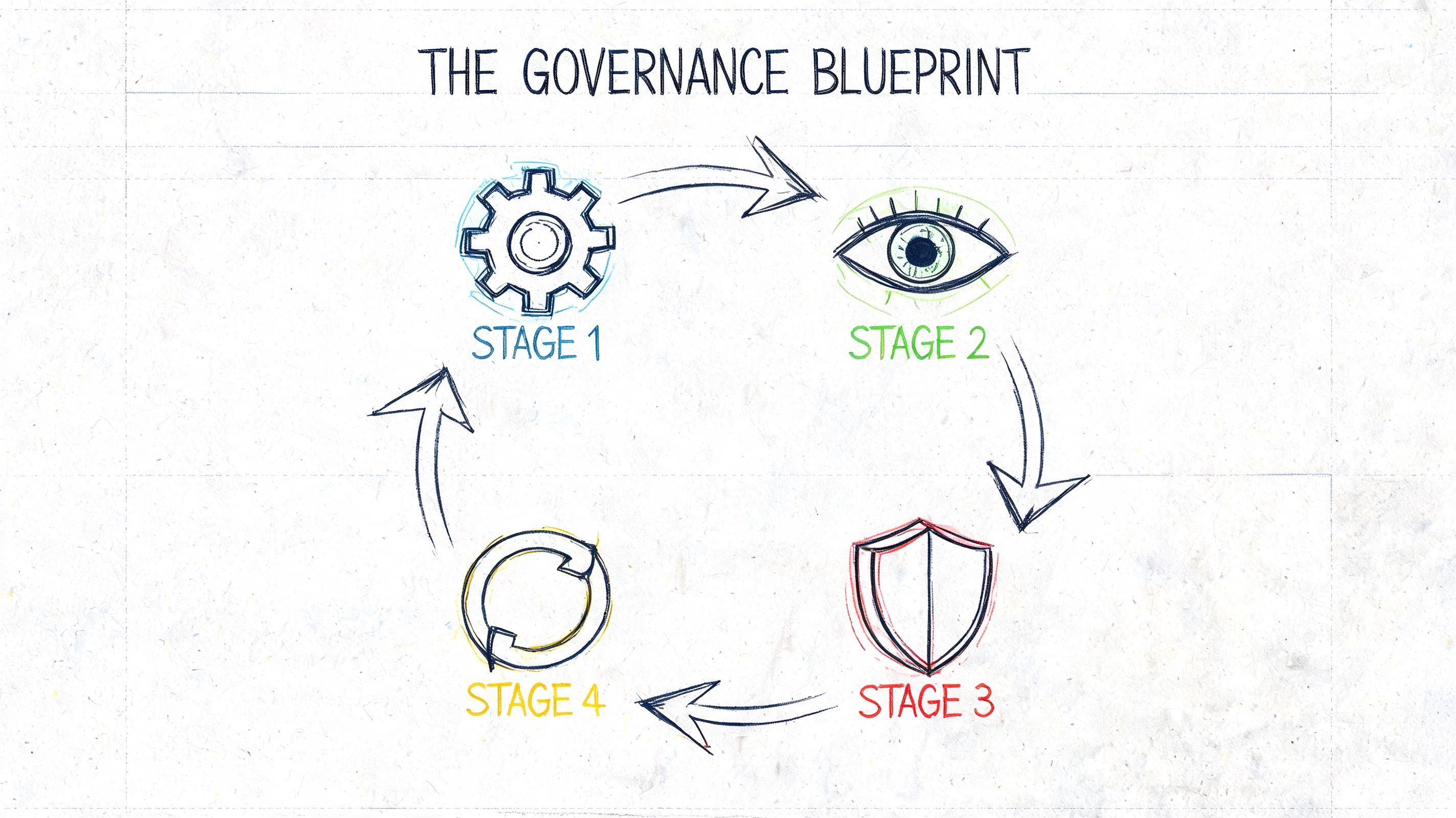
Stage one is audit and triage
You need a technical inventory, not a management summary. That means identifying ownerless teams, high-risk guest exposure, stale teams with active files, naming failures, private channel sprawl, and SharePoint structures likely to resist migration or remediation.
This phase also sorts business-critical collaboration spaces from disposable clutter. Treating them the same is how internal teams create backlash.
Stage two is surgical remediation
Remediation is where many DIY efforts get reckless. They bulk archive, bulk rename, or bulk transfer ownership because the tenant looks ugly and leadership wants visible action.
That approach backfires.
A workable remediation phase usually includes:
- Ownership reclamation: Assign accountable business owners, not placeholder admins.
- Access review: Check guest use before changing external sharing.
- Content rationalisation: Move or archive data with business context attached.
- Exception handling: Protect active, valid teams from generic cleanup logic.
Stage three hardens the estate
Once the obvious risk is under control, you can build durable guardrails, allowing governance to become operational rather than reactive.
The controls need to cover:
- Provisioning discipline through structured creation paths.
- Lifecycle attestation so inactive teams don’t survive by accident.
- Identity alignment so Entra ID policies and Teams access rules point in the same direction.
- Reporting that survives staff turnover rather than living in one admin’s notebook.
Good governance is boring by design. The tenant should stop surprising you.
Stage four proves control over time
A governance programme without reporting is just a memory of a project. The estate drifts again unless someone watches the right indicators and acts on exceptions.
The KPI model demonstrates its utility here. You track ownership health, guest exposure, inactive risk, and sensitive collaboration patterns over time. Then you review them with operations, security, and compliance together, not in silos.
The Ollo verdict: use SPMT only for very limited, low-risk jobs. Use ShareGate for serious restructuring and migration work. Use custom scripting only when the sequence, rollback, and service limits are already understood. For anything involving regulated data, cross-tenant complexity, broken inheritance, or governance debt, specialist architecture is the safer option.
Your Toughest Governance Questions Answered
Can’t my internal M365 admin team handle this?
They might handle parts of it. They usually can’t carry the whole thing safely if they’re also supporting users, licensing, endpoint issues, and day-to-day administration.
Teams governance in a regulated estate is not basic admin work. It cuts across identity, SharePoint architecture, guest boundaries, auditability, and migration logic. The hard part isn’t knowing where the settings are. The hard part is knowing the order of operations and the side effects.
Isn’t Microsoft’s own guidance enough?
It’s necessary. It isn’t sufficient.
Microsoft Learn tells you what the platform supports and where some limits sit. It does not clean your existing mess, arbitrate business exceptions, or rescue a tenant after bad automation or failed ownership transfer. Documentation is not a substitute for architecture.
Can’t we just buy a third-party governance product?
A product helps with enforcement and visibility. It does not remove the need for design.
The product still needs a policy model, lifecycle rules, exception handling, ownership logic, and alignment with your compliance obligations. If your underlying governance decisions are weak, the software just applies weak logic more consistently.
Isn’t ShareGate enough?
No. ShareGate is a strong tool. It is not a governance strategy.
Used well, it’s excellent for migrations, restructuring, and operational support. Used badly, it becomes another layer in a flawed plan. Tool strength doesn’t compensate for poor sequencing, bad ownership assumptions, or weak identity design.
Why not use SPMT and keep costs down?
Because “cheap” and “defensible” are different things.
SPMT has a place in smaller, cleaner scenarios. Once you’re dealing with regulated data, complex permissions, tenant consolidation, or historical SharePoint mess behind Teams, the cost of failure rises fast. Missing a technical dependency doesn’t just delay the project. It can break compliance, legal hold confidence, and operational continuity.
How do we know if our Teams estate is already a risk?
Look for signs your team has been normalising:
- No clear owner for older project or departmental teams
- Guest access decisions made informally by team owners
- Multiple teams for the same function with inconsistent naming
- Cleanup scripts that nobody wants to run twice
- SharePoint complaints around permissions, sync, or strange file behaviour
If those sound familiar, you don’t need another workshop. You need an audit.
Can we fix this gradually?
Yes, but gradual only works if it’s structured. Slow and vague is how governance debt survives for years.
The right phased approach starts with risk triage, then targeted remediation, then control hardening, then ongoing reporting. Anything else is administrative theatre.
What’s the biggest mistake IT directors make?
Waiting for a failure obvious enough to justify action.
By the time governance pain becomes visible to senior leadership, the underlying issues have usually existed for months. Ownerless teams, broken inheritance, bad guest control, and unstructured cleanup don’t announce themselves nicely. They show up later as audit stress, migration cost, and avoidable operational risk.
If your Teams environment already feels harder to explain than it should, that’s the signal. Ollo helps regulated organisations audit governance debt, untangle failed Microsoft 365 projects, and rebuild control around Teams, SharePoint, Entra ID, and tenant-to-tenant migration before the next incident forces the conversation.

















