



A SharePoint migration assessment isn't just a preliminary step; it's a critical survival strategy. Think of it as the deep reconnaissance phase that uncovers the technical debt, broken governance, and hidden complexities ready to derail your move from legacy systems like SharePoint 2013 or old file servers to Microsoft 365.
Why Your Migration Plan Is A Survival Strategy
Let’s be direct. Your last major IT project probably went sideways, exceeding its budget or timeline. A SharePoint migration assessment isn't another checkbox on a project plan; it's the only way to avoid repeating that disaster. This is where you uncover the realities poised to cripple your migration before it even begins.
We're not talking about a simple file lift-and-shift. We are mapping years of accumulated digital chaos into a secure, compliant, and functional Microsoft 365 environment. We often see clients fail when they treat this as a project management task instead of what it truly is: risk mitigation.
The Anatomy of Failure
Without a forensic-level assessment, your project is exposed to catastrophic, yet entirely predictable, points of failure. These aren't minor hiccups; they are project killers that standard tools and internal teams consistently miss.
- Silent Data Loss: Hitting the long path file limit doesn't always produce an error. Your data simply vanishes during the transfer, a fact you might not discover for months.
- Operational Gridlock: The infamous 5,000-item list view threshold doesn't just slow things down; it breaks modern search, indexed columns, and Power Automate workflows, bringing critical business processes to a halt.
- Security Breaches: Migrating broken permissions from an on-premises Active Directory doesn't just replicate a problem—it amplifies it. Your sensitive data becomes instantly vulnerable in a more accessible cloud environment.
The documentation from Microsoft tells you how to migrate. It doesn't tell you how to avoid disaster. The goal of an assessment is to build a battle plan based on the unforgiving realities of your unique environment, not on idealised best-case scenarios.
Moving Beyond Checklists
A proper assessment is a pre-mortem, identifying every potential failure point upfront. This isn't about running a tool and exporting a CSV file. It's about understanding the deep-seated issues that will inevitably surface under the pressure of migration.
For a detailed breakdown of what this involves, you can review our comprehensive guide to SharePoint migration planning. This process ensures your project is defined by predictable outcomes, not by emergency calls on a Sunday night. This methodical approach is the only way to guarantee a successful migration—not just a completed one.
The Anatomy Of A Real-World Assessment
Forget the generic checklists you find online. A real-world SharePoint migration assessment is more like a forensic investigation into the technical guts of your source environment. It's a series of targeted missions, each designed to prevent a specific, costly disaster we've seen cripple other projects.
We’ve refined this process not in a lab, but by rescuing migrations that were already failing. Your team can’t afford to just count files and call it a day. You need to dig in and analyse the custom solutions, ancient workflows, and third-party web parts that are almost guaranteed to break. This isn't about ticking boxes; it's about systematically de-risking a high-stakes operation.
Phase 1: Discovery And Inventory
The first phase goes far beyond a simple file count. We see clients get into trouble when they trust a basic tool scan to tell the whole story. The documentation might claim a tool supports "workflows," but in reality, it will choke on a SharePoint 2013 workflow with custom initiation forms, leaving your business processes dead on arrival.
A proper discovery phase identifies every single non-standard element.
- Legacy Solutions: We hunt for full-trust code, sandbox solutions, and custom web parts that have no modern equivalent. Leaving these undiscovered doesn't just break a page; it can corrupt an entire site collection.
- Third-Party Integrations: That old document scanner integration your finance team loves? It likely uses deprecated APIs and will fail silently post-migration. We map these dependencies before they become a day-one crisis.
- Workflow Interrogation: We don't just find workflows; we analyse their complexity. A simple approval is one thing, but a multi-stage, state-machine workflow built in SharePoint Designer is a remediation project in itself.
To truly understand where you are and plan for where you're going, an assessment must effectively conduct a thorough gap analysis between your present SharePoint setup and your goals. Anything less is just guesswork.
This diagram shows our core process for identifying and neutralising these threats.
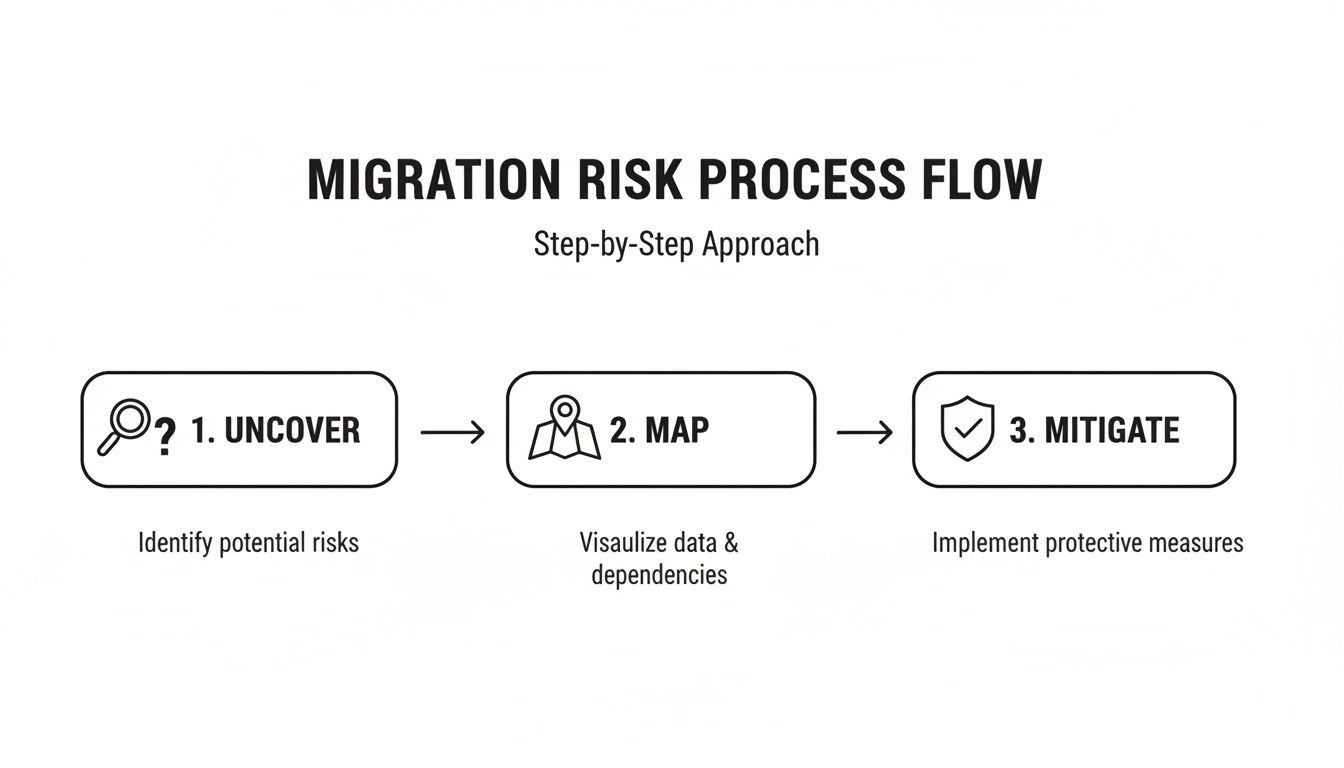
The process is straightforward: uncover the hidden risks, map them to specific business impacts, and implement technical mitigations before a single file is moved.
Phase 2: Permissions And Governance Review
This is where most DIY migrations completely fall apart. Your on-premises Active Directory is likely a tangled mess of nested groups and broken inheritance that has built up over years. Simply lifting and shifting this structure "as-is" doesn't just replicate a problem; it creates a massive security vulnerability in the more open and accessible cloud environment.
We often uncover permissions granted to "Everyone" or "NT Authority\Authenticated Users" on folders containing sensitive HR or financial data. Failing to fix this before migration doesn't just risk the project; it can break legal compliance under regulations like GDPR.
An assessment that doesn't produce a detailed permissions remediation plan is not an assessment. It's an invitation for a data breach. Your goal is a clean, auditable, least-privilege model in Microsoft 365—not a carbon copy of legacy chaos.
Phase 3: Identity Mapping And Security Posture
Finally, we tackle identity and compliance. This means mapping your legacy accounts to modern Entra ID (formerly Azure AD) principals, including the often-forgotten service accounts and external users. A mismatch here means your users can't log in or, even worse, they gain access to data they absolutely shouldn't see.
The scale of this challenge is significant. In the UK, a key market for Irish tech and finance firms, 187,000 businesses use Microsoft 365. With SharePoint Server 2019 nearing its end of life in July 2026, a wave of migrations from older platforms is inevitable, each one carrying immense compliance risk if not handled correctly.
This phase is non-negotiable for any business in a regulated industry. We analyse your current setup against controls like ISO 27001 and GDPR, identifying gaps that must be closed before the migration begins. This isn't a "nice to have"; it's a mandatory step to protect your organisation from regulatory fines and reputational damage.
If you're unsure where your environment stands, a good first step is getting a clear, objective picture of your current setup. Our https://ollo.ie/free-audit can give you that baseline.
Understanding Your Migration Tools and Their Breaking Points
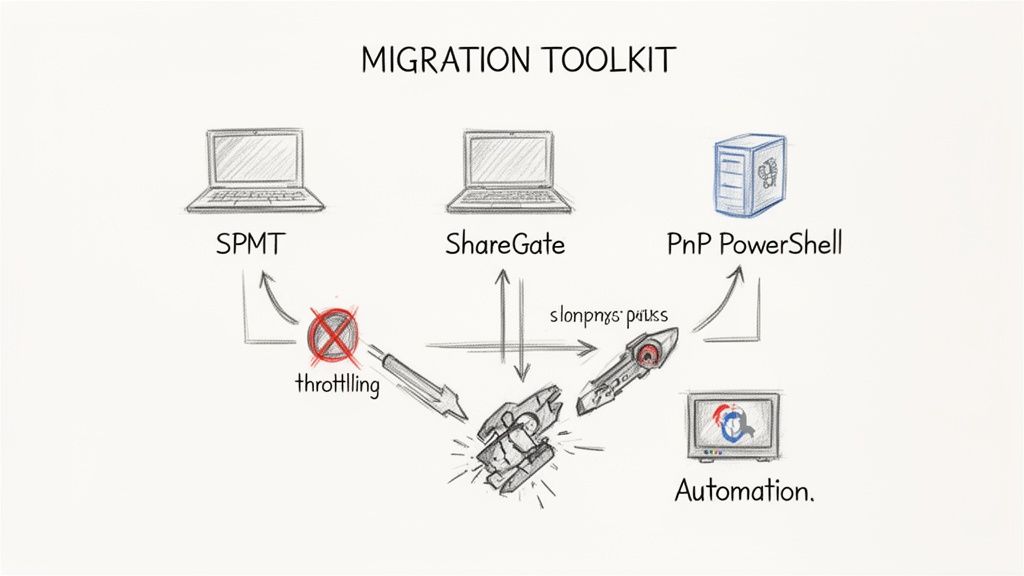
So, the project team wants to grab the free SharePoint Migration Tool (SPMT), or maybe just buy a ShareGate licence and call it a day. From a project manager's point of view, it sounds efficient. From an architect's perspective, it’s how migrations fall apart.
In any serious enterprise environment, blindly trusting out-of-the-box tools without a deep, practical understanding of their specific breaking points is a direct path to data loss, security holes, and operational chaos. This isn't just a feature comparison; it's a field guide to the real-world limits that will trip up your project.
A proper SharePoint migration assessment is all about figuring out which tool fits which task. More importantly, it’s about knowing when to ditch them entirely for custom scripting to prevent a complete disaster.
Microsoft's SharePoint Migration Tool (SPMT): The Free Option
On paper, Microsoft’s SPMT is a handy utility for moving files. In reality, it was built for the simplest of jobs: a small business shifting a few gigabytes from a single file server with basic permissions. It’s a point-and-click tool, and that is precisely its weakness.
We see clients run into serious trouble when they try to make it work at scale. SPMT offers almost no granular control and its error reporting is next to useless. When it hits a common issue like API throttling from Microsoft 365, it doesn't intelligently pause and retry. It just fails, leaving your team to trawl through cryptic logs to guess what data got left behind.
It has zero capacity for complex, necessary transformations.
- Permissions: It can't remap your tangled on-premises permissions into a clean, modern Microsoft 365 Groups model. It just lifts and shifts the existing mess into the cloud.
- Metadata: It provides no solid way to map or transform complex metadata columns, which is a deal-breaker for any organisation that relies on structured data.
- Workflows: It has no answer for migrating legacy SharePoint Designer workflows. That means critical business processes will simply break the moment you go live.
The Ollo Verdict: SPMT is fine for a single, simple file share under 50 GB with no custom permissions. For anything more complex, you are taking on an unacceptable level of risk. Trying to use it for an enterprise migration isn't a cost-saving measure; it’s a gamble with your data’s integrity.
ShareGate: The Industry Workhorse
ShareGate is, without a doubt, the workhorse of the migration world, and for good reason. It gives you far more control, much better reporting, and can handle complex scenarios that SPMT can't even touch. The problem is, IT Directors are often sold the idea that buying the licence is the whole solution. It’s not.
Think of ShareGate as a powerful taxi. It still needs an expert driver who knows the destination, the traffic, and all the back roads. It cannot fix a deeply flawed information architecture. If your starting point is a disaster of nested folders, broken inheritance, and inconsistent metadata, ShareGate will diligently replicate that disaster in SharePoint Online—just faster and more efficiently than any other tool.
We’ve seen it hit its limits on high-stakes enterprise projects:
- Massive Datasets: While much better than SPMT, it can still choke on libraries containing millions of documents. This requires careful, manual batching and performance tuning to avoid throttling.
- Custom Metadata Mapping: Its graphical interface is great for standard mappings, but it hits a wall with complex transformations that need conditional logic. That’s a job only PowerShell can handle.
- Reporting Gaps: Its pre-migration reports are good, but they won’t flag every potential list view threshold issue or a deeply nested permission structure that could cripple performance after you’ve migrated.
PnP PowerShell: The Essential Scalpel
This is the part of the toolkit your team will most likely overlook. PnP PowerShell isn't a migration tool; it's a surgical instrument. For every task where GUI-based tools fail because they lack granularity or can't operate at scale, PowerShell is the only real answer.
The marketing material might say ShareGate can handle permissions, but when you need to report on and bulk-fix broken inheritance across 2,000 site collections, a clickable interface is useless. That is a scripting task, plain and simple.
We use PowerShell for the critical, high-risk operations that truly determine a project's success.
- Bulk Remediation: Fixing thousands of broken lookups or updating content types across an entire tenant in one go.
- Deep Auditing: Generating reports on every single library at risk of hitting the 5,000-item list view threshold.
- Automated Validation: Scripting post-migration checks to programmatically verify file counts and permissions, giving you provable evidence that the migration was a success.
Choosing the right tool for the right job is the entire game. A migration plan that relies on just one of these is guaranteed to fail when it meets the complexity of a real-world enterprise environment. We've seen it happen time and again.
Migration Tool Reality Check For Enterprise Use
To put it in perspective, here’s a frank comparison of where these tools shine and where they break down under the pressure of a real enterprise migration. This isn't about features on a datasheet; it's about what happens in the trenches.
Ultimately, a successful migration hinges on using a blended toolkit. The free tool is for the tiny, simple tasks. The off-the-shelf tool is for the bulk of the straightforward work. And custom scripting is the essential, non-negotiable component for handling the scale, complexity, and risk inherent in any enterprise project.
Uncovering The Skeletons In Your Digital Closet
The biggest risks in a SharePoint migration aren't listed in any Microsoft manual. They’re lurking in the dark corners of your old environment—the undocumented workarounds, the technical debt, and the quirky setups your team now just calls "normal." This is where a healthy dose of constructive cynicism, backed by years of in-the-trenches experience, pays off big time.
A standard assessment might just scan for file types and sizes. We treat it like a forensic investigation, hunting for the specific issues we know cause catastrophic failures. We’ve seen these exact skeletons derail projects that, on paper, looked perfectly planned. Finding these hidden dependencies is just as critical as conducting a thorough cloud migration risk assessment before any major platform move.
The Disasters We Hunt For
Too many migration projects fail because they start with a fatal assumption: that the source environment is fundamentally sound. The documentation might say a tool will move a site, but reality is often messier. A hidden conflict can corrupt an entire destination site collection, leaving you with both the original and the new copy completely unusable.
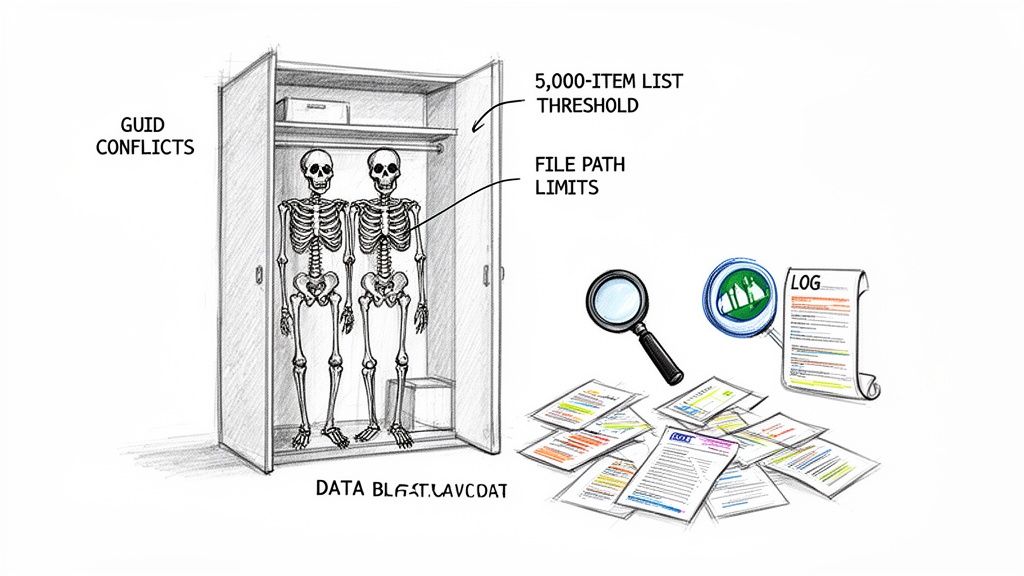
These aren't hypothetical what-ifs; they are the common, project-killing disasters we uncover week in and week out:
- GUID Conflicts: It’s shockingly common for test and production environments to have site collections with identical internal IDs. A migration tool can see these as the same thing and merge them, leading to irreversible data corruption.
- The 5,000-Item List View Threshold: This isn't just a minor inconvenience anymore. In SharePoint Online, hitting this limit doesn't just break a single view; it cripples modern search, filtering, and any Power Automate workflows connected to it. It can effectively kill a business process overnight.
- Long Path File Limits: The character limit for a file path in SharePoint Online is a hard stop. When a migration tool hits this limit, it doesn't always throw a nice, clear error. More often, it leads to silent data loss—files that simply vanish, never arriving at their destination.
- Broken Inheritance Nightmares: Years of ad-hoc permission changes create a tangled mess of unique security settings. Migrating this "as-is" doesn't just move a problem; it plants a massive security and compliance bomb in your new cloud environment.
Ignoring these problems doesn't just delay your project. A GUID conflict can cost you weeks of forensic recovery. A broken workflow grinds your invoicing process to a halt. Silent data loss could trigger a regulatory investigation. The true cost is measured in operational downtime and lost trust, not just project hours.
Building The Complete Picture
To stop these disasters before they happen, you have to go beyond surface-level scans. A proper SharePoint migration assessment means digging into the raw data that shows how your environment is actually being used, not just how it was designed. We piece together a complete intelligence picture from multiple sources.
We analyse file server and SharePoint audit logs to see which data is active and which is just ROT (Redundant, Obsolete, and Trivial). This lets you surgically remove data bloat before it ever clogs up the migration pipeline, often cutting the migration scope by 30-40%. Understanding these patterns is a huge part of tackling the hidden costs of poor data governance that plague older systems.
At the same time, we interrogate M365 usage reports to build a profile of user activity. This tells us which sites are business-critical hubs and which are digital graveyards. With that knowledge, we can prioritise the migration sequence based on real-world impact, not just some arbitrary departmental hierarchy.
This deep analysis is what separates a successful migration from a failed one. It’s about proactively neutralising threats instead of reactively fighting fires during the cutover weekend. Your data deserves a strategy built on hard evidence, not hopeful assumptions.
Your Deliverable: A Migration Battle Plan, Not a Report
Let's be blunt. A SharePoint migration assessment that ends with a 100-page PDF gathering digital dust is worthless. We’ve seen them. They’re full of generic recommendations and surface-level data scans your team already knew about.
Your deliverable shouldn't be a report; it must be an actionable, step-by-step battle plan. This isn't just about providing information. It's about delivering a de-risked path to execution that your team can trust and your leadership can approve. Anything less is a waste of time and money.
The Phased Migration Plan
A core component of the battle plan is a phased migration schedule. A "big bang" cutover for an enterprise isn't a strategy; it's an invitation to chaos. We prioritise business units and data sets based on a careful matrix of technical complexity and business impact.
- Wave 1: The Quick Wins. We start with low-complexity, high-visibility departments like Marketing or Internal Comms. This builds momentum and allows your team to familiarise themselves with the new environment in a controlled setting.
- Wave 2: The Core Operations. Next, we tackle more complex departments like Finance or HR, which have stricter compliance needs and more intricate data structures.
- Wave 3: The Final Hurdles. The last phase handles the most difficult data—legacy archives, custom applications, and anything requiring significant remediation before it can be moved.
This phased approach contains failures to small, manageable batches. A problem in Wave 1 is a lesson learned; the same problem during a monolithic migration is a company-wide disaster.
Total Cost Of Ownership, Not a Vague Estimate
Your CFO doesn't care about terabytes; they care about budget variance. A proper assessment deliverable includes a detailed Total Cost of Ownership (TCO) analysis, not a back-of-the-napkin estimate. We often see clients get burned because their initial quote only covered licensing and the migration tool.
Our TCO is grounded in the reality of the assessment findings:
- Remediation Costs: We quantify the man-hours required to fix broken permissions, rebuild legacy workflows in Power Automate, and flatten deep folder structures.
- Tooling & Licensing: This covers not just the migration software but any necessary third-party tools for governance or compliance reporting in the new tenant.
- Training & Change Management: The real cost of getting your users and your IT support team ready for the new platform.
Ignoring these "hidden" costs is the number one reason Microsoft 365 migration projects go over budget. You can learn more about how we approach this in our detailed overview of the entire Microsoft 365 migration process.
Runbooks: The Key to a Controlled Cutover
The single most valuable deliverable from a high-stakes assessment is the Runbook. This isn't a high-level plan; it's a granular, minute-by-minute script for the migration event itself. It details every technical step, every command to be run, and every person responsible.
A Runbook is the critical difference between a chaotic, sleepless cutover weekend filled with panicked phone calls and a controlled, predictable, and frankly boring transition. It outlines the exact go/no-go decision points, rollback procedures, and communication templates.
The Runbook also includes a comprehensive set of validation test cases. Post-migration, your team shouldn't be guessing if the data is correct. They should be executing a script that programmatically verifies file counts, metadata integrity, and permissions against the source. This provides auditable proof that the migration was successful, ensuring nothing was lost in transit.
Frequently Asked Questions From The Trenches
We hear the same tough questions from IT Directors and Enterprise Architects on the hook for a successful migration. These aren't generic queries; they are direct, technically-grounded questions born from the hard reality of high-stakes IT projects. Here are the answers you won't find in the official documentation.
How Long Should An Assessment Take For A 5TB Environment?
Vendors often give wildly optimistic estimates. The truth is, for a 5TB environment with even moderate complexity—think custom permissions, old workflows, or a few third-party integrations—a thorough SharePoint migration assessment is going to take 4 to 6 weeks. Anything less is just a surface-level scan.
That timeframe isn't negotiable if you want the job done right. It gives us the breathing room for deep dives into permissions models, stakeholder interviews to map data usage to actual business processes, and multiple test runs on the most problematic data.
Rushing this discovery phase is the number one cause of budget overruns and timeline extensions later on. The time you think you're saving upfront, you will pay for tenfold during a chaotic cutover.
Can We Just Fix Our Permissions After The Migration?
This is one of the most dangerous and costly misconceptions we run into. Trying to untangle complex permissions in SharePoint Online after the data is live is exponentially harder and riskier.
Once your data is in the cloud, fixing broken inheritance or overly permissive "Everyone" security groups while users are actively working is like performing open-heart surgery in a moving vehicle. It's a direct path to data leaks and serious compliance breaches under GDPR.
The assessment is your one real chance to design and implement a secure, auditable, least-privilege model before you expose sensitive data. Fixing permissions beforehand isn't a "nice-to-have"; it's a strategic and legal necessity.
Our Data Is A Mess. Should We Clean It Up Before The Assessment?
Absolutely not. Do not kick off a massive, unstructured clean-up effort before the assessment. Your team will inevitably waste resources guessing what's important and what's not, often deleting data that has hidden regulatory retention requirements.
A data-driven assessment is what tells you precisely what to clean, what to archive, and what to delete. We analyse file access logs, metadata, and duplication reports to scientifically identify ROT (Redundant, Obsolete, and Trivial) data.
This surgical approach typically allows organisations to eliminate 30-40% of their data bloat. That dramatically reduces migration time, cost, and risk. Let the assessment guide your clean-up; don't fly blind.
Why Can't My Internal SharePoint Team Handle The Assessment?
Your internal team is skilled at keeping the lights on and managing the day-to-day of your current system. A migration assessment, however, requires a completely different, highly specialised skillset forged by executing dozens of complex migrations across different industries.
It demands a "poacher turned gamekeeper" mentality—the ability to spot issues that your team has come to see as normal. We bring an external, objective perspective and a deep pattern recognition for what causes projects to fail. We know the specific breaking points of tools like ShareGate and the undocumented limitations of the Microsoft 365 platform because we've navigated them countless times.
This isn't about your team's capability. It's about bringing in specialised experience to de-risk a one-off, high-stakes project where the cost of failure is measured in operational downtime, data loss, and regulatory fines.
Your environment's skeletons are unique, but the disasters they cause are predictable. A proper SharePoint migration assessment isn't a report; it's an insurance policy against those disasters. At Ollo, we provide the battle plan you need to execute a secure, compliant, and successful migration.
Avoid the disaster. Schedule your SharePoint migration assessment with an Ollo expert today.

















