



Let's get straight to it: your upcoming SharePoint 2019 migration isn't a simple upgrade. It's a high-stakes operation where, without meticulous expert planning, failure is often the default outcome. The marketing brochures might promise a seamless transition, but our experience rescuing failed projects tells a much different, more expensive story.
This is your survival guide, written from the trenches.
Why Your SharePoint 2019 Migration Is Primed for Failure
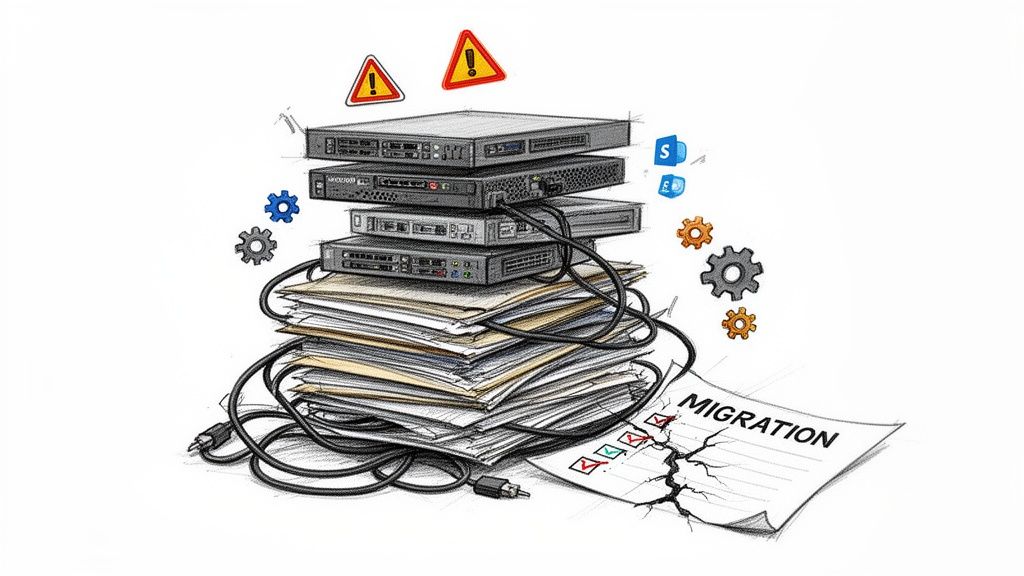
Time and again, we see organisations stumble because they approach this as a routine IT task. It's not. This is a fundamental business transformation. Your team is almost certainly underestimating the sheer complexity of untangling years of custom solutions, broken permissions inheritance, and the undocumented dependencies hiding in your on-premises environment.
The documentation says to run an assessment. In reality, that’s nowhere near aggressive enough. You need to conduct a pre-mortem. Assume every custom web part will break. Assume every InfoPath form is now obsolete. And assume every complex workflow will fail the moment it hits Microsoft 365. That’s the only safe starting point.
The Myth of "Lift and Shift"
The most dangerous idea floating around is that you can just “lift and shift” your data. This approach doesn't just move your content; it moves all your existing problems directly into your new, clean cloud environment.
Years of accumulated digital debt won’t magically disappear. We’re talking about things like content that blows past the 5,000-item list view threshold or ancient files with path lengths that violate cloud limits. These issues will break your new environment from day one.
Many SharePoint 2019 projects are especially vulnerable to this trap, particularly when dealing with the complexities of Modernizing Legacy Systems Without The Risk. Trying this without a clear strategy for these built-in risks is a fast track to project failure, massive budget overruns, and a complete collapse of user trust.
The Ollo Verdict: A successful SharePoint 2019 migration isn’t about moving files. It’s about surgically dismantling your legacy architecture and rebuilding it correctly in the cloud. Anything less is just kicking a more expensive clean-up project down the road.
This guide isn’t a technical checklist. It's a strategic gauntlet. We’re here to expose the common failure points—from API throttling to critical compliance gaps—and give you the battle-hardened perspective you actually need. We've seen these issues play out in disastrous ways, which we cover in our deep dive on the 5 SharePoint migration failures that cost enterprises millions.
This isn't about how to migrate. It's about how to not fail. We’ll show you how to navigate the process without derailing your operations or your budget.
Conducting a Forensic-Level Migration Assessment
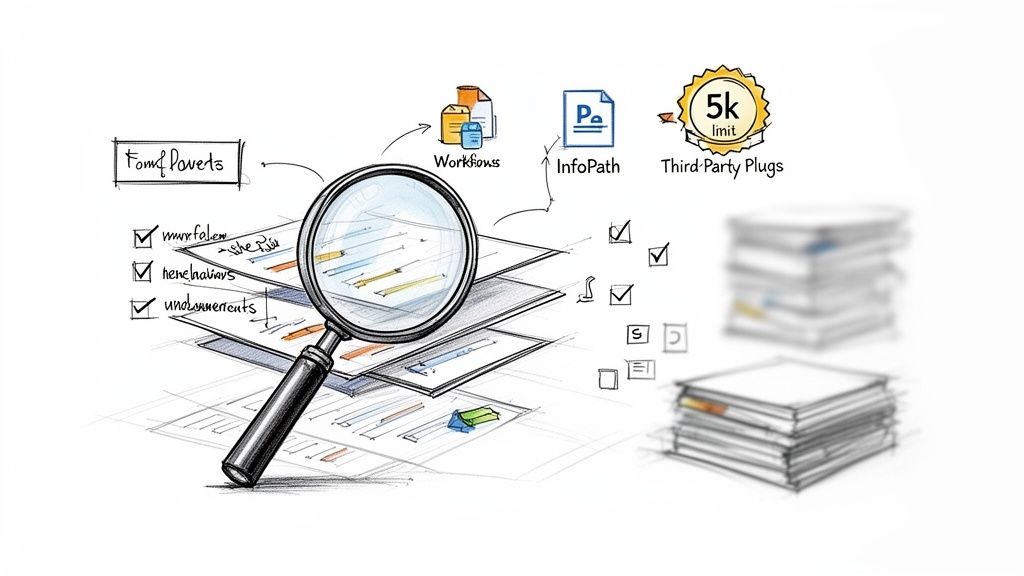
Let’s be blunt. The most catastrophic mistake you can make in a SharePoint 2019 migration is assuming you know what’s really in your own environment. Your on-premises farm isn’t just a data repository; it’s a minefield of obsolete content, convoluted permissions, forgotten customisations, and undocumented dependencies.
Thinking you can just "lift and shift" this complexity is the single biggest cause of project failure and spiralling budgets.
We often see clients fail when they catalogue their content, but they never conduct a true, forensic-level assessment. Microsoft’s documentation tells you to run an assessment. We’re telling you to conduct a pre-mortem—assume everything is going to break, then work backwards to prove it won’t.
Beyond a Content Inventory to True Risk Identification
A simple content inventory is, frankly, useless. Your team needs to dig much deeper, hunting for the specific technical landmines that will absolutely detonate the moment they touch Microsoft 365. Your discovery process has to be aggressive and unforgiving.
This means your assessment must quantify the real, high-risk elements:
- List View Threshold Violations: Every single list and library that exceeds the 5,000 item limit must be found and flagged. In SharePoint Online, this isn't just a performance issue; it completely breaks views, filters, and API calls.
- The Customisation Graveyard: You need a complete and total inventory of every InfoPath form, SharePoint Designer workflow, and custom web part. These are not supported in modern SharePoint. They will fail on arrival and require a complete re-architecture using the Power Platform.
- Permissions Anarchy: It’s critical to map out your entire permissions structure. We consistently find a tangled mess of broken inheritance, direct user permissions, and deeply nested Active Directory groups that create massive security holes when moved to the cloud.
Migrations fail because of weak planning, not complex data. It's the inadequate preparation, transferring of obsolete data, unidentified system dependencies, and a lack of user change management that create operational disruption lasting for months—long after the technical migration is "done."
A War Story: We recently rescued a migration for a financial services client. Their internal team ran an inventory but missed one critical, undocumented third-party plug-in used for regulatory reporting. The migration went ahead, the plug-in broke, and their compliance reporting went dark for three weeks. This wasn't a simple migration delay; it was a business-critical failure that a proper forensic audit would have prevented.
Building Your Pre-Mortem Playbook
Your assessment shouldn't be a spreadsheet; it needs to be a risk register. For every single site collection, you should be asking what could go wrong, not just listing what's inside. What happens when a file path exceeds the 256-character limit? How are you going to handle GUID conflicts when a site gets moved?
This process isn't about simply cataloguing what you have. It's about building a remediation plan before a single file is moved. Every risk you identify—from a complex workflow to a massive document library—requires a specific, pre-defined solution.
If you're looking for a more detailed framework on this crucial first step, you can check out our comprehensive guide on the SharePoint Migration Assessment process.
The Ollo Verdict: A standard assessment tells you what you have. A forensic-level assessment tells you what will break. For a high-stakes SharePoint 2019 migration, the latter is the only approach that actually mitigates the significant risks to your budget, timeline, and business continuity. It is the non-negotiable first step in avoiding disaster.
Choosing Your Tools and Their Breaking Points
Your choice of migration tool will either make your project a success or sow the seeds of its spectacular failure. Let's cut through the marketing fluff right now. This decision isn't about a list of features; it’s about understanding the precise technical point where each tool breaks under the strain of a real, enterprise-grade SharePoint 2019 migration.
I've seen too many projects go off the rails because a team believed the sales pitch that a single piece of software could handle every convoluted permission structure and custom solution their environment has accumulated over a decade. It can't. Relying on one tool isn't just a bad strategy; it's professional malpractice.
The SharePoint Migration Tool (SPMT): A Dangerous Starting Point
Microsoft provides the SharePoint Migration Tool (SPMT) for free, which sounds great. For a tiny organisation moving a few dozen gigabytes of simple files from a single, clean site, it might just work.
But for any serious enterprise workload? We often see clients fail when they lean too heavily on SPMT, discovering—far too late—that it lacks the granular control essential for a complex migration. The documentation says it handles migrations; in reality, it crumbles when faced with real-world enterprise governance, critical metadata, or the broken permissions inheritance that plagues nearly every on-premises farm.
SPMT's breaking points are severe and non-negotiable:
- No Transformation Logic: It performs a direct 1:1 copy. It won’t restructure your sites, split a massive site collection that violates modern best practices, or re-map years of convoluted permissions. It simply lifts your existing mess and drops it into the cloud.
- Minimal Error Handling: When it hits a long path limit or a GUID conflict, SPMT often fails silently or spits out cryptic logs that will have your team pulling their hair out for days. It lacks the robust retry logic needed to handle the inevitable API throttling.
- Zero Governance Control: You can't use it to apply sensitivity labels during migration, transform content types, or enforce new governance policies as part of the move.
ShareGate and Third-Party Tools: The 80% Solution
This is where robust third-party tools like ShareGate come in. They are a powerful weapon for the heavy lifting. Their primary strength is in managing the raw physics of the migration—intelligently handling API throttling from Microsoft and providing detailed reports on what moved, what failed, and why.
These tools are excellent for migrating the bulk of your data—the 80% that's made up of standard sites, libraries, and documents. They do a solid job of preserving most metadata, version history, and basic permissions.
However, even these powerful tools have their breaking points. We often see clients hit a wall when dealing with extremely complex permission transformations or needing to script the re-architecture of sites after the migration. A tool can move a library, but it can’t make the strategic decision about how that library should be integrated into a new Microsoft Team.
The Ollo Verdict: Use SPMT for a lab environment or a migration under 50GB. For anything else, you need custom scripting and an enterprise-grade tool. Using SPMT for a production migration is an unacceptable risk. A commercial tool like ShareGate is essential for the bulk data transfer, but it is not the complete answer.
Migration Tool Reality Check: SPMT vs. Enterprise Tools
This table highlights a critical truth: no single tool is enough. A hybrid strategy is the only way to de-risk an enterprise migration.
Custom Scripts: The Last Mile Where Projects Are Won or Lost
The final 20% of your environment is where 100% of the project risk lives. This is the domain of custom PnP PowerShell scripts. These are the complex, high-risk elements that no off-the-shelf tool can handle with the precision you absolutely need.
This is where your team will need custom scripts for critical "last mile" tasks like:
- Surgical Permission Repair: Untangling years of nested AD groups and direct user access to implement a clean, new Entra ID-based security model.
- Site and Content Restructuring: Splitting monolithic site collections, moving subsites to become their own modern site collections, or programmatically applying new hub site associations.
- Post-Migration Validation: Running scripts that crawl both the source and the destination to provide an auditable manifest, proving data fidelity and satisfying your compliance team. Missing this step doesn't just risk the migration; it can break legal compliance.
For a deeper analysis of tool capabilities, our guide on the SharePoint migration tool offers a more granular comparison.
Ultimately, a hybrid approach—using a commercial tool for the bulk transfer and custom scripts for the high-risk transformations—is the only strategy that effectively mitigates risk. It’s not the easiest path, but it’s the only one that leads to a successful, defensible migration.
Taming Throttling and Nailing the Cutover
This is where the rubber meets the road. All your meticulous planning for the SharePoint 2019 migration can fall apart during the actual execution. The culprit? An invisible, project-killing force called API throttling.
Microsoft's own documentation confirms throttling exists, but what it doesn't convey is the sheer chaos it can unleash. I've seen clients stumble at this final hurdle, kicking off their cutover on a Tuesday morning—right in the middle of peak business hours. Their migration tools grind to a halt, timelines shatter, and what should have been a weekend job bleeds into a week-long outage.
Think of API throttling as a hidden tax on your timeline. The Microsoft migration API uses Azure as a temporary holding area for your data, but its capacity isn't infinite. The documentation says throughput fluctuates based on regional network congestion; in reality, the penalty for migrating during peak US business hours is severe and unforgiving, no matter where your tenant is.
The "War Room" Strategy for Execution
To beat throttling, you have to stop thinking like a standard IT admin and start acting like a global logistics operator. Your migration isn't one colossal task; it's a co-ordinated assault of thousands of smaller jobs. The aim is to fly under the radar, managing the queue to avoid hitting hard limits that trigger automatic penalties.
This requires a far more sophisticated, multi-threaded approach than just hitting "start" and hoping for the best.
Our "war room" strategy is built on three pillars:
- Time-zone Arbitrage: We run migration jobs in carefully timed waves, hitting the target Microsoft 365 region in the middle of its night. As Europe logs off, we ramp up migrations targeting Dublin-based tenants. As North America sleeps, we hit theirs.
- Geographically Distributed Agents: We don't run the migration from your office. We deploy migration agents inside Azure regions that are geographically closest to your target tenant. This minimises latency and maximises ingestion speed before throttling can even kick in.
- Dynamic Job Management: We use custom scripts to actively monitor the migration API queue. This allows us to pause and resume jobs dynamically, maintaining optimal throughput without tripping Microsoft’s defensive throttling mechanisms.
This isn’t about one big push. It’s about a staged approach to moving data, separating the simple bulk transfers from the complex, high-risk elements that demand surgical precision.
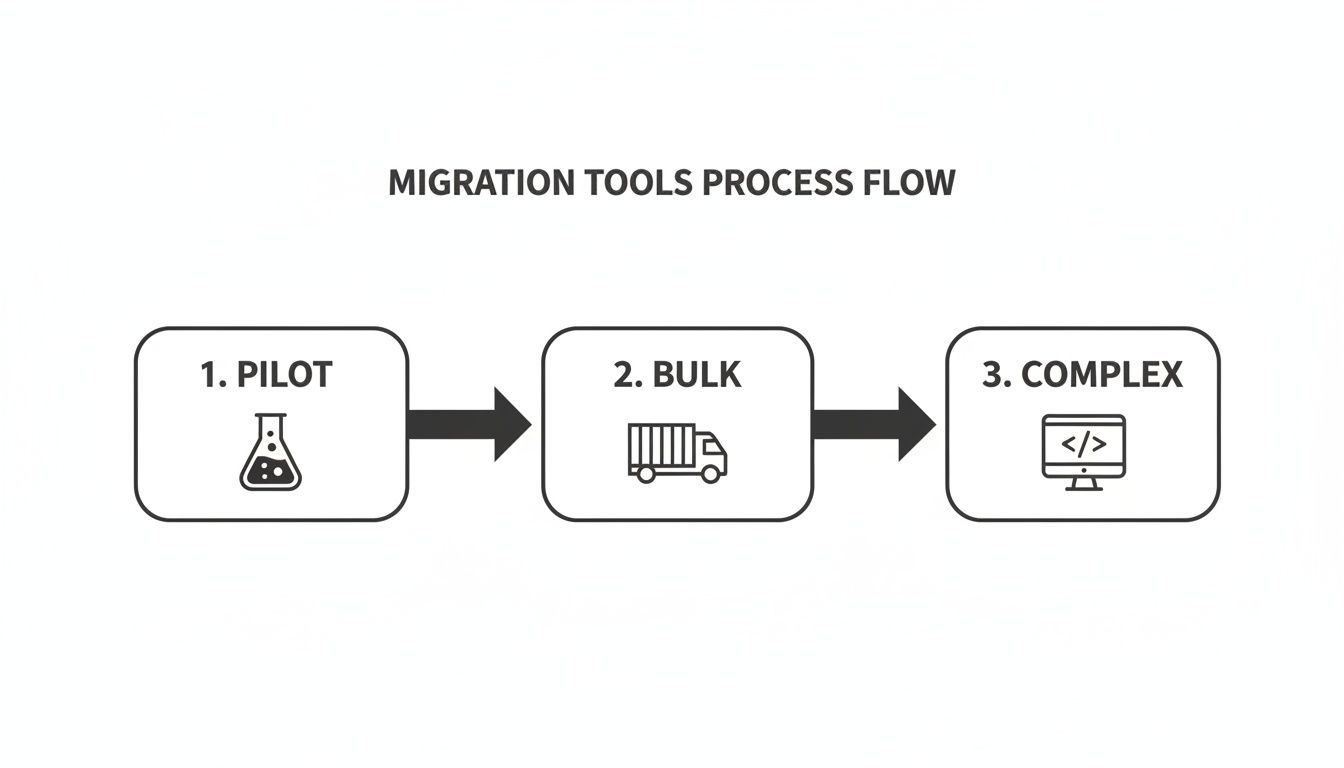
As you can see, a successful migration is not a single event. It’s a sequence of distinct phases, each needing a different approach and intensity to manage risk effectively.
The Cutover Weekend Non-Negotiables
The final cutover is your point of no return. A mistake here doesn't just mean a delay; it means data loss, a complete breakdown in user trust, and a failed project. Your team absolutely must execute these steps flawlessly.
Enforce a Hard Read-Only State: This is not a polite email request. You must configure the source SharePoint 2019 farm to be completely read-only. Any file modified after the final delta sync starts is a prime candidate for being lost forever.
Execute Final Delta Syncs: The vast majority of your data should already be in the cloud from your initial and incremental syncs. The cutover window is reserved for one last, fast delta sync to catch only the changes from the last few days. This is your final opportunity to get an exact mirror.
Run PowerShell Validation Scripts: Do not, under any circumstances, trust the migration tool's dashboard. You need independent proof. We run custom PowerShell scripts that query both the source and the destination, comparing file counts, version histories, and critical metadata to generate an auditable report. For any regulated industry, this isn't optional; it's essential evidence.
The Ollo Verdict: Trusting a tool's "100% success" message without independent validation is professional negligence. A migration isn't complete until you have a script-generated manifest that proves, file-by-file, that your data is intact. This is the only way to satisfy auditors, your leadership, and your own professional standards.
Finally, you need a rollback plan that actually works. We've seen so-called "plans" that were nothing more than a sentence in a Word document. A real rollback plan is a pre-scripted, tested process to either redirect users back to the on-premises environment or restore from a final, verified backup. Neglecting this until you need it is often the last fatal mistake in a chain of predictable errors.
The Real Work Begins After Migration
Getting your data into Microsoft 365 is not the finish line. Far from it. We often see clients breathe a huge sigh of relief after the cutover weekend, only to find themselves facing a slow-motion disaster in the following months. Your SharePoint 2019 migration isn't truly complete until you’ve turned that raw, migrated data into a functional, secure, and widely adopted ecosystem.
Without immediate post-migration optimisation, you've just moved your on-premises chaos into a more expensive cloud environment.
We call this ‘Day 2’ work, and it’s where the real return on investment from your project is either proven or lost. The biggest risk you face now isn't a technical glitch; it’s user revolt. If your team finds the new environment confusing, clunky, or less efficient than what they had before, they will quickly fall back on old, insecure habits. Think emailing files or using unsanctioned shadow IT. Your multi-million-pound project will have achieved next to nothing.
Dismantling Your Old Security Model
The very first, most critical task is to tear down the broken permissions structure you just migrated. Your old on-premises environment was almost certainly a tangled web of direct user access and broken inheritance on individual folders and files. Your migration tool, doing exactly what it was told, has faithfully lifted and shifted this entire mess, creating a massive security risk in your new tenant.
You need to act fast, redesigning your security around modern Entra ID (formerly Azure AD) group structures. This isn't a "nice-to-have"; it's essential.
This involves:
- Replacing direct access with group-based permissions: Systematically hunt down and remove individual user permissions on sites and libraries. Replace them with access granted via Entra ID security groups.
- Implementing a "Least Privilege" model: You must ensure users only have access to the data they absolutely need to do their jobs. This isn't just a best practice; for any regulated industry, it’s a core compliance requirement.
- Leveraging Microsoft 365 Groups: For new and existing collaborative spaces, you should be transitioning from old-school security groups to M365 Groups. This provides a single, unified identity for Teams, SharePoint sites, and their associated mailboxes.
The Ollo Verdict: Failing to re-architect permissions post-migration isn’t a simple technical oversight; it's a fundamental security failure. You have a very brief window to establish a clean, governable security baseline before users start creating new, untracked permissions chaos in the cloud. Missing this step can actually leave your security posture weaker than it was before you started.
From Old Sites to Modern Hubs
You can't just drop your users into a collection of migrated SharePoint sites that look and feel exactly like the old 2019 farm and expect them to be happy. To drive adoption and actually prove the project’s value, you have to immediately start transforming these static sites into modern, living workspaces.
A key strategy here is connecting those old SharePoint sites to Microsoft Teams. This does more than just add a chat function; it turns a tired document library into a vibrant hub for project communication, meetings, and planning. It integrates the files directly into the workflow where your teams are actually collaborating.
Similarly, you must have a plan for all the custom workflows and InfoPath forms that are now broken or deprecated. This is where the Power Platform becomes your go-to toolset. We regularly script the deployment of Power Automate flows to replace old SharePoint Designer workflows and build Power Apps to provide modern, mobile-friendly interfaces for legacy forms. Showing a team how their clunky, decade-old approval process has been replaced by an automated flow they can trigger from their phone is exactly how you win hearts and minds.
Finally, this is your moment to implement proper, modern governance. This is about more than just permissions. As we explain in our guide to modern SharePoint data governance, this is where you start applying tools like Microsoft Purview. You can now use sensitivity labels to automatically protect confidential data and configure Data Loss Prevention (DLP) policies that prevent sensitive information from being accidentally shared outside the company.
These are the powerful, cloud-native controls you migrated for in the first place. This is how you turn a technical project into a genuine strategic advantage for the business.
Migration Questions from the Trenches
We’ve spent years deep in the trenches of high-stakes SharePoint 2019 migrations. The questions we get from IT Directors and Enterprise Architects aren't about nice-to-have features; they're about risk, timelines, and the real-world problems that keep them up at night.
Here are the direct, unvarnished answers you need, based on that experience.
How Long Does a SharePoint 2019 Migration Actually Take?
Ignore any estimate that doesn't start with a forensic-level analysis of your source data. For a typical mid-size enterprise with 1-5TB of data, a properly executed migration takes 4-6 months from initial discovery all the way through to post-migration support.
The data transfer itself might only be a few weeks. The phases that truly dictate the timeline are the assessment, remediation of issues like broken inheritance, re-engineering customisations, and of course, user acceptance testing. We often see new clients come to us after a DIY "30-day migration" has completely imploded.
Remember, your timeline is dictated by complexity, not just data volume. A 500GB environment riddled with custom workflows and broken permissions is a much longer and more dangerous project than a clean 2TB archive of simple Office files.
What Is the Single Biggest Technical Mistake Teams Make?
Assuming permissions will migrate cleanly. They never, ever do.
Your team consistently underestimates the pure chaos that has built up over a decade: nested Active Directory groups, rogue item-level permissions, and broken inheritance. Migration tools will try to perform a 1:1 mapping, but all this does is move your on-premises security disaster into your new cloud environment. It’s a critical, and all-too-common, error.
The correct approach is to use the migration as a non-negotiable opportunity to completely re-architect your access controls using modern Entra ID security groups. Failing to do this doesn't just fail the migration; it creates a massive, unmanageable security risk in your Microsoft 365 tenant and may directly violate compliance mandates like GDPR.
Do We Need Custom Scripts or Can We Just Use a Tool?
You absolutely need both. Believing a single off-the-shelf tool can solve everything is a recipe for catastrophic failure in any enterprise setting.
A commercial tool like ShareGate is excellent for the heavy lifting—migrating the bulk of sites and documents while intelligently handling the API throttling that can bring a manual migration to its knees.
However, it is not a magic wand. For the truly complex scenarios—like restructuring site architecture, splitting monolithic site collections, or executing intricate permission transformations—you need the surgical precision of PnP PowerShell scripts. Our process typically uses a commercial tool for about 80% of the data volume and custom scripts for the 20% that carries 100% of the project risk.
The Ollo Verdict: Relying solely on a boxed tool for an enterprise migration is a high-stakes gamble you cannot afford to lose. For a deeper analysis of this hybrid strategy, you can find more details in our guide to choosing a SharePoint migration consultant.
How Do We Address Data Governance Gaps During Migration?
Your compliance team is right to be worried. Microsoft's own documentation confirms that during the migration window, core governance features like eDiscovery and DLP are not consistently enforced on your in-flight data.
This creates a "governance black hole" that is simply unacceptable in regulated industries like finance or healthcare.
A specialist service mitigates this risk by using a phased approach with incredibly detailed pre- and post-migration validation reporting. We use custom PowerShell scripts to verify file counts, version histories, and critical metadata, providing a defensible, auditable trail that will satisfy even the most sceptical compliance officers. A DIY migration simply cannot provide this level of assurance, leaving your organisation exposed.
A successful SharePoint 2019 migration is not a DIY project; it's a specialist operation demanding deep expertise and a battle-hardened process. If you’re ready to move beyond the marketing fluff and secure your migration with a team that understands the real risks, contact Ollo. We are the safe pair of hands for your high-stakes migration. Find out how at https://www.ollo.ie.

















