



Selecting the right SharePoint migration tool is a critical first step in modernising your digital workplace. This decision transcends a simple feature comparison—it's about engineering a secure, efficient, and disruption-free transition to the Microsoft 365 cloud for your entire organisation.
Navigating the SharePoint Migration Landscape
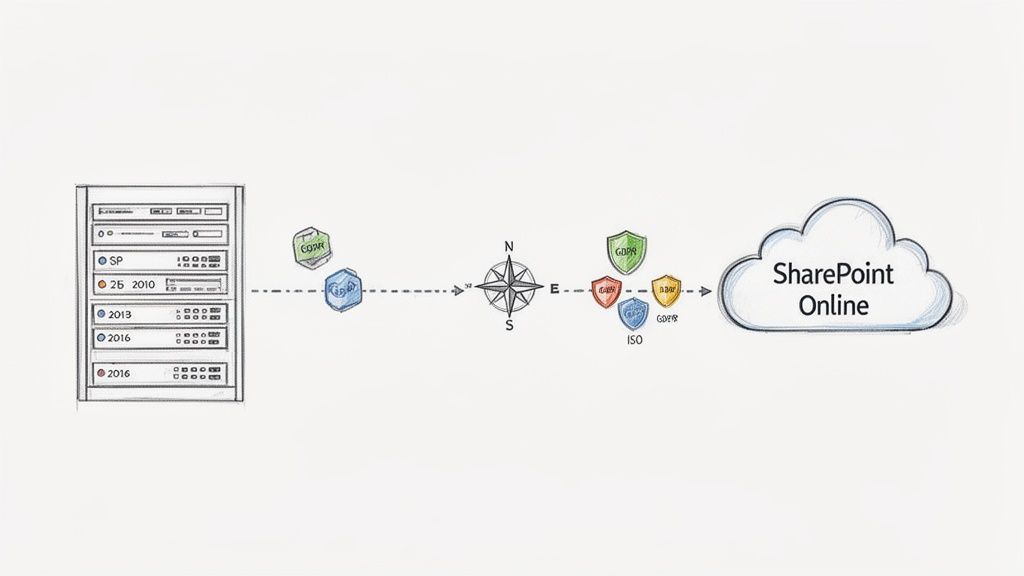
With legacy platforms like SharePoint 2010, 2013, and 2016 past their end-of-support dates, the imperative to modernise is no longer optional. For enterprises in regulated sectors like finance, healthcare, and energy, this is a mandate driven by security and compliance requirements. The transition must be executed flawlessly, without compromising data integrity or regulatory adherence.
This is a common challenge. In the UK alone, 187,000 businesses leverage Microsoft 365, making SharePoint cloud migration a pressing reality for countless technical leaders. This figure underscores the urgency for a structured, proven methodology, especially when decommissioning complex on-premises environments that have accrued technical debt over many years.
This guide is a technical deep-dive into the tools available for Microsoft 365 cloud migrations. We'll analyse the real-world capabilities of Microsoft's SharePoint Migration Tool (SPMT), the comprehensive feature set of ShareGate, and the programmatic flexibility of PowerShell PnP. A thorough understanding of these options is foundational to any successful Microsoft 365 migration.
Key Migration Tool Considerations
The selection process is a trade-off between technical capabilities, operational requirements, and business objectives. A tool optimised for a simple "lift-and-shift" of file shares will fail when tasked with a complex, multi-terabyte, tenant-to-tenant consolidation.
ConsiderationSPMT (Microsoft)ShareGate (Third-Party)PowerShell PnPUse CaseBest for simple file shares and basic SharePoint sites.Ideal for complex, large-scale migrations from legacy SharePoint or other tenants.Required for highly customised, automated, or unique migration scripts.ComplexityLow - user-friendly interface with limited options.Medium - feature-rich with detailed reporting and control.High - requires significant scripting expertise and testing.CostFree with Microsoft 365 subscription.Paid commercial licence, priced per user or project.Free (open-source), but requires development and maintenance resources.
Each option presents different trade-offs between cost, control, and required expertise. The objective is to formulate a migration strategy that aligns with your organisation's specific technical and business goals, resulting in a secure, scalable, and operationally excellent cloud environment.
Core Criteria for Evaluating Migration Tools
Choosing the right SharePoint migration tool requires more than a feature-by-feature comparison. For enterprise IT leaders and architects, the decision must be grounded in criteria that directly impact security, compliance, and operational continuity. An improper tool selection can result in data loss, broken permissions, and significant project delays.
The evaluation begins with a detailed analysis of your specific migration requirements. A straightforward migration from network file shares presents a vastly different set of challenges than a complex, multi-tenant consolidation. Applying a consistent set of technical criteria is the only way to select a tool that is genuinely fit-for-purpose.
Security and Permissions Mapping
A core truth of SharePoint migrations is that moving files is the easy part. The primary challenge, and where most projects encounter critical failures, is in the migration of access control models. A top-tier SharePoint migration tool must handle complex permissions mapping, translating legacy on-premises security principals or cross-tenant permissions into a clean, manageable Microsoft 365 governance structure.
This is a non-negotiable requirement for any organisation adhering to standards like ISO 27001 or GDPR. The selected tool must be able to:
- Map user identities with precision between source and destination, even in complex Active Directory or Entra ID federation scenarios.
- Preserve item-level permissions where necessary, while providing options to simplify and restructure them post-migration.
- Validate permissions post-migration to guarantee there are no unauthorised access points or broken inheritance models.
For the technical implementation teams, the key differentiator isn't just whether a tool can migrate permissions. It’s how it reports on failures and allows for bulk remediation. A tool that provides granular, actionable logs is invaluable for creating audit trails and for efficient troubleshooting.
Scalability and Performance Management
Enterprise migrations frequently involve terabytes of data, and the selected tool must be architected for that scale. It needs to handle high-volume data transfer without saturating network resources or being subjected to constant throttling by Microsoft's cloud services. Performance is directly correlated with how effectively the tool utilises the official Microsoft Migration API.
A well-designed tool intelligently packages content and metadata into migration jobs that are processed by Microsoft’s robust backend, a method significantly faster than legacy protocols. Another critical feature is delta sync, also known as incremental migration. This allows for an initial bulk data transfer followed by subsequent synchronisations that copy only changed or new files.
This approach dramatically minimises the final cutover window, a critical requirement for maintaining business continuity. Understanding the complete lifecycle of a SharePoint Online migration helps contextualise these technical features. The objective is always a seamless, phased transition, not a "big bang" cutover that disrupts business operations.
Comparing the Top SharePoint Migration Tools
Selecting the right SharePoint migration tool is a decision that extends far beyond file transfer. It's about ensuring metadata, permissions, and complex site architectures arrive in the cloud intact. The wrong choice introduces significant technical risk. Let's perform a technical breakdown of Microsoft’s SharePoint Migration Tool (SPMT), ShareGate, and custom PowerShell PnP scripting.
This is not a trivial decision. In the UK alone, 187,000 businesses rely on SharePoint, with many actively planning cloud migrations from file servers and legacy on-premises platforms. They require tools that guarantee data fidelity and operate at scale.
Microsoft SharePoint Migration Tool (SPMT)
Microsoft's SPMT is the free, out-of-the-box option. It is designed for simple, straightforward migration scenarios and serves as a capable starting point for those use cases. Its primary advantage is its simplicity and zero-cost licensing.
SPMT is engineered to handle basic migrations. It can move files, folders, and essential metadata from on-premises file shares or basic SharePoint Team Sites into SharePoint Online. For a "lift-and-shift" of a departmental network drive to a SharePoint document library, SPMT is often the most direct and cost-effective solution.
However, its limitations become apparent in more complex projects. SPMT struggles with intricate site structures, custom metadata columns, and layered permission models. It also lacks the pre-migration analysis and detailed post-migration reporting necessary for enterprise-grade validation.
ShareGate: A Comprehensive Third-Party Solution
ShareGate has established itself as the de facto platform for complex migration projects. It is the tool of choice for technical professionals managing legacy SharePoint upgrades (e.g., 2010, 2013, 2016) or challenging tenant-to-tenant consolidations. Its feature set is specifically designed to address problems that simpler tools cannot.
A key differentiator is its pre-migration analysis engine. Before a single file is moved, ShareGate scans the source environment and identifies potential issues such as illegal characters in file names, broken links, or overly complex permissions that won't translate directly. This proactive analysis prevents countless hours of post-migration remediation.
Its permissions management is also in a different class. ShareGate can intelligently map user accounts between different domains, preserve granular item-level permissions, and facilitate the cleanup and simplification of your governance model as part of the migration process itself.
The true value of a tool like ShareGate is demonstrated during the validation phase. Its comprehensive reports provide a clear, auditable trail comparing source and destination file counts, versions, and metadata. For any regulated business, this proof of data integrity is non-negotiable.
For a deeper look into the planning that goes into these projects, our complete guide covers the entire SharePoint migration process.
This concept map illustrates the core pillars—security, performance, and validation—that underpin any successful migration strategy.
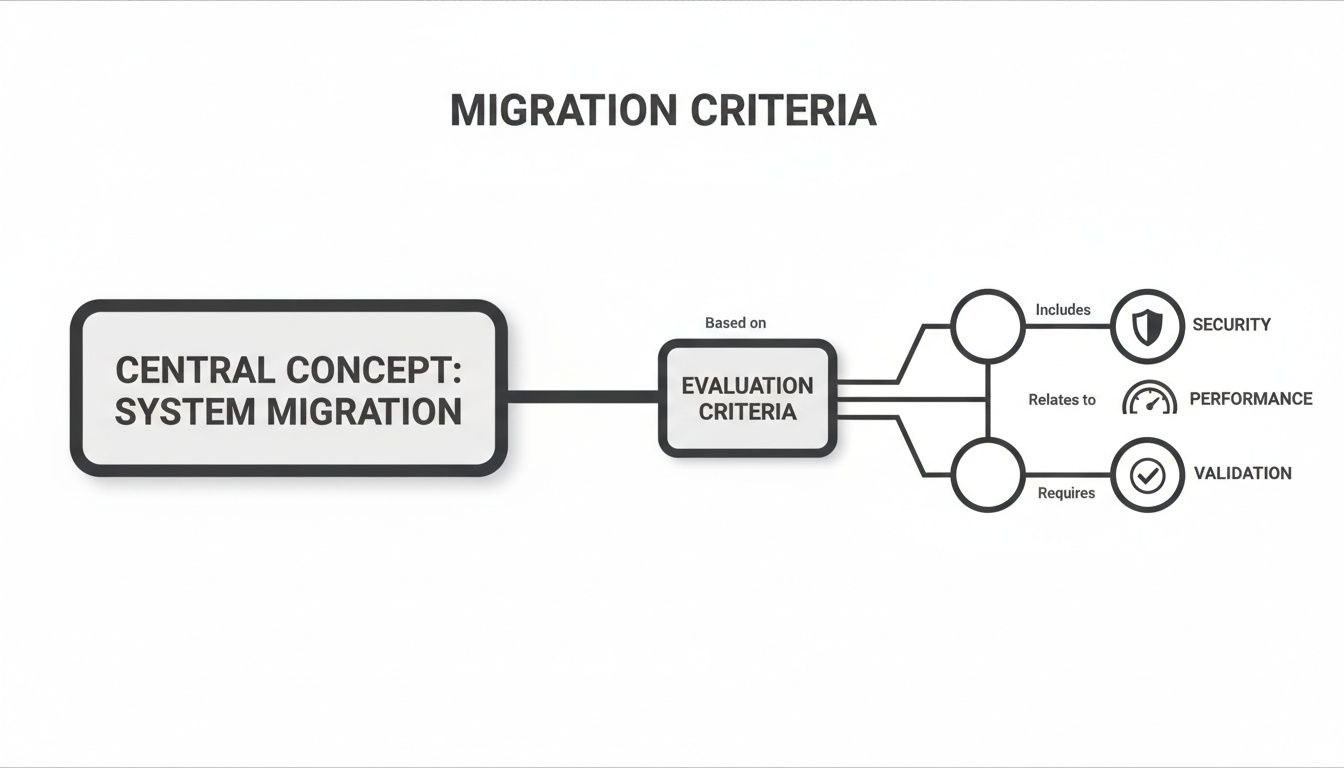
This visual shows how each criterion is interconnected, forming a solid framework for evaluating any SharePoint migration tool you're considering.
PowerShell PnP: The Power of Custom Scripting
For ultimate flexibility and surgical control, PowerShell Patterns and Practices (PnP) is the answer. This is not a GUI-based tool; it's a powerful, community-driven library of PowerShell cmdlets that enables programmatic interaction with SharePoint Online and on-premises environments.
This approach provides unparalleled control. With PowerShell PnP, you can construct fully custom migration scripts to handle unique business logic, complex content transformations, or automated, recurring data synchronisations. If you need to migrate content from a non-standard data source or apply specific metadata rules dynamically, scripting is often the only viable method.
However, this power comes with significant trade-offs in complexity and risk. Effective use of PowerShell PnP requires deep technical expertise in both PowerShell scripting and the SharePoint object model. There are no built-in safety nets or validation reports—you are responsible for building all of that logic yourself.
- Expertise Required: High-level scripting knowledge is mandatory.
- Error Handling: Custom scripts must include robust error logging and retry logic to be production-ready.
- Maintenance: These scripts must be maintained and updated as SharePoint APIs evolve.
Choosing PowerShell PnP means accepting 100% of the responsibility for the migration's success and data integrity. This is a significant undertaking that should not be underestimated.
Matching Migration Tools to Real-World Scenarios
Theoretical comparisons are useful, but the true test of any SharePoint migration tool is its performance in a real-world project. The optimal tool is not the one with the most features, but the one that best fits the specific context of your migration. Under-powering the project with a basic tool introduces risk, while over-engineering with an unnecessarily complex one wastes time and budget.
By examining distinct, practical scenarios, you can map your own requirements to the appropriate toolset, moving beyond marketing checklists to focus on what is critical for a successful technical outcome.
Scenario 1: Departmental File Shares to SharePoint Online
Consider a classic use case: a single department moving its on-premises file server into a modern SharePoint Online document library. The dataset consists of a few hundred gigabytes of Office documents, PDFs, and images. The primary objective is a simple "lift-and-shift" to the cloud for improved accessibility and collaboration.
In this situation, Microsoft's free SharePoint Migration Tool (SPMT) is almost always the optimal choice. It is designed for precisely this type of straightforward migration.
- Permissions: The file share likely uses a simple permission model with a few Active Directory groups. SPMT can map these directly to corresponding Entra ID groups with minimal configuration.
- Metadata: There is no custom metadata to preserve. The requirement is to maintain the existing folder structure and basic file properties like "Date Created" and "Date Modified".
- Validation: For a dataset of this size, a manual spot-check and comparison of folder and file counts is typically sufficient to confirm a successful transfer.
Employing a commercial tool here would be overkill. SPMT provides a direct, no-cost path to completion without introducing unnecessary complexity.
Scenario 2: Complex SharePoint 2013 Farm to Modern M365
Now, consider a far more significant challenge: migrating an entire SharePoint 2013 on-premises farm. This environment has been in production for a decade, accumulating custom workflows, unique content types, intricate permissions, and various bespoke customizations.
This is precisely where a feature-rich tool like ShareGate becomes indispensable. Attempting this migration with a basic tool is a recipe for data loss, broken sites, and security vulnerabilities.
The critical capability here isn't just data movement; it's the pre-migration analysis. A tool like ShareGate provides the crucial intelligence needed to plan the cleanup and restructuring that is an unavoidable part of modernizing a legacy environment.
ShareGate's capabilities are purpose-built for this complexity:
- Pre-Migration Analysis: It scans the entire farm to identify orphaned users, broken permissions, unused sites, and custom code that is incompatible with SharePoint Online. This reporting forms the basis of a robust migration plan.
- Permissions and Metadata: It offers granular control to untangle complex on-premises permissions and map them to a modern governance model. It also ensures that valuable custom metadata is migrated with high fidelity.
- Validation at Scale: Its detailed post-migration reports provide an auditable trail comparing the source and destination. For a large-scale project, this level of data integrity verification is non-negotiable.
Scenario 3: Tenant-to-Tenant Consolidation after a Merger
Our final scenario is one of the most technically challenging: merging two separate Microsoft 365 tenants following a corporate acquisition. This involves more than just moving files; it requires merging identities, security policies, and entire governance frameworks.
This situation almost always demands a hybrid approach, combining the raw power of a commercial tool with the surgical precision of PowerShell PnP scripting. A tool like ShareGate can handle the heavy lifting of moving bulk content—sites, libraries, and files—while correctly preserving version history.
However, some tasks are too specific for a GUI-based tool. A PowerShell script might be required to precisely map user identities between the two tenants, handle unique permissions on highly sensitive data, or restructure information architecture based on business rules that no off-the-shelf tool can anticipate.
This blended strategy provides the best of both worlds:
- Efficiency: Use the commercial tool for the 80% of the migration involving bulk content, leveraging its speed, reporting, and user-friendly interface.
- Precision: Use PowerShell PnP for the final 20%, where absolute control is needed for tasks like identity mapping or applying specific governance rules.
Many of our most successful projects have relied on this blended strategy to navigate complex consolidations with zero data loss. You can see how this plays out in our migration case studies. This demonstrates that a deep understanding of the tools allows for a tailored solution that meets exact business and technical requirements.
Situational Tool Recommendation Matrix
To clarify the decision-making process, this matrix matches common migration scenarios with the optimal tool. Use this as a starting point to frame your own tool selection.
Migration ScenarioPrimary Recommended ToolSecondary/Complementary ToolKey RationaleSimple File Share to SPOMicrosoft SPMTN/AFree, easy to use, and perfectly suited for basic "lift-and-shift" migrations with simple permissions.G Suite to M365Third-Party Specialist ToolPowerShell PnPHandles the complexity of converting Google formats and mapping Drive permissions, which SPMT can't do well.Legacy SharePoint (2010/2013) to M365ShareGatePowerShell PnPUnmatched pre-migration analysis, granular control over metadata/permissions, and robust reporting for complex farms.Tenant-to-Tenant ConsolidationShareGate or Specialist ToolPowerShell PnPCommercial tools provide speed for bulk content; PowerShell is essential for identity mapping and complex scripting.Small-Scale, Repetitive MigrationsPowerShell PnPN/AIdeal for automating routine, small-scale data movements where building a script is more efficient than manual tool setup.Highly Regulated/Sensitive Data MigrationSpecialist Consultancy (Ollo)Any of the aboveRequires a deep understanding of compliance, security, and auditable processes that go beyond tool features alone.
Ultimately, the right choice depends entirely on your specific circumstances. A simple move doesn't need a complex tool, but trying to tackle a complex migration with a basic utility is a false economy that will cost you far more in the long run.
Optimising Performance and Overcoming Bottlenecks
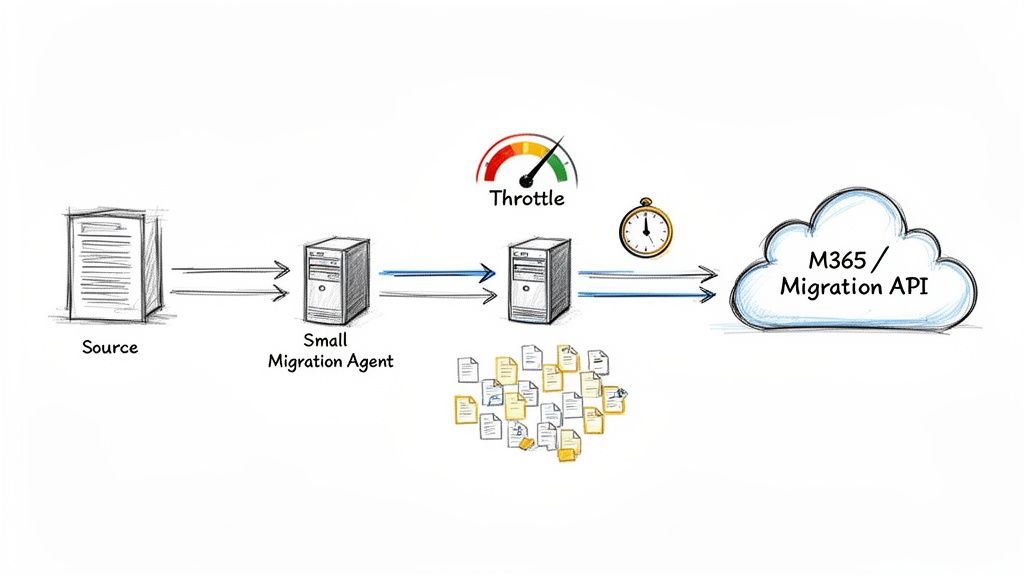
Even the most sophisticated SharePoint migration tool can be crippled without a sound performance strategy. Large-scale projects inevitably encounter bottlenecks, turning a predictable timeline into a protracted ordeal. The key is not to avoid these issues, but to anticipate and manage them proactively.
The engine driving any modern, high-speed migration is the Microsoft Migration API. Any enterprise-grade tool utilizes this API, as it's specifically engineered to handle bulk content ingestion into SharePoint Online. It efficiently packages data and bypasses legacy protocols, allowing Microsoft’s own backend infrastructure to manage the ingestion process.
However, simply using the API does not guarantee maximum throughput. The actual migration velocity depends on a chain of factors, some within your control and others not.
Understanding Key Performance Factors
Migration performance is a system; its overall throughput is dictated by its weakest link. To achieve optimal speed, you must identify and address potential chokepoints along the entire data path.
The critical factors are:
- Source Environment Health: The performance of your on-premises servers or source tenant directly limits how quickly data can be read. A slow, resource-constrained source system will bottleneck even the fastest migration tool.
- Content Composition: Migrating millions of small files (e.g., emails with attachments) generates significantly more transactional overhead than moving a few very large files. Each small item requires individual metadata processing, creating a distinct performance profile.
- Network Latency: The physical distance and network quality between your migration agent and the Microsoft 365 data centre directly impact upload speeds and API call response times.
These are not theoretical concerns. Data volume overload and business continuity risks are significant hurdles. The Migration API's performance can vary dramatically; while it might process light metadata at 10 TB per day, that figure can drop to just 250 GB per day for content-heavy, complex SharePoint lists. This represents a massive potential bottleneck. You can explore more on overcoming these SharePoint migration risks at interrait.com.
Practical Strategies for Maximising Throughput
To navigate these complexities, your technical team must operate dynamically, combining careful upfront planning with real-time adjustments based on feedback from the Microsoft 365 platform.
The single most important signal to monitor is throttling. Pushing data too aggressively will cause Microsoft 365 to return "429 - Too Many Requests" responses, actively slowing your migration to protect service health for all tenants. A well-designed migration tool will intelligently interpret these signals and automatically back off, preventing a counterproductive cycle of repeated failed requests.
Here are practical steps to boost performance:
- Deploy Dedicated Migration Agents: Do not run your migration tool on a shared server. Use dedicated, high-performance virtual machines to ensure the migration process is not competing for CPU, RAM, or disk I/O with other applications.
- Schedule Off-Peak Migrations: This is a simple but highly effective strategy. Plan large-scale data transfers for evenings and weekends to reduce contention from both internal network traffic and general Microsoft 365 user activity.
- Scale Out with Multiple Agents: For very large migrations, running several migration agents in parallel can dramatically increase overall throughput, provided your source environment and network can support the increased load.
By pairing a robust SharePoint migration tool with these real-world optimisation techniques, you can transform a potentially unpredictable project into a smooth, managed, and successful transition.
When to Engage a Specialist Migration Consultancy
A powerful SharePoint migration tool is a critical component, but it is not a complete solution. While software like ShareGate excels at the technical execution of moving data, it cannot make the strategic architectural decisions that determine a project's success. For certain projects, relying solely on a tool introduces unacceptable levels of risk.
Recognizing when a project's complexity has outgrown a tool-only approach is key. The need for a specialist partner becomes clear when a migration moves beyond a simple "lift-and-shift" and involves deep architectural changes, complex identity scenarios, or stringent compliance requirements. This isn't about replacing your tools; it's about adding a layer of strategic oversight that software alone cannot provide.
Scenarios Demanding Expert Guidance
Certain migrations carry risks that extend far beyond file transfer. These situations demand a proven methodology, deep security expertise, and real-world experience in managing complex technical and stakeholder landscapes. In these cases, a specialist consultancy is essential.
Here are clear indicators that your project requires a specialist partner:
- You're Handling Highly Regulated Data: For organisations in finance, healthcare, or energy, migrating sensitive data requires adherence to rigid standards like GDPR or industry-specific regulations. A consultancy ensures the entire process is fully auditable and architected on zero-trust security principles.
- You're Facing Complex Identity and Tenant Consolidations: Merging Microsoft 365 tenants post-acquisition is one of the most complex IT projects an organisation can undertake. It demands a sophisticated identity management strategy using Entra ID, including meticulous mapping of user accounts, groups, and permissions to prevent data breaches or loss of access.
- You Need a Complete Information Architecture Redesign: A cloud migration is the ideal opportunity to remediate years of inconsistent folder structures and permissions. An expert partner helps redesign your information architecture and governance from the ground up, ensuring the new environment is secure, scalable, and manageable.
- You're Migrating from Non-Microsoft Platforms: Extracting data from systems like Google Drive involves more than just copying files. It requires a nuanced understanding of how to translate different permission models and file formats into the SharePoint ecosystem without corrupting data or breaking user access.
A specialist partner bridges the gap between a tool’s capabilities and your business’s strategic objectives. They ensure the migration is not just a technical task, but a successful business transformation that minimises disruption and maximises the value of the cloud platform.
Engaging a consultancy like Ollo provides access to years of hands-on experience in these exact scenarios. We pair the best Sharepoint migration tool for the job with rigorous testing, validation, and transparent stakeholder communication. Our methodology is designed to deliver a successful outcome where a tool-only strategy might introduce unacceptable risks. To see how this structured approach works for complex projects, learn more about our specialist cloud migration services. This expertise is what ensures your migration achieves its technical and business targets, securely and efficiently.
SharePoint Migration FAQs
When planning a SharePoint migration, several key questions consistently arise from both technical teams and business stakeholders. Here are the straightforward answers to the most common queries we address.
How Long Does a SharePoint Migration Actually Take?
The timeline for a SharePoint migration is highly variable and depends entirely on the scope, complexity, and source environment.
For a simple file share migration of a few hundred gigabytes, the entire project, including planning, might be completed within a week. This is a standard "lift-and-shift" scenario.
However, migrating a complex on-premises SharePoint farm with terabytes of data, customisations, and intricate permissions requires a much longer timeframe. A realistic estimate for such a project is three to six months. This duration allows for essential phases like discovery, information architecture redesign, multiple test migrations, and user acceptance testing (UAT)—all critical for a seamless transition without business disruption.
Can a Migration Tool Handle Our Custom Permissions and Metadata?
Yes, but this is a key differentiator between basic and advanced tooling. A free tool like Microsoft's SPMT can transfer files but often struggles with complex permissions and custom metadata.
This is where advanced commercial tools like ShareGate provide significant value. They are specifically engineered to handle this complexity and can:
- Map users and groups, even across different domains or tenants.
- Preserve granular permissions down to the individual item level.
- Migrate custom metadata columns with high fidelity.
For the most bespoke requirements, PowerShell PnP scripting offers ultimate control. It allows you to programmatically read from the source and meticulously apply complex metadata and permissions at the destination, but this approach demands significant scripting expertise.
What’s the Biggest Risk, and How Do Tools Help?
The two greatest risks in any migration are data loss and business disruption. A high-quality migration tool is fundamentally a risk management platform.
To mitigate data loss, the best tools provide detailed pre-migration analysis to identify potential issues before they cause problems. Post-migration, they generate comprehensive validation reports that provide an auditable record proving that all files and versions were transferred successfully.
To minimise business disruption, the single most critical feature is delta sync (or incremental migration). This allows the bulk of the data to be migrated in the background over several weeks. During the final cutover, only a final, quick sync is needed to capture recent changes. This approach dramatically reduces the downtime experienced by end-users, allowing them to resume work immediately with their most current content.
At Ollo, we combine best-in-class tools with a proven methodology to de-risk your cloud migration. Our experts build secure, scalable, and easy-to-manage Microsoft 365 environments. Learn more about our specialist migration services at Ollo.ie.
Article created using Outrank

















