



A SharePoint Online migration is a complex technical project and a strategic initiative critical for security, compliance, and leveraging the full Microsoft 365 cloud ecosystem. For organizations running on legacy platforms like SharePoint 2013 or 2016, migrating is not just about modernizing collaboration—it's a necessary step to mitigate security risks and enable advanced cloud capabilities like the Power Platform and Microsoft Copilot.
Setting the Stage for a Successful Migration
A SharePoint Online migration is fundamentally different from a simple file server lift-and-shift. It requires a detailed understanding of both the source and target environments to re-architect how data is stored, secured, and accessed. This guide is structured for technical teams and IT leaders, particularly those in regulated sectors, who need to execute a migration that is secure, compliant, and technically sound. We are not just moving data; we are re-platforming a core enterprise service.
The primary drivers for migrating from SharePoint 2013 or 2016 have shifted from mere end-of-support deadlines to urgent security and compliance requirements. Adherence to standards like ISO 27001 and GDPR necessitates the advanced security controls available in Microsoft 365. Remaining on-premises represents a significant technical debt and a growing security vulnerability.
Why This Migration is a Technical Imperative
Positioning this project correctly within the organization is crucial for securing resources and stakeholder alignment. The objective is not simply to decommission on-premises servers; it's to unlock the technical capabilities of a fully integrated Microsoft 365 ecosystem. A successful SharePoint Online migration serves as the foundation for a modern, secure, and scalable cloud infrastructure.
This strategic migration enables several key technical advancements:
- Modern Collaboration Architecture: It provides the content services backbone for Microsoft Teams, enabling real-time collaboration and breaking down data silos that are inherent in on-premises systems.
- Process Automation at Scale: The migration fully unlocks the Power Platform (Power Apps, Power Automate), allowing for the replacement of legacy SharePoint Designer workflows and InfoPath forms with robust, low-code automation solutions.
- AI and Machine Learning Readiness: Critically, it structures and prepares your organization's data for Microsoft Copilot, transforming unstructured content into an intelligent, queryable asset that can be leveraged by AI services.
A well-architected migration is a strategic investment in technical modernization. It eliminates technical debt, reduces operational overhead associated with managing on-premises infrastructure, and positions the organization's IT landscape to be more agile and resilient.
This guide provides a technical roadmap for the entire migration lifecycle, from initial source environment analysis and identity management architecture to execution strategies that ensure data integrity and minimal downtime.
For a broader perspective on how this fits into the overall cloud strategy, our detailed guide on Microsoft 365 migration offers essential context for the technical journey ahead.
Building Your Strategic Migration Blueprint
A successful SharePoint Online migration is predicated on meticulous pre-migration analysis and planning. Initiating technical migration tasks without a comprehensive blueprint is a common cause of scope creep, budget overruns, data loss, and poor user adoption. This phase is dedicated to methodical discovery and architectural design, ensuring every technical decision aligns with a clear business and operational objective.
The first step is a complete inventory and analysis of the source environment. This extends beyond a simple count of sites and data volume. It requires a deep dive into legacy SharePoint farms, network file shares, and other unstructured data repositories to identify potential technical blockers.
Conducting a Thorough Environment Assessment
A superficial assessment is insufficient. You must accurately quantify data volume, identify all customizations, and map the intricate permission structures that have evolved over years of use. This discovery phase frequently uncovers deprecated SharePoint Designer workflows, custom solutions, and convoluted permission models that are incompatible with SharePoint Online.
A structured assessment should include:
- Analyse Data Volume and Structure: Go beyond total storage size. Identify problematic artifacts such as lists and libraries exceeding the 100,000-item list view threshold, deeply nested folder structures, and unsupported or obsolete file types that require remediation before migration.
- Uncover Hidden Customisations: This is a critical risk area. Utilize discovery tools to detect legacy WSP solutions, custom web parts, InfoPath forms, and SharePoint 2010/2013 workflows. These components cannot be migrated directly and must be re-architected using modern alternatives like the Power Platform.
- Map Existing Permissions: Document the current access control model, including Active Directory security groups, SharePoint groups, and, most importantly, explicit user permissions (ACLs) applied directly to sites, libraries, or items. This analysis is the foundation for designing a clean, modern governance model based on the principle of least privilege.
The diagram below illustrates the architectural evolution from a legacy, on-premises deployment to a modern, intelligent platform architected for future cloud services.
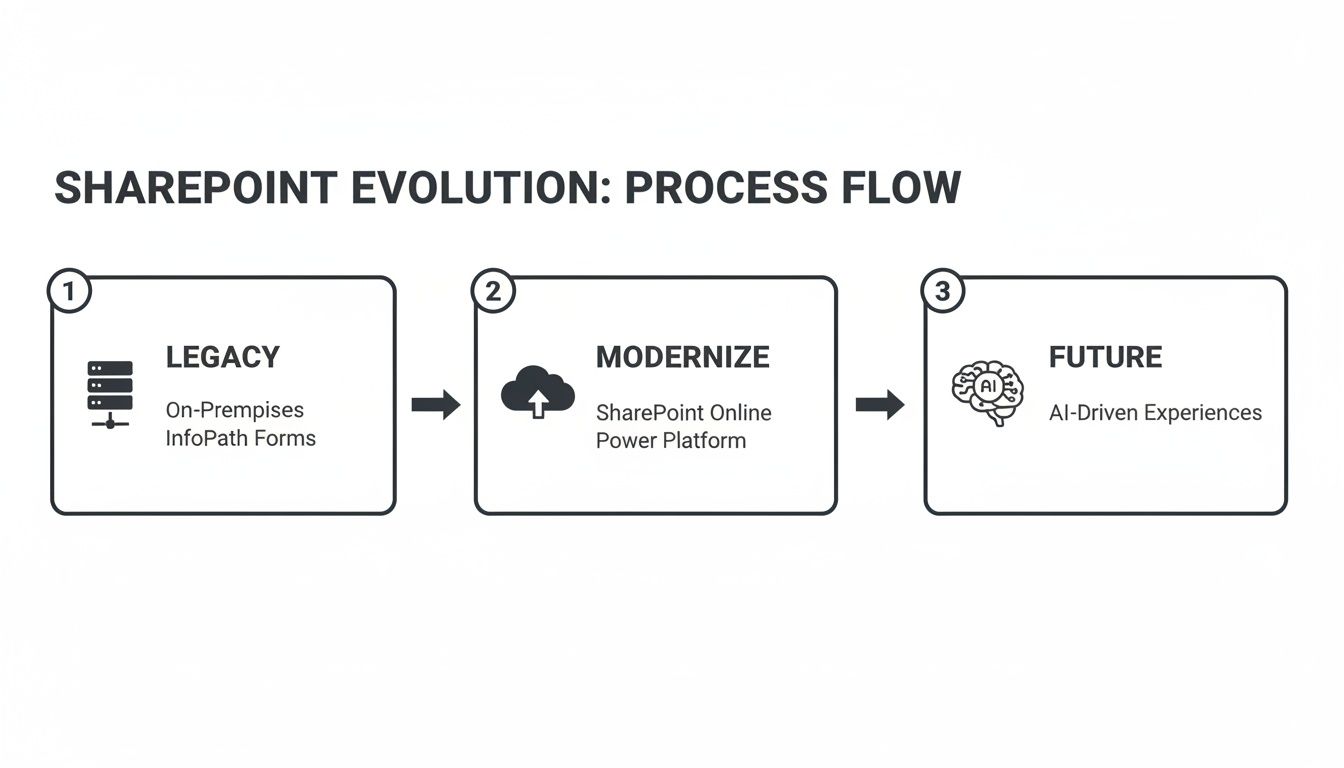
This is not a lift-and-shift operation. It is a deliberate modernization effort to align the platform with the full capabilities of Microsoft 365, including AI and automation.
Defining Objectives and Stakeholder Roles
With a clear technical inventory, you can define measurable migration objectives. Are you aiming to reduce infrastructure TCO, improve the organization's security posture score, or enable specific collaboration scenarios for a hybrid workforce? These goals must be clearly defined and quantifiable.
Equally important is establishing a clear RACI matrix and communication plan. A migration impacts IT, security, legal, and business units. Defining roles and responsibilities—from the executive sponsor to the business unit testers—is essential for a controlled project execution.
A common pitfall is treating the migration solely as an IT project. Without business stakeholder buy-in and a clear communication cadence, user adoption will suffer, and the project's perceived value will diminish significantly.
This proactive planning is crucial. Across the Irish and UK tech and finance sectors, there's a significant increase in SharePoint Online migrations driven by end-of-support deadlines for legacy systems. Regional data indicates that over 65% of mid-size enterprises in Ireland were still utilizing on-premises SharePoint Server as of early 2025. In a strict GDPR landscape, this represents a considerable compliance and security risk.
Strategising for Tenant Consolidation
For organizations that have grown through mergers and acquisitions, migration complexity is often compounded by the need for tenant consolidation. This requires meticulous planning around identity management, data residency, and service configuration alignment.
Consider a common scenario: a financial services firm acquires a competitor, resulting in two disparate Microsoft 365 tenants with separate Entra ID instances and overlapping SharePoint data. The migration blueprint must address key technical challenges:
- Identity Mapping: How will user identities (UPNs, SIDs) be reconciled and merged into a single, authoritative Microsoft Entra ID instance without disrupting access?
- Data Sovereignty: Does data from the acquired tenant need to remain within a specific geographic region (e.g., EU) to comply with data residency regulations?
- Service Harmonisation: How will service-level policies for Teams, Exchange Online, and SharePoint (e.g., sharing policies, retention labels) be standardized across the consolidated tenant?
Addressing these architectural questions upfront is critical to avoiding significant technical challenges later. A well-defined blueprint transforms a potentially chaotic process into a predictable, controlled migration. For enterprises facing these complexities, engaging specialized cloud and data migration services can provide the deep technical expertise required to architect a successful and secure migration roadmap.
Modernizing Identity Governance and Security
A SharePoint Online migration provides a critical opportunity to re-architect outdated security models. This is not merely about moving data; it's about fundamentally redesigning identity, access control, and governance for a cloud-native environment. This is the moment to eliminate years of accumulated permission debt and establish a secure, compliant, and manageable framework from the ground up.
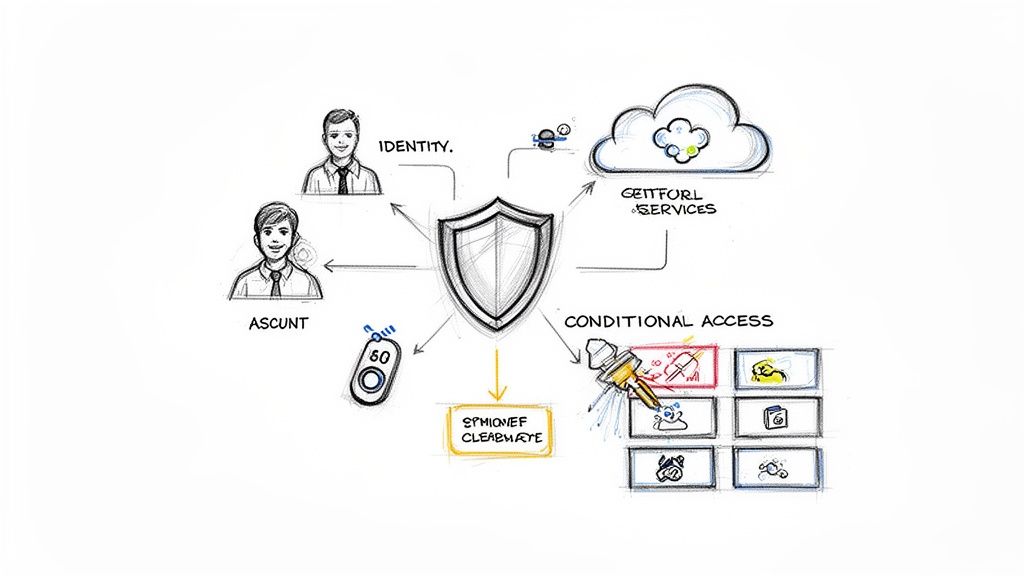
The traditional on-premises security model, based on a hardened network perimeter, is obsolete in a cloud-first world. The modern security paradigm shifts to identity as the new control plane. The entire migration architecture must be anchored in a Zero Trust security model, where every access request is treated as originating from an untrusted network and is explicitly verified.
Adopting a Zero Trust Model with Entra ID
Microsoft Entra ID (formerly Azure AD) is the core engine for implementing a modern, identity-centric security strategy. It enables centralized identity and access management (IAM) and the enforcement of granular security policies across the entire Microsoft 365 ecosystem.
Key technical components to implement include:
- Centralised Identity: All user identities are managed within a single, authoritative directory, ensuring consistent authentication and authorization policies.
- Conditional Access Policies: These are the cornerstone of a Zero Trust model. Create granular rules that evaluate real-time signals—such as user location, device compliance state, sign-in risk, and data sensitivity—to grant, block, or require additional verification for access.
- Multi-Factor Authentication (MFA): Enforcing phishing-resistant MFA is a non-negotiable baseline for protecting against credential compromise, a primary vector in data breaches.
For example, a Conditional Access policy can be configured to allow seamless access to non-sensitive SharePoint sites from compliant corporate devices. However, an attempt to access a site labeled "Highly Confidential" from an unmanaged personal device would trigger an MFA prompt and potentially block download capabilities. This dynamic, context-aware security is unattainable with legacy on-premises architectures.
From Permission Bloat to Principled Governance
A primary benefit of a SharePoint Online migration is the opportunity to remediate years of permission sprawl. On-premises environments are often plagued by a complex web of direct user permissions, broken inheritance, and over-privileged access groups. A "lift and shift" of this model is a significant security risk.
The objective is to shift from a model of implicit trust to one of explicit verification. The guiding principle for access control should change from "Why should we restrict access?" to "What is the business justification for this user to have this level of access?" This mindset is fundamental to a Zero Trust architecture.
The remediation process involves transitioning to a role-based access control (RBAC) model founded on the principle of least privilege. This means mapping business roles to Microsoft 365 Groups and security groups, ensuring users are granted only the minimum permissions necessary to perform their job functions. A recommended best practice is to eliminate all direct user permissions and manage access exclusively through group membership, governed by a formal approval process.
Aligning Governance with ISO 27001 and GDPR
For organizations operating under regulatory frameworks like ISO 27001 and GDPR, the migration must establish a clear governance model that covers the entire data lifecycle. This requires a robust data governance strategy to prevent significant financial and reputational penalties. For a deeper dive into this topic, explore the hidden costs of poor data governance and how to fix them in our detailed analysis.
A modern governance model for SharePoint Online should incorporate:
- Clear Ownership: Every SharePoint site and Microsoft Team must have at least two designated owners responsible for attesting to its membership and content on a regular basis.
- Lifecycle Policies: Implement automated Microsoft 365 Group expiration policies to archive or delete inactive sites and Teams. This mitigates content sprawl and reduces the organization's attack surface.
- Data Classification: Utilize Microsoft Purview Information Protection to apply sensitivity labels (e.g., Public, Internal, Confidential) to documents and sites. These labels enforce security controls like encryption and access restrictions that persist with the data, regardless of its location.
By embedding these governance principles into the migration from the outset, you build a system that is not only more secure but also inherently more manageable and auditable over the long term.
Executing a Flawless Technical Migration
With the migration blueprint and security framework defined, the focus shifts to the technical execution of the SharePoint Online migration. This phase translates meticulous planning into tangible action, involving tool selection, migration strategy, and managing technical constraints like network throttling.
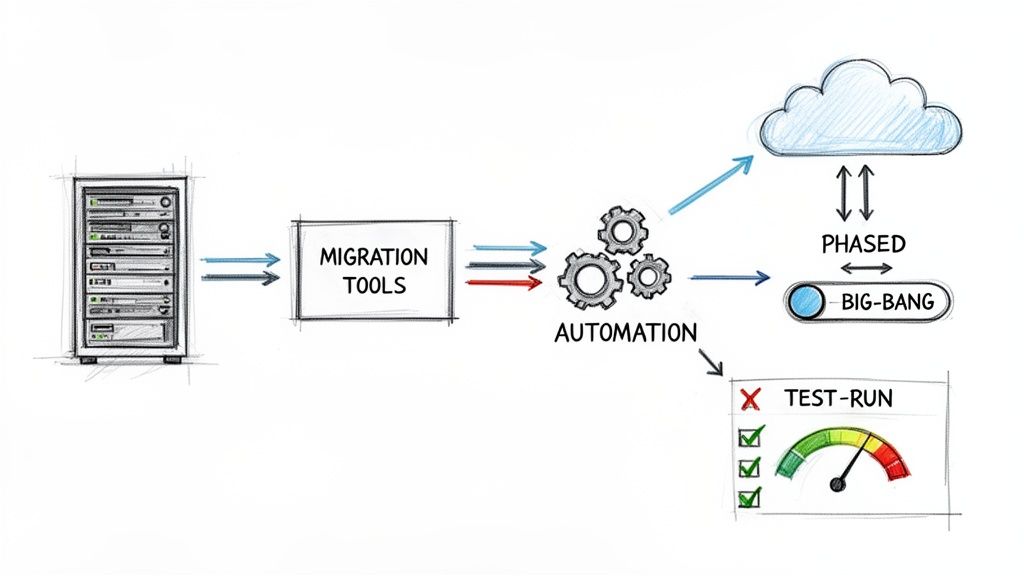
The technical execution is not a brute-force data copy operation. It must be a controlled, phased process where data integrity, minimal user disruption, and continuous validation are the primary objectives. A successful execution phase ensures a seamless transition, maintains data fidelity, and is crucial for post-migration user adoption.
Choosing Your Migration Toolkit
The selection of the right migration toolset is a critical decision. No single tool is optimal for every scenario; most enterprise migrations leverage a combination of tools to address varied requirements. The choice depends on the complexity of the source environment, the scale of the migration, and the level of transformation required during the process.
Here is a technical comparison of the leading migration tools.
SharePoint Migration Tool Comparison
The choice of tool directly impacts the efficiency and success of the migration. Each tool has specific strengths suited for different migration scenarios, from simple file share lifts to complex tenant-to-tenant transformations.
FeatureShareGateMicrosoft SPMTPnP PowerShellIdeal Use CaseComplex migrations from on-prem or other tenants requiring content restructuring, metadata mapping, and detailed pre/post-migration reporting.Simple migrations from file shares and SharePoint Server 2010/2013/2016. Best for straightforward "lift and shift" scenarios with no transformation.Highly customized migrations requiring automation, bulk site provisioning, or programmatic manipulation of content and permissions that standard GUI tools cannot handle.StrengthsRobust pre-migration analysis, granular control over metadata mapping, permission restructuring, and comprehensive reporting capabilities.Free, integrated with the SharePoint Admin Center via Migration Manager, and straightforward for basic migration tasks.Unmatched flexibility for complex scenarios, enables automation of repeatable tasks, and can be integrated into larger CI/CD pipelines.LimitationsCommercial licensed product. May be overly complex for very small, simple migrations.Lacks advanced transformation capabilities, provides limited reporting, and is not suitable for tenant-to-tenant migrations.Requires significant PowerShell scripting expertise and extensive development and testing. It is not a user-friendly tool.
For most enterprise migrations, a hybrid approach is most effective. The Microsoft SharePoint Migration Tool (SPMT) can be used for bulk ingestion of file shares and simple team sites. For more complex departmental sites requiring significant permission remediation or content restructuring, a third-party tool like ShareGate is often necessary. For highly specific requirements, such as applying complex metadata based on business logic, PnP PowerShell scripts are used to automate these bespoke transformations.
Selecting the Right Migration Pattern
The migration methodology is as important as the tooling. The choice between a phased migration and a "big bang" cutover depends on the organization's size, risk tolerance, and operational constraints.
- Phased Migration: This is the recommended and most common approach for enterprise migrations. Content is segmented into logical waves (e.g., by department, complexity, or business impact) and migrated in controlled batches. This method significantly reduces risk, allows the project team to refine processes with each wave, and minimizes disruption to any single business unit.
- Big Bang Cutovers: This involves migrating all content over a single, planned downtime window. While it simplifies communications to a single go-live event, it carries substantially higher risk. This pattern is only suitable for small organizations with low data volumes and simple, non-customized environments.
A phased migration is almost always the superior technical choice. It facilitates multiple pilot and test migrations for each wave, enabling early identification of issues and providing an opportunity to build stakeholder confidence before migrating mission-critical data.
Optimising Performance and Managing Throttling
A significant technical challenge during a SharePoint Online migration is managing performance and avoiding service throttling. Microsoft 365 imposes throttling limits to ensure service stability for all tenants. Exceeding these limits by pushing data too aggressively will result in suspended migration jobs and project delays.
Throughput can be optimized strategically. We see significant performance gains by aligning our migration activities with Azure datacenter resources. For instance, migration speeds in the IE region are boosted by using local Microsoft 365 tenants, potentially hitting 150GB/hour during off-peak nights. Ollo's SharePoint 2016 migrations in Ireland and the UK, benefiting from low network latencies to Dublin's primary datacenter, have been 85% faster than global averages—moving 1TB in under 10 hours. You can find detailed technical guidance in Microsoft's performance benchmarks and recommendations.
The importance of conducting multiple test migrations cannot be overstated. These dry runs are invaluable for identifying potential throttling issues, validating tool configurations, and accurately forecasting timelines for the final cutover. Building a reliable and repeatable migration process is a core competency in delivering successful Microsoft SharePoint integrations and migrations.
Driving Value After the Migration Is Complete
Migrating data to SharePoint Online is not the end goal; it is the starting point for digital transformation.
The true success of a SharePoint Online migration is measured by the business and technical value unlocked after the project is complete. This final phase focuses on ensuring the new platform delivers on its promise of improved efficiency, collaboration, and automation.
The cutover itself requires a detailed execution plan to ensure a seamless transition. This involves a coordinated sequence of actions to perform the final delta data sync, implement redirects, and formally transition operational ownership to business and IT support teams.
Finalising the Cutover and Validation
The final stages of the migration are the most critical. Meticulous validation is non-negotiable for establishing user trust and ensuring business continuity. Post-migration validation must be comprehensive, covering data integrity, permissions, and application functionality.
A structured validation process includes:
- Data Integrity Checks: Utilize migration tool reports and custom scripts to compare item counts, file versions, and metadata between the source and destination. Perform spot checks on critical documents to verify content fidelity and functionality.
- Permission Verification: Conduct audits on key sites to confirm that the new Microsoft 365 Group-based permission model has been correctly applied. Involve site owners in User Acceptance Testing (UAT) to validate that their teams have the appropriate level of access.
- User Acceptance Testing (UAT): Provide business users with structured test plans covering common use cases, such as content search, external sharing, and co-authoring in Office applications. Their formal sign-off is the final confirmation of a successful migration.
Throughout this process, a clear communication strategy is essential. Keep users and stakeholders informed with regular updates on progress, expected downtime, and support channels. Managing expectations prevents user frustration and reduces the burden on IT support.
A critical but often overlooked step is having a practical, well-documented rollback plan. Even with extensive testing, unforeseen issues can pop up. Knowing exactly how to revert to a read-only state on-premises or restore critical data provides a vital safety net for business continuity.
Unlocking the Power of the Microsoft 365 Ecosystem
With data now residing in SharePoint Online, the platform becomes the content services layer for the entire Microsoft 365 suite. The real value is realized by integrating SharePoint with Teams, the Power Platform, and Copilot to digitize and automate business processes.
This integration is a significant driver of operational efficiency. The global trend towards cloud adoption reflects this, with global SharePoint cloud adoption hitting 86% by 2021. This has accelerated in the IE region to an expected 89% by 2025, driven by the 63% of Irish firms already running applications on Azure, which fuels M365 migrations.
We’ve seen the impact of this firsthand over our 15+ years of experience. For one energy giant, we consolidated 12 on-prem farms into a single Online tenant. This move cut their licensing from 5,000 to 2,800 seats—a 44% reduction that saved the company €450,000 annually. You can find more market trends and analysis from Radicati to see the bigger picture.
Real-World Examples of Post-Migration Value
The goal is to leverage the new platform for innovation, building intelligent solutions that transform business operations.
Consider these technical implementations:
- Automated Employee Onboarding: A new employee record created in an HR system triggers a Power Automate flow via an API call. The flow provisions a personalized onboarding site from a SharePoint site template, populates it with standard documentation, creates tasks in Microsoft Planner, and adds the new user to relevant Microsoft Teams channels and security groups.
- Digitised Contract Approvals: A contract uploaded to a SharePoint document library triggers a Power Automate approval workflow. The workflow routes the document to designated approvers in legal and finance via Approvals in Teams. Upon final digital signature, the executed contract is automatically declared a record using Microsoft Purview and archived in a secure records center.
- AI-Powered Knowledge Management with Copilot: With content now structured and indexed in SharePoint Online, Microsoft Copilot can be used to perform semantic searches, summarize complex project reports, identify specific clauses across thousands of legal documents, or generate draft presentations from data stored across multiple SharePoint sites.
These examples illustrate how a well-architected migration provides a foundation for process automation and business intelligence. For a deeper technical dive, explore our article on a real cloud migration story from manual to automated processes, which details the technical journey of such transformations.
By focusing on these value-added integrations, the SharePoint Online migration delivers a lasting return on investment and serves as a catalyst for broader digital transformation.
Your SharePoint Migration Questions Answered
Even with a detailed blueprint, every SharePoint Online migration presents unique technical challenges. Based on our experience with dozens of enterprise projects, here are answers to the most common technical questions.
How Should We Handle Very Large Files and Libraries?
Migrating terabytes of data, especially large media files or libraries with millions of items, requires a specific strategy to avoid throttling and migration failures. A monolithic migration approach is not viable.
The best practice is to partition the content. Use the migration tool's capabilities to create multiple, smaller migration jobs based on logical criteria such as folder structure, file type, or last modified date. This parallel processing approach not only increases overall throughput but also simplifies troubleshooting if a specific batch encounters errors.
Furthermore, consider the post-migration information architecture. A single library with two million documents may be technically supported, but it presents significant performance and usability challenges. The migration is an ideal opportunity to re-architect this content into a more logical structure, potentially distributing it across multiple sites or libraries to improve performance and searchability.
What Is the Best Way to Manage User Expectations?
A proactive and transparent communication plan is as critical as the technical execution. User anxiety about data loss or broken workflows must be managed through consistent communication.
A phased communication plan is most effective:
- Early Awareness: Weeks before a migration wave, inform users about the project, its benefits, and the high-level timeline.
- Pre-Migration Briefing: One week prior to cutover, provide specific details: when their content will become read-only, the URL of the new location, and key feature improvements.
- Go-Live Support: During and immediately after the migration, provide dedicated support channels, such as virtual "office hours" or a specific Teams channel. This provides immediate assistance and reduces the load on the IT helpdesk.
The most effective communication focuses on the end-user benefits. Avoid technical jargon about infrastructure. Instead, emphasize tangible improvements like real-time co-authoring, enhanced search capabilities, and seamless integration with Microsoft Teams.
Will We Lose Our File Version History?
Preserving file version history is a critical requirement, especially for regulated industries where audit trails are mandatory. Modern migration tools are designed to migrate file version history completely.
Tools like ShareGate and Microsoft's SPMT can migrate every major and minor version of a document, along with its associated metadata like "Created By" and "Modified By" timestamps and user accounts. However, this functionality must be explicitly validated during pilot and test migrations.
After a test run, select a sample of critical documents with extensive version histories. Perform a detailed comparison of the version count, timestamps, and author metadata between the source and the target in SharePoint Online. This validation provides empirical evidence that data integrity is maintained.
Can We Keep Our Existing Permissions Intact?
While it is technically possible to replicate legacy on-premises permissions, it is strongly discouraged. A migration to SharePoint Online is the ideal opportunity to transition from a complex model of direct user permissions to a modern, governable model based on Microsoft 365 Groups.
The legacy practice of assigning permissions to individual users creates significant security risks and administrative overhead. The recommended best practice is to implement a Role-Based Access Control (RBAC) model by mapping business roles to security groups in Entra ID. This approach aligns permissions with job functions, enforces the principle of least privilege, and simplifies access reviews and audits. While it requires more upfront planning, the long-term security and manageability benefits are substantial.
A successful migration is about more than just technology; it's about expert planning and execution. At Ollo, we specialise in guiding enterprises through complex SharePoint Online migrations with zero data loss and minimal disruption. Learn how our deep expertise can ensure your project delivers lasting business value.
Article created using Outrank

















