



A SharePoint migration consultant doesn't just move files. We are your risk mitigation partners, the architects who navigate the technical minefield that standard tools and even your sharpest internal teams are guaranteed to hit.
Our job is to architect a migration that prevents data loss, security breaches, and project collapse by finding and fixing deep-seated issues before a single file gets copied. For any migration beyond a few gigabytes, that expertise is the only thing standing between a successful project and a costly, career-damaging disaster.
The Unspoken Truth About SharePoint Migration Tools
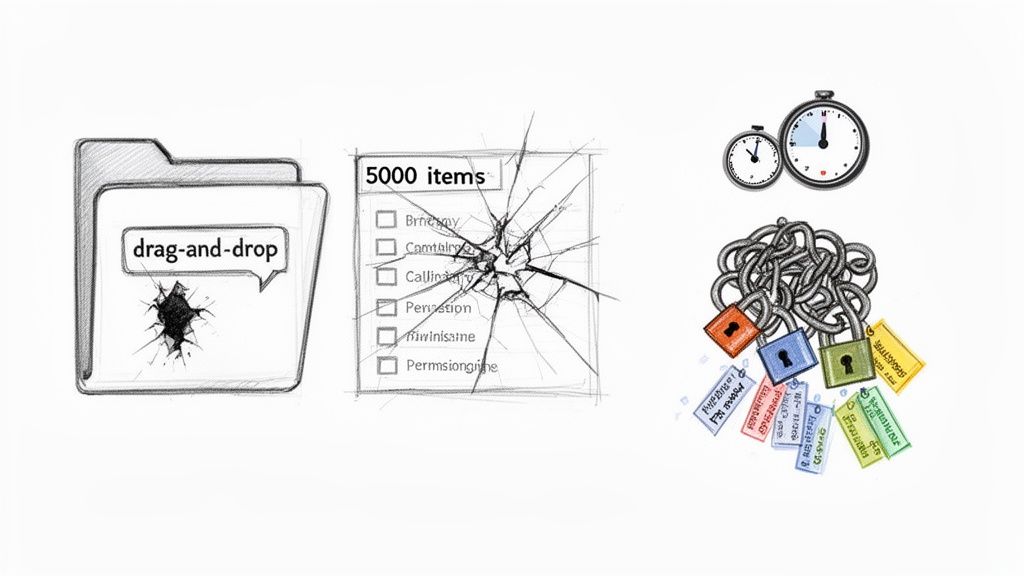
Your team has seen the demos for tools like ShareGate and Microsoft’s own SPMT. They look deceptively simple—a clean interface, progress bars, and the promise of a drag-and-drop future. This is the first and most dangerous assumption you can make.
These tools are powerful engines, but they are not intelligent. They execute commands; they don't solve architectural problems.
We often get calls from clients after their project has stalled for weeks. Their internal team ran a tool, hit a wall of cryptic errors, and now the business is demanding to know why critical files are suddenly inaccessible. The war story is always the same: the tool’s marketing promised a "seamless transition," but reality delivered a hard stop.
Where Standard Tools Break Down
The documentation says the SharePoint Migration Tool (SPMT) is your free, go-to solution. In reality, it’s built for simple file shares. The moment it encounters API throttling, complex permissions, or custom metadata, it falls over. You can read our detailed breakdown of the SharePoint Migration Tool, but the core issue is its lack of granular control and robust error handling for enterprise scenarios.
ShareGate is a massive step up, offering far better logging and control. But it's still just an engine. It cannot fix what is fundamentally broken in your source environment.
The core failure of a tool-led migration is this: it treats your unique, complex, and often messy environment like a standard template. It assumes clean permissions, logical folder structures, and unlimited API availability. These assumptions are where migrations go to die.
The Technical Debt That Tools Cannot Pay
Relying solely on a tool is like trying to fix a faulty foundation with a new coat of paint. The real problems are buried underneath, invisible to a simple inventory scan. As consultants, our primary job is to find these issues before they derail your entire project.
Here are the breaking points we see time and time again that tools alone simply cannot handle:
- API Throttling and Latency: Microsoft 365 actively throttles high-volume requests. The documentation says to "expect throttling," but in reality, standard tools react badly, failing entire batches of files. A consultant architects around this, using custom scripts to manage the load, schedule off-peak transfers, and implement exponential back-off logic that out-of-the-box tools lack.
- The 5,000-Item List View Threshold: This isn't a suggestion; it's a hard limit in SharePoint Online that breaks views, filters, and queries. A tool will happily migrate a 50,000-item list, but your users won't be able to access their data afterwards. We find these lists pre-migration and re-architect them with indexed columns or split them into smaller, usable libraries.
- Broken Inheritance and Custom Permissions: Your on-premises environment is a tangled web of unique permissions and broken inheritance chains. A tool attempts a direct 1:1 mapping, which often fails, reverting permissions to the parent level and creating massive security holes. Missing this step doesn't just fail the migration; it breaks legal compliance.
- GUID Conflicts and Metadata Corruption: In tenant-to-tenant migrations, conflicting user or group GUIDs can permanently corrupt file ownership. A tool won’t spot this. It requires pre-migration analysis and identity mapping scripts to resolve these conflicts before they poison your target environment.
Even with the best off-the-shelf tools, these technical hurdles can bring a migration to a grinding halt. The table below highlights exactly where standard tools fall short.
Standard Tools vs Consultant-Led Approach Key Failure Points
Simply put, a tool executes a task, while a consultant executes a strategy. Without the strategy, the tool is just as likely to cause problems as it is to solve them.
The Ollo Verdict: Use SPMT for a single file share under 50GB. For anything else, you need custom scripting. Use ShareGate as the powerful engine for the migration execution, but for the strategy, remediation, and architecture needed to guarantee nothing breaks, expert oversight is non-negotiable. Relying on a tool alone isn't a strategy—it’s a gamble with your data.
Your Pre-Migration Assessment: A Blueprint to Avoid Disaster
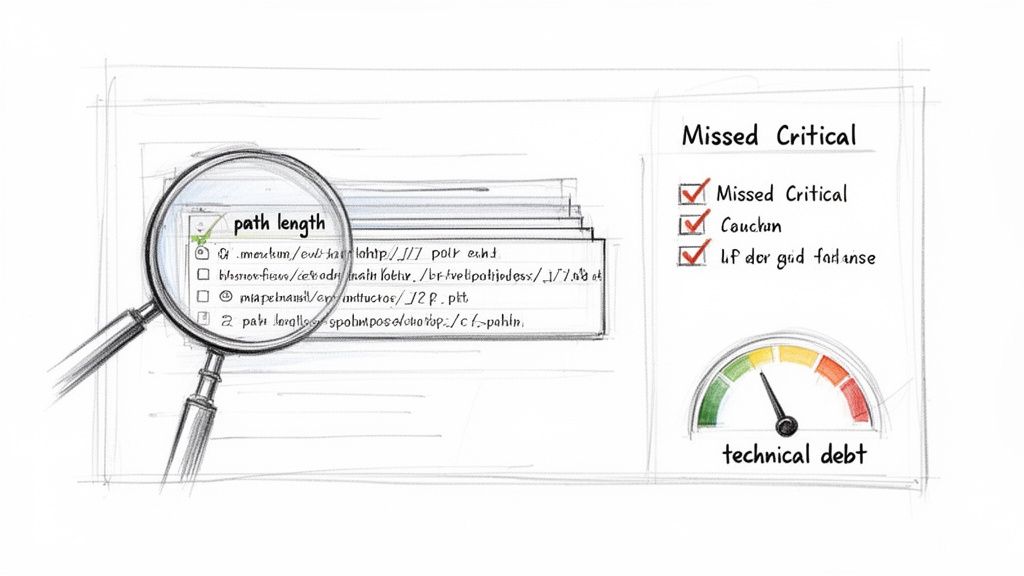
Let me be blunt: most failed migrations are doomed before a single file ever moves. The culprit is almost always a superficial pre-migration assessment that mistakes a tool-generated inventory report for a genuine architectural review.
I’ve lost count of the clients who’ve come to us after a failed attempt, clutching a basic CSV that missed every critical detail. This document gave them a false sense of security, leading them straight into budget overruns and a complete loss of user trust. A real, battle-hardened assessment must uncover the technical debt your organisation has accumulated.
Skipping this step isn't a technical error; it's a catastrophic business miscalculation. Your SharePoint migration consultant should be digging deep into the dark corners of your source environment.
Uncovering Your Hidden Technical Debt
A standard tool will inventory your files. An expert assessment identifies the elements that are fundamentally incompatible with SharePoint Online’s architecture. This is a crucial distinction.
We often see projects go off the rails when these hidden landmines are overlooked:
- Deeply Nested Folders and Long Path Limits: Your on-premises file server doesn't care about a 400-character path limit; SharePoint Online absolutely does. A tool might flag these, but it won't give you a remediation strategy. Suddenly, your team is left to manually restructure thousands of folders, a task that can halt a project for weeks.
- Legacy Workflows and Customisations: Those old SharePoint Designer 2013 workflows and InfoPath forms that run your core business processes have no modern equivalent. They will not migrate. A proper assessment identifies these and maps out a rebuild strategy using Power Automate and Power Apps before the old system is turned off.
- GUID and User Profile Conflicts: During a tenant-to-tenant migration, the documentation makes user mapping sound straightforward. In reality, mismatched or orphaned Globally Unique Identifiers (GUIDs) can corrupt user profiles and break file ownership. This requires meticulous pre-migration identity mapping, something no automated tool can perform accurately.
A tool-generated report is a starting point; a consultant's architectural assessment is your project's insurance policy. It identifies not just what you have, but how it will break when it meets the cloud.
The True Cost of a Superficial Assessment
Ignoring a thorough pre-migration assessment carries a heavy commercial price. A failed permissions migration doesn't just annoy users; it creates an immediate data breach risk that could violate GDPR. Discovering a critical workflow is incompatible after migration doesn't just cause a delay; it halts a core business function, directly impacting revenue.
An in-depth assessment is the bedrock of any successful move to Microsoft 365, as it allows you to plan for these complexities. For a deeper look into what a comprehensive project entails, explore our detailed guide to a successful Microsoft 365 migration.
Beyond the Inventory: The Real Questions to Ask
Your assessment has to move beyond simple counts of files and sites. It needs to provide clear answers to the tough architectural questions that determine success or failure. This is where a SharePoint migration consultant proves their worth.
Your Assessment Checklist Must Answer:
- Permission Model: How will we translate a complex, item-level permission structure into a flat, modern Microsoft 365 Groups model without exposing sensitive data?
- Data Velocity: Which departments generate the most data? This information dictates your throttling strategy and migration phasing.
- Third-Party Integrations: What external systems connect to your source environment? How will those connections be re-established or rebuilt?
- Metadata Integrity: How will custom metadata columns be mapped and preserved to ensure search and filtering capabilities aren't lost?
These questions are not on any tool's checklist. Answering them requires expertise born from rescuing failed projects.
The Ollo Verdict: Do not proceed with any migration based on an automated inventory alone. Demand an architectural assessment that identifies specific breaking points and provides a written remediation plan for each. Anything less is not a plan; it is an invitation to disaster.
Redesigning Governance And Identity For The Modern Workplace
Let’s be brutally honest. Lifting and shifting your old, chaotic permissions model into SharePoint Online isn't a migration; it's a security incident waiting to happen. You're simply importing years of technical debt and security loopholes into a more powerful platform where the potential damage is far greater.
We've seen the aftermath. A client came to us after their "successful" migration was undone by a massive data breach. Their fatal error? They directly mapped legacy permissions, inadvertently granting broad access to sensitive HR and financial data. The technical move was flawless, but the governance failure was catastrophic.
From Chaos To Control: A Zero-Trust Approach
The single greatest opportunity a migration offers is the chance to burn the old model to the ground and redesign your governance from scratch. Your on-premises environment was likely a mess of broken inheritance and vague "Authenticated Users" groups. Replicating this chaos is not an option.
Instead, you must align your new structure with a zero-trust security model.
- Entra ID as the Foundation: All identity and access must be centralised in Entra ID (formerly Azure Active Directory). This becomes your single source of truth.
- Conditional Access Policies: We move beyond simple permissions. We enforce context. Access to sensitive financial data might require a compliant device, a specific location, and multi-factor authentication (MFA).
- Microsoft 365 Groups: The era of managing permissions on individual folders is over. The modern model is flat and simple, built on Microsoft 365 Groups. Access is granted to the group, not the folder, creating a clean, auditable structure.
This transition from a folder-level free-for-all to a clean, hub-and-spoke model is non-negotiable for any business that takes security seriously.
Linking Technical Decisions To Business Risk
For any IT Director focused on compliance, these technical decisions are directly tied to business risk and regulatory mandates like GDPR. A poorly governed SharePoint environment is a compliance nightmare. In Ireland, the Data Protection Commission’s reports from 2022-2023 highlighted that over 25% of notified breaches involved misconfigured access to files and collaboration systems.
An experienced SharePoint migration consultant embeds controls like GDPR Article 5 (data minimisation) and Article 32 (security by design) directly into the migration plan. Explore how these critical services mitigate risk by reviewing our insights on SharePoint migration services.
A proper migration doesn't just move data; it shrinks your attack surface. We've seen well-governed SharePoint Online deployments reduce unclassified "open to everyone" document libraries by 70–85% within the first nine months. That's a measurable risk reduction that resonates with the board.
Practical Steps For Redesigning Your Permissions
Executing this shift requires a deliberate, methodical approach. It’s not something a tool can automate because it involves strategic decisions about your data.
- Data Classification Workshop: Before a single file moves, we work with your business units to classify data. What's public? What's confidential? What's regulated? This informs the entire security architecture.
- Mapping Business Functions to M365 Groups: We analyse how your teams actually work and create Microsoft 365 Groups that reflect those functions (e.g., "Finance Department," "Project Phoenix Team").
- Scripting Permission Application: We never rely on manual application. We use PowerShell scripts to apply the new, clean permissions model after the data is moved. This ensures consistency and eliminates human error.
Missing these steps doesn’t just make the new system messy; it makes it dangerously insecure.
The Ollo Verdict: Do not migrate a single file until you have a signed-off governance and identity plan. This plan must explicitly reject the old permissions model in favour of a zero-trust architecture built on Entra ID and Microsoft 365 Groups. Treating governance as a "post-migration task" is the most common and costly mistake we see. It’s planning to fail.
Executing Your Migration with Phased Rollouts and Rigorous Validation
The ‘big bang’ migration is a fantasy. It’s an idea leadership loves because it sounds decisive. For anyone who has actually managed a large-scale data migration, it’s a recipe for disaster.
The only professional, defensible way to move terabytes of business-critical information is with a phased, iterative approach. This isn't about being cautious; it's about systematically taking risk off the table. A phased rollout lets you find and fix issues on a small scale before they can bring the entire organisation to a halt. We’ve seen it happen: companies treat the migration as one massive task and end up with a corrupted mess that takes months to fix.
Structuring Pilot Migrations That Actually Work
A pilot isn't a test run; it’s a dress rehearsal for everything that can go wrong. Its goal isn’t to prove the tools work—it's to find where your specific data will break them.
We start by selecting a business unit that is both representative and resilient. Their data should contain the complexities we found during the assessment: large lists, convoluted permissions, and old customisations. This gives us a real-world testbed.
Next, we establish a tight feedback loop with daily check-ins and a dedicated Teams channel for reporting issues. The pilot users become your early warning system; you must listen to them.
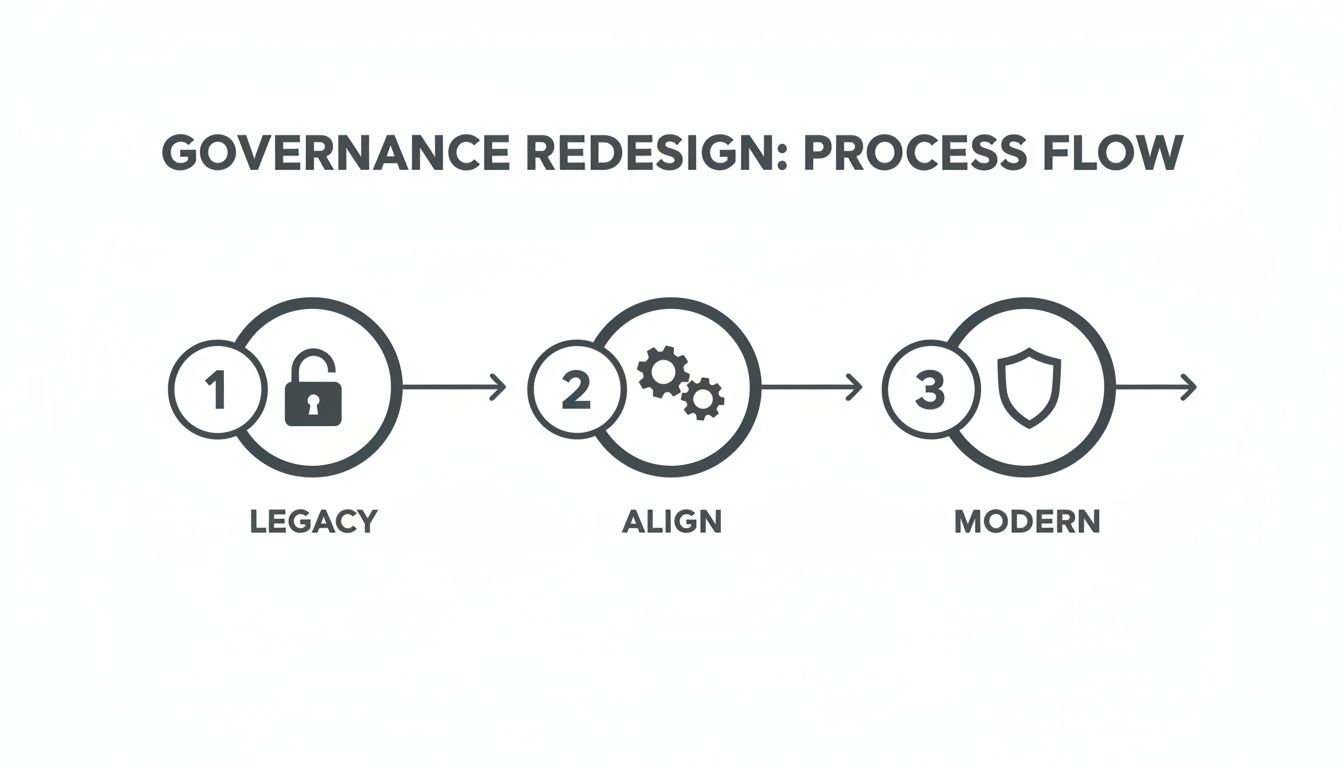
This strategic flow from a chaotic legacy state to a secure, modern governance model is a critical prerequisite. It ensures you establish structure before you start moving data, preventing the all-too-common failure of simply migrating a mess into a new system.
Validation Beyond a Simple File Count
This is where most internal teams declare victory too early. They run a report, see that 10,000 files left the old system and 10,000 files arrived, and call it a success.
That is a dangerously low bar.
We had a client whose previous migration looked perfect on day one. A month later, the project unravelled. While the files were there, all custom metadata had been mangled, breaking critical business views. Workflows weren't triggering, and permissions were a disaster.
Declaring victory based on a file count is like confirming a building was constructed because the correct number of bricks were delivered. It ignores the architecture. True validation is about proving the functionality of the data, not just its existence.
An expert SharePoint migration consultant provides rigorous, data-driven proof. Our detailed approach to a large-scale SharePoint migration shows how this methodical validation is baked into every phase.
Your validation checklist must be aggressive.
- Checksum and Hash Validation: We run scripts to perform MD5 checksums on a statistical sample of files to confirm bit-for-bit integrity.
- Metadata and Content Type Audits: We script checks to confirm that every custom metadata column has been mapped correctly.
- View and Library Functionality Tests: We don't just check if a view loads. We actively test sorting and filtering, especially on lists approaching the 5,000 item threshold.
- Workflow and Automation Trigger Tests: We test the actual business processes. Does uploading a contract trigger the correct Power Automate approval flow?
- Searchability Confirmation: We execute targeted search queries to ensure the search index has correctly ingested all new content.
This level of rigour is the only way to be certain the migration is complete.
The Ollo Verdict: A migration isn't finished when the last file is copied. It’s finished when you have script-driven, empirical proof that all data is intact, all metadata is correct, all permissions are secure, and all associated business processes are fully functional. Anything less is wishful thinking.
Moving Beyond Migration to Unlock Real Business Value
Getting your data into SharePoint Online is not the finish line. If that’s your primary metric, the project has already failed. Too many migrations end the moment the last terabyte is transferred, leaving users with a new system they don’t understand and a massive investment delivering zero business value.
This is the classic ‘dump and run’ migration. We see it all the time—a technically flawless data move followed by a catastrophic failure in user adoption. The real goal is to deliver tangible wins that make the cost and disruption worthwhile. A SharePoint migration consultant’s job isn’t just to move files; it’s to build the starting line for your organisation’s future.
From Document Storage to Business Automation
You didn't invest in this project just to get a new file server in the cloud. You did it to unlock the power of the entire Microsoft 365 ecosystem. This is where a consultant-led approach fundamentally differs from a technical one.
The aim is to shift your teams from storing documents to automating business processes.
- Power Automate: We hunt down manual tasks—like invoice approvals—and build automated workflows that run straight from your SharePoint libraries.
- Power Apps: We create simple, low-code applications to replace clunky spreadsheets for things like equipment requests, storing all the data securely in SharePoint lists.
This isn’t about some far-off AI dream; it’s about solving immediate problems that are slowing your business down today.
The Real Difference Between Migration and Adoption
A ‘dump and run’ project hands over the keys and hopes for the best. An expert-led project builds a framework for continuous improvement.
For organisations in Ireland, the business case for a SharePoint migration consultant is tied to what happens after the data is moved. A well-executed deployment can deliver 20–25% productivity gains. When these projects are paired with proper Teams and Power Platform rollouts, we see Teams usage climb by 150–200% while email attachment volumes plummet by 30–40% inside a year. By automating processes with Power Apps and Power Automate, you can slash cycle times by 30–60%. To see how this works in practice, explore the potential of a well-executed SharePoint Online migration. Irish partners delivering this level of value often allocate 15–25% of the project to workshops and training, which directly correlates with user satisfaction scores hitting above 4.7/5. You can learn more about these SharePoint migration findings.
You don't get a return on investment from a successful migration. You get it from successful adoption. One is a technical task; the other is a strategic business initiative that requires a plan.
To get there, we focus on three critical post-migration pillars:
- Targeted User Training: We skip generic training. Instead, we run role-specific workshops that show your finance team exactly how to manage their new approval workflows.
- Establishing a Champions Network: In every department, there are people who get technology. We identify these power users and empower them to become local experts, creating a self-sustaining support system.
- Building a Roadmap for Improvement: The migration is just phase one. We work with you to map out a 6-12 month roadmap of what comes next, whether that’s preparing your data for Copilot or rolling out the next set of automated processes.
The Ollo Verdict: Don't measure success by how quickly the data was transferred. The only metric that truly matters is user adoption and measurable business process improvement. If your migration partner isn't talking about Power Platform, user training, and a long-term roadmap from day one, they aren't a consultant; they're just a data mover.
Your Critical Migration Questions Answered
We hear the same hard questions in every initial meeting with IT Directors and Enterprise Architects. Your scepticism is earned. You’ve been burned by failed projects before. Let’s tackle the real concerns head-on, architect-to-architect.
Can't My Internal IT Team Handle This With ShareGate?
Your team is proficient with the tool, and that's not in question. But a consultant’s value isn't in clicking the 'migrate' button in ShareGate—it’s in architecting the solution around the tool's limitations.
Can your team write the PowerShell scripts to remediate throttling errors at 2 AM? Do they have a proven methodology for redesigning permissions for 10,000 users without opening a massive security hole? A SharePoint migration consultant manages the unknown unknowns that only surface in high-stakes environments.
The Ollo Verdict: You buy a tool licence to execute the move. You hire a consultant to ensure the move doesn’t break the business. The consultant manages the strategy, governance, and remediation—the parts the tool's progress bar never shows you.
What Is The Single Biggest Mistake You See Companies Make?
Underestimating the 'clean-up' phase. They focus 90% of their effort on the technical data move and leave 10% for governance and permissions redesign. This is dangerously backward.
The most common disaster we get called in to fix is a "successful" migration that simply lifted and shifted a mess. The result? A new, expensive system that inherits all the old problems: broken search, insecure data, and frustrated users. A successful project allocates at least 40% of its time to analysis and governance redesign before the first terabyte is scheduled to move.
How Do You Justify The Cost Of A Consultant Versus A Tool Licence?
It’s simple: you are buying risk reduction. Frame the investment by calculating the cost of failure.
Ask yourself:
- What is the business impact of a week of downtime for your most critical department?
- What is the financial and reputational cost of a data breach from misconfigured permissions?
- What is the productivity cost of a failed user adoption that forces you back to legacy systems?
A consultant's fee is a fixed insurance premium against these potentially catastrophic costs. The tool licence is the entry ticket; the expertise is what guarantees you finish the race without setting the business back six months.
A successful migration isn't about avoiding disruption; it's about managing it with precision. At Ollo, we build the battle-tested strategies that ensure your project delivers value, not just data.
Ready to move beyond tool demos and discuss a real-world plan? Contact Ollo for a no-obligation architectural review.

















