



When you hear "SharePoint migration," it's easy to think of it as just moving files. But that’s a gross oversimplification. For any technical leader, a SharePoint migration is a ground-up re-architecture of your digital workspace, not just a ‘lift and shift’ operation. It's a strategic IT project designed to modernise collaboration, strengthen security with a zero-trust model, and unlock the full potential of the Microsoft 365 ecosystem.
What Are SharePoint Migration Services, Really?
Consider your legacy environment: a clunky on-premises SharePoint server, sprawling network file shares, or even another cloud platform like Google Drive. Simply copying those folders and files into SharePoint Online is a common mistake. It solves the immediate problem of decommissioning old hardware but creates a new, disorganised cloud environment that inherits all the legacy issues.
A proper cloud migration is far more deliberate. It begins with a deep-dive technical assessment of your source data. We need to analyse the information architecture, permission models, data volume, and any custom solutions. Only with this detailed blueprint can we strategically re-architect everything—from site structures to the security model—to align with modern Microsoft 365 capabilities.
Beyond a Simple Data Transfer
The objective isn't just to relocate data; it's to transform your IT infrastructure and operational workflows. This means focusing on critical technical components that go far beyond a basic file transfer:
- Security Modernisation: This is your opportunity to dismantle legacy permission models. We transition you to a zero-trust framework using Microsoft Entra ID, implementing Conditional Access policies and multi-factor authentication (MFA) as a baseline.
- Governance and Compliance: We engineer and implement protocols for data retention, sensitivity labelling, and access controls to meet stringent standards like ISO 27001 and GDPR. This isn't just a policy exercise; it's about building a technically enforceable compliance framework.
- Infrastructure Retirement: One of the most significant technical and financial wins is decommissioning costly and vulnerable on-premises servers. This immediately reduces your maintenance overhead, eliminates hardware failure risks, and frees up your IT team for value-add projects.
- Consolidation and Efficiency: For organisations with multiple SharePoint tenants or disparate data silos, we merge them into a single, unified Microsoft 365 environment. This simplifies identity management, streamlines administration, and enhances cross-functional collaboration.
This strategic approach is critical. In the UK alone, a staggering 187,000 businesses are powered by Microsoft 365 as of 2025. This shows how deeply embedded the platform is, especially in sectors like energy and finance where secure collaboration is non-negotiable. You can learn more about SharePoint's adoption in the UK in this report.
The Technical Drivers for a Strategic Migration
Why undertake such a complex project? It always comes down to clear technical and business outcomes. A well-engineered migration prevents data loss, minimises operational disruption during cutover, and ensures your new cloud environment is architected for scalability and security.
A migration is the perfect opportunity to fundamentally upgrade your security posture. It allows you to move beyond outdated permission models to a modern, zero-trust architecture anchored by Microsoft Entra ID, ensuring your new digital workspace is secure by design from day one.
Ultimately, working with expert SharePoint migration services provides the technical framework you need for a successful cloud transition. This structured approach, which we cover in our detailed guide on cloud migrations, ensures the project delivers not just a new location for your data, but a more secure, efficient, and integrated Microsoft 365 environment.
The Four Phases of a Successful Migration
A successful SharePoint migration doesn’t just happen. It's a meticulously planned project, not a single, monolithic task you can rush through. Trying to tackle it all at once is a surefire way to lose data, corrupt metadata, and exceed project timelines.
Instead, expert SharePoint migration services approach it like a well-rehearsed playbook, breaking the entire process into four distinct and repeatable phases. This structured approach turns a daunting cloud transition into something predictable and manageable. Each phase builds on the last, ensuring every technical detail is nailed down before moving on. It's a reliable framework for any IT leader planning a complex move to SharePoint Online.
This diagram highlights the core principles of a modern migration, which is about far more than just moving files. It’s about assessing what you have, modernising it, and securing it for the future.
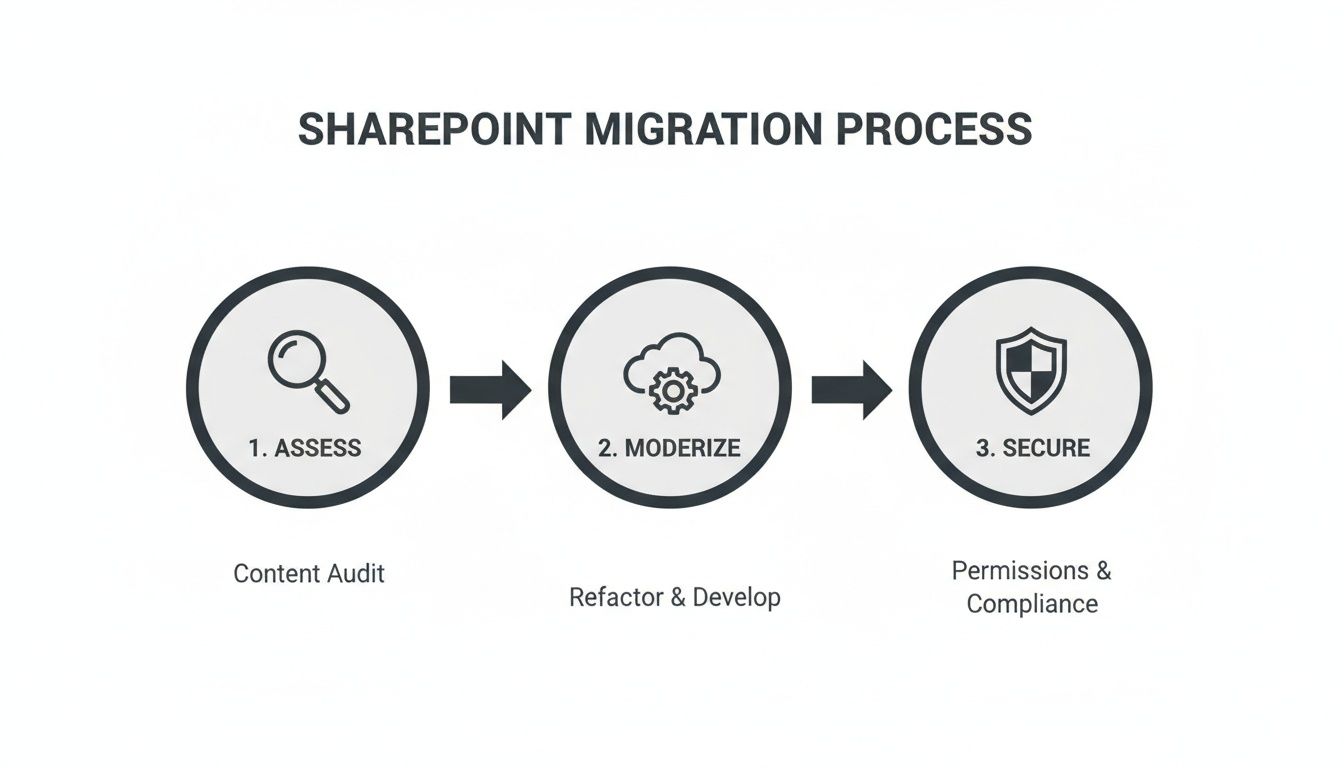
As you can see, it’s not just a technical lift-and-shift. It’s a strategic initiative to genuinely improve and secure how your business operates.
Phase 1: Discovery and Assessment
You can't migrate a single byte until you know exactly what you’re dealing with. This first phase is an exhaustive technical deep dive into your current environment, whether it's a legacy on-premises SharePoint farm, cluttered file servers, or another cloud service like Google Drive. Think of it as creating a detailed blueprint of your existing data estate.
The goal here is to scan every corner of your source systems to identify content, analyse dependencies, and flag potential migration blockers. This isn’t just about counting files. It involves:
- Content Inventory: Sizing up the volume and types of data you have—documents, lists, custom web parts, workflows, and version histories.
- Permissions Analysis: Mapping out the existing security model, which is often a convoluted web of Active Directory groups, local SharePoint groups, and unique permissions accumulated over years.
- Finding the Rot: Using tooling to pinpoint all the redundant, obsolete, and trivial (ROT) data that should be archived or deleted, not migrated. Cleaning this out pre-migration significantly reduces cost and complexity.
This discovery work provides the critical intelligence needed to accurately scope the project, select the right tools, and avoid unexpected technical challenges during execution.
Phase 2: Planning and Design
With a crystal-clear picture of your starting point, the next step is to design the destination. This is where the real strategic work happens. Just dumping your old structure into SharePoint Online is a massive missed opportunity. This is your chance to build a modern, efficient, and far more secure information architecture from the ground up.
Key activities in this phase include:
- Information Architecture Design: Architecting a new, logical site structure in SharePoint Online that is scalable, secure, and genuinely easy for people to navigate. This often involves moving from nested subsites to a modern hub-and-spoke model.
- Identity and Permission Mapping: Designing a modern security model based on Microsoft Entra ID. This means mapping legacy user accounts and tangled permissions to a clean, group-based model that supports modern security like Conditional Access and MFA.
- Tool Selection: Choosing the right tools for the job. While Microsoft provides basic utilities, most serious projects rely on robust third-party software like ShareGate for its speed, fidelity, and detailed reporting. For trickier custom elements, PowerShell PnP scripts might be needed to get the job done right.
A common mistake is to skip the redesign and simply "lift and shift." This only moves your old problems to a new platform. A successful migration uses this phase to fundamentally improve how information is structured and secured.
Phase 3: Execution and Validation
This is the technical heart of the project, where data is physically moved from the source system to SharePoint Online. But don't mistake this for a simple copy-and-paste job. A professional execution phase is methodical and tightly controlled to ensure perfect data integrity and minimise disruption to the business.
Best practice always starts with a pilot migration. A small, non-critical subset of data is moved first to test the process, validate the tools, and iron out any unforeseen kinks. This allows the technical team to refine their scripts and methodology before kicking off the full-scale migration.
During the main event, data is typically moved in waves—perhaps by department or data type. After each wave, rigorous validation is performed to confirm that every file, all its metadata, and every permission setting have been transferred correctly.
Phase 4: Post-Migration and Optimisation
Getting the data across to SharePoint Online isn't the finish line. The project's ultimate success hinges on what happens after the technical move is complete. This final phase is all about user adoption, ongoing governance, and unlocking the full power of the Microsoft 365 ecosystem. You can explore more about what a complete platform transition involves in our guide to Microsoft 365 migration.
Key activities here include:
- User Training and Change Management: Giving users the training and resources they need to work confidently and effectively in the new environment.
- Integration: Connecting SharePoint with other key services like Microsoft Teams and the Power Platform to automate processes and create seamless workflows.
- Establishing Governance: Implementing long-term policies for site creation, data retention, and security to keep the environment clean, compliant, and manageable for years to come.
This final phase is what ensures the migration delivers lasting business value, turning your new SharePoint environment from a simple file repository into a powerful hub for collaboration and innovation.
Navigating Different SharePoint Migration Scenarios
A SharePoint migration is never a one-size-fits-all affair. The source environment—where your data resides today—defines the entire technical strategy, introducing specific challenges that demand the right tools and expertise. Think of it like a network upgrade: migrating from a flat Layer 2 network is vastly different from redesigning a complex multi-site Layer 3 infrastructure.
Each migration path brings its own technical baggage. Understanding these nuances is the first step in planning a successful project, whether you're modernising a legacy SharePoint farm or centralising data from scattered sources. This is where professional SharePoint migration services add critical value, tailoring the approach to your exact technical landscape.
Migrating from On-Premises SharePoint Servers
This is the classic modernisation project: moving from legacy versions like SharePoint 2016 or 2019 to SharePoint Online. While it seems like a direct upgrade path, the technical reality is often complex. On-premises environments are frequently burdened by years of customisations, tangled permission structures, and outdated web parts that are incompatible with the cloud.
The primary technical challenges in this scenario include:
- Customisation Remediation: Full-trust code, custom solutions (WSPs), and heavily branded master pages from your on-prem farm cannot be migrated. Each one needs to be assessed and re-engineered using modern tools like the SharePoint Framework (SPFx) or the Power Platform.
- Permission Mapping: On-premises permissions are often a messy web of Active Directory groups and individual user access granted over many years. This tangled mess must be meticulously mapped to a clean, modern security model using Microsoft Entra ID groups to enforce today's zero-trust principles.
- Content Restructuring: Simply lifting and shifting an old site collection structure is a huge mistake. A migration is the perfect opportunity to rethink your information architecture, moving away from clunky nested subsites to a much flatter, more flexible hub-and-spoke model.
Moving from File Servers and Network Drives
Migrating from traditional file servers is less about SharePoint-specific technology and more about taming unstructured data chaos. These environments are typically digital dumping grounds—filled with deeply nested folders, inconsistent permissions, and a massive amount of redundant, obsolete, and trivial (ROT) data.
The biggest risk in a file server migration isn't a technical glitch; it's perfectly recreating your disorganised mess in a modern cloud environment. A successful project depends on aggressive pre-migration clean-up and a complete redesign of your information architecture.
From a technical standpoint, the key tasks are meticulously preserving file metadata like "Created By" and "Modified Date" and, most critically, translating complex NTFS permissions into a manageable SharePoint Online security model. This nearly always requires specialised tools that can map those intricate access control lists (ACLs) to Entra ID groups without accidentally breaking security.
Consolidating Multiple SharePoint Tenants
Tenant-to-tenant (T2T) migrations, often required after mergers and acquisitions, are arguably the most technically complex migrations. You aren't just moving files; you're merging two separate digital ecosystems, each with its own users, security policies, and application integrations.
The absolute core challenge here is identity management. User accounts, Microsoft 365 Groups, and distribution lists have to be painstakingly mapped from the source tenant to the destination. This process is riddled with risk, as a single incorrect mapping can lead to widespread access problems or even serious data breaches. For a T2T consolidation, thorough planning and specialised tools that can handle identity mapping aren't just nice-to-haves—they're non-negotiable.
Shifting from Other Cloud Platforms like Google Drive
Migrating from a rival cloud platform like Google Drive introduces unique interoperability challenges. While the core data is still documents, the metadata, permissions, and proprietary file formats are fundamentally different. For instance, Google Docs and Sheets must be converted into their Microsoft Office equivalents without losing critical formatting or embedded comments.
A critical point to address is the permissions model. Google Drive’s file-sharing approach is very different from SharePoint’s, and a direct one-to-one mapping is often impossible. The migration process must include a phase for redesigning sharing and access controls to align with SharePoint and Microsoft 365 best practices.
Choosing the right tool is vital. Some tools are great for simple file moves, while others are built for complex permission transformations. It is crucial to understand the capabilities and limitations of each option, a topic we explore further in our detailed guide on the SharePoint migration tool. Each approach offers different levels of control and fidelity, making the right choice essential for success.
To help clarify these paths, we've outlined the primary challenges and recommended approaches for each scenario. This table should help IT leaders anticipate the complexities involved in their specific project.
Comparing Common SharePoint Migration Paths
Ultimately, no two migrations are identical. The key is to recognise your starting point, anticipate the specific roadblocks it presents, and equip your team with the right strategy and tools to navigate them effectively.
Building a Secure Foundation with Entra ID
A migration isn't just about moving files from point A to point B. It's a rare chance to tear down old, convoluted permission structures and build a modern, secure foundation from scratch. This is where you shift from a reactive security posture to one that is secure by design, with Microsoft Entra ID as the cornerstone.
For organisations in regulated sectors, this isn't just a "nice-to-have"; it's an operational imperative.
This transition has a deadline. With SharePoint Server 2019 support ending in July 2026, thousands of enterprises across Ireland and the UK are being pushed toward SharePoint Online. After that date, there will be no more security patches, leaving businesses—especially in finance and healthcare—exposed to serious breach risks and potentially crippling GDPR fines.
Implementing Conditional Access Policies
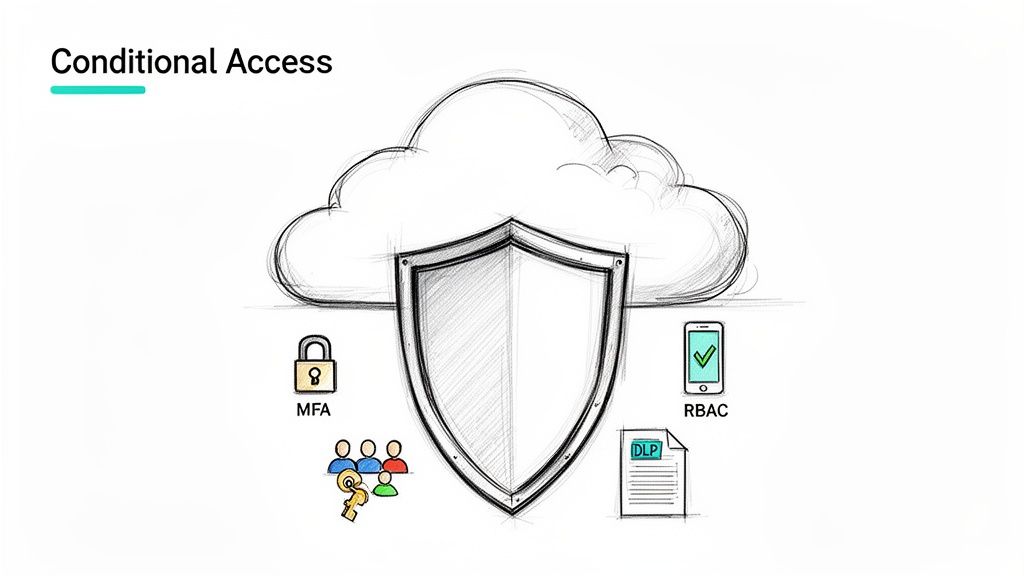
At the heart of this modern security model is Microsoft Entra Conditional Access. Think of it as an intelligent policy engine for your digital workspace. Instead of just validating a password, it evaluates the entire access context in real-time before granting or denying access.
It checks multiple signals, asking questions like:
- Who are you? A standard user or an administrator with elevated privileges?
- Where are you? Connecting from a trusted corporate network or an unrecognised location?
- What device are you using? Is it a compliant, managed corporate device, or an unmanaged personal phone?
- What are you trying to access? A low-risk team site, or a SharePoint library classified with sensitive financial data?
Based on these signals, you can enforce specific actions. For instance, if an administrator attempts to access a sensitive site from a non-compliant device, you can automatically block them or require them to complete Multi-Factor Authentication (MFA) to verify their identity. This granular control is the foundation of a zero-trust architecture.
Enforcing Multi-Factor Authentication
If there's one single action that dramatically improves your security, it's enforcing MFA. It’s the second factor of authentication that renders compromised credentials useless to attackers. A migration is the perfect time to make MFA a mandatory requirement for all users accessing SharePoint Online.
Moving to the cloud without enforcing MFA is like installing a state-of-the-art vault door but leaving the key under the mat. It’s an essential, non-negotiable component of modern security that protects your most valuable asset: your data.
By integrating MFA with Conditional Access, you can be both secure and efficient. You might decide that users on the secure office network don’t need an MFA prompt for every session, but they are always challenged when connecting from any other network. This strikes a balance between robust security and a frictionless user experience.
Aligning with Compliance Standards like GDPR and ISO 27001
A migration provides the ideal moment to bake in compliance from day one. Instead of retrofitting security, you build your new SharePoint environment to meet stringent standards like GDPR and ISO 27001 right from the start. Microsoft Purview is the toolkit that makes this happen.
- Data Loss Prevention (DLP) Policies: These act as automated guards, preventing users from accidentally or maliciously sharing sensitive information. You can configure policies to detect content with financial data or personal identifiable information (PII) and automatically block it from being emailed or shared externally.
- Sensitivity Labels: These allow you to classify data at the point of creation. A user can label a document as "Confidential," and pre-configured policies will instantly apply encryption and access restrictions, ensuring only authorised individuals can ever open it.
- Retention Policies: To comply with GDPR's "right to be forgotten" and other data lifecycle regulations, retention policies ensure data is kept only for as long as necessary and is then disposed of securely and automatically.
By using these tools, you transform SharePoint from a simple document folder into a secure, compliant, and fully governable platform. Our expertise in MS365 and Azure services is centred on building these secure foundations, ensuring your cloud environment meets the highest standards for both security and compliance.
Maximising Performance in Large-Scale Migrations
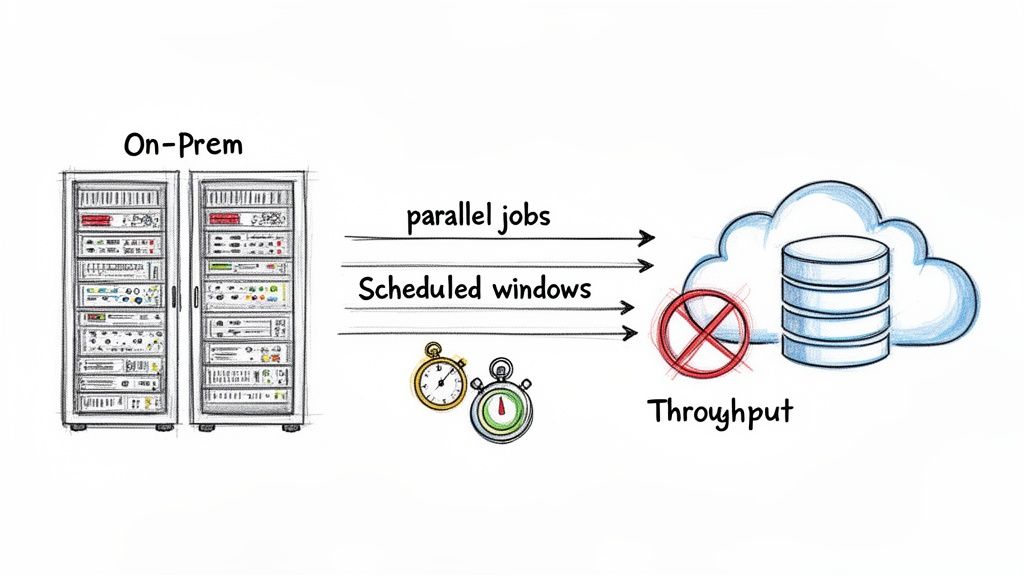
When you’re moving terabytes of data, migration velocity isn't just a nicety; it's a critical project constraint. A large-scale migration to SharePoint Online is a technical challenge involving bottlenecks, network congestion, and Microsoft’s own service protection throttling. Success hinges on a deep, practical understanding of how to maximise data throughput without overwhelming the service.
This isn’t about just starting a migration job and hoping for the best. It requires a deliberate strategy that orchestrates the entire data pipeline, from your source environment to the destination in the cloud. Professional SharePoint migration services focus on optimising this pipeline to deliver a fast, efficient transfer with minimal disruption.
Understanding the SharePoint Migration API
At the heart of any high-speed migration is the SharePoint Migration API. This is a dedicated, high-speed ingestion pipeline for your data, completely bypassing the slower, conventional routes used for everyday file uploads. Tools like ShareGate are engineered specifically to leverage this API, packaging your content and metadata into highly efficient batches.
These packages are first uploaded to a temporary Azure storage location provided by Microsoft. From there, SharePoint Online’s internal processes take over, unpacking the data and integrating it into your tenant. This asynchronous, two-step process is far more efficient than a direct upload and is the key to achieving high throughput.
Strategies for Maximum Throughput
To get the most out of the Migration API, you need to feed it data as quickly and consistently as possible. This means optimising both your source environment and your migration methodology.
- Optimise the Source Environment: Your on-premises servers or file shares can easily become the primary bottleneck. Ensure the machine running the migration tool has sufficient CPU, RAM, and a high-speed network connection. A sluggish source will starve the API, regardless of its efficiency.
- Run Jobs in Parallel: Do not migrate content sequentially in a single queue. A proven best practice is to run multiple migration jobs concurrently from several virtual machines. This creates multiple, parallel data streams flowing into Azure, dramatically increasing your overall transfer rate.
- Schedule Off-Peak Transfers: Network congestion, both on your local network and within the Microsoft datacentre, can impact performance. Scheduling the bulk of your data transfer during non-business hours (nights and weekends) can significantly improve throughput by avoiding peak usage times.
Throttling is not a failure; it is a signal. Microsoft uses it to protect the service for all tenants. The goal is not to avoid it entirely but to work within its limits by distributing the load over time and across multiple jobs.
Daily, over 2 billion files flood into SharePoint Online globally, with the UK’s 187,000 M365 businesses contributing significantly to this volume. This incredible demand is precisely why Microsoft has robust throttling mechanisms in place to ensure service stability for everyone. You can get more technical detail on this in the official Microsoft documentation.
Monitoring for Bottlenecks and Avoiding Throttling
Effective, real-time monitoring is crucial. You need to keep a close eye on the performance of your source servers, your network utilisation, and the reports from your migration tool. Tools like ShareGate provide detailed logs that can help you quickly identify if you are being throttled.
If throttling does occur, the right response is not to push harder. Instead, you should dial back the number of parallel jobs slightly or pause less critical transfers. This intelligent management of the migration queue ensures you maintain the highest possible speed without being penalised by the platform. You can find more practical advice on managing these types of projects in our guide to a large scale SharePoint migration.
This approach transforms the migration from a brute-force data dump into a finely tuned, high-performance operation.
Driving Value After the Migration Is Complete
Completing the data transfer to SharePoint Online is a significant technical achievement. It's the end of the migration project, but it's the beginning of a new phase of value creation. The real, long-term return on your investment in professional SharePoint migration services comes from what you build on top of this new foundation.
The goal isn't just to have a modern, cloud-based file repository. It's to leverage that new environment as a fully integrated digital workspace that drives business process automation and efficiency. This means looking beyond document storage and weaving SharePoint into the fabric of the wider Microsoft 365 ecosystem.
Integrating SharePoint with Microsoft Teams
One of the most immediate and powerful steps is to leverage the native integration between SharePoint and Microsoft Teams. Every time a new team is created in Microsoft Teams, a full SharePoint site is automatically provisioned behind the scenes to store the team's files. Understanding and managing this relationship is critical.
Instead of users seeing two separate applications, you can:
- Surface SharePoint Libraries in Teams Channels: Pin document libraries as tabs directly inside the relevant channels. This means your team never has to leave the Teams client to access project files.
- Centralise Project Documentation: Utilise the connected SharePoint site as the single source of truth for all project documents, task lists, and wikis. This eliminates version control issues and the "where is the latest file?" problem.
This deep integration makes collaboration and content management a single, fluid experience, removing friction and boosting productivity.
Automating Processes with the Power Platform
The next level is using the Power Platform—specifically Power Automate and Power Apps—to build custom business solutions on top of your newly organised SharePoint data. This is your opportunity to automate manual, error-prone processes that have been a drain on resources.
With SharePoint as the data source, you can build:
- An Automated Onboarding Workflow: A new employee is added to a SharePoint list. This action triggers a Power Automate flow that assigns tasks to IT for equipment provisioning, HR for payroll setup, and their manager for training. The entire process is automated, consistent, and trackable.
- A Sophisticated Document Approval System: A process where documents uploaded to a specific library are automatically routed to the correct stakeholders for review and approval, with full version history and an audit trail.
The post-migration phase is the perfect time to modernise those old, manual business processes. By connecting SharePoint to the Power Platform, you can build powerful, low-code solutions that automate workflows, reduce human error, and free up your team to focus on work that actually matters.
A well-structured information architecture, established during the migration, also sets you up perfectly for the next wave of AI tools. A clean, well-governed SharePoint environment provides the ideal foundation for services like Microsoft Copilot. This ensures it can find and reason over high-quality, relevant data to provide accurate and useful insights, making sure your migration delivers value not just today, but well into the future.
Frequently Asked Questions
When planning a migration of a core business system to the cloud, numerous technical questions arise. Here are some of the most common ones we hear from IT leaders, with straightforward, technically-grounded answers.
How Long Does a Typical SharePoint Migration Take?
There is no standard timeline. Any vendor who provides a fixed duration without a thorough discovery is making an uninformed guess. The project schedule is a direct function of data volume, source complexity, the number of customisations that require remediation, and the desired cutover strategy.
A simple file server migration of a few terabytes might be completed in weeks. Conversely, migrating and modernising a large on-premises SharePoint farm with custom code and complex workflows could be a multi-month engagement. A realistic timeline can only be established after a detailed discovery and assessment phase.
What Are the Biggest Risks in a SharePoint Migration?
The primary technical risks are data loss, metadata corruption, extended downtime, incorrect permission mapping, and poor user adoption. Any one of these can severely impact business operations and undermine the project's value. The goal is to avoid a scenario where, post-migration, users cannot find their data or access is broken.
Mitigating these risks requires a structured, proven methodology. This must include a deep pre-migration analysis, pilot testing with representative data and user groups, and the use of professional migration tools like ShareGate. A solid change management plan is also critical to ensure end-user readiness.
Can We Migrate Our Custom SharePoint Applications?
The short answer is no, not directly. Legacy full-trust code (FTC) solutions and farm solutions built for on-premises environments are fundamentally incompatible with SharePoint Online's cloud architecture. Attempting to "lift and shift" them will fail.
Think of the migration as the perfect chance to modernise. A good partner will assess your old solutions and map out a plan to rebuild the functionality using modern tools like the Power Platform (Power Apps and Power Automate) or other Azure services. You get the same business outcome, but in a way that’s more secure, scalable, and easier to support.
How Is Data Security Handled During the Migration Process?
Security is integral to every phase of the project. During transit, all data is encrypted using TLS as it moves to the Microsoft cloud via the migration API. Once in SharePoint Online, it is encrypted at rest. Professional SharePoint migration services use only secure, Microsoft-approved APIs for all data transfers.
More importantly, a pre-migration security assessment is key. It allows us to map your old, often complex, permissions to a clean, more secure model built on Microsoft Entra ID. In many cases, the migration process results in a significant improvement to your organisation's overall security posture.
Ready to modernise your digital workspace without the risk? The experts at Ollo specialise in secure, efficient SharePoint migrations for regulated industries. We build secure, scalable, and easy-to-manage cloud environments with zero data loss. Plan your successful migration with us at https://www.ollo.ie.

















