



Getting SharePoint GDPR compliance right isn’t a theoretical exercise. It's about architecting a defensible, auditable framework that survives contact with reality—protecting your data from external attacks and, more frequently, from the internal misconfigurations that auditors feast on. This isn't about ticking a box; it's about avoiding disaster in your SharePoint environment.
The True Cost of SharePoint GDPR Complacency
Let's be blunt: your SharePoint environment is a regulatory minefield. The gap between Microsoft's documentation and the brutal reality of enforcement is where projects fail and careers end.
Forget the marketing fluff about "seamless compliance." We're talking about the specific, technical failures we see in the trenches every day that lead to catastrophe:
- Uncontrolled "Anyone with the link" shares creating silent, persistent data leaks.
- Broken permission inheritance after a migration tool shatters your carefully crafted access controls.
- Retention policies that look great in a PowerPoint deck but are never actually enforced at the data layer.
The astronomical cost of these failures isn’t just about the fines. It’s about the operational chaos of a breach and the career-limiting conversations that follow. To understand what's at stake, you first have to grasp the mechanics of GDPR compliance itself, which sets the stage for the technical battleground of SharePoint.
This process flow shows the direct line from a simple, everyday misconfiguration to significant regulatory penalties. It's the path we see clients on before they call us.
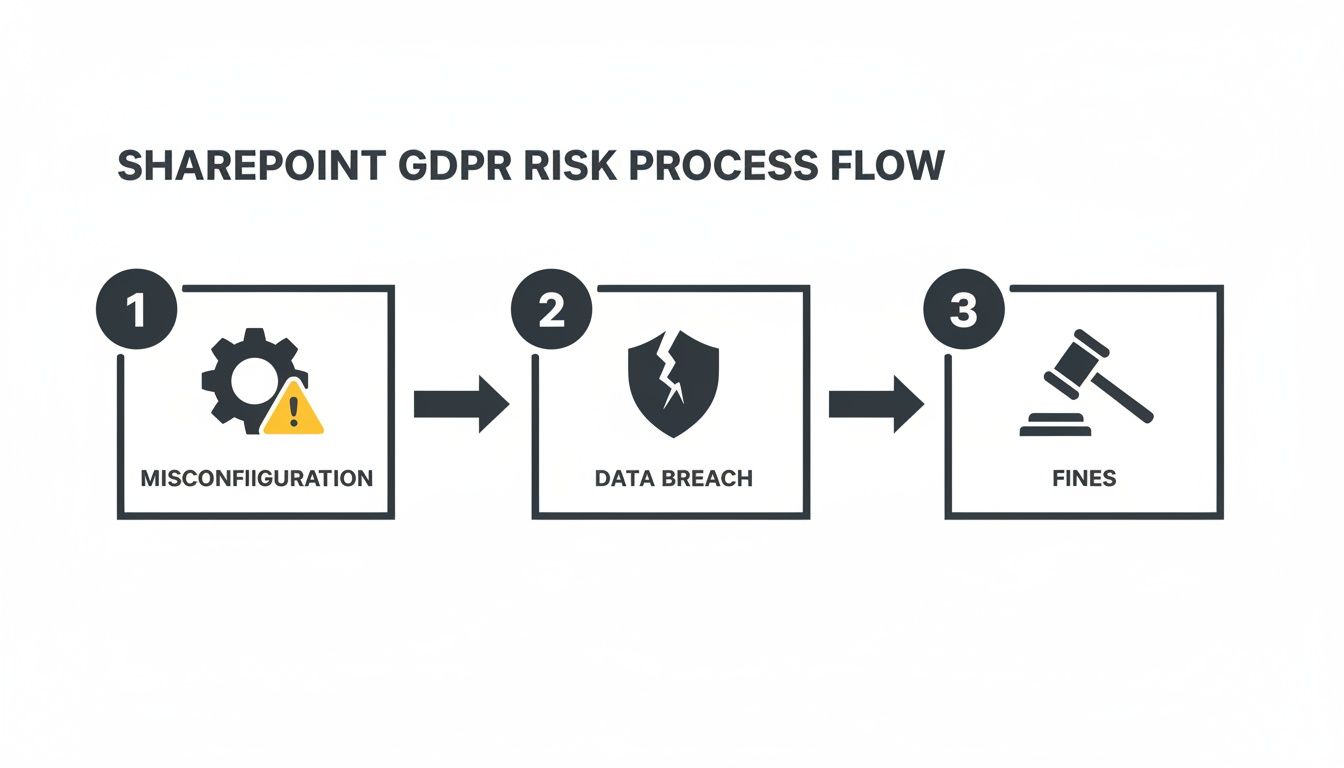
The key takeaway is that the biggest fines rarely come from sophisticated cyberattacks. They start with preventable, internal governance failures that an expert partner would have caught.
Why Out-of-the-Box Is a Direct Path to Failure
Regulatory pressure is intensifying. Look at Ireland, a major hub for your cloud infrastructure. In 2023, Ireland's Data Protection Commission issued a staggering 87% of all GDPR fines across the entire EU.
With breach notifications jumping by 20% year-over-year, it's painfully obvious that default settings are a trap. Relying on out-of-the-box SharePoint features without a robust, bespoke governance framework is not a strategy; it's willful negligence.
We often see clients fail when they treat compliance like a one-time project. It’s a sustained programme. Without ongoing governance—automated access reviews, scripted monitoring, and regular policy audits—your initial investment will be worthless within 12-18 months.
This guide frames SharePoint GDPR compliance as a critical risk mitigation strategy. It’s about tackling the hidden costs of poor data governance before they turn into a reportable incident. We’re going to dissect the technical controls you absolutely must implement to build a truly defensible position.
Building Your Defensible Position with Data Classification
Your entire SharePoint GDPR compliance strategy lives or dies on one principle: know what data you hold and why. It sounds simple, but this is exactly where most organisations fail spectacularly, presiding over a sprawling, unclassified data swamp that is impossible to defend during an audit. This isn't just poor housekeeping; it's a direct violation of GDPR's principle of data minimization.
The official Microsoft documentation paints a clean picture of applying sensitivity labels. The reality we see in the field is a chaotic mess of legacy data and policies that exist only on paper. Relying on your users to manually classify every document is a guaranteed recipe for failure.
Going Beyond the Theoretical MPIP Model
Microsoft Purview Information Protection (MPIP) and its sensitivity labels are powerful, but they are not a magic bullet. We see it all the time: a company buys E5 licenses, assumes they've bought compliance in a box, and then leaves the most critical features gathering digital dust.
To build a defensible position, your labels can't just be suggestions; they must enforce real-world controls automatically.
This isn’t a theoretical exercise. Your labels must be configured to take specific, automated actions:
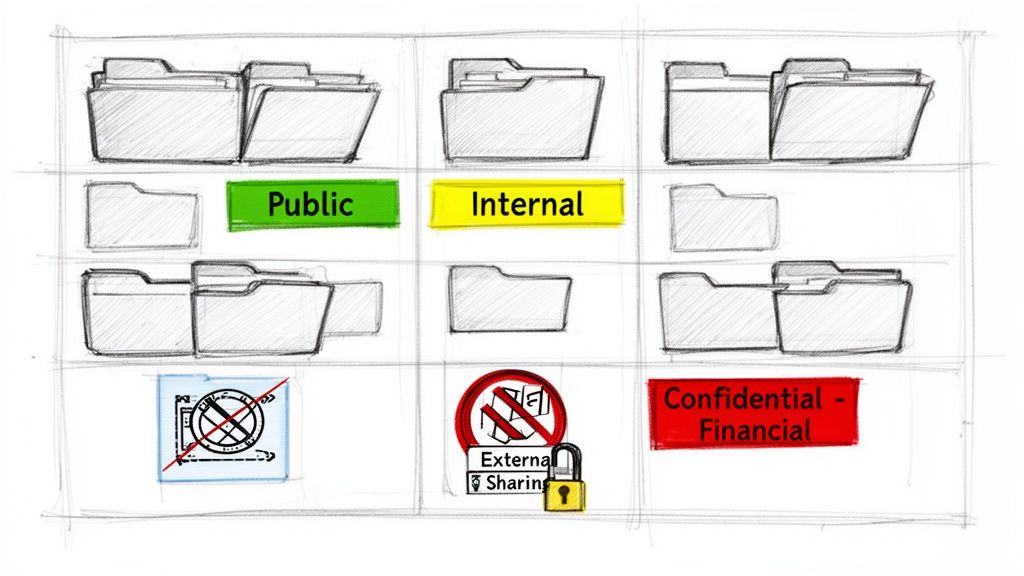
- Block External Sharing: A document tagged 'Confidential - Financial' must have its external sharing capabilities programmatically shut down, overriding any user's attempt to share it.
- Apply Encryption: Any file labelled as containing PII should have AES encryption automatically applied, both at rest in SharePoint and in transit.
- Enforce Geolocation Controls: Labels can be tied to Conditional Access policies to prevent certain documents from ever being downloaded to devices outside of approved jurisdictions.
The documentation says auto-labelling policies are the solution. In reality, they are notoriously unreliable for nuanced data. They're great at catching obvious patterns like credit card numbers, but they generate a high rate of false positives and, far more dangerously, false negatives. This is why a hybrid approach—combining automated rules with targeted, user-driven classification and robust governance—is the only strategy that stands up to scrutiny.
The Retention and Disposal Minefield
Once you know what data you have, you need a defensible plan to get rid of it. This is where most SharePoint GDPR initiatives completely fall apart. The default "keep everything forever" model isn't a strategy; it's a massive liability that continuously expands your risk surface.
Every piece of data you keep beyond its legal or business necessity is a potential breach waiting to happen. Missing this step doesn't just fail the migration; it breaks legal compliance.
Microsoft's documentation might suggest that auto-apply retention labels are the easy answer. In reality, applying them retroactively to millions of legacy documents in a live environment is fraught with peril. A misconfigured policy can trigger mass deletions of business-critical data with no simple rollback. This is how data is lost forever.
You can't just turn on a seven-year retention policy and call it a day. A credible, defensible strategy demands:
- A Legal-Approved Schedule: Your retention schedule needs to be a formal, documented plan, signed off by your legal and compliance teams. It must map specific data types to concrete retention periods.
- Mapping to Labels: This schedule is then translated into retention labels within Microsoft Purview. For instance, a label for 'Financial Invoices' should trigger a seven-year retention period, followed by a mandatory disposal review.
- Executing Disposal: This is the critical step everyone avoids. You must have a documented, repeatable process for reviewing and executing the deletion of data that has reached the end of its life. Failing to do this invalidates your entire policy.
We’ve seen auditors specifically ask for hard evidence of a company's disposal process. Handing them a policy without proof of execution is an immediate red flag.
The technical hurdles here are significant, especially during large-scale migrations. Our guide on SharePoint migration compliance details how to avoid shattering your data governance framework in transit. Getting classification wrong before a migration actively imports risk into your new environment.
Implementing Zero Trust Access Controls That Actually Work
SharePoint’s greatest strength—collaboration—is also its biggest compliance weakness. Your biggest GDPR risk isn’t some sophisticated external attacker; it’s a well-intentioned employee creating an anonymous "Anyone with the link" share on a folder full of personal data.
Default sharing links and sprawling, unchecked permissions create invisible data leaks that are impossible to defend. This is where we move beyond simply ticking the MFA box and implement a genuine Zero Trust model built on Entra ID.
We’re talking about granular Conditional Access policies that challenge access based not just on identity, but on device health, location, and real-time risk signals. This isn’t theoretical; it’s a mandatory step for any serious SharePoint GDPR compliance effort.
Beyond MFA: Conditional Access in the Real World
The official documentation says to turn on MFA. In reality, MFA alone is nowhere near enough. We often see clients fail when they treat access control as a simple on/off switch. A real-world, defensible strategy is about nuance and context.
Your Conditional Access policies need to be surgical:
- Block legacy authentication protocols. Protocols like POP, IMAP, and SMTP don't support modern authentication and are common vectors for credential-stuffing attacks. This isn’t an option; it’s a necessity.
- Enforce device compliance. Access to SharePoint sites holding sensitive data must be blocked from unmanaged, personal devices. Entra ID must verify the device is enrolled in Intune and meets your security baseline before granting a single byte of access.
- Implement location-based controls. Your policies must challenge or block sign-ins from unexpected or impossible-travel locations, forcing re-authentication or outright denying access.
- Use real-time risk detection. This means integrating Entra ID Identity Protection to escalate controls when a user's sign-in is flagged as high-risk, such as from an anonymous IP address or showing signs of malware.
Missing these steps doesn't just weaken your security; it breaks your ability to prove to an auditor that you've implemented "appropriate technical measures." For a deeper dive, explore the principles of a complete Zero Trust Architecture.
Eliminating Standing Admin Privileges
One of the most common and dangerous vulnerabilities we find is standing administrative access. Your SharePoint Administrator role should not be a permanent assignment. It’s a high-value target that, if compromised, provides the keys to the entire kingdom.
This is where you absolutely must configure Privileged Identity Management (PIM) for the SharePoint Admin role and other high-impact roles. PIM transforms permanent admin accounts into eligible, just-in-time roles. An administrator has to explicitly request access, provide a justification for a time-bound session, and often require approval before their privileges are elevated.
The Ollo Verdict: Implementing PIM is non-negotiable. If your SharePoint Admins have standing, 24/7 privileged access, you are one compromised credential away from a tenant-wide data breach. It is a fundamental failure of the principle of least privilege that auditors will immediately identify.
Automating the Fight Against Permission Creep
Finally, you have to tackle the toxic problem of permission creep. Over time, as users change roles and projects evolve, SharePoint permissions become a tangled mess of direct assignments and broken inheritance, granting far too much access. This is a guaranteed audit failure waiting to happen.
Relying on manual reviews is a fool's errand. The only scalable solution is to configure Entra ID Access Reviews. These automated campaigns force site owners or managers to regularly recertify who has access to their SharePoint sites and Microsoft 365 Groups.
You set the rules: target a group of high-sensitivity sites, set the review frequency to quarterly, and define what happens if a reviewer doesn't respond (e.g., automatically remove access). This creates a defensible, auditable trail proving you have a system to prune stale permissions.
Our experience in complex Microsoft 365 and Azure environments confirms that without this automation, permission creep will invalidate all your other security efforts within a single year.
Fortifying SharePoint Against Data Breaches and Exfiltration
A data breach isn’t a matter of ‘if’ but ‘when’. When the Data Protection Commission comes knocking, your ability to prove you took reasonable, documented precautions is what separates a manageable incident from a catastrophic, career-defining fine.
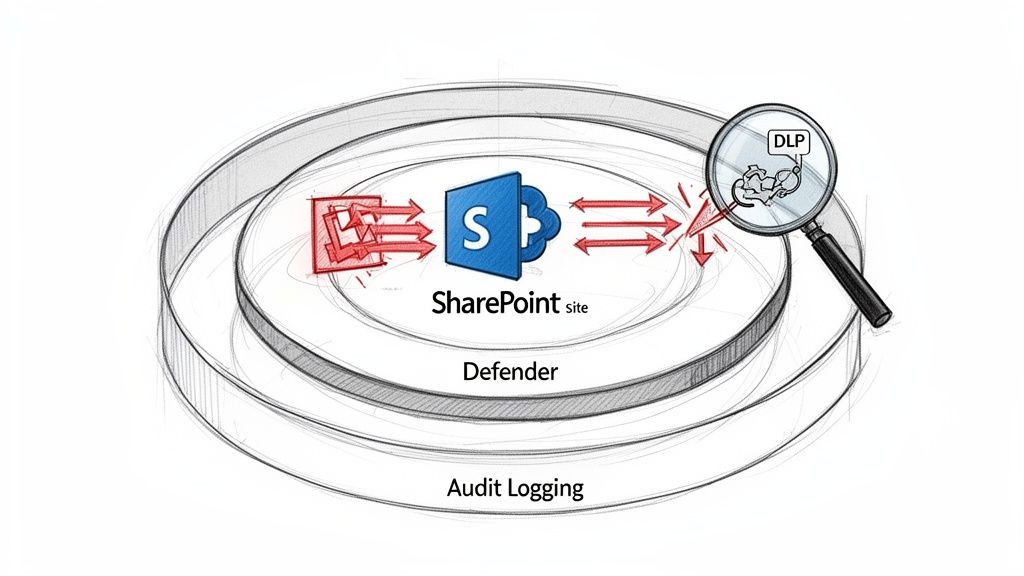
Let's be clear: relying on native SharePoint security alone is not a credible strategy for GDPR compliance. You need a multi-layered defence.
The statistics from the Irish market paint a grim picture for anyone feeling complacent. The average cost of a data breach in Ireland hit €3.8 million in 2023. When breach notifications spike 20% year-over-year, as they did in Ireland recently, it’s a clear signal that existing controls are failing. You can get more insights from a recent analysis by Storm Technology.
We consistently inherit tenants from new clients where there's no audit baseline, no documented data classification, and no access review cadence. By the time a breach happens, it's too late to build a defence.
Building Proactive Defences with Data Loss Prevention
Let's be brutally honest: Microsoft Purview's Data Loss Prevention (DLP) is not a GDPR compliance solution in a box. The documentation says to turn on policies for PII or financial data. In reality, out-of-the-box DLP policies are porous and easily bypassed by determined—or simply careless—users.
A DLP policy that only shows a "policy tip" warning is useless for GDPR. Your policies must be configured to block the action, not just suggest better behaviour.
Here's how to make DLP actually work:
- Scope Your Policies: Stop applying generic policies tenant-wide. Target specific SharePoint sites that you've already classified as holding sensitive personal data.
- Set High Confidence Levels: Configure your rules to trigger on high-confidence matches. A low-confidence rule will flood your security team with so many false positives they'll start ignoring all the alerts.
- Block, Don't Just Warn: Your rule's action must be set to "Block everyone" or "Block people outside your organisation." This creates a hard stop against data exfiltration.
The Ollo Verdict: DLP is a critical layer, but it is fundamentally reactive—it catches data in motion. Without a robust data discovery and classification program that understands your data at rest, your DLP policies are operating blind. They're missing vast repositories of unsecured personal data just sitting dormant in your SharePoint sites.
Detecting Anomalous Behaviour Before It Becomes a Breach
Your next layer of defence has to assume a breach will occur. This is where you need to move beyond prevention and into active detection. This is the domain of Microsoft Defender for Cloud Apps.
Defender for Cloud Apps connects to your Microsoft 365 environment and analyses activity logs for patterns that scream "threat." Standard SharePoint audit logs tell you what happened after the fact; Defender can tell you something is wrong as it's happening.
Your security posture depends on configuring specific anomaly detection policies. These aren't "nice-to-have" features; they are essential controls for demonstrating you have a proactive monitoring system.
You need to enable policies that watch for:
- Mass Download: Alert and suspend the user account if an unusual volume of files is downloaded from a SharePoint site. This is a classic indicator of data theft.
- Impossible Travel: Flag and challenge sign-ins that occur from geographically impossible locations in a short time frame.
- Suspicious IP Address: Trigger an alert when a user accesses SharePoint from a known malicious or anonymous IP address.
These controls provide the evidentiary trail you'll need when an incident inevitably occurs. You can find more details in our guide to SharePoint migration security.
Mastering Data Subject Requests and Legal Hold
Responding to a Data Subject Access Request (DSAR) within the 30-day GDPR deadline is the moment of truth. For most organisations, it's a nightmare. Relying on your team to manually run SharePoint searches isn't a strategy; it’s a recipe for failure, incomplete data retrieval, and regulatory penalties.
This isn’t a theoretical risk. Ireland's Data Protection Commission explicitly targets how organisations handle data subject rights—the top two complaint categories.
In fact, non-compliance with general data processing principles was the violation type for 5 of the top 10 GDPR fines in 2024. This isn't about technical glitches; it's about foundational governance failures. You can find more detail in the DPC's recent annual report.
The only defensible approach is a technical playbook built around Microsoft Purview eDiscovery. It’s the toolset designed for this exact purpose, but it's dangerously easy to misuse.
The eDiscovery Pitfall Most Organisations Tumble Into
The documentation shows a simple process: create a case, define search criteria, and export. We often see clients fail when they treat this as a simple keyword search.
In reality, a broad search across your entire tenant for a common name will bring your environment to its knees, delivering a mountain of irrelevant data that your legal team can't possibly review in 30 days.
A successful DSAR response is impossible without the foundational work we've already covered:
- A Pre-Defined Data Map: You must know where personal data resides. This lets you surgically target specific SharePoint sites instead of boiling the ocean.
- Granular Search Queries: Your team must be skilled in using Keyword Query Language (KQL). Simply searching for "John Smith" is useless. You need to combine it with other identifiers, like employee ID, to narrow the results.
- The Redaction Nightmare: The exported data will inevitably contain personal information about other individuals. This third-party data must be redacted. Doing this manually on thousands of documents is an operational disaster.
This process is so fraught with risk that we advise clients to conduct fire drills—mock DSARs—to stress-test their procedures. If you're unsure your current setup can withstand this scrutiny, it’s a clear sign you need an independent evaluation. A free audit from our team (https://ollo.ie/free-audit) can pinpoint these exact process gaps before they become a regulatory crisis.
Legal Hold Is Not Optional
Beyond DSARs, your legal team has a non-negotiable requirement to place content on Legal Hold. This is not the same as a retention policy. A Legal Hold overrides all other policies to immutably preserve content.
Placing a hold is technically simple. The challenge lies in scope. Placing an entire site collection on hold creates massive downstream problems for storage and future eDiscovery searches.
The Ollo Verdict: Effective Legal Hold management requires precision. You must be able to place holds on specific user mailboxes, OneDrive accounts, or even specific document libraries without freezing entire swathes of your tenant. Relying on broad, site-level holds is a sign of an immature compliance posture and will be viewed as such during an audit.
Missing this step doesn't just fail a legal process; it breaks a core tenet of data preservation required by GDPR.
Your Pressing SharePoint GDPR Questions Answered
As architects who live in the trenches of complex migrations, we hear the same tough questions from IT Directors and Enterprise Architects who have been burned by consultants selling documentation instead of working solutions.
Here are the direct, no-nonsense answers you need.
Are Microsoft 365 Built-In Tools Enough for GDPR Compliance?
No. This is the most dangerous misconception we encounter. The tools—Microsoft Purview, Entra ID, Defender—are powerful, but they are just tools. They require expert configuration, integration, and ongoing governance to have any teeth.
We consistently see organisations buy expensive E5 licences, believing they’ve bought compliance in a box, only to leave the most critical security features misconfigured. Out-of-the-box settings are designed for general usability, not for the high-stakes requirements of regulated industries.
The Ollo Verdict: Relying on default settings is a critical failure. True SharePoint GDPR compliance comes from a strategy that maps these tools to your specific data risks and legal obligations. Anything less is just ticking a box for the auditors, and they will see right through it.
How Do We Handle GDPR During a Complex SharePoint Migration?
A migration is the moment of maximum risk. You can't simply "lift and shift" terabytes of data and hope compliance follows. The documentation for standard tools like Microsoft's SharePoint Migration Tool (SPMT) or even commercial products like ShareGate makes it sound simple, but they have specific breaking points in enterprise scenarios.
We see projects fail when teams don't account for these realities:
- Broken Inheritance: These tools frequently shatter complex, folder-level permission inheritance, leaving sensitive data exposed in the target tenant.
- GUID Conflicts & Throttling: At enterprise scale, these tools hit API throttling limits and list view thresholds (the 5,000 item limit is real and it will break your processes), causing migrations to fail silently overnight.
- Long Path Limits & Metadata Loss: Critical metadata required for retention policies fails to map correctly, and file paths exceeding the 256-character limit are simply dropped, creating a compliance black hole where your data governance rules no longer apply.
A compliant migration demands purging redundant and obsolete information before the move and defining the target security structure before moving a single file. For any migration over a few hundred gigabytes, you’ll need custom scripting to preserve critical metadata and post-migration validation to prove your compliance posture has improved, not degraded.
The Ollo Verdict: Use SPMT for a single site library under 50GB. Use ShareGate for department-level moves with simple permissions. For anything enterprise-scale with complex permissions or retention requirements, these tools are the start of the problem, not the solution. You need a specialist with a scripted, audited approach.
What Is the Single Biggest SharePoint GDPR Mistake?
The single biggest failure we see is assuming compliance is a one-time project. An organisation will spend months and a significant budget to lock down its SharePoint environment, only to let it decay through permission creep, uncontrolled site creation, and unenforced retention policies.
Effective governance is not a manual process; it requires automation. Without a sustained programme that includes automated access reviews, scripted monitoring for risky sharing behaviour, and regular policy audits, your initial compliance investment becomes worthless within 12-18 months. The environment will inevitably drift back to a state of non-compliance. This isn't a project; it's a permanent operational discipline.
Can We Achieve GDPR Compliance with SharePoint On-Premises?
Technically possible? Yes. A good idea? Absolutely not. It is exponentially harder, more expensive, and far riskier than using SharePoint Online. With on-premises deployments, your team is solely responsible for the entire security stack—from physical server security and network segmentation to constant patching.
Furthermore, the advanced compliance tools central to a modern defence—Microsoft Purview, Conditional Access, and Defender for Cloud Apps—are cloud-native. They have no true on-premises equivalent. Trying to replicate this functionality requires a complex and costly patchwork of third-party tools that are difficult to integrate.
The Ollo Verdict: From a risk and cost perspective, a well-architected migration to SharePoint Online is the only viable path to sustainable GDPR compliance. Staying on-premises to "control" your data is an illusion that dramatically increases your attack surface and compliance burden.
Navigating the technical minefield of SharePoint GDPR compliance requires more than reading documentation. It demands battle-hardened experience from architects who have seen what breaks at scale. If you're facing a high-stakes migration or a complex compliance challenge, talk to the specialists. Contact Ollo at https://www.ollo.ie to ensure your project is a defensible success, not a cautionary tale.

















