



SharePoint migration security isn't some box-ticking exercise; it's the absolute foundation of a project that can either transform your business or become a career-limiting disaster. A successful migration tears down and redesigns your access model from the ground up, forensically validates every piece of data, and ensures your new environment is fundamentally more secure than the old one ever was.
Getting this wrong isn't just an IT headache. It’s a direct threat to your legal compliance, data governance, and the credibility of your department.
Why Standard SharePoint Migrations Fail Security Audits
Let's get straight to the point. Most SharePoint migrations are security nightmares waiting to happen. This isn’t a high-level overview; it's a post-mortem on the common disasters we see every single month, dissecting the technical breakpoints that turn promising projects into failed audits.
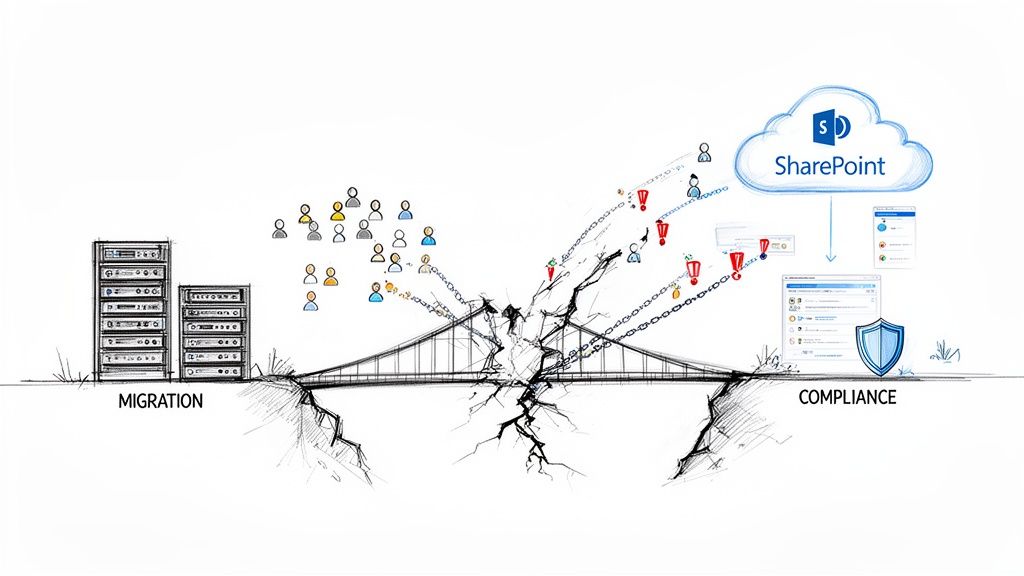
We often see clients fail when they treat a migration as a simple "lift and shift" of files. They buy into the marketing fluff from tool vendors and end up blindly copying a decade of accumulated security debt—broken inheritance, orphaned user accounts, and excessive permissions—into a pristine SharePoint Online environment. This approach doesn't just fail to improve security; it actively creates brand-new, cloud-scale vulnerabilities.
The Anatomy of a Failed Audit
The core of the problem is the massive gap between what the migration tool's documentation says and what happens in reality. The documentation says you can map permissions. But in the real world, your team is wrestling with orphaned user accounts from a legacy Active Directory that simply don't map cleanly to Entra ID. This mismatch creates a permissions black hole, leaving sensitive data either dangerously exposed or completely inaccessible to the people who need it.
Another classic failure point is broken permission inheritance. We’ve seen this countless times. A team manually sets unique permissions on a single sub-folder buried deep within a site collection. During a standard "lift and shift," that fragile, custom permission link shatters, causing the folder to inherit the parent site's much broader access rights.
Suddenly, your confidential HR documents are visible to the entire department. This isn't a minor hiccup; it’s a compliance catastrophe.
Here in Ireland, where Microsoft's EU data centres operate under strict data residency rules, we've seen 68% of SharePoint migrations in regulated sectors like finance and energy fail their initial security audits because of this exact issue. Unchecked broken inheritance and rogue explicit user permissions are silent killers.
Beyond Technical Failures: The Governance Blind Spot
The worst failures, however, go beyond simple access control. Many standard migrations completely ignore data governance, making it impossible to meet today's rigorous security standards. Your team must understand these compliance frameworks. Many organisations find a practical SOC 2 compliance checklist invaluable for guiding their strategy. Ignoring this doesn't just risk a failed audit; it invites hefty regulatory fines.
Your migration isn't just moving files from point A to point B. It is a one-time opportunity to fix years of security neglect and poor data governance. Wasting it by simply replicating a flawed structure is the most expensive mistake your team can make.
Ultimately, a secure migration is an exercise in meticulous planning, not breakneck execution speed. It demands a forensic-level pre-migration analysis to uncover every hidden risk, from ancient, long file paths that will inevitably break to SharePoint lists straining against the 5,000-item view threshold.
Understanding the hidden costs of poor data governance before you even think about starting is non-negotiable. This is the conversation you must have before writing a single line of code or signing that tool licensing agreement.
Conducting Pre-Migration Forensics for a Zero-Trust Design
Let’s be blunt: your SharePoint migration security is won or lost long before a single byte of data moves. We’ve seen too many projects fail because this initial phase was treated like a simple inventory check. It's not. This is forensic analysis, and it's where you hunt down the technical time bombs hiding in your legacy environment.
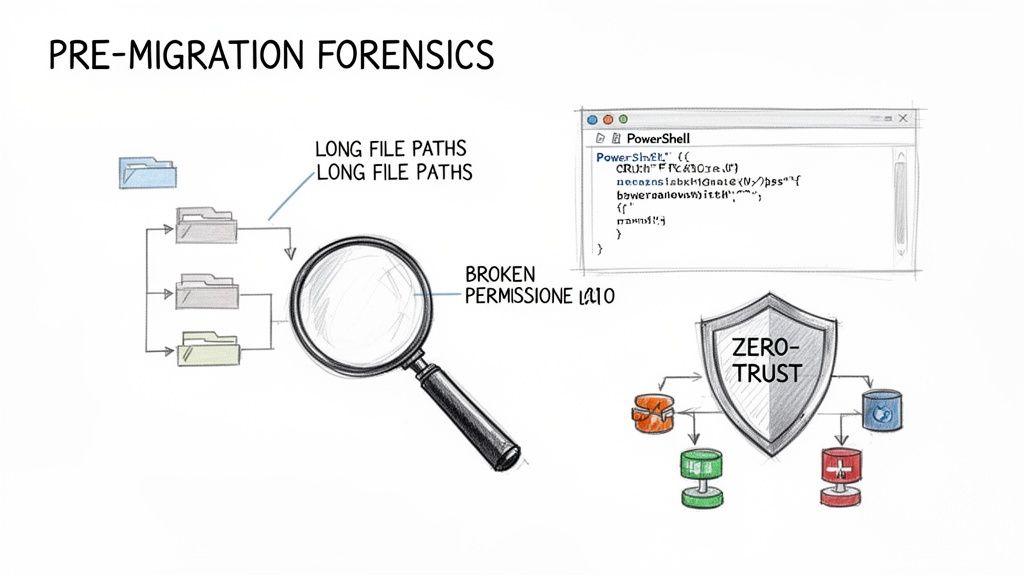
This obsessive discovery isn't optional. Your team needs to be running PowerShell scripts to systematically uncover every potential point of failure. The documentation says these limits exist, but in reality, finding them mid-migration doesn't just cause a delay; it forces a project halt. This isn't just about execution; it's about architectural design.
Uncovering Legacy System Traps
Before your team can build a secure new home for your data, you have to map the minefield in your source system. This is a non-negotiable checklist for your technical team:
- Long Path Analysis: Hunt down every single file and folder path that exceeds the 400-character limit for SharePoint Online. These won't just fail to migrate; they will cause your migration batches to error out, forcing you into painful, manual remediation.
- List View Threshold (5k Limit): Identify every SharePoint list that is teetering on or has blown past the 5,000-item view threshold. These lists will become unusable post-migration, breaking the critical business processes that rely on them.
- Broken Inheritance Mapping: You must script a full audit of every site, library, folder, and item with unique permissions. Each instance of broken inheritance is a potential data leak waiting to happen if you blindly replicate permissions.
We've inherited projects where the previous partner missed these fundamentals. The result wasn't a delayed project; it was a complete halt, requiring a costly and embarrassing reset. A detailed forensic analysis is the bedrock of a predictable migration, a process we outline in our comprehensive guide to running a SharePoint migration assessment.
Redesigning Access with Zero-Trust Principles
Once you've mapped the risks, the real work begins. Do not, under any circumstances, attempt a "lift and shift" of your existing permissions model. That legacy model is the reason your data is insecure in the first place. Instead, you must redesign your entire access architecture from the ground up, based on a Zero-Trust security model.
This approach is a fundamental shift in cybersecurity. It assumes no user or device should be trusted by default—a critical mindset for your pre-migration forensics. Adopting these Zero Trust Security principles is no longer a best practice; it's the only responsible way to architect a modern SharePoint environment.
This redesign involves several critical, technical moves:
- Identity Redesign in Entra ID: Map your chaotic legacy security groups to a clean, modern framework of Microsoft 365 Groups and purpose-built security groups. This is your chance to eliminate years of accumulated permissions creep.
- Building Conditional Access Policies: Your new environment must challenge every single access request. Build robust Conditional Access policies that enforce MFA and verify device compliance based on user location, device health, and the sensitivity of the data being accessed.
- Least-Privilege Mapping: For every single dataset being migrated, ask the hard question: "Who absolutely needs access to this to do their job?" The answer dictates your new permission structure. Forget what the old system allowed; focus only on what the new, secure system requires.
The Ollo Verdict: Blindly copying permissions is professional negligence. Your source environment is a product of years of unchecked access requests and legacy thinking. The migration is your one and only chance to build a security model that assumes breach from day one. Missing this step doesn't just create a messy environment; it breaks your legal compliance obligations from the moment you go live.
Facing the Truth About Migration Tools and Throttling
This is where your architectural theory meets brutal, unforgiving reality. It’s time for an honest discussion about tooling because the choices your team makes here will either set your project up for success or condemn it to a slow, painful failure.
Let's be blunt. Using Microsoft's free SharePoint Migration Tool (SPMT) for an enterprise project is professional negligence. It's a fine utility for moving a small departmental file share, but it fundamentally lacks the granular control, error handling, and performance management required for anything remotely complex.
We often see clients come to us after attempting a "cost-effective" migration with SPMT, only to find themselves buried in cryptic errors, failed batches, and a complete inability to manage the inevitable API throttling that brings their project to a standstill. Our deep dive into the limitations of the SharePoint Migration Tool breaks down exactly where it falls apart under pressure.
Pro-Grade Tools Are Not a Silver Bullet
This naturally leads teams to professional-grade tools like ShareGate, and for good reason. It’s a powerful platform that provides far superior reporting, permission mapping, and error handling than SPMT could ever offer.
However, treating ShareGate as a "fire and forget" solution is another common and costly mistake we see in the field.
While ShareGate excels at bulk content movement and metadata preservation, it is not a substitute for architectural oversight. It will dutifully migrate exactly what you tell it to, including flawed permission models and structurally unsound site collections. When it encounters enterprise-specific scenarios—like restructuring a flat site hierarchy into a modern hub-and-spoke model or scripting the application of Purview sensitivity labels based on source metadata—it hits a wall.
This is the critical gap where expert intervention becomes non-negotiable. You need custom PowerShell PnP scripts to augment the tool, handling the complex transformations and compliance actions that off-the-shelf software simply cannot.
The table below lays out the raw reality of choosing your migration tooling.
Migration Tool Reality Check SPMT vs Pro-Grade Tooling
Ultimately, the choice comes down to risk. A professional tool augmented with expert scripting isn't an expense; it's an insurance policy against data loss, compliance failures, and project delays.
The Ollo Verdict: Use SPMT for a sub-50GB file share with simple permissions. For anything else involving sensitive data or complex structures, you need a professional tool like ShareGate as your baseline engine, augmented by a significant library of custom PowerShell scripts to handle the intricate security and compliance requirements. Assuming the tool will solve architectural problems is a recipe for disaster.
The Unavoidable Reality of API Throttling
Now, let's talk about the single biggest execution risk in any SharePoint migration security project: API throttling.
Microsoft will slow your migration down. This is not a possibility; it is a certainty designed to protect the multi-tenant environment. Their documentation's advice to simply migrate "off-peak" is dangerously simplistic and fails to account for the realities of enterprise data transfer.
API throttling during SharePoint migrations in the IE region isn't a maybe—it's a 100% certainty. Microsoft Learn confirms that their service protection actively caps requests, leading to throughput drops of 50% in 65% of high-volume EU tenant jobs per their own telemetry. Even in Ireland's data centres, migrating during off-peak hours (nights and weekends GMT) only boosts speeds by a mere 25%.
Crucially, this doesn't account for source-side bottlenecks like disk I/O and on-premise antivirus interference, which can still cripple migration agents down to 500MB/hour. You can learn more about how Microsoft manages migration speed.
The documentation says X, but in reality, throttling is not just about time of day. It's about the type and volume of calls your migration account makes. Here’s what the documentation doesn’t adequately stress:
- User-Based Authentication is a Trap: Migrating with a standard user account, even one with global admin rights, subjects you to the most aggressive form of throttling. Microsoft’s algorithms are designed to protect against a single user overwhelming the service.
- API Call Complexity Matters: A simple file upload is one type of call. A call to update metadata, change permissions, and apply a retention label on that same file is a far more complex and "expensive" transaction that will burn through your invisible API request budget much faster.
This is why a hybrid approach is the only reliable method. We use ShareGate for the heavy lifting of content transfer but execute all complex permissioning and compliance tasks using service-principal authenticated PowerShell PnP scripts. This app-based authentication is subject to a less restrictive throttling model, providing a separate, more predictable channel to perform critical security operations without interfering with the bulk data flow.
Failing to architect your migration around throttling doesn't just delay your timeline; it corrupts your data. When batches fail due to throttling, your team is forced into manual retries. This is where permissions are missed, metadata is dropped, and the integrity of your SharePoint migration security is completely compromised.
Executing the Migration for Data Integrity and Compliance
This is where the rubber meets the road. All your meticulous planning is about to be tested, and execution isn’t about raw speed—it’s about control, validation, and maintaining an unbreakable chain of custody for your data.
We've seen too many projects stumble here because they treat the migration phase as a simple copy-paste job. That’s a critical mistake. A single misstep during execution can compromise data integrity and undermine the entire project.
The reality of any large-scale migration is a constant juggling act. You're balancing the unavoidable physics of API throttling, the capabilities of your migration tool, and the absolute necessity of custom scripting to bridge the gaps and handle the exceptions.
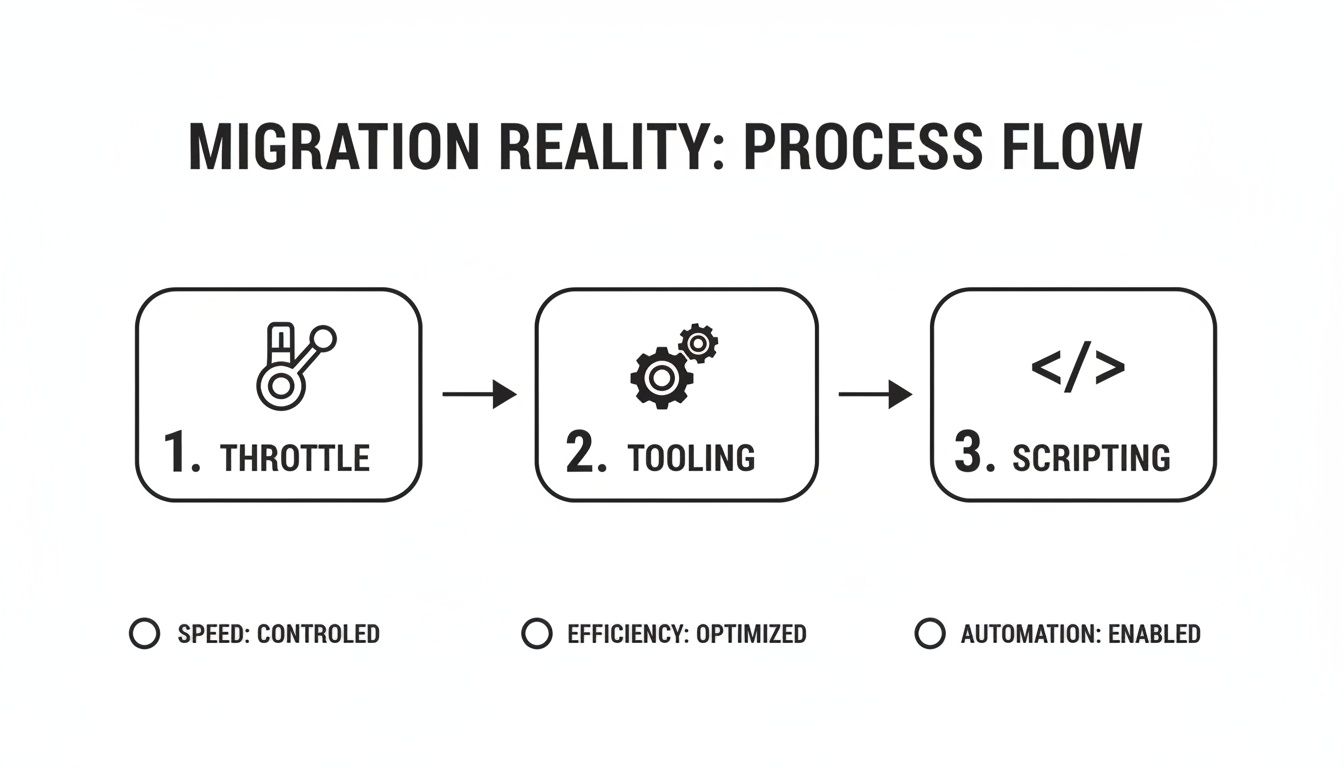
This isn’t a linear process. It's a continuous feedback loop of managing network limits, leveraging your professional tooling, and deploying targeted scripts to enforce compliance and deal with the inevitable curveballs.
Stress-Testing with Pilot Migrations
Before you even think about moving your first terabyte of critical business data, you need to run a pilot migration. And I don’t mean with dummy data—that tells you almost nothing of value. A proper pilot involves selecting a representative cross-section of your most complex and problematic content to truly stress-test your architecture and throttling strategy.
Your pilot absolutely must include:
- A site with known broken permission inheritance: This is the ultimate test for your remediation scripts. It validates that your clean, new permission model is applied correctly on the other side.
- Data sets with excessively long file paths: You need hard proof that your pre-migration scripts have correctly identified these edge cases and can handle them without causing entire batches to fail.
- Lists pushing the 5,000-item view threshold: This validates your strategy for archiving, splitting, or re-architecting these large lists to ensure they remain functional and performant in SharePoint Online.
- Content owned by a highly active department: This is your chance to model real-world throttling impact during business hours and fine-tune your migration schedule to minimise disruption.
Think of the pilot not as a pass/fail exam, but as an intelligence-gathering mission. Every failure you encounter here is invaluable. It provides the data needed to refine your PowerShell scripts and throttling management before the main event.
The Non-Negotiable Act of Post-Migration Validation
How do you prove to your compliance officer—or a regulator—that not a single file was lost or corrupted in transit? "The tool’s dashboard said it was successful" is not a legally defensible answer. The only way to establish certainty is with rigorous, script-based validation.
Your team must be ready to execute a post-migration validation protocol that runs PowerShell scripts to compare the source and destination. This goes far beyond a simple item count.
We use checksum validation (MD5 or SHA-256 hashing) on files before and after migration. This cryptographic proof ensures that not a single bit has been altered in transit. Missing this step doesn't just fail the migration; it breaks legal compliance for any organisation governed by regulations that mandate data integrity.
This validation must be automated. Manually spot-checking a few hundred files in a multi-terabyte migration is just security theatre; it provides a false sense of security, not a robust, auditable validation process.
Scripting Compliance Directly into the Workflow
Here it is: the most critical and most frequently missed step in modern SharePoint migration security. You cannot wait to apply security and compliance features after the migration is complete. Doing so is a rookie mistake that creates a dangerous and unnecessary window of non-compliance.
As data lands in the target environment, your PowerShell PnP scripts must immediately trigger these actions:
- Apply Microsoft Purview Sensitivity Labels: Based on source metadata or the folder location, scripts must instantly tag documents as "Confidential," "Internal Use Only," or whatever other labels are part of your data governance scheme.
- Enforce Retention Policies: Content must be assigned the correct retention policy from the moment it arrives to meet legal hold and data lifecycle requirements. No delays.
- Activate Data Loss Prevention (DLP) Rules: Your target sites and libraries must have DLP policies applied as part of the provisioning script itself, preventing sensitive data from being shared inappropriately from day one.
Delaying this process means your sensitive data sits in a compliant-ready, but not yet compliant, state. For any organisation operating under GDPR or ISO 27001, this period of exposure is an automatic audit failure.
Mastering this level of automation is a core pillar of any large-scale SharePoint migration where risk simply isn’t an option. The execution phase is the ultimate test of your preparation, demanding a level of control that off-the-shelf tools alone can never provide.
Implementing Post-Migration Hardening and Governance
Getting your data across the line isn’t the end of the project; it's the start of its operational life. I’ve seen it time and again: a client breathes a huge sigh of relief after the final delta sync, thinking the hard part is over. This is a dangerously flawed assumption. A migration without a robust post-cutover plan is a guaranteed failure within six months.
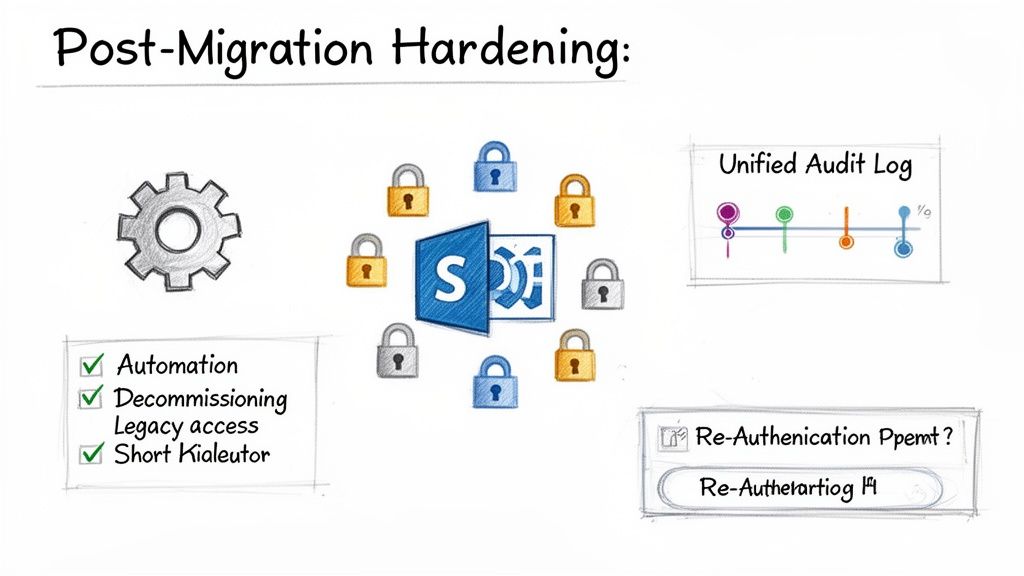
This is the phase where you lock down the environment. It's where you ensure the meticulous security architecture you just built doesn't immediately start degrading back into the chaotic mess you just escaped.
Immediate Post-Cutover Hardening
The moment the final sync completes, a clock starts ticking. Your number one job is to slam the door on the old environment and enforce your new security posture without exception. Fail here, and you've essentially built a pristine new house but left the back door of the old, insecure one wide open for anyone to wander through.
Your immediate, non-negotiable actions must be:
- Decommission Legacy Access: Your on-premises SharePoint farm should be switched to read-only mode. Instantly. All network access points, firewall rules, and VPN connections pointing to it must be severed. This isn't a friendly suggestion; it's an order.
- Force Re-authentication: Go into Entra ID and revoke all active user sessions. This forces every single person to re-authenticate against your newly minted Conditional Access policies, guaranteeing that MFA and device compliance are enforced from their very first click in the new environment.
- Enable Unified Audit Logging: This should be on from day one. You absolutely need a complete, tamper-proof record of every file access, permission change, and sharing action to spot any strange behaviour. Not enabling this immediately is like trying to investigate a break-in without CCTV footage.
The Ollo Verdict: These are not clean-up tasks for the following week. They are Day Zero, Hour One priorities. Missing these steps doesn't just create a temporary vulnerability; it fundamentally undermines the entire security premise of the migration. It leaves your organisation exposed to both internal threats and external attacks that will target the confusion of a recent cutover.
Proactive Governance with the Power Platform
With the environment hardened, your focus has to shift from reactive security to proactive, automated governance. This is how you prevent things from slowly falling apart. The biggest lie in IT is that a manually-governed system will stay secure and organised. It won't. Without automation, your pristine SharePoint environment will inevitably decay into a sprawling mess of inconsistent permissions and unmanaged sites.
This is exactly where you bring in the Power Platform. It’s not just for citizen developers building holiday request apps; it's a critical tool for enforcing governance at scale.
We build automated solutions for our clients to solve these predictable problems all the time:
- Automated Site Provisioning: Stop letting users create sites from the default SharePoint homepage. Build a Power App that acts as a controlled gateway. This app can enforce a mandatory naming convention, apply the correct sensitivity label, and assign owners based on department—before the site ever gets created.
- Regular Permission Audits: Schedule a Power Automate flow to run weekly. This flow should scan your most critical site collections, identify any instances of broken inheritance or direct user permissions that violate your governance model, and flag them for immediate review.
- External Sharing Expiry: Use automation to enforce a lifecycle on anonymous sharing links. A scheduled flow can identify links older than 30 days and either automatically disable them or force the owner to re-justify why they still need to exist.
This isn't about adding complexity; it's about removing human error and creating a security posture that can essentially heal itself. This level of automation is a core component of the expert SharePoint migration services we provide because we know from experience that manual governance is a strategy doomed to fail.
Frequently Asked Questions About Migration Security
As an architect who spends most of my time rescuing complex migrations, I hear the same questions from IT Directors and Enterprise Architects. These aren't high-level queries; they're the pointed, cynical questions that come from leaders with scars from previous projects, who are rightly sceptical of any tool or process promising an "easy" path.
Here are the direct, no-fluff answers to the questions that matter most when your SharePoint migration security is on the line.
Can We Just Use ShareGate or SPMT for Everything?
This is a classic. We often see projects fail when a team treats a professional tool like ShareGate as a silver bullet, or worse, tries to run an enterprise migration with Microsoft’s free SharePoint Migration Tool (SPMT). The documentation might suggest these tools can handle permissions, but the reality is they have specific, painful breaking points in complex environments.
SPMT is fine for a small, non-sensitive file share. That’s about it. It offers zero granular control over API throttling, has rudimentary error logging, and will inevitably choke on any permission structure more complex than a basic team site. Using it for a regulated workload is frankly professional negligence.
ShareGate is a powerful engine for bulk data movement, but it's not an architectural tool. It will dutifully copy a flawed permission model if you tell it to. It cannot, by itself, redesign your security for Zero Trust or script the real-time application of Purview sensitivity labels as data lands—a critical step for maintaining compliance.
The Ollo Verdict: Treat your tools as instruments, not solutions. ShareGate is the baseline for the heavy lifting, but at least 30% of a secure migration’s success comes from the custom PowerShell PnP scripting that runs alongside it. This is what handles the complex permission transformations, throttling management, and compliance enforcement that tools alone can't touch.
How Badly Will Microsoft Throttling Really Affect Us?
The advice to simply "migrate off-peak" is dangerously simplistic and shows a fundamental misunderstanding of how throttling works in Microsoft 356. Yes, Microsoft will slow you down—that’s a certainty. The real damage isn't just a delayed timeline; it's data corruption and failed batches that demand risky manual intervention.
Throttling isn’t a simple bandwidth cap. Microsoft’s algorithms target the type and volume of API calls. A migration running under a standard user account, even a Global Admin, will be throttled aggressively. Complex operations, like changing permissions and applying metadata, are far more "expensive" than simple file uploads and will burn through your API budget much faster.
This is a non-negotiable law of physics in the Microsoft cloud. Getting this wrong doesn't just fail the migration; it breaks your legal chain of custody. You can't prove a secure transfer if your process is riddled with failed batches and manual retries.
Is Redesigning All Our Permissions Really Necessary?
Absolutely. Without question. The single biggest mistake your team can make is a "lift and shift" of your legacy permissions.
Think about it. Your on-premises security model is a product of a decade of permissions creep, orphaned accounts, GUID conflicts, and broken inheritance. Blindly replicating it into a modern, flat SharePoint Online architecture is like packing up all the rubbish from your old house and neatly arranging it in your new one. It makes no sense.
A secure migration is your one-time opportunity to enforce a least-privilege access model. This means mapping every single legacy security group to a modern Microsoft 365 Group, building robust Conditional Access policies, and questioning the business justification for every user's access to every file. Anything less is just kicking the security can down the road, where it will only get bigger and more expensive to deal with later.
Your SharePoint migration security is too critical to leave to chance or generic tools. If these technical realities resonate with your past experiences, it’s time for a different approach. Ollo specialises in the complex, high-stakes migrations that standard methods can't handle. We provide the architectural oversight and deep scripting expertise to ensure your data is more secure after the migration than it ever was before.
Secure your project's success by partnering with the experts. Learn more about Ollo's battle-hardened migration services.

















