



Let's be direct. An enterprise SharePoint migration isn't another IT project. It's a high-stakes, career-defining initiative where, for the unprepared, failure is the default outcome. I'm not here to sell you on a "seamless transition." I'm here to lay out the technical minefield that I see derail major projects every single month, and to explain how to avoid disaster.
The Hard Truths of Enterprise SharePoint Migration

This guide is for you, the IT Director or Enterprise Architect who has been burned before. We're going to tackle the real-world issues that cause catastrophic failures: the relentless API throttling that brings projects to a dead halt, the infamous 5,000-item list view threshold, shattered permissions inheritance, long path limits, and GUID conflicts that corrupt your data. Before your team dedicates a single resource, you need to understand the brutal reality of what this project demands.
The pressure to move to the cloud is immense, driven by remote work and looming end-of-support deadlines for platforms like SharePoint 2013. We've seen a stark reality: 85% of enterprises have either migrated or are planning to migrate to SharePoint Online by 2026.
But this pressure forces disastrous shortcuts. Your team will look at the tools and the volume of data, but they’ll almost certainly miss the underlying complexity—the technical debt—that has festered for years in your on-premises environment. This is your manual for avoiding that disaster. It's built from the lessons we've learned in the trenches.
The Real Risks Hiding in Your Data
The most common point of failure we see is a fundamental misunderstanding of the project's true scope. This isn't about moving files from point A to point B; it’s about untangling a decade or more of accumulated technical debt.
We often see clients fail when they overlook these project-killers:
- Broken Permissions Inheritance: Your on-premises environment is almost guaranteed to contain thousands of sites with uniquely broken permissions. Standard migration tools won't fix this; they'll just replicate your security vulnerabilities directly into the cloud. The documentation says map users, but in reality, you need to re-architect your entire security model.
- Long Path Limits & Special Characters: SharePoint Online has a hard 400-character limit for file paths. Those deeply nested folders and non-standard characters in file names from years ago will cause migration failures. It’s not a question of if, but when. Your team will spend weeks manually fixing these one by one after the fact.
- GUID Conflicts & Metadata Chaos: If your organisation has gone through mergers or previous half-baked migrations, you're sitting on a time bomb of GUID (Globally Unique Identifier) conflicts that will corrupt data integrity as soon as you move it.
- Undocumented Customisations: Remember those old InfoPath forms or custom web parts a developer built ten years ago? They absolutely will not work in SharePoint Online. If not identified and remediated, they will break critical business processes on day one.
The Ollo Verdict: A successful enterprise SharePoint migration has almost nothing to do with buying a software licence and everything to do with conducting a forensic-level pre-migration analysis. Skipping this step doesn’t just risk the migration failing; it actively endangers legal compliance and destroys user trust in the new platform. Missing this step doesn't just fail the migration; it breaks legal compliance.
Understanding these technical traps is your first crucial step. For a deeper dive into avoiding common pitfalls, you might find our guide on SharePoint migration best practices useful.
Risk Matrix: DIY Migration vs Specialist Engagement
Many organisations are tempted to handle a migration internally to save on costs. However, this often proves to be a false economy, exposing the business to significant risks that a specialist partner is equipped to mitigate from the outset. This isn't marketing fluff; it's a risk vs. reward calculation based on what we see in the field.
The table below outlines the stark difference in outcomes between a typical DIY approach and engaging an experienced migration partner.
Ultimately, the cost of engaging a specialist is an investment in risk mitigation. It’s the difference between hoping for a successful outcome and engineering one from the start, protecting your data, your budget, and your project's reputation.
Performing an Autopsy Before the Operation
Most enterprise SharePoint migration projects are doomed from the start. It usually begins with a well-meaning script run by your IT team to measure data volume, because the common wisdom is that terabytes are the most important metric. We see this mistake over and over, and it's a costly one.
A true pre-migration analysis isn’t about counting files; it's a forensic investigation. The goal is to perform an autopsy on your source environment before the operation begins. This process is designed to expose the latent issues that will otherwise kill your project mid-flight. It’s not about finding problems; it’s about finding the project-breakers that standard discovery tools completely miss.
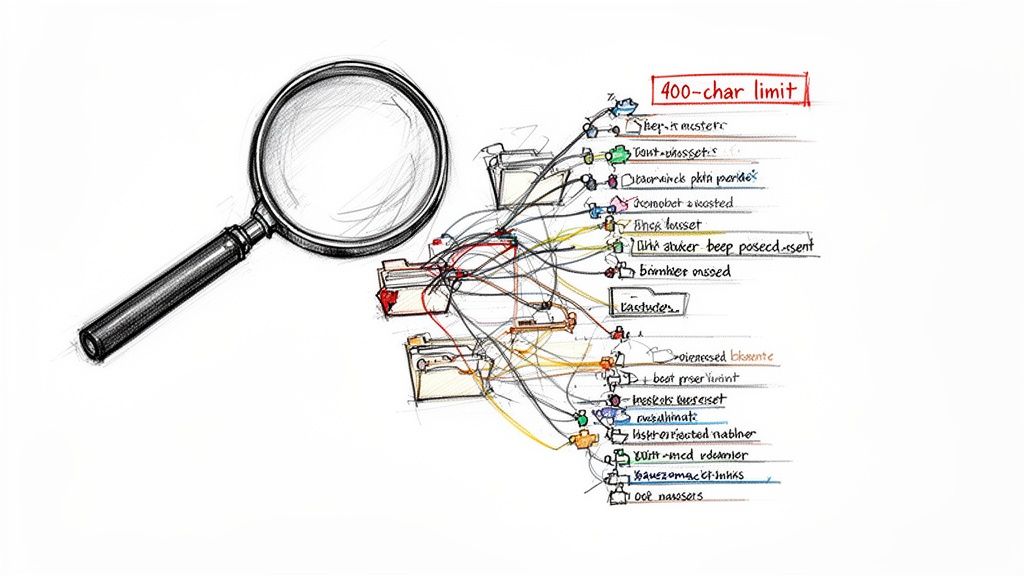
We’ve seen more migrations derailed by a single, undocumented custom workflow than by petabytes of simple file data. Trying to skip this deep analysis isn't a shortcut; it's a direct path to budget overruns, project failure, and a serious loss of credibility for your IT department.
Uncovering the Skeletons in Your Data Closet
Your on-premises environment is a digital fossil record of your organisation's history, complete with all the dead ends and hidden dangers accumulated over the years. Before you even think about moving a single file, you have to understand the existing issues you're up against, like years of accumulated technical debt. For a solid primer, you can explore practical steps on how to reduce technical debt to get a handle on what you're facing.
Our forensic analysis focuses on hunting for these specific, high-impact issues:
- Path Length & Character Violations: We hunt for those deeply nested folder structures that will inevitably shatter SharePoint’s 400-character path limit—a hard stop that will cause thousands of individual file migration failures if not fixed beforehand.
- Undocumented Customisations: Remember that SharePoint 2010 solution an engineer built a decade ago? It will absolutely not work in SharePoint Online. We uncover these custom web parts, event receivers, and abandoned InfoPath forms that are often tied to business-critical processes no one on your team remembers.
- Permission Anarchy: We map out the sprawling sites with broken permissions inheritance. This is where security models have completely disintegrated, leaving thousands of uniquely permissioned items that will bring any standard migration tool to a dead halt and create a security nightmare in your new tenant.
The Ollo Verdict: A simple data-volume report tells you nothing of substance. The real work is in the qualitative analysis of your data's complexity. Missing this step doesn't just put the migration at risk; it can break legal compliance by moving uncontrolled data into a new, supposedly secure environment.
The Hidden Costs of a Shallow Discovery
When your team provides a report that only covers file counts and site lists, they are unintentionally setting the project up for failure. A shallow discovery leads directly to flawed assumptions, inaccurate timelines, and an unrealistic budget.
The real costs aren't in the migration itself; they're buried in the emergency remediation work that a proper analysis would have uncovered from the start.
Common DIY Discovery Misses:
- Orphaned Data: Identifying content owned by departed employees whose accounts are now disabled. This data is often invisible to standard scans but can be critical for legal or operational continuity.
- Workflow Dependencies: Mapping out old SharePoint Designer workflows that simply won't migrate. The documentation says they're "deprecated"; the reality is they'll break business processes on day one, with no replacement ready.
- Large List & Library Time Bombs: Pinpointing every list and library approaching or exceeding the 5,000-item list view threshold. Migrating these without a remediation strategy guarantees poor performance and broken views in SharePoint Online.
Time and again, we see clients fail when they base their entire enterprise SharePoint migration strategy on an incomplete picture. For a detailed breakdown of how a proper forensic audit should be run, check out our complete guide on the SharePoint migration assessment process. A thorough autopsy is the only way to ensure the operation is a success.
Why Your Standard Migration Tools Will Fail
Your team will almost certainly suggest using one of two tools: Microsoft’s free SharePoint Migration Tool (SPMT) or an out-of-the-box ShareGate licence. Let’s be blunt: these tools are not built for the brutal reality of an enterprise SharePoint migration. They are designed for simple jobs, and banking on them for a complex, multi-terabyte project is a recipe for catastrophic failure.
We often meet clients after their internal migration project has ground to a halt, burned by the marketing promises of these very tools. The documentation makes them sound robust, but they consistently break when put under real enterprise-grade pressure. Understanding their specific breaking points is critical before you commit your team's time.
The SPMT Illusion of Simplicity
Microsoft's SPMT is sold as a straightforward solution. The documentation talks about "parallel tasks," but this is dangerously misleading. In reality, DIY attempts with SPMT slam head-first into severe API throttling that can slash your migration throughput by up to 70%. This isn't a secret; it's a hard technical constraint designed to protect Microsoft's infrastructure, not help your project.
But SPMT’s failures go far beyond just throttling:
- No Real-time Remediation: It offers zero capability to fix long file path errors or illegal characters on the fly. The tool simply fails the files, leaving your team to manually sift through thousands of error logs to find and fix each one.
- Rudimentary Permission Mapping: SPMT cannot handle complex permission scenarios, like mapping permissions across different domains in a tenant-to-tenant migration. It either fails completely or misapplies permissions, creating a security and compliance nightmare.
- Inability to Handle Custom Metadata: If you have complex metadata columns or custom content types, SPMT often fails to map them correctly. This results in a direct loss of critical business context attached to your files.
The Ollo Verdict: Use SPMT for a single, small site collection under 50GB with simple, inherited permissions. For anything else, you need custom scripting and a more robust toolset. Relying on SPMT for an enterprise job is gambling with your data and your timeline. It’s a utility, not an enterprise solution.
The ShareGate Glass Ceiling
ShareGate is, without doubt, a more powerful tool than SPMT. It offers better reporting and more granular control. But here’s the brutal truth: buying a ShareGate licence is not a migration strategy. It's a capable vehicle, but it still needs an expert driver who knows the terrain and, more importantly, knows when to get out and build a bridge with custom code.
We use ShareGate's engine, but we immediately highlight its breaking points in enterprise scenarios. Out-of-the-box, it will not solve the deep-seated, complex issues lurking in your data.
Where ShareGate Alone Falls Short:
- GUID Conflicts: It cannot magically resolve GUID (Globally Unique Identifier) conflicts that arise from previous migrations. This requires custom scripting to remap these identifiers and prevent outright data corruption.
- Complex Identity Mapping: In a tenant-to-tenant migration, ShareGate by itself struggles with the intricate identity mapping needed. A user might exist in both tenants with different attributes, which requires a surgical approach to merge those identities without breaking access. This is a manual, script-heavy process.
- Large-Scale Structural Transformation: ShareGate is excellent at moving content from point A to point B. It is not designed to execute a complex structural transformation, like splitting a single massive site collection into multiple modern hub sites while completely re-architecting the navigation and metadata on the fly.
This is where the real work of an enterprise migration happens. We augment ShareGate's power with custom PnP PowerShell scripting to surgically fix the issues these tools were never designed to solve. Relying on any out-of-the-box tool for an enterprise SharePoint migration is like bringing a spanner to a complete engine rebuild—you simply have the wrong tool for the job.
Architecting a Strategy to Prevent Chaos
Let's get one thing straight: a "lift-and-shift" is not a strategy. It's a gamble with your company's data. I've seen too many clients try this, paying a premium to move their existing chaos from an old on-premises server into a more expensive cloud platform. All it does is replicate your problems in a new, pricier environment.
A proper, strategic restructure is the only responsible way to handle an enterprise SharePoint migration. It’s more work upfront, but it's essential for future-proofing your investment and actually unlocking the value of modern tools like Microsoft Teams and Copilot, which need clean, well-structured data to function. This is the stage where you design success into the project from the very beginning.
Redesign or Replicate Disaster
Your first big decision is whether you’re just moving boxes of data or fundamentally re-architecting your information house. The choice between simply moving your data and redesigning its structure is a critical one. When considering the move to a new environment, like an on-premises vs. cloud infrastructure, this becomes even more crucial. For most organisations moving to SharePoint Online, certain red flags make a restructure non-negotiable.
We insist on a full restructure when we see these tell-tale signs:
- Post-Merger Data Chaos: Your organisation has acquired another company and now has multiple, conflicting data silos. A lift-and-shift will only bake that confusion into your new system. Consolidation isn't optional; it's mandatory.
- Decades of Data Sprawl: If your file shares and old SharePoint sites are a digital graveyard of endlessly nested folders and inconsistent naming, moving them as-is is a waste of time and money. You’ll kill user adoption and make search completely useless.
- Evolving Security Posture: Your on-premises security model is almost certainly outdated and non-compliant. The migration is the necessary moment to redesign your identity and access management around a modern Entra ID zero-trust framework.
Skipping this step doesn't just put the migration at risk; it creates immediate compliance breaches and ensures users will reject the new system from day one. Nobody wants a new platform that's just as messy and unusable as the old one.
Architecting a Phased Rollout to Minimise Disruption
Once you've committed to a restructure, you can't just move everything at once. A "big bang" cutover is a high-risk fantasy that practically begs for catastrophic failure. Instead, you need to architect a phased rollout that moves the organisation in manageable, low-impact waves. This isn't about being slow; it's about being methodical and safe.
The infographic below illustrates a core principle for your rollout design: even a simple task can become a major point of failure without the right approach.
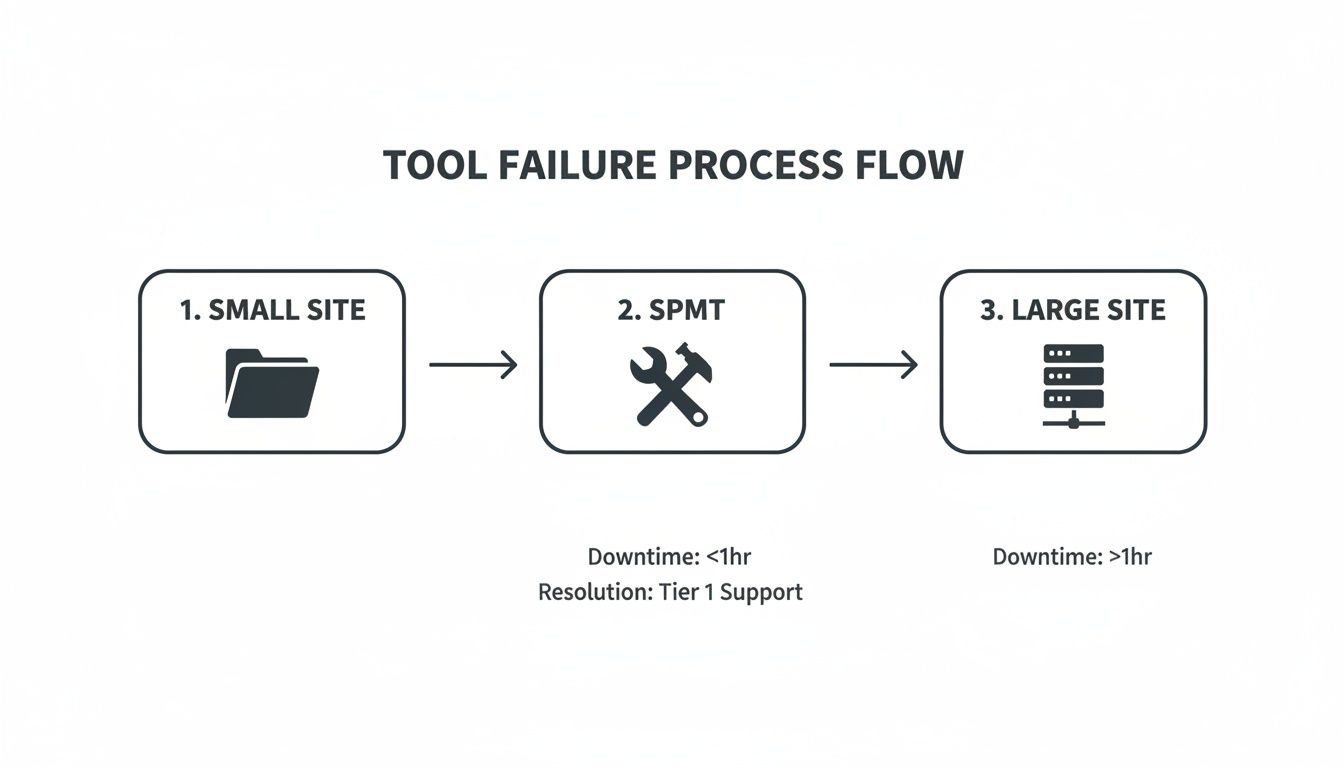
As you can see, even small sites can cause significant downtime if handled with the wrong tools or process. This reinforces the need for a strategic, phased approach over a brute-force lift-and-shift.
Your rollout plan must surgically define these four elements:
- Migration Waves: Group sites by department, complexity, or business function. Always start with a low-risk, high-visibility pilot group to build momentum and refine your process.
- Cutover Windows: Schedule the final data sync and switchover for each wave during periods of minimal business activity, which usually means over a weekend. This requires clear, early communication with business stakeholders.
- Robust Rollback Plans: For every single cutover, you must have a documented and tested plan to revert users to the source system within minutes if a critical failure occurs. Hope is not a strategy.
- Validation Checkpoints: Establish both automated and manual checks to ensure zero data loss. This includes file count and volume validation, spot-checking file integrity, and running scripts to verify that permissions have been applied correctly.
The Ollo Verdict: A failure to architect a detailed, phased strategy is the single biggest predictor of project disaster. A lift-and-shift isn't cheaper; it is a guaranteed way to pay twice—once for the failed migration, and again for the expensive clean-up and rescue project that will inevitably follow.
For IT leaders overseeing a large-scale SharePoint migration, embracing this strategic rigour is the only way to protect your data and deliver a successful outcome.
Budgeting for Reality, Not Optimism
Let’s be direct: your initial budget projection is almost certainly wrong. It’s a number based on software licences and best-case-scenario timelines, not the messy reality of an enterprise SharePoint migration. The real costs, the ones that blindside internal teams and derail projects, are almost never in the software.
They’re hidden in the emergency clean-up of your source data, the unexpected delays from API throttling, the extensive user training that actually works, and the project stalling when your team hits a technical wall they simply can’t get past.
The Anatomy of Budget Overruns
We see it all the time. A self-managed migration, neatly budgeted at €100k, spirals to over €300k by the time the dust settles. This isn’t because of bad management. It’s because of predictable complexities that a specialist would have flagged on day one.
These hidden costs aren't surprises; they are well-known points of failure.
- Remediation Costs: This is the budget to fix what’s already broken. Think of the hours spent scripting to shorten thousands of file paths that exceed the 400-character limit, untangling a decade of broken permissions, or reverse-engineering undocumented workflows.
- Throttling Contingency: Your timeline assumes a steady data transfer speed. But when Microsoft’s API throttling kicks in—and it will—your project can slow to a crawl. A realistic budget accounts for this throttling and the extended man-hours it will demand.
- Post-Migration Fixes: This is the most painful cost. It’s the emergency fund you’re forced to create when you discover that critical metadata was dropped, breaking legal retention policies, or that GUID conflicts have silently corrupted files.
The Ollo Verdict: An enterprise migration budget built on terabytes and licence fees is an exercise in fiction. A real budget is a risk register with a price tag attached. You aren't just paying to move data; you are paying to mitigate the very real risks of data loss, compliance breaches, and total project failure.
Building a Defensible Budget
The key to getting executive buy-in is to frame the budget as a risk mitigation strategy. It’s about doing the project right the first time to avoid catastrophic costs later. And make no mistake, the costs associated with an enterprise SharePoint migration are significant. A 2026 guide noted that migration costs in the IE region have skyrocketed, with mid-size finance firms in London and Dublin now facing budgets of €75,000–€300,000+ for complex projects.
Let's look at how a typical DIY budget compares to a realistic, specialist-led one. The discrepancies aren't in the obvious line items; they are in the areas that require deep, practical experience to even identify.
Sample Budget Breakdown for an Enterprise Migration
As the table shows, a DIY budget focuses almost entirely on the visible act of moving data. A realistic budget allocates significant resources to de-risking the project by addressing the invisible but far more dangerous complexities.
Your budget must therefore account for specialist expertise not just as a line item, but as your primary defence against failure. A specialist doesn't just run the migration tool; they anticipate and neutralise the very problems that cause budget blowouts in the first place.
A realistic budget must include clear allocations for:
- Forensic Discovery: Funding the initial deep-dive analysis to map every potential point of failure before a single file is touched.
- Specialist Scripting & Tooling: The cost for custom PnP PowerShell scripts that work alongside tools like ShareGate to automate the complex remediation tasks they can't manage alone.
- Governance & Security Setup: The resources needed to properly design and implement a new, compliant security model in Entra ID and establish the governance that will keep your new environment secure.
Failing to budget for these realities doesn't save money. It just defers the cost until it becomes an emergency, multiplying the final expense and putting your data at unacceptable risk. For a more granular look at these expenses, you can review our detailed analysis on SharePoint migration cost.
Surviving the Aftermath: When the Real Work Begins

The moment the final data transfer finishes isn’t the finish line. In our experience, it’s the moment of maximum danger for your enterprise SharePoint migration. Your people are suddenly dropped into a new environment, your support desk is about to be flooded with tickets, and any governance controls you overlooked will immediately start creating security holes and data sprawl.
We’ve seen projects unravel right here because the focus was entirely on moving data, not on managing the outcome. The war isn't over; the most critical battle has just begun.
From Migration to Operation: The Governance Imperative
Your job isn't done until your new environment is locked down and under control. We focus on implementing robust governance from day one because a clean slate only stays clean with discipline. Without it, your new SharePoint Online environment will quickly become a more expensive, cloud-based version of the mess you just left behind.
We use the Power Platform as our primary weapon for this. This isn’t about adding complexity; it’s about automating control so your environment stays clean.
- Automated Site Lifecycle Management: We build flows that automatically enforce policies for site creation, regular reviews, and eventual archival. This stops the unchecked growth of abandoned Teams and SharePoint sites that always leads to chaos.
- Proactive Permission Audits: Custom Power Automate flows can be scheduled to regularly scan for and flag risky permission settings, like broken inheritance or overly broad “Everyone” access, before they become a compliance incident.
- User-Friendly Request Processes: Instead of letting users create sites haphazardly, we build simple Power Apps forms. These guide them through a governed request process, ensuring every new site meets security and metadata standards from the moment it's created.
The real measure of success for any enterprise SharePoint migration isn't the terabytes moved. It’s the state of your environment one year later. Is it a secure, organised asset, or has it devolved into an ungoverned swamp?
Training Users on How to Work, Not Just Where to Click
The other major failure point we see is completely inadequate user training. Giving your team a 30-minute demo on the new interface is useless. They don't need to know where the buttons are; they need to understand how their actual work processes have changed.
For years, your users have developed workarounds to survive the limitations of your old system. Now, you must actively train them out of those bad habits. Our approach moves far beyond simple feature demonstrations.
We train your teams on how to work in this new, modern ecosystem. For a finance team, this means teaching them how to collaborate on a single budget spreadsheet in Teams instead of emailing ten different versions back and forth. For your project managers, it means showing them how to use Planner and a central SharePoint site instead of managing a hundred nested folders on a file share.
A successful project is measured by user adoption and the new business capabilities you unlock. A huge part of that is creating a clean, organised data environment that is finally ready for tools like Microsoft Copilot, which are completely useless without a well-governed data foundation. This is the real work, and it starts the moment the migration ends.
Frequently Asked Questions from the Trenches
We hear the same tough questions from every IT Director who’s tired of generic sales pitches. You want the hard truths about your enterprise SharePoint migration, not optimistic marketing fluff. Here are the direct answers from our experience in the field.
Can We Really Do This Ourselves With ShareGate and Our Internal IT Team?
For an enterprise-scale migration with regulatory constraints, the candid answer is ‘no’. While your internal IT team is undoubtedly skilled, they haven’t had to navigate Microsoft’s undocumented throttling behaviours at 3 AM or fix systemic permission inheritance issues at scale with custom scripting. They haven't had to redesign Entra ID for a zero-trust model under the gun.
It’s not a knock on their talent; it’s about battle-tested experience. The risk of data loss, a compliance breach, or outright project failure is just too high when your team is learning on the job.
A tool is not a strategy. Bringing in specialists is a risk-reduction investment, not just an expense.
What Is the Single Biggest Technical Mistake You See Companies Make?
Underestimating the pre-migration analysis. It happens time and time again. Teams jump straight into moving data without a forensic audit of where they're coming from. This is the number one reason we see for mid-migration stalls, massive budget overruns, and ultimately, project failure.
They don't find the broken workflows, the file paths that will shatter the 400+ character limit on a Friday afternoon, or the sites with thousands of unique permissions that will inevitably fail to migrate cleanly. Performing an autopsy before the operation is non-negotiable.
The Ollo Verdict: We often see clients get into trouble when they treat discovery as a simple data-counting exercise. A shallow scan guarantees you will miss the technical debt that has been accumulating for a decade. This isn't just a misstep; it's the root cause of project disaster.
How Long Does a Complex Enterprise Migration Actually Take?
Discard any vendor promises of ‘weeks.’ For a multi-terabyte, complex enterprise migration in a regulated sector like finance or energy, you absolutely must plan for 6-12 months.
This timeline is based on the reality of what needs to get done right:
- Months 1-3: Deep analysis, planning, and building a remediation strategy.
- Months 4-9: Phased migration waves, including rigorous testing and validation for each group.
- Months 10-12: Post-migration hypercare, focused user adoption programmes, and locking down governance.
Anyone promising a faster timeline is either misunderstanding your complexity or setting you up for failure. In our world, a rushed project is a failed project.
An enterprise SharePoint migration is too complex to leave to chance. At Ollo, we don't just move your data; we re-architect it for security, compliance, and performance, ensuring your project succeeds where others fail. Contact us today to de-risk your migration.

















