



Most advice about a Power Automate approval workflow is wrong for enterprise use.
It treats approvals like a toy problem. Trigger a flow, send an email, wait for a click, update a list, done. That's fine until the first approver goes on leave, the first audit request lands, or the first regulated decision needs evidence that survives longer than a single flow run.
I've seen this pattern too many times. A business unit builds a “simple” approval in an afternoon. Six months later, IT inherits a brittle mess with undocumented logic, shared personal connections, no defensible audit trail, and a stalled process nobody knows how to restart safely. The tool isn't the main problem. The fantasy that low-code removes architecture is the problem.
If your approval governs payments, patient-related operations, controlled documents, vendor sign-off, or policy exceptions, you're not building a convenience flow. You're building a controlled system. Treat it that way.
Why 'Simple' Power Automate Approvals Fail in Regulated Business
The common assumption is that low-code means low-risk. It doesn't. It means low friction to build the wrong thing quickly.
A simple approval flow usually works in a demo because demos strip out the ugly parts. They ignore reassignment, cancellation, delegation, audit retention, missed responses, and operational ownership. They assume people respond on time, from the right device, using the right account, with the right licence, every single time. Real organisations don't behave like that.
Tutorials optimise for speed, not control
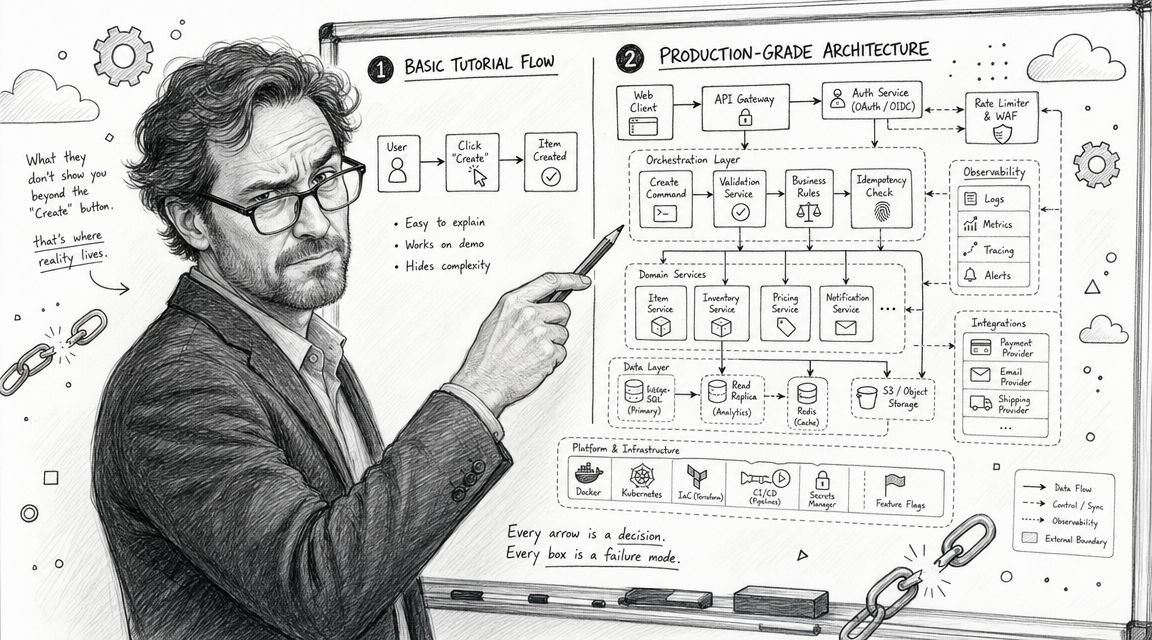
Most tutorials show the happy path. One requester. One approver. One response. One update back to SharePoint. That's not a regulated process. That's a postcard version of one.
Microsoft documents core approval mechanics and the options approvers use to respond, but the operational weak point sits elsewhere. If your process depends on one inbox, one device, or one licensing assumption, it's brittle by design, as reflected in Microsoft's guidance on approvals across email, Teams, mobile, and cancellation behaviour.
Practical rule: If your approval matters to compliance, design for absence before you design for convenience.
Your team already knows this instinctively. The same reason you apply hard controls in identity, logging, and conditional access should apply to approvals. A sign-off process is a security boundary and an accountability record, not just a workflow step. That's why governance patterns from Microsoft 365 security best practices matter here just as much as they do in tenant-wide architecture.
What actually fails first
It's rarely the button click. It's the surrounding process.
Here's where we often see clients fail when they build approval flows themselves:
- Hardcoded approvers: Someone changes role or leaves. The flow keeps routing to the wrong person.
- No escalation path: An approval sits untouched and blocks downstream work.
- Weak audit evidence: Comments live in notifications or email threads instead of a durable record.
- Personal ownership: The maker leaves, their connections break, and nobody can support the flow.
- No cancellation logic: Users submit duplicates because they can't tell whether the original request is still live.
The documentation says the approval action is enough. In reality, regulated approval chains need persistence, reassignment, cancellation, and auditability from day one.
That difference is where compliance exposure starts. Missing this step doesn't just create technical debt. It weakens your ability to prove who approved what, when, and under what circumstances.
Architecting for Resilience Not Convenience
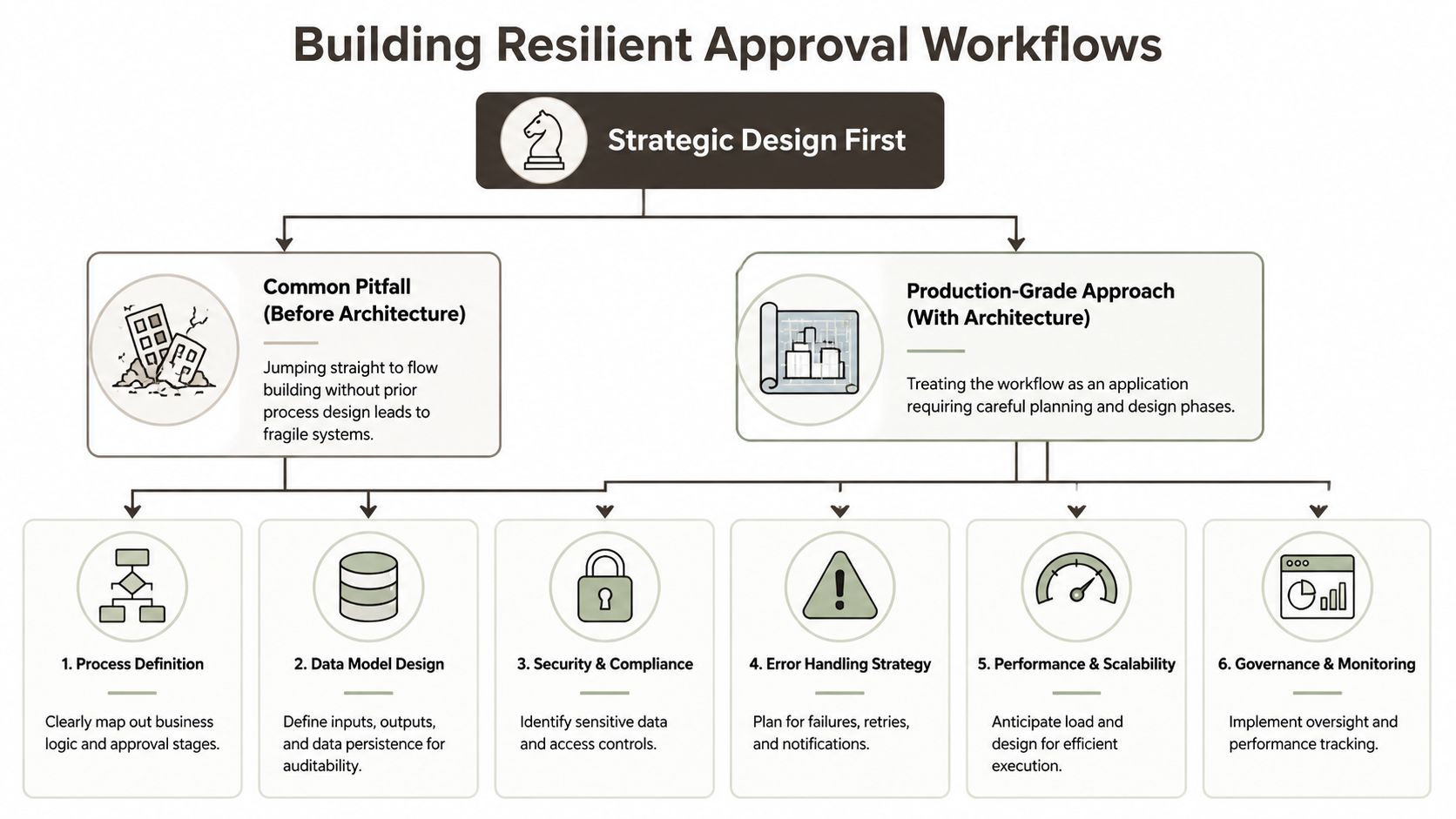
A production approval flow is an application. Build it like one.
That means you don't start in the Power Automate designer. You start with state, actors, failure paths, and evidence requirements. If your architects let a business team drag actions onto a canvas before those decisions are made, they're authorising future rework.
Approval design is a state problem
This is the part basic tutorials skip because it isn't glamorous. Every approval has state. Requested. Pending. Escalated. Reassigned. Approved. Rejected. Cancelled. Expired. Possibly reopened.
Microsoft documents multiple approval patterns, including “First to respond” and “Everybody must approve”, and it also states that flows running longer than 30 days should persist approvals in Microsoft Dataverse because the original flow run can time out in its guidance on modern approvals and long-running approval storage. That single point tells you everything important. This isn't just a low-code formality. It's state management.
If your workflow can live beyond a short-lived run, you need durable storage and a model for transitions. Otherwise you're betting your compliance process on a run history entry and good luck.
Why convenience storage becomes a trap
Teams often reach for SharePoint because it's already there. I understand the instinct. It's familiar, fast to prototype, and visible to the business. It's also where sloppy approval designs go to become unmaintainable.
A weak pattern looks like this:
| Approach | What teams like | What breaks |
|---|---|---|
| SharePoint list as approval state store | Fast to build, easy to view | Permissions sprawl, messy updates, fragile item history |
| Flow-only state with wait actions | Minimal setup | Long-lived processes become hard to recover or audit |
| Dataverse-backed approval state | More design effort up front | Better fit for persistence and controlled process state |
The point isn't that SharePoint is useless. The point is that many teams use it as a shortcut instead of a design choice.
Build for people failing to respond
Approvals don't fail because users are malicious. They fail because people are busy, travelling, on leave, reassigned, or gone.
Your design needs these controls before go-live:
- Escalation logic that moves unresolved approvals to a defined fallback owner.
- Delegation rules for leave, travel, and role changes.
- Cancellation paths so duplicate requests don't pile up.
- Persistent comments and response history written back to the source record.
- Operational ownership assigned to a team, not a helpful individual.
If your only recovery plan is “message the approver and ask them to check Teams”, you don't have a resilient approval workflow.
Ollo Verdict
Use native approval actions for straightforward, short-lived sign-offs with clear ownership. For anything long-lived, regulated, or multi-step, design persistent state first and only then build the flow. Skipping that architecture doesn't save time. It guarantees a rescue job later.
Building the Flow The Hard-Nosed Way
Once the process model is solid, then you build. Not before.
A common mistake is treating the Power Automate canvas like a whiteboard. It isn't. Every action introduces operational behaviour, failure modes, and support burden.
Start with the action that can stall everything
Microsoft's approval training is explicit about core mechanics and known issues with the connector. It also highlights the difference between Create an approval and Start and wait for an approval in the official Power Automate approvals training module.
That distinction matters more than is commonly understood.
- Create an approval creates the approval object and lets the flow continue.
- Start and wait for an approval blocks the flow until somebody responds.
The second option is often better for traceability because the process waits on a formal response. It's also a single point of process failure. One missed approver, one bad routing decision, one reassignment problem, and your entire run hangs until a human intervenes.
Build around dynamic ownership
Hardcoding users is amateur hour. If your approver list lives inside actions, your workflow starts ageing the moment you publish it.
Use group-based or directory-driven resolution so the flow looks up the current responsible approver instead of trusting last quarter's org chart. Your process should survive role changes without a developer editing the definition every time someone moves teams.
A hard-nosed build sequence looks like this:
Validate the trigger input
Check that the request contains the required fields before you create any approval. Bad data at the start creates bad evidence at the end.Resolve the approver dynamically
Pull ownership from your directory model, group membership, or approved business rules. Don't trust free-text email addresses from forms.Create a tracking record first
Write the request into your chosen state store before sending anything to an approver. If the approval action fails, you still have a recoverable record.Issue the approval with explicit outcome handling
Treat approve, reject, timeout, and cancellation as separate branches, not cosmetic variations.Write back the result and comments
Microsoft's documentation shows that approval history and comments can be captured and written back to the source record. Do that every time. Email is not your system of record.
Don't trust the happy path
Your inputs are hostile until proven otherwise. That includes user-entered values, optional fields, and downstream connector responses.
Use scopes and outcome branches so you can see what failed and where. A production flow should answer these support questions quickly:
- What request failed?
- Which approver received it?
- Did the approval object get created?
- Did the write-back succeed?
- Can operations requeue or cancel it safely?
That's where many “business-built” flows collapse. They notify. They don't recover.
For a simpler contrast between business-user patterns and enterprise-grade reality, this overview of Power Automate for non-technical teams is useful, mainly because it shows how quickly “simple” workflows become operational systems.
A short walkthrough can help visualise the basic mechanics, but don't mistake a demo for an operating model:
The build standard I'd enforce
Don't publish a Power Automate approval workflow unless somebody other than the maker can support, trace, and restart it.
That means named ownership, run diagnostics, recoverable state, and explicit exception paths. If your team can't explain what happens when the approver never responds, the workflow isn't ready for production.
Securing and Governing Your Approval Process
An approval workflow sits close to authority. That alone makes it dangerous.
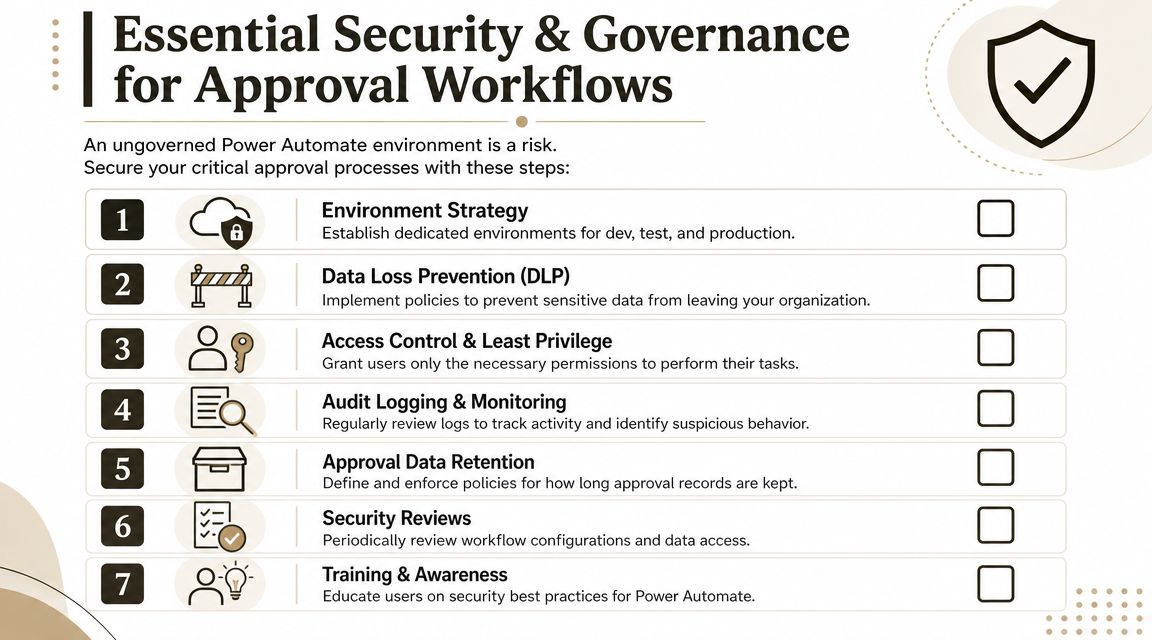
It touches records people care about, routes decisions to users with privileges, and often exposes comments, metadata, and attached business context. If you let users wire this together in an ungoverned environment, you're inviting security drift and audit pain.
Governance starts before the first flow
The governance pattern should be boring, strict, and documented.
Use separate environments for development, test, and production. Use Connection References and Environment Variables so you don't rebuild connections by hand every time you move a solution. Use dedicated service identities where the process needs organisational ownership instead of a named employee's account.
Here's the baseline I expect in any serious environment:
- Environment separation with controlled promotion between stages.
- Dedicated service ownership for production processes.
- Least privilege access for makers, approvers, and support staff.
- DLP policies that stop unsafe connector combinations.
- Logging and review discipline so failed runs don't sit unnoticed.
DLP is where good intentions go to die
Many organisations talk about governance and then leave connectors wide open. That's reckless.
A user doesn't need bad intent to create a problem. They just need to build a flow that moves regulated data from an approved source into an unapproved destination. That's why Data Loss Prevention policy isn't bureaucracy. It's containment.
If your approval includes financial, HR, legal, or sensitive operational data, your DLP model needs to stop consumer and business connectors from mixing in ways that expose information. That aligns with wider cloud control disciplines such as securing sensitive data in the cloud, especially when approval metadata carries more context than teams first realise.
Non-negotiable: If approvers can see sensitive data, your security team must know where that data is stored, who can retrieve it, and how long it persists.
Identity and ownership matter more than the flow itself
A lot of broken approval estates share the same flaw. Nobody can tell who really owns them.
The maker owns the connection. Operations owns the business process. Security owns the policy. Compliance owns the evidence requirement. Then the maker leaves and everybody discovers there was no real production ownership in the first place.
That's why identity design matters. If your Microsoft 365 estate already uses strong directory control, extend that discipline into workflow ownership and approver resolution. Your Entra design should influence who can build, who can approve, and who can administer. This overview of Microsoft Entra ID governance considerations is the right place to anchor those control decisions.
The minimum governance checklist
| Control area | What to enforce |
|---|---|
| Ownership | Production flows owned by managed service identities or controlled organisational accounts |
| Promotion | Solution-based deployment with controlled changes between environments |
| Data handling | DLP aligned to data classification and approved connector paths |
| Auditability | Approval outcomes and comments written to a durable business record |
| Support | Named team responsible for failed runs, reassignment, and break-glass handling |
If you skip these controls, you don't just risk a failed workflow. You risk unauthorised data movement, unclear accountability, and evidence gaps during review.
Throttling Concurrency and Error Handling
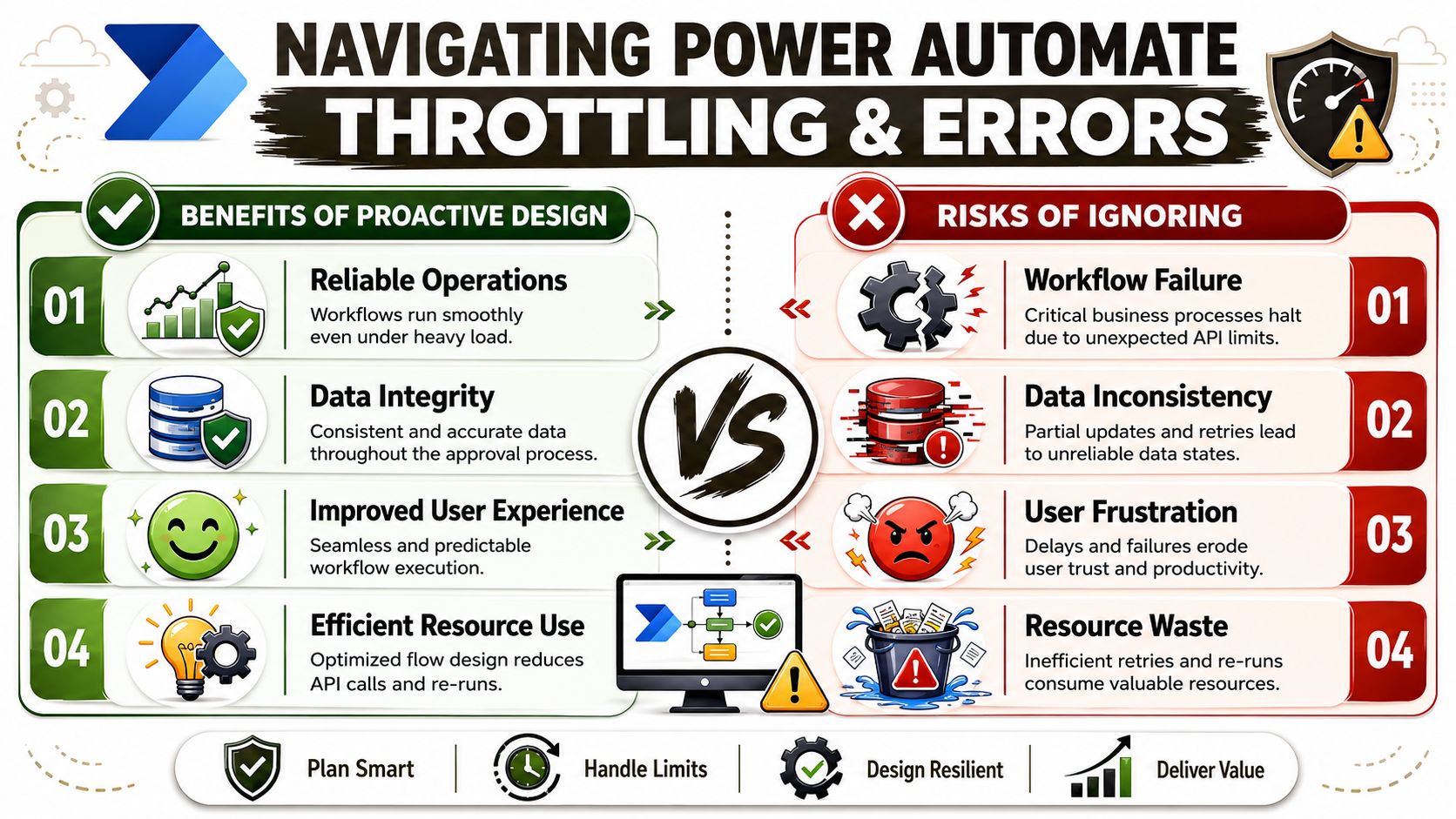
Approval flows do not break during the demo. They break on the busiest day of the quarter, under deadline pressure, with impatient users and no clean recovery path.
That is where weak design gets exposed. A burst of submissions hits. Approvers respond from different channels at different times. Retries fire against already-changed records. Someone reruns failed items by hand. Now the workflow has two problems at once. Delay and disputed state.
Failure is operational, not just technical
Power Automate can send approvals through email, Teams, and mobile. That flexibility does not give you control. It gives users more ways to respond, more ways to respond late, and more chances for your process state to drift if you have not designed for contention.
Regulated businesses need a clear rule for what happens when multiple events arrive around the same record. Which response wins. What happens to late responses. Whether cancellation closes the transaction or only the task. How support staff intervene without creating a second decision path. Basic tutorials skip this because the feature works fine in low-volume tests.
Production does not care about your low-volume test.
What to design before load exposes the gaps
Set the flow up as if duplicate triggers, delayed responses, and partial failures are guaranteed. In enterprise approval work, they are.
- Limit concurrency on record-changing actions: If several runs can touch the same item, serialize the update path or use a lock pattern in the source record.
- Split intake from decision processing: Accept and log the request first. Then move approval handling into a controlled state machine you can resume safely.
- Use retries with rules, not hope: Retry transient connector failures. Do not retry actions that can create a second approval outcome unless the step is idempotent.
- Make write-backs idempotent: Every update should check current state before it writes. A rerun must confirm the record still expects that action.
- Queue exceptions for humans: Failed approvals need a managed work queue with ownership, timestamps, and disposition notes.
- Define timeout and reassignment behaviour: If an approver goes silent, the fallback path must be explicit and auditable.
One bad rerun can do more damage than one failed run.
Concurrency control is a compliance issue
Teams often treat throttling as a performance concern. In regulated processes, it is also an evidence concern. If two parallel branches update the same record, you can end up with a valid approval response and an invalid final state. That is the kind of mismatch auditors notice because the timestamps, comments, and downstream record no longer line up.
The same operational blindness shows up in migration programmes. Small pilots pass. Full-volume execution fails because nobody tested contention, dependency timing, or service limits. The pattern is familiar in SharePoint migration performance issues under load. Approval workflows fail for the same reason. Teams design for the happy path and then act surprised when the platform enforces limits.
Ollo Verdict
If the process affects regulated records, build for controlled contention from day one. Cap parallelism. Track state explicitly. Make every update safe to repeat or safe to reject. Give support staff a formal recovery route.
Anything less is a workflow that looks automated until the first deadline spike turns it into an investigation.
Auditing Migration and Rescuing Failed Workflows
An approval record that cannot survive an audit is not an approval record. It is a weak memory with a timestamp.
The click in Teams or email is the least important part. The part that matters is the evidence chain after the decision. You need to prove who approved, when they approved, what they saw, what they wrote, what changed in the business record, and whether that evidence remained intact through staff turnover, environment changes, and flow revisions.
Audit evidence belongs in the system of record
Microsoft documents the mechanics of capturing approval outcomes and comments. That is only the starting point. In regulated work, the approval event has to be written back into the business record or an attached audit store that follows the same retention and access rules.
If your evidence sits in mailbox folders, chat threads, or Power Automate run history, support will waste hours piecing together half-truths during an incident. Auditors will treat that as poor control design, because they should.
Write back these fields as a minimum:
- Approval status linked to the record under review
- Responder identity from the authenticated response
- Decision timestamp in the source system
- Decision comments with enough context to stand on their own
- Cancellation, reassignment, and escalation history where the process allows those actions
- Flow run identifier or correlation ID so support can trace the transaction end to end
Store the evidence with the record. Anything else is audit theatre.
Failed workflows usually arrive with the same defects
A business user built the flow, shared it informally, and left behind just enough documentation to create false confidence. Months later the process starts failing under load, connector permissions drift, or approvals complete without consistent write-back. Now nobody knows which outcomes are trustworthy.
That is not a technical hiccup. It is a control failure.
Start with triage, and do it in a fixed order:
Establish ownership
Identify the flow owner, service account owner, connector owner, and business process owner. If those roles are split across personal accounts or nobody can name them, freeze changes until ownership is corrected.Map dependencies
Document triggers, connectors, approver lookup sources, notification paths, write-back targets, retention settings, and any downstream systems touched by the result.Test the evidence trail
Confirm whether each approval outcome exists in a durable, queryable store. Check whether comments, timestamps, identity, and final state line up.Review failure behaviour
Find stalled runs, retry loops, duplicate writes, orphaned approvals, and partial completions. A workflow can look healthy in dashboards while corrupting state behind the scenes.Decide salvage versus rebuild
Keep business rules that are clear and defensible. Scrap hidden branching, personal account dependencies, and logic that nobody can explain with confidence.
Some workflows should be retired, not rescued
Teams keep bad flows alive because rebuild work feels expensive. That instinct causes bigger losses later.
Use a hard filter:
| Condition | Recommendation |
|---|---|
| Clear business rules, poor governance | Rebuild in a controlled environment |
| Valuable process, weak audit trail | Keep the logic, redesign evidence capture |
| Hidden dependencies across personal accounts or ad hoc lists | Re-architect before migration |
| Unclear branching, unknown ownership, missing approval history | Treat as unsafe and replace it |
Do not preserve a bad design just because it has been running for years. Age is not proof. It often means nobody has looked closely enough.
Migration discipline applies to approval estates
Approval workflows need the same migration discipline as SharePoint content, mailbox moves, or tenant consolidation. Inventory first. Dependency mapping next. Then identity alignment, environment strategy, evidence preservation, and controlled cutover.
The failure pattern is the same every time. Undocumented dependencies, silent ownership drift, and brittle assumptions stay hidden until the process is moved or tested at real volume. The operational pattern in failed SharePoint migration recovery is the same pattern you see in broken approval estates.
If a regulated approval portfolio is already failing, get architects involved who understand identity, governance, retention, state management, and support operations together. Splitting that work across disconnected teams is how rescue programmes turn into forensic exercises.
The lesson support teams learn the hard way
DIY looks cheap because the spreadsheet ignores incident response, rework, audit remediation, and business interruption.
A failed approval flow can freeze a finance close, leave HR decisions without defensible evidence, or create conflicting records that nobody wants to certify. Building proper controls upfront costs less than emergency repair. Emergency repair costs less than explaining missing evidence to an auditor.
If your organisation is relying on personal maker accounts, undocumented approval logic, or weak write-back controls, fix it before the next failure forces the decision.

















