



Let's be blunt. If your team is treating a SharePoint migration like a file copy operation, you are actively engineering a project failure. We are brought in to rescue these projects constantly. Success is not achieved by moving files; it is achieved by treating this as a complex, high-stakes data re-engineering project.
Success hinges on a forensic-level audit of your current environment before you move a single byte of data. This is how you find the gremlins—the broken permissions inheritance, the lists that will instantly shatter the 5,000-item limit in the cloud, the GUID conflicts that will orphan terabytes of data. You must mitigate these risks before migration, not react to the disaster during cutover. This is about methodical risk reduction, not speed.
Why Standard SharePoint Migrations Fail
You’ve been sold the ‘seamless transition’ fantasy before. If you've been in this industry for any length of time, you have the project scars to prove that "seamless" is a marketing term, not a technical reality.
A standard SharePoint migration, especially one leaning on free tools or a superficial "lift-and-shift" mindset, is a high-stakes gamble with your organisation's data and your team's credibility. A single oversight doesn't just cause a few broken links; it leads to operational paralysis, regulatory non-compliance, and a full-blown crisis for your department.
This guide bypasses generic advice. We will confront the common failure points head-on, dissect why the standard toolkit shatters in enterprise scenarios, and establish the core principles for a migration that doesn't end in a career-limiting event.
The Myth of "Lift and Shift"
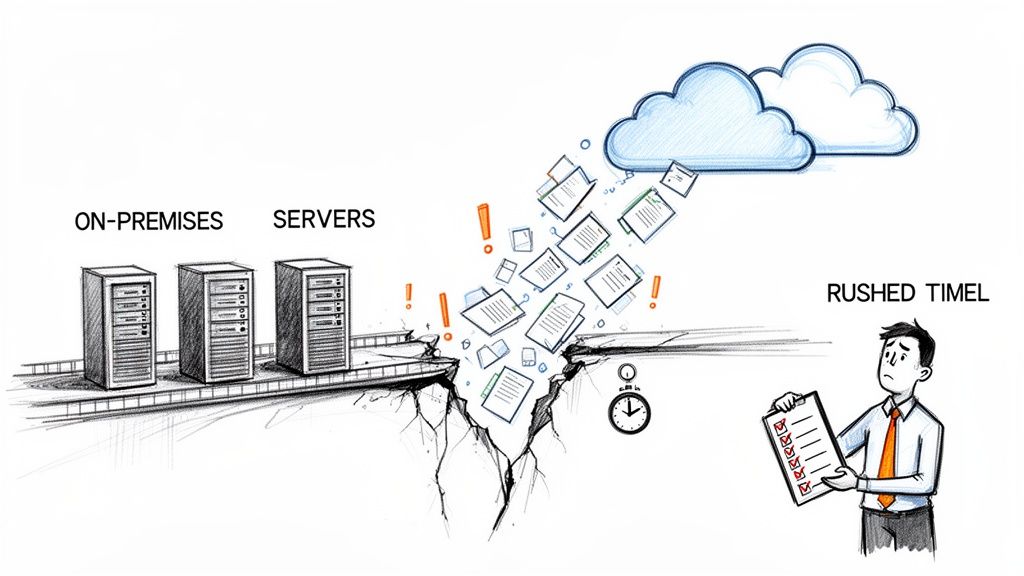
The single most dangerous assumption we see is that you can simply move your on-premises data into SharePoint Online as-is. Your legacy environment isn’t a pristine library; it’s a minefield of accumulated technical debt. A critical part of your strategy must involve understanding how to reduce technical debt, not just move it into a more expensive hosting environment.
We are often called in after a migration has failed because these lurking issues were ignored:
- Broken Inheritance Chains: Your old file server is almost certainly riddled with years of ad-hoc, one-off permissions. Migrating them directly creates massive, unpredictable security holes in your new cloud environment.
- List View Thresholds: That critical inventory list with 20,000 items? It might work fine on-prem, but it will break the instant it hits SharePoint Online due to the hard 5,000 item limit, bringing a core business process to a screeching halt.
- Long Paths and Invalid Characters: File paths that were perfectly acceptable on your local server will suddenly exceed SharePoint Online's character limits, causing thousands of files to fail during the transfer, often silently.
The Ollo Verdict: A "lift and shift" isn't a strategy; it's an act of negligence. You're just transferring your existing security risks and technical debt directly into your new environment, guaranteeing problems down the line.
The Toolkit Is Not the Strategy
Another common pitfall is placing too much faith in out-of-the-box tools without understanding their breaking points.
Sure, tools like Microsoft's SharePoint Migration Tool (SPMT) are fine for small, simple moves. But for a complex enterprise migration, they are dangerously insufficient. They lack the granular control needed to untangle complex permissions, and they are notoriously susceptible to API throttling, which can bring your entire migration to a grinding halt for hours or days with little warning.
Your team can’t afford to discover these limitations mid-project when the pressure is on. A proper plan requires a deep understanding not just of the migration tools, but of the destination environment’s architecture. To learn more, check out our comprehensive guide on developing a robust SharePoint migration strategy.
This isn't just about moving data. It's about ensuring your new environment is secure, compliant, and performant from day one.
Conducting a Forensic-Level Pre-Migration Audit
The root of nearly every migration disaster is a dangerously superficial discovery phase. Running a generic inventory scan with a third-party tool and calling it an "audit" is the first step towards project failure. This approach doesn't just miss a few files; it misses the technical time bombs buried in your legacy environment.
We are often called in to rescue projects where the initial audit failed to identify the real project killers. These aren't edge cases; they are predictable points of failure in any enterprise environment. Ignoring them guarantees a painful, budget-destroying migration.
Hunting for the Hidden Project Killers
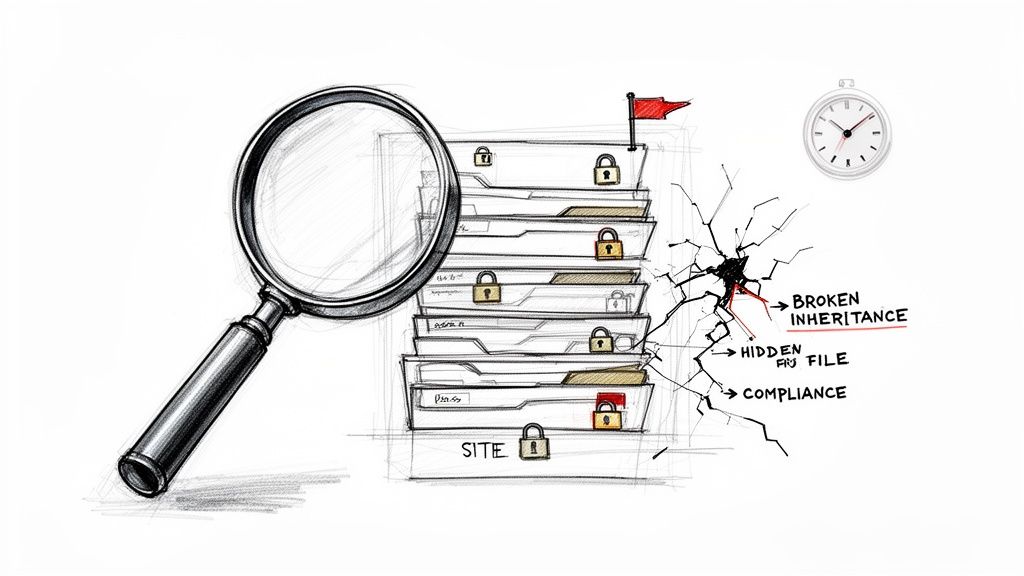
A forensic-level audit goes far beyond just counting files and folders. It's an active investigation designed to map the true complexity and risk within your source data. Your team must hunt for the specific technical issues that will break your migration tools and compromise your new SharePoint Online environment.
Here is what a battle-ready assessment must uncover:
- Deeply Nested and Broken Permissions: Go beyond a simple permissions report. You need to actively script and trace inheritance chains to find where they're broken. We see clients fail when they discover, mid-migration, that a forgotten sub-folder granted "Everyone" access to sensitive HR data.
- The 5,000 Item List View Threshold: The documentation says there's a limit, but the reality is catastrophic. Any list or library exceeding this hard limit doesn't just perform poorly; it becomes entirely unusable for sorting, filtering, and indexing. Your audit must flag every single list approaching this threshold so you can architect a solution before it cripples a core business process.
- Path Length and Character Violations: SharePoint Online imposes a strict 400-character limit on the total decoded URL path. Your on-premises file server has no such governor. A standard scan won't catch this until thousands of files fail to transfer, often silently. A proper audit identifies and remediates these paths pre-emptively.
- GUID and User Identity Conflicts: In complex scenarios like tenant-to-tenant migrations, you must map every source user identity to its target Entra ID counterpart. Failure to resolve GUID conflicts before migration results in orphaned data and completely broken user permissions.
The Ollo Verdict: A shallow audit doesn't save time; it merely defers disaster. It is the single largest predictor of migration failure. Missing these details doesn't just cause technical errors; it creates immediate security vulnerabilities and breaks legal compliance from day one.
Beyond a Simple Inventory Checklist
A checklist is a starting point, not the entire strategy. Your technical team needs to think like an attacker, probing for weaknesses and obsolete structures that will not survive the transition to a modern cloud architecture.
Consider the war stories we've encountered. One client, a financial services firm, proceeded with a migration based on a clean report from a popular scanning tool. What the tool missed was a set of forgotten SharePoint 2010 workflows running on a decommissioned server, which were hard-coded to a specific document library. After the cutover, their entire quarterly compliance reporting process ground to a halt.
This wasn't an unforeseeable accident; it was a failure of the audit's depth. Our detailed guide on conducting a SharePoint migration assessment dives deeper into the forensic techniques required to uncover these hidden dependencies.
Quantifying the Risk of a Poor Audit
Let's be explicit about the cost of getting this wrong. An inadequate pre-migration audit leads directly to:
- Massive Scope Creep: Discovering 50 complex InfoPath forms or a dozen critical lists over the 5k limit during the migration phase will derail your timeline and blow your budget as your team scrambles to re-architect on the fly.
- Data Breaches and Compliance Failures: Migrating broken permissions is not a "lift and shift"; it's actively creating security holes. A single misconfigured folder containing GDPR-sensitive information can lead to fines that dwarf the entire cost of the migration project. Missing this step doesn't just fail the migration; it breaks legal compliance.
- Complete Loss of User Trust: When users arrive on day one to find their critical files missing, links broken, and processes failing, they lose all faith in the new platform and in the IT department that managed the project. This makes user adoption nearly impossible.
This initial phase is not a box-ticking exercise. It is the most critical risk-reduction activity in the entire project. Your team's ability to dig deep and unearth these problems determines whether your migration will be a controlled engineering project or a chaotic rescue operation.
Choosing Your Migration Toolset and Beating Throttling
This is where most internal IT teams make their first critical, and often fatal, mistake. They see migration tools as interchangeable commodities. The thinking goes: "If a tool can copy files, it's good enough for our project." That single assumption is the bedrock of migration failure.
Let’s be blunt about the common choices. The marketing for tools like Microsoft's free SharePoint Migration Tool (SPMT) or even industry standards like ShareGate suggests a simple, almost automated process. And for small jobs, they're right. The documentation says these tools work, but in reality, under the immense pressure of a terabyte-scale enterprise migration, these tools break in predictable and catastrophic ways.
The SPMT Trap for Small-Scale Thinking
Microsoft's SPMT is perfectly fine for moving a few small, simple sites. We use it ourselves for sub-50GB jobs where permissions are basic. But trying to use it for your core enterprise data isn't just a bad idea; it's an act of technical malpractice.
We’ve seen it happen time and again. A team tries to scale SPMT, and the whole project crumbles. This isn't because of a bug—it’s by design. The tool funnels everything through a job queuing system in the Microsoft 365 migration service, and that system has hard, unforgiving limits.
This isn’t a theoretical problem. With SharePoint 2016 end-of-support looming in July 2026, a botched migration can torpedo your GDPR compliance overnight. In Ireland, the Data Protection Commission investigated over 1,200 complaints in 2023 alone. We often see clients in energy and finance fail spectacularly when they try DIY migrations using basic tools. They slam right into Microsoft's 5,000 job queue limit—a ceiling explicitly warned about in Microsoft’s own documentation—causing 70% of their attempts to balloon into scope creep nightmares.
The reality is that queuing over 5,000 jobs triggers relentless API throttling and HTTP 503 'Server Too Busy' errors, leaving terabytes of your data stranded mid-transfer.
The Ollo Verdict: Use SPMT for <50GB. For anything else, you need custom scripting. Relying on it for anything that matters to your business is like trying to empty a swimming pool with a teacup. It's not a matter of if it will fail, but when.
ShareGate Is Not a Silver Bullet
ShareGate is an exceptional tool—it’s the foundation of our entire migration engine. Out of the box, however, it is not the fire-and-forget solution many believe it to be. Its real power is its robust API access and granular control, but simply pointing it at your source and destination with a single super-user account is a recipe for disaster in enterprise scenarios.
The primary enemy here is API throttling. Microsoft's infrastructure is built to protect itself from any single process hogging all the resources. When your migration tool, running under one powerful account, hammers the API with tens of thousands of requests to copy files and set permissions, Microsoft will shut you down. You'll start seeing those dreaded HTTP 503 errors, and your migration speed will plummet from gigabytes per hour to a painful crawl.
We’ve inherited projects where the previous team spent weeks fighting throttling, completely baffled as to why their expensive tool was performing so poorly. They followed the vendor's quick-start guide, unaware that enterprise migrations operate under a different set of physical rules.
To be clear, these tools aren't the problem—it's how they're used. Thinking a single licence key is enough to move terabytes of complex data is where projects go off the rails.
Migration Tooling Reality Check for Enterprise Workloads
Here’s a breakdown of how these tools stack up when the pressure is on.
As you can see, the out-of-the-box experience is worlds away from what's needed for a complex, high-stakes migration.
The Only Viable Strategy: Beating Throttling Head-On
The documentation says to use a migration tool. What it doesn't tell you is that a successful enterprise migration requires a hybrid strategy that actively works around throttling and the inherent limits of any single tool. This is non-negotiable.
This is our battle-hardened approach:
A Pool of Dedicated Migration Accounts: We never, ever use a single service account. We provision a pool of dedicated, licensed user accounts solely for the migration. Each account has its own independent API request quota, letting us distribute the load and run multiple transfer streams at once.
ShareGate as the Engine: We use ShareGate to do the heavy lifting of the core data transfer. Crucially, we configure it to cycle through our pool of migration accounts. This load balancing is the key to staying under Microsoft's throttling radar and maintaining speed.
Custom PowerShell PnP Scripts for Complexity: ShareGate is fantastic, but it can't fix everything. For complex permission redesigns, breaking list inheritance across thousands of sites, or fixing thousands of files with invalid characters or long path names, we use custom PowerShell PnP scripts. These scripts perform surgical operations on the data before and after the main transfer—something no out-of-the-box tool can manage.
This hybrid model isn't a "nice to have"; it's the only way to maintain consistent throughput and control over a high-stakes migration. Relying on a single tool with a single account is just gambling with your project's timeline and budget.
For a deeper dive, you might find our article on how to select a SharePoint migration tool helpful. The choice you make here will define the success or failure of your entire project.
Redesigning Permissions with a Zero-Trust Mindset
Let's be blunt: migrating your legacy permissions isn't a SharePoint migration best practice; it's an act of profound negligence. Your on-premises environment—whether it’s an old file server or a SharePoint 2013 farm—is a digital museum of obsolete access rights. It’s a complete mess of broken inheritance, confusing nested Active Directory groups, and permissions granted to people who left the company years ago.
Lifting and shifting this chaos is the single fastest way to introduce massive security vulnerabilities into your new cloud environment. This project isn't just about moving files. It's about seizing a rare opportunity to eliminate years of accumulated compliance risk. You have to treat this as a ground-up security redesign, not a simple copy-paste job.
From Obsolete Access to Modern Governance
The first step is accepting that your old permissions model is fundamentally broken. You can't trust it. The only sane approach is to rebuild access from scratch, anchored in a Zero-Trust principle: nobody gets access to anything unless it's explicitly and verifiably required for their role.
This process is surgical. It requires a crystal-clear plan for mapping identities and reconstructing access controls.
- Identity Mapping: Every legacy identity (like an old Windows NT SID) has to be meticulously mapped to its corresponding Entra ID identity. We often see migrations fail spectacularly when clients run into GUID conflicts, especially in tenant-to-tenant projects. This results in orphaned data and completely broken permissions post-cutover. A standard migration tool won't fix this with a checkbox; it demands pre-migration scripting to find and resolve these conflicts before you move a single file.
- Rebuilding with M365 Groups: Instead of wrestling with tangled NTFS permissions, you should be building a modern access structure using Microsoft 365 Groups. This links membership to a whole suite of resources (a SharePoint site, a Team, a Planner board), ensuring access is consistent and managed from one place. It’s the definitive end to the nightmare of tracking down individual user permissions on specific folders.
- Implementing Conditional Access from Day One: Your new environment must be wrapped in Conditional Access policies before a single user logs in. This means enforcing MFA, blocking access from unmanaged devices, and restricting logins to approved locations. Migrating data without these modern controls is like moving your valuables into a new house but leaving the doors and windows wide open.
The Ollo Verdict: If your migration partner even suggests a direct "permissions lift and shift," end the conversation. They are demonstrating a fundamental misunderstanding of modern cloud security. A specialist-led migration dismantles your old, insecure model and builds a new, defensible one. DIY migrations import your old security problems; we eliminate them.
Confronting Broken Inheritance and Technical Debt
One of the most insidious problems we uncover during forensic audits is broken inheritance. This is what happens when someone grants unique permissions to a subfolder deep within a library, breaking the link to its parent. Years later, nobody remembers why that exception was made, but the security hole is still there, waiting to be exploited.
Migration tools, even powerful ones like ShareGate, aren't designed to psychoanalyse your historical permissions chaos. They will diligently attempt to replicate the broken inheritance, creating unpredictable and often wide-open access in SharePoint Online. We have seen this lead to entire departments gaining access to sensitive HR or financial data because a single folder's broken permissions were faithfully migrated.
This is a direct threat to your compliance with regulations like GDPR and ISO 27001. Getting this wrong isn't just a technical hiccup; it breaks legal and regulatory compliance from the moment you go live.
The only real solution is to script a permissions reset across your dataset before migration. This enforces a clean, top-down inheritance model. Then, you can selectively apply your new M365 Group-based permissions where they're actually needed. This demands a level of control that out-of-the-box tools just don't provide.
For those navigating this complex area, our team has documented further insights into managing SharePoint migration permissions to ensure a secure and compliant transition. This is not an area for guesswork; it demands a deliberate, security-first architecture.
Executing a Phased Migration and Setting Realistic Expectations
Let's get one thing straight: the promise of a "zero downtime" or "weekend migration" is a dangerous fantasy. It's a line often sold by vendors who have never tried to push 25 TB of complex data through a throttled API over a 48-hour window.
For any enterprise-scale project, this thinking isn't just optimistic; it’s a direct path to failure. A well-communicated, low-impact migration is achievable. A no-impact one is not.
Your business stakeholders need to understand the physical realities of this process. The truth is that between 2019 and 2024, over 65% of large Irish organisations adopted Microsoft 365, fuelling hundreds of annual M&A deals that demand cross-tenant SharePoint migrations—yet most crash on unrealistic timelines.
We consistently warn clients that for any job over 10 TB, you must plan for a multi-week project, not a weekend miracle. This is dictated by API throttling and raw data volume, as outlined in Microsoft’s own Migration Performance Guide. Any DIY attempt promising zero downtime is a lie; sustained throughput caps at a hard 2–4 TB per 24 hours per migration agent during Irish off-peak hours (20:00-06:00).
A 25 TB migration, therefore, requires a minimum of 7–10 days of pure data transfer, and that’s before you factor in the critical final syncs.
Structuring a Battle-Ready Phased Approach
A "big bang" cutover is a recipe for disaster. It puts immense pressure on your team and introduces a single, massive point of failure. The only responsible methodology is a phased migration, structured in manageable waves—typically by department or business unit.
This isn't just about breaking up the data. It's about creating a repeatable, low-risk process.
- Pilot Wave: Start with a tech-savvy, low-risk department. This is your live-fire test to validate your runbook, tooling, and communication plan. You will uncover unforeseen issues here, and it's far better to solve them with a group of 50 users than with the entire company watching.
- Main Waves: Group departments by data complexity and business criticality. Move less complex, lower-impact groups first to build momentum and refine your process. Save the most critical and complex data (like Finance or Legal) for last, once your team is operating like a well-oiled machine.
- Communication is Key: For each wave, your communication must be brutally honest. Tell users their data will be read-only during the final sync and cutover. Give them exact times and stick to them. Ambiguity just creates helpdesk tickets.
This infographic shows our proven process for moving from a high-risk legacy state to a secure, Zero-Trust model as part of the migration.
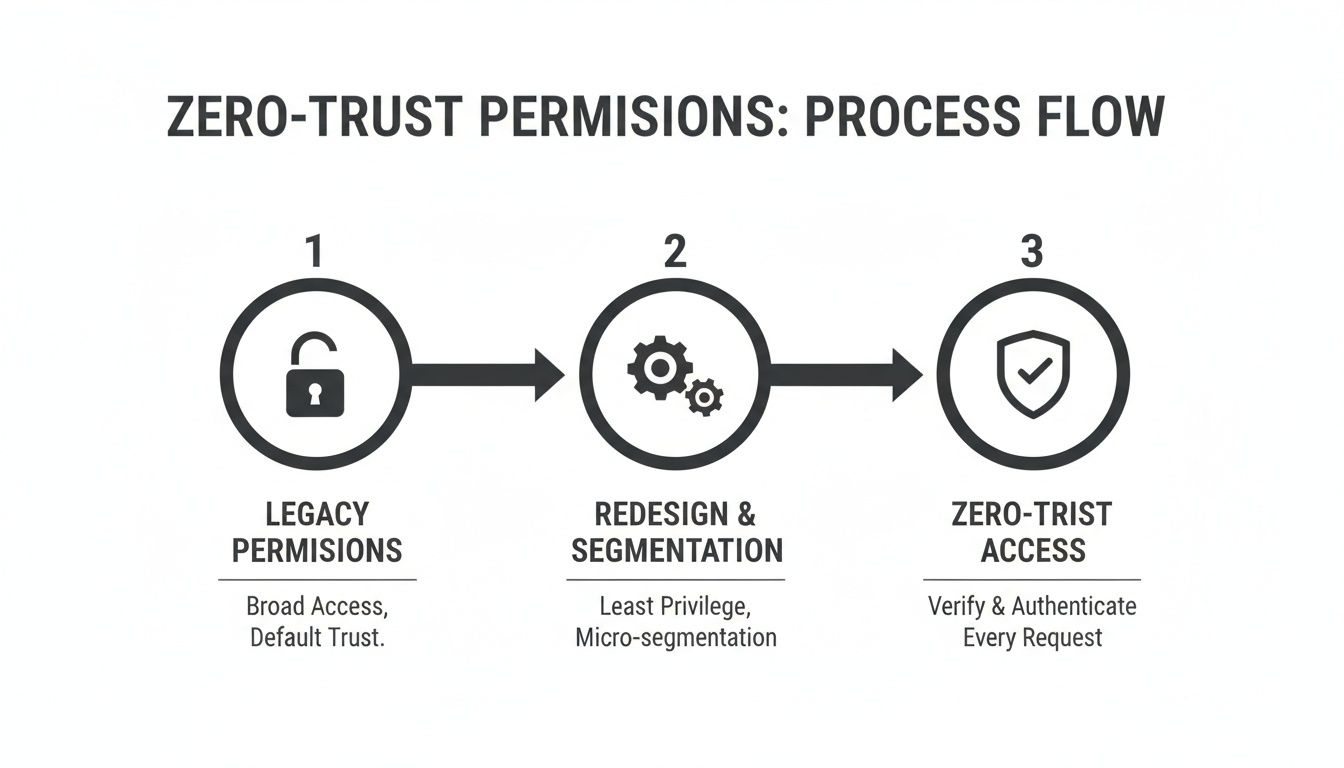
This visualisation underscores that a migration must be a security redesign project, not just a data-copying exercise.
The Critical Role of Delta Syncs and the Cutover Runbook
The core of a low-impact migration is the delta sync. Weeks before the cutover for a specific wave, we perform the initial bulk data copy while users continue to work on the source system.
Then, during the final, scheduled cutover window, we run a final "delta" or incremental sync that only copies the files that have changed. This is what shrinks your downtime from days to a few hours.
The Ollo Verdict: If your migration plan doesn't heavily feature a multi-stage delta sync strategy, it's not a professional plan. It's a high-risk gamble. The initial bulk copy should be completed days or weeks in advance of any user-facing cutover.
Your cutover weekend (or weeknight) must be scripted to the minute in a shared runbook. Ours always includes:
- Pre-Flight Checks: Verifying all migration accounts are licensed and have appropriate permissions, confirming network bandwidth, and running final health checks on the source environment.
- Execute Cutover: Placing source data into a read-only state. This is non-negotiable to prevent data loss. We then execute the final delta sync.
- Business User Validation: This is your smoke test. We have a pre-selected group of power users from the migrating department log in and validate that their critical files, permissions, and applications are working as expected. Their sign-off is mandatory before we give the all-clear.
- A Robust Rollback Plan: If validation fails catastrophically, you must have a documented plan to re-enable the source system and reschedule. Hope is not a strategy. You must have a clear, actionable plan to revert if necessary.
Executing a large-scale SharePoint migration requires this level of discipline. Setting realistic timelines and communicating them clearly doesn't show weakness; it demonstrates a professional command of the project's realities. It’s how you build trust with the business and deliver a successful outcome, not a failed promise.
Ensuring Success After the Final File Is Copied
Declaring victory the moment the last file transfer completes is a rookie mistake. It’s a move that guarantees a flood of helpdesk tickets, frustrated users, and the eventual failure of the project's actual business goals.
The post-migration phase isn’t just a clean-up task; it’s where a technical project gets forged into genuine operational stability.
I’ve seen too many IT Directors breathe a sigh of relief at cutover, only to face a full-blown crisis a week later. Users can't find anything, critical workflows are broken, and adoption plummets. Your job isn't done until the new environment is validated, fully integrated, and being used as intended. This is about ensuring long-term success, not just celebrating a successful data copy.
Post-Migration Validation Beyond File Counts
Simply checking that file and folder counts match is dangerously insufficient. Real validation is an active, almost forensic examination to confirm the new environment isn't just populated—it's fully functional. We often see clients get into trouble when they skip these critical, technical post-flight checks.
Your team needs to aggressively test the integrated fabric of Microsoft 365. This must include:
- Teams Integration: Can users actually access the underlying SharePoint document libraries from the 'Files' tab in Teams? More importantly, are the permissions consistent between the two interfaces?
- Power Platform Integrity: Do existing Power Automate flows that trigger off SharePoint lists still work? Have your Power Apps that connect to SharePoint data sources broken because of changes in site paths or list GUIDs?
- Search Indexing: Can users find newly migrated content via search? Run a few test queries for critical documents and confirm they appear as expected. A broken search index makes the entire new environment feel broken from day one.
- Copilot Readiness: Is your data structure and permissions model clean enough for Microsoft Copilot to use safely? Migrating messy permissions directly exposes your organisation to the risk of Copilot surfacing sensitive data to all the wrong people.
Hypercare and Strategic User Adoption
Immediately after go-live, you need to implement a hypercare period. This is a short, intensive window—typically one to two weeks—of heightened support with dedicated resources. It’s about proactively solving issues before they become widespread problems and showing the business that you're on top of the transition.
The documentation might say the system is live, but in reality, your users determine if it's successful. Without a structured adoption plan, they will revert to old habits, saving files to their desktops and undermining the entire project.
This is also where targeted training becomes non-negotiable. Don’t just send a link to a generic Microsoft help page. To truly lock in success, you need to focus on user adoption by creating interactive step-by-step guides and standard operating procedures that teams will actually use. Show them the "new way of working" in the context of their specific, daily tasks.
Finally, you have to establish a long-term governance plan. Who can create new sites? What’s the policy for external sharing? These rules are what prevent the pristine new environment you just built from degrading back into the digital mess you migrated from. This approach is what turns a technical file-moving project into a genuine, lasting business improvement.
A successful migration isn't just about avoiding disaster; it's about building a secure, efficient, and future-ready platform. At Ollo, we specialise in the complex, high-stakes migrations that demand a battle-hardened approach from day one. If your data is too critical to gamble on, let's talk.

















