



Stop treating your SharePoint migration as a file-moving exercise. It's a security and governance overhaul, and mishandling SharePoint migration permissions is the single greatest point of failure we see in the field. The common assumption is that you can simply copy a decade of accumulated on-premises access rights into a pristine cloud environment.
This is a catastrophic miscalculation. We've been called in to rescue projects that made this exact mistake, and the cleanup is always more expensive and painful than doing it right the first time.
The Hidden Liabilities in Your Migration Plan
If your migration plan doesn't feature a dedicated, high-risk workstream for permissions, it's not a plan—it's a recipe for disaster. Microsoft’s documentation presents a sanitized, ideal-world scenario. The reality is that your on-premises Active Directory is a minefield of nested groups, orphaned SIDs, broken inheritance, and direct user access that violates every principle of modern, cloud-native security.
A "lift and shift" of this structure isn't just lazy; it's a security incident waiting to happen. You are actively investing time and money to import years of accumulated risk directly into your new cloud tenant.
We often see clients fail when they underestimate this fundamental mismatch. The project team focuses on shifting terabytes, only to have a horrifying post-launch realization that sensitive HR or financial data is wide open. Why? Because a legacy "Everyone" group with read access was faithfully replicated from a file share nobody had audited in years. Missing this step doesn't just fail the migration; it breaks legal compliance with regulations like GDPR.
To unearth these liabilities, you need a forensic approach. A pre-emptive cybersecurity risk assessment isn't a "nice-to-have"; it's a non-negotiable first step for any enterprise that takes its data seriously.
On-Premises vs. Cloud Permission Models: An Architectural Collision
The core of the problem is the architectural collision between your legacy on-premises model and the Microsoft 365 ecosystem. Your old framework is obsolete and actively dangerous in a cloud-first world. A "lift and shift" of permissions is guaranteed to fail because the underlying security concepts do not translate.
Attempting to replicate the on-prem model in the cloud doesn't just fail to leverage new security features—it actively breaks them, leaving your organization exposed.
The Ollo Verdict: Viewing this as a simple mapping exercise is the single most common cause of failed SharePoint migrations. Your permissions model must be completely redesigned for the cloud, not replicated. Anything less introduces unacceptable risk.
Before you even touch a migration tool, you must execute a deep, forensic analysis of every permission you have. Our guide to the SharePoint migration assessment details how to dissect this critical discovery phase without falling into the usual traps.
Mapping the Permissions Minefield Before You Migrate
Before your team moves a single file, you must treat your existing permissions structure not as a list to be migrated, but as a digital crime scene to be investigated. We've seen too many projects derailed because they trusted a tool's high-level report. That's dangerously insufficient.
The documentation says to inventory your permissions, but in reality, your current state is a toxic brew of broken inheritance, circular group nesting, orphaned accounts, and direct user assignments that defy all modern security principles.
Trusting a surface-level report ignores these deep-rooted structural failures. The migration tool might report "success," but all you’ve done is transplant a ticking compliance time bomb into the cloud.
Beyond the Export: A Forensic Deconstruction
A CSV export from a migration tool isn't an analysis; it's a data dump. It tells you what exists, but not why it's a massive liability. A true forensic analysis deconstructs your legacy model to expose every GUID conflict and token bloat issue before it becomes a production outage in Microsoft 365.
This requires dropping into PowerShell and querying the Microsoft Graph API to uncover the liabilities that standard tools consistently miss.
Here’s what we hunt for:
- Circular Nesting: Where AD groups are members of each other, creating an infinite loop that causes catastrophic token bloat and authentication failures that are a nightmare to troubleshoot.
- Orphaned SIDs: Locating every permission assigned to user accounts that no longer exist. These aren't just clutter; they are security vulnerabilities and a primary source of migration errors.
- Direct User Access: Quantifying the exact number of files and folders with permissions granted directly to individuals, bypassing any manageable group structure. This is the biggest red flag for a permissions model that is ungovernable.
- Broken Inheritance: Pinpointing every list, library, folder, and file where permission inheritance has been broken. Each instance is a manually managed exception that increases complexity and risk exponentially.
We often see clients fail when they accept a basic permissions inventory at face value. This isn't just about finding problems. It's about building a quantifiable business case for a complete redesign, proving that a "lift and shift" isn't just a bad idea—it's a direct threat to the business.
This process helps visualize the journey from a high-risk on-premises environment to a secure, governable cloud state. The migration phase itself is where these critical issues absolutely must be addressed.
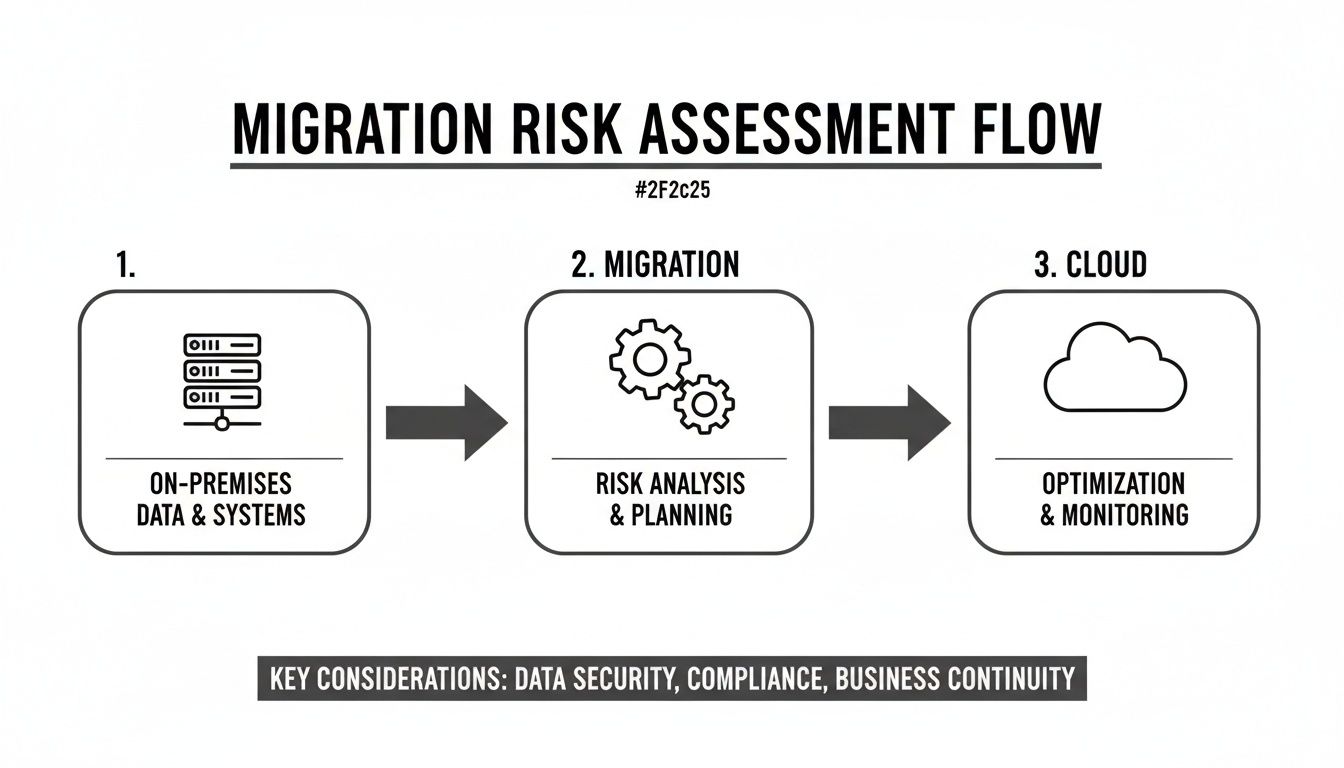
This forensic mapping makes one thing brutally clear: the migration tool isn't the challenge. It’s the mandatory clean-up and redesign that will determine whether your project succeeds or fails.
Quantifying the Risk of Inaction
Once you have this forensic data, you translate technical debt into business impact. Your goal is to articulate the real cost of migrating this mess as-is.
For instance, discovering that 25% of your sensitive financial data resides in folders with broken inheritance and direct user access assignments isn't a migration statistic. It’s a GDPR compliance failure waiting to happen. This level of detail provides the hard evidence needed to convince stakeholders that a permissions redesign isn't optional—it's a critical risk-reduction activity.
Mapping this complex web is the first step toward a robust cloud security posture and a core component of effective SharePoint data governance that protects your organization long after the project ends. The documentation talks about the principle of least privilege, but in reality, your investigation has to uncover the sheer volume of violations buried in a decade-old on-prem environment and force a difficult conversation about starting clean.
Designing a Zero Trust Permissions Model for the Cloud
Let me be blunt: migrating your broken, on-premises permissions model directly to the cloud is objectively worse than doing nothing. You’re actively investing time and money to make your new environment insecure from day one. This is the moment your project must pivot from a technical file move to a fundamental security redesign.
The only defensible approach is to build a new permissions model from the ground up, based on the principles of Zero Trust. And no, that isn't a marketing buzzword; it's a non-negotiable architectural shift away from legacy access control lists (ACLs) to a modern, governable model built on Microsoft Entra ID.
From Individual Access to Role-Based Governance
The old model of granting individuals direct access to folders is dead. It's unauditable, unmanageable, and a compliance nightmare. The documentation calls moving away from this a "best practice," but in the trenches, it's the only way to achieve auditable compliance and prevent the security degradation that plagues every DIY migration we've had to rescue.
Your new blueprint must be built on a foundation of least-privilege, using Entra ID as the single source of truth. This means mapping business roles to access policies, replacing the fragile 'individual access' mess with a robust, automated system.
This is where the real work begins:
- Entra ID Security Groups: These are your fundamental building blocks. Access is granted to the group, not the person. When an employee changes roles, you change their group membership, and their access rights update everywhere—instantly.
- Dynamic Groups: For large organizations, this is a game-changer. We build rules so group membership is automatically updated based on user attributes like department or job title. This removes the risk of human error in managing access.
- Microsoft 365 Groups: This is essential for modern collaboration. A single M365 Group provisions a SharePoint site, a Team, and a shared mailbox with a consistent permission set. Managing these separately creates chaos.
The Ollo Verdict: Stop thinking about permissions as a list of users. Start thinking about them as a set of policies applied to roles. If your team is still talking about assigning "John from accounts" access to a folder, you're already on the wrong track.
This deliberate redesign is the only path to a secure foundation. For a deeper look, our guide on SharePoint migration security details how these elements work together.
The Phased Approach: A Hard-Won Lesson
The temptation to execute a "big bang" migration is strong, but from our experience, it's a consistent point of failure. Regional adoption patterns show that around 70% of Irish enterprises prefer phased, incremental pilot approaches when implementing SharePoint hybrid migrations. This isn’t a preference; it's a hard-won lesson reflecting that big bang migrations consistently fail.
A phased migration forces you to confront broken permission models incrementally rather than catastrophically. In the face of stringent GDPR demands, this deliberate pacing is non-negotiable.
Aligning with Modern Security Policies
A well-designed permissions model is useless in a vacuum. It must be integrated with the broader Microsoft 365 security stack. This is where you move beyond simple access control and into proactive threat prevention.
The two most critical alignments are:
- Conditional Access: We design policies in Entra ID that enforce specific conditions for access. For example, users in the "Finance Leadership" security group can only access sensitive financial sites from a compliant, corporate-managed device. Access from an unknown personal laptop? Blocked, regardless of credentials.
- Multi-Factor Authentication (MFA): This is non-negotiable. We enforce MFA based on group membership and data sensitivity. Accessing a general project site might not require an MFA prompt, but trying to access HR or Legal SharePoint sites certainly will.
As you design this zero trust model, integrating knowledge base best practices will ensure your permissions are both secure and functional. This isn't just about locking things down; it's about enabling secure, efficient access to the right data for the right people under the right conditions. Anything less is just replicating your old problems in a new, more expensive location.
Executing the Migration and Understanding Tool Limitations
So, you're ready to move data. Let's talk about the tools that will handle your SharePoint migration permissions. Every vendor demo promises a simple, automated process. From our position cleaning up failed projects, we can tell you this is a dangerous oversimplification.
Migration tools are just that—tools. They are not a strategy. They are instruments that need an expert architect who understands their specific, very real breaking points.
We see it constantly: IT Directors get burned because they believed buying a software license was the same as buying a migration strategy. It’s not. Success requires an expert who knows when to use the GUI and when to drop into PnP PowerShell to script around the tool's inevitable failures with long path limits, GUID conflicts, and list view thresholds.
The SharePoint Migration Tool (SPMT): A Liability in Disguise
Microsoft’s SharePoint Migration Tool (SPMT) is the first port of call for many. It’s free, and the documentation makes it sound perfectly viable.
Here’s the reality. For anything beyond a handful of small, clean sites under 50GB with perfect permissions, SPMT is a liability. We've watched it choke on API throttling, fail silently on complex file types, and generate cryptic error logs that are useless for enterprise-scale troubleshooting.
SPMT's breaking points are well-known in the trenches:
- API Throttling: Microsoft aggressively throttles migration traffic. SPMT has only rudimentary handling for this, often resulting in jobs that either run for weeks or simply time out with no clear cause.
- Broken Inheritance: The tool has no sophisticated mechanism for redesigning permissions on the fly. It will try to replicate your broken inheritance model one-for-one, often failing on complex structures and leaving gaping security holes.
- Cryptic Error Reporting: When a file fails due to a long path name or an invalid character, pinpointing the root cause in its logs becomes a time-consuming manual treasure hunt.
The Ollo Verdict: Use SPMT for <50GB. For anything else, you need custom scripting. Relying on it for any serious enterprise migration is an unjustifiable risk. You need a more robust engine and the expertise to manage the process.
ShareGate: A Powerful Engine That Still Needs a Driver
ShareGate is an exceptional tool. It's a core part of our toolkit, and its migration engine is genuinely powerful. But it is absolutely not a "set it and forget it" solution. We've been called in to rescue projects where a team bought ShareGate, pointed it at the source and destination, clicked 'Go', and created an absolute permissions disaster.
The tool will do exactly what you tell it to. If you tell it to replicate a flawed on-premises structure, it will faithfully replicate every one of those flaws into SharePoint Online.
Its reporting capabilities are crucial for visibility, but they are diagnostic, not prescriptive. The tool shows you the problems; it doesn't solve the underlying architectural challenge of mapping a legacy model to a modern, Zero Trust framework.
Here is where we see teams get into trouble, even with powerful commercial tools:
- Complex Group Mapping: Mapping legacy AD groups—especially those with circular or deep nesting—to new Entra ID Security Groups is not a one-to-one job. Misconfigure this, and you could grant an entire department access to sensitive executive data.
- Ignoring Effective Permissions: The tool migrates explicit permissions. It cannot easily calculate the effective permissions that result from a user's overlapping group memberships post-migration. This is where silent failures happen.
- Throttling and Performance: Even ShareGate is subject to Microsoft's API throttling. An expert knows how to configure performance settings, schedule migration windows, and use incremental copies to work with throttling limits, not fight them. A novice will just crank it to maximum, get throttled, and wonder why the migration is taking ten times longer than estimated.
The capabilities of these tools are impressive, but they don't replace deep expertise. For more on how these tools fit into a larger strategy, explore our breakdown of the SharePoint migration tool landscape.
The critical takeaway is that your investment shouldn't just be in a software license, but in the architectural expertise to wield it correctly. Without that, the most powerful tool is just a faster way to replicate your old problems.
Validating Permissions After the Migration
The migration tool’s dashboard flashes 100% complete. Your project manager breathes a sigh of relief. This isn't the finish line; it's the most vulnerable moment of your project. This is where silent failures in your SharePoint migration permissions begin their transformation into future compliance disasters.
A basic check to see if files exist is dangerously insufficient. We’re talking about programmatic validation—scripting checks to confirm that the final effective permissions match your designed target state. Simply trusting the migration tool's logs is an act of professional negligence.
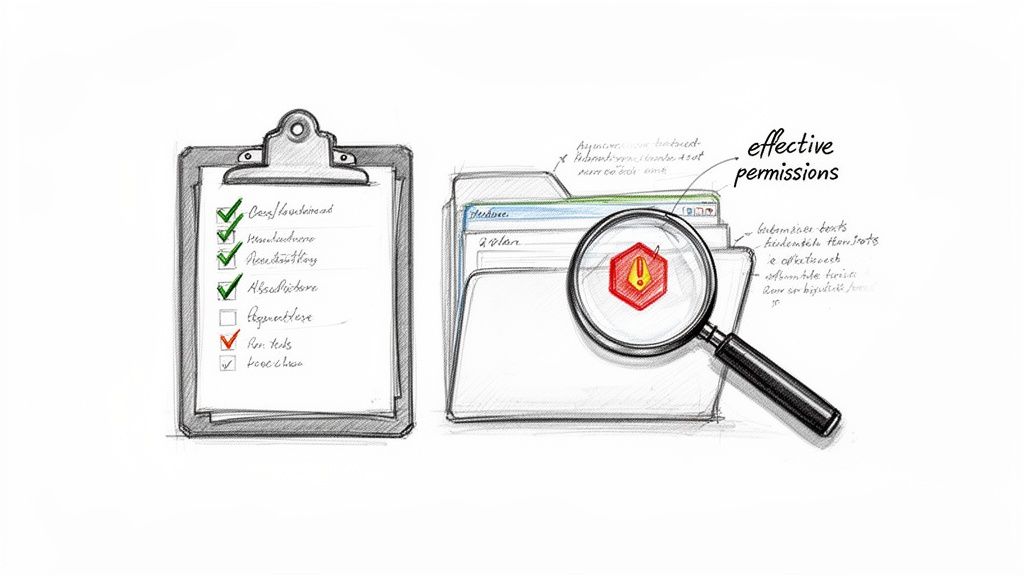
Beyond the Green Checkmark: A Forensic Validation Checklist
I've seen projects where the previous team declared victory based on a tool’s success report. Months later, an audit uncovered that an entire department’s salary data had inherited public, read-only permissions from a parent site. A misconfigured mapping was the culprit.
The tool reported "success" because it applied the permission it was told to. It had no concept of the catastrophic security breach this action created. Your validation must be aggressive and assume failure.
Our post-migration validation is a non-negotiable, multi-layered process:
- Effective Permissions Spot-Checks: We don't just check if the "Finance Readers" group has access. We take test users from outside that group and programmatically try to access sensitive content. The goal is to prove who cannot access the data—a far more reliable security indicator.
- Nested Group Audits: We run scripts that calculate the full, flattened membership of critical Entra ID groups. Your team needs to confirm the final list contains no surprises from legacy nested groups that were mapped incorrectly.
- External Sharing Policy Verification: We immediately test the tenant's external sharing settings against a predefined checklist. Has a migrated site collection accidentally retained an "Anonymous" sharing link capability? This has to be locked down on day one.
- Special Permissions Audit: We specifically query for any lingering unique permissions on individual items or folders. These are governance time bombs, often created by migration tool errors when dealing with broken inheritance.
The True Cost of a Failed Permissions Migration
This rigorous validation isn't about technical hitches; it's about business continuity and legal exposure. For businesses across Ireland and the EU, a failed permissions migration can create compliance breaches that far exceed the cost of professional remediation.
Unauthorised data access resulting from migration errors can directly violate GDPR. Many organisations severely underestimate this complexity, treating it as a purely technical task when it requires deep input from business stakeholders.
The Ollo Verdict: Your validation phase must be designed to prove the negative. You aren't finished when you can prove the right people have access. You're finished when you can forensically prove that no one else does. This requires custom scripting and a healthy dose of professional skepticism toward any tool's self-reporting.
The Remediation and Sign-Off Protocol
No migration is perfect. Your validation will uncover discrepancies. The difference between a successful project and a failed one is having a structured protocol to deal with them.
- Triage and Prioritise: Is the issue a single user with the wrong access, or a systemic failure affecting an entire department? We establish a priority matrix to fix critical data leaks first.
- Root Cause Analysis: We don't just fix the problem; we identify why it happened. Was it a flaw in the mapping logic? A tool limitation? This prevents the same error from happening in the next migration wave.
- Document and Re-test: Every fix is documented, and the original validation test is re-run to confirm it worked. This creates an auditable trail that is critical for compliance.
Only after this exhaustive cycle of testing and fixing can you seek business sign-off. Presenting a stakeholder with a "100% complete" report from a tool isn't enough. You must present them with evidence of rigorous, adversarial testing that confirms the new environment is not just functional, but secure. For more on building a compliant environment, check our guide on essential SharePoint compliance tools.
Frequently Asked Questions About SharePoint Permissions
We field these questions from IT Directors and project managers every day. Here are the direct, unvarnished answers your team needs before you commit to a migration.
Can I Just Replicate My On-Premises Permissions to SharePoint Online?
Technically, you can try. Strategically, it's a catastrophic mistake.
Your on-premises Active Directory is a decade-old liability—a tangled mess of nested groups, direct user access, and broken inheritance that nobody fully understands. Replicating this model into the cloud actively bypasses the modern, governable security features of Entra ID, creating immediate and severe compliance risks.
Your goal must be a complete redesign based on a modern security model, not a lift-and-shift of a legacy disaster.
Will Tools Like ShareGate Fix My Broken Permissions Automatically?
Absolutely not. Tools like ShareGate are powerful execution engines, not strategic architects. They are not a substitute for a well-designed migration plan.
If you point a migration tool at a flawed on-premises structure, it will faithfully and efficiently replicate every single one of those flaws into your new cloud environment. Its job is to move what you tell it to move.
The tool’s value is in executing a clean, pre-defined plan, not creating one from a legacy mess. You still need an architect to define the target state and script around the tool's inevitable limitations when faced with real-world complexity.
What Is the Biggest Mistake Companies Make?
The single biggest mistake is treating SharePoint migration permissions as an administrative clean-up task at the end of a content move. This is a complete inversion of a successful process.
Permissions are a foundational security and governance workstream. Your team must discover, analyze, and completely redesign them before a single file is migrated. Getting this sequence wrong is the number one cause of migration failures, data breaches, and ugly audit findings down the road.
Don't let your migration become another cautionary tale. The risks in getting SharePoint permissions wrong are too high to leave to chance or generic tools. Ollo provides the architectural expertise to navigate these complexities and ensure your new environment is secure and compliant from day one.

















