



When someone talks about a document management system migration, they’re usually talking about moving files from an old system—like a file server or a legacy platform—into Microsoft 365. Thinking of this as a "copy-paste" operation is the first and most common way to guarantee project failure.
As a Senior Cloud Migration Architect at Ollo, I've been in the trenches of these projects. A successful migration is a complex technical operation focused entirely on risk mitigation, not just moving data from point A to point B.
Why Your Document Management Migration Will Fail
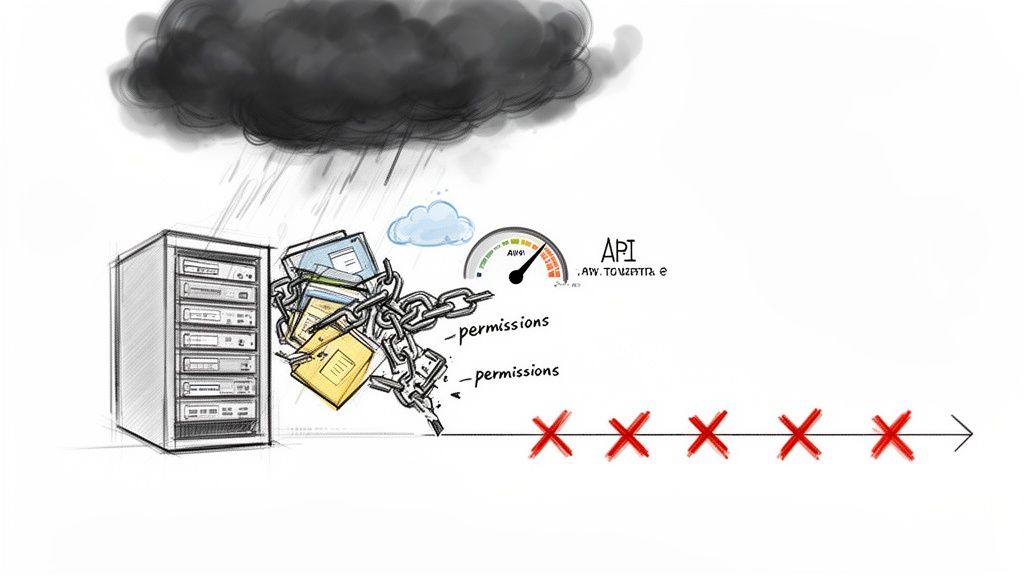
Forget the marketing promises of a "seamless transition." The reality we see on the ground is that most document management migrations crumble under their own weight. When our team at Ollo gets the call to rescue a failing project, it's never just one thing that went wrong. It's a cascade of failures, triggered by a fundamental underestimation of the project's complexity.
Your team, even armed with standard tools and the best intentions, is walking into a storm of technical hazards they aren’t equipped to handle.
The Myth of "Lift and Shift"
The most common point of failure is believing you can just "lift and shift" your data. This approach ignores the brutal reality of enterprise data, which is riddled with years of hidden technical debt. We often see clients fail when they discover, mid-migration, that their legacy system is a minefield of:
- Broken Permission Inheritance: Thousands of folders with unique, item-level permissions that will shatter SharePoint’s security model and absolutely cripple its performance.
- Long Path and File Names: Deeply nested folder structures that blow past SharePoint Online's 400-character URL path limit, leading to mass file rejections.
- GUID and ID Conflicts: Critical metadata and document relationships that simply break because the new system assigns different unique identifiers.
The documentation says a tool will flag these issues. In reality, flagging 50,000 errors for manual remediation isn’t a plan; it’s confirmation of project failure. You don't need a tool to tell you you're failing—you need an architecture that prevents failure from happening in the first place.
This forced march to the cloud is precisely where DIY strategies and standard tools collapse. The document management systems market in North America is projected to hit USD 7.25 billion by 2033, a surge driven almost entirely by cloud adoption. Enterprises aren't moving because it’s easy; they're moving because they have no choice, and that fact makes a rock-solid migration strategy non-negotiable.
The Real Stakes of Migration
To grasp what’s on the line, remember the core document management system benefits you’re trying to achieve. You’re migrating to gain control, tighten security, and improve compliance—not just to change a file’s URL.
A failed migration doesn't just leave you with a messy SharePoint site. It leads to catastrophic business outcomes: data loss, compliance breaches, and a complete loss of user trust. Missing a step doesn't just fail the migration; it breaks legal compliance. The cost of this failure isn't just a project delay; it's regulatory fines and lasting reputational damage.
This isn't fear-mongering. It's a pre-mortem—dissecting the ‘why’ behind these catastrophic failures so you can avoid becoming another statistic. The gap between what a tool’s manual promises and the reality of moving terabytes of critical business data is where specialist expertise becomes the only viable risk-reduction strategy.
The Uncomfortable Truth About Migration Tools
Let’s be direct. Your team has probably looked at either Microsoft’s free SharePoint Migration Tool (SPMT) or the more powerful ShareGate. They might have even run a small test migration, seen a green progress bar, and declared the project ready to go.
This is precisely where enterprise projects begin to fail. Let’s have a frank conversation about what these tools actually do—and more importantly, what they can’t. This isn't theory. This is what our team sees every single week when we rescue migrations haemorrhaging time and money.
SPMT is a utility. If you need to shift a single department's file share—with simple permissions and maybe 50GB of data—it will probably get the job done.
But for an enterprise document management system migration involving terabytes of regulated data, complex metadata, and a decade of technical debt? Using SPMT is like trying to demolish a skyscraper with a hand-held sledgehammer. It is a toy.
Where Powerful Tools Hit a Brick Wall
ShareGate is a different beast. It’s sophisticated, powerful, and an absolutely essential part of any serious migration architect's toolkit. But it is not a 'set it and forget it' solution. Any team telling you otherwise is dangerously naive. Think of it as a high-performance vehicle; it’s incredibly capable, but it still has to obey the laws of physics and the rules of the road.
Behind its simple UI, ShareGate is subject to the exact same API throttling limits from Microsoft as any other process. The moment your migration starts competing for tenant resources, your transfer speeds will plummet. A project you planned for a single weekend can suddenly stretch into weeks of painful, stop-start progress, full of cryptic error messages.
Worse, ShareGate doesn't fix architectural problems. We see projects stall because the team expected the tool to solve deep-seated issues like:
- Path Length Violations: ShareGate will diligently report every file that blows past SharePoint’s 400-character URL path limit. It will not re-architect your 15-level-deep folder hierarchy. That becomes a soul-crushing manual task for your team to fix, one file at a time.
- Broken Permission Inheritance: It won’t repair your legacy system's tangled mess of unique permissions. It will try to replicate them, creating thousands of items with unique permissions in SharePoint. This isn't just a security nightmare; it actively grinds site collection performance to a halt.
- The 5k List View Threshold: The tool will happily migrate a library containing 100,000 documents. It won't warn you that the second a user tries to sort or filter that library, they will slam headfirst into the non-negotiable 5,000-item list view threshold, effectively breaking the user experience and flooding your helpdesk.
A slick UI can hide a world of platform limitations that will bring your project to a dead stop.
Migration Tooling Reality Check: SPMT vs ShareGate vs Custom Scripts
This table is our war-room assessment of how standard tooling stacks up against the real-world failure points we see in complex enterprise migrations.
The Ollo Verdict: Use SPMT for under 50GB of simple file shares. For anything else involving real business risk—complex permissions, large volumes, or critical metadata—you need custom scripting and architectural expertise to augment a tool like ShareGate. The tool alone is insufficient.
The 80/20 Rule of Migration
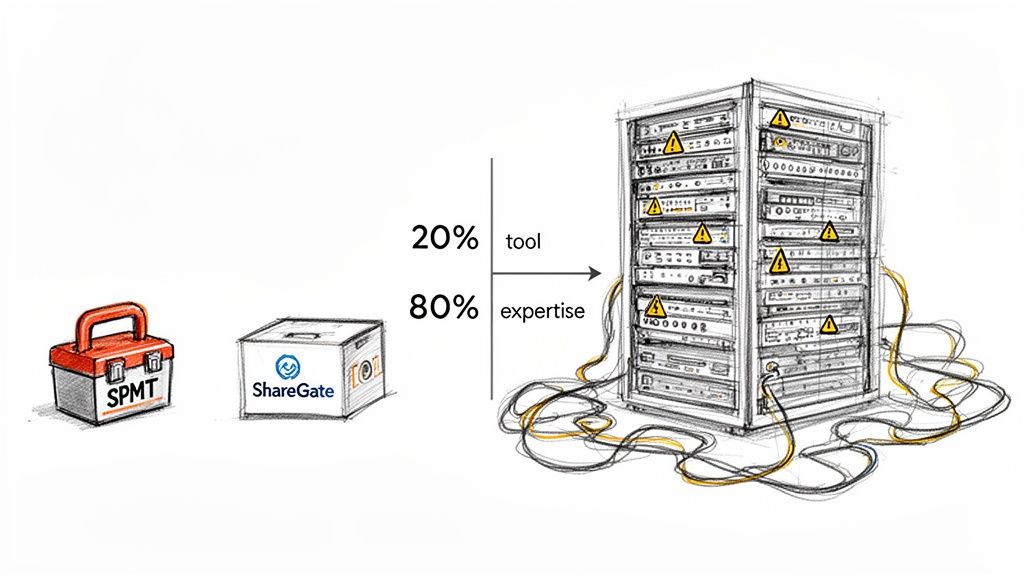
Here’s the truth: the migration tool is only 20% of the solution. It’s the engine that copies the files.
The other 80% is the architectural expertise and custom scripting required to work around the tool’s limitations and Microsoft 365’s own architectural constraints. It’s the planning, the remediation, and the strategy. This is where PowerShell PnP scripts become non-negotiable. We write scripts to programmatically flatten those deep folder structures, to remap chaotic individual permissions into a clean Entra ID group model, and to run the migration in controlled, throttled waves.
If your migration plan is just "buy ShareGate," you don't have a plan. You have a licence for a tool that will give you a detailed report on exactly how your project is failing. For a deeper dive, we've broken down the different types of SharePoint migration software and where each one truly fits.
Bringing in a specialist isn’t an added project cost. It’s a risk-reduction strategy that prevents the far greater, unrecoverable costs of a failed migration.
Phase One: The Pre-Migration Forensic Analysis
A successful document management migration is won or lost long before a single file moves. Too many projects fail because the client treated this first phase like a simple file count. That approach is dangerously superficial. Your goal here isn’t to create an inventory; it's to conduct a forensic investigation to uncover years of hidden technical debt buried in your legacy system.
Relying on a tool's pre-flight check is like asking the fox to guard the henhouse—it will only flag problems it knows how to handle, not the deep-seated architectural nightmares that will actually sink your project.
Building The Migration Manifest
The deliverable from this phase is a ‘Migration Manifest’. This becomes the single source of truth for your project, a meticulously detailed document mapping every source object to its destination, owner, security context, and required compliance controls in Microsoft 365.
To create this, you proactively hunt for the issues we know break a migration at enterprise scale. This means digging into:
- Path Length Violations: We use custom scripts to crawl every file, calculating what its full destination path will be in SharePoint Online. SharePoint has a hard 400-character limit. We identify every file that will breach this before it becomes a migration-day error.
- The 5k Threshold Bombs: Our analysis scans every library for its item count. Any container over 5,000 items is a ticking time bomb that will detonate the user experience. We flag these immediately and design a new, flattened architecture that uses metadata to prevent this.
- Permissions Chaos Mapping: We don't just count permissions; we map their lineage. Our scripts pinpoint every instance of broken inheritance and unique, item-level permissions. This allows us to model a new, simplified security structure using Entra ID groups instead of blindly replicating a legacy mess.
The documentation says your migration tool "reports on long paths and permissions." In reality, that report is an admission of failure. Your team will be left with a list of 50,000 manual fixes, which isn't a plan—it's a project non-starter.
A critical part of this forensic work is understanding the content itself. To properly tag content, your team often needs to know how to extract PDF data programmatically, a task impossible to do manually across millions of documents.
Quantifying Risk, Not Just Data
A proper forensic analysis must move beyond technical metrics into business risk. For each block of data in the manifest, you have to answer crucial questions. Is this data subject to GDPR? Does it contain PII? What are the legally mandated retention periods?
Answering these questions lets you map data not just to a SharePoint site, but to a specific Microsoft Purview retention and sensitivity label. Missing this doesn't just create a messy environment; it actively breaks legal compliance and creates serious data spillage risks.
For a more granular look at this critical first step, you can learn more about how we conduct a comprehensive SharePoint migration assessment. It is the bedrock of a predictable outcome.
Investing in a proper forensic analysis isn't an optional extra—it's the only way to turn a high-stakes gamble into a calculated, risk-managed technical operation.
Phase Two: The Technical Execution—Where Migrations Live or Die
All the planning leads to this moment. This phase is where most migration plans unravel, especially those relying solely on off-the-shelf tools.
Executing a migration isn’t a passive, click-a-button-and-wait activity. It’s an actively managed, scripted, and relentlessly monitored process. The goal isn’t to shovel files from A to B. It’s to move your data without tripping the very real alarms Microsoft has in place to protect its shared environment.
Services within the document management space are growing at a staggering 17.21% compound annual growth rate. This reflects a brutal reality where migration complexity has become the main cost. Large enterprises, making up 67% of the market, budget for expert services because they know the cost of a failed migration is multiples higher than the cost of getting it right the first time.
Taming The Throttling Beast
Microsoft’s documentation gives you baseline allowances for API usage. In the trenches, we know API throttling is dynamic and affects your entire tenant. If your migration runs at the same time a major eDiscovery search kicks off, your throughput will be choked. Guaranteed.
A standard tool like ShareGate will simply slow to a crawl or start logging failures. Our approach is to actively fight this by structuring the migration in controlled, intelligent waves.
- Go When It's Quiet: We run the bulk of the initial data load during your tenant’s quietest hours—typically nights and weekends—using dedicated service accounts.
- Smart Back-Off Logic: Our custom PnP PowerShell scripts aren’t fire-and-forget. They have exponential back-off and retry logic baked in, automatically sensing API pushback and adjusting transfer speeds in real-time. This is like a driver easing off the accelerator when they see traffic ahead, instead of slamming on the brakes.
- Use the Express Lane: Wherever possible, we use Microsoft’s own Migration API. It’s designed for bulk ingestion and is treated much more favourably by the "throttling gods" than the standard APIs interactive tools use.
This structured approach is the difference between a migration that finishes predictably over a weekend and one that drags on for months.
This diagram shows a high-level view of our pre-migration analysis, which is fundamental to a successful execution phase.
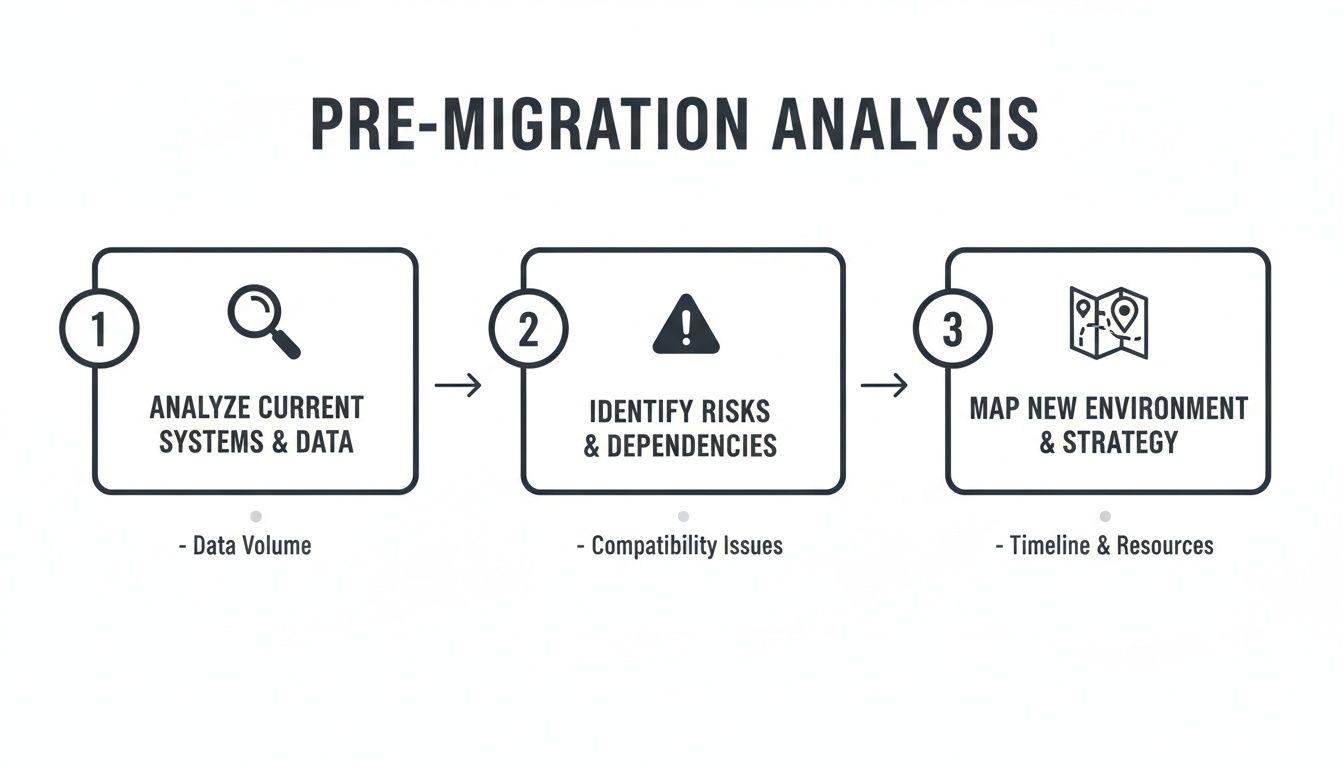
This process of analysis, risk identification, and strategic mapping ensures we have a precise execution plan before a single byte of data is moved.
Scripting Around The Breaking Points
This is where the value of an architect-led migration becomes undeniable. No out-of-the-box tool can handle the complex, bespoke clean-up required in a true enterprise system. We've been called in to rescue projects where the client was staring at tens of thousands of errors that their tool had dutifully flagged but offered no way to fix.
From the field: We recently rescued a financial services client whose migration stalled for weeks. Their legacy system had thousands of related documents linked by custom GUIDs in a database. Their migration tool moved the files but broke every single link. Our solution was to write a PowerShell script that, post-migration, programmatically re-linked every document by querying the new SharePoint GUID and updating the metadata fields.
This isn't an edge case; it's the norm. We regularly deploy scripts to perform tasks that are simply impossible to do at scale through a user interface:
- Programmatic Permission Fixes: For one client, we had to programmatically break and re-establish permission inheritance on over 10,000 folders to apply a new, clean security model. Doing this manually would have taken a dedicated team months.
- On-the-Fly Metadata Transformation: We use scripts to transform data as it moves—concatenating fields, parsing text to create new tags, and applying default values based on the source folder's location.
A successful technical execution is an active, aggressive operation that anticipates and scripts its way around the platform’s known breaking points. This is the challenge we cover in our deep dive on executing a large scale SharePoint migration.
Ultimately, this is the phase where the initial investment in specialist services is dwarfed by the astronomical cost of downtime, data loss, and project failure.
Phase Three Post-Migration Validation And Governance
The progress bar hits 100%. Your team is ready to declare victory. This is, without a doubt, the single most dangerous moment of the entire project.
This is the quiet phase where undiscovered failures fester, waiting to erupt into career-damaging business problems weeks later. We get the panicked calls from companies whose "successful" migration has led to a user rebellion because people can't find critical files—or worse, they’ve found confidential HR documents they should never see.
A migration isn't over when the last byte is transferred. It’s over when you can prove data integrity and have locked down governance with an iron fist.
Proving Fidelity with Data, Not Hope
Hope is not a validation strategy. You have to prove, with cold, hard data, that what you moved is identical to the source. Manual spot-checks are statistically useless.
This demands a scripted, automated approach. We run custom scripts that perform two non-negotiable checks:
- Item Count Comparison: Our scripts hit the APIs on both the source and destination to get an exact item count for every single folder. A mismatch isn’t an error to log; it’s an immediate, all-hands-on-deck investigation.
- Checksum Verification: For critical datasets, this is non-negotiable. We generate checksums (like MD5 or SHA-256 hashes) for files before migration and then recalculate them in SharePoint Online after the move. If the hashes don’t match, the file is corrupt. End of story. This is the only way to guarantee fidelity.
Your migration tool will spit out a "validation report," but have you looked at what it checks? Often, it just confirms a file exists at the destination, not that it’s intact or that its permissions are correct. This creates a false sense of security that will crumble under the first real-world audit.
This validation step is your final line of defence. It’s the proof that shields you and your team from the inevitable question: "Are you absolutely certain everything made it over correctly?"
Activating Modern Governance Controls
Now we get to the real reason you undertook this high-risk migration: to finally gain control. Just dumping files into a new SharePoint site without applying modern governance is a colossal waste of opportunity.
This is where the Migration Manifest from Phase One becomes your operational playbook. You already know which data is sensitive. Now, you execute. We use PnP PowerShell scripts to programmatically apply Microsoft Purview sensitivity and retention labels based on the rules defined in that manifest.
For instance, a script might iterate through a newly migrated site and run logic like this:If folder path contains "/Legal/Contracts/" AND "Year" metadata is less than 2015, then apply the "Archive-7-Year-Retention" label.
This isn’t an afterthought; it’s the climax of the migration. It’s how you transform a chaotic file share into a governed, compliant, and defensible information asset. This is the step that turns a high-stakes data move into a strategic win.
Effective governance is a deep topic. It's worth exploring the nuances of a robust SharePoint data governance framework.
The Ollo Verdict
The post-migration phase separates professional execution from amateur hour. Amateurs stop when the copy job finishes. Professionals stop when the data is validated, security is locked down tight, and governance is fully automated.
Failing at this final hurdle doesn't just make the migration look sloppy; it completely negates the business case for the project. You migrated to reduce risk and improve compliance—skipping validation and governance actively and dangerously increases both.
When you’re an IT Director who’s been through a migration that went sideways, you have no patience for a standard sales pitch. You want to know exactly how we handle the technical gremlins that derailed your last project.
In our first conversations with new clients, these are the pointed questions that always come up. Here are the blunt answers.
“How Do You Actually Get Around API Throttling?”
You don’t. Anyone who claims they can "get around" Microsoft’s API throttling simply doesn’t understand how the platform works. The real answer is much harder: you manage it.
Throttling is dynamic and a tenant-wide problem. A single, heavy eDiscovery search can bring your migration to a dead halt.
Our strategy is a multi-threaded approach a tool's UI can't replicate:
- Intelligent Back-off Logic: Our custom PowerShell PnP scripts have exponential back-off logic built in, sensing API pushback and dynamically adjusting parallel jobs in real-time.
- Off-Peak Execution: We schedule the heaviest lifting—the initial bulk data transfer—for your tenant's quietest hours, using dedicated service accounts to minimise resource contention.
- Migration API Prioritisation: We heavily favour the Microsoft Migration API. It's purpose-built for bulk ingestion and is treated far more favourably by the throttling gods than the standard CSOM/Graph API calls that many tools fall back on.
Relying on a tool's out-of-the-box settings is a recipe for a 12-month migration that should have taken three. You don’t beat throttling; you architect a process that flies just under its radar.
“What Happens When Our Folder Paths Are Too Long for SharePoint?”
This is a classic ‘gotcha’ that stops DIY migrations cold. Your legacy file server had no problem with deeply nested folders, but SharePoint has a hard 400-character limit for the total decoded URL path.
A tool like ShareGate will dutifully flag these violations and then stop, leaving your team with a CSV of thousands of files to fix by hand. That’s not a solution; it’s an admission of defeat.
Our process flags these violations during analysis. Then, during migration, we use PnP PowerShell scripts to programmatically restructure your data as it moves.
For example, a path like
\\server\Department\Finance\2010\Projects\Project_Alpha_Acquisition_Documents_Final_Approved_v3\Supporting_Materials\Due_Diligence_Reports\Legal_Team_Reviewis an instant failure. Our script automatically flattens this. It creates a document in a library and applies metadata columns likeDepartment: Finance,Year: 2010, andProject: Project Alpha. All the context is preserved, but the path limit is respected.
This automated restructuring is the only realistic way to handle this problem at scale. Manually renaming tens of thousands of folders is a guaranteed way to introduce errors and destroy data context.
“How Do You Handle Our Complex Item-Level Permissions?”
This is the single most dangerous part of any document management system migration. We often find legacy systems with years of convoluted, broken permissions granted to individual users on thousands of specific files.
Blindly replicating this chaos into SharePoint is a catastrophic mistake. It shatters the inheritance model, creating an unmanageable security mess that will cripple site performance and open up massive data spillage risks.
Our strategy is firm: we remediate, we do not replicate.
Before a single file moves, our scripts run a full permissions audit. We then work with your team to map that legacy mess to a simplified, modern security model built on Entra ID security groups. During the migration, our scripts strip the old, broken permissions and apply the new, clean group-based permissions as the content lands in its destination.
Blindly copying permissions is the number one cause of the post-migration data breaches we get called in to clean up. It is a risk you cannot afford to take.
A successful document management system migration isn't about hoping for the best; it's about anticipating failure and engineering a process to prevent it. If your current migration plan relies on a tool's default settings, you are exposed.
At Ollo, we bring the battle-hardened expertise and custom scripts required to navigate these high-stakes projects and deliver a secure, compliant, and successful outcome. Contact us to discuss how we can de-risk your migration.

















