



Stop thinking of SharePoint migration software as a moving van for your files. Treat it as a demolition and reconstruction contract for the architecture of your company's data. For any high-stakes project, success isn't a "seamless transition"—it's the systematic prevention of catastrophic failure.
The Brutal Reality of Enterprise SharePoint Migrations
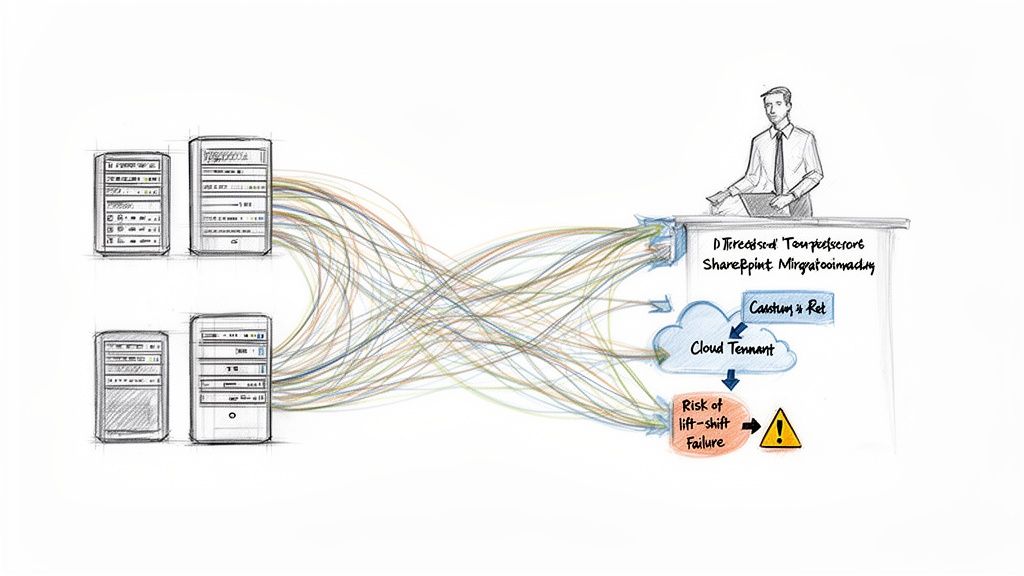
We often see clients fail when they fall for the marketing dream. A regulated company, pressured to modernise, buys an off-the-shelf tool sold on the promise of a simple "lift and shift."
The project starts. Then reality bites, hard. The migration grinds to a halt, throttled into oblivion by Microsoft's APIs. Worse, the meticulously configured permissions on sensitive legal documents don't just fail to copy—they revert to being wide open, creating a massive, reportable compliance breach.
This isn't a horror story; it’s the predictable result of underestimating the complexity buried in your on-premises environment.
Your SharePoint environment isn't a neat file share. It’s an intricate web of business logic, built over years, that includes:
- Unique Permission Inheritance: Custom security models on specific libraries, folders, and documents that are non-negotiable for compliance.
- Critical Metadata: Document properties that drive essential workflows, power search, and enforce governance policies.
- Version Histories: The legally mandated audit trail for thousands of documents, showing who changed what and when.
Ignoring this structure is the single biggest mistake your team can make. The fantasy of an "easy-to-use" tool evaporates the moment it overwrites a decade of version history on a critical contract, permanently destroying its audit trail.
The real win isn't a fast migration; it's one that avoids this operational and legal disaster. The cost of failure is immense, as detailed in our guide on the five SharePoint migration failures that cost enterprises millions.
The Inconvenient Truth of Migration Tooling
The pressure to modernise is intense. In Ireland and the UK, an estimated 85% of enterprises are planning or have started SharePoint Online migrations, driven by end-of-support deadlines. We see clients in regulated sectors fail when they attempt a DIY migration with basic tools, hitting brutal API throttling limits that are well-documented by Microsoft but rarely highlighted by tool vendors.
The documentation says the tool can do X. In reality, it cannot do X at enterprise scale, under pressure, with your specific technical debt. That discovery is usually left to your team, mid-project, when the budget is spent and deadlines are looming.
Many enterprise SharePoint instances are the central brain of the organisation. Preserving that asset means understanding the principles behind effective knowledge base management systems. The goal is to move the content without breaking the business context that makes it valuable.
Choosing Your SharePoint Migration Software
Your choice of SharePoint migration software directly determines whether your project succeeds or becomes a costly failure. Let's cut the marketing fluff and do a field-tested comparison of the tools your team is likely evaluating. This isn't a feature list; it's a breakdown of where these tools buckle under the pressure of a real-world enterprise migration.
We’ll start with the one every IT department tries first because it’s free: Microsoft's SharePoint Migration Tool (SPMT).
Microsoft’s SPMT: The Free Tool for Simple Moves
The SharePoint Migration Tool (SPMT) is perfect for one job: moving a small, clean file share into a new SharePoint site. If you have less than 50GB of data, no custom permissions, no version history, and zero complex metadata, it might work.
But point it at a genuine, legacy SharePoint environment, and it falls apart. The documentation claims it handles permissions, but in reality, it chokes on anything beyond basic structures, frequently failing on broken inheritance. Its biggest weakness is its inability to intelligently handle API throttling. SPMT slams into the API limits, gets throttled, and slows to an unusable crawl, leaving your team with cryptic errors and zero control.
For more on its specific failures, see our detailed breakdown of the SharePoint Migration Tool (SPMT).
The Ollo Verdict: Use SPMT for a single department’s file share if you're prepared to fix permissions manually. For any serious on-premises farm or tenant-to-tenant migration, relying on it is project self-sabotage.
ShareGate: The Professional's Choice, With Caveats
ShareGate is the professional's choice and the tool we use as a foundation. It’s powerful, especially for tenant-to-tenant projects, and gives you the reporting that SPMT lacks. It understands complex permissions and has pre-scanning to catch issues like character limits in file paths.
However, do not mistake it for a magic bullet. We are often called in to rescue projects where a team bought ShareGate, thinking the tool was the solution. It isn’t. In an M&A scenario, for instance, ShareGate will flag GUID conflicts but can't make the architectural decisions for you. It will report a broken workflow, but it can’t rewrite it in Power Automate.
The Ollo Verdict: ShareGate is an exceptional instrument. But owning a scalpel doesn’t make you a surgeon. Its power is only unlocked by an operator who knows how to interpret its warnings and augment its capabilities with custom scripting where they inevitably fall short.
Custom PowerShell: The Specialist’s Scalpel
No off-the-shelf software solves every problem. You will hit scenarios that require the surgical precision of custom scripting. We see this constantly when dealing with years of technical debt in legacy environments.
Consider these "from the trenches" examples where no third-party tool would have worked:
- Bulk Metadata Remediation: A client had 200,000 documents with inconsistent metadata. We used PnP PowerShell scripts to normalise the data before migration, ensuring it mapped perfectly to new content types. ShareGate would have just moved the broken data across.
- Repairing Broken Inheritance at Scale: A financial services client had thousands of folders with shattered permissions from a previous failed migration. We scripted a solution to walk the permission trees and surgically re-apply correct access rights, averting a compliance disaster.
This is where expertise comes in. It’s not about clicking a button; it’s about deep, programmatic intervention.
Tooling Reality Check: Enterprise Migration Scenarios
Here's a technical breakdown of where these tools succeed and, more importantly, where they catastrophically fail in real-world enterprise projects.
A successful enterprise migration is never just about the tool. It’s about applying the right tool for the right part of the job.
The Ollo Verdict: For any migration with more than a few terabytes or any history of customisation, PowerShell isn't an option—it's essential. Framing a migration as a task your team can finish with just an off-the-shelf tool is the most dangerous assumption you can make.
Where Your Migration Will Actually Break
The most dangerous part of any SharePoint migration tool is its slick UI. It lulls you into a false sense of security, making you believe a complex architectural rebuild is as simple as dragging files. From our experience rescuing failing projects, the real disaster points aren't on any dashboard. They're buried in technical limitations the vendor documentation glosses over.
This is where your project will break.
API Throttling and the 5k List View Threshold
SharePoint Online is not an infinite resource. Microsoft actively throttles your connection if you push too much data too quickly. When your migration tool shovels terabytes across, SharePoint pushes back, strangling your bandwidth and causing jobs to fail with cryptic "429 - Too Many Requests" errors.
A standard tool can't intelligently negotiate this; it just keeps hammering the API until it's effectively blocked.
Even worse is the dreaded 5,000 item list view threshold. This is not a suggestion; it's a hard architectural limit baked into SharePoint's SQL backend. The moment a library or list grows beyond this, any operation that needs to scan the entire thing—like setting unique permissions—will simply fail. Your migration tool will stop, unable to process the permissions on that critical financial records library.
This is the error your team will see, long after it’s too late to fix the underlying structure.
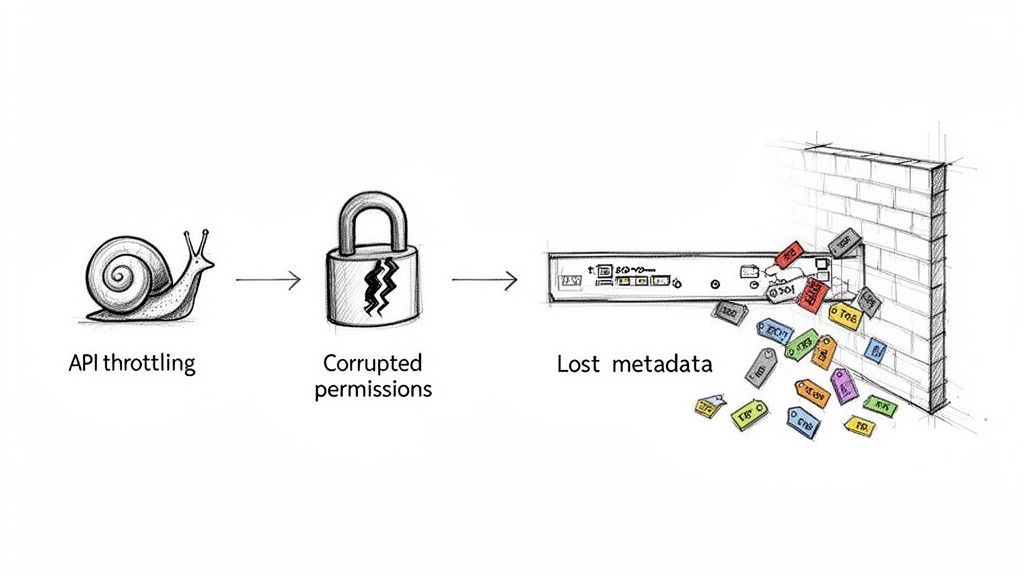
This isn't an inconvenience. It's a hard stop that corrupts your data.
The Ollo Verdict: You cannot out-brute-force throttling. It requires custom scripting that dynamically manages the request load and a pre-migration strategy to break up any list approaching the 5k limit. Ignoring this guarantees failure.
Broken Inheritance and Corrupted Permissions
Here it is: the single most terrifying failure point. A badly handled migration doesn't just fail to copy permissions; it actively destroys them. We've seen clients whose previous migration attempt stripped the unique permissions from thousands of sensitive folders, reverting them to inherit access from the parent site.
Overnight, your controlled HR directory becomes accessible to everyone. This isn’t a technical glitch; it's a security incident with severe compliance implications. Missing this step doesn't just fail the migration; it breaks legal compliance.
Read our detailed guide on managing SharePoint migration permissions to understand the stakes.
Long Path Limits and GUID Conflicts
SharePoint Online enforces a 400-character limit for file paths. Any path exceeding this will fail to migrate. Your team won't find this out until the tool has run for hours, only to present a report with thousands of failures. This requires a pre-migration remediation script to identify and shorten every offending path.
In tenant-to-tenant migrations, the problem is more destructive. Every object in SharePoint has a unique identifier (a GUID). When you merge two tenants, you get GUID conflicts where two different objects share the same ID. A standard tool cannot resolve this paradox. The result? Broken web parts, corrupted workflows, and lookup fields that point to the wrong data.
Lost Metadata and Version History
Your metadata—"Created By," "Modified Date," and custom compliance tags—is the lifeblood of your information governance. A simplistic migration often overwrites this critical information with the details of the migration account.
Suddenly, every document in your archive appears to have been created today by "MigrationAdmin." Your version history, the legally required audit trail for regulated documents, is wiped clean.
This doesn't just fail the migration; it renders your entire document management system untrustworthy. Recovering from this is impossible. The original data is gone.
The Dangers of a Post-Migration World
The most dangerous moment in your project is when the software flashes "Success." Your team breathes a sigh of relief, but the real failures—the ones that cripple productivity and expose your company to risk—are just beginning to surface.
The data might be across, but the operational context is shattered.
The Slow Death of User Adoption
Your users log in to find a digital ghost town. Links are broken, libraries are impossible to navigate, and automated workflows have vanished. This isn't a minor inconvenience; it's a catastrophic drop in trust.
Productivity grinds to a halt. People email documents or save them to their desktops. Your expensive, new SharePoint environment is abandoned.
Telemetry from the field paints a grim picture. Post-migration optimisation in Ireland sees only a 22% success rate in DIY efforts. A staggering 78% of enterprises report stalled adoption directly caused by unoptimised sites, with engagement on migrated Teams libraries plummeting below 35% without active governance.
This is how the ROI on your entire migration project evaporates. You didn't just move files; you created a productivity black hole.
Security Black Holes and Governance Gaps
The more insidious danger is the security nightmare from mismatched governance. Your on-premises security model does not translate directly to the cloud. We've seen a company migrate its data perfectly but fail to migrate its governance framework.
They neglected to re-architect their Data Loss Prevention (DLP) policies. They didn't re-evaluate Conditional Access rules. The result? Within weeks, an audit revealed hundreds of anonymous sharing links on folders containing sensitive financial projections.
The data wasn't breached during the move; it was exposed by the governance vacuum that followed. The technical migration succeeded, but the security posture failed. You can learn more about building a robust framework in our guide to SharePoint data governance.
Your Migration Is Not the Finish Line
Treating the technical cut-over as the end is the most expensive mistake you can make. The migration isn't the finish line; it’s the starting pistol for governance, optimisation, and user adoption.
If your post-migration plan is just "monitor for support tickets," you have already failed. A successful migration requires a proactive strategy:
- Governance Re-architecture: Actively redesigning DLP, retention, and access policies for the cloud from day one.
- Link and Workflow Remediation: Running scripts to find and fix broken hyperlinks and rebuilding essential business processes in Power Automate.
- User Training and Re-onboarding: Treating the new environment like a product launch, with dedicated training to rebuild user confidence.
Without this, you've simply moved your data from a functional old house into a beautiful but uninhabitable new one.
A Migration Plan That Actually Works
Most migration plans are checklists for failure. They’re obsessed with speed, treating SharePoint migration software like a fire-and-forget missile. A battle-tested methodology isn't about moving data faster; it's about systematically stamping out risk at every stage. Skipping a step is the number one cause of catastrophic failure.
Phase 1: Aggressive Discovery and Triage
Your first job isn't planning the move. It’s deciding what gets left behind. We see clients on the verge of spending six figures to migrate terabytes of ROT—Redundant, Obsolete, and Trivial data. This pollutes your new environment from day one.
Aggressive discovery means using PowerShell scripts to analyse your entire source environment for context.
- Last Accessed Dates: Find and archive content nobody has touched in years.
- Ownership and Permissions: Hunt down orphaned sites and content with no clear owner. Moving this creates a security nightmare.
- Customisation Inventory: Catalogue every single legacy web part, workflow, and event receiver. These will break, and you need a remediation plan for each one before you start.
This isn’t a passive scan; it’s an active triage. Your team must make the hard calls.
Phase 2: Pilot and Performance Benchmarking
Never run your first migration job on your entire environment. You must run a pilot migration on your most complex, ugliest site collection—the one with deep folder structures, bizarre unique permissions, and thousands of items.
This isn't about checking if files copy. It's about stress-testing the system to find its breaking points.
The real goal of the pilot is to make the migration fail in a controlled environment. You need to find the throttling ceiling, see how the software handles the 5,000-item list view threshold, and pinpoint which permissions break under pressure.
We use this phase to benchmark real-world performance and build a realistic timeline based on hard data, not guesswork. A pilot on a 1TB nightmare site tells you everything you need to avoid disaster. For analogous principles, a guide like How to Migrate Website to New Host can offer valuable insights.
Phase 3: Staged Migration and Delta Sync
A "big bang" cutover is an unacceptable risk. The only sane way is a staged, wave-based migration, moving the organisation department by department over several weeks. This contains the blast radius if something goes wrong.
Crucially, each wave must use delta synchronisation. After the initial bulk copy, you run delta jobs that only copy over changes. This means your users can keep working on the old system until the final cutover, minimising disruption.
This infographic shows what happens when post-migration validation is an afterthought—you end up with broken links, security holes, and a collapse in user adoption.
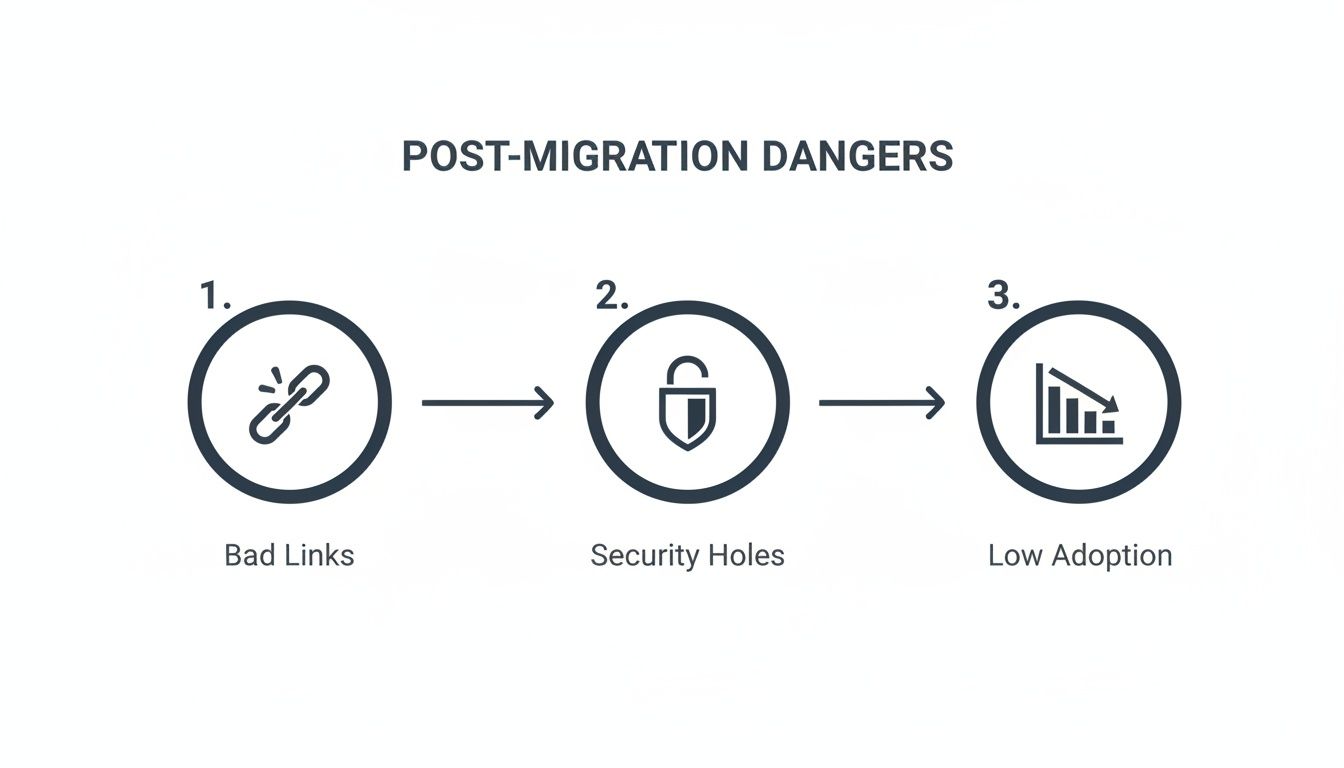
The technical move is just the beginning. Without meticulous validation, you’ve created a broken, unusable system.
Phase 4: Multi-Layered Validation
Your migration tool reporting "100% success" is meaningless. It tells you files were copied, not that they are usable, secure, or correct. Real validation is a multi-layered process.
Our validation checklist is non-negotiable:
- Automated Scripting: We use PowerShell to crawl both source and destination, comparing item counts, version histories, and metadata at scale.
- Permissions Auditing: We run a full permissions report on critical libraries to prove security was reconstructed perfectly.
- User Acceptance Testing (UAT): A hand-picked group of power users tests key business processes in the new environment. They follow a script to find broken links, test workflows, and confirm operations are intact.
Skipping UAT to "save time" is reckless. It guarantees project failure. Learn more in our complete SharePoint migration planning guide.
Frequently Asked Questions About Migration
These are the unfiltered questions we get from IT Directors before they bring in a specialist. You don’t need marketing fluff—you need a reality check.
My Team Is Smart and We Have ShareGate. Why Can’t We Handle This Ourselves?
Owning a top-of-the-line scalpel doesn't make you a surgeon. We love ShareGate; it's the foundation of what we do. But in a complex environment, it demands expert handling.
Your team knows SharePoint, but have they written PowerShell scripts on a Sunday night to fix thousands of broken permission inheritances after a botched delta sync? Have they reverse-engineered a fix when a migration job gets stuck in a throttling loop the software can't break?
The risk isn't about your team's intelligence. It's about their lack of battle-tested experience with the specific ways a large-scale migration fails. We get the call when smart teams hit a wall with problems they’ve never seen before, and by then, the project is on fire.
What Is the Single Biggest Red Flag That a Migration Is About to Fail?
The absence of a detailed, pre-migration remediation plan. If the strategy is "run the software and fix issues as they pop up," you’ve already failed.
A huge red flag is a plan that doesn't explicitly account for fixing long file path names before a single byte is moved. It’s a project that lacks a strategy for custom workflows that will break. It's a project that doesn't include pilot tests on your most troublesome site collections.
Catastrophic failures are always preceded by inadequate planning and overconfidence in the tool. The tool only does what you tell it; the plan tells it how to avoid disaster.
How Do You Quantify the ROI of Hiring a Specialist?
The ROI isn't calculated by what we do; it's calculated by what we prevent. Don't think about our fee. Calculate the real cost of failure.
- What is the cost of one week of operational downtime for your most critical business unit?
- What is the financial and reputational damage from a data breach caused by incorrectly migrated permissions?
- What are the regulatory fines for permanently losing the version history on compliance-critical documents?
Our fee is a fixed, predictable cost. The cost of a failed DIY migration—measured in emergency remediation, lost productivity, broken processes, and potential fines—is unpredictable and an order of magnitude higher. Hiring a specialist isn’t an expense; it’s an insurance policy against project catastrophe.
A successful migration isn't built on hope; it's built on control. At Ollo, we replace uncertainty with a battle-tested methodology designed to eliminate risk at every stage. If your project is too critical to fail, it's time to bring in the specialists.

















