



A SharePoint migration strategy isn't a checklist for moving files. It's a blueprint for re-architecting your organisation's data, its permissions, and the collaborative workflows that define how your business actually runs. Most strategies fail because they treat it like a file copy operation, ignoring the deep technical complexities that guarantee project failure.
A successful strategy starts with a forensic pre-migration assessment, executes a phased rollout to de-risk the cutover, and is wrapped in a governance model that confronts modern security threats head-on. It's never about just copying data from point A to B. It's about ensuring your business survives the transition.
Why Your SharePoint Migration Strategy Is Already Failing
Another SharePoint migration plan lands on your desk. It’s full of vendor promises about a ‘seamless transition’, but your gut tells you otherwise. You've been burned by these projects before. You've seen budgets evaporate and critical data vanish into a black hole of broken permissions and failed jobs.
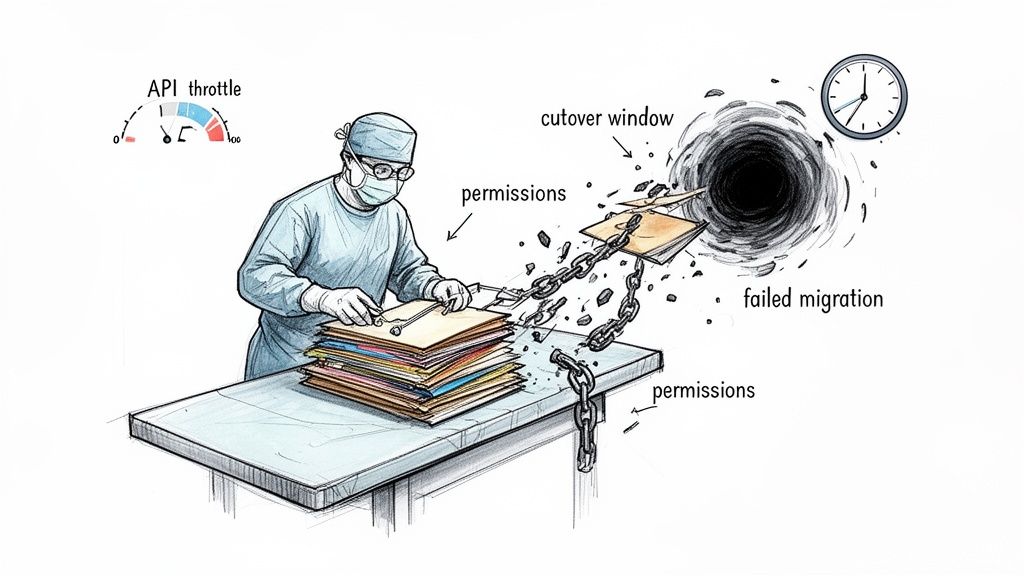
The hard truth is that a SharePoint migration isn't a simple file copy; it's organisational surgery. The standard advice glosses over the real breaking points. We often see clients fail when they underestimate the technical friction that brings large-scale projects to a grinding halt.
The Unspoken Technical Hurdles
The documentation from Microsoft and third-party tool vendors presents a sanitised version of reality. In the trenches, we see the same technical gremlins cripple unprepared teams time and again.
- API Throttling: During a large data move, your migration tool will hit Microsoft's API limits. This isn't a bug; it's a feature. If your strategy doesn't actively plan for and script around it, your entire cutover window will stall.
- The 5,000-Item List View Threshold: The documentation says modern experiences handle this. In reality, migrating large lists without re-architecting them doesn't just slow down a view; it completely breaks the applications, workflows, and integrations that depend on that data.
- Broken Inheritance and Permissions Sprawl: A decade of "quick fixes" turned your on-premises environment into a tangled mess of unique permissions. A lift-and-shift migration doesn't fix this—it moves your security vulnerabilities directly to the cloud, where the blast radius is infinitely larger.
- Long Path Limits & GUID Conflicts: SharePoint Online has a hard 400-character URL limit. Your legacy file shares don't. A standard tool will simply fail these files, often silently. Similarly, GUID conflicts during site collection moves can corrupt your entire information architecture.
The most dangerous assumption you can make is that your new environment will magically fix your old problems. It won't. It will amplify them at scale, making them exponentially more difficult and expensive to fix after the fact.
The Irish Compliance Imperative
Here in Ireland, the pressure isn't just technical; it's regulatory. With Microsoft ending extended support for SharePoint Server 2016/2019, the clock is ticking.
A realistic, large-scale migration takes 12–18 months. That leaves a dangerously narrow margin for error. This risk is compounded by the fact that Ireland’s Data Protection Commission has issued over €3 billion in GDPR fines since 2018. Missing this step doesn't just fail the migration; it breaks legal compliance. Running your business on an unsupported platform isn't just a technical problem; it's a material compliance failure waiting to happen.
This guide isn't another marketing pamphlet. It's a collection of lessons from the trenches, built for leaders who need a strategy that confronts enterprise complexity head-on. If you need direct expertise, consider what a specialist SharePoint migration consultant brings to your project.
Uncovering The Risks Hiding In Your Legacy Environment
Most SharePoint migration strategies are doomed before a single file is copied. The failure almost always begins in the discovery phase—an area where internal teams and generalist vendors consistently make project-killing miscalculations.
Your team runs an automated scan and produces a report that looks impressive—terabytes of data, millions of files. But this surface-level inventory tells you almost nothing about the real risks lurking beneath the surface.
We often see clients stumble when their "discovery" is little more than a content audit. They miss the deeply technical, interconnected problems that don't show up on a standard report. This isn't just a technical oversight; it's a direct path to data loss, compliance breaches under GDPR, and a post-migration helpdesk flooded with tickets from users whose critical applications have simply vanished.
Going Beyond Simple File Counts
A proper assessment needs to be forensic, not administrative. Your data volume is the least interesting metric. The real indicators of a high-risk project are buried deep in the configuration and customisation of your legacy environment.
We hunt for the specific breaking points that cause migrations to fail silently and catastrophically:
- Orphaned Accounts & Broken Inheritance: Years of staff turnover have left your environment littered with orphaned user accounts tied to critical data. Decades of ad-hoc permissions have created a nightmare of broken inheritance. Migrating this mess "as-is" doesn't just replicate a problem; it creates a security and compliance black hole in your new tenant.
- Custom Web Parts & Solutions: Your legacy environment is propped up by a web of custom web parts, sandbox solutions, and full-trust code that has no direct equivalent in SharePoint Online. A simple scan won't map their business function or identify that their removal will cripple a core departmental process.
- Legacy Workflows & Forms: InfoPath forms and SharePoint 2010/2013 workflows are ticking time bombs. They will not migrate. Identifying them is easy; untangling the complex business logic they contain and re-architecting it for the Power Platform requires a completely different skillset.
The Technical Realities That Scans Miss
The most dangerous risks are the ones that standard discovery tools are completely blind to. These are the issues that don't just throw errors during the migration job; they cripple the performance and usability of your new SharePoint Online environment long after you go live.
The documentation says you can just move your lists and libraries. The reality is that hidden thresholds and limitations will break them on arrival. Missing this doesn't just fail the migration; it breaks your business processes and erodes user trust in the entire project.
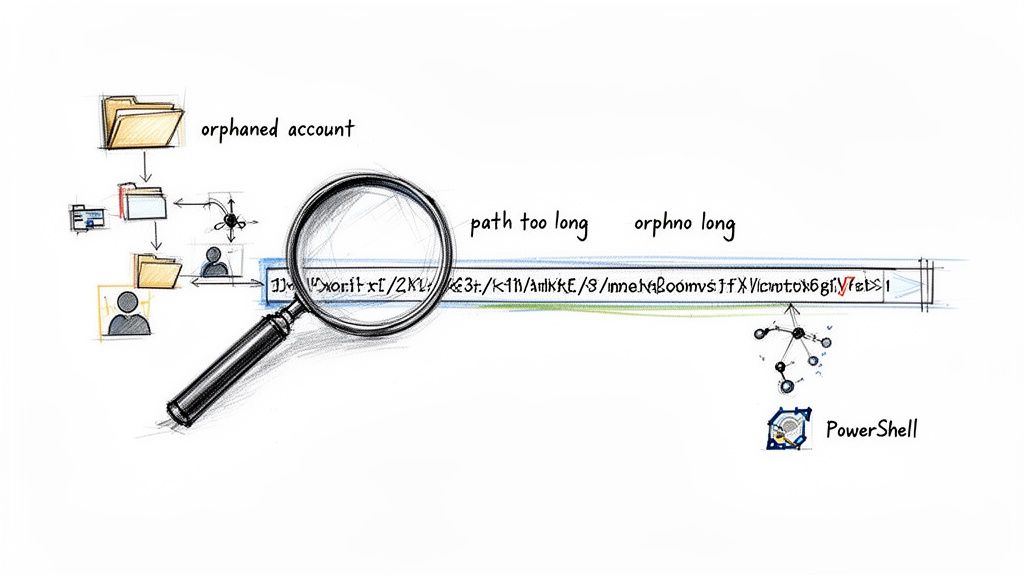
Our forensic discovery uses custom PowerShell scripts to find what GUI tools cannot:
- Long File Paths & Invalid Characters: SharePoint Online has a strict 400-character limit for the entire URL path. Your on-premises environment does not. We find that up to 15% of files in legacy file shares and older SharePoint farms will fail to migrate for this reason alone. Standard tools report these failures poorly, leading to silent data loss.
- List View Threshold Violations: The notorious 5,000-item limit is alive and well in SharePoint Online. Identifying every single list that exceeds this threshold before migration is non-negotiable. Failing to do so guarantees that critical views, filters, and automated processes will break on day one.
This level of deep, technical discovery is the absolute bedrock of a successful SharePoint migration strategy. It’s not about counting files; it’s about identifying every single landmine before you take the first step.
Choosing Your Migration Tools And Their Breaking Points
Your team’s proposal will land on the usual suspects: Microsoft’s own SharePoint Migration Tool (SPMT) or the industry favourite, ShareGate. The documentation for both paints a rosy picture of a simple, graphical process.
From our experience in the trenches on complex, high-stakes projects, let me be blunt: relying solely on these tools is the single most common strategic mistake an enterprise can make.
These tools are brute-force instruments. They are fantastic for the heavy lifting of files but dangerously blind to the nuance of a messy, legacy environment. They don’t understand your business logic, and they certainly can’t fix a decade of accumulated technical debt.
The SharePoint Migration Tool (SPMT) Illusion
Microsoft provides SPMT for free. For a simple file share lift of under 50GB, it’s adequate. However, positioning it as a serious enterprise solution is reckless. We’ve seen countless projects grind to a halt when teams discover its limitations mid-flight.
SPMT’s failings become painfully obvious under real enterprise pressure:
- Zero Granularity: The error handling is abysmal. When a job fails—and it will—you get a vague report that’s useless for targeted troubleshooting.
- Scheduling and Throttling Nightmares: The tool handles Microsoft’s own API throttling terribly. It will simply stop or slow to a crawl with no warning, leaving your cutover timeline in tatters.
- No Transformation Logic: SPMT moves content ‘as-is’. It has no ability to restructure data, remap metadata, or fix broken permissions on the fly. It just lifts your existing problems and drops them into your new tenant.
The Ollo Verdict: Use SPMT for a single file share lift under 50GB. For anything else that carries real business risk, relying on it is a strategic error.
You can read our detailed breakdown of the SharePoint Migration Tool and where it consistently falls short in the real world.
When ShareGate Hits Its Ceiling
Let’s be clear: ShareGate is more powerful than SPMT. Its reporting is better, and it handles permissions with more grace. But it is not a silver bullet. We've seen it buckle under the pressure of genuine, multi-terabyte, enterprise-scale migrations.
The documentation says ShareGate handles large migrations. In reality, we have seen its engine choke on multi-terabyte jobs, struggle with GUID conflicts in complex site collection moves, and fail to resolve nuanced permissions involving nested Active Directory groups without significant manual intervention.
Relying on a GUI-based tool as your entire SharePoint migration strategy is like asking a bulldozer to perform surgery. It moves the big things, but the collateral damage to the delicate, interconnected systems is immense.
The Ollo Verdict: The Only Safe Approach
A true enterprise migration requires a hybrid, scripted approach. This is non-negotiable.
Off-the-shelf tools are used for what they are good at—the initial, bulk copy of data. But the real work, the part that ensures success, is handled by custom PowerShell PnP scripts. It’s the only way to get the precision and control you need.
Enterprise Migration Tool Reality Check
The marketing promises a smooth ride, but here's what actually happens during a high-stakes migration where failure isn't an option.
This isn't about criticising the tools; it's about understanding their proper place.
This hybrid model is how we de-risk your project:
- Pre-Migration with PowerShell: We run a battery of scripts to identify and fix issues before the tool ever touches your data. This includes fixing long file paths, identifying lists that will violate the 5,000 item view threshold, and restructuring permissions that we know will break.
- Tool-Based Bulk Copy: With the environment prepped, we then use a robust tool like ShareGate for the high-throughput, initial data transfer.
- Post-Migration with PowerShell: After the bulk copy, we execute another set of PowerShell scripts. These final scripts perform the "surgical" tasks the tools cannot: validating permissions, transforming content types, and fixing any broken user profile mappings or metadata inconsistencies.
This hybrid model is the only way to execute a complex SharePoint migration strategy with precision. Relying on a point-and-click tool alone isn’t a strategy; it’s a gamble with your data.
Navigating The Identity And Governance Minefield
A SharePoint migration project isn't really about moving files. At its core, it's an identity and access management project, and this is where most strategies unravel. We've seen teams spend months planning data structures only to create a security incident on day one by naively mapping old on-premises user accounts to Entra ID.
That isn’t a strategy. It’s a catastrophic failure of governance. Your legacy environment is, without question, a chaotic mess of direct user permissions, broken inheritance, and Active Directory groups repurposed for things they were never intended for.
A "lift-and-shift" of this chaos into your new SharePoint Online tenant doesn't just move the problem. It amplifies it, making it exponentially more dangerous to fix later on.
Redesigning Governance From The Ground Up
This migration is your one chance to fix a decade of accumulated security debt. You cannot afford to waste it. A proper SharePoint migration strategy demands a complete governance redesign before a single user account is mapped.
We often see clients fail when they treat permissions as a simple data-mapping exercise. The documentation might say you can map old groups to new ones, but in reality, this just perpetuates a broken security model.
A real strategy involves:
- Rationalising Permissions: You must dismantle the ad-hoc permissions and rebuild them into a tiered access model. This means defining clear roles (Owners, Members, Visitors) and forcing all access through a small, manageable number of Entra ID security groups.
- Leveraging Entra ID Security Groups: Direct user access to sites and libraries must be forbidden. All permissions must be assigned via Entra ID security groups, which then become the single source of truth for access control.
- Enforcing Conditional Access from Day One: Your new environment must be protected by Conditional Access policies the moment it goes live. This means enforcing MFA, blocking access from non-compliant devices, and restricting sessions based on risk. Migrating data into an environment without these controls is negligent.
Failing to redesign governance doesn't just make your new environment hard to manage; it renders it non-compliant with frameworks like ISO 27001 and GDPR. It creates the very vulnerabilities that a zero-trust architecture is designed to prevent.
The Compliance And Security Implications
The cost of getting this wrong is severe. A poorly executed identity strategy creates immediate, measurable risks that auditors and attackers will find. Your SharePoint migration strategy must tackle these head-on.
We've seen projects that ignored this step face dire consequences:
- Data Spillage: Migrating broken permissions means sensitive data that was poorly secured on-premises is now potentially exposed to the entire organisation in the cloud. The blast radius for a breach increases dramatically.
- Compliance Failure: Frameworks like ISO 27001 demand auditable, role-based access controls. A lift-and-shift of direct user permissions makes it impossible to prove who has access to what, guaranteeing an audit failure. The hidden costs of poor data governance extend far beyond the migration budget.
- Blocked Modernisation: You cannot safely integrate Power Platform or Microsoft Copilot into an environment with chaotic permissions. Copilot, in particular, will surface poorly secured data to the wrong users, turning your AI investment into a massive security liability.
The Ollo Verdict: Fix It Now, Not Later
Your SharePoint migration is the single best opportunity you will ever have to correct your organisation's security posture. It is the moment to draw a line in the sand and build a governance model that is secure, compliant, and manageable by default. Treating identity and governance as an afterthought is the most expensive mistake you can make.
Executing A Low-Risk Phased Migration Rollout
The “Big Bang” cutover is a dangerous myth peddled by vendors who won't be there at 3 AM to manage the fallout when migration jobs start failing. For any organisation with more than a few terabytes of data, it is an unacceptable risk.
This all-or-nothing approach ignores the technical realities of enterprise environments. We've seen clients crash and burn trying this because they collide with network latency, inevitable API throttling, and the sheer volume of potential failures that make a flawless execution impossible. A single, critical error can force a complete, reputation-damaging rollback.
A strategic, phased rollout isn't just a better idea—it's the only professionally responsible way to manage risk in a complex SharePoint migration.
De-Risking Through Controlled Waves
The core principle is simple: move business units or specific workloads in controlled, manageable waves. You start with a low-risk pilot group—an IT-savvy department with non-critical data—to validate your entire process, tooling, and runbooks from end to end.
Each phase is a self-contained mini-project, complete with its own testing, user acceptance, and communication plan. This iterative model allows your team to learn and adapt. The cost of a "Big Bang" failure is a complete rollback and a catastrophic loss of business confidence; the cost of a hiccup in a single, phased rollout is a valuable lesson learned.
This process transforms chaos into a repeatable, predictable factory model. The diagram below shows how we impose order on legacy chaos, rationalising data and governance before enforcing new policies in the cloud.
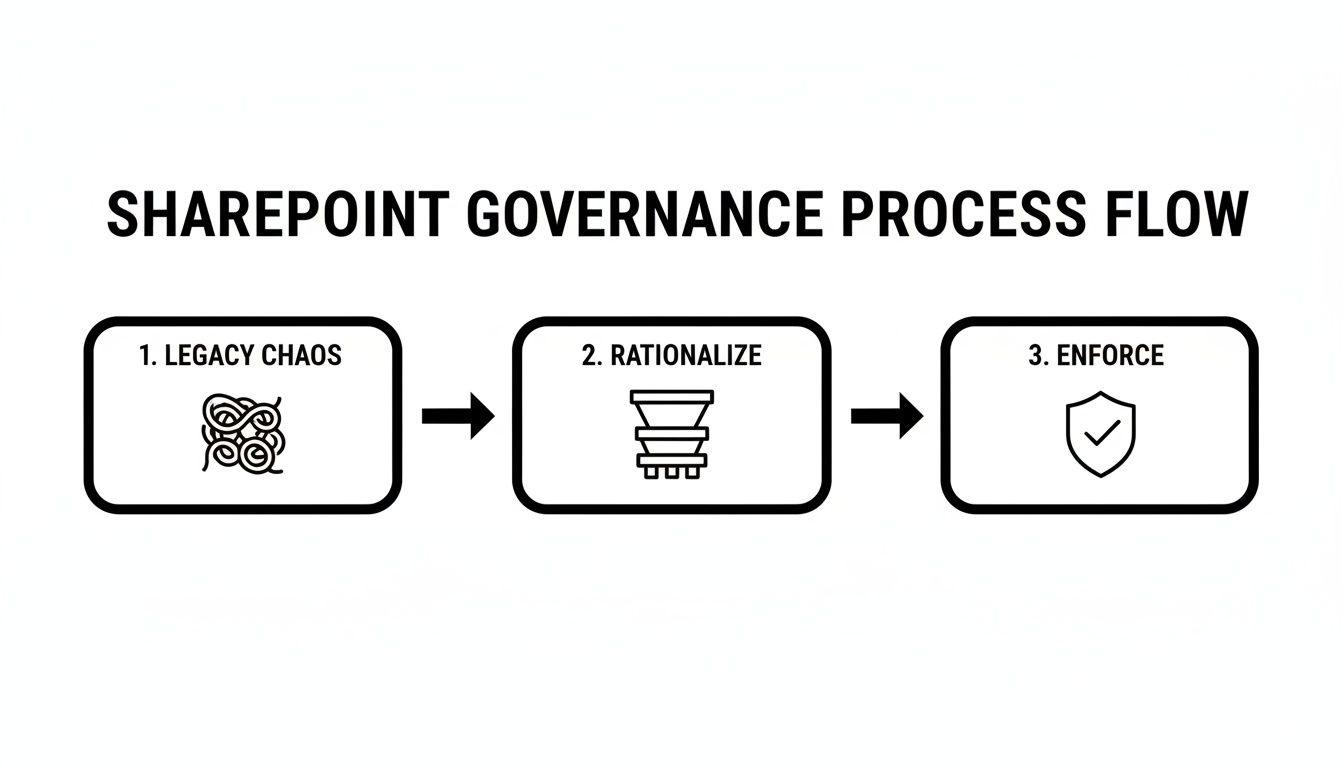
By the time you migrate high-risk departments like Finance or Legal, your process is battle-hardened and predictable.
Optimising For Throughput, Not Just Speed
A well-planned migration that optimises the network, runs jobs in parallel, and schedules heavy lifting for off-peak windows can increase throughput enough to compress timelines by 30–50%.
For a mid-size project of 1–5 TB with 500–2,000 users, this can mean cutting the execution effort from twelve weeks down to just four or six. You can explore a detailed Microsoft 365 migration roadmap to see how these phases interconnect.
The Ollo Verdict: Phased rollouts are non-negotiable. The "Big Bang" is a marketing fantasy that exposes your business to unacceptable technical and operational risk. A phased approach transforms the migration from a high-wire act into a disciplined, repeatable engineering process.
This methodical execution—pilot, learn, iterate, scale—is the only way to navigate a complex migration without disaster. It allows you to build momentum and confidence, proving the value of the project at each stage rather than asking the business to hold its breath for a single, high-stakes weekend. It’s not just a better strategy; it's the only one that respects the complexity of your data and the continuity of your business.
Realising The True Value Of Modernisation Post-Migration
The project isn’t over when the last file is copied. Let me be blunt: if your users log in on Monday to a cloud-based clone of your old, chaotic file server, you have failed. The real return on your investment from a proper SharePoint migration strategy only comes to light during post-migration modernisation.
Simply moving your data is an expensive infrastructure change. The true value is unlocked by connecting your newly organised information to the wider Microsoft 365 ecosystem, turning static files into active business assets. This is the step that separates a basic "lift-and-shift" from a genuine business transformation.
We often see clients declare victory at cutover, only to find that user adoption is nonexistent because, from their perspective, nothing has actually improved. The real work begins now.
From File Store To Business Engine
Post-migration is where we surgically integrate SharePoint into the tools your teams use every single day. The goal is to eliminate friction and obsolete processes. This requires a deliberate, architectural effort.
Our focus immediately shifts to three critical areas:
- Microsoft Teams Integration: We replace chaotic email chains by wiring SharePoint document libraries directly into Teams channels. This creates a single source of truth for project collaboration.
- Power Platform Automation: Your legacy environment was full of archaic, manual processes. We identify these and build low-code Power Platform solutions on top of SharePoint lists and libraries to digitise everything from leave requests to quality control checklists.
- Microsoft Copilot Readiness: This is the most critical step. Copilot will revolutionise productivity, but it can also become a catastrophic security risk if your data governance is weak. It will respect your permissions—or lack thereof—and surface poorly secured data to the wrong people.
A migration without a clear plan for Teams, Power Platform, and AI is a wasted opportunity. You've paid for the move but left 80% of the value on the table, still stuck with the same inefficient workflows that held you back on-premises.
Preparing For An AI-Powered Future
Ensuring your information architecture is ready for Microsoft Copilot is non-negotiable. This involves more than just setting permissions; it requires structuring metadata and applying sensitivity labels so the AI can deliver meaningful, context-aware results instead of compliance breaches.
The work done in the governance and identity phases pays massive dividends here. A clean, role-based access model is the foundation for safely enabling AI. We have seen firsthand how a properly architected SharePoint environment becomes a powerful knowledge base for Copilot, while a messy one becomes a data spillage engine.
For a deeper dive into the technical execution required for these projects, review our guide on executing a large-scale SharePoint migration without derailing business operations.
The Ollo Verdict: Migration is the starting pistol, not the finish line. True success is measured by how deeply you integrate your data into the modern workplace, automating processes and preparing for AI. Anything less is just changing the address of your problems.
Answering Your Toughest SharePoint Migration Questions
We’ve laid out the strategy, the tools, and the governance minefields. Now, let’s get down to the unfiltered questions we hear from IT Directors and Enterprise Architects—the people who’ve been burned before and need real answers, not marketing fluff.
How Do We Realistically Budget for This?
Forget the simplistic per-user or per-gigabyte pricing models. A real-world budget is built on complexity, not sheer volume. The biggest cost drivers are almost always the hidden risks buried in your old environment.
For a mid-sized Irish business (think 1-5 TB, 500-2,000 users), a credible budget starts in the €25,000–€75,000 range. For larger companies, or those with multiple tenants or strict compliance mandates like ISO 27001, budgets of €75,000–€300,000+ are completely normal.
The things that inflate the cost are never the amount of data; they're the depth of customisation, the chaos of your permissions model, and how stringent your compliance rules are. A serious budget must have line items for a forensic discovery phase, custom PowerShell scripting for fixes, multiple test runs, and dedicated change management. Anything less is a recipe for a failed project.
What Is the Single Biggest Technical Mistake?
Ignoring the 5,000-item list view threshold. It’s the most common, catastrophic, and easily avoidable error we see.
Your team will assume that modern SharePoint Online has fixed this legacy problem. They are wrong. They’ll migrate large lists that worked fine on your servers—often powering critical business operations—only to find that every single view, filter, and automated process shatters the moment it lands in the cloud.
This one oversight can bring entire departments to a standstill on day one, destroying user confidence in the project. A professional migration strategy identifies these problem lists before the move, then remediates them by restructuring the data, creating indexed columns, and redesigning the views so they work within the limits.
Can Our Internal Team Handle This Migration Alone?
Your internal IT team is brilliant at running your business. They are not, however, specialists who have navigated dozens of these high-stakes migrations. They don’t know the undocumented API limits that will trip them up, the specific PowerShell commands needed to fix hundreds of broken user profiles, or how to troubleshoot a cryptic migration tool error at 2 AM during the cutover weekend.
The Ollo Verdict: Bringing in a specialist partner isn’t an admission of weakness; it’s a strategic risk-reduction measure. You are buying a battle-tested playbook for avoiding disasters that your team hasn’t even seen before. An experienced partner has already made the mistakes on someone else's project and learned the hard lessons, ensuring your migration doesn't become their next learning opportunity.
A successful SharePoint migration isn’t about avoiding problems—it’s about anticipating them long before they happen. If your organisation needs a partner with the technical aggression and strategic foresight to de-risk your move to the cloud, talk to Ollo. We build secure, scalable, and manageable cloud environments. See how we can help at https://www.ollo.ie.

















