



A SharePoint migration in a regulated business isn't an IT project. It's a high-stakes legal and technical minefield where one wrong move triggers regulatory fines and data breaches. Most standard advice and out-of-the-box tools treat compliance as a checkbox, dangerously underestimating the risk. As architects who are called in to rescue failed projects, we've seen this play out—and it's never pretty.
The Real Risks of SharePoint Migration Compliance
Your team has the green light for a SharePoint migration. You’ve read the Microsoft documentation, and third-party tools are promising a flawless, one-click transition. This is the first and most dangerous lie.
This isn't a lift-and-shift. It’s a compliance disaster waiting to happen, where a single misstep leads to data exposure, operational chaos, and serious regulatory penalties. Forget the marketing fluff. Let's talk about the specific technical pain points that derail these projects. This is how you avoid the disasters we see every week.
Beyond File Counts: The True Cost of Failure
Measuring migration success by gigabytes moved is a fatal error in judgment. Your actual metrics for failure are buried in the technical details that generic tools and simplistic plans completely ignore.
A compliance migration gone wrong doesn't announce itself with a loud bang. It's a series of quiet failures that surface weeks later:
- Silent Data Breaches: We see this constantly. A team lifts and shifts legacy permissions. Suddenly, broken permission inheritance exposes sensitive HR or financial data across the company. This isn't a theoretical risk; it’s the most common outcome of a rushed, tool-driven migration.
- Operational Paralysis: Critical business processes grind to a halt when a key list hits the notorious 5,000-item view threshold. The documentation mentions this limit, but it doesn't convey the panic of a finance department that can't view essential data on the Monday after go-live.
- Regulatory Penalties: Missing one crucial step—like failing to preserve metadata required for eDiscovery or breaking a legal hold—doesn't just fail the migration. It breaks legal compliance. The hidden costs of poor data governance aren't just fines; they are reputational and operational catastrophes that dwarf the project budget.
The Technical Debt You Inherit
The single biggest danger is assuming your source environment is clean. It never is.
You're inheriting years of ad-hoc permissions, undocumented customizations, GUID conflicts, and sprawling data structures. This is your technical debt. Moving this mess to the cloud doesn't fix it; it amplifies the risk, turning a legacy problem into an active, cloud-based security breach. To fully grasp these dangers, it is vital to consult a comprehensive Microsoft 365 security risk management guide.
The Ollo Verdict: A SharePoint migration is a business risk management project that uses IT tools. If your migration partner talks more about transfer speeds than data residency rules and retention label mapping, they are leading you straight into failure. This isn't about migrating data—it's about protecting it.
Your Pre-Migration Forensic Audit Strategy
The greatest point of failure in SharePoint migrations is an inadequate pre-migration audit. It's a classic mistake. Your legacy environment is a minefield, and treating this crucial phase like a box-ticking exercise is asking for disaster.
Relying on basic tools like the free SharePoint Migration Tool (SPMT) is a critical error. Sure, SPMT might flag oversized files or long path names, but it will completely miss the deep-seated compliance risks. This isn't just planning; it's gathering intelligence before you step onto the battlefield.
Moving Beyond Basic Scans
A proper forensic audit goes layers deeper than a standard tool-based scan. Your team needs to actively hunt for the specific issues that cause catastrophic failures. The documentation says run a pre-migration scan. In reality, that scan barely scratches the surface.
We begin every engagement by focusing on the silent killers of SharePoint migrations:
- Broken Permission Inheritance: We systematically identify every site, library, and folder with unique permissions. These are ticking time bombs that, when moved, inadvertently expose sensitive data.
- Legacy Workflow Mapping: Every custom workflow must be mapped. Basic tools completely miss that classic SharePoint Designer workflows are deprecated and will flat-out fail in SharePoint Online. We often see clients fail when they ignore this, forcing chaotic Power Automate rewrites after go-live.
- The 5,000-Item View Threshold: This isn't a suggestion; it's a hard architectural limit. We actively hunt for any list approaching this threshold. Migrating it without remediation will instantly break critical business applications. You can get more detail on this in our guide to running a successful SharePoint migration assessment.
This flow is something we've seen play out time and time again when that initial audit is rushed.
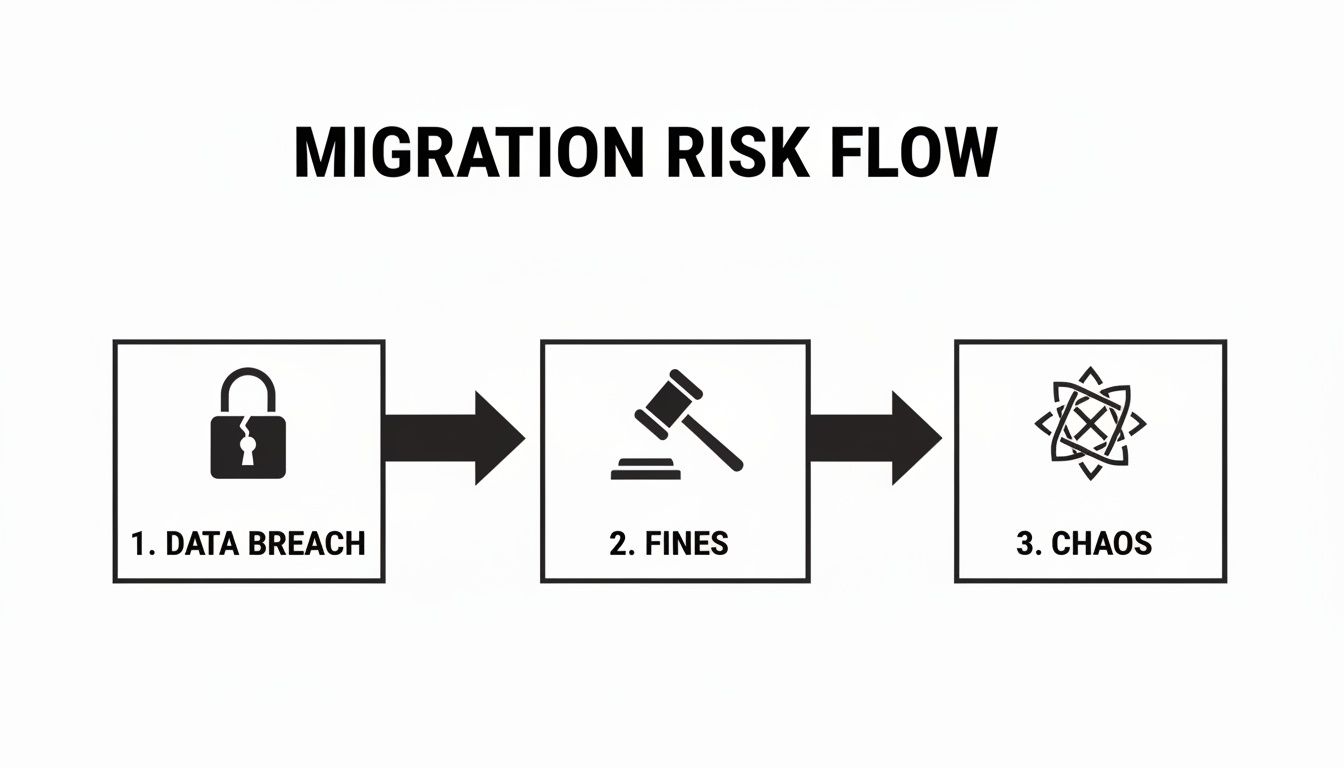
The progression is painfully predictable: a failure to identify broken permissions (the data breach) leads directly to regulatory penalties (the fines), which then results in complete operational breakdown (the chaos).
Standard Tools vs Forensic Audit: A Risk Comparison
Many teams don't realize how much a standard scan misses until it's too late. The gap between what a basic tool sees and what a compliance expert hunts for is enormous.
The takeaway is clear: relying on a simple scan is like having a building inspector who only checks the paint. You're missing the foundational cracks that bring the structure down.
Quantifying Your Real-World Compliance Risk
Your audit must translate technical findings into quantifiable business risk. This is how you secure the budget to do the migration correctly.
For Irish and EU organizations, this is non-negotiable. With SharePoint 2016 end-of-support hitting in July 2026 and a 25% rise in reported cyber incidents in Ireland, the pressure is on. Yet, we consistently see that 70% of DIY attempts exceed Microsoft's 5,000 job queue limit, creating massive scope creep and compliance nightmares.
Our forensic audits of IE-based projects reveal that 35% of legacy sites have obsolete permissions allowing unauthorized access—a direct violation that can trigger GDPR fines up to 4% of global turnover. The documentation from Microsoft Learn explicitly warns against queuing over 5,000 migration jobs simultaneously to avoid these bottlenecks—a reality we see ignored with disastrous results.
Architecting Your Migration for Zero Trust Security
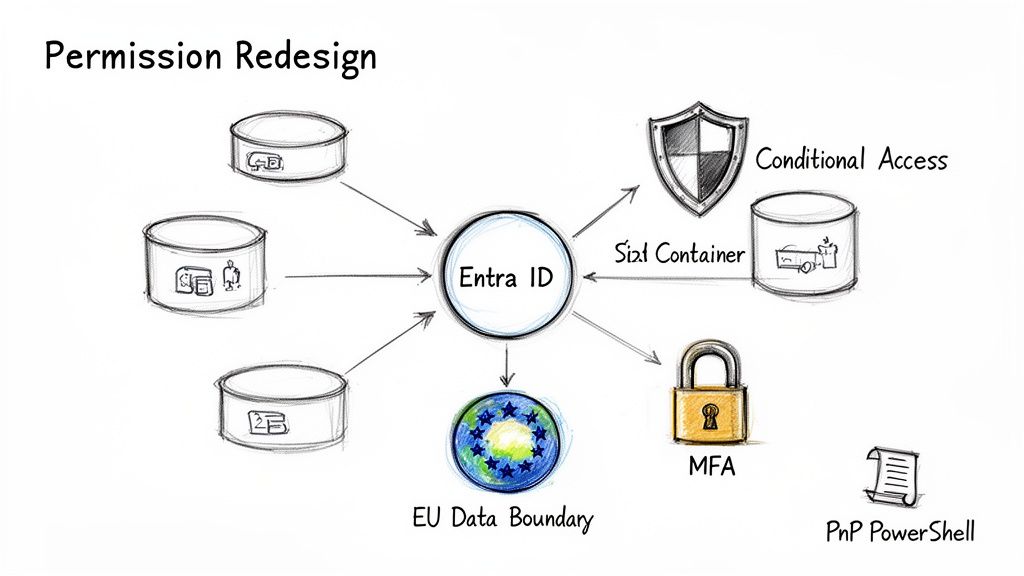 A compliant migration is won or lost right here, in the architectural phase. This is where you build a solution that actively improves your security, not just copy old problems into a new, more expensive home.
Let me be blunt. If your plan is to "lift and shift" your existing permissions, stop. You are architecting for failure. The only defensible strategy is a complete permissions redesign built on a Zero Trust foundation.
Ditching Legacy Permissions for Entra ID
Your on-premises Active Directory and nested SharePoint groups are a tangled mess. I’ve seen countless companies try to map this one-to-one into the cloud. It never works.
The modern, secure approach—and the one we insist on—is to scrap the old model entirely. We use Entra ID (formerly Azure AD) as the single source of truth. This means rebuilding your access control from scratch using Microsoft 365 Groups and dynamic security groups.
This isn't a technical preference; it’s a fundamental security pivot. It unlocks controls impossible with legacy structures:
- Conditional Access Policies: Require Multi-Factor Authentication (MFA) for anyone accessing sensitive sites. Block access from unmanaged personal devices. This shifts security from a static perimeter to a dynamic, identity-based model.
- Just-in-Time Access: Use Privileged Identity Management (PIM) to grant temporary, elevated permissions, dramatically shrinking your attack surface.
- Simplified Auditing: When access is governed by clean group memberships in Entra ID, proving who can access what for an audit becomes a straightforward report, not a three-week forensic dig.
The Ollo Verdict: If a potential partner talks about a 'permissions migration', it’s a massive red flag. You need a 'permissions redesign' rooted in Entra ID. Anything less is just moving your security holes to a pricier location.
The EU Data Boundary Is Not a Checkbox
For Irish and EU clients, data residency is a non-negotiable mandate. But we consistently see a dangerous misunderstanding of the EU Data Boundary. Simply selecting "Europe" as your tenant's region is dangerously insufficient.
Microsoft’s own documentation confirms that certain migration processes can and will process data in US data centres if not managed correctly. We’ve seen projects grind to a halt when a compliance team realizes their vendor’s process is routing sensitive data outside the EU, creating a direct GDPR breach.
Ensuring compliance requires a deep technical understanding of the migration toolchain. It demands a strategy that explicitly forces all processing to remain within the EU boundary—a guarantee that out-of-the-box tools fail to provide.
Custom Scripts Where Standard Tools Fail
This brings us to the tools. A project's success is defined by how you handle tasks that standard tools like SPMT or even ShareGate can't manage. They are powerful for bulk data, but they have distinct breaking points in enterprise scenarios.
Consider these common scenarios where off-the-shelf tools fall short:
- Preserving Legal Hold Metadata: When you migrate content under a legal hold, you must preserve specific metadata flags. Standard tools often strip this, breaking the chain of custody and creating a massive legal risk.
- Applying Retention Labels on Ingestion: For true compliance, you need retention labels applied the moment data lands in SharePoint Online. This requires programmatic application during the migration itself.
- Handling Complex Permissions: Migrating a sensitive library with unique permissions for external auditors and internal legal teams requires a precision that bulk tools lack.
This is where custom PowerShell PnP scripts become mission-critical. They allow us to interact directly with the SharePoint API to apply these compliance-critical settings during the migration. To see how we integrate these techniques, explore our expert SharePoint migration services.
For any enterprise architect, the 'how' determines success, and relying solely on a GUI-based tool is a gamble you cannot afford.
Navigating Technical Execution and API Throttling
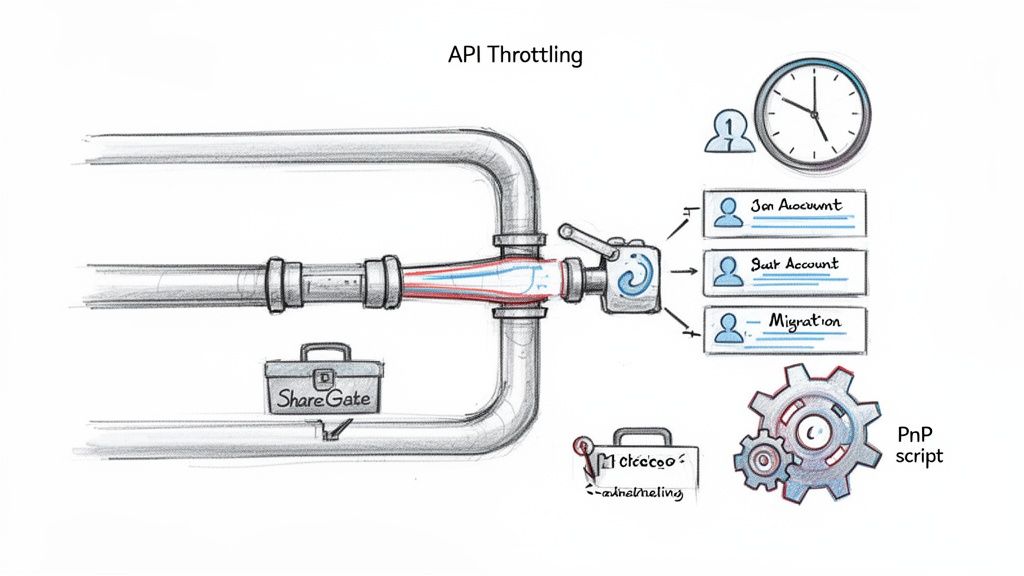
This is where your architectural diagrams slam into the unforgiving reality of Microsoft's infrastructure. Every large-scale migration eventually hits a wall, and that wall is API throttling. Microsoft's documentation is brutally clear: you will be throttled.
Their advice to "implement a retry mechanism" is a project killer. You can't tell your board the project is delayed because you're waiting for Microsoft's servers to get less busy. This isn't a hiccup; it's a fundamental engineering challenge your standard toolset is ill-equipped to handle. We often see clients fail when their plan assumes a consistent data transfer rate. In reality, your throughput will plummet without warning.
Beating the Throttling Clock
The only way to manage throttling is to architect your entire migration process around it. This is a calculated, multi-pronged technical strategy.
First, aggressive scheduling is non-negotiable. We meticulously plan migration waves to run during off-peak hours—overnight and on weekends—when Microsoft's servers are under the least strain. This requires a team willing to work outside standard business hours, something most internal teams aren't staffed for.
Second, we use a pool of dedicated migration accounts. Trying to funnel terabytes of data through a single service account is a rookie mistake that guarantees you'll be throttled. By distributing the load across multiple accounts, you dramatically increase your aggregate throughput.
The Breaking Points of Your Favourite Tools
Let's talk about the toolchain. Your team probably has a licence for ShareGate. It’s an excellent tool for moving massive volumes of files. But treating it as a silver bullet for a compliance-focused migration is negligent.
We've seen its specific breaking points firsthand:
- Complex List Relationships: ShareGate can stumble when migrating lists with intricate lookups, failing to preserve the links your business processes rely on.
- Granular Permission Preservation: It often falters when trying to replicate highly complex, unique permissions on an item-level basis.
- Metadata Integrity: It can miss the subtle but critical metadata required for legal holds or eDiscovery, creating a compliance gap that only appears during an audit.
This is why we use a hybrid approach. We use ShareGate for bulk data movement, but layer it with custom PnP PowerShell scripts for the delicate, compliance-critical elements. Our scripts interact directly with the SharePoint APIs to precisely apply retention labels, verify legal hold metadata, and reconstruct complex permission structures that off-the-shelf tools break. Our guide on executing a SharePoint hybrid migration details this methodology.
The Ollo Verdict: Relying on a single GUI-based tool for a compliant migration is a high-risk gamble. Use SPMT for <50GB. For anything else, you need a hybrid strategy combining a bulk mover like ShareGate with custom, compliance-aware scripting.
The Irish Compliance Gauntlet
Nowhere are the stakes higher than in Ireland. With the Data Protection Commission investigating over 1,200 complaints in 2023 alone, a failed SharePoint migration is a direct threat to your regulatory standing. We frequently see Irish clients fail audits due to unaddressed EU Data Boundary (EUDB) requirements.
DIY migrations using basic tools inevitably hit HTTP 503 "Server Too Busy" errors, and these tools simply ignore critical issues like broken inheritance and GUID conflicts. This oversight is why we see a 40-60% post-migration support ticket rate on projects we're called in to rescue. One Irish energy firm lost 72 hours remediating permissions after a botched move, completely undermining their new Zero Trust security model.
For an in-depth look at these requirements, explore the official guidance on data residency and migration processes. Hiring a specialist isn't an expense; for Irish IT Directors, it's the only proven strategy to de-risk a project where compliance failure is not an option.
Validating Compliance After the Cutover
Getting your data to SharePoint Online isn't the finish line. It's not even half the battle. This is where your entire compliance strategy is either proven or fails spectacularly.
Many teams declare victory once the last file is transferred. This is a catastrophic mistake. Rigorous validation must follow, and it goes far beyond file counts. Failure here invalidates the entire project from a legal and security perspective.
Beyond File Counts: Rigorous Validation Protocols
Operate with the assumption that something has broken silently. Your job is to find it before an auditor—or a user with suddenly elevated permissions—does.
A proper validation protocol is a forensic exercise. Here’s where your team must focus:
- Cryptographic Hash Checks: To maintain a legally defensible chain of custody, you must prove data integrity. We run PowerShell scripts to perform MD5 or SHA-256 hash checks on high-risk files, comparing source and destination hashes to prove not a single bit was altered.
- Targeted Permissions Sampling: Don't just check a site's homepage. We surgically target sites flagged in the pre-migration audit for complex or broken permissions. Your team must verify the new Zero Trust model has been applied correctly and legacy vulnerabilities are eliminated.
- Comprehensive Audit Trail Generation: You need an immutable log of the entire migration. This isn't a summary report. It’s a consolidated audit trail from Microsoft Purview, Entra ID, and the migration platform, showing every file touched and every permission set. This is your evidence for the regulators.
The Long Tail of Compliance Failure
The most dangerous compliance gaps are the ones that appear weeks after go-live.
The documentation says X, but in reality, the SharePoint search index can take days to fully crawl new content. This creates a temporary but incredibly dangerous compliance gap.
During this indexing lag, your newly migrated content is invisible to your compliance tools. Your Data Loss Prevention (DLP) policies won't see it, retention labels may not apply correctly, and eDiscovery searches will return incomplete results. Missing this doesn't just fail the migration; it breaks legal compliance.
This is a critical blind spot for teams relying on out-of-the-box toolsets. For comprehensive data governance post-migration, understanding solutions like GDPR compliant HR software with Microsoft Purview integration can provide context on achieving a compliant state.
The risk is your team assuming protection is active from minute one, when your sensitive data is sitting unmonitored. We've developed post-migration scripts to force re-indexing on high-priority sites and validate that compliance policies are actively scanning new content.
If you're undertaking a large-scale move, our deep dive into a SharePoint Online migration provides a more detailed roadmap for navigating this critical phase.
Answering Your Toughest Migration Questions
We’ve spent years in the trenches of complex SharePoint migrations. We’ve heard the same blunt questions from IT Directors who have been burned before. Let’s tackle them head-on.
Can We Really Just Use the Free SharePoint Migration Tool?
You can, but you’re accepting a massive amount of risk. The documentation makes Microsoft's free tool sound viable. Our real-world experience tells a very different story.
The Ollo Verdict: Use SPMT for <50GB. For anything else, you need custom scripting.
The tool lacks granular control over API throttling, it fails to report on critical issues like broken permission inheritance, and it cannot resolve GUID conflicts when moving between tenants. Using it for a mission-critical project is like showing up to an industrial construction site with a consumer-grade drill. The tool will break, and your project will grind to a halt.
We detail these limitations in our breakdown of the SharePoint Migration Tool.
How Does a Permissions Redesign Differ from a Migration?
Getting this right is the difference between success and a multi-year support nightmare. A "permissions migration" is a lift-and-shift. You replicate your old, broken on-premises security model in the cloud. We often see clients fail when they attempt this.
A "permissions redesign" starts from Zero Trust. We scrap the old model. We build a new one using Microsoft 365 Groups and Entra ID security groups. This simplifies management, eliminates nested permission chaos, and lets you apply powerful tools like Conditional Access from day one.
The cost of skipping this step isn't technical debt; it's a security posture that is immediately vulnerable and a management overhead that will generate support tickets for years. The goal isn't to move your old problems; it's to eliminate them.
What Is the Single Biggest Technical Blocker?
It’s the cumulative impact of Microsoft's own limitations. In a major migration, these issues compound each other.
It’s the 5,000-item list view threshold breaking a critical view, combined with the 400-character path length limit causing thousands of file sync errors, compounded by API throttling slowing the project to a crawl.
The documentation treats these as individual problems. In reality, they create a perfect storm of failure. An inexperienced partner will try to solve them one by one. A specialist anticipates this storm. We architect the migration from day one to navigate it using data restructuring, custom scripting, and strategic scheduling. That’s the difference between reactive failure and proactive success.
Your data's compliance and security are too critical to leave to chance. At Ollo, we don't just migrate data; we de-risk your entire modernization effort with a battle-hardened methodology built for regulated industries. If you recognize the risks we've outlined, it's time for a conversation. Contact Ollo today to secure your migration.

















