



Your organisation didn’t sit down with a blank sheet of paper and choose a SharePoint multi-tenant architecture. More likely, you inherited one.
A merger landed. A divestiture split a business unit out. Regional teams bought their own Microsoft 365 tenants. Someone in legal demanded stricter data isolation. Someone in security blocked cross-tenant access after the fact. Now your SharePoint estate looks organised on PowerPoint and chaotic everywhere else.
That is the core problem. Not architecture theory. Consolidation debt.
Microsoft’s documentation is useful when you’re planning clean greenfield scenarios. It’s less helpful when your team has to merge messy brownfield tenants with duplicate content types, broken inheritance, mismatched metadata, and identity sprawl. That gap is where projects fail. Not because SharePoint is impossible, but because your data, permissions, and compliance controls no longer match the diagram.
The Multi-Tenant Problem You Already Have
The most common trigger is predictable. One executive announces an acquisition. Another promises “platform rationalisation”. Your team gets told to merge two or more Microsoft 365 estates by year end.
Then the challenges emerge.
One tenant uses carefully governed hub sites. The other has years of departmental sprawl. One side relies on external sharing. The other has locked it down. Both believe their permissions model is “mostly standard”. Neither can explain why several business-critical libraries have unique inheritance chains buried three levels deep.
Consolidation debt is already on your balance sheet
This is what a SharePoint multi-tenant architecture problem looks like in the wild:
- Acquisition overlap: Two organisations store the same business records under different metadata models.
- Regional isolation: Ireland-based entities need stronger separation for GDPR and sector-specific controls.
- Tenant sprawl: Finance, healthcare, or energy divisions end up with separate tenants for valid regulatory reasons, then lose central visibility.
- Shadow administration: Local admins create shortcuts, exceptions, and one-off sharing rules nobody documents.
None of that is theoretical. It’s operational debt. Your team pays for it during every migration, audit, access review, and legal hold request.
The first mistake is calling this “a migration project”. It’s usually a permissions repair project, an identity redesign project, and a compliance risk exercise disguised as migration.
Microsoft’s own planning guidance doesn’t solve the harder problem of undoing or consolidating tenant sprawl. That’s why so many enterprise Microsoft 365 programmes fail long before data starts moving. If this sounds familiar, this breakdown of the reasons enterprise Microsoft 365 projects fail will feel uncomfortably accurate.
Why this matters before you move a single file
If you ignore consolidation debt, your migration tooling becomes the least of your problems. You’ll copy bad structure into a new tenant, preserve toxic permissions, and carry compliance gaps forward under a cleaner URL.
That’s not progress. That’s expensive duplication.
Use this as your first test:
| Warning sign | What it really means |
|---|---|
| Nobody can explain tenant boundaries clearly | You don’t have architecture. You have history |
| Permissions reports look inconsistent | Broken inheritance is already embedded in the estate |
| Regional entities insist on separate controls | A single-tenant destination may create compliance trouble |
| Different teams use different provisioning standards | Migration will expose every inconsistency at once |
If your estate matches even half of that list, stop talking about “best practice architecture” as if you’re starting from zero. You’re not. You’re managing a SharePoint multi-tenant architecture that already exists in fragments, whether you intended it or not.
Decoding the SharePoint Tenancy Models
The tenancy model is where plenty of Microsoft 365 programmes go off the rails. A board approves “consolidation.” IT hears “simplification.” Six months later, nobody agrees on whether the target is one tenant, several tenants, or a temporary hybrid that becomes permanent.
That confusion costs money. It also creates migration risk that official diagrams tend to gloss over.
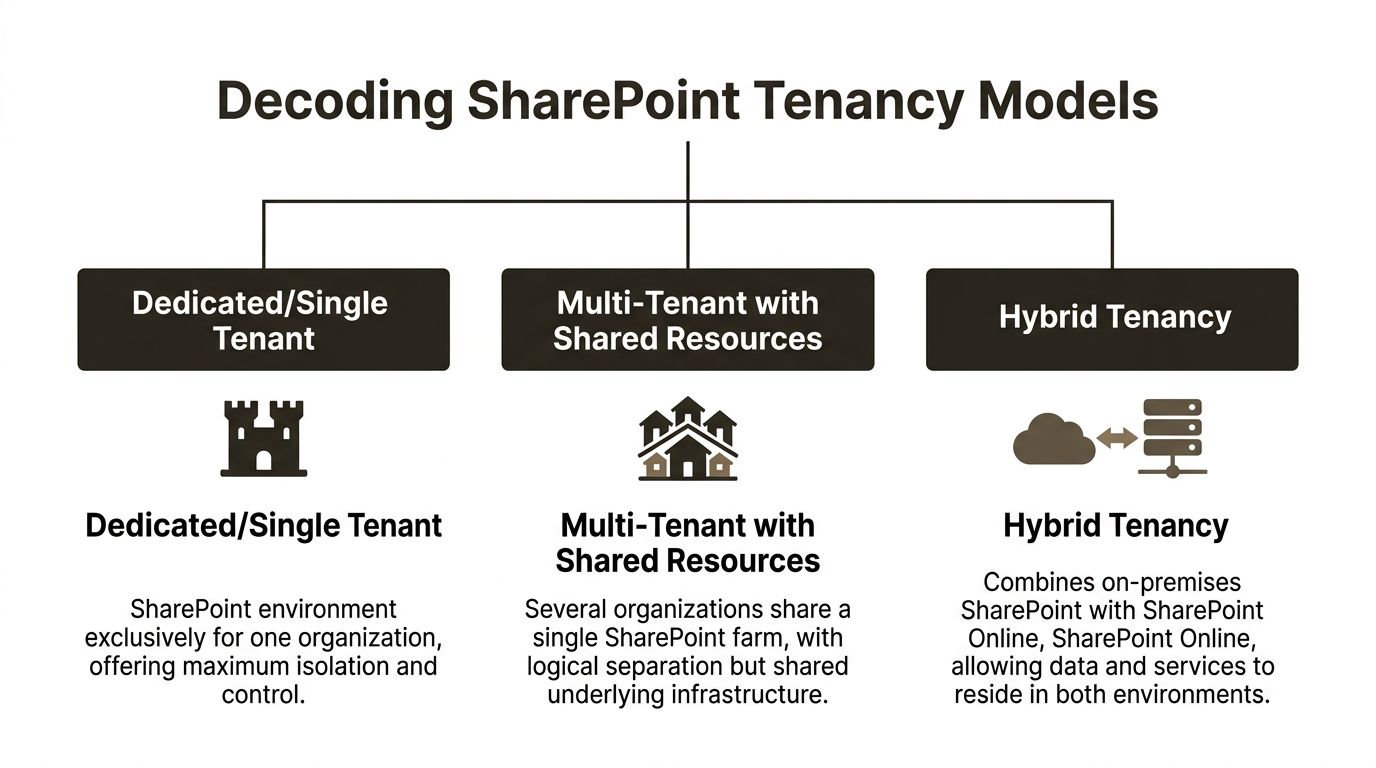
Single tenant means one boundary
A single-tenant model gives you one administrative and compliance boundary for the estate. One directory. One policy plane. One reporting surface. For organisations with standardised operations, that is usually the cleanest place to start.
It also tempts leadership into over-centralising everything.
The problem is not elegance on a slide. The problem is what happens during a real consolidation, when multiple business units, acquisitions, and regional workloads all get forced into one operational container. Microsoft documents service limits and throttling behaviour across Microsoft 365 and Graph in its Microsoft Graph throttling guidance. During large provisioning events, those limits stop being theoretical. Jobs queue, automation slows down, and cutover plans slip while project teams pretend the tooling is the issue.
It isn't the tooling. The architecture is.
Use a single tenant when the business wants shared governance, shared operations, and shared accountability. Do not use it as a political compromise to avoid hard decisions about exceptions.
Multi-tenant means isolation with overhead
A multi-tenant model separates business units, subsidiaries, geographies, or regulated entities into different Microsoft 365 tenants. That separation can be justified. Sometimes it is the only sane option.
It also creates permanent operating overhead. Every tenant adds another layer of administration, policy alignment, lifecycle management, reporting friction, and migration complexity. Teams tend to budget for the split. They rarely budget for the years of cross-tenant housekeeping that follow.
This is the part vendors skip. Multi-tenancy is often sold as a control story. In practice, it is also a debt story.
Microsoft’s guidance on Microsoft 365 tenant-to-tenant migrations makes clear that moving between tenants is a structured migration problem, not a checkbox. That matters if your environment already reflects years of acquisitions, regional carve-outs, or failed consolidation attempts. If location and residency are also driving design, read this guide to SharePoint multi-geo migration before anyone claims a new tenant will solve the problem on its own.
Separate tenants can reduce blast radius. They can also trap you in duplicate governance models that nobody can maintain properly.
Hybrid is usually inherited, not chosen
Hybrid tenancy usually appears after a merger, a stalled cloud programme, or a migration that ran out of executive patience. Part of the estate remains on-premises. Part moves to SharePoint Online. Ownership splits. Standards drift. Exceptions pile up.
Some organisations call that flexibility. I call it a timed liability.
Hybrid can be a valid transition state with a deadline, an owner, and an exit plan. Without those three things, it becomes a shelter for indecision. Search behaves inconsistently. Permissions stay messy. Audit coverage fragments. Users stop trusting the platform because every team gets a different answer to the same request.
If your architects cannot explain how hybrid ends, they have not designed a target state.
The Key decision is operational, not theoretical
The model itself is not the win. The win is choosing the model your business can govern without constant rework.
| Model | Best feature | Real weakness |
|---|---|---|
| Single tenant | Simpler administration and clearer control | Over-centralisation creates scale, exception, and regulatory pressure |
| Multi-tenant | Better isolation for regions or business units | Cross-tenant governance becomes an expensive permanent burden |
| Hybrid | Supports staged migration | Legacy complexity survives longer and spreads into the cloud |
Here is the blunt recommendation. Map the estate you have, not the one leadership wishes existed. Then decide whether you are managing a justified design, a temporary compromise, or consolidation debt that now needs a rescue plan.
That distinction decides whether your SharePoint multi-tenant architecture is supportable, or one more inheritance problem waiting to fail.
The Entra ID and Identity Minefield
Most SharePoint failures don’t start in SharePoint. They start in Microsoft Entra ID.
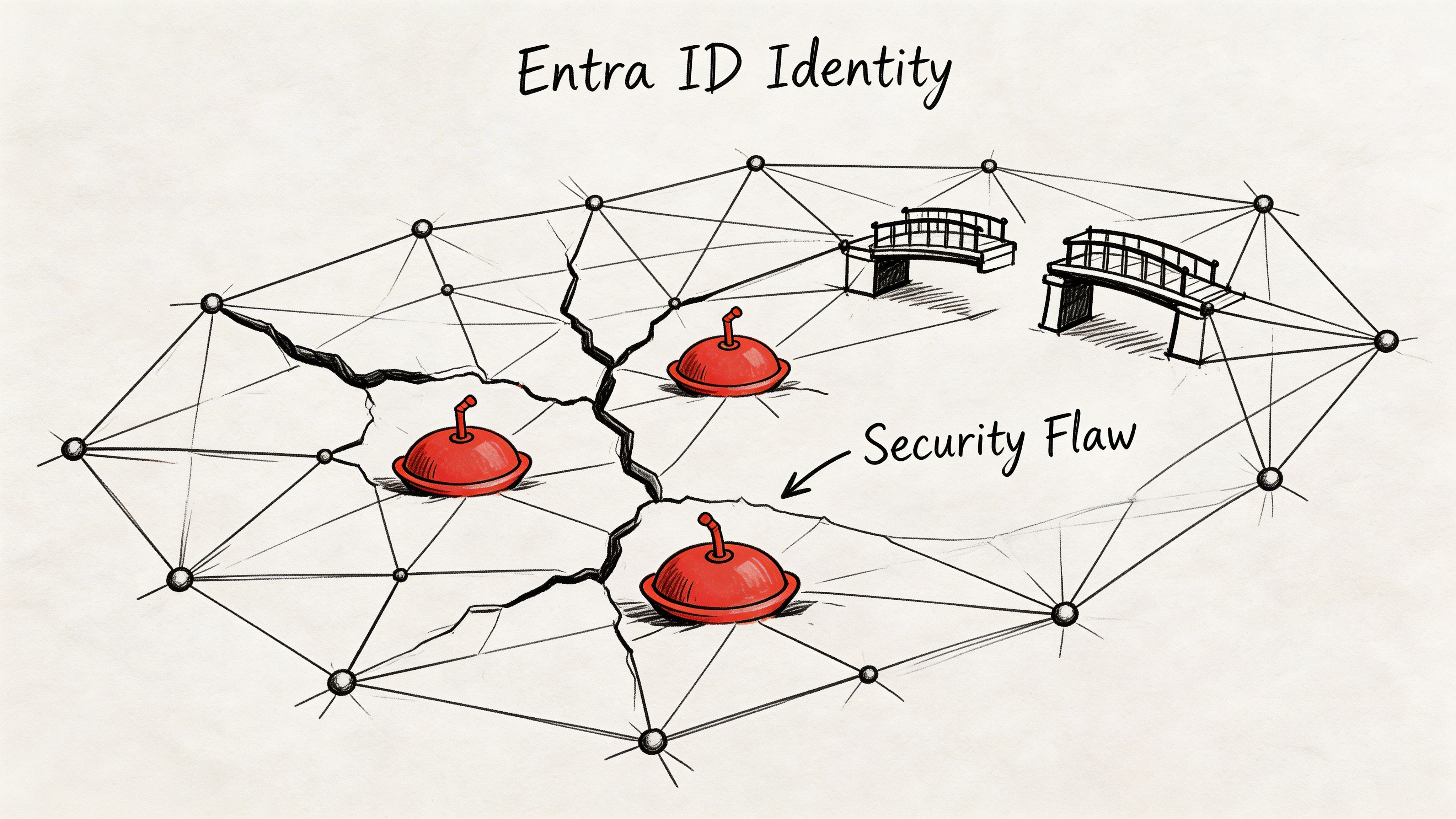
That’s where teams build the illusion of isolation. They provision separate tenants, tick a few collaboration settings, and assume the boundary is now secure. It isn’t.
Tenant boundaries don’t secure themselves
A proper SharePoint multi-tenant architecture relies on Entra ID tenants acting as isolated identity directories. Users, groups, devices, and configurations sit inside those boundaries. That sounds tidy.
The dangerous assumption is that separation itself guarantees protection. It doesn’t. The architecture demands deliberate cross-tenant synchronisation and access control design. Microsoft-aligned guidance confirms that resources in separate tenants “can't be discovered or enumerated by users and administrators in other tenants” only when proper object footprint controls are enforced, as explained in this analysis of multi-tenant organisations in Microsoft.
That’s the bit many teams miss. They hear “can’t be discovered” and mentally delete the condition attached to it.
Where regulated organisations get burned
We often see clients fail when they treat Entra ID as directory plumbing instead of a security control plane.
In finance and healthcare, the pattern repeats:
- B2B collaboration gets enabled too broadly.
- Cross-tenant sync is configured without enough access scoping.
- Admin roles spread through convenience rather than least privilege.
- Conditional Access exists, but it isn’t aligned to tenant-aware risk boundaries.
The result isn’t just messy administration. It creates compliance exposure. Users and admins gain more visibility than intended. External collaboration pathways remain open long after the business justification disappears. Audit teams then ask simple questions nobody can answer cleanly.
The audit problem arrives late
Identity mistakes rarely stop the migration on day one. They sit until an audit, an incident review, or a regulator asks who could see what across tenants and why.
Then the project team discovers they can’t prove isolation.
Your team can’t claim zero trust if administrators still hold standing access across multiple tenants with broad permissions and no clean delegation model.
Here, the cost turns ugly. The same Microsoft-aligned source notes that organisations treating multi-tenant Entra ID as set-and-forget infrastructure typically see remediation costs significantly exceed initial migration budgets. That’s not a technical nuisance. That’s a business failure.
What proper identity isolation requires
You need deliberate controls. Not assumptions.
Cross-tenant access must be explicit
If access between tenants is required, define it narrowly. Don’t leave broad defaults in place because a collaboration scenario “might be useful later”.
That means limiting who can sync, who can invite, and which resource-sharing patterns are permitted.
Administrative rights must shrink
Multi-tenant architecture magnifies admin mistakes. A sloppy role model in one tenant is bad enough. A sloppy role model across several tenants becomes systemic risk.
Use tenant-scoped delegation. Use just-enough-access patterns. Review admin objects and service principals before content migration starts, not after.
For a practical companion read on locking down the control plane, this guide on SharePoint Conditional Access is worth your team’s time.
Auditability must be designed in
If your identity model can’t support a clean answer to “who had access, when, and through what mechanism”, it isn’t ready.
That includes guest access review, cross-tenant policy review, and documentation that survives staff turnover.
A useful primer for stakeholders who need the bigger picture sits below.
The Ollo view on identity risk
The documentation says tenant isolation is powerful. In practice, isolation only exists when your team engineers and governs it properly.
That’s why identity needs to lead the migration. Not follow it. If your Entra design is weak, your SharePoint multi-tenant architecture will only preserve bad access decisions at scale.
Advanced Governance and Zero Trust Security Patterns
Governance is where most tenant strategies stop being architecture and start becoming operations. Anyone can draw clean tenant boundaries. Very few teams can keep those boundaries governable when business units, regions, and compliance obligations keep changing.
That’s why zero trust matters here. Not as a slogan. As an operating model.
Feature partitioning is rigid by design
In SharePoint multi-tenancy, feature packs let you partition functionality at the site subscription level. That sounds useful until someone decides they want to change the rules after provisioning.
Then the trap shuts.
Microsoft’s SharePoint administration guidance makes it clear that the New-SPSiteSubscriptionFeaturePack cmdlet establishes immutable feature containers. Modifying them after provisioning requires deprovisioning subscriptions and reconfiguring quotas. The same guidance notes that enterprise implementations often need 200-400 hours of PowerShell development and testing across 50+ tenant subscriptions to manage feature pack transitions safely, according to Microsoft Learn on SharePoint multi-tenancy.
That isn’t edge-case complexity. That’s what enterprise governance looks like when you stop pretending PowerShell changes are harmless.
Why feature packs become a business issue
DIY teams underestimate this because they treat feature controls as technical settings. They’re not. They define what each tenant can do, how services behave, and how far standardisation reaches.
If you get feature partitioning wrong:
- You create inconsistent site behaviour across business units.
- You break inherited permissions during manual remediation.
- You increase audit effort because governance rules stop matching implementation.
- You force deprovisioning work that nobody budgeted for.
Governance failure doesn’t look dramatic at first. It looks like exceptions, one-off scripts, and admin drift. Then it shows up as an audit finding.
Zero trust in a multi-tenant estate
A zero trust pattern in this environment needs three things working together.
Identity with hard boundaries
The identity layer must avoid standing privilege, broad guest access, and casual cross-tenant trust. If your administrators can jump tenants with excessive rights, you haven’t reduced risk. You’ve centralised it.
Regional governance with enforcement
Different business units often need different rules. Especially in regulated sectors in Ireland. Your architecture has to support regulatory autonomy per region without turning governance into improvisation.
That means standard policy patterns, tenant-aware controls, and documented exceptions that expire instead of accumulating forever.
Lifecycle control from day one
Microsoft’s own older multi-tenancy guidance still gets one thing absolutely right. Lifecycle operations are imperative.
Provisioning is only the beginning. You need deprovisioning rules, quota governance, service ownership, and an operational model for tenant retirement, not just tenant creation.
The pattern that works
The strongest environments use a layered model:
| Governance layer | What good looks like |
|---|---|
| Tenant boundary | Clear ownership, explicit purpose, documented sharing rules |
| Admin model | JEA-style delegation, limited standing privilege, scoped operational roles |
| Workload controls | Tenant-specific Conditional Access, sharing restrictions, audit policies |
| Lifecycle management | Provisioning, change control, deprovisioning, and review processes tied together |
For teams trying to mature that model, this deeper look at SharePoint zero trust architecture is worth reviewing alongside your Entra and SharePoint governance baselines.
The uncomfortable truth about governance
Most failures here don’t come from missing a feature. They come from underestimating the operating model.
If your team thinks governance is a post-migration task, your SharePoint multi-tenant architecture will decay quickly. It will still run. That’s the problem. Broken governance usually looks functional until an access review, merger, or regulator forces you to prove control.
Where DIY Tenant Migrations Catastrophically Fail
Friday night, the cutover window opens. By Saturday, the migration dashboard says progress is acceptable. By Monday, leadership learns the opposite. Sites are missing history, Teams-connected workspaces behave differently, access requests are piling up, and nobody can say which defects are annoying and which ones create audit exposure.
That is the failure pattern Ollo gets called into.
DIY tenant migrations break down when the programme treats consolidation debt like a transport problem. It is not. Years of careless site creation, broken inheritance, duplicate collaboration spaces, abandoned Microsoft 365 Groups, and identity shortcuts do not become cleaner because you copied them into a new tenant. They become harder to trace, harder to govern, and more expensive to fix.
Migration succeeds on paper and fails in operations
Internal teams usually prove the tooling can move content. They do not prove the business can still operate safely after the move.
A pilot batch looks fine because the cleanest sites get tested first. Then the ugly estate shows up. Old project sites with unique permissions. Libraries built around folder sprawl. Teams-connected sites with inconsistent ownership. Service accounts nobody wants to claim. Legal content mixed with trivial content because nobody enforced structure when the estate was growing.
That is where programmes slip from migration into rescue.
Use triage before first copy. Decide what should be remediated, archived, split, or left behind. If that work is missing, your plan is incomplete. A proper tenant to tenant migration strategy defines content rules, identity handling, exception paths, and rollback criteria before anyone presses Start.
SPMT is fine for simple moves. Serious consolidation is not a simple move
SPMT has a place. Use it for small, controlled migrations with clean permissions and low business risk.
Do not use a decent pilot result as proof that the wider estate is ready. That mistake burns weeks. The first signs are familiar. Jobs stall under volume. Reruns produce duplicates. Validation gets compressed because the cutover date was sold too early. Then the business starts asking why content moved but behaviour changed.
SPMT copies data. It does not repair a bad estate.
If your programme includes mergers, carve-outs, or inherited tenant sprawl, plan around engineering work, not around a wizard.
ShareGate is the better engine. It still needs adults in charge
ShareGate gives stronger reporting, better control, and more practical handling for complex migrations. Use it.
Then be honest about what it will not do for you. It will not settle competing information architectures across business units. It will not fix a term store that has been neglected for years. It will not make bad identity decisions disappear. It will not protect integrations when object mapping gets messy. It will not decide whether a site with six owners and no accountable business sponsor belongs in the target estate at all.
Tooling reduces effort. It does not replace judgement.
Teams that need a broader operational view should review this technical playbook for cloud migration solutions. Then compare it against the complexity in their own estate, not the sales demo.
The defects that hurt after cutover
Some failures show up fast. The expensive ones hide until the business depends on the target tenant.
Permissions pass testing and fail audit
Basic validation often checks whether users can open sites and documents. That is too shallow. Broken inheritance can expose restricted content or block the people who are meant to retain access. The site looks functional, so the project declares success. Weeks later, legal, finance, or HR finds the mistake.
That is no longer a migration issue. It is a control failure.
Identity problems spread
Cross-tenant migration problems often start in identity, not in SharePoint. Guest objects, stale synced accounts, mismatched UPNs, legacy contacts, and inconsistent group design create mapping faults that look random during testing. Microsoft documents the constraints in its cross-tenant synchronization overview.
If the identity model is weak, the content move inherits that weakness.
Throughput assumptions collapse under live conditions
Migration plans built on optimistic throughput rarely survive production. User activity, indexing, admin operations, and service limits cut the rate down. Internal teams usually make it worse by running ad hoc reruns and changing batch order under pressure. That destroys traceability, which means post-cutover defect analysis turns into guesswork.
Bad file structures still punish cloud programmes
Old file share habits still cause damage. Long paths, nested folders, unsupported characters, and junk naming conventions either break the move or degrade the target structure badly enough that users stop trusting it. Microsoft keeps the operational boundaries clear in SharePoint limits.
Cloud does not forgive bad structure. It exposes it.
The business risk is not the migration weekend
The larger risk is what happens after leadership announces success.
A badly handled tenant migration pushes governance debt into the future under a new logo. Service ownership stays vague. Access reviews become slower. Investigation work gets harder because the audit trail is fragmented across old and new structures. The support team inherits a target tenant full of exceptions that were never documented properly. Six months later, the business is funding a second clean-up because the first programme measured movement instead of control.
This is why official guidance leaves executives exposed. Microsoft explains features and patterns. It does not tell you how to unwind years of decentralised tenant growth, acquisition debris, and local admin shortcuts without carrying the mess forward.
That gap is where rescue work starts.
If your migration plan cannot show how it reduces consolidation debt, protects identity integrity, and leaves the target tenant easier to govern than the source, stop calling it transformation. It is a copy job with better branding.

















