



A SharePoint zero trust architecture isn't a product you buy. It’s a security model you must build, piece by piece, where you treat every access request as a potential breach. This model obliterates the outdated concept of a trusted internal network, forcing explicit, rigorous verification for every user and device before they can even sniff your SharePoint data.
Why Your SharePoint Zero Trust Plan Is Already Failing
Let’s be blunt: slapping a 'Zero Trust' label on your SharePoint environment is meaningless without a battle-tested architecture. I constantly see IT Directors inheriting security models that treat SharePoint like a glorified file share, leaving them one compromised account away from a catastrophic data leak. This isn't just a technology gap; it's a fundamental architectural failure.
Your team has probably read the Microsoft documentation. It lays out a seemingly clear path for building a SharePoint zero trust architecture using tools like Entra ID and Conditional Access. The problem? That documentation assumes a perfect world—one that doesn't have decades of legacy permissions, sprawling site collections, broken inheritance, and wildly inconsistent security practices.
In reality, trying to apply these modern controls on top of a flawed foundation is like putting a new, high-tech lock on a door with broken hinges.
The Illusion of Security
Generalist vendors and even your most capable internal teams often fall into the same trap. They get fixated on turning on features instead of re-engineering access control from the ground up. This approach creates a very dangerous illusion of security.
Here’s what this failure looks like in practice:
- Over-relying on Identity: Your team sets up Conditional Access policies to enforce MFA, wipes their hands, and thinks the job is done. But that only guards the front gate. It does absolutely nothing to stop a legitimate but compromised user from accessing thousands of sensitive files they never needed in the first place.
- Ignoring SharePoint’s Complexity: SharePoint has its own incredibly intricate permissions model, tangled with unique permissions, broken inheritance, and external sharing settings. A generic Zero Trust plan that only looks at the identity layer completely misses this massive internal threat surface.
- Creating a False Sense of Security: By ticking the "Zero Trust" box without dealing with the underlying architectural rot, you create a system that looks secure on a checklist but will crumble under the slightest pressure from a real-world attack.
The old ‘trust but verify’ model is dead. A poorly implemented SharePoint zero trust architecture creates more risk than it solves, turning your cloud investment into a ticking time bomb. We see this play out constantly when we dissect why enterprise projects fail.
The heart of the issue is that applying Zero Trust to SharePoint isn't a simple configuration task; it’s an architectural overhaul. It demands a specialist who deeply understands the interplay between Entra ID's identity controls and SharePoint’s own complex permission structure.
Without that specialised expertise, your Zero Trust initiative isn't just destined to fail—it's actively making your organisation less secure by masking the true risk.
Building A Defensible SharePoint Security Fortress
Microsoft hands you a powerful box of security tools—Entra ID Conditional Access, Microsoft Purview, Data Loss Prevention (DLP)—but they conveniently forget to include the architectural blueprint. Your team reads the documentation, sees what looks like a clear path, and then promptly gets tangled in a mess of overlapping policies, configuration gaps, and frustrating false positives.
This isn’t your team’s fault. It’s the inevitable result of applying generic guidance to the brutal complexity of a real-world enterprise. The documentation lays out the tools, but it leaves you to figure out how to connect them—a task that almost always leads to a collapsing house of cards. This is where most SharePoint Zero Trust projects start to fail.
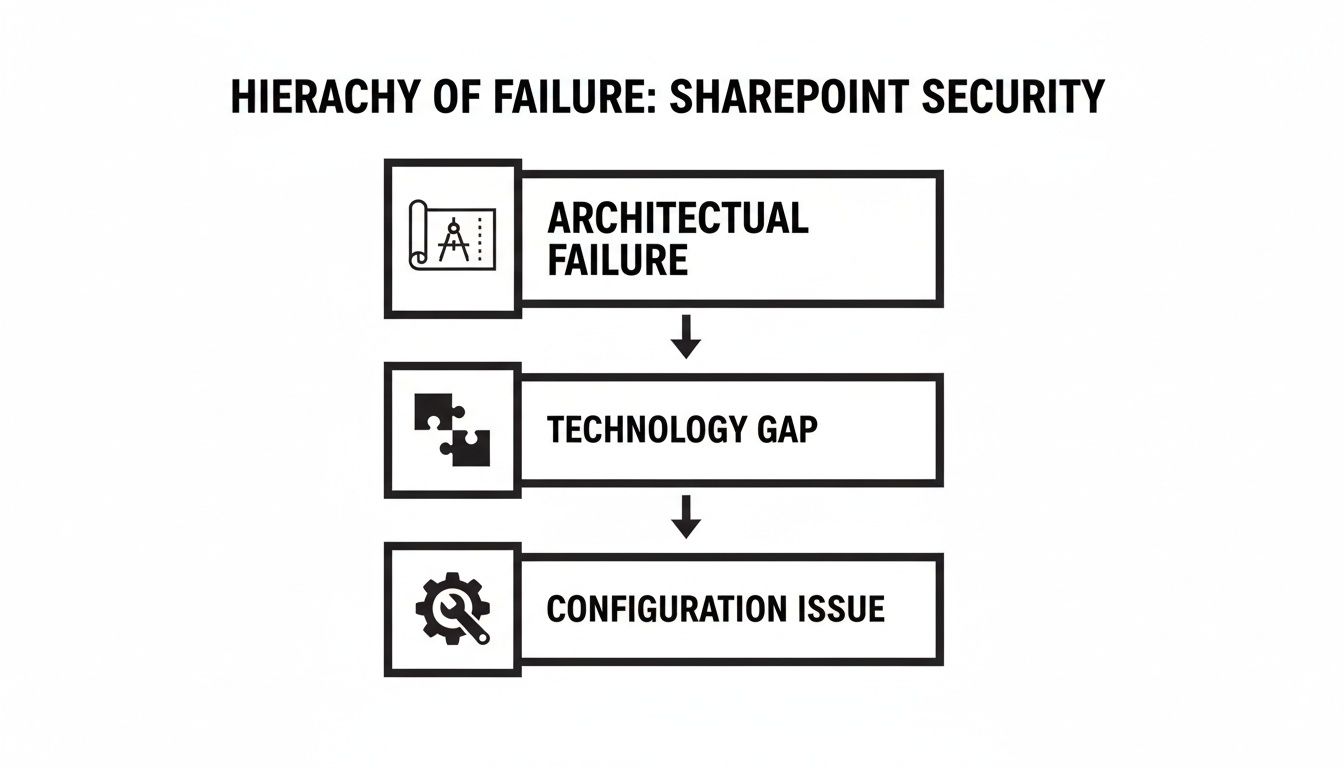
The key takeaway here is that chasing down individual configuration mistakes is a waste of time. They’re just symptoms. The real problem is almost always a broken or non-existent architecture. Without that solid foundation, no amount of tweaking settings will ever make your environment secure.
Mapping Controls to Real Threats
Building a security model that actually works means you have to stop thinking about features and start mapping specific Microsoft controls to the threats you genuinely face. This isn't about switching on every security toggle you own; it's about building a strategic, layered defence.
We see companies fail when they treat these tools as if they exist in separate universes. A Conditional Access policy is completely undermined if your SharePoint site permissions are left wide open, allowing "Everyone" to edit sensitive files.
Here’s a look at how we tackle this:
- Our Control: We start with the basics: Entra ID Conditional Access policies that demand MFA and a compliant device. But we don't stop there. We implement risk-based step-up authentication that forces a second verification if that user—even after a valid sign-in—tries to access a highly sensitive site collection.
- Our Control: This is a job for Microsoft Purview Information Protection. We use sensitivity labels that are permanently attached to the document itself. A file labelled "Internal-Confidential" simply cannot be shared externally, attached to an email going to a Gmail address, or copied to a USB stick. The DLP policies enforce this automatically.
- Our Control: Here, we deploy Defender for Cloud Apps to create session-level policies. This is a game-changer. It lets a user on an unmanaged personal laptop view a document in SharePoint Online but blocks any attempt to download, print, or even copy-paste. You grant access but contain the data.
- Broken Permission Inheritance: Over the years, people make ad-hoc changes, meaning folders deep within your structure have unique, often forgotten permissions. Standard migration tools just blindly replicate this chaos, creating an unmanageable mess in SharePoint Online.
- Unresolved GUIDs and SIDs: Your on-prem permissions are tied to Security Identifiers (SIDs) from your old Active Directory. If these aren't meticulously mapped to new Entra ID objects, they become "orphan" permissions. This leads to either people losing access entirely or, far worse, unpredictable and wide-open access grants.
- Nested Group Nightmares: The classic "everyone" or "domain users" group buried ten folders deep. When moved to the cloud, this can instantly grant every single employee in your global organisation access to sensitive departmental data. We've seen it happen.
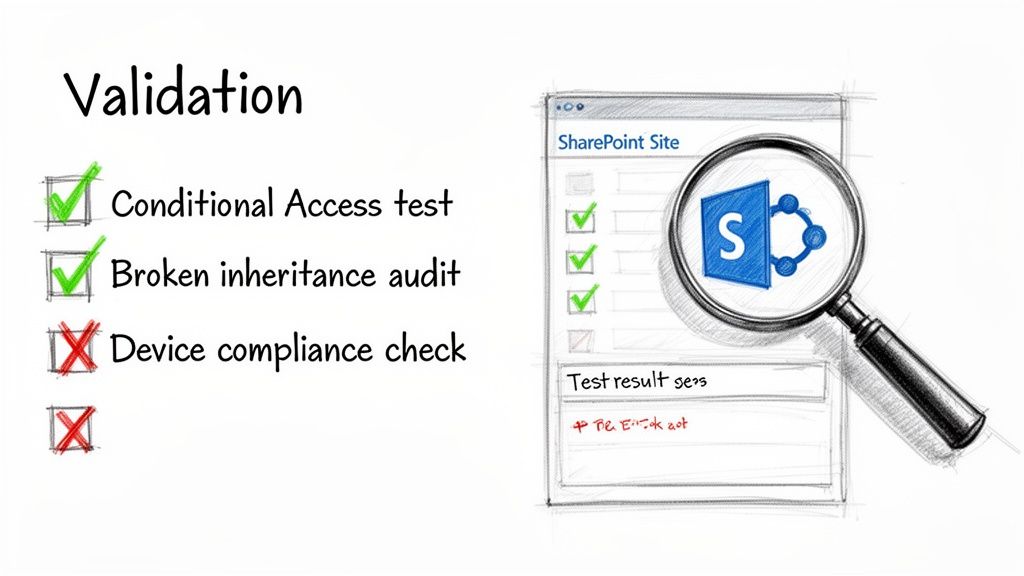
- Test for Failure, Not Success: Don't just check if compliant users can log in. Try to access SharePoint from a non-compliant device, an untrusted network, or a blacklisted IP address. The goal isn't a friendly error message—it's a hard block with a matching, unambiguous log entry in Entra ID.
- Hunt for Permission Creep: A week after go-live, run a full permissions audit. Use PowerShell scripts to scan for broken inheritance that well-meaning users have already re-introduced. Actively search for any lingering "Everyone" or "Authenticated Users" permissions that slipped through the cracks.
- Validate Data Loss Prevention (DLP): Take a document you’ve explicitly marked with a "Confidential" sensitivity label. Now, try to share it with a personal Gmail address. Try to copy it to a USB drive on a corporate laptop. The DLP policy must block these actions, every single time.
- Regulatory Fines: A breach involving customer or financial data immediately moves from being an IT issue to a legal one. This is where you face crippling fines under GDPR and other strict regulations.
- Operational Paralysis: I've seen it happen. A flawed migration can render critical business data unusable or inaccessible, grinding productivity to a complete halt for days or even weeks.
- Remediation Overheads: The budget to "fix" a failed project is always exponentially higher than the cost to do it right the first time. This involves expensive forensic analysis, painful data cleansing, and often a complete re-migration from scratch.
Enforcing Least Privilege Down to the Document
The absolute heart of a SharePoint Zero Trust architecture is the principle of least privilege. Microsoft's guides will point you toward SharePoint's standard permission levels, but they won't tell you about the nightmare of broken inheritance and nested Active Directory groups that makes true least privilege almost impossible to manage out of the box.
To establish a truly resilient SharePoint environment, integrating principles of GRC Cyber Security is paramount for building a defensible security fortress.
The Ollo Verdict: Standard security roles are a starting point, not a solution. Real security requires a granular model where access is governed by data sensitivity, not just a user’s job title. Missing this step doesn't just fail the project; it breaks the entire Zero Trust model and renders your investment useless.
Someone in your finance department doesn't need access to all financial documents, only the specific files relevant to their immediate role. We achieve this by connecting Purview's sensitivity labels directly to SharePoint site access controls. For a deeper look at this, our guide on how to use SharePoint Conditional Access effectively is a good place to start. This is the level of architectural detail that’s required—it’s not a simple configuration task, but a fundamental redesign of how your organisation accesses and protects its data.
How a ‘Lift and Shift’ Migration Guarantees Failure
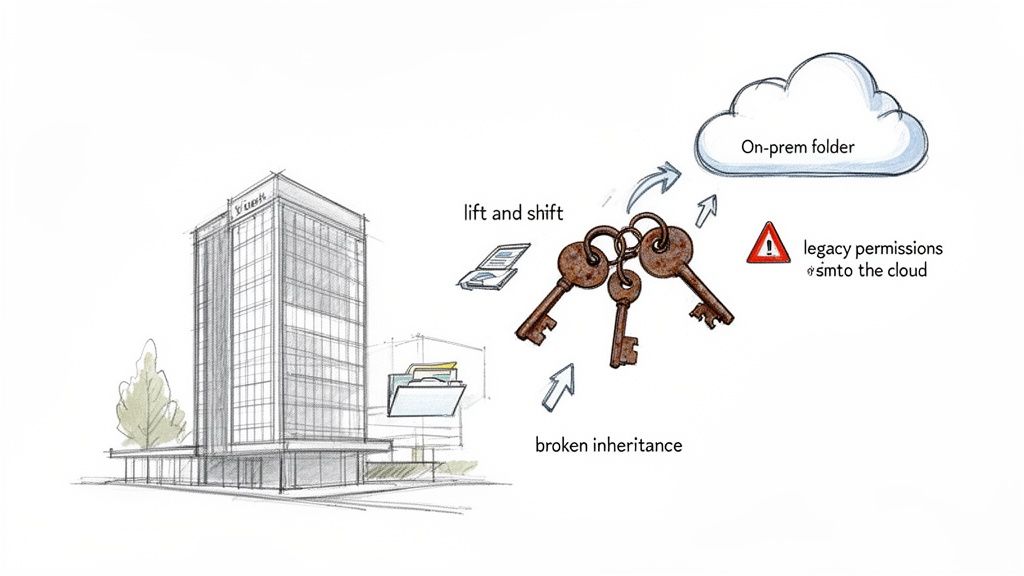
If your migration partner dares utter the phrase “seamless transition” for your on-premises SharePoint or file shares, show them the door. That ‘lift and shift’ mentality is the single biggest cause of security failure we see in the field. It’s an approach that guarantees your new SharePoint zero trust architecture is dead on arrival.
Migrating legacy data without a full permissions re-architecture is like building a state-of-the-art bank vault and then leaving the old, rusted keys from the previous building lying on the front steps. You've simply imported all your old vulnerabilities into a shiny new environment and given yourself a dangerous, false sense of security.
We see this story play out time and again. An organisation invests heavily in Microsoft 365, properly configures its Conditional Access policies, and then hands the data migration over to a junior team or a generalist partner to "just move the files." The result is always a catastrophe waiting to happen.
The Skeletons in Your On-Prem Closet
Let's be blunt. Your on-premises file systems are a minefield of latent risk, accumulated over decades. A simple ‘lift and shift’ doesn’t clean this up; it amplifies it by moving it to the cloud.
Sticking with legacy on-prem setups is already a huge gamble. We often see clients in Dublin and London assume their perimeter defences will hold, a dangerous assumption given recent events. In regulated sectors, a 2026 SharePoint zero-day campaign linked to CVE-2026-53770 and CVE-2026-53771 compromised over 400 on-premises servers, with attackers quickly pivoting to ransomware. You can discover more insights about this SharePoint vulnerability on FileFlex.com.
A copy-paste migration brings all of these skeletons directly into your cloud tenant:
The Ollo Verdict: Any migration that doesn't start with a complete permissions audit and redesign is a failure from day one. We force this difficult, upfront conversation because building your new environment's security in from the start is non-negotiable. You can't just bolt it on later.
Why This Is a Security Failure, Not Just a Data Problem
Your IT Director will look at this mess and see a data governance headache. Your Chief Information Security Officer should see a five-alarm fire. Every single one of these legacy permission issues directly undermines the core principles of Zero Trust.
Think about it. Your expensive new Zero Trust controls at the identity layer are rendered useless if, once a user is authenticated, they can just navigate to a poorly migrated folder and access confidential HR or financial data. This isn't a hypothetical risk; it’s the kind of error that ends up in regulatory investigation reports.
The only way to do this right is to treat the migration as a security project first and a data logistics project second. It demands a detailed analysis of what data you have, who truly needs access to it, and how to build a new, clean, and manageable permissions model in SharePoint Online based on the principle of least privilege. For more on this, check out our comprehensive guide on developing a modern SharePoint migration strategy.
This is not something you can automate with an off-the-shelf tool. It requires meticulous planning, custom scripting, and a deep understanding of both legacy and modern permission structures. It’s painstaking work, but it’s the only way to ensure your new cloud environment is a fortress, not just a prettier version of your old, insecure file server.
Confronting the Breaking Points of Migration Tools
Your team is facing the big question: how do we actually move all this data? The conversation inevitably turns to tools, and the same two names always surface: ShareGate and Microsoft’s free SharePoint Migration Tool (SPMT).
Here’s the unfiltered truth that the marketing brochures and sales pitches conveniently leave out.
Relying on these tools out-of-the-box is the single biggest reason we see DIY and generalist-led migrations go off the rails. They either fail outright, lose data, or completely blow the budget. It’s a classic case of using a perfectly good hammer when you actually need a full mechanic's workshop. Building a SharePoint zero-trust architecture is impossible on a foundation of a botched migration.
The SharePoint Migration Tool (SPMT) Illusion
Let’s start with Microsoft’s free tool, SPMT. If you read the documentation, it sounds like a decent option. And for moving a single 50GB team site with a few simple folders, it probably is.
But for a genuine enterprise migration? It’s a liability. We get calls from clients who tried to use SPMT for anything more than a trivial workload, and the project has ground to a halt. The tool simply doesn’t have the robust error handling, performance controls, or detailed reporting needed to move terabytes under real-world pressure. It wasn't built for the scale and complexity you’re facing.
The ShareGate Reality: Hitting the Throttling Wall
Next up is the industry workhorse, ShareGate. It’s an essential piece of kit—we use it ourselves on every project. But buying a ShareGate licence isn’t a migration strategy any more than buying a set of professional-grade spanners makes you a mechanic.
The biggest misconception teams have is that they can just point the tool at the source, click "Go," and come back to a finished job. The moment you start pushing a serious volume of data, you will slam head-first into Microsoft's API throttling. This isn’t a bug; it's a deliberate feature designed to protect the service for all tenants.
Once your migration tool hits these throttling limits, it doesn’t just slow down—it starts to fail. Jobs time out. Files get skipped. Critical metadata is dropped. Without advanced, custom-scripted error handling and intelligent retry logic, you will have data loss.
This isn’t a theoretical risk; it’s a mathematical certainty on any large project. An internal team running a standard ShareGate instance will spend weeks, if not months, fighting failed jobs and manually trying to figure out what did and didn't make it across.
The 5,000 Item Limit: A Silent Project Killer
Now for the technical landmine that has single-handedly derailed more SharePoint projects than any other: the 5,000-item list view threshold. This is a hard limit baked into SharePoint. When a single view in a document library or list tries to access more than 5,000 items, SharePoint locks it down to protect database performance.
A standard migration tool doesn't solve this problem. It will happily migrate a 20,000-item file share into a single SharePoint library and report "success." But the moment your users try to sort, filter, or even load that library, it will break.
Your data is in SharePoint, but it's completely unusable. Fixing this after the fact means a massive, disruptive re-architecture project, all while your business users are complaining that their files are gone. This is something that must be designed correctly before you move a single byte.
Migration Tool Reality Check: Standard Tools Vs. Enterprise Reality
The gap between what a tool can do and what it will do under enterprise pressure is where projects fail. Here’s a breakdown of how standard tools stack up against the realities of a high-stakes migration.
| Technical Challenge | SharePoint Migration Tool (SPMT) Verdict | ShareGate (DIY) Verdict | The Ollo Specialist Approach |
|---|---|---|---|
| API Throttling | Fails completely. No controls for managing throttling, leading to constant timeouts and dropped files. | Better, but still requires constant manual intervention. Jobs slow down and fail without custom logic. | We wrap ShareGate in custom PowerShell to intelligently manage throttling, backing off and retrying based on real-time API feedback. |
| 5,000 Item Limit | No awareness. Migrates content into structures that will break, creating unusable libraries post-migration. | No awareness. Creates the same broken structures as SPMT, just faster. The problem is hidden until users complain. | We pre-analyse the source data and automatically architect the target libraries to stay under the threshold, ensuring usability. |
| Broken Inheritance | Struggles with complex permission mapping, often breaking inheritance or applying incorrect permissions. | Can map permissions but requires significant manual configuration and struggles with large-scale transformations. | Our scripts analyse and transform complex permissions at scale, rebuilding them correctly in the target environment. |
| Audit & Logging | Basic logging at best. Fails to provide the detailed, auditable reports required for regulated industries. | Good logging, but requires manual consolidation and analysis to prove migration integrity. | We generate comprehensive, automated reports that provide a full chain of custody for every single item, satisfying compliance teams. |
The Ollo Verdict: Use SPMT for a single site under 50GB. For anything else, you need custom scripting. For any serious enterprise project, ShareGate is the correct starting point, but it must be wrapped in a layer of custom PowerShell scripting and architectural planning. This is the only way to intelligently manage API throttling, design around the 5k limit, transform complex permissions, and provide the auditable logging your compliance team demands. Believing a tool can replace architecture is the most expensive mistake you can make. You can learn more about its specific drawbacks in our deep-dive on the SharePoint Migration Tool (SPMT).
Validating Your Zero Trust Posture After Migration
The last file is copied. The go-live weekend is finally over. The project manager declares victory. This is the exact moment most SharePoint security projects start to fail.
Finishing the migration isn’t the final step; it’s the beginning of the most critical phase: validation. Believing your new setup is secure and proving it are two completely different things. Your compliance officers and board don’t care about project plans; they care about auditable proof that your new SharePoint zero trust architecture actually works.
Trusting the green checkmarks in the admin centre is a dangerous assumption. You need to actively try and break your own security model to find the cracks before an attacker does.
Moving From “Trust Me” to “Show Me”
We see it all the time. Internal teams have spent months battling API throttling, fixing user complaints, and living in migration logs. The appetite for more testing is zero. This fatigue creates a massive, predictable security gap.
A successful implementation has to be provable, not just assumed. Your team needs to switch their mindset from builder to attacker. Here are the concrete tests you must run to generate hard evidence that your controls are not just configured, but actively enforced.
The Auditable Evidence Your CISO Needs
Passing these tests is one thing; documenting them is another. Your validation process must produce a clear, evidence-based report you can hand directly to your auditors or CISO. This isn’t just good practice; for many, it’s a legal and regulatory necessity.
The Ollo Verdict: A migration without a formal validation report is an incomplete project. Missing this step doesn't just put the project at risk; it can break legal compliance and create personal liability for you and your leadership team.
We generate this evidence using a combination of Microsoft Purview's audit logs, Entra ID sign-in reports, and our own proprietary PowerShell scripts that specifically target common SharePoint failure points. The goal is to produce a definitive chain of custody that proves the principle of least privilege is enforced from the moment of sign-in right down to the individual document.
For example, we create a "malicious insider" test persona. We then document every single failed attempt by this persona to access data they aren't entitled to see. This adversarial testing provides irrefutable proof that your architecture can withstand an attack, which is a core part of a mature security posture. You can read more about this in our implementation guide for Zero Trust in Microsoft 365.
Without this rigorous, evidence-based validation, your SharePoint zero trust architecture is nothing more than an expensive and dangerous assumption.
The Commercial Risk of a Botched SharePoint Project
Let's get past the technical jargon and talk about what this really costs your business. A bungled SharePoint zero trust project isn't just an IT headache; it's a direct threat to your bottom line, your regulatory standing, and your professional credibility.
This is the conversation you need to have with your CFO and the board, framed in terms of fiscal responsibility, not just another IT policy.
The upside of getting this right is massive. Forrester's analysis shows that a properly executed Microsoft Zero Trust strategy can deliver a 92% ROI and an $11.6M NPV over three years. But here’s the catch: we consistently see firms achieve only a fraction of this value. Why? Because unaddressed architectural flaws in a DIY implementation leave millions of pounds in potential value on the table. You can dig into the full Forrester Total Economic Impact study yourself.
Beyond ROI to Catastrophic Failure
The cost isn't just about missed opportunity; it’s about tangible, career-limiting damage when things go badly wrong. A public security failure that stems from a poorly architected SharePoint environment brings costs that will absolutely dwarf any initial project budget.
These aren't just IT costs; they are direct business liabilities:
To truly know if your zero trust posture is solid after a migration, you have to go beyond simple checks. It's critical to conduct comprehensive security testing that simulates real-world attack scenarios, a process detailed in A Guide to Security Testing in Software Testing.
The Ollo Verdict: Engaging a specialist partner isn’t a project expense; it’s an insurance policy. We help you make the commercial case that a meticulously planned and executed project is the most fiscally responsible decision you can make, protecting you from the enormous financial and reputational fallout of a public failure.
Straight Answers to Your Toughest Questions
When we talk to IT Directors and Enterprise Architects about a SharePoint Zero Trust initiative, the same high-stakes questions always come up. Your skepticism is healthy—these projects are complex and the consequences of getting them wrong are significant. Here are the frank, unfiltered answers you're looking for.
"Can't We Just Apply Zero Trust Policies Without a Full Migration?"
You can try, but it's like installing a state-of-the-art alarm system on a house with all the doors and windows left wide open. If your current SharePoint permissions are a predictable mess of broken inheritance and over-shared folders from years of organic growth, just layering new policies on top is worse than doing nothing. It creates a dangerous false sense of security.
A genuine SharePoint zero trust architecture absolutely demands a clean slate. This nearly always means a complete permissions re-architecture. The most effective and least disruptive way to do this is during a planned migration, where you can build the new, secure model from the ground up and ensure it’s actually enforceable.
"Our Security Team Manages Entra ID. Why Do We Need a SharePoint Specialist?"
This is probably the most critical—and common—misunderstanding we see. Your security team are experts at managing identity and access at the front door. They use tools like Entra ID to build the fortress walls and control who gets through the main gate. That work is essential.
But SharePoint has its own deeply nested, often chaotic internal permission model. It's the set of keys to every single room, filing cabinet, and safe inside the fortress. A Conditional Access policy might stop an unauthorised user at the gate, but it does nothing to stop an employee with overly broad access from walking into the CEO's office and grabbing sensitive M&A documents.
A SharePoint specialist bridges that gap. They translate Zero Trust principles into the unique, granular language of SharePoint, making sure the right keys are given to the right people and that the fortress is secure from the inside out.
"How Long Does a Proper SharePoint Zero Trust Migration Really Take?"
Be very wary of anyone who gives you a quick, confident number here. For any enterprise with a bit of history, just the initial discovery and architectural design phase can easily take 4-6 weeks of intensive work.
From there, the actual migration and implementation can range anywhere from 3 to 9 months, and sometimes longer depending on the complexity.
Any vendor promising a faster timeline is cutting corners. They are skipping the painstaking permissions analysis, the critical data validation, or the thorough user acceptance testing. They are skipping the very things that prevent project failure, data breaches, and regulatory fines. In these high-stakes projects, speed is the enemy of security.
A failed SharePoint Zero Trust project isn't just an IT headache; it's a direct business liability. At Ollo, we don't just move your files around. We re-architect your information security from the ground up to eliminate risk.
If you're ready for an honest conversation about what it truly takes to secure your most critical data, contact Ollo today.

















