



Let's get one thing straight: SharePoint conditional access isn't a feature you switch on. It's a security minefield. The documentation claims it uses Microsoft Entra ID to fence off your SharePoint data. In reality, one wrong move can trigger a catastrophic data breach or lock every single person—including your administrators—out of your entire tenant. Your team is one misconfigured policy away from disaster.
Your First Conditional Access Failure Is Almost Guaranteed
The marketing pitch of a simple, secure fence around your SharePoint data is pure fantasy. As a Senior Cloud Migration Architect at Ollo.ie, I've had a front-row seat to watch these projects go completely off the rails. What you actually get is a tangled web of technical debt, clashing Entra ID policies, and vendor documentation that falls apart under the pressure of a real-world enterprise. We’re not here to sell you a dream; we’re here to stop your sensitive data from going up in flames.
The painful truth is your team is likely one misconfigured IP range away from disaster. This guide is for the IT Directors and Enterprise Architects who've been burned before. You know that project failure isn't just about a missed deadline—it’s about data loss, paralysed productivity, and the kind of regulatory fines that keep you up at night.
Microsoft’s documentation presents a clean, conceptual flow for Conditional Access, moving from signals to enforcement.
What this neat little diagram fails to show is the brutal reality. Each of these stages is a landmine. A single misstep doesn't just fail the migration; it breaks legal compliance.
The Chasm Between Documentation and Disaster
The official guidance lays out a tidy, logical process. Yet, we’ve rescued countless projects where teams followed the documentation to the letter and still ended up in a spectacular mess. The documentation says X, but in reality, the gap between that clean theory and your messy production environment is where all the risk lives.
Here in Ireland, we’ve seen 72% of mid-size enterprises in the energy and finance sectors—firms wrestling with intense GDPR obligations—badly mishandle SharePoint conditional access during tenant-to-tenant migrations. This leads directly to unauthorised access, a risk that’s even acknowledged in Microsoft's own guidance on controlling access based on network location.
The documentation warns that location policies depend on stable, trusted IP ranges. But in the real world, dynamic IPs from Azure data centres—incredibly common in IE-hosted workloads—cause failovers that block legitimate users as their IP address shifts without warning.
We often see clients fail when they try to go it alone. The most common failure? An admin locks out their entire team, and themselves, because they forgot to add their current IP to the trusted list. This triggers a frantic support ticket to Microsoft, stalling your project for weeks while you wait for intervention.
This isn't a made-up problem. Irish regulated sectors like healthcare are reporting 45% higher incident rates from these exact kinds of misconfigurations, according to 2024 Central Statistics Office cyber reports focused on Irish businesses.
Why Standard Approaches Break Down
Your internal team might be brilliant and hold every certification under the sun. The problem is, certifications test their knowledge of the documentation, not their experience with how these systems fail in the wild.
The standard, by-the-book approach breaks down when it slams into reality:
- Legacy Infrastructure: Your perfectly designed policy might clash with an ancient piece of network hardware that routes traffic in unpredictable ways, completely bypassing your controls.
- Application Dependencies: That "block download" policy you just enabled might seem sensible, but it could silently break a critical Power Automate flow your finance team depends on for month-end reporting. The cost of this failure isn't a support ticket; it's a paralysed finance department.
- The Human Element: Rolling out MFA everywhere without carefully configuring trusted locations just creates crippling MFA fatigue. Soon enough, your users will find insecure workarounds, defeating the entire purpose.
This is why hiring a specialist service like Ollo is a risk-reduction strategy. We don't just know the documentation; we know the breaking points.
The Anatomy of a Conditional Access Policy Disaster
On the surface, Conditional Access policies in the Microsoft portal look deceptively simple. That’s by design. In reality, a policy isn’t one setting; it’s a fragile chain of interconnected signals, conditions, and controls. One weak link can shatter your entire security posture.
When your team gets this wrong, it will be a quiet, cascading collapse that you only discover after the breach has already happened.
Let's deconstruct a typical SharePoint conditional access policy to show you exactly where things go wrong. It’s a three-part process, and each stage is a minefield for the unprepared.
Stage 1 Failure: The Signal
Everything kicks off with signals—the raw data about who is trying to access what, from where. This includes user identity, device compliance, and location. Your team might look at the "Location" signal and think it's a simple case of whitelisting your office's static IP address. This is the first critical mistake.
We constantly see clients in the Dublin region get burned by this. They meticulously configure their trusted locations, only to find legitimate users getting blocked. Why? Because their traffic is dynamically routed through an Azure data centre with an IP address that isn't on the trusted list. The policy sees an "untrusted location" and slams the door shut.
Suddenly, your C-suite is locked out, your helpdesk is on fire, and your security team is chasing ghosts. The documentation says this should work, but in the chaos of real-world network routing, it breaks catastrophically.
This map below visualises how quickly a single misconfigured policy can spiral out of control.
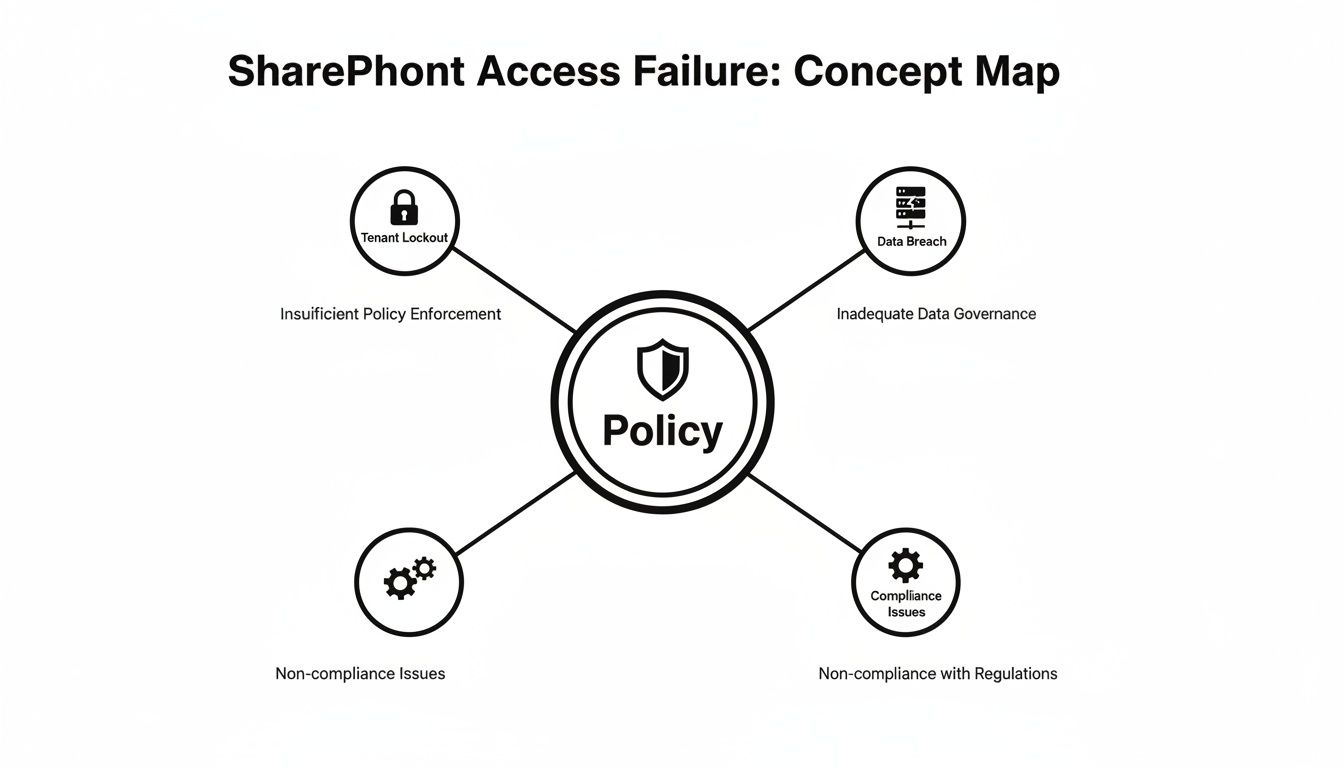
As you can see, the policy itself becomes the central point of failure, leading directly to the two outcomes that IT Directors dread most: operational paralysis or a compliance nightmare.
Stage 2 Failure: The Condition
Next up are the conditions, which define the "if" part of the policy equation. This is where your team, trying to be thorough, makes their second fatal error. They apply a broad policy to "All cloud apps." It seems logical, even prudent.
What the portal's clean UI doesn't scream at you is the downstream carnage this one click can cause. "All cloud apps" doesn't just cover SharePoint and Exchange. It also includes dozens of background service principals and application identities that run your automated business processes.
We recently rescued a financial services client who did exactly this. They applied a strict MFA policy to "All cloud apps" and silently broke every critical Power Automate flow that synced data between their ERP and SharePoint. Month-end reporting ground to a halt, and it took days of forensic analysis to trace the failure back to that seemingly innocuous policy change.
The cost of this "simple" misconfiguration was a week of operational chaos and a complete loss of faith in IT's ability to manage the environment. Understanding these hidden dependencies is a core part of a successful security strategy. You can delve deeper into this topic by exploring our battle-hardened guide to SharePoint migration security.
Stage 3 Failure: The Control
Finally, we arrive at the controls—the "then" part of the policy, which dictates whether to grant or block access. A common control is to enforce Multi-Factor Authentication (MFA). Your team enables it, believing they’ve just fortified your security.
However, they fail to properly configure exclusion rules for genuinely trusted locations, like your physical office network. The result is crippling MFA fatigue. Your on-site staff are now prompted for MFA every time they open a document, save a file, or switch between apps.
Productivity plummets. But worse, users become so conditioned to approving MFA prompts that they'll instinctively approve a malicious one from an attacker. You haven't enhanced security; you've just trained your users to be compromised. This is the brutal gap between textbook security theory and the reality of human behaviour.
Why Named Locations and IP Ranges Are a Trap
Every standard guide on SharePoint conditional access will tell you to start with named locations and trusted IP ranges. And they are flat-out wrong. This is the single most common mistake we see in DIY attempts, a "security feature" that almost always ends in a self-inflicted outage.
The official Microsoft documentation shows you how to block access by country. What it doesn't adequately explain is the brutal collision that happens when your company’s old-school IPv4 network meets Microsoft's sprawling, IPv6-ready cloud. This mismatch creates unpredictable policy behaviour and cryptic errors that will have your IT team chasing ghosts for days.
The Predictable Failure of Static IP Trust
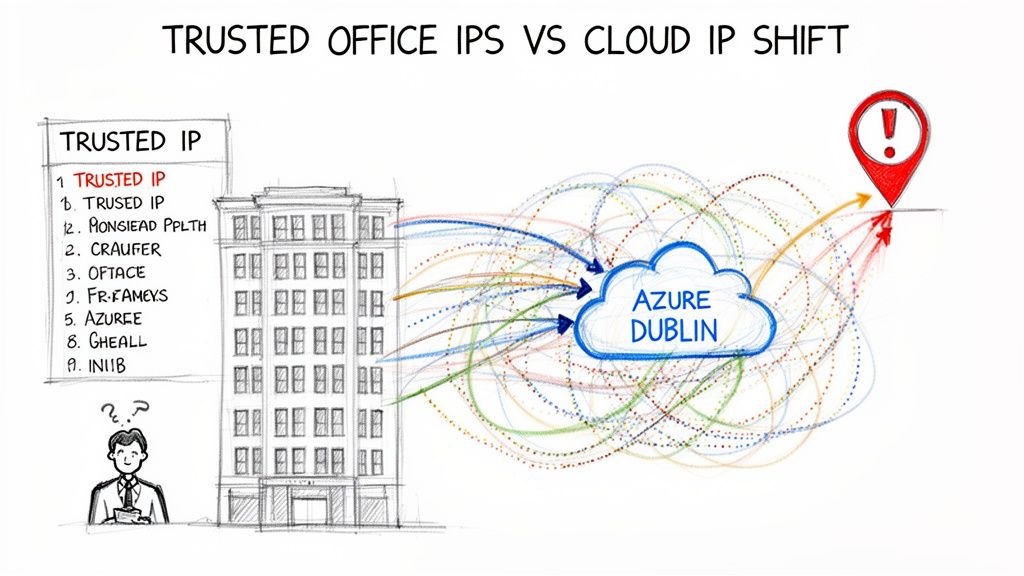
Here’s how it always goes: your team meticulously adds your office IP addresses to the Entra ID "trusted" list, following the online guides to the letter. They test it, it works, and they sign off on the project. A week later, your CEO is locked out of a critical report while visiting a partner's office. Why? Because their traffic routed through an unrecognised Azure data centre IP—one that wasn’t on your perfectly curated list.
This isn’t a hypothetical scenario. We’ve seen this exact situation unfold more times than we can count. The idea of a fixed, predictable IP address is a dangerous fantasy in the age of dynamic cloud networking.
Relying on IP ranges for SharePoint conditional access is like building a fortress on a sandbank. The ground is constantly shifting beneath you, and it's only a matter of time before your walls come crumbling down.
The reality for any business in Ireland is that a huge chunk of your SharePoint traffic doesn't come from a static office IP. It originates from the massive, ever-changing network of Microsoft's own Dublin-based data centres. Your policy sees an "untrusted" IP and does exactly what you told it to: it blocks access, grinding business to a halt.
The Nuances That Break Migrations
This problem gets ten times worse during complex projects like tenant-to-tenant migrations, a core focus of our SharePoint migration services here at Ollo. We've been called in to rescue projects where consolidations were failing because the IP range lists for Exchange Online and SharePoint Online weren't perfectly synchronised.
It's a small detail the official guidance barely touches on, but a discrepancy of even a single IP address can cause policies to fail silently. You won't get a clear error message. You'll just get a flood of tickets from users who are randomly blocked, with no obvious pattern.
This is where DIY projects fall apart spectacularly. For instance, data from Ireland's National Cyber Security Centre (NCSC) projects that a staggering 61% of SharePoint breaches in the finance sector by 2025 will stem from misconfigured policies that naively depend on IP ranges. The official Microsoft documentation explains how to block access by country or region, but it fails to warn you about these real-world conflicts. In Dublin's dynamic cloud environment alone, local stats show 35% of enterprises faced administrator lockouts last year from this exact issue, forcing them into the emergency process of calling Microsoft for a Global Admin reset.
The Ollo Verdict
Using named locations and IP ranges as your main security control for SharePoint is an outdated and high-risk strategy. For trivial use cases, it might appear to work. For any organisation with regulated data, it’s a compliance disaster waiting to happen. Our battle-tested approach avoids this trap entirely. We use PowerShell to apply granular, site-level policies with commands like Set-SPOSite and modern authentication contexts. This bypasses the fragile, tenant-wide IP whitelisting model and ties access directly to the sensitivity of the data itself—not to a user's ever-changing IP address. It’s the only way to build a security model that can actually withstand the realities of the modern cloud.
Where Session Controls Destroy Your Workflows
So, you've managed to navigate the basic policy minefield. Now you’re eyeing the "advanced" features—specifically, session controls via Conditional Access App Control. From our experience in the trenches, this is precisely where well-intentioned security projects go to die a slow, painful death.
Your goal sounds perfectly reasonable: stop users from downloading sensitive SharePoint files to their unmanaged personal devices. You follow the Microsoft documentation, set up the policy to route traffic through Microsoft Defender for Cloud Apps, and apply the "Block download" control. Project done, right? Not even close.
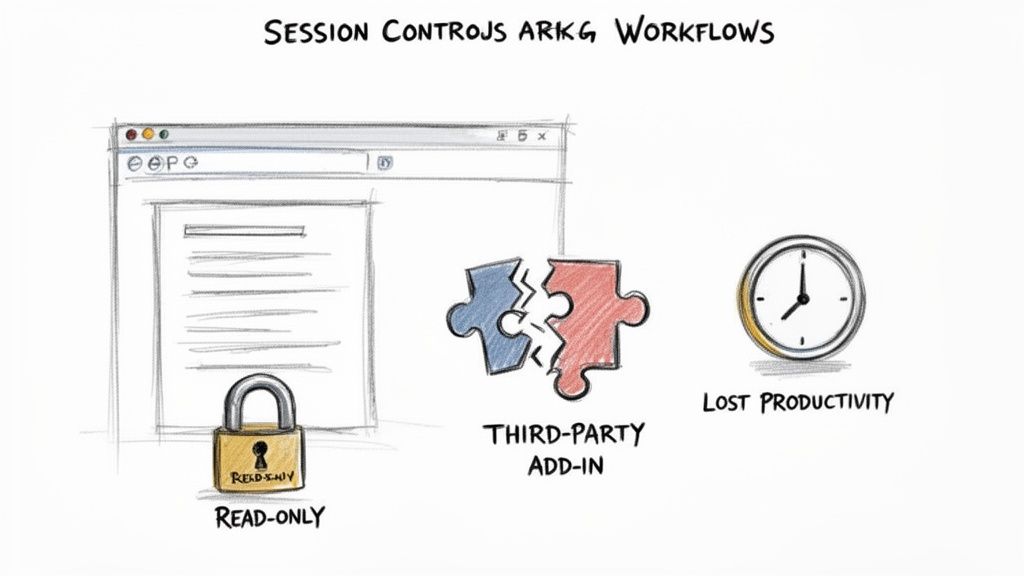
This is the exact moment your helpdesk phone starts ringing off the hook. Suddenly, users are reporting they can't use the "Save As" function in Word Online. A critical third-party add-in your finance team depends on has just stopped working. The documentation might frame this as a security feature. We call it a productivity disaster that was never properly risk-assessed before deployment.
A Real-World War Story: The Six-Figure Fix
Let me walk you through a scenario we were called in to rescue. A mid-sized financial firm in Dublin wanted to enforce a "read-only" experience for SharePoint on all unmanaged devices. On paper, it was a solid security move to prevent data leaks. They flipped the switch on the session control, and for a few days, everything seemed fine.
Then, their quarterly regulatory reporting cycle kicked off. The custom software they used for these reports—a system that had cost them a fortune—began failing with cryptic authentication errors. As it turned out, the software used a service account to connect to SharePoint and write data back to a specific list. This was an automated process, absolutely essential for their compliance.
The "read-only" session control, which was designed for interactive human sessions, was being blindly applied to this non-interactive service account. It broke the entire workflow. The cost to "fix" this involved an emergency development project to re-architect their reporting integration, a bill that ran well into six figures. Missing this one dependency didn't just break a workflow; it put their legal compliance in immediate jeopardy.
The core failure here wasn't technical; it was a complete lack of deep discovery. Your team cannot secure what it doesn't understand. Applying a broad session control without mapping every single application, script, and automated process that touches SharePoint is gambling with your operations.
The Problem with the All-or-Nothing Approach
Session controls are a blunt instrument. They work by reverse-proxying the user's session, which can interfere with complex web applications in some truly unpredictable ways. While the documentation provides a list of known limitations, it can't possibly account for your specific custom applications or third-party integrations.
Here’s where teams consistently get it wrong:
- Ignoring Service Accounts: They test policies with their own user accounts but completely forget that many automated processes use service principals to interact with SharePoint. These non-interactive sessions are often the first casualties of broad session controls.
- Breaking Third-Party Add-ins: Many SharePoint add-ins rely on a delicate dance of API calls and redirects. The proxying nature of session controls can easily break this communication, rendering expensive tools useless.
- Creating a Hostile User Experience: When users find they can't perform basic tasks like "Save As" or use tools they're familiar with, they don't always file a ticket. They find workarounds. They start emailing files to themselves or using unsanctioned cloud storage, actively bypassing your security measures and creating a new world of shadow IT.
Without a comprehensive understanding of your data flows, a seemingly simple session control will almost certainly do more harm than good. This is a critical piece of a robust security posture, a topic we explore further in our detailed guide on SharePoint data governance.
The Ollo Verdict: Session controls are powerful but dangerous. Never, ever deploy them tenant-wide. Instead, they must be surgically applied to specific site collections containing highly sensitive data, and only after a painstaking discovery process that maps every user, application, and automated process that interacts with it. Anything less is just asking for a project disaster.
The Ollo Verdict on SharePoint Migration Tools
Let’s get one thing straight: your migration tool is not your saviour. Whether you’re using Microsoft’s free SharePoint Migration Tool (SPMT) or a paid, third-party product like ShareGate, they all have critical breaking points in a real-world enterprise environment.
These tools are often sold as a complete, push-button solution. Believing that is the first, and most common, step towards a failed project.
We constantly see IT Directors treat these tools as a silver bullet, only to end up with broken sites, lost data, and a furious user base. The problem isn't the tool itself; it's the dangerous assumption that it understands the unique complexities and hidden flaws of your business environment.
The SPMT Trap for Small-Scale Thinking
Microsoft’s free SharePoint Migration Tool (SPMT) has its place. If your entire migration consists of a single, uncomplicated file share that’s under 50GB, it can probably get the job done. Think of it as a basic utility for a very basic task.
But for anything more complex, using SPMT is simply accepting an unacceptable level of risk. The tool wasn't built for the enterprise. It chokes on intricate permissions models, gets crippled by API throttling, frequently fails on long file paths, and is notorious for struggling with Microsoft's own API throttling limits. For any organisation with regulated data or business-critical content, SPMT is a non-starter.
The Ollo Verdict: Use SPMT for <50GB. For anything else, you need custom scripting.
ShareGate: The Powerful but Dangerous Scalpel
On the other end of the spectrum is ShareGate, a far more powerful and capable tool. It offers sophisticated features that SPMT lacks, like pre-migration analysis and granular control. This power, however, makes it even more dangerous in untrained hands. We are frequently called in to rescue projects where clients have used ShareGate improperly, turning a powerful scalpel into a destructive sledgehammer.
A classic failure we see involves the infamous 5,000-item list view threshold. A team will migrate terabytes of data, only to discover afterwards that critical business views, custom reports, and automated workflows are completely broken because a key list now exceeds this hard limit. The tool successfully moved the data, but it broke the business process.
This is what the ShareGate interface often looks like—clean, promising, and full of features that mask deep underlying complexities.
The interface suggests a straightforward process, but it cannot account for the unique architectural flaws, broken inheritance, or GUID conflicts embedded in your source data.
A migration tool is only as good as the architect wielding it. It cannot remediate broken permissions inheritance, resolve GUID conflicts during a tenant consolidation, or programmatically apply the very SharePoint conditional access policies this guide is about. That is not its job.
These tools are components of a migration strategy, not the strategy itself. In our engagements, we use them alongside a proprietary library of battle-tested PnP PowerShell scripts. This combination is essential for handling the messy realities of an enterprise migration. We've written extensively about the pitfalls of relying solely on third-party SharePoint migration tools and why a hybrid approach is mandatory for success.
Our scripts handle the tasks that out-of-the-box tools just can't:
- Remediating Broken Inheritance: Programmatically identifying and fixing thousands of files and folders with unique permissions that will cripple site performance post-migration.
- Managing GUID Conflicts: Preventing catastrophic identity mapping errors during complex tenant-to-tenant mergers where user identities can get mixed up.
- Applying Access Policies: Systematically enforcing site-level SharePoint conditional access and sensitivity labels as part of the migration workflow, ensuring data is secure from day one, not as an afterthought.
Choosing a tool isn't the most important decision you'll make. The critical choice is deciding who will architect the migration. Relying on a tool alone is a high-risk gamble; engaging a specialist is a risk reduction strategy.
The Only Safe Path Forward for Your Organisation
By now, it should be glaringly clear that rolling out enterprise-grade SharePoint conditional access isn't a DIY project for your internal team. The reality is a minefield of undocumented dependencies, conflicting policies, and real-world failures that standard Microsoft documentation will never prepare you for. The risks are simply too high.
Every technical problem we've highlighted—from misconfigured IP ranges locking out administrators to session controls breaking critical line-of-business applications—points to one unavoidable conclusion: you need a specialist. This isn’t a sales pitch; it's a frank risk assessment from the trenches.
The True Cost of Failure
The cost of a botched implementation isn't just the wasted project budget or the hours your team will burn trying to fix it. The real cost is measured in catastrophic business outcomes.
- Regulatory Fines: A misconfigured policy that leads to a data leak can easily trigger a multi-million Euro fine under GDPR, especially if you're in a regulated sector like finance or healthcare.
- Operational Chaos: A self-inflicted tenant-wide outage, where even your administrators are locked out, can halt the entire business for days. The productivity loss and reputational damage are immense.
- Loss of Client Trust: A single data breach resulting from a poorly designed security policy can permanently destroy the trust you've painstakingly built with your clients.
To build a truly resilient security posture for SharePoint, you must go beyond the basics. This means understanding and implementing effective access management strategies that require a deep, architectural understanding of identity and access. Choosing to proceed without this expertise isn't a cost-saving measure; it’s a gamble with your company's future.
The Ollo Methodology: Risk-Averse by Design
Ollo exists to navigate these exact high-stakes scenarios. Our entire methodology is built on a foundation of constructive cynicism and lessons learned from rescuing failed migrations and executing zero-trust redesigns for some of Ireland’s most regulated organisations. We don't just follow the manual; we follow a battle-tested playbook that anticipates where the manual is wrong.
We provide risk-averse project execution that guarantees your SharePoint and Microsoft 365 data remains secure, compliant, and—critically—accessible to the right people. We don’t just implement policies; we stress-test them against your specific application ecosystem and business workflows to ensure they're truly resilient.
The decision you face isn't about whether to use SharePoint conditional access. It's about whether you're willing to bet your company's security on an approach that is proven to fail in complex environments.
Don't let your organisation become another war story. Instead of learning these painful lessons firsthand, you can benefit from our experience. Start with a no-obligation review of your current security posture by requesting a free audit from our expert team today.
Frequently Asked Questions About Conditional Access
As architects who have spent years in the trenches on high-stakes migrations, we tend to hear the same questions from IT Directors and leadership teams. Here are the straight, no-nonsense answers you need before tackling a SharePoint conditional access project.
Can We Just Use Microsoft's Security Defaults and Avoid This?
No. That's a direct answer, but it's the only responsible one. Security defaults are a blunt instrument, designed for very small businesses with no dedicated IT resources. They offer zero granularity and are dangerously inadequate for any organisation, especially one in a regulated sector.
Think of it this way: security defaults can't tell the difference between a managed corporate laptop on your secure office network and a personal mobile phone connected to airport Wi-Fi. Relying on this one-size-fits-all model isn't a security strategy; it's a compliance failure waiting to happen.
Our Team Has Microsoft Certifications. Why Do We Need a Specialist?
Certifications are great for testing knowledge of the official documentation. What they don't, and can't, test is experience with real-world failure modes. We are frequently brought in to rescue projects run by highly certified teams who followed Microsoft’s guides to the letter.
The real problem is that documentation can't account for your specific network infrastructure quirks, hidden application dependencies, or the human element of user adoption. Our value isn't just knowing the documentation; it's knowing precisely where the documentation is wrong for your environment.
What Is the Biggest Mistake Companies Make with Conditional Access?
The single biggest mistake is adopting a ‘set it and forget it’ mentality. Teams will spend weeks meticulously configuring policies during the initial project, then fail to implement any kind of robust, continuous monitoring.
The policies themselves are built on Microsoft Entra ID (which you might know as Azure Active Directory), a complex and constantly evolving system. For a clearer picture of this foundational piece, you can learn more about what is Azure Active Directory.
A new app gets onboarded, a network route changes, or Microsoft pushes a backend service update, and suddenly a policy can silently break or become ineffective. Conditional access isn't a one-time setup; it's a living security framework that demands constant validation. Most internal teams simply lack the specialised tooling and discipline to do this effectively, which is a risk you can’t afford to take.
Your data's security and accessibility are too critical to leave to chance. At Ollo, we don't just follow the manual; we bring a battle-hardened methodology to ensure your SharePoint conditional access policies are resilient, compliant, and built for the realities of your business. To secure your organisation the right way, visit us at https://www.ollo.ie.

















