



Your renewal notice has probably landed already. Finance wants a number. Procurement wants a commitment. Your admins say they can “pull a report” from the Microsoft 365 admin centre and tidy up a few dormant accounts before the true-up.
That’s the point where many IT Directors make the wrong call.
A microsoft 365 licence audit looks simple until your team tries to prove who is active, which premium services people really use, and whether your evidence would survive a SAM review or a regulator asking awkward questions. We often see clients fail when they treat licence audit work like spreadsheet hygiene instead of forensic analysis. The documentation says the data is there. In reality, your scripts hit throttling, your reports hide inactivity behind “assigned” status, and your SharePoint and audit queries run straight into hard platform limits confirmed in Microsoft Learn.
If you’ve been burned by a migration, a failed security rollout, or a tenant consolidation that left GUID conflicts everywhere, you already know the pattern. The first version works in a lab. The production version falls apart under volume, inheritance oddities, and incomplete audit evidence.
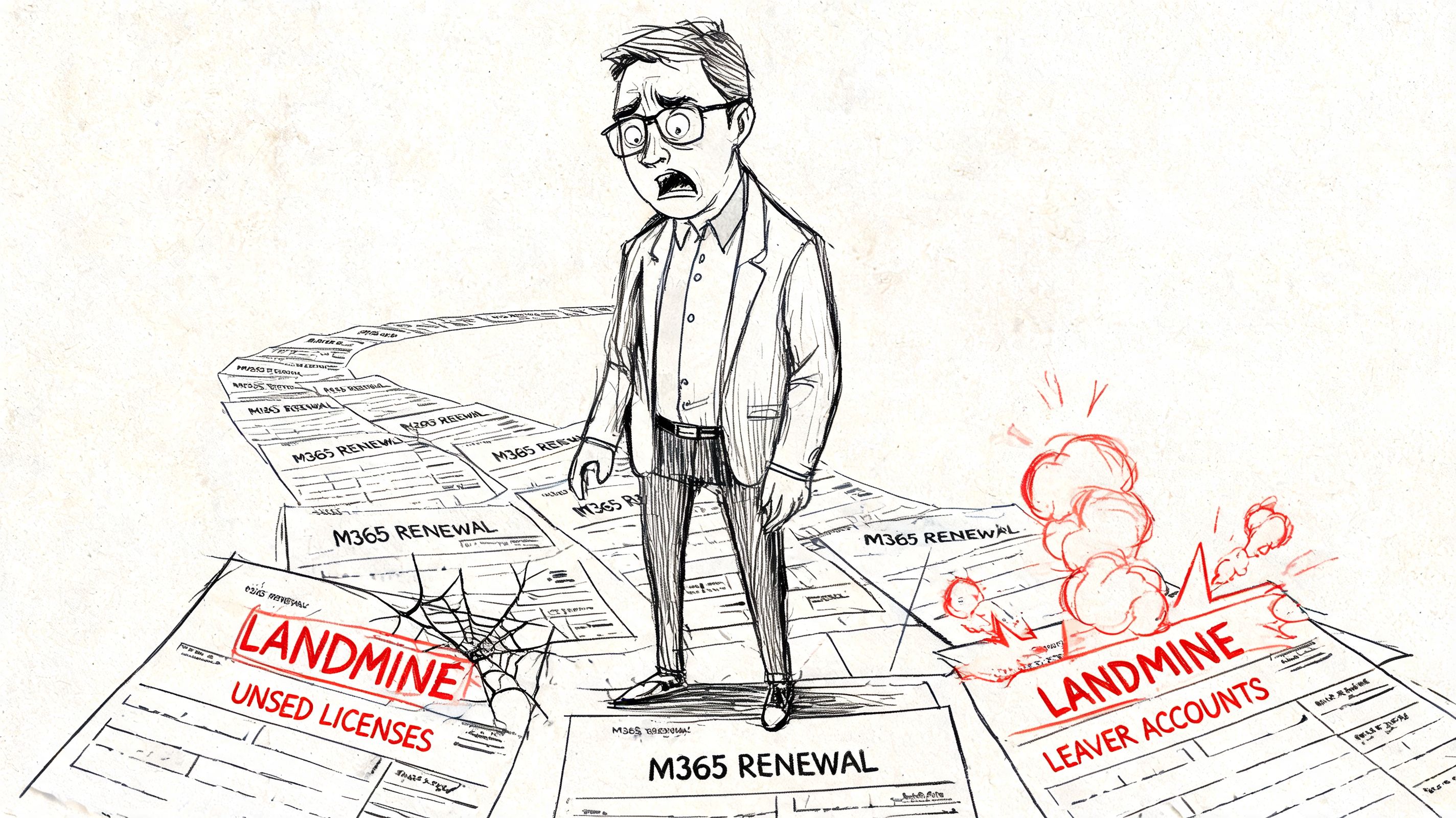
Your M365 Renewal Is a Landmine Not a Budget Line
The invoice is never the root problem. The problem is what the invoice exposes.
An IT Director in a regulated business usually sees the same symptoms. Too many E5s. Leaver accounts still assigned. Shared accounts nobody wants to touch. Frontline users sitting on licences chosen for convenience, not fit. Then renewal arrives and every shortcut from the last two years turns into cost and audit exposure.
Why the invoice keeps getting worse
The most dangerous assumption is that “assigned” means “used”. It doesn’t. That gap is where waste hides, and it’s why security and cost reviews overlap far more than is typically understated. If your environment also needs stronger operational controls, this external guide to Cybersecurity for Microsoft environments is worth reading because poor entitlement hygiene and weak security governance usually travel together.
The licensing split matters too. If your team still argues over blanket E3 versus E5 assignment, fix that before you touch renewal numbers. This breakdown of Microsoft 365 E3 vs E5 gives the commercial context, but the audit problem runs deeper than SKU comparison.
Your renewal bill is a technical debt report disguised as a finance document.
What failed projects taught us
We often see clients fail when a junior admin exports “active users” from the admin centre and calls that the baseline. That report is useful for a glance. It is not evidence. It won’t tell you whether the user needs the assigned tier, whether premium services are idle, or whether the underlying audit trail is complete enough to defend your position later.
The second mistake is relying on Microsoft’s happy-path documentation. The docs tell you what commands exist. They don’t tell you how often enterprise data quality collapses under throttling, incomplete logs, list thresholds, and broken inheritance. That’s where DIY audits become expensive.
Here’s the direct view. If your tenant is small and lightly regulated, you might tolerate a rough clean-up. If your estate includes Finance, Energy, Healthcare, multi-tenant complexity, or compliance obligations, a rough clean-up is how you walk into renewal underprepared and overexposed.
Phase 1 Scoping Your Audit to Survive Contact
Most microsoft 365 licence audit work fails before data collection starts. Bad scope guarantees bad evidence.
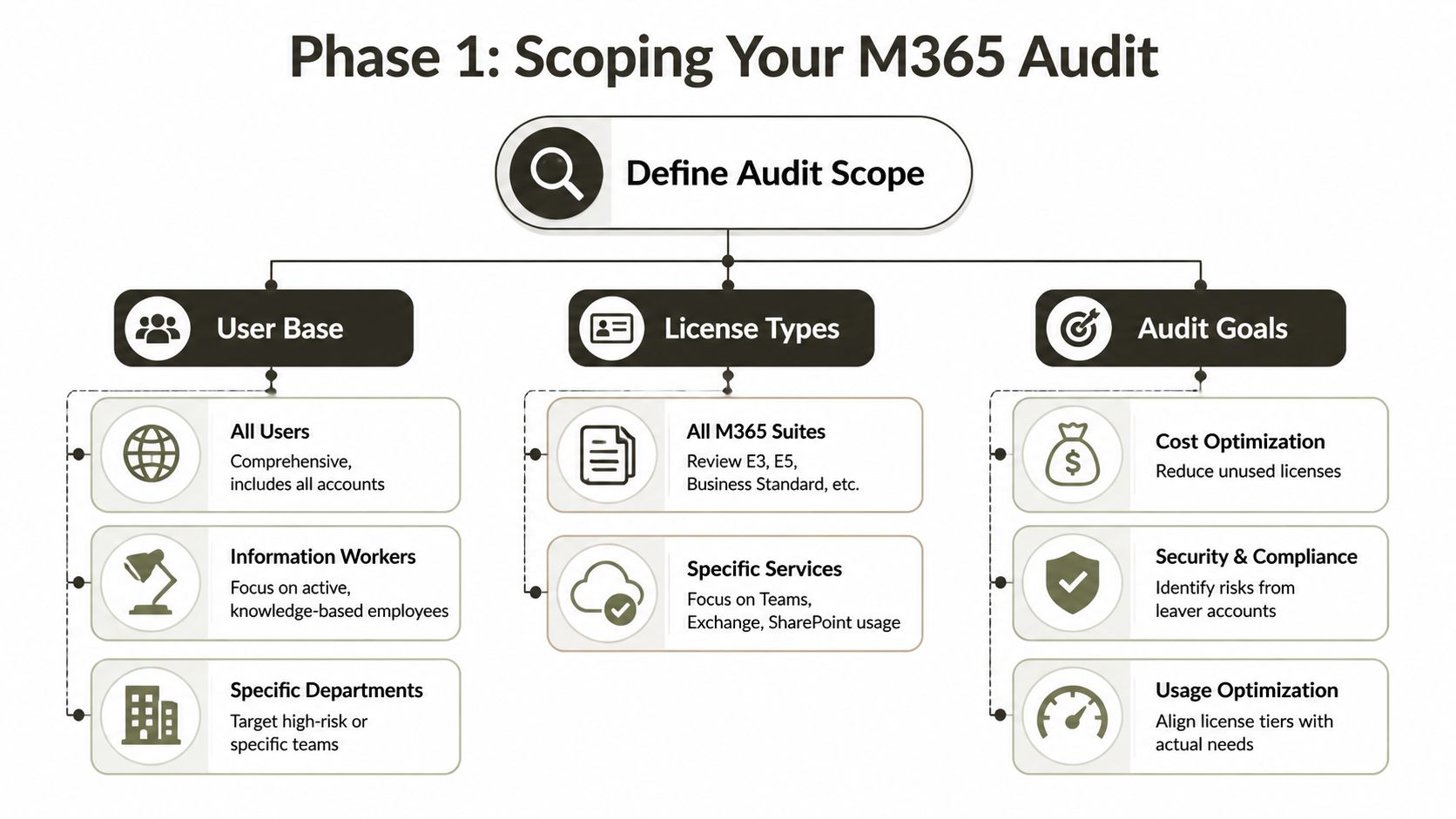
Decide what counts before you query anything
You need hard boundaries on three things:
- Which users count: All users, only information workers, or specific departments. If you exclude frontline staff at this stage, you often exclude the exact licence mismatch that inflates spend.
- Which SKUs matter first: E3, E5, Business plans, add-ons, Power BI Pro, and any premium compliance packs. A broad first pass sounds thorough, but it usually slows remediation.
- What outcome you need: Cost reduction, audit defence, governance evidence, or all three. If you mix these without priority, your team drowns in exports and never reaches action.
CoreView reports the underutilisation problem plainly. For Microsoft 365 E3, 12% of licences are inactive and 42% unassigned. For E5, 23% are inactive and 27% unassigned, with an average 56% of licences oversized, underused, or idle in the cited research from CoreView’s Microsoft Office 365 License Optimization Report. If that doesn’t force proper scoping, nothing will.
Ignore the admin centre at your own risk
The admin centre is fine for a rough operational view. It is a terrible source of truth for an enterprise audit. We often see teams trust “active” status in built-in reports, then realise much later that account assignment, sign-in evidence, and premium feature usage don’t line up.
Your scoping exercise should answer these questions in writing:
- Which identities are human, shared, service-linked, or transitional?
- Which departments are regulated and need stronger evidence?
- Which licences can be reclaimed fast without service impact?
- Which users need downgrade analysis rather than removal?
- Which logs and audit settings are already missing?
Practical rule: If your scope doesn’t separate assigned licences from demonstrable business use, your audit will overstate necessity and understate waste.
Build a business case your CFO will respect
You don’t need a hundred metrics. You need a defensible reason to investigate. The fastest path is to frame the audit as a spend and control exercise, not an admin task. Teams trying to optimize software license spend often start with inventory. That’s necessary, but inventory alone won’t survive a challenge from procurement or compliance.
If governance is already shaky, fix the oversight model in parallel. This checklist on Microsoft 365 governance audit is relevant because licence waste usually sits beside poor access reviews, weak leaver handling, and unclear ownership.
The Ollo verdict on scoping is simple. Audit all human users first, isolate regulated teams early, and treat frontline licensing as a priority rather than an afterthought. If you scope only the obvious office users, you will miss the expensive mistakes.
Data Collection The Reality of API Throttling and 5k Limits
At this stage, the DIY approach usually breaks.
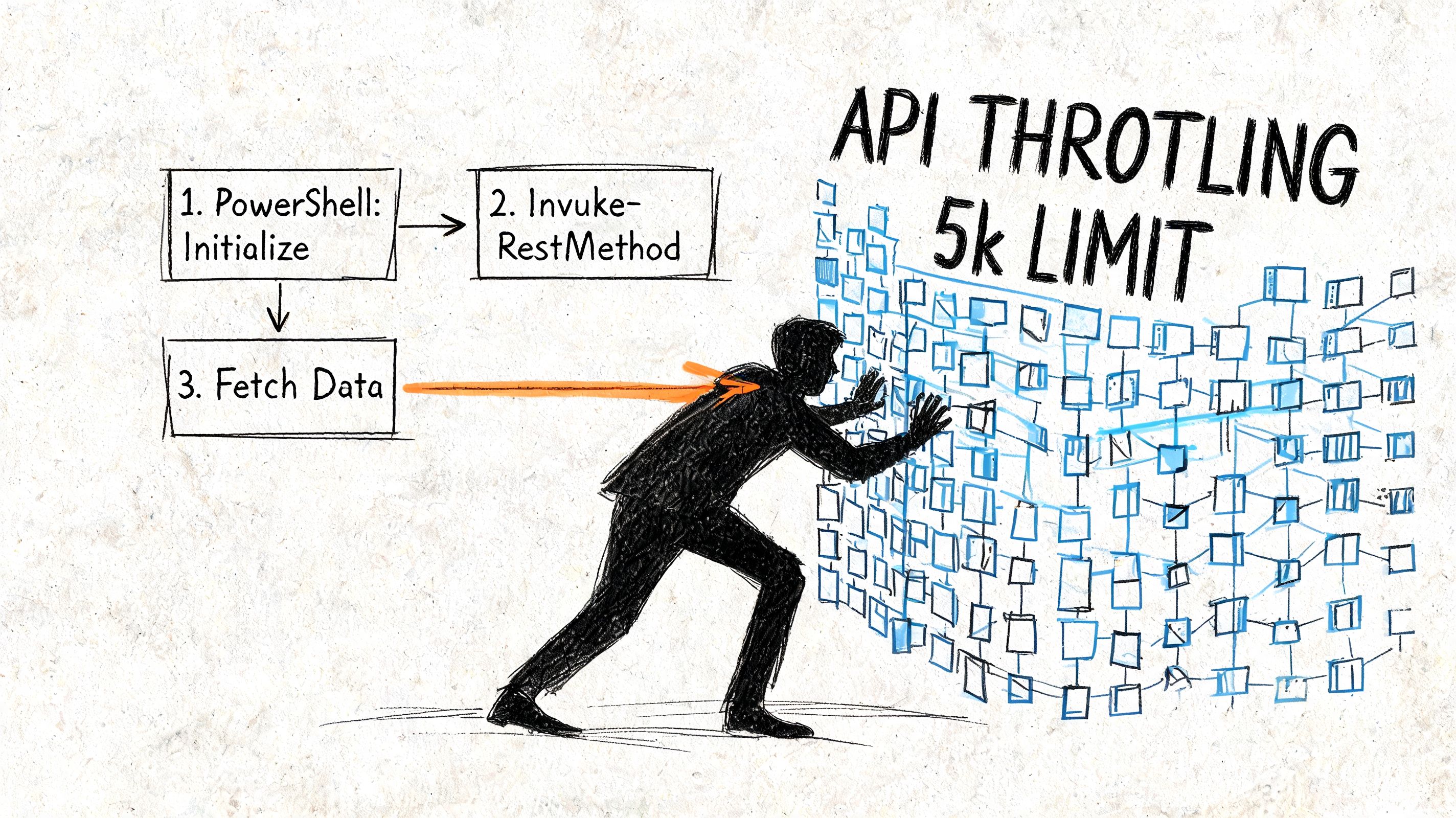
A typical internal audit starts with good intentions. Export users. Pull assigned SKUs with Graph. Add sign-in data. Maybe enrich it with audit logs. Then the scripts slow down, retry logic gets messy, and nobody is sure whether the final CSV is complete.
That isn’t bad luck. It’s the platform behaving exactly as large tenants force it to behave.
Microsoft’s tools don’t remove Microsoft’s limits
The documentation says Graph and audit tooling can expose the data you need. In reality, data collection at scale gets ugly fast. During DIY audits, unified audit logs throttle at 150k records/day per tenant, which can mask licence changes, and internal audit success rates reportedly drop below 40% without automation according to this Microsoft licensing audit guide. In multi-tenant Irish environments, GUID conflicts add another failure path.
That’s before you factor in the operational mess:
- Graph API throttling: Your team requests broad user and activity datasets, then gets delayed, partial, or failed responses.
- 5k list and query pain: Microsoft Learn-confirmed 5k item limits break naive reporting patterns across large SharePoint and related data pulls.
- Bad field choice: Teams use
LastSignInDateTimeand think they’ve found inactivity. They haven’t. Sign-in is not the same as licence value. - Inheritance oddities: SharePoint permissions and content structures make “who uses what” harder to prove than most scripts assume.
The documentation says query it. Reality says prove it.
We often see admins reach for Get-MgUser, add AssignedLicenses, and stop there. That gives you assignment status, not meaningful evidence of business need. Then they try to stitch together usage, logs, and premium activity under production pressure.
Watch the pattern closely in this example discussion of practical collection issues:
The technical trap is confidence. Because the cmdlet returns data, teams assume the dataset is whole. It often isn’t. A report can look complete despite missing licence changes, premium events, or large-result records that never arrived because the tenant hit service limits.
If your audit method can’t prove completeness, it can’t defend a renewal decision.
What to do instead
Don’t let your team improvise collection logic in production. Define a controlled extraction approach with retries, staging, validation, and known exclusions. Separate user inventory from activity evidence and from compliance evidence. Those are different datasets and they break in different ways.
For estates carrying SharePoint complexity, this executive SharePoint migration guide is relevant because the same structural issues that break migrations also break audit assumptions, especially around scale, broken inheritance, and hidden operational dependencies.
The Ollo verdict here is blunt. Microsoft’s native tooling is fine for narrow checks and small tenants. For enterprise audit evidence, native exports plus ad hoc PowerShell are a gamble.
Reconciliation Uncovering Your Hidden Licence Waste
Inventory tells you what’s assigned. Reconciliation tells you what shouldn’t be assigned.
That’s where the money is.
Active doesn’t mean appropriately licensed
A user can sign in every day, use Teams and Exchange, and still burn an E5 licence without touching the premium services that justify it. Basic reports won’t call that waste. They’ll mark the account as active and move on.
That’s why reconciliation must compare three things at once:
| User Persona | Assigned Licence | Services Used Daily | Premium Services Unused | Ollo Verdict & Action |
|---|---|---|---|---|
| Executive | E5 | Exchange, Teams, SharePoint | None confirmed as unused | Keep premium only if compliance and advanced features are evidenced |
| Information Worker | E5 | Teams, Exchange, OneDrive | Premium compliance or analytics features not evidenced | Review for downgrade to E3 if premium need cannot be demonstrated |
| Frontline | E3 | Teams, mobile access | Desktop and broader suite capability not evidenced | Reassess role fit and move to a lower tier where appropriate |
| Project Contractor | E3 or E5 | Intermittent access | Most premium services unused | Time-box access, reclaim quickly after assignment window closes |
| Analytics User | E5 plus Power BI Pro | Core M365 only | Power BI premium use not evidenced | Remove mismatch after owner sign-off |
The evidence gap gets expensive. IE-specific benchmarks show a 25% average overspend on E5 and Power BI Pro mismatches where users have premium assignments but zero premium feature logs, and over 50% of DIY audits fail because Audit (Premium) requires an A5 add-on and isn’t enabled by default, as noted in this Microsoft Learn-related discussion on checking licence changes in audit logs.
Why most internal teams miss the oversized users
They look for inactivity. They don’t look for over-provisioning.
Those are different problems. Inactivity flags reclaim candidates. Over-provisioning identifies users who are active but badly matched. If your audit never checks premium feature evidence against assigned premium SKUs, you’ll recover some leaver licences and still miss the structural overspend.
A clean reconciliation model usually groups users by persona, not by department chart alone:
- Executive and regulated roles: Keep premium only with clear compliance, investigation, or security justification.
- Information workers: Test whether their actual workload supports E5 or just habit.
- Frontline and task-based roles: Challenge broad assignment defaults aggressively.
- Joiners, movers, leavers: Catch transitional waste before it hardens into annual spend.
Field lesson: The biggest waste rarely sits in totally inactive accounts. It sits in active accounts with the wrong licence.
Governance matters here too
You can’t reconcile entitlements in isolation from role design. If HR, IT, and security ownership are fuzzy, licence assignment drifts. That’s why role clarity and access boundaries matter, especially when you’re securing HR and IT data across sensitive teams.
If you need a commercial lens on downgrade opportunities, this guide on how to reduce Microsoft 365 licensing costs helps frame the decision, but don’t skip the evidence step. Downgrading without proving service use is how you break legal hold, retention, or reporting expectations.
The Ollo verdict on reconciliation is direct. Don’t stop at “inactive user” reports. Hunt the oversized user population. That’s where recurring savings sit.
The Remediation Playbook Reclaiming to Automation
Finding waste is straightforward. Reclaiming it safely is where teams damage production.
Manual clean-up creates new problems
Admin-centre click work looks harmless until someone removes the wrong licence from the wrong object. Shared accounts, service-linked identities, project users, temporary high-privilege roles, and compliance-sensitive users all need different handling. One rushed clean-up can trigger access failures, retention gaps, or audit confusion.
A workable remediation sequence is stricter than often expected:
- Strip the obvious waste first. Unassigned licences and confirmed leaver accounts come before anything nuanced.
- Pause before downgrades. Oversized users need evidence review, business owner sign-off, and rollback conditions.
- Protect critical edge cases. Service dependencies, transitional identities, and regulated roles need exclusion logic.
- Log every action. If you can’t show who approved the reclaim, your process won’t survive scrutiny.
One-off remediation is a false economy
Most internal audits happen near renewal because that’s when finance notices the problem. That timing is already a failure. If your environment only gets cleaned once a year, it will drift back into waste almost immediately through joiners, role changes, temporary projects, and lazy default assignment.
Automation is the only durable answer. That doesn’t mean blind auto-removal. It means controlled workflows that flag inactivity, detect mismatch, route approval, execute changes, and preserve rollback records.
We often recommend using Power Automate and scripted controls together for operational follow-through. This guide on Power Automate workflows for non-technical teams is useful for the approval layer, while the extraction and enforcement layer still needs effective scripting and tenant-aware controls.
Copilot adds another trap
The newest licence problems won’t announce themselves politely. Emerging 2026 Copilot licensing traps in the Irish Energy sector are often missed by DIY audits. Documentation says Copilot needs an E5 base, but in reality GUID conflicts in tenant consolidations can break audit trails, and DIY PowerShell PnP scripts hit Microsoft Learn-confirmed 5k item limits on usage reports, as discussed in this piece on Microsoft 365 licensing risks you can avoid.
That matters because modern remediation isn’t just reclaiming old waste. It’s preventing new waste from AI, add-ons, and post-migration entitlement drift.
Operational rule: If your licence remediation plan has no rollback path and no repeatable automation, you don’t have a remediation plan. You have a one-time gamble.
The single body recommendation I’ll make is factual. Ollo typically uses ShareGate, targeted scripting, and governance-led remediation patterns for complex Microsoft 365 estates where native tools and manual admin-centre work are too brittle. That’s not a slogan. It’s a delivery choice shaped by the failure modes above.
The Ollo verdict. Use manual clean-up for very small, low-risk tidy-ups only. For anything with regulated users, tenant consolidation history, or premium compliance services, you need automation and change control.
The Ollo Verdict When a DIY Audit Becomes a Career Risk
A partial audit can make your numbers look better for a quarter. It won’t make your environment safe.
That’s the problem skeptical IT Directors eventually run into. The board sees licence cost. You see the bigger risk. Incomplete evidence, poor entitlement mapping, and brittle extraction methods don’t just weaken cost control. They leave you exposed when procurement, Microsoft, or a regulator asks for proof.
Where the risk turns personal
For small, lightly regulated businesses, a rough internal review may be acceptable. For Irish organisations in Finance, Energy, or Healthcare, it often isn’t. Generic audit advice talks about “licence sprawl” and then stops before the compliance consequences.
It shouldn’t. Irish finance clients can face €50k+ penalties when DIY audits expose under-licensing of Purview for data retention under CBI-related expectations tied to the Consumer Protection Code 2025 updates, as described in this article on common mistakes in managing Microsoft 365 licenses. Missing this doesn’t just waste budget. It creates a governance problem you may have to explain in person.
The decision line
Use a DIY audit if all of the following are true:
- Your tenant is modest in size
- You don’t operate in a tightly regulated environment
- You can tolerate incomplete optimisation
- Your licence model is simple
- Your estate has no serious migration history
Escalate to specialist support if any of these are true:
- Your data collection already hits throttling or query limits
- Your environment includes tenant-to-tenant consolidation baggage
- Your regulated teams rely on Purview, audit evidence, or role-sensitive controls
- You need an Effective License Position that can stand up to challenge
- Your team has already tried and produced conflicting reports
The career risk isn’t the invoice. It’s signing off on bad evidence and discovering the gap during an audit, investigation, or renewal dispute.
A microsoft 365 licence audit is not procurement admin. It’s cloud architecture, identity governance, evidence handling, and operational risk management rolled into one decision. Treat it that way.
If your team is staring at conflicting Microsoft 365 reports, renewal pressure, or compliance concerns you can’t confidently evidence, talk to Ollo. We work on complex Microsoft 365 estates where licence sprawl, tenant history, and audit gaps create real operational risk, and we can assess where your current approach is likely to break before it does.

















