



Your SharePoint migration probably already started failing before anyone touched a migration tool.
It fails when leadership treats it as infrastructure housekeeping instead of a business risk programme. It fails when your team assumes Microsoft’s free tooling is enough for enterprise complexity. It fails when nobody maps permissions properly, nobody challenges stale content, and everyone pretends a cutover plan can compensate for bad discovery.
That’s why an executive SharePoint migration guide can’t read like vendor documentation. Vendor documentation tells you what a tool can do. It doesn’t tell you where your migration breaks under pressure, or how quickly a technical issue becomes a compliance incident.
I’m writing this from the angle that matters to IT Directors. Your migration isn’t judged by whether files copy. It’s judged by whether your users keep working, your permissions stay intact, your regulators stay quiet, and your board never has to ask why a “simple Microsoft 365 move” turned into an operational mess.
Understanding the Migration Stakes
We often see the same opening scene.
An IT Director inherits an ageing SharePoint estate. The farm is still running on old versions, business teams have layered years of unmanaged permissions on top, and the organisation wants “cloud by quarter end”. Someone runs a quick assessment, picks SPMT, books a cutover window, and assumes the rest is execution.
Then reality hits.
The migration starts cleanly enough. A few small libraries move. Confidence rises. Then the larger sites begin throwing API throttling errors. A records library crosses the 5,000-item view threshold that Microsoft Learn explicitly warns about. Long nested folders trigger the 400-character path length limit. Permissions don’t land cleanly because inheritance had already been broken years ago. The team now has partial content in the target, a noisy user base, and no trustworthy rollback logic.
That scenario isn’t rare. In the IE region, over 65% of mid-size enterprises were still running on-premises SharePoint Server as of early 2025, with all the exposure that creates around unsupported legacy estates and compliance risk, according to Ollo’s migration analysis at https://ollo.ie/blog-posts/share-point-online-migration.
Legacy farms create business risk
If your organisation still runs SharePoint 2013 or 2016, this is not a neutral technical debt item. It is a governance problem.
Unsupported platforms don’t just age badly. They accumulate undocumented workflows, hidden dependencies, and permission structures that nobody wants to inspect because inspection exposes how fragile the estate has become.
Practical rule: If leadership describes your migration as “lift and shift”, leadership hasn’t understood the estate.
The documentation is right, but incomplete
Microsoft’s documentation is clear about throttling and scale limits. The problem is that many internal teams read those limits as footnotes instead of project breakers.
The same Ollo analysis notes that 20 to 40% of content usually needs to be culled before migration. Skip that step and your team drags redundant, risky, or structurally broken content straight into the new platform. That’s how you turn one bad environment into two.
The same source also notes that for mid-size IE firms with 250 to 2,000 users, migration timelines commonly stretch to 2 to 6 months without expert phasing. That’s what executives need to hear. The risk isn’t just delay. Missing the hard constraints early creates permission defects, GUID conflicts, and legal exposure late.
Defining Objectives and Stakeholder Responsibilities
Most failed migrations don’t collapse because the tooling was wrong on day one. They collapse because nobody defined what success meant.
“Move SharePoint to Microsoft 365” is not an objective. It’s a vague instruction. Your team needs a decision-grade brief that states what must be preserved, what must be redesigned, what can be retired, and who signs off each risk.
Start with business outcomes, not tooling
Executives should force the programme into a few hard questions:
- What are you migrating for. Exit unsupported farms, merge tenants, enforce zero-trust, reduce compliance exposure, modernise collaboration, or all of the above.
- What cannot break. Records access, finance team permissions, legal hold, metadata fidelity, workflow continuity, external sharing controls.
- What are you willing to redesign. Site architecture, Entra ID structure, retention model, Power Automate replacements, Teams integration.
- What are you deliberately not carrying forward. Dead sites, duplicate libraries, abandoned workflows, private permission islands.
If your steering group can’t answer those questions in plain English, the migration scope is still fiction.
Assign owners before discovery ends
A migration without named owners becomes an IT blame circle. I’ve seen technical teams identify broken inheritance early, only for nobody in the business to own the access model. The result is always the same. The migration moves ahead with assumptions, then users escalate after cutover because access no longer matches how they work.
Use a practical ownership model like this:
| Responsibility area | Primary owner | What they must decide |
|---|---|---|
| Platform architecture | Enterprise Architect | Target topology, site model, migration pattern |
| Security model | Security lead | Conditional access, identity dependencies, least-privilege rules |
| Compliance controls | Compliance or legal | Retention, data handling, regulated content treatment |
| Content ownership | Business unit leads | What stays, what goes, what is business-critical |
| Delivery governance | IT Director or programme sponsor | Scope control, risk acceptance, go-live authority |
Define non-negotiable acceptance criteria
A serious migration needs acceptance criteria that executives can test, not generic statements about success.
Use criteria such as:
- Permission integrity must be validated for high-risk sites before cutover.
- Business-critical content must be reconciled against inventory, not guessed from user complaints.
- Compliance controls must exist in the target before production use begins.
- Rollback and fallback decisions must be owned by named leaders, not improvised during cutover.
- Customisations and workflows must be classified as retire, rebuild, or replace.
If no business owner signs off the access model, the access model isn’t approved. It’s abandoned.
Stop scope creep at the source
Scope creep doesn’t arrive dramatically. It arrives as “while we’re at it” decisions.
A tenant consolidation becomes an identity redesign. A site move becomes a records project. A simple file migration absorbs workflow replacement and security remediation. None of those are bad ideas. They’re dangerous when they are discovered mid-flight.
Your job at executive level is to force binary decisions. Add the item with budget and timeline impact, or defer it. Don’t let the project carry hidden work in polite language.
Creating a Comprehensive Risk Register
A migration risk register is not PMO theatre. It is the only document that tells the truth when optimism starts outrunning engineering.
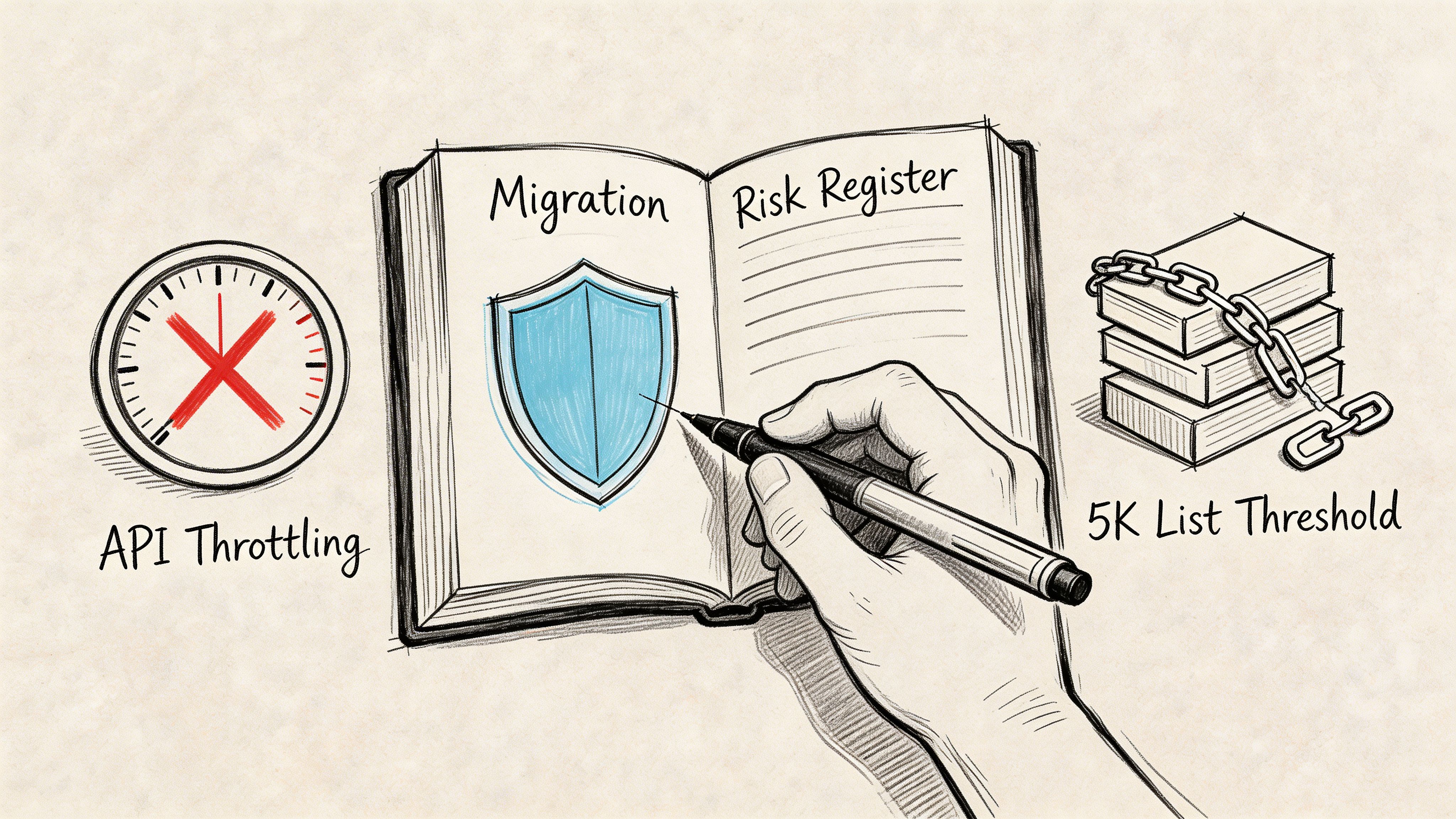
If your register only contains generic entries like “data loss”, “downtime”, and “user resistance”, it’s useless. Enterprise SharePoint risk lives in specific failure modes. Microsoft Learn validates many of them, and your team should log them with technical detail, business impact, trigger conditions, and mitigation ownership.
The risks that actually stop migrations
The first one is API throttling. Microsoft Learn confirms that exceeding 100 concurrent requests per user or 2,000 requests per app leads to 429 responses during SharePoint migration API activity, as described in Microsoft’s migration speed guidance at https://learn.microsoft.com/en-us/sharepointmigration/sharepoint-online-and-onedrive-migration-speed. That isn’t an annoyance. It halts jobs, fragments batches, and leaves your target in an untrusted state.
The second is the 5,000-item list threshold. Teams underestimate it because they think of lists as content, not infrastructure. In reality, oversized lists become operational blockers. Your migration can stall, validation can fail, and downstream permissions can become difficult to verify when data lands inconsistently.
The same Microsoft guidance also underpins the throughput problem. IE-region benchmarks show 1 to 2 GB/hour per agent during off-peak hours, with speeds dropping 50 to 70% during business hours if you don’t use more intelligent throttling controls. Ollo’s post-mortems of self-run projects found 40% of projects abandon after week 1 when those limits aren’t handled. Those numbers matter because they convert a “technical nuisance” into a planning and executive reporting issue.
What a usable risk register includes
A good register needs structure. For regulated organisations, I also recommend adapting governance thinking from teams that already formalise risk treatment. If you need a framework for documenting likelihood, control gaps, and treatment plans, you can utilize a SOC 2 risk assessment template as a practical starting point and then tailor it to SharePoint migration conditions.
Use entries like these:
- API Throttling Risk: Triggered by concurrency, network contention, or poor batching. Mitigation requires controlled parallelism, scheduling, and retry logic.
- List Threshold Failure: Triggered by oversized libraries and badly structured lists. Mitigation requires discovery, restructuring, or segmented migration waves.
- Path Length Breach: Triggered by deep folder hierarchies and legacy naming. Mitigation requires pre-migration path remediation.
- Broken Inheritance: Triggered by historic permission customisation. Mitigation requires permissions analysis before content movement.
- GUID Conflict in Tenant Moves: Triggered by identity and object mismatch during consolidation. Mitigation requires scripted remediation, not hopeful manual mapping.
Score risk by impact, not by optimism
Don’t let delivery teams down-score technical risks because they feel “manageable”. A risk can be technically familiar and still be commercially severe.
| Risk | Why executives should care | Mitigation owner |
|---|---|---|
| API throttling | Delays cutover and corrupts confidence in migration progress | Migration architect |
| Broken inheritance | Exposes or blocks regulated content | Security and content owners |
| GUID conflict | Breaks identity mapping and access continuity | Identity architect |
| Path limit failure | Causes silent exclusion or failed jobs | Technical delivery lead |
If your team hasn’t built this register yet, get one built before migration execution. If you want a neutral view of hidden blockers, request a technical audit at https://ollo.ie/free-audit.
Selecting Migration Patterns with Decision Criteria
Choosing a migration pattern by tool preference is how enterprises create expensive rescue work.
The right question isn’t “Should we use SPMT or ShareGate?” The right question is “What pattern matches the shape of our risk?” A farm exit, a tenant consolidation, and a rescue migration from a failed attempt are not the same job. Treating them as interchangeable is sloppy architecture.
Three patterns executives actually face
The first is on-premises to SharePoint Online modernisation. This is the pattern many teams think they have. Sometimes they’re right. If the estate is structurally clean, identity is stable, and the business only needs a managed move with governance uplift, this can work as a phased migration.
The second is tenant-to-tenant consolidation. Many internal teams become overconfident. Existing guides often focus on on-premises moves or simple file transfer models, but cross-tenant work introduces a different class of failure. Microsoft’s team sites migration guidance sits within that broader migration documentation context at https://learn.microsoft.com/en-us/sharepointmigration/sp-teams-sites-migration-guide, but in practice SPMT does not handle cross-tenant scenarios. That gap drives teams into improvised PowerShell approaches that amplify identity mismatches and permission defects.
The third is rescue migration. This is the pattern nobody budgets for and many organisations end up needing. A rescue migration is not a restart. It is a containment exercise after partial movement, permission drift, broken cutover logic, or target contamination.
The hidden pattern is identity-driven
For Irish regulated sectors, tenant consolidation often fails not on file movement but on identity integrity.
The verified data on this topic is blunt. It cites that 28% of regulated firms faced cloud migration compliance failures due to identity mismatches in 2025, and that a Q1 2026 Microsoft outage throttled 40% of cross-tenant migrations in EU tenants. Those are not broad migration stories. They are warnings about cross-tenant dependency and identity fragility.
GUID conflicts and broken inheritance escalate into executive issues. Once permissions stop mapping cleanly, your migration is no longer a content project. It becomes a security and compliance event.
The documentation says migration limits exist. Reality is that identity complexity decides whether those limits become minor delays or major failures.
Migration Patterns Decision Matrix
| Pattern | Cost | Compliance Risk | SLA Considerations |
|---|---|---|---|
| On-premises modernisation | Moderate when the estate is clean, high when customisations need redesign | Medium if permissions and retention are reviewed early | Best handled in phased waves with controlled business impact |
| Tenant-to-tenant consolidation | High because identity, mapping, and governance redesign often sit underneath the move | High, especially where regulated content and Entra ID redesign intersect | Requires strict sequencing, dependency control, and strong validation between waves |
| Rescue migration | Often highest because you’re fixing damage while still trying to deliver | Very high because prior errors may already have exposed content or broken access | Demands cautious cutovers, rollback logic, and forensic validation |
Decision criteria that matter
Ask these questions before committing to a pattern:
- Identity complexity: Are domains, groups, and user objects changing, or just content locations?
- Compliance sensitivity: Will legal, finance, healthcare, or regulated operational data move under stricter controls?
- Operational tolerance: Can the business accept phased disruption, or does it require tightly controlled cutovers?
- Target-state intent: Are you preserving architecture, or using the move to redesign it properly?
- Failure recovery: If wave one lands badly, can your team diagnose and correct without contaminating later waves?
My recommendation
Use the simplest pattern only when the estate is simple. Most enterprise estates aren’t.
If your environment includes cross-tenant movement, merged identities, historic permission customisation, or regulated content, pick the pattern that assumes complexity early. That usually means planning for consolidation or rescue mechanics, not pretending a straight lift-and-shift will survive contact with reality.
Implementing Governance and Compliance Safeguards
A migration without governance controls is just a faster way to replicate bad decisions.
Many teams leave governance until after cutover because they’re afraid it will slow delivery. That’s backwards. Weak governance is what slows delivery later, when access defects, retention gaps, and overshared content start surfacing in production.
Put controls in the target before users arrive
Your target tenant should already have a working control model before any critical site lands.
That means your team needs to define:
- Retention handling: Which content classes need labels, holds, or controlled disposal.
- Permission governance: Where inheritance is allowed, where it isn’t, and who can grant exceptions.
- External sharing posture: Whether sensitive sites permit any guest access.
- Identity enforcement: Conditional access and least-privilege rules tied to actual risk.
For readers who need a practical baseline for documenting migration artefacts, approvals, and control evidence, Ollo’s SharePoint migration documentation guidance is useful at https://ollo.ie/blog-posts/share-point-migration-documentation.
Governance failures usually start with permissions
Broken inheritance is rarely an isolated technical issue. It usually signals that site ownership was never governed properly.
If you migrate that structure without redesigning the access model, you carry hidden exposure into Microsoft 365. Your users may not notice on day one. Audit teams will.
A workable executive checklist looks like this:
- Classify sensitive locations before migration waves begin.
- Map business owners to every high-risk site and library.
- Standardise access groups instead of migrating ad hoc permissions blindly.
- Pre-approve exceptions for business areas that need unique access.
- Validate target controls before opening migrated sites broadly.
Governance doesn’t delay migration. Governance stops cutover from turning into incident response.
Treat compliance as a build requirement
Compliance teams shouldn’t be called in to “review” after the technical work is done. They need to shape the target state.
If your migration includes regulated content, your architects, security leads, and compliance owners should jointly approve the target control model. Otherwise the delivery team will optimise for movement speed, and your organisation will pay later in remediation work.
Designing Timelines and Phased Milestones
The six-week migration promise is one of the more damaging lies in this market.
Enterprise migrations take the time that discovery, dependency analysis, validation, and governance require. Compress those activities and you don’t get efficiency. You get hidden defects that emerge after users arrive.
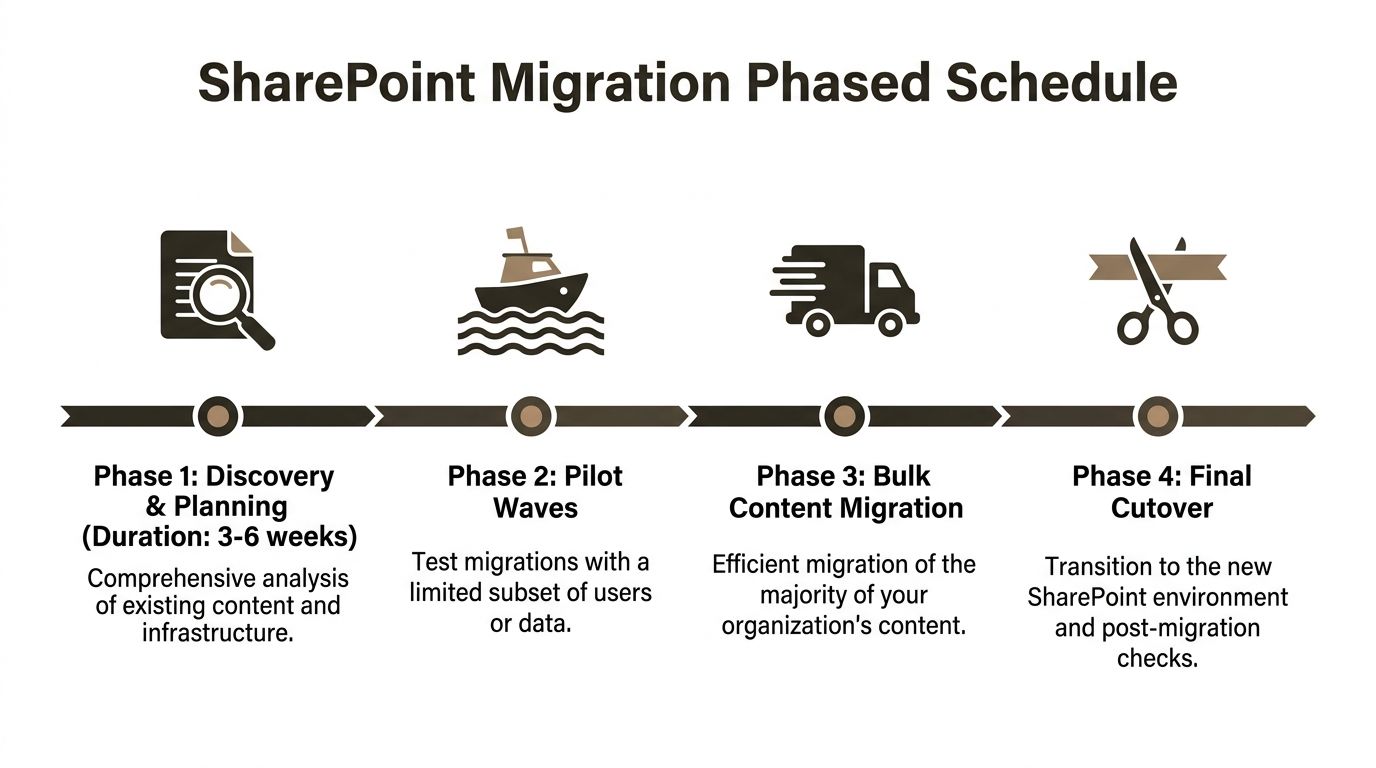
For larger estates in the IE region, 3 to 6 weeks of discovery and planning alone is normal for 5,000+ user environments, and 10,000-user on-premises to Online programmes commonly run 4 to 8 months, according to the enterprise migration benchmarks referenced at https://www.epcgroup.net/blog/best-sharepoint-migration-services. The same source notes project costs of $50,000 to $500,000+, with 15 to 25% premiums driven by HIPAA or GDPR add-ons and workflow modernisation.
Phase the work or expect drift
A realistic programme usually follows four milestones:
| Phase | What actually happens |
|---|---|
| Discovery and planning | Inventory, dependency analysis, permissions review, risk logging |
| Pilot waves | Small but representative migrations that test tooling, mapping, and business impact |
| Bulk content migration | Main movement in structured waves with active validation |
| Final cutover | Controlled transition, sign-off, and post-migration correction window |
The timing pressure usually worsens in larger estates. The same benchmark set notes that for 100+ TB estates, timelines can expand to 6 to 14 months when permission drift and hidden dependencies emerge.
Speed matters, but only when controlled
There is one part executives often misunderstand. Fast migration throughput is useful, but only after the architecture is right.
The IE-region benchmark data also notes 85% speed gains in low-latency Dublin scenarios, with 1TB in under 10 hours in that context. That’s valuable. It doesn’t replace planning. It rewards planning.
If you need a reality check against your current internal timeline, compare it with the phased planning approach discussed at https://ollo.ie/blog-posts/share-point-migration-timeline.
Milestones that deserve executive sign-off
Don’t let every milestone stay technical. Some gates need sponsor approval:
- Discovery complete: The organisation accepts the actual scope, not the hoped-for scope.
- Pilot accepted: Business users confirm that migrated content and access are usable.
- Compliance cleared: Control owners approve the target safeguards.
- Cutover authorised: Leadership accepts residual risk and fallback conditions.
Your timeline should expose decision points, not hide them.
Handling Failure Modes and Delivering the Ollo Verdict
Most migration plans look competent until failure begins. That’s when you find out whether your team built engineering controls or just built confidence slides.
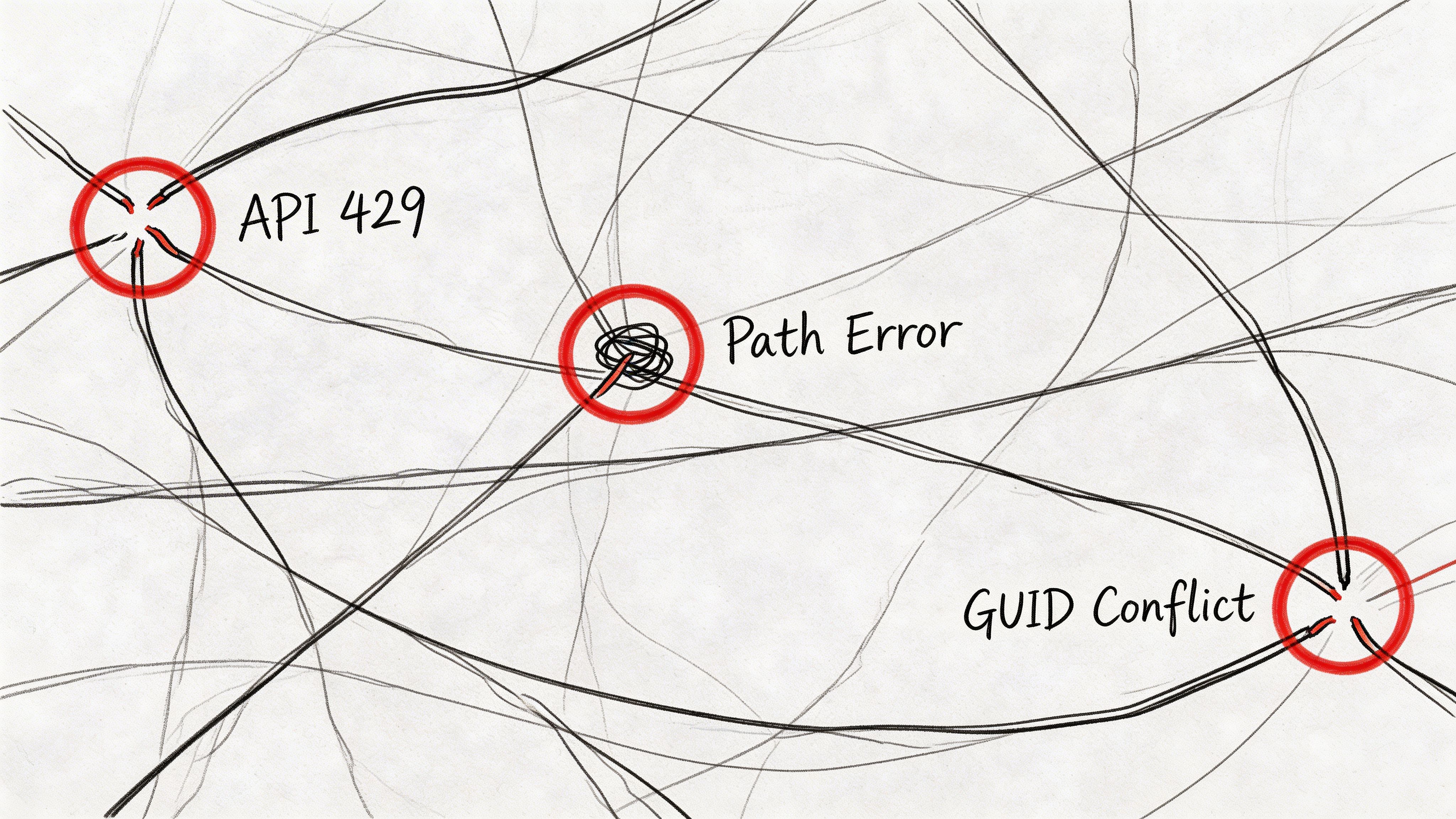
The usual enterprise failure modes are predictable.
API 429 errors start appearing because concurrency wasn’t managed properly. Path length failures exclude content your users assume moved. List threshold issues interrupt large-site execution. Broken inheritance creates access anomalies that only become visible when departments start working in the target. GUID conflicts during consolidation produce permission mismatches that are far harder to fix after bulk movement.
What to do when things go wrong
When throttling starts, stop pretending more retries alone will solve it. Reduce concurrency, re-sequence jobs, move heavy execution to off-peak windows, and use proper exponential backoff logic. If your team cannot explain exactly how they’re controlling throughput and retry behaviour, they are not managing the migration. They are observing it.
When path errors appear, don’t just rerun the task. Identify the naming and hierarchy rules causing the breach, remediate them at source, and revalidate the inventory. Repeatedly launching failed jobs against unchanged source structures wastes time and muddies reporting.
When permissions break, freeze assumptions. Pull a before-and-after access comparison for affected sites, identify where inheritance had diverged from policy, and decide whether you’re preserving a justified exception or repairing historic sprawl.
Some projects need crisis discipline
Once a migration has partially failed, technical recovery starts to resemble programme crisis management. Decisions become time-sensitive, stakeholder pressure rises, and legal exposure may need parallel handling. In that sort of environment, broader crisis frameworks can help executives structure escalation and authority, including references such as Commercial and International Crisis Management when operational risk starts bleeding into contractual or regulatory concern.
If your team is already in that state, read the failure patterns and recovery considerations discussed at https://ollo.ie/blog-posts/share-point-migration-failed.
Here’s a short explainer worth sharing internally before your next steering meeting:
Tool comparison without the nonsense
SPMT has value. It is free, familiar, and fine for small, low-complexity moves. But Microsoft’s own documentation and the enterprise patterns above make its limits obvious in serious environments.
ShareGate is stronger operationally, especially when paired with controlled scripting and permission-aware planning. Even then, tooling is not the strategy. The strategy is architecture, discovery, governance, and disciplined execution.
One specialist option in that category is Ollo’s cloud migration service, which is built around ShareGate, custom PnP scripting, tenant consolidation work, and Entra ID redesign patterns rather than basic SPMT-only execution.
Ollo verdict: Use SPMT for less than 50GB. For anything larger, or anything involving cross-tenant movement, regulated content, broken inheritance, or identity redesign, you need custom scripting or ShareGate with PnP automation.
That recommendation is blunt because the risk is real. A failed migration doesn’t just miss a date. It breaks trust in IT, interrupts operations, and can create compliance exposure your leadership then has to explain.
Securing Your Migration with Ollo Expertise
You don’t need another migration partner who promises confidence and then discovers your risks halfway through execution.
You need a team that already assumes the ugly parts are there. API throttling. Broken inheritance. GUID conflict. Permission drift. Hidden dependencies. Workflow baggage. Regulated content that cannot land in the wrong place even briefly.
That’s the difference between commodity migration delivery and specialist risk reduction.
A proper migration partner should challenge your scope, force hard decisions, inventory what matters, cull what shouldn’t move, and validate security before users touch the target. If they don’t, they’re not protecting your organisation. They’re just moving content and hoping the defects stay hidden long enough.
If your estate includes tenant consolidation, rescue work, or identity redesign, treat migration as a specialist discipline. Generalist Microsoft support thinking won’t carry you through enterprise failure modes.
For organisations that need that type of engagement, review the service approach at https://ollo.ie/services/cloud-migration and decide whether your current plan is engineered for success or merely scheduled for it.
If your SharePoint migration sits on unsupported infrastructure, unclear permissions, or cross-tenant complexity, don’t let your team learn the hard way. Talk to Ollo before your first bulk wave. It’s cheaper to prevent a migration disaster than to explain one after cutover.

















