



You’re probably in the same place most IT Directors land when microsoft 365 e3 vs e5 turns into a budget fight. Finance sees a licence uplift. Security sees gaps. Operations just wants the migration finished without blowing up identity, permissions, or audit trails. Meanwhile Microsoft’s comparison pages smile politely and pretend this is a neat feature selection exercise.
It isn’t.
In regulated organisations, this decision sits inside a much uglier reality. You’re rarely just buying licences. You’re cleaning up years of SharePoint sprawl, consolidating tenants after an acquisition, fixing Entra ID design mistakes, and trying not to lose legal hold data in the process. That’s where projects fail. Not on the product sheet. In the messy gap between “licensed” and “operational”.
The E3 vs E5 Decision Your CFO Does Not Understand
A CFO looks at E3 and asks a simple question. Why pay more for E5 if people already have email, Teams, Office apps, and basic compliance?
Because the wrong answer doesn’t just trim cost. It creates a project that looks cheaper until your team hits the first hard technical wall.
For a 500-user organisation, moving from E3 at about €36/user/month to E5 at about €57/user/month adds €126,000 annually, but that headline misses the point. E5 also bundles over €32/user/month in add-ons that regulated firms often end up buying anyway, including Defender for Office 365 P2 and advanced audit with 6-year retention. That cost breakdown matters if you’re being pushed to justify the uplift in a board room, and it’s laid out in this Microsoft 365 E3 vs E5 cost analysis.
The documentation says E3 gives you basic compliance. In reality, basic compliance is what people say right before legal asks for evidence they can’t reliably preserve, search, or explain.
What finance misses
Finance usually prices licences as if your architecture is stable. Yours probably isn’t.
You may be dealing with:
- A merger problem: Two tenants, two naming standards, two permission models, one deadline.
- A legacy SharePoint problem: Old libraries with deep folder paths, broken inheritance, and content nobody has classified properly.
- A zero-trust problem: Security wants stronger controls, but identity hygiene is nowhere near ready.
That’s why I’d treat this as a risk decision first and a licensing decision second. If you want to cut cost without creating blind spots, start with licence rationalisation and packaging discipline, not wishful thinking. A proper review like how to reduce your Microsoft 365 licensing costs without losing features then becomes useful.
Your CFO is approving a line item. You’re signing up for the failure mode if the migration or compliance model collapses.
The On-Paper Comparison Everyone Gets Wrong
Search results for microsoft 365 e3 vs e5 usually serve up the same tired checklist. E5 has more security, more compliance, more voice, more analytics. Fine. Everyone knows that already.
What those comparisons get wrong is the implied conclusion. They make it sound as if E3 and E5 are just two tidy product bundles on a shelf. They aren’t. One is usually the start of add-on sprawl and architectural compromise. The other gives you a more coherent control plane, assuming your implementation team doesn’t wreck it during migration.
| Area | E3 on paper | E5 on paper | What actually matters |
|---|---|---|---|
| Security | Core controls | Advanced protection | Whether your identity model can stop lateral movement |
| Compliance | Basic features | Advanced audit and risk tooling | Whether legal, audit, and retention survive real investigations |
| Voice | Often extra | Broader bundled capability | Whether you’re stacking licences into operational chaos |
| Analytics | Limited bundle | Power BI Pro included | Whether data access and governance are actually controlled |
Security looks fine until it isn’t
The documentation says E3 gives you data protection and access controls. In reality, it often feels like protecting one entrance while the service corridor stays open.
You can absolutely build something workable on E3 in a stable environment. The trap is assuming a regulated, changing, merger-prone environment is stable. It usually isn’t.
Voice and analytics are where people fool themselves
Teams Phone and Audio Conferencing often get treated as optional extras until the business decides they’re mandatory, then someone starts stacking licences on E3. Same with Power BI Pro. What looked “cheaper” turns into a patchwork of entitlements your admins now need to track, justify, and troubleshoot.
That’s the pattern I distrust most. Not because add-ons are bad, but because fragmented licensing drives fragmented operations.
Practical rule: If your design relies on “we’ll just bolt that on later”, you haven’t reduced cost. You’ve delayed it and made support harder.
The comparison table you actually need
Forget Microsoft’s polished matrix for a minute. Ask these instead:
- Will your migration involve tenant consolidation?
- Will audit, legal, or compliance teams need stronger retention and investigation tooling?
- Will your security design depend on higher-grade identity controls rather than manual process?
- Will your admins end up stitching together E3 plus multiple add-ons anyway?
If the answer is yes to most of those, the cheap option usually stops being cheap very quickly.
Security Deep Dive Beyond the Marketing Checkbox
Security is where microsoft 365 e3 vs e5 stops being a procurement debate and becomes an architecture debate. This is the part vendor slides flatten into coloured ticks. Those ticks hide the control gaps attackers use.
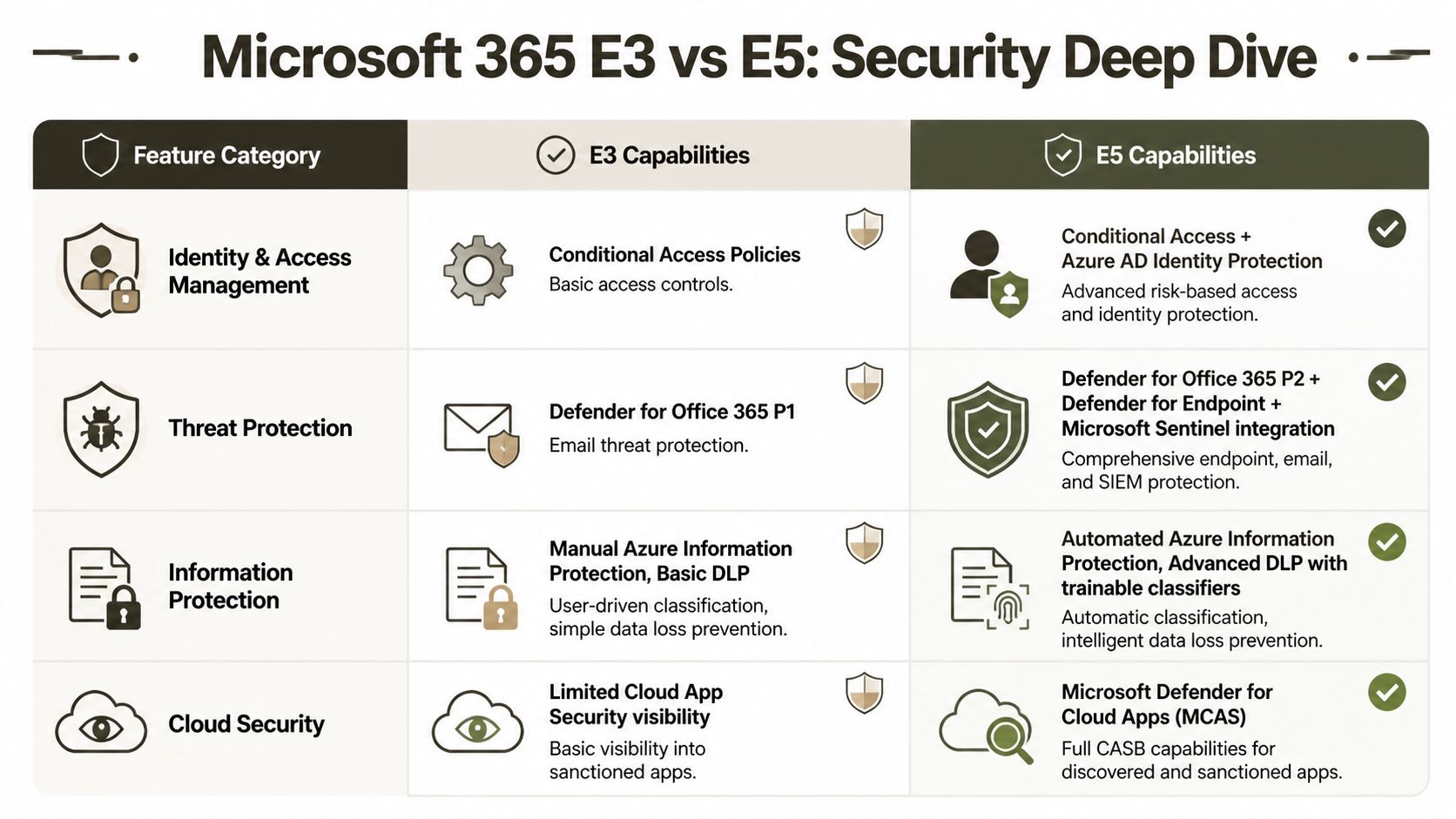
For IE-region enterprises, E3 offers foundational DLP for SharePoint, Exchange, and OneDrive, while E5 extends that to Teams and individual Endpoints with Adaptive Protection and auto-labelling policies, according to Microsoft’s feature overview for Microsoft 365 and Purview capabilities. That sounds like ordinary product packaging until you map it to how data leaves your estate.
The real gap is Entra ID P1 versus P2
People often understate the risk.
E3 typically leaves you with Azure AD P1 level identity capability. E5 brings P2, including Identity Protection and Privileged Identity Management. Microsoft’s own security baselines acknowledge the gap. In the field, that gap is where lateral movement gets traction. An attacker doesn’t care that you have a respectable compliance document. They care that standing privilege, weak role hygiene, and poor risk-based controls let them move.
If your admins still hold broad rights all day, every day, your “zero trust” design is theatre.
What P1 lets you do
P1 gives you the basics. You can set policies. You can improve access control. You can look more organised than you were before.
That’s not enough for hostile conditions.
What P2 changes
P2 changes the operating model. It lets you force privilege elevation discipline and use stronger identity risk signals. That matters when contractors, legacy service accounts, inherited admin roles, and rushed mergers have already made your directory messy.
A lot of useful reading on this sits outside Microsoft’s own packaging pages. If you want a grounded view of how these controls fit together, Nutmeg Technologies has a decent overview of advanced Microsoft cybersecurity features.
Endpoint and collaboration risk don’t stay in one place
Defender discussions get mangled in licensing meetings because people reduce them to “email security” or “endpoint AV”. That’s old thinking.
Your users move between Outlook, Teams, browsers, OneDrive sync, local endpoints, and mobile access constantly. Threats move with them. Security that stops at one workload is a liability disguised as a control.
Here’s the ugly pattern we often see:
- The tenant has E3 with selective add-ons. Someone bought part of the stack.
- Identity stayed weak. Admin workflows were never rebuilt.
- DLP coverage stayed uneven. Some data channels were covered, others weren’t.
- Incident response got fragmented. Different consoles, different assumptions, different blind spots.
That’s how teams convince themselves they’ve “closed the gap” while keeping the same operational failure points.
The documentation says scaling from E3 is straightforward. In reality, partial security upgrades create islands of protection inside a directory that still trusts too much.
My blunt view on security licensing
If your environment is flat, static, and lightly regulated, E3 can be defensible. If your users, suppliers, workloads, or auditors create complexity, E3 security is a compromise you’ll spend your time compensating for.
The practical baseline for leadership teams is simple:
- Choose E3 when the estate is stable and you can accept manual controls.
- Choose E5 when privilege, insider risk, endpoint coverage, and audit scrutiny are part of normal life.
- Do the identity redesign first if your admin model is already sloppy. Licences won’t save bad architecture.
You can tighten the operational side with a proper review against Microsoft 365 security best practices for CTOs, but the licensing decision still matters because some controls are not there in the lower tier.
Compliance and eDiscovery The True Cost of Failure
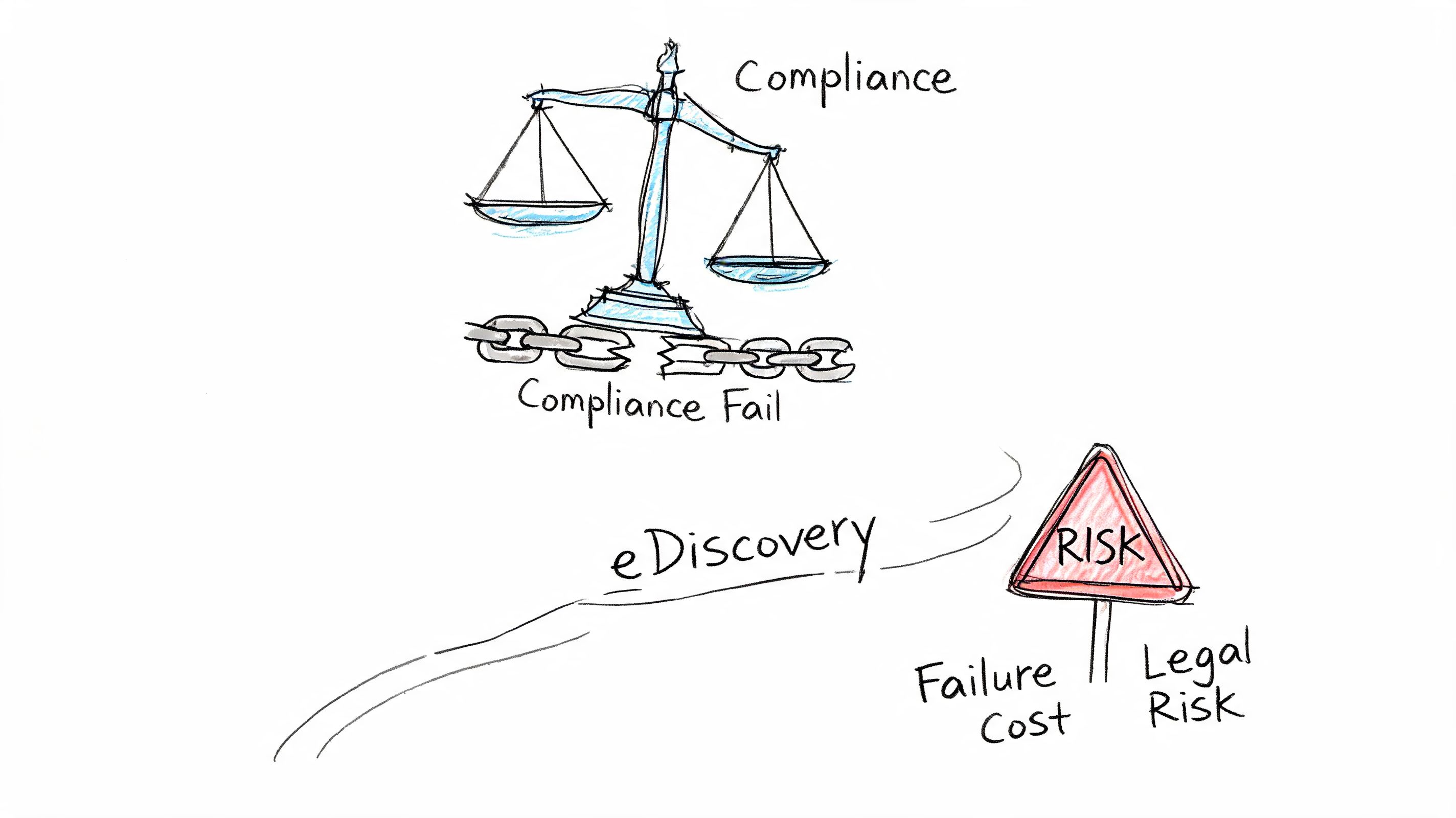
Monday morning. Your compliance lead receives a regulator notice. Legal demands a defensible hold across mail, Teams, SharePoint, and user activity before lunch. Your tenant is on E3, half the controls are manual, and three admins are arguing over which audit logs still exist. That is the fundamental microsoft 365 e3 vs e5 decision. Not features. Failure.
Security incidents hurt. Compliance failures stay in the building longer. They pull legal, records, privacy, risk, and the board into the same mess, and they do it on a timetable you do not control.
The cost argument finance keeps flattening
Procurement teams love a neat licence delta. Regulated organisations do not fail neatly.
For a 500-user estate, the annual jump from E3 to E5 looks expensive on paper. Microsoft’s own service descriptions show why that simplistic view breaks down. E5 folds in higher-end compliance, audit, and investigation capabilities that many firms otherwise try to bolt on later through separate purchases and ugly workarounds, as documented across the Microsoft 365 enterprise plan comparison and related service descriptions.
The actual bill arrives later.
It shows up when legal cannot collect fast enough, when records teams cannot prove disposition decisions, or when an auditor asks for evidence tied to user actions and your logs are too shallow, too short-lived, or too fragmented to stand up. In regulated sectors, that is not an IT inconvenience. It is discoverability risk, reporting risk, and personal risk for the people who signed off on the operating model.
eDiscovery breaks first under pressure
Core eDiscovery looks fine during a quiet quarter. Then a whistleblower complaint lands, or an external investigation starts, and the holes become obvious.
Counsel does not care that IT saved money on licensing. Counsel wants holds that are applied correctly, collections that are complete, review workflows that do not collapse under volume, and an audit trail that survives challenge. E5 earns its keep here because Advanced eDiscovery changes how the case is run. Microsoft documents capabilities such as custodian management, review sets, analytics, and machine learning assisted relevance work in its Advanced eDiscovery documentation.
That matters because manual review is where teams burn time, lose context, and make bad calls.
I have seen this go wrong more than once. A healthcare group keeps E3, adds bits around the edges, and tells itself process will cover the gap. Then an HR investigation needs Teams chats, mailbox content, file versions, and proof of who touched what and when. Collection takes too long. Legal reviews exports in disconnected chunks. Nobody trusts the chain of custody. At that point, the licence saving is gone and the career damage starts.
Regulated firms need proof, not policy slides
A policy library does not save you during an inquiry. Evidence does.
That is why governance discussions need to connect directly to platform capability and retention design. If you want a policy-level view, this piece on mastering governance risk compliance frameworks is useful. It will not fix weak audit depth, clumsy legal hold execution, or a manual evidence process stitched together from exports and hope.
Teams that stay on E3 usually say the same thing. “We’ll mature process instead.” Fine. Mature process around what, exactly? Humans clicking through basic cases? Spreadsheet tracking for legal holds? Admins exporting content by hand while under notice? That is not maturity. That is exposure with a governance wrapper.
A better starting point is to map regulatory obligations to the controls you can actually operate day to day. This breakdown of why enterprises can’t afford to wait on Microsoft Purview gets closer to the real discussion than another feature table.
What I would ask before approving E3
Skip the workshop theatre. Ask the questions that matter.
- Can legal preserve and collect across the data sources that matter, fast enough to meet an actual notice?
- Can your compliance team explain retention, disposition, and audit evidence without pulling in three separate admins?
- Can you investigate insider behaviour with one coherent case workflow instead of stitched-together exports?
- Can you defend chain of custody to a regulator or opposing counsel without hand-waving?
- Can you survive if the matter involves merged tenants, legacy SharePoint permissions, or dormant mailboxes?
If any answer is vague, E3 is a bad bet in a regulated environment. The lower price is bait. The expensive part is finding out too late that your compliance design only worked in PowerPoint.
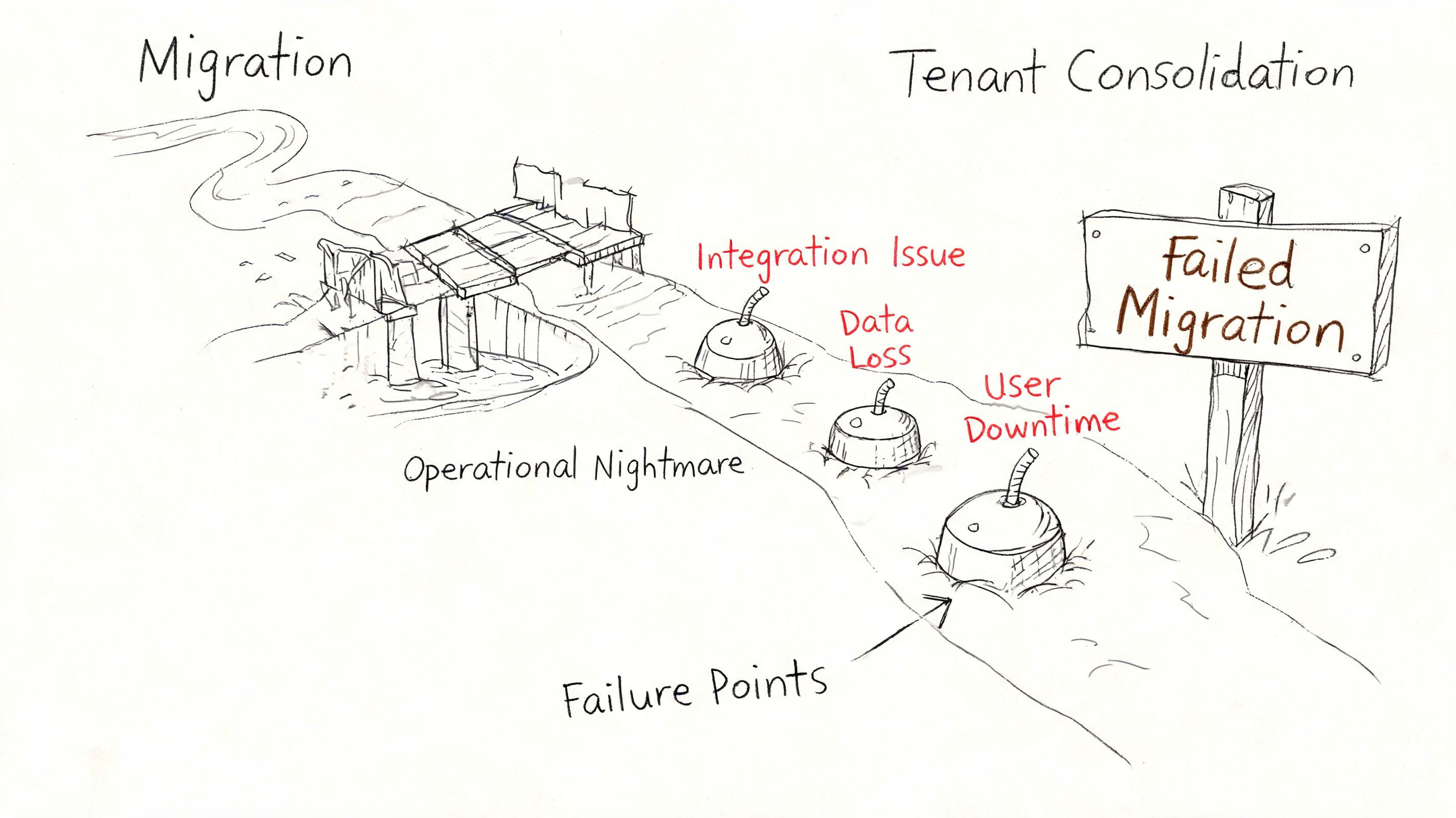
The Migration Minefield Why Tenant Consolidations Fail
Most microsoft 365 e3 vs e5 articles never get to the part that wrecks careers. Tenant consolidation.
That omission is absurd because regulated organisations rarely sit still. They acquire, merge, divest, regionalise, and inherit old SharePoint estates no one has touched properly in years. The licensing discussion only matters if you can move data and identity into the target architecture without corrupting permissions, losing content, or breaking audit assumptions.
Where the basic tools break
The sales story around migration tools is always too polite.
SPMT has a place. I’ll happily say that. If you’re moving a small, simple workload with minimal permission complexity, it can do the job. But licensing guides ignore what happens in tenant-to-tenant consolidation across regulated estates. We often see clients fail when they rely on basic tooling and hit API throttling limits and 400-character path length restrictions, both called out in Microsoft Learn documentation and discussed in this write-up on E3 versus E5 tenant migration realities.
Then the fun starts.
- Broken inheritance shows up where no one expected it.
- GUID conflicts scramble permission mapping.
- Identity sync assumptions collapse under real tenant differences.
- Zero-trust controls fail audit because the migrated identities and permissions don’t line up cleanly.
The documentation says identity sync is straightforward. In reality, custom PowerShell PnP work becomes mandatory if you want to avoid GUID mismatches and preserve a defensible permission model.
The 5k and path-limit traps are not edge cases
A lot of internal project plans still treat list thresholds and path issues like annoying exceptions. They aren’t. They are the shape of the work in old enterprise SharePoint.
The verified material points to Microsoft Learn documentation confirming the 5,000-item list threshold and path limits. Once you hit those constraints in a badly organised estate, migration isn’t just slower. It becomes less trustworthy. You stop asking, “How fast can we move it?” and start asking, “What exactly did we break?”
If your migration plan doesn’t explicitly model throttling, list thresholds, and path remediation, it isn’t a migration plan. It’s a hope document.
Why tenant consolidations fail in practice
It usually comes down to four failures of discipline:
- They assess content volume, not content structure. File count is easy. Inheritance chains, folder depth, custom metadata, and abandoned sites are what hurt you.
- They treat identity as an afterthought. Then role mapping, group translation, and legacy accounts collide with the target Entra design.
- They trust generic tooling defaults. Defaults are fine until the first exception-rich site collection turns into a permissions crime scene.
- They skip post-migration validation. Data “moved” is not the same as data remaining usable, searchable, and governed.
I’ll outline the practical split. Use SPMT for small, low-risk jobs. For enterprise consolidation, teams usually need ShareGate plus custom scripting and strong validation discipline. In such scenarios, a specialist service such as tenant-to-tenant migration support becomes less of a convenience and more of a control measure.
A short walkthrough helps if you need to explain the mechanics to non-specialists before a steering meeting:
Ollo verdict on migration tooling
Use SPMT for a small, clean workload. For anything beyond that, especially regulated tenant consolidation, you need enterprise tooling, custom PnP scripting, identity redesign discipline, and someone willing to say no to unrealistic timelines.
DIY is high-risk because the failure mode hides until after cutover. That’s the worst kind of failure. Your users are live, your auditors are curious, and your permission model is lying to you.
A Decision Matrix for Real-World Scenarios
The useful way to handle microsoft 365 e3 vs e5 is by scenario, not by generic pros and cons. Different estates break in different ways.
Post-merger financial firm
You’ve inherited two tenants, duplicate identities, overlapping SharePoint structures, and a board-level expectation that consolidation will “standardise risk”. Licensing guides often mislead people here, because the core issue is the interaction between compliance controls and migration complexity.
Ollo Verdict: Choose E5. Not because it has more ticks, but because a post-merger environment needs stronger identity and compliance controls while you untangle permissions and preserve audit posture. E3 plus add-ons invites fragmentation at the exact moment you need coherence.
Healthcare provider facing NIS2 pressure
This is the scenario where people most often try to be clever with add-ons. They hold onto E3, bolt on selected security products, and hope they can mature governance later.
That pattern is already showing strain. A 2025 HISA Ireland survey found 41% of providers faced governance fragmentation post-NIS2 enforcement when trying to add security on top of E3 rather than running a fully integrated approach, as discussed in this analysis of E3 versus E5 licensing choices.
Ollo Verdict: If you hold patient data and face active regulatory pressure, E3 is a false economy. The integrated model matters more than the initial saving.
Stable enterprise with low regulatory heat
This is the one scenario where I won’t automatically push E5. If your estate is stable, your SharePoint footprint is controlled, your identity model is already disciplined, and legal discovery demands are modest, E3 can be defensible.
But be honest about “stable”. Most estates claim stability right up to the acquisition, litigation request, or security event that exposes all the shortcuts.
Ollo Verdict: E3 can work, but only if you can prove the environment is simple, governed, and unlikely to need rapid expansion of controls.
Energy sector consolidation with legacy SharePoint
Energy environments often combine operational caution with ugly legacy content. Old file shares, inherited SharePoint farms, odd permission models, and strict reporting expectations make this a migration problem first.
You need a licensing choice that supports the target state, but the bigger decision is whether your team can execute the move without data loss, broken inheritance, and compliance drift.
Ollo Verdict: E5 plus specialist-led migration discipline. Anything else is a gamble with legal and operational fallout attached.
Buy E3 only when your environment is simple enough that you can defend every compromise. If you can’t defend it, don’t sign it off.
The Ollo Verdict Your Checklist to Avoid Disaster
A bad E3 vs E5 decision rarely fails in procurement. It fails six months later, during cutover, legal review, or the first serious incident. That is why regulated organisations get burned. The spreadsheet says one thing. The estate does another.
My recommendation is simple. If you are consolidating tenants, inheriting messy SharePoint, or carrying regulated data, choose E5 unless you can prove the environment is boring, tightly governed, and unlikely to change. In every other case, E3 buys a short-term saving and hands the delivery team a longer list of ways to fail.
I have seen this pattern too many times. Leadership signs off on E3 because the feature table looks close enough. Then the project runs into throttling, permissions chaos, weak role design, retention gaps, and a legal team asking who approved a target state they cannot defend. At that point, the licence saving is irrelevant. You are paying for rework, delay, and executive cover.
Pre-migration sanity checklist
Run this before anyone signs a statement of work, locks the target architecture, or tells the board the timeline is safe:
- Model throttling against the project timeline. Have you planned for API throttling and Microsoft-documented content constraints in the actual schedule, not the sales version?
- Scan structure before you pick tools. Have you identified long paths, oversized lists, broken inheritance, and legacy permission anomalies before migration design starts?
- Prove GUID conflict handling. Do you have a tested method to detect and fix GUID collisions after migration?
- Validate the identity design under pressure. Has your Entra ID model been checked against privileged access workflows, role mapping, audit trails, and segregation of duties?
- Force legal to sign the risk, not just IT. Has legal or compliance accepted the eDiscovery, retention, and review limits of the chosen licence in writing?
- Price the add-on mess accurately. If you are proposing E3, can you show every add-on you will need and who will own the resulting control sprawl?
- Define post-cutover verification. Have you documented how you will test permissions, holds, labels, and access behaviour after go-live?
- Get an outside review before you commit. Has an independent specialist tried to break the plan and expose the failure points your internal team is too close to see?
That last check matters more than teams want to admit.
Internal staff know the estate. They also inherit its blind spots, its political compromises, and its bad assumptions. Asking them to mark their own migration homework is how regulated firms end up explaining preventable failures to auditors and counsel.
If you need an independent pre-project reality check, use a Microsoft 365 migration risk audit before you commit to tooling, sequencing, or licence posture.
If your organisation is weighing E3 against E5 while staring at a migration, consolidation, or compliance deadline, talk to Ollo. We work on the ugly end of Microsoft 365 projects, where path limits, broken inheritance, GUID conflicts, and weak Entra design turn budget decisions into incident reports.

















