



Your CFO wants the Microsoft 365 bill down. Your compliance lead wants nothing touched that could weaken retention, eDiscovery, auditability, or access control. Your infrastructure team wants this done with native reports and a few PowerShell scripts because Microsoft makes it look simple.
That’s the trap.
We often see IT Directors in finance, healthcare, and energy get pushed into a “quick optimisation” exercise that gets treated like spreadsheet hygiene. It isn’t. Your licence estate sits on top of identity design, data retention, mailbox state, SharePoint permissions, legal hold, external access, and whatever half-finished zero-trust work your organisation has been postponing. Cut in the wrong place and you don’t just save less. You break something expensive.
Most advice on how to reduce microsoft 365 licensing costs is written for clean, small tenants with tidy HR processes and no regulator breathing down their neck. That’s not your environment. Your environment has inherited groups, stale guests, duplicate entitlements after acquisitions, and business units that swear they “need E5” because nobody ever mapped the requirement properly.
If you’re trying to make savings stick, start with the same discipline you’d apply to any other cost programme. The broader guidance on technology budgets is useful because it treats spend reduction as an operating model decision, not a procurement stunt. That’s the right frame.
Your M365 Bill Is a Minefield Not a Spreadsheet
The pressure is real and the shortcuts are worse
A familiar scenario plays out like this. Finance asks for a hard reduction in cloud spend before renewal. Someone exports licence assignments, spots “inactive” users, proposes an E5-to-E3 downgrade wave, and calls it a plan. On paper, that looks decisive. In production, it’s how teams trigger mailbox disputes, retention gaps, broken access, and ugly board updates.
We often see clients fail when they treat licensing as a purchasing problem instead of a dependency problem. A user’s SKU isn’t just a cost line. It may underpin mobile access rules, Defender controls, legal hold workflows, archive behaviour, or admin boundaries that nobody documented properly.
Your team doesn’t need a cheaper tenant. It needs a tenant that stays compliant after the savings land.
The vendor story doesn’t help. Microsoft gives you reports, admin centres, and enough dashboards to create false confidence. The documentation says the capability exists. In reality, enterprise tenants hit scale limits, inconsistent metadata, and old design decisions that make “simple” changes risky.
What a real optimisation looks like
The right mindset is surgical. You identify waste, yes, but you also map blast radius before you reclaim anything. In regulated environments, I care less about your first list of downgrade candidates and more about these questions:
- Identity dependency: Which users rely on specific controls tied to their current entitlement?
- Data state: Which accounts sit behind legal hold, retention, delegated access, or shared content ownership?
- Operational role: Which “light users” are exceptions because of audit, investigation, or privileged access needs?
- Tenant history: Which licences got duplicated because of an acquisition, carve-out, or failed migration?
That last one causes more damage than is commonly acknowledged. A tenant shaped by M&A almost never responds well to generic optimisation advice. It carries historical baggage in groups, apps, SharePoint structures, and cross-border permissions that doesn’t show up cleanly in a cost report.
The board wants savings you can defend
You don’t need another article telling you to “review inactive licences regularly”. You already know that. What you need is a method that lets you cut spend without creating technical debt, compliance exposure, or emergency project work a month later.
That’s the bar. If a cost-cutting idea can’t survive legal review, a regulator’s question, and a restore test, it isn’t savings. It’s deferred damage.
The Initial Audit Illusion Why Native Tools Fail You
Your first instinct is usually the Microsoft 365 Admin Center. That’s sensible for a first pass. It’s also where most bad decisions start.
CoreView’s research says the average business can cut 14% from its Microsoft 365 bill by managing inactive licences, according to its Microsoft Office 365 License Optimization Report. The opportunity is real. The problem is that DIY audits often rely on native reporting that doesn’t show the full estate.
Why the data lies by omission
Microsoft Learn documentation confirms limits on Entra ID sign-in log exports, including 1,000 records per query. The documentation says you can export the data. In reality, at enterprise scale, throttled API calls and query limits mean your “inactive user” list may be missing a large chunk of the tenant.
That matters because a partial audit creates false certainty. You’ll present a neat spreadsheet to leadership, start reclaiming licences, and later discover you were looking at an incomplete sample.
A basic approach often looks like this:
Get-MgUser -All | Select-Object DisplayName, UserPrincipalName, AccountEnabledOr this:
Get-MgAuditLogSignIn -Top 1000Those commands are fine for getting started. They are not a reliable enterprise audit model on their own.
What native reporting misses
Native tools struggle when you need to answer questions that matter:
| Audit question | Native answer | Real-world problem |
|---|---|---|
| Who hasn’t signed in recently? | Partial sign-in history | Export limits and throttling hide inactivity patterns |
| Who uses premium features? | Fragmented by workload | You must cross-check multiple admin surfaces |
| Which accounts are safe to reclaim? | No single answer | Retention, legal hold, shared ownership, and app dependency sit elsewhere |
If you want a practical walkthrough of what to inspect before you trust the numbers, this guide on Microsoft 365 licence audits and unused spend is a sensible starting point.
Practical rule: If your audit depends on one export, one dashboard, or one admin centre, it isn’t an audit. It’s a guess with formatting.
The Ollo verdict
For a very small tenant, native reports are adequate for rough clean-up. For a regulated enterprise, using them as your primary decision engine is negligent. You need a cross-workload audit that accounts for scale limits, API throttling, retention state, and role context. Otherwise your savings model starts with bad evidence and ends with avoidable damage.
Mapping Users to Minimal Viable SKUs
Rightsizing fails when teams turn it into a mass downgrade exercise. “Everybody on E5 moves to E3” isn’t strategy. It’s laziness dressed up as financial discipline.
Stop buying by headcount
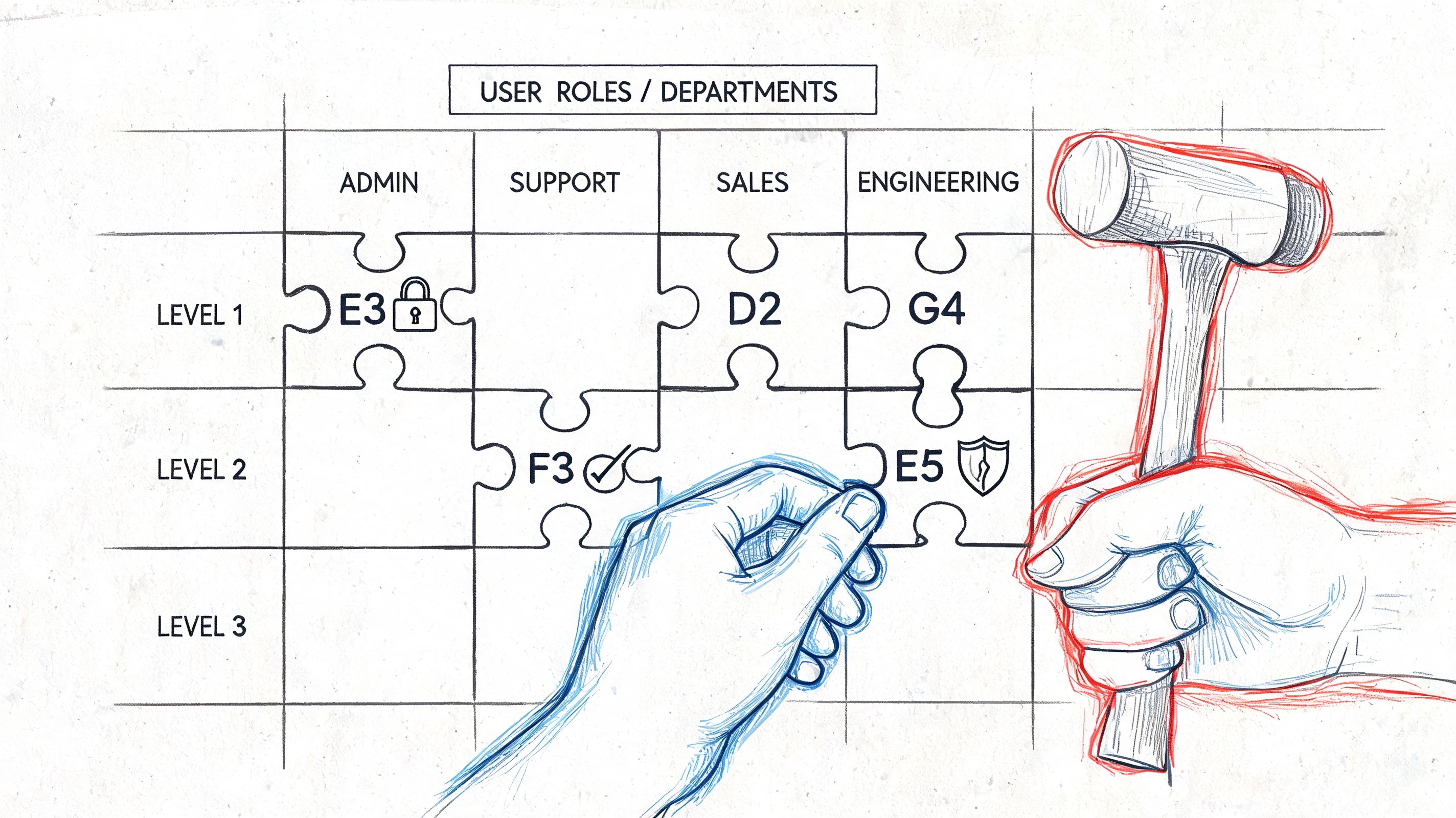
The useful model here is Minimum Viable Licensing. Zecurit’s framework says 20-35% of staff often fall into a tier where Business Premium or E1 is sufficient, and it documents a 750-person firm that saved $187,000 annually by downgrading 200 users from E3 to Business Premium and rightsizing E5s. It also notes that rightsizing can cut licence-specific costs by up to 40% in the right cases, as described in its Microsoft 365 licence management analysis.
That only works when you classify by function, risk, and actual feature use.
A model that survives contact with reality
I split users into operational personas, not procurement buckets:
- Frontline and task-focused roles: Often candidates for lighter licensing, but only after you check device posture, access methods, and line-of-business app dependency.
- Information workers: Usually the largest group. Over-licensing commonly occurs within this group because people use mail, Teams, and Office heavily but never touch the premium controls bundled in higher tiers.
- Privileged or regulated roles: These users often justify premium licensing, but only because of specific security, audit, investigation, or compliance needs. Not job title vanity.
The documentation says feature matrices are clear. In reality, organisations rarely map them properly against what departments do.
Here’s the discipline I expect your team to apply:
- Pull actual feature consumption, not just sign-in activity.
- Map each department to business-critical capability, not generic titles.
- Flag legal, security, and audit exceptions before any downgrade.
- Pilot changes with rollback plans, not broad licence swaps on day one.
A useful primer before those discussions is this comparison of Microsoft 365 E3 vs E5, especially if your stakeholders keep collapsing the decision into cost alone.
After you’ve mapped the personas, this walkthrough is worth watching because it helps frame the SKU discussion in operational terms rather than vendor packaging noise.
Where teams get burned
We often see clients fail when they assume “low usage” means “low requirement”. It doesn’t. Some users rarely touch advanced functions until litigation, investigation, audit, or incident response suddenly makes those capabilities absolutely essential.
Downgrade decisions should follow role evidence and control requirements. They should never follow impatience.
The Ollo verdict
Use persona-based segmentation, feature evidence, and exception handling. Don’t buy by headcount and don’t downgrade by spreadsheet. If your team can’t explain why each affected user still meets security and compliance obligations after the change, you’re not optimising. You’re gambling.
Reclaiming Licenses Without Creating Data Ghosts
Finding unused licences is the easy part. Reclaiming them safely is where most DIY projects start leaving wreckage behind.
Flexxible reports that organisations can achieve up to a 45% reduction in Microsoft 365 costs through reclaiming unused licences, removing inactive accounts, and downgrading oversized ones, as outlined in its piece on Microsoft 365 savings. Fine. But the same real-world exercise turns ugly when your team starts deprovisioning users without thinking through what happens to their data.
Offboarding is where cost projects become incidents
The classic amateur move is to find a set of inactive users and script their removal. That may free a licence. It may also orphan OneDrive content, disrupt shared links, and create retention confusion around mailboxes or sites.
Microsoft Learn documentation warns about the 260-character path length limit in SharePoint scenarios. The documentation says migration and archiving are supported. In reality, long-path failures can break user data archival during offboarding, which means your cost-saving exercise now includes missing files and frantic restore work.
What a safe reclaim process actually includes
Before your team removes or downgrades anything, it should verify:
- Content ownership: Who owns the user’s OneDrive data, shared files, Teams content, and mailbox dependencies?
- Retention state: Is the mailbox or content under legal hold, retention, or investigation?
- Archive path viability: Will SharePoint or file structures fail because of long path constraints during archive or transfer?
- Business continuity: Has a manager or data owner accepted the handover?
If you’re still managing all of this through ad hoc spreadsheets and manager emails, you’ll recognise the bottlenecks in this piece on replacing manual user review with AI-assisted workflow.
Remove the licence only after you’ve secured the data state. Reversing that order is how “savings” become legal and operational rework.
The Ollo verdict
A command like Remove-MsolUser is not a licence optimisation strategy. It’s a deletion event with side effects. Reclaim licences through a policy-led offboarding workflow that accounts for archive, retention, ownership transfer, and migration edge cases. If your process can’t answer where the user’s data goes next, you aren’t ready to reclaim the seat.
The Tenant Consolidation Cost Trap
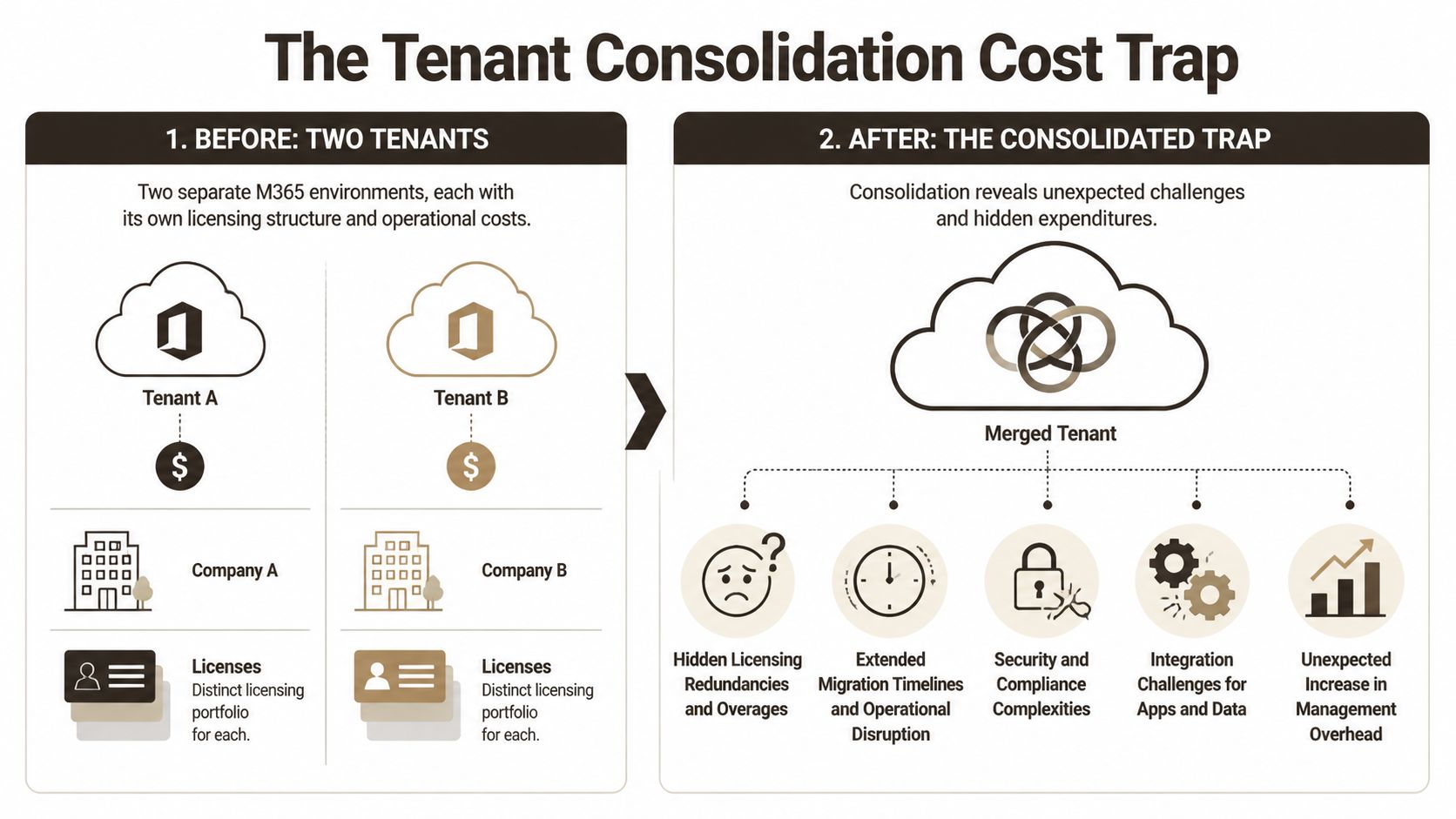
The nastiest Microsoft 365 cost overruns rarely come from ordinary right-sizing. They come from tenant consolidation after an acquisition, divestment, or regional merger. Leadership sees “one tenant” and hears “synergy”. I hear duplicated licences, GUID conflicts, broken inheritance, and emergency purchases made under pressure.
Why post-merger savings plans blow up
DIY tenant mergers often amplify costs by 20-30% because teams end up buying emergency licences to work around technical failures caused by API throttling and 5k item limits, both confirmed in Microsoft Learn documentation. The same source also notes a 2025 Gartner IE report stating that 40% of regulated mergers exceed budgets due to GUID conflicts that basic tools cannot handle, as cited in this discussion of reducing Microsoft 365 costs through licensing optimisation.
That lines up with what we see in rescue work. The documentation says the migration tool supports the workload. In reality, complex tenants hit edge cases the moment permissions, inheritance, legacy site structures, and identity redesign collide.
Basic tools hit predictable breaking points
SPMT has its place. So does ShareGate. But neither product removes the need for architectural judgement.
Here’s where DIY consolidations usually fail:
| Failure point | What the team expects | What actually happens |
|---|---|---|
| API throttling | Steady bulk migration | Jobs slow, retries stack, timelines slip |
| 5k item threshold | Large libraries move with planning | Lists choke, validation becomes messy |
| GUID conflicts | Objects remap cleanly | Links, references, or app dependencies break |
| Broken inheritance | Permissions copy sensibly | Access becomes inconsistent and hard to prove |
| Compliance redesign | Licences can be cleaned up later | Teams buy premium entitlements to patch gaps |
If your programme includes acquisition cleanup, this guide to tenant-to-tenant migration planning is the right place to pressure-test assumptions before the budget burns.
The Ollo verdict
Use SPMT for very small, low-risk transfers. For anything larger, regulated, or merger-driven, you need ShareGate plus custom PowerShell PnP scripting and a proper Entra ID redesign plan. Tenant consolidation isn’t a side task inside a savings project. It is the project. Treat it like one, or you’ll spend the savings before you ever realise them.
Building Governance to Lock In Savings
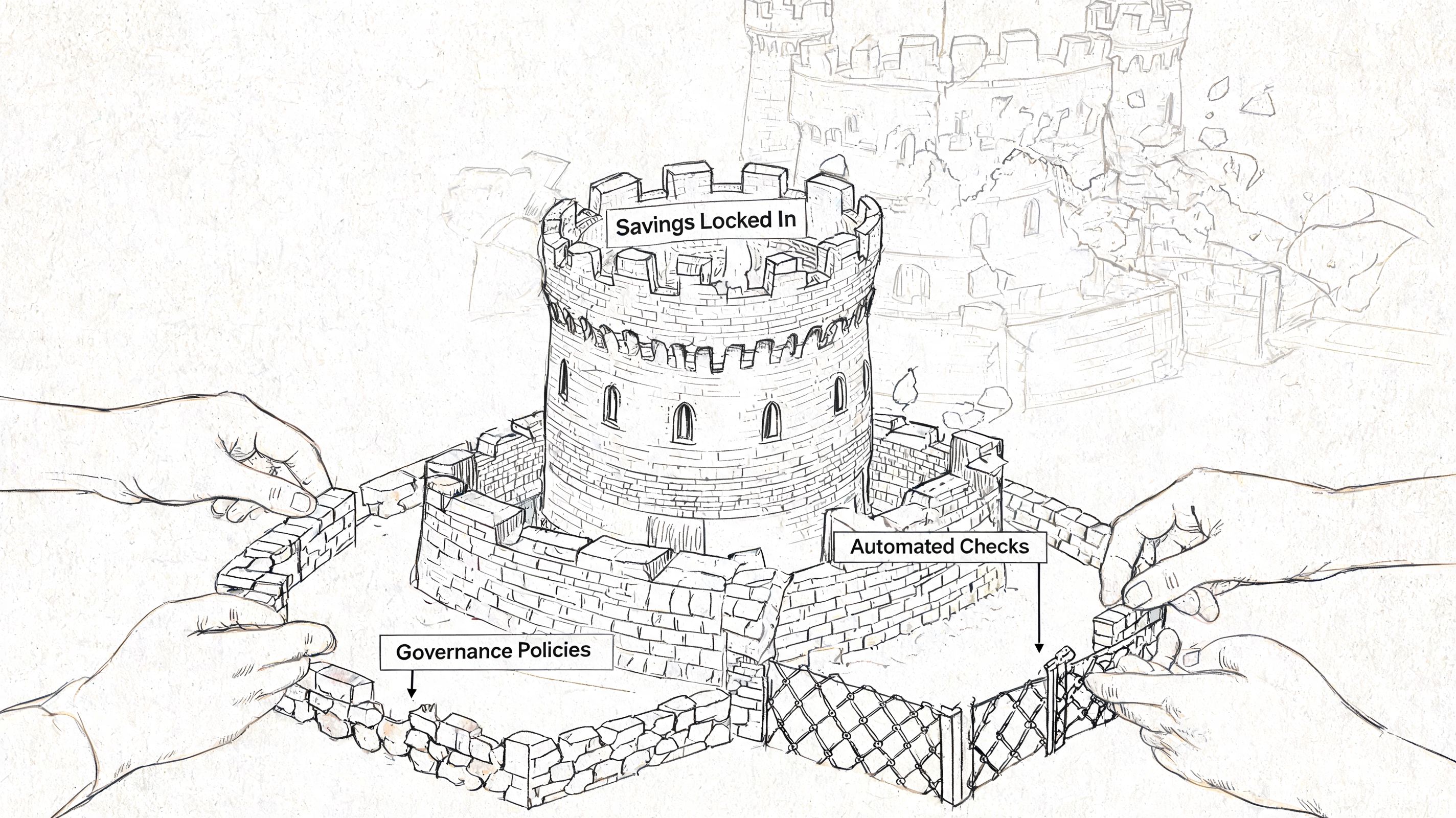
Most organisations can claw back waste once. The failure comes later, when the same tenant gradually regrows all the bad habits that created the bill in the first place.
Savings decay unless governance blocks the relapse
Neglected quarterly reviews can cost Irish firms in regulated sectors over €500k annually, and generic optimisation often ignores Ireland-specific compliance obligations such as the Data Protection Act 2018, which leads teams to keep expensive E5 licences on frontline users where they aren’t needed, wasting up to 40% per licence, according to this analysis of Microsoft 365 over-licensing.
That’s the part most vendors skip. They’ll help you find waste. They won’t usually help you build the control model that stops it returning.
The governance model that actually works
You need a standing operating process, not an annual panic exercise. At minimum:
- Quarterly licence review: Tie it to joiners, movers, leavers, and department changes. If the review sits outside HR and access workflows, it will drift.
- Role-based provisioning: Stop letting managers request premium SKUs by habit. Assign from approved persona rules with exception handling.
- New assignment alerts: Unused or unassigned premium entitlements should trigger review, not sit unnoticed until renewal.
- Compliance sign-off: Any downgrade affecting regulated teams needs security and records input before approval.
A useful checklist for hardening that operating model sits in this review of Microsoft 365 governance audit priorities.
One toolset, one owner, one decision forum
Governance fails when responsibility is fragmented. Finance cares about spend. Security cares about control. HR cares about starters and leavers. Nobody owns the whole licensing lifecycle.
Specialist support earns its keep when Ollo handles the awkward middle ground between licensing, migration, identity, and SharePoint data state, using ShareGate and custom PowerShell PnP scripts in environments where native tools and basic automation aren’t enough.
If nobody owns the boundary between cost control and compliance control, your tenant will slide back into over-licensing.
The Ollo verdict
Build a small licence review board. Give it authority over role mappings, exception approvals, and quarterly remediation. Lock the process into identity governance and offboarding. If you leave optimisation as a one-off project, your savings will expire faster than your renewal cycle.
If your team needs to reduce microsoft 365 licensing costs without creating a compliance mess, treat it like an engineering problem, not a spreadsheet exercise. Ollo works with regulated organisations that need hard savings, tenant cleanup, and migration-safe governance when native tooling and generic advice won’t carry the risk.

















