



You’re probably in the danger zone already.
Your team bought Microsoft 365 Business Premium because it looked sensible. The pricing looked controlled. The security looked “good enough”. Microsoft’s own positioning made it sound like a straightforward path for a growing company. Then your headcount kept climbing, your compliance obligations hardened, and the plan that looked efficient started acting like a trap.
This is the essential microsoft 365 business vs enterprise discussion. It isn't a tidy feature checklist. It is a risk decision that shows its teeth at the worst possible moment. In regulated environments, the wrong choice does not just create admin friction. It creates migration pressure, security blind spots, broken governance, and a forced redesign when your team can least afford it.
The Choice That Defines Your Next IT Crisis
One of the most common failure patterns starts with an IT Director trying to be responsible.
They standardise on Business Premium, keep costs under control, and postpone Enterprise because the board doesn’t want a larger licence bill before it has to. That decision often survives for a while. Then the organisation grows, another business unit lands, or a merger pushes the tenant over a boundary nobody planned around properly. Suddenly the “later” decision becomes a live operational problem.
The ugly part is that Microsoft makes the early phase look deceptively comfortable. If you want a broad market view of how SMB plans are packaged, 2026 Microsoft 365 plans for NZ SMBs is a useful comparison. It’s fine as a buying guide. It won’t warn you about the rescue work that starts when licensing, identity, SharePoint structure, and compliance requirements collide.
What the failed projects have in common
We often see clients fail when they treat plan selection as procurement instead of architecture.
They assume the move from Business to Enterprise is just a licence uplift. It isn’t, not once your tenant has years of SharePoint sprawl, inconsistent permissions, legacy sync paths, unmanaged app dependencies, and security controls bolted on in layers. That’s where the project stops being commercial and starts becoming forensic.
The documentation describes products. Your migration exposes behaviour.
The teams that get burned usually weren’t careless. They were optimistic. They trusted the idea that Microsoft 365 can scale cleanly if you just keep adding licences and turning on more controls. That belief dies fast in practice.
If you’ve already lived through a project where the technology wasn’t the primary problem, you’ll recognise the pattern in the real reason enterprise Microsoft 365 projects fail. The damage usually starts long before the migration weekend. It starts when your tenant design no longer matches your risk profile.
The 300-User Wall And The Crisis You Did Not See Coming
The 300-user cap in Microsoft 365 Business isn’t a footnote. It’s a hard architectural boundary for organisations in Ireland that intend to grow.
In the IE region, Microsoft 365 Business plans cap at 300 users, while Enterprise supports unlimited users, and the published pricing commonly referenced for comparison is $22/user/month for Business Premium, $36 for E3, and $57 for E5. That puts Enterprise at a 64-159% premium, which is exactly why so many firms delay the move until they’ve painted themselves into a corner, especially in energy and finance where GDPR and DORA pressures already make the environment less forgiving (Aspire Technology comparison).
| Plan area | Microsoft 365 Business Premium | Microsoft 365 Enterprise E3 | Microsoft 365 Enterprise E5 |
|---|---|---|---|
| User ceiling | 300 users | Unlimited | Unlimited |
| Typical trigger point | Small firms with flat growth | Mid-sized firms outgrowing Business | Regulated firms needing deeper security and analytics |
| Reference price | $22/user/month | $36/user/month | $57/user/month |
| Power BI Pro and Power Apps position | Not native at this tier in the comparison cited | Included in the Enterprise stack referenced | Included with broader Enterprise capability set |
| What usually breaks first | Scalability assumptions | Migration planning quality | Identity, governance, and compliance execution |
Why this wall hurts more than the price jump
The price increase gets all the attention because it’s visible. The migration risk gets ignored because it’s deferred.
That’s backwards. A board can absorb a higher per-user cost. It struggles a lot more when your team triggers a forced tenant-to-tenant programme halfway through another transformation project. Once that happens, your roadmap gets hijacked by cleanup work. Mail, files, permissions, automation, device policy, and identity all move from planned change to emergency change.
We often see clients fail when they hit the 300-user wall during a migration rather than before one. That’s when the nastiest technical issues surface together: GUID conflicts, broken inheritance, and SharePoint constraints that Microsoft Learn documentation confirms, including the 5,000-item list throttling limit referenced in the source above.
The false economy nobody admits upfront
Holding onto Business Premium too long feels prudent. It often isn’t.
Your “savings” vanish when you have to:
- Rebuild tenant assumptions because your original design can’t scale past the licence boundary
- Retest integrations tied to Entra ID objects, SharePoint locations, and workflow dependencies
- Untangle permissions after inheritance breaks unobserved across migrated sites and libraries
- Pause strategic work because your best engineers are suddenly doing rescue operations
Practical rule: If your hiring plan, acquisition plan, or compliance roadmap points anywhere near 300 users, treat Business Premium as temporary and design accordingly.
If you’re not sure how much waste and exposure already sits in your current licences, start with a proper Microsoft 365 licence audit. That won’t fix the architecture, but it will show whether you’re postponing a necessary move for the wrong reasons.
Security and Identity The Unseen Gaps
Most microsoft 365 business vs enterprise articles reduce security to a shopping list. That misses the point.
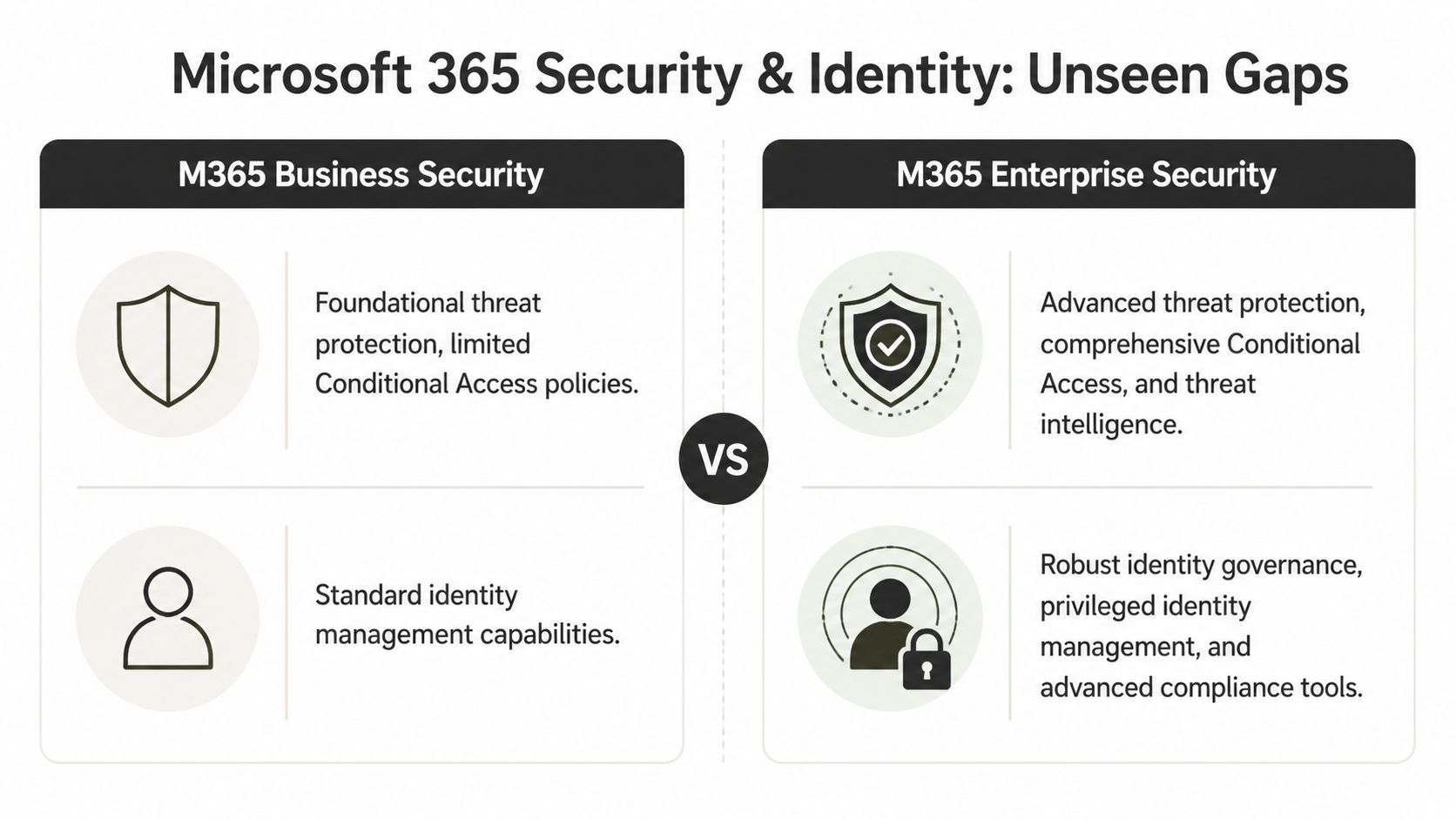
The difference that matters in regulated environments sits in identity behaviour under pressure. Your risk posture depends on what happens when sign-ins spike, policies need to adapt, permissions drift, and an attacker targets identity rather than endpoints. That’s where Business starts looking less like a lean option and more like a compromise.
Entra ID P1 is where many teams fool themselves
For regulated sectors, NIS2 enforcement mandates zero-trust, yet Business plans’ Entra ID P1 lacks P2’s advanced threat analytics. The same comparison also notes Microsoft Learn confirms P1 has throttling limits versus Enterprise, and it states that Q1 2026 Graph API updates doubled provisioning latency for Business tenants (Microsoft comparison reference).
That’s not an academic distinction. It changes how your environment behaves when you’re provisioning at scale, redesigning access, or tightening controls after an incident. The documentation says there’s a path to modern identity on smaller plans. In reality, the path narrows fast once you need deeper analytics, stronger governance, and less tolerance for operational lag.
The real issue is residual risk
The same source states that 73% of mid-size IT directors in regulated sectors overestimate Business Premium’s scalability, and links that misjudgement to 25-40% higher breach costs, with an average of €2.1M in the cited Ireland breach-cost reference.
That matters because most failed identity programmes don’t explode dramatically. They decay over time:
- Access reviews fall behind and stale privileges linger
- Conditional Access policy design stays simplistic because the plan doesn’t support the level of control the organisation needs
- Provisioning delays stack up and admins start using manual workarounds
- Security analytics stay shallow so weak signals never become visible soon enough
If your zero-trust model depends on “the team being careful”, you don’t have a zero-trust model. You have wishful administration.
Hybrid migrations make the gap obvious
We often see clients fail when hybrid SharePoint lifts expose permission structures they never properly mapped.
The same Microsoft-linked comparison notes GUID mismatches during hybrid SharePoint lifts break permissions, and points out that Enterprise E5’s Power BI Pro exposes this through analytics that Business lacks. That’s an uncomfortable truth. Plenty of teams think they have a migration issue when they really have an identity visibility problem.
A Business tenant can carry weak assumptions for years. Then a merger, archive review, or tenant split forces you to look closely. Suddenly nobody can explain why access works for one group, fails for another, and behaves differently after a site move. By then, you’re not “improving security”. You’re reconstructing intent from debris.
What I’d tell any IT leader in a regulated sector
If your organisation sits under NIS2, GDPR, DORA, or any equivalent operational scrutiny, stop treating Enterprise security as optional overhead.
Use Business only if your environment is small, operationally simple, and unlikely to need a serious zero-trust redesign. If your identity estate already feels messy, read this Entra ID guide for IT leaders before you approve another workaround. The longer you wait, the more expensive the cleanup becomes.
Endpoint Management and Compliance Where The Real Cost Hides
The technical argument usually gets framed around user counts and security. That’s only half the problem.
The uglier costs show up in operations and compliance. They appear when devices won’t behave consistently, Cloud PCs take too long to reprovision, support tickets pile up, and legal or audit teams ask for evidence your current setup can’t produce cleanly. That’s where the Business-versus-Enterprise decision stops being an IT preference and becomes an exposure issue.
Device management isn’t just about pushing policies
In regulated sectors, the comparison data shows Microsoft 365 Business has no native Power BI Pro or Power Apps, while Enterprise E5 includes unlimited users, Power BI Pro, full Power Apps and Power Automate integration, plus EMS including Intune (Giaspace comparison).
That stack matters because modern endpoint management isn’t just “can I enrol a device?” It’s whether your team can monitor, diagnose, automate, and prove control at scale. Once your estate includes remote workers, mixed device ownership, and strict audit requirements, light-touch management stops being enough.
A useful primer on the operational side sits here:
Downtime becomes the hidden tax
The same comparison states that Business plans lack Endpoint Analytics monitoring, leading to 20-40% higher troubleshooting downtime in Cloud PC reprovisioning. It also notes that Enterprise provides 25-100% service credits and 24/7 dedicated support, unlike Business.
Those numbers matter because support friction compounds. When your team can’t see enough, they guess. When they guess, they over-correct. When they over-correct, users lose trust and start bypassing managed controls. That’s how operational weakness turns into governance weakness.
Consider what your team needs during a live issue:
- Visibility into endpoint health so they can diagnose rather than speculate
- Policy consistency across user groups that don’t all work the same way
- Support depth when a major outage lands outside normal hours
- Automation hooks to reduce repetitive remediation
Compliance failures don’t look dramatic at first
They usually start with a request. Legal wants a hold. Audit wants traceability. Security wants better incident context. Operations wants to prove device posture against policy.
Business-tier capability can feel adequate until one of those requests becomes urgent. Then every missing control becomes visible at once. Search is weaker. Investigation takes longer. Evidence gets assembled manually. Admins rely on exports, screenshots, and good intentions.
Missing this step doesn’t just fail the migration. It breaks legal compliance.
The source also states that Basic Defender for Business misses Defender for Identity’s advanced threat analytics, which it flags as a high-risk gap for healthcare migrations. That’s exactly the kind of issue teams dismiss until they have to explain why an identity-driven incident wasn’t spotted earlier.
If you’re designing endpoint and compliance architecture properly, don’t start with the SKU sheet. Start with your failure scenarios. Then map controls to those scenarios. For the device layer specifically, this Intune setup guide is the right place to pressure-test whether your current model is effective or just convenient.
The Migration Minefield Why Standard Tools Fail
Here, vendor optimism dies.
The official line suggests migration is a matter of selecting a tool, mapping content, running batches, and validating afterwards. That story works in a demo tenant. It falls apart in real estates with legacy file shares, malformed permissions, old SharePoint patterns, renamed users, duplicate identities, long file paths, and libraries that were never designed to be moved cleanly.
The limits Microsoft documents but most teams ignore
Microsoft Learn documentation confirms the kinds of constraints that wreck naïve migration plans. The ones that cause the most pain in Business-to-Enterprise moves are familiar:
- 5,000-item list view thresholds, which turn large lists and libraries into throttling hotspots
- 400-character path lengths, which break file handling in ways users only notice after cutover
- API throttling, especially when teams try to bulk-change identity and content state at the same time
- Broken inheritance, often discovered only after access anomalies hit production
- GUID conflicts, which cause undetected corruption of permission mapping and site relationships
None of these are exotic. They’re common. The problem is that standard project plans treat them as exceptions instead of expected conditions.
If you want a broader operational perspective, practical data migration strategies is a decent outside read. It’s useful for framing planning discipline. It won’t save you from SharePoint-specific edge cases.
Why SPMT is fine until it isn’t
SPMT has a place. Use it for a small, contained move. Use it for a lab. Use it for a single department file share where permissions are simple and nobody expects heavy restructuring.
Don’t use it as your enterprise strategy.
The documentation says the tool supports migration workflows. In reality, the minute your job includes permission transformation, hybrid identity complications, problematic pathing, or large-volume retries under throttling, a tool-only approach becomes fragile. The failures aren’t always loud either. Some are worse because they look successful until users report missing access or malformed history afterwards.
ShareGate is stronger, but it still needs adult supervision
ShareGate is a professional tool. It gives you far more control and better visibility than basic options.
That still doesn’t make it self-sufficient. If your migration includes complex site refactoring, inheritance changes, object remapping, or policy-driven restructuring, ShareGate alone won’t resolve the logic problems. It needs custom handling around it. That usually means PowerShell and PnP scripting, plus someone who already knows where the permission model is likely to fracture.
We often see clients fail when they assume a better tool removes the need for architecture. It doesn’t. It just gives a capable architect greater capacity.
The unglamorous work that prevents disaster
The rescue work is rarely flashy. It’s structured and unpleasant:
- Pre-migration inventory that identifies risky lists, deep paths, stale permissions, and broken ownership.
- Identity reconciliation so object mismatches don’t poison access later.
- Scripted remediation for naming, inheritance, and content patterns the tool won’t fix cleanly.
- Controlled batch sequencing to avoid unnecessary throttling and retry storms.
- Post-migration validation that checks actual access behaviour, not just transfer logs.
Field note: A green migration report doesn’t prove the environment works. It proves the tool finished doing what it could see.
For teams assessing tooling properly, this guide to SharePoint migration software gives the right lens. Compare tools by failure mode, not by feature count.
One option in this category is Ollo, which handles tenant-to-tenant consolidations and Entra ID redesigns using ShareGate plus custom PowerShell PnP scripting rather than relying on SPMT for enterprise jobs. That’s the level of intervention complex migrations usually require.
The Ollo Verdict Your Playbook for a Safe Transition
Here’s the blunt answer.
If you’re a small organisation with a flat structure, limited compliance exposure, and no serious growth pressure, Business Premium can be reasonable. If you’re in finance, healthcare, energy, or any environment where identity control, auditability, device governance, and scale matter, delaying Enterprise is just deferred technical debt.
When Enterprise stops being optional
You shouldn’t still be debating microsoft 365 business vs enterprise if any of these are true:
- Growth is already visible. If your hiring plan or acquisition pipeline points upward, waiting until the cap hits is sloppy planning.
- Compliance is hardening. If your auditors, legal team, or regulators expect stronger controls, “good enough for now” isn’t a strategy.
- Identity is messy. If your team can’t explain access patterns cleanly, your migration will expose it brutally.
- Automation matters. If your operations depend on Power Apps, Power Automate, analytics, or integrated governance, the lighter stack creates drag everywhere else.
- Support risk is real. If an outage during a critical period would put you in front of the board, you need the support posture that matches that reality.
The playbook I’d use on your tenant
Don’t start with licensing. Start with risk discovery.
Step one is a fixed-scope assessment. Your team maps the current tenant properly. Not the marketing version of the tenant. The actual one. That means permissions, list sizes, path problems, app dependencies, Entra design, and the ugly corners nobody documented.
Step two is a readiness report. The purpose of this report is to identify specific breaking points. Which sites will throttle. Which identity objects will clash. Which workflows will fail after relocation. Which compliance assumptions are false.
Step three is a phased migration plan. Not one big heroic cutover. A scripted sequence with validation gates, rollback thinking, and explicit handling for the areas standard tools won’t solve safely.
My direct recommendations
If you want a cleaner buying rule, use this:
| Situation | Recommendation |
|---|---|
| Small team, simple file estate, low compliance burden | Business Premium can work if you accept that it’s a small-business platform |
| Mid-sized firm approaching scale or restructuring | Start planning Enterprise E3 before the boundary forces your hand |
| Regulated sector with zero-trust, audit, or legal hold pressure | Treat Enterprise E5 as the serious option |
| Complex migration with old SharePoint, hybrid identity, or permissions sprawl | Don’t run DIY and don’t trust tool defaults |
Buy Business if your environment is simple. Buy Enterprise if failure would matter.
That sounds harsh, but it’s accurate. Most organisations don’t regret paying for the right platform. They regret paying for rescue work after they chose the wrong one.
The Ollo verdict is simple. Use SPMT for a very small, low-risk move. For anything structurally complex, you need custom scripting, identity planning, and migration architecture that assumes failure modes upfront. That’s the difference between a controlled transition and a long public clean-up inside your own company.
Your choice is straightforward. You can let the licence boundary, the identity gaps, and the migration edge cases ambush your team later. Or you can treat the move as what it is now: a risk-reduction programme.
If your tenant is nearing a licensing boundary, carrying messy SharePoint permissions, or sitting under compliance pressure, talk to Ollo. We’ll tell you quickly whether your current Microsoft 365 setup is still defensible or whether you’re already heading towards a forced migration problem.

















