



Most advice on Copilot Studio Microsoft starts in the wrong place. It starts with prompts, topics, and demo agents. That's how projects get approved quickly and fail slowly.
If you're an IT Director, treat Copilot Studio as a new enterprise integration surface, not a friendly chatbot builder. Microsoft positions it as a low-code, graphical platform for building agents and agent flows, but that description hides the underlying issue. You're introducing software that can sit across Microsoft 365, identity, connectors, and external systems. That means your risk sits in permissions, governance, monitoring, and ownership, not in how impressive the demo looks.
We often see clients fail when they let business teams pilot first and govern later. That works for a disposable proof of concept. It does not work when the agent touches mail, files, customer records, or external APIs. Once that line is crossed, your “quick experiment” becomes a compliance and operational problem.
If your wider tenant still has unresolved governance gaps, fix those first. Ollo has already laid out the tenant-readiness problem in this Microsoft 365 Copilot readiness check. Copilot Studio won't clean up weak permissions, poor classification, or uncontrolled sharing. It will amplify them.
Your Copilot Studio Project Is Already at Risk
The common assumption is simple. Copilot Studio is low-code, so the delivery risk must also be low. That assumption is wrong.
Low-code changes who can build. It doesn't remove architecture, security, or operational failure. In practice, Copilot Studio introduces an agent layer that can inherit user access, call tools, expose data, and trigger actions. That is a serious control problem if your team approaches it like a lightweight Power App.
We've rescued deployments where the technical build worked, but the operating model was missing. No named owner. No connector review. No environment strategy. No clear rule for what data the agent could touch. The documentation says you can build agents quickly. In reality, speed without control is exactly how bad agents reach production.
The first mistake is treating it like a feature
Your business users will see a demo and ask for one. They won't ask where the agent stores conversation data, how it authenticates, which connectors it can call, or who can kill it when it behaves badly. Your team has to ask those questions before anyone creates the first agent.
Practical rule: If the agent can read business data or call external systems, it's not a demo. It's part of your production estate.
The second mistake is delaying governance
Governance isn't the work you do after a successful pilot. Governance is the entry condition for the pilot. If you skip that step, your pilot teaches the organisation the wrong lesson. It teaches people that agent building is informal, lightly owned, and exempt from normal change control.
That's how projects become rescue jobs.
What Copilot Studio Actually Is Beyond the Marketing
Microsoft's own positioning is clear. Copilot Studio is a low-code, graphical platform for building agents and agent flows, and you can build a standalone agent or publish to Microsoft 365 Copilot on Microsoft's Copilot Studio product page. That sounds approachable. Architecturally, it isn't small.
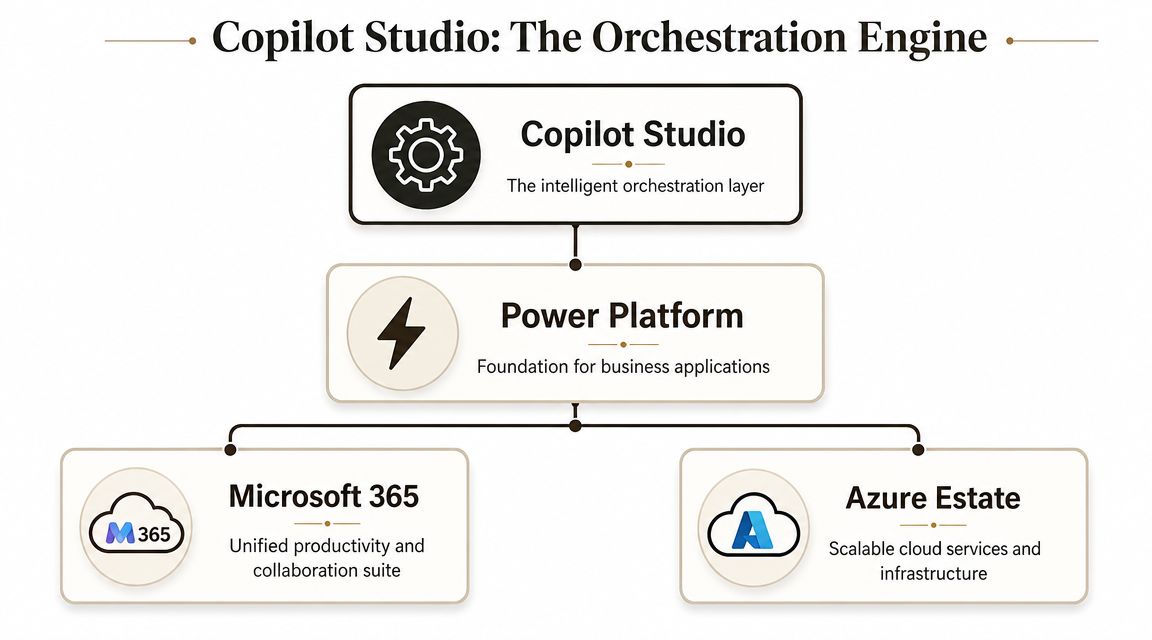
Copilot Studio sits as an orchestration layer across your wider Microsoft stack. It isn't just about conversation design. It's about how prompts, connectors, identity, data access, and agent actions combine in a live tenant.
It's an orchestration engine, not a chatbot toy
The marketing puts the authoring canvas front and centre because that's what sells. The actual enterprise concern is the layer underneath. Agents interact with business data, use platform services, and depend on controls that many tenants still haven't fully standardised.
That's why I tell clients to stop asking, “Can we build this?” and start asking, “What does this thing connect to, inherit, and cost when it runs at scale?”
A useful mental model looks like this:
- Authoring layer: Business-friendly agent design, flows, instructions, and response logic.
- Platform layer: Power Platform capabilities, environments, governance controls, and connector behaviour.
- Enterprise layer: Microsoft 365 content, Azure services, identity boundaries, and external systems.
If your team only evaluates the first layer, you'll miss the two layers where projects usually fail.
A short explainer helps if your stakeholders still think this is “just a bot”.
The licence model tells you what Microsoft thinks this product is
The commercial model is the giveaway. Microsoft Learn describes governance controls such as data residency, but the pricing model is tenant-wide capacity, not a simple desktop add-on. Copilot Credit packs are sold as 25,000 credits per pack at $200 per month in the Copilot Studio fundamentals documentation.
That matters. It means your cost is tied to consumption, not to a neat per-user subscription. If agents are badly scoped, overly chatty, or used against the wrong data sources, the commercial problem appears quickly. Credit burn becomes an operating cost, not a one-time procurement decision.
When a platform is sold on tenant capacity rather than seat convenience, Microsoft is telling you it expects enterprise automation workloads, not casual experimentation.
The hidden dependency is your wider estate
The platform is low-code. The rollout isn't. Enterprise-grade use still needs environment design, connector control, residency decisions, and usage monitoring. Regulated organisations in Ireland need to care about where data is processed and who can move an agent from concept to production.
The documentation says low-code. Reality says architecture first.
Mapping the Critical Integration Points to Secure
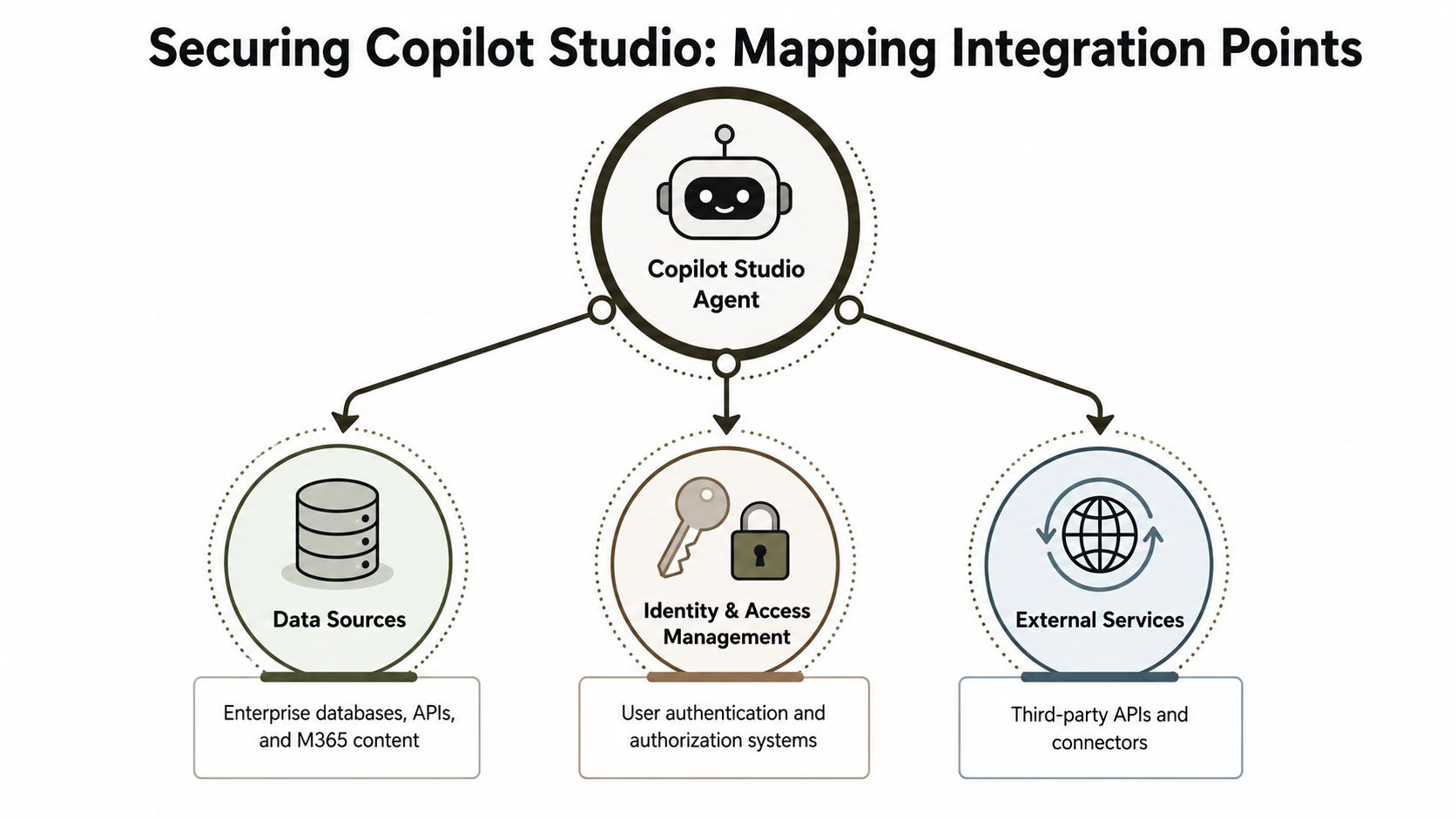
A Copilot Studio agent doesn't live in isolation. It becomes a junction point across data, identity, and external services. If your security review focuses on the conversation flow and ignores those boundaries, you're reviewing the least important part.
Data access is a boundary, not a feature
The first integration point is data. That includes Microsoft 365 content, business records, knowledge sources, and anything the agent can retrieve or summarise. Teams often frame this as “making the agent useful”. I frame it as defining the blast radius.
If an agent can read broadly shared SharePoint content, mailbox content, or indexed knowledge without proper scoping, it will surface things users were never meant to rediscover so easily. The agent didn't create the access problem. It operationalised it.
Your review should answer:
- What can the agent read: Be explicit about repositories, labels, and content classes.
- What can it return: Define trimming, filtering, and response boundaries.
- What must stay out: Exclude sensitive stores until you've proven controls work.
Identity controls decide whether the agent is trustworthy
The second boundary is identity. User access, service principals, conditional access decisions, and delegated rights all matter. If your Entra design is loose, the agent inherits that looseness.
That's why your Copilot Studio design has to sit inside a proper identity review, not outside it. If you need a refresher on the underlying control plane, Ollo's guide to Microsoft Entra ID governance and architecture is the right baseline before you let agents touch production systems.
An agent with unclear identity boundaries is just an automated route around your existing access model.
Connectors and external APIs are your real attack surface
The third boundary is connectors. At this point, harmless demos turn into enterprise risk. Connectors expose actions. Actions hit systems. Systems contain regulated data and business logic.
The practical lesson from the trenches is simple. Don't approve connectors as a category. Approve them by action, use case, owner, and environment. Teams that skip that discipline usually discover the risk after the agent starts calling the wrong service in the wrong context.
If you're shaping external interfaces, the engineering discipline in Scalable API best practices is worth applying here. Copilot Studio doesn't excuse weak API design. It makes the consequences faster.
Enterprise Risks the Documentation Understates
Microsoft Learn is useful. It explains features cleanly. It does not dwell on failure modes, and that's where enterprise teams get hurt.
We usually get called after the pilot looked successful. The agent answered questions. Stakeholders were impressed. Then production happened. Real data arrived, real permissions applied, and weak decisions surfaced fast.
The failures we keep seeing
The first pattern is uncontrolled data exposure. A team points the agent at a broad body of internal content, assumes existing permissions are enough, and then discovers the agent makes overshared material easier to retrieve, rephrase, and spread. The original issue was already there. Copilot Studio made it operationally visible.
The second pattern is connector and API fragility. An agent that depends on external actions behaves nicely in a workshop and badly under live use. You won't always get a graceful degradation path. You'll get inconsistent responses, partial actions, and support calls because the business thought it was “AI variance” when it was really poor integration discipline.
The third pattern is records and retention confusion. If your legal, compliance, and operations teams don't agree on what the agent is generating, storing, and exposing, you create discovery and policy gaps. Missing this step doesn't just create mess. It can break legal defensibility.
The quota problem is not cosmetic
Microsoft Learn confirms that Copilot Studio agents operate under hard quotas and limits, including a 28 KB message-size cap in Omnichannel through the ACS channel in the requirements and quotas documentation. We often see clients fail when payload-heavy prompts, tool outputs, or JSON responses hit that ceiling. The failure is operational. Responses can fail or get truncated.
That matters because teams often design agents as if they can pass large, verbose payloads around indefinitely. They can't. If you don't engineer message shaping, data classification, and response trimming up front, the problem appears in production where it's hardest to diagnose.
The documentation mentions quotas. Production turns them into outages.
Risk matrix for real deployments
| Risk Area | Technical Failure Point | Business Impact (Cost of Failure) |
|---|---|---|
| Data exposure | Poorly scoped knowledge sources and broad sharing | Sensitive information becomes easier to retrieve and circulate |
| Integration stability | Weak connector design and brittle API dependencies | Failed actions, inconsistent outputs, service disruption |
| Payload handling | Message-size constraints and oversized tool responses | Broken user journeys, support escalation, unreliable automation |
| Compliance | No clear retention, review, or ownership model | Legal and audit exposure, delayed incident response |
| Security posture | Weak authentication paths or unsafe external calls | Data exfiltration risk and urgent containment work |
Regulation doesn't care that your pilot was informal
A lot of teams still talk about pilots as if they sit outside governance. Regulators don't care what you called it internally. If the agent handles personal data, sensitive business data, or regulated decisions, your obligations still apply.
For organisations operating across different jurisdictions, broader AI legal context matters too. This overview from RNC Group on AI regulation in Israel is useful because it reminds technology leaders that agent risk isn't only a platform question. It's also a governance and legal accountability question.
Implementing Zero-Trust Governance for Copilot Studio
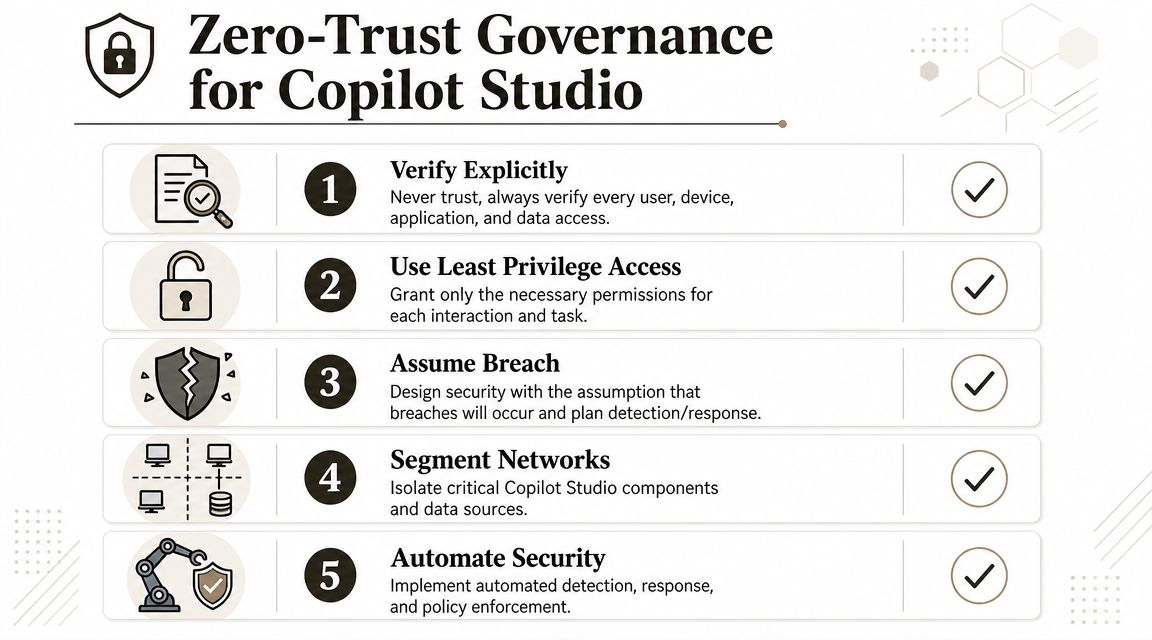
Zero Trust for Copilot Studio means one thing. Trust nothing by default. Not the user prompt, not the connector, not the data source, not the agent owner, and not the model output.
Microsoft's April 2025 update is important because it shows the platform moving toward stronger enterprise controls. Microsoft announced customer managed keys, which let administrators use their own encryption keys in Azure Key Vault instead of Microsoft-managed keys, and it expanded analytics with KPIs such as answer rate, quality, actions, usage, duration, and success rate. It also said autonomous-agent analytics includes the number of triggers, percentage of successful runs, and duration of actions, and that these analytics are available in all regions in the April 2025 Copilot Studio update. That's the signal that Copilot Studio is becoming auditable infrastructure rather than a demo platform.
Non-negotiable controls
If you're handling regulated data, these controls are baseline requirements:
- DLP before deployment: Block risky connectors and separate business-approved connectors from anything experimental.
- Environment isolation: Keep dev, test, and production apart. Don't let high-risk agents share environments with sensitive workloads.
- Explicit ownership: Name a business owner and a technical owner for every agent. If nobody owns shutdown, nobody owns risk.
- Telemetry review: Use analytics to monitor answer quality, actions, duration, and success patterns. If you don't watch the agent, you don't control it.
- Encryption control: Use customer-managed keys where your regulatory model requires stronger key ownership and assurance.
Operational governance beats policy theatre
A lot of organisations write AI policy and stop there. That's not governance. Governance means someone can review an agent, trace what it connects to, inspect how it behaves, and quarantine it quickly.
That requires process, not slogans:
- Connector approval workflow tied to business purpose and data classification.
- Release gates before an agent touches production content.
- Monitoring thresholds that trigger human review when behaviour shifts.
- Kill-switch authority assigned to a named operational team.
If your procurement or governance teams are formalising control frameworks around AI tools, products like this GRC toolbox overview from Stackingo can help frame how approvals and oversight fit into a wider control model. The platform features matter. The decision rights matter more.
For non-security teams that need a practical operating model, Ollo's guide to Zero Trust in Microsoft 365 implementation is the right companion to a Copilot Studio rollout.
If you can't observe the agent, you can't govern it. If you can't govern it, it doesn't belong near production data.
Safe Implementation Patterns and Avoiding the Pilot Trap
The fastest way to waste time with Copilot Studio is to build the wrong first agent in the wrong place.
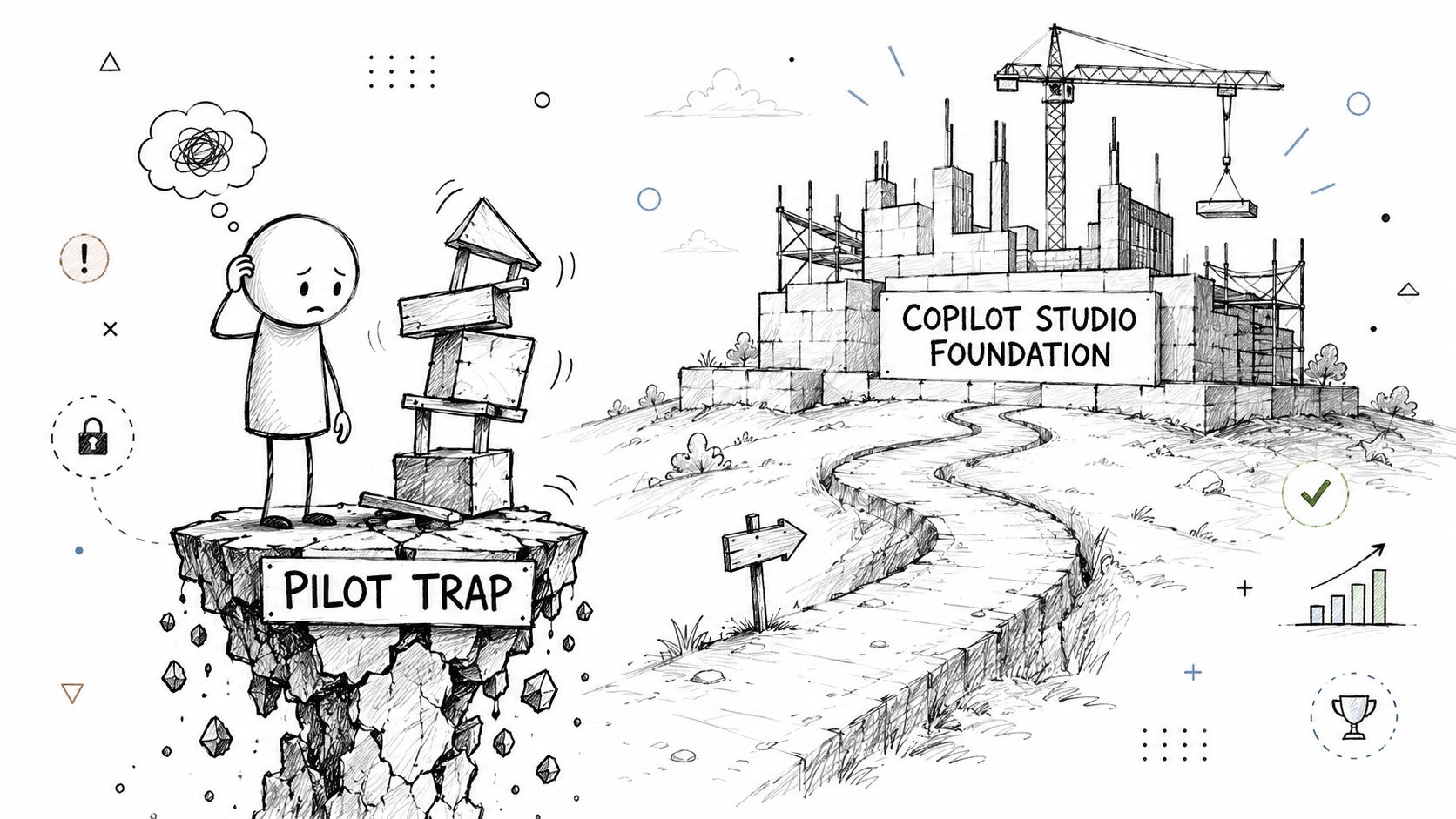
The “easy” pattern is familiar. A team prototypes in the lightweight Microsoft 365 experience, proves demand, and assumes they can tidy the governance later. That assumption breaks often enough that I now treat it as a design smell from day one.
Microsoft has publicly clarified that Copilot Studio is changing quickly, and independent analysis has pointed out that the lite and full experiences are materially different, with versioning, ownership, and tenant boundary issues creating dead-end builds in some cases in this analysis of Copilot Studio deployment choices. That's the migration trap inside the product. Your pilot may prove demand while still proving nothing about your ability to scale safely.
The bad pattern
This usually looks like:
- Build first, classify later: The agent gets access before anyone defines what data it should never see.
- Prototype outside ALM discipline: No solution structure, no controlled promotion path, no proper environment strategy.
- Treat ownership as informal: The original maker leaves, and nobody knows how to govern or retire the agent.
The result is rework, fragmented governance, and pressure to grandfather a bad design into production because stakeholders already like the demo.
The pattern that survives contact with reality
A safer model is slower at the start and much cheaper later.
Use a dedicated Power Platform environment from the beginning. Build with lifecycle management in mind. Create a formal review step for every connector and data source. Keep the pilot narrow, but build it on a structure that can move through dev, test, and production without rebuilding the entire thing.
A practical enterprise pattern includes:
- Environment-first design: Decide where the agent lives before deciding what it does.
- Solution-based ALM: Don't create assets you can't promote, track, or review properly.
- Connector review board: Small, strict, and technical. Not ceremonial.
- Data boundary approval: If the use case touches regulated content, require sign-off before ingestion or retrieval.
- Exit criteria for the pilot: Define what makes the pilot fit for production, and what kills it.
This is also where a formal AI governance model matters. If your tenant still lacks a defensible way to classify content and control metadata, start with Ollo's approach to AI governance for Microsoft 365 classification, metadata, and tagging.
The Ollo verdict on pilot design
Use the lightweight route only for contained experiments that won't need governed promotion. If the pilot is expected to survive, integrate, or handle regulated information, start in a proper Power Platform estate with full governance from day one.
That's the difference between testing an idea and building a future incident.
The Ollo Verdict When to Abandon DIY
Your team can probably build a basic FAQ agent on its own. That isn't the bar.
The true bar is this. Can your team deploy an agent that is governable, monitored, auditable, and easy to quarantine when it starts touching the wrong data or calling the wrong service? Recent security research has highlighted concrete Copilot Studio risks including broad sharing, weak authentication, HTTP request misuse, hard-coded secrets, and SSRF-style abuse paths in this security review of Copilot Studio misconfigurations. That is the enterprise question. Control, not capability.
Use DIY only when the use case is tightly contained, the data is low-risk, and failure won't create legal, operational, or reputational damage. Once the agent touches regulated data, multiple systems, external APIs, or anything that needs auditability, DIY stops being brave and starts being reckless.
My advice is blunt:
- One data source and low-risk content: Your internal team can experiment.
- Cross-system integration: Bring in specialist architecture.
- Regulated data or customer-facing actions: Don't improvise.
- Need for security validation: Test it like any other exposed business system with penetration testing services.
The Ollo verdict is simple. If your Copilot Studio Microsoft plan reaches beyond a toy use case, abandon the idea that low-code means low-risk. It doesn't. It means the dangerous parts are easier to hide.
If your team is considering Copilot Studio and you want a hard-nosed review before the pilot becomes a rescue job, talk to Ollo. We help IT leaders design Microsoft 365, identity, and governance foundations that can support AI agents without creating a new compliance or security mess.

















