



Your migration plan probably looks solid on paper. The waves are sequenced. The mailbox batches are modelled. SharePoint libraries are mapped. Conditional access has been “reviewed”. Everyone nods until go-live week, when the target tenant starts behaving like a different security system than the one your team thought they’d built.
That’s where these projects fail.
In regulated Microsoft 365 migrations, the danger rarely sits in the copy job itself. It sits in the security model underneath the copy job. A mis-scoped Entra ID policy, broken inheritance carried into SharePoint, an over-permissive Power Automate connection, or a throttled migration process that leaves content half-moved and half-exposed can turn a routine tenant-to-tenant programme into a compliance incident. Generic penetration test services miss that because they still think in terms of perimeter checks and vulnerability dumps. Your environment doesn’t live at the perimeter anymore.
If you run finance, healthcare, or energy workloads in Ireland or the wider IE regulated environment, you need a different standard. You need security testing that understands migration mechanics, Microsoft 365 internals, and how one bad assumption in Entra, SharePoint, Teams, or Power Platform can poison the whole target estate.
The Migration Disaster You Haven't Accounted For
A tenant-to-tenant migration can look clean right up to the moment it detonates.
We often see clients fail when they treat security as a post-migration validation task instead of a pre-migration design gate. The old tenant gets locked down, the new tenant gets built, migration tools get pointed at the estate, and everyone assumes the dangerous part is the transfer. It isn’t. The dangerous part is the target configuration you didn’t properly attack before users arrived.
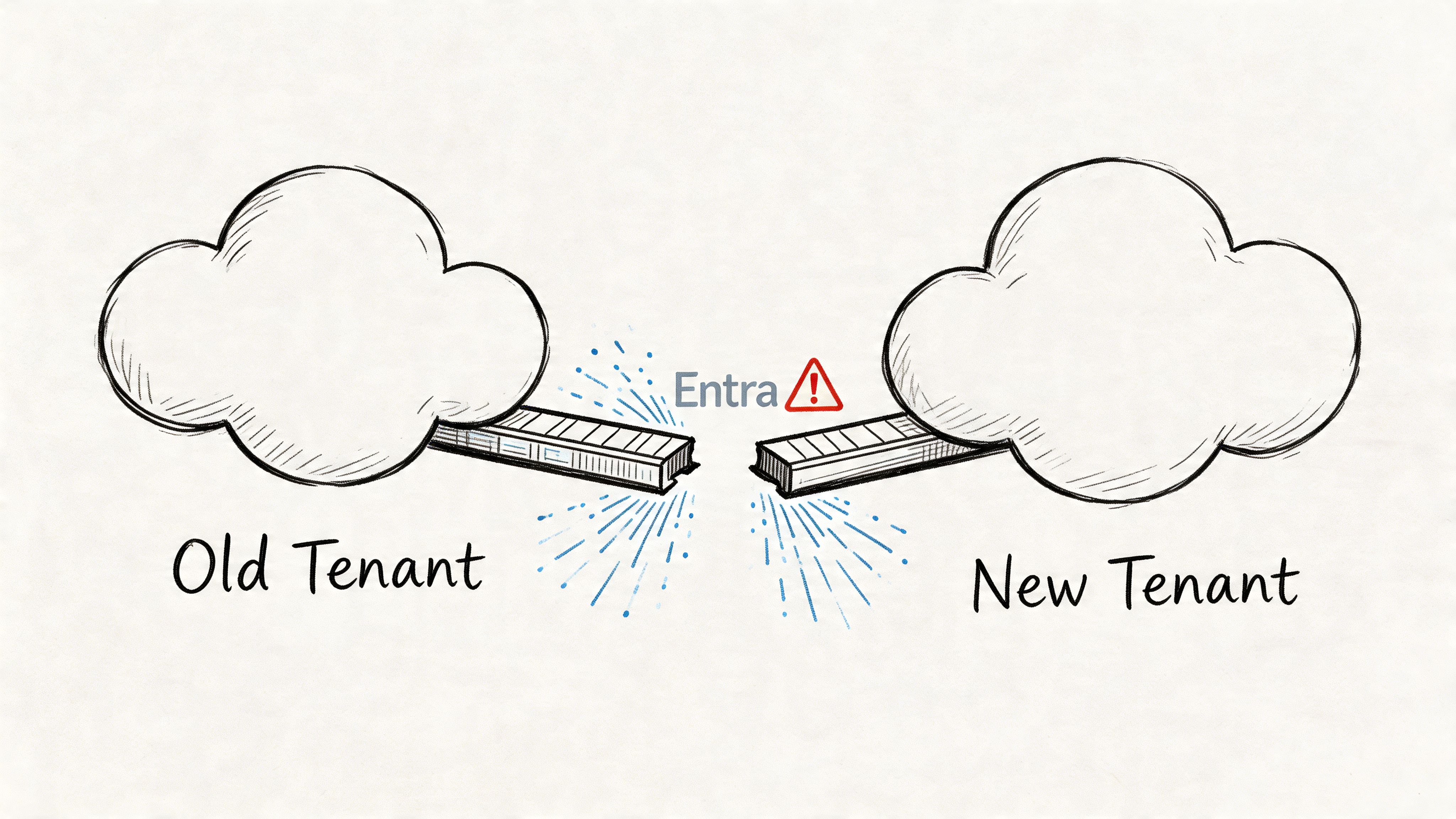
Where the hidden failure sits
The documentation says your controls exist. In reality, your controls have to survive real behaviour, inherited permissions, service principals, guest access, low-code connectors, and rushed cutover decisions.
That’s why generic migration plans miss the point. Existing pentest guidance largely ignores migration-specific risks such as Entra ID GUID conflicts and broken inheritance in SharePoint, even though those are exactly the issues that wreck projects in the field. Microsoft Learn documentation confirms that basic tools such as SPMT can hit API throttling with 429 errors and path length limits, and a 2025 Central Bank of Ireland report noted that 28% of finance migrations suffered breaches from untested zero-trust redesigns, as cited by FRSecure’s discussion of penetration testing.
Your file transfer plan doesn’t protect you from a badly validated target tenant.
If you want a useful high-level primer on the broader top security challenges in cloud computing, read it. Then narrow your focus. M365 migration risk is more specific, more technical, and far less forgiving than generic cloud risk lists suggest.
Why standard scans won't save you
A standard external scan might tell you a host is patched or a service isn’t exposed. Fine. That won’t tell you whether a newly migrated SharePoint site has inherited access it should never have had, or whether a conditional access design accidentally leaves an exception path open for privileged access during cutover.
That’s why one-off, human-led testing matters here. Not as a box-tick. As a pre-live fire drill against the exact tenant, identities, policies, workloads, and migration scripts you’re about to trust with regulated data.
If you skip that, you’re not saving budget. You’re outsourcing the test phase to an attacker.
Pentesting Beyond the Perimeter for M365
Most penetration test services still speak in old language. Ports. IP ranges. firewall rules. Maybe a web application if you push them. That’s not enough for a modern Microsoft 365 migration.
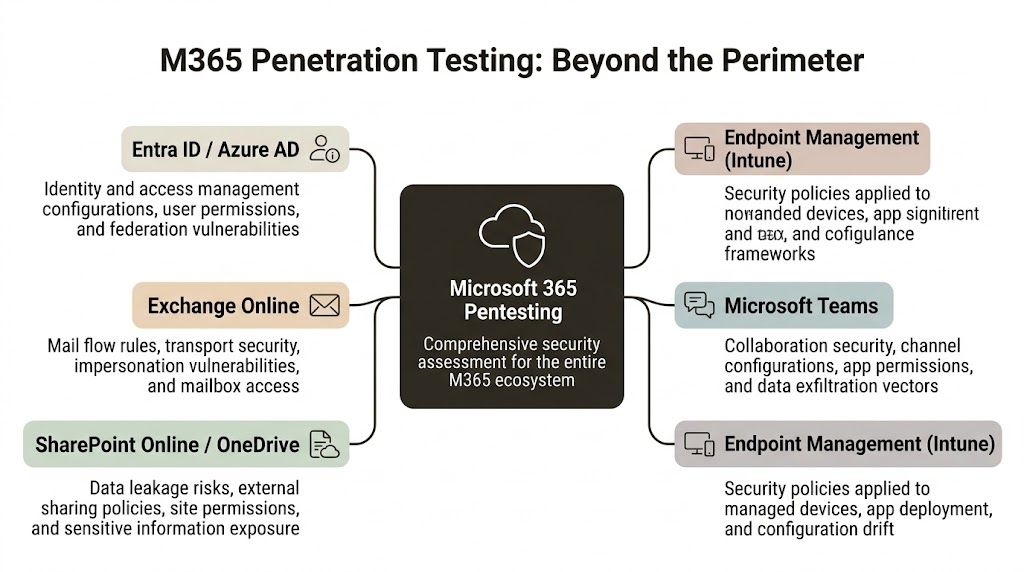
A real M365 assessment starts inside the control plane. It tests how identity, content, automation, and policy interact when a tenant is under change. In the Irish regulated sector, 81% of organisations use third-party network pentesters to meet compliance obligations, but that only becomes useful if the team understands M365-specific attack paths. The same dataset notes that tools like Nmap are common, yet real weaknesses often sit in server misconfigurations, which account for 38% of findings, while Burp Suite Pro has 78% adoption for web application testing, according to these penetration testing statistics.
Tenant-level cloud testing
Start with Entra ID. That’s where most migration-era damage begins.
A competent assessment should test:
- Conditional access logic: Not whether a policy exists, but whether exclusions, emergency accounts, legacy auth edge cases, or migration exceptions create a usable bypass.
- Privilege escalation routes: Admin role sprawl, stale group assignments, app registrations, service principals, and inherited access during coexistence.
- Cross-tenant exposure: B2B, guest users, federation assumptions, and trust relationships that outlive the design workshop.
Your vendor shouldn’t just say “we assess cloud posture”. They should talk fluently about how an identity design behaves during staged migrations, coexistence windows, and zero-trust redesigns.
SharePoint and OneDrive testing
At this stage, generic pentesters usually embarrass themselves.
SharePoint isn’t just a document store. It’s a permission labyrinth tied to groups, links, metadata, automation, Teams, and legacy decisions nobody documented properly. During migration, those weak points get amplified. Broken inheritance becomes toxic. Oversharing gets replicated. Sensitive content lands in the wrong security boundary and stays there until someone notices, usually too late.
A proper assessment looks at:
- Permission inheritance failures
- External sharing exposure
- Anonymous and guest link misuse
- Site collection admin sprawl
- Content access through APIs and synced endpoints
If you need a plain-language breakdown of the broader types of testing used in cloud and migration projects, use that as a baseline. Then ask the harder question. Which of those tests model how SharePoint behaves during a tenant move?
Practical rule: If a pentest provider talks confidently about web apps but never asks how your SharePoint permissions are inherited, they don't understand your risk.
Power Platform and low-code exposures
Low-code doesn’t mean low-risk. It usually means poorly governed attack surface.
Power Apps and Power Automate often hold the ugly truth of an environment. Hardcoded assumptions. broad connectors. service accounts nobody rotates. approval flows that expose data through convenience rather than design. During a migration, those automations can break in ways that create access paths your scan tools won’t model.
Reporting that matters
You don’t need a thousand-line export. You need a report that ties a technical flaw to a business impact in your tenant.
A useful vendor explains:
- what they exploited,
- why it matters in your migration design,
- how to remediate it in Microsoft 365 terms,
- what needs retesting before production.
If they can’t bridge findings to architecture and remediation, they’re not offering penetration test services for M365. They’re offering paperwork.
For a broader security governance reference, the Cloud Security and Compliance end-to-end guide is worth reviewing. Use it to challenge vendors on frameworks and evidence, not to excuse a generic assessment.
The DIY and Standard Tool Trap
Your team is probably looking at SPMT, ShareGate, built-in scans, and a handful of scripts and thinking the same thing every internal team thinks at the start of a migration. We’re technical. We know the estate. We can handle this.
Sometimes they can. Usually on a small estate, light complexity, low compliance pressure, and a forgiving timeline.
For anything more serious, that logic breaks.
Where the tools are actually useful
Let’s be fair. Standard tools exist for a reason.
SPMT can be perfectly adequate for a small, simple move. ShareGate is a strong platform and miles better than pretending a basic lift-and-shift script will solve governance, permissions, and remapping by magic. Built-in scanners and Defender telemetry also have value. They give you visibility. They surface issues. They help triage.
That still doesn’t make them a migration security strategy.
If your team is weighing platform choice, this breakdown of SPMT versus SharePoint migration tooling gives the operational context. The security problem starts where those tool comparisons usually stop.
The documented breaking points
The documentation says enterprise migration is supported. In reality, official Microsoft Learn documentation is full of the limits that derail enterprise jobs.
Those limits include:
- API throttling: Bulk operations can trigger throttling and stall critical transfer activity.
- List view threshold pain at scale: Large libraries and badly structured information architecture can turn “supported” migrations into unstable, partial moves.
- Path length limits: Long paths don’t just inconvenience users. They strand content and create messy exceptions that teams forget to review properly.
- GUID conflicts and broken inheritance: These are the quiet killers. They don't always stop a job. They often corrupt trust in the result.
The problem gets worse in modern low-code estates. A recent trend highlighted by Blaze Information Security’s write-up on penetration testing companies notes that 35% of UK healthcare organisations were hit by Power Automate injection flaws during M365 modernisations. That’s exactly the sort of exposure generic pentests ignore. The documentation may imply uninterrupted Flow continuity, but in reality GUID conflicts break inheritance, and generic PTaaS models don’t cope well with dynamic throttling in regulated Irish environments.
Risk matrix for the real world
| Risk Vector | DIY / Standard Tools (e.g., SPMT, ShareGate) | Specialist Service (e.g., Ollo) |
|---|---|---|
| API throttling | Usually discovered mid-run, after planning assumptions are already wrong | Planned for in migration design, sequencing, and validation |
| Broken inheritance | Often carried into target sites unnoticed | Tested pre-migration and remediated before cutover |
| GUID conflicts | Treated as odd edge cases until access starts failing | Mapped as a design risk from the start |
| Power Automate exposures | Rarely tested beyond whether flows still run | Assessed as part of business logic and access control |
| Compliance evidence | Tool logs and exports, often weak in audit terms | Structured evidence tied to scope, findings, and remediation |
| Rollback pressure | High, because issues appear late | Lower, because dangerous states are identified earlier |
Tools are not incompetent. They’re incomplete.
The Ollo verdict
Use SPMT for a small, uncomplicated move where failure won’t trigger regulatory pain and the estate doesn’t hide years of permission sprawl.
Use ShareGate when you need stronger control, better mapping, and cleaner operations.
But for a regulated migration with heavy SharePoint, automation, Entra redesign, or meaningful business risk, standard tools without specialist pre- and post-migration penetration testing are not a strategy. They’re a gamble dressed up as a plan.
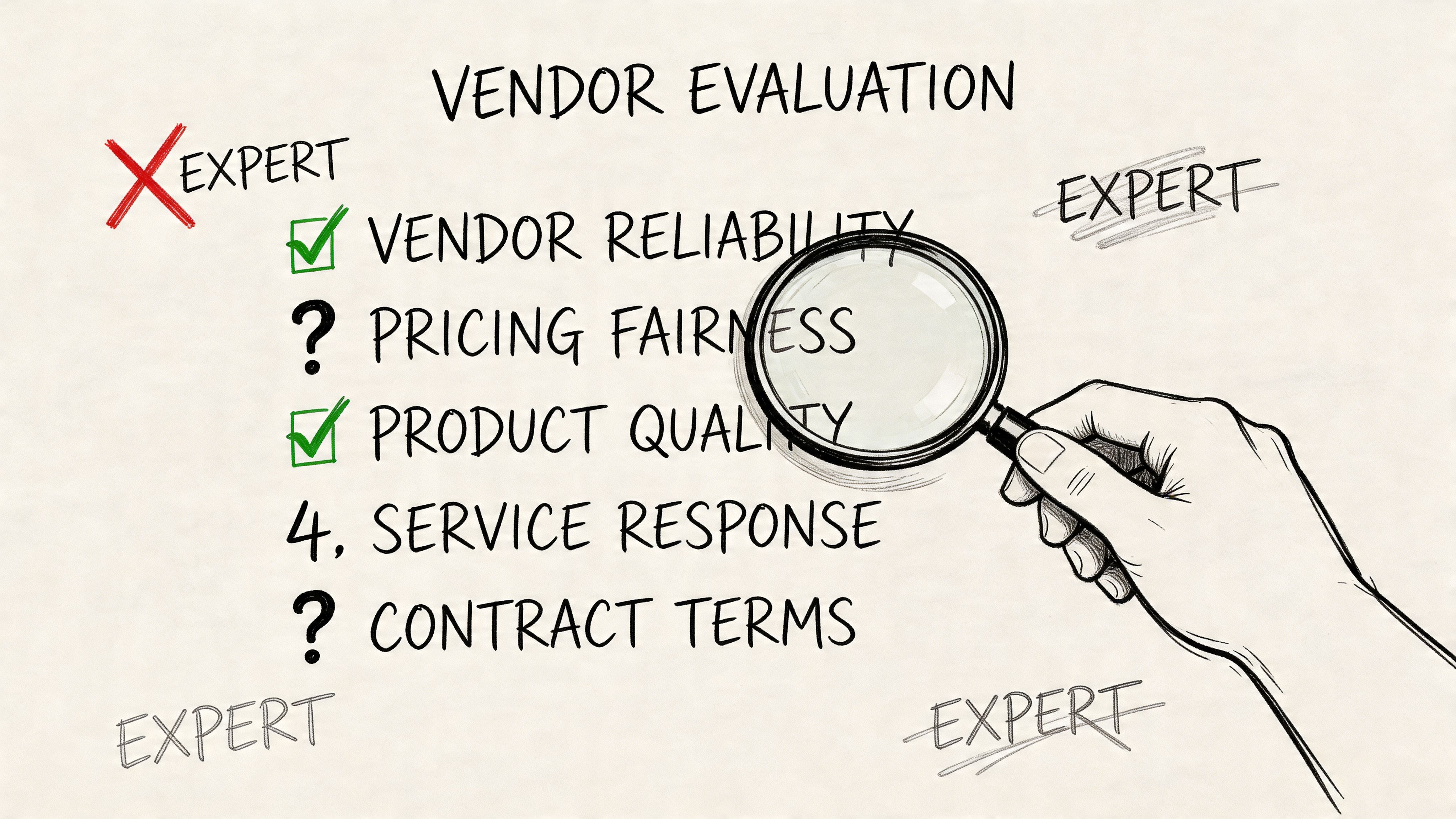
A Skeptic's Checklist for Evaluating Vendors
Most security vendors know how to sound credible. They know the acronyms. They know how to mention OWASP, red teaming, compliance, and “continuous improvement” with a straight face. That tells you almost nothing.
You need to interrogate them like someone who expects them to fail under pressure.
In Ireland, 69% of companies prioritise detailed reporting from penetration testing services. The same 2026 trend data says Nessus has 61% usage, but automated scans still miss core weaknesses such as server misconfigurations at 38% of findings and broken access control at 11%, while only 29% of firms automate over 70% of testing and 58% rely on third parties for compliance-driven pentests, according to these emerging penetration testing statistics. That should tell you something obvious. Tool output is cheap. Judgement is not.
Ask about methodology, not branding
Don’t ask, “Do you do Microsoft 365 pentesting?”
Ask this instead:
- How do you test SharePoint permission inheritance during a tenant-to-tenant migration?
- How do you validate Entra ID policy behaviour during coexistence?
- How do you assess Power Automate and app registration risk in a modernised tenant?
- What do you do when migration tooling triggers throttling or partial state?
A weak vendor answers with product names. A strong vendor answers with method, attack paths, evidence, and remediation steps.
Demand migration credibility
A lot of pentest firms know web apps. Fewer understand Microsoft 365. Even fewer understand M365 under migration stress.
That matters because migration changes the attack surface. Permissions move. IDs change. exceptions get created. temporary access becomes permanent because nobody cleans it up after cutover. If the vendor has never lived through a rescue migration, they won’t know where to look.
Use your procurement process to force that out. If you’re drafting requirements, this guide to a better request for proposal process is useful because it helps separate polished vendors from technically relevant ones.
A vendor who only finds known scanner issues will give you an elegant report and a dangerous false sense of control.
Scrutinise the report before you buy the test
Ask for a redacted sample report. Read it like a hostile reviewer.
You want:
- An executive summary: Written for leadership, not security theatre.
- A technical section: Reproducible findings, not vague assertions.
- Clear prioritisation: CVSS-scored or otherwise ranked in a way your teams can execute.
- Remediation guidance tied to M365 realities: Not generic “apply least privilege” fluff.
This is the point where a quick explainer helps. Watch how a competent security conversation should sound before you sit through another vendor demo:
Test their willingness to own remediation
The final filter is simple. Ask what happens after they find the problems.
If they shrug and say your internal team can work through the report, you’ve learned everything you need. In M365 migration work, the hard part isn’t spotting a flaw. The hard part is fixing it without breaking timing, access, governance, and cutover plans.
That’s where most vendors disappear.
The Real Cost of a Botched Migration Pentest
Friday night cutover. Monday morning escalation. HR files are visible to the wrong regional team, a finance workflow is firing against duplicate records, and nobody can prove which permissions changed during the move. The migration tool will still claim success. The pentest report will still sit in a folder. Your board will still call it a breach.
That is the cost of testing the wrong thing.
Analysts at MarketsandMarkets project strong growth in penetration testing spend, with manual testing holding the largest share, large enterprises driving most revenue, specialist outsourcing remaining common, and healthcare growing fastest in the same market. Serious organisations buy specialist testing because generic scanning misses chained failures, especially in regulated Microsoft 365 migration programmes where identity, SharePoint permissions, Power Platform, and coexistence states collide at the worst possible moment (MarketsandMarkets penetration testing market analysis).
Small migration flaws create expensive executive problems
Broken SharePoint inheritance is not a tidy admin issue. It turns confidential content into an exposure event with an audit trail that points straight at the migration programme. If the test never checked how permissions would behave after mapping, restructuring, and user reprovisioning, you paid for paperwork, not risk reduction.
API throttling looks harmless until it corrupts sequencing. Then you get partial moves, broken dependencies, confused users, emergency re-runs, and weeks of arguing over which copy of the document is the system of record. A standard pentest rarely models that failure path because standard pentests are built for applications and perimeter controls, not live M365 migration traffic under production pressure.
Entra ID mistakes spread fast. One bad role design or one over-trusted app registration can wreck access control, auditability, and segregation of duties across the target tenant. During migration, those failures are worse because teams add temporary exceptions, bypass normal approvals, and assume they will clean it up later. They rarely do.
The invoice for the pentest is the smallest number in the room. The bill arrives later.
If you need to explain that exposure in financial terms, this guide to SharePoint migration cost planning is useful because it ties technical complexity to programme budgets, rework, and delay. Security mistakes during migration do not stay inside the security budget. They spill into legal review, audit response, project overruns, change freeze extensions, and leadership fallout.
The false economy is always the same
A company will approve spend for licences, migration tooling, PMO support, change management, and contractor uplift. Then it cuts the one service that could catch the ugly interaction between legacy permissions, new identity controls, third-party apps, Teams sprawl, and rushed cutover sequencing.
That decision kills projects.
DIY tools can enumerate issues. They cannot judge whether a temporary coexistence rule opens a path into sensitive SharePoint sites after mailbox and identity changes land out of order. Generic pentest vendors can run scanners and write respectable summaries. They usually cannot tell you how a migration wave, a permission remap, a service account exception, and a Power Automate connection combine into an incident no one sees until users are already live.
A botched migration pentest does not just miss vulnerabilities. It validates a false sense of safety, right before the most fragile change your Microsoft 365 estate will go through.
The Ollo Way Fusing Migration and Security
The right model isn’t “security first” or “migration first”. That split is the original mistake.
In serious Microsoft 365 programmes, migration and security need to operate as one engineering discipline. The test informs the build. The build informs the migration path. The migration gets validated against the exact risks discovered earlier. Anything else creates handoff gaps, and handoff gaps are where bad assumptions survive.
The integrated operating model
A safer approach follows a tight cycle:
- Assess: Attack the target tenant, identity model, SharePoint structure, automation layer, and trust boundaries before live migration starts.
- Remediate: Fix permission inheritance, tighten sharing, correct role design, and clean up dangerous exceptions.
- Build: Use what the assessment uncovered to shape migration scripting, mapping, sequencing, and validation logic.
- Migrate: Move data with the expectation that edge cases will occur, not the fantasy that the tool will handle everything elegantly.
- Validate: Re-test the target state after migration because changed estates create changed risks.
That’s the only model that respects how these environments behave.
Why migration mechanics matter to security
A pentest report that sits in a folder while a separate delivery team runs the migration is nearly useless. The value comes when findings drive implementation. If inheritance is broken, fix it in design and script logic. If GUID-related access issues are likely, account for them in how you map and validate. If Power Platform objects create shadow access, include them in pre-cutover review and post-cutover testing.
That blend of M365 engineering and security judgement is rare. It’s also the difference between a migration that merely completes and one that survives audit, user scrutiny, and adversarial testing.
If you’re evaluating a team to handle that combined challenge, review what’s involved in Microsoft 365 and Azure service delivery. You should expect architecture, migration execution, and security validation to be tightly linked.
The safest migration teams don’t “bolt on” penetration testing. They build the whole programme around what the testing reveals.
The hard conclusion
Tenant-to-tenant migration in a regulated Microsoft 365 estate is not a file move. It’s a controlled redesign of identity, content, permissions, automation, and trust.
Treat it like a data transfer exercise and you’ll miss the failures that matter.
Treat it like an adversarial engineering problem and you have a chance of getting through it without creating your own incident.
Frequently Asked Questions From the Trenches
Isn’t this the same as the vulnerability scan in Microsoft Defender
No. Defender gives useful visibility. It does not replace human-led penetration testing of your migration design, your SharePoint permissions, your Entra exceptions, or your low-code business logic. A scan tells you known things. A specialist test shows how those things can be abused together.
Our web application pentest firm is good. Can’t we use them
Maybe, if they can prove deep Microsoft 365 migration experience. Most can’t. A firm that’s excellent at web apps can still miss broken inheritance, GUID conflicts, coexistence-era identity drift, and Power Platform exposure because those don’t look like standard web testing problems.
How long does a pre-migration pentest usually take
It depends on tenant size, scope, regulation, and how messy the source environment is. The right answer should come after scoping, not before. Be suspicious of anyone who gives you a neat fixed answer before they understand your Entra design, SharePoint topology, and automation footprint.
Can’t we just test after migration
You should test after migration as well. Testing only after migration is reckless. By then, users are waiting, cutover pressure is high, exceptions have already multiplied, and every serious fix becomes more expensive and more political.
What’s the simplest rule for deciding if we need specialist penetration test services
If the migration affects regulated data, complex permissions, low-code automation, or zero-trust redesign, you need specialist help. If failure would trigger compliance, reputational, or executive fallout, you already have your answer.
If your team is planning a high-stakes Microsoft 365 migration and you want a senior pair of hands before the project becomes a rescue job, speak to Ollo. They specialise in complex tenant-to-tenant migrations, Entra redesigns, and the security validation work that stops regulated programmes from collapsing under hidden M365 risks.

















