



You're probably dealing with this already. A SharePoint rollout started with a neat hub model on a whiteboard, a few departmental sites, and a promise of cleaner navigation. Then the migration landed. A few months later, users stopped trusting search, site owners started creating workarounds, and compliance asked why the same document appears in three places with three different permission stories.
We've seen this film too many times. The internal team follows the documentation, builds a modern intranet, and assumes hub sites will quietly hold everything together. They won't. SharePoint Hub Sites are not a design flourish. They are an architectural control point. If you get them wrong, they become the fastest way to spread bad information architecture across your tenant.
That's why most “successful” hub deployments only look successful at launch. The true test starts when your organisation changes, your migration uncovers old permission rot, and your users need to find regulated content under pressure. If your hub model can't survive that, you didn't build an intranet. You built a future rescue project. If your current environment already feels unstable, a proper SharePoint Online intranet strategy stops being optional.
Introduction The Promise and Peril of Hub Sites
Microsoft sells a clean story. Connect related sites. Standardise navigation. Surface shared news. Help people discover content across the organisation. On paper, that's sensible. In practice, the same feature becomes dangerous the moment your team treats it like a cosmetic wrapper instead of an operating model.
We often see clients fail when they start with visual design and leave governance for later. The homepage looks polished. The hub navigation looks coherent. Then the first business unit asks for exceptions, the second asks for custom permissions, and the third brings legacy folder structures that never belonged in modern SharePoint in the first place. The hub still exists, but it no longer governs anything. It just masks disorder.
Hub sites don't fail because the menu looks wrong. They fail because the underlying structure never deserved a shared navigation layer.
The pattern is predictable in regulated environments. A healthcare team wants secure separation. Finance wants tighter review paths. Operations wants broad access. Someone creates more sites to solve a classification problem, then creates more hubs to solve the site problem. Before long, nobody can explain which hub is authoritative, which sites belong where, or why users keep bypassing the intranet and going back to direct links.
That's the peril. SharePoint Hub Sites promise order. Bad architecture turns that promise into a single point of failure.
Hub Sites The Official Pitch vs Battlefield Reality
Microsoft's support guidance defines SharePoint Hub Sites as a way to connect related sites by project, department, division, or region, making related content, news, and activity easier to discover across associated sites, as described in Microsoft's overview of SharePoint hub sites. That's the official pitch. It sounds simple because Microsoft describes the end state, not the operational burden.
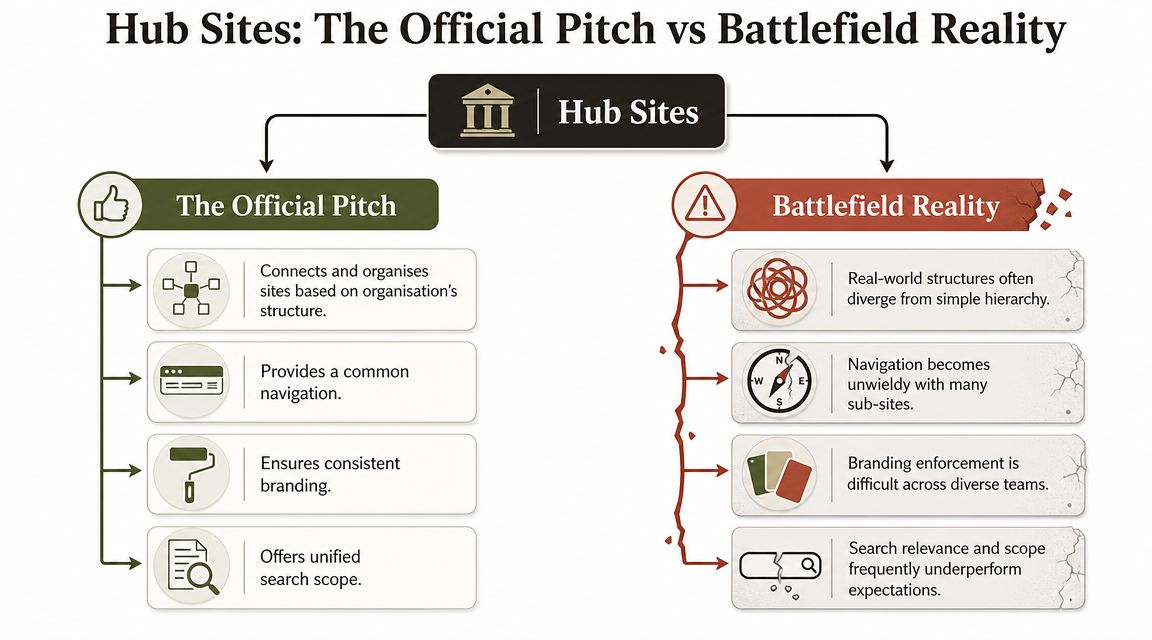
The battlefield reality is harsher. The same Microsoft guidance also matters for capacity planning because the tenant-level ceiling is 2,000 hub sites, confirmed in the same support guidance and related planning references cited there. That number sounds generous until a large organisation starts creating hubs as if they were folders. They are not folders. They are durable architectural objects, and every one of them needs naming rules, ownership, approval, lifecycle control, and audit discipline.
Where the official model breaks
The documentation says association is straightforward. Reality says your organisation isn't. Mergers, temporary programmes, regulated business units, and regional variations don't fit neatly into a “just connect related sites” story.
A few common failure patterns show up fast:
- Ad hoc hub creation: Teams create hubs to solve local navigation complaints instead of following enterprise information architecture.
- Ownership drift: Nobody can answer who approves a new hub, who retires one, or who audits old associations.
- False hierarchy: People use hubs as a substitute for proper taxonomy, then wonder why search and findability degrade.
The real architectural commitment
A hub is not a menu bar with branding. It's a control plane decision with long-term consequences.
Practical rule: If your team can create a hub faster than it can justify the governance model behind it, your tenant is already heading in the wrong direction.
That's why I push back hard on “we'll tidy it up later.” You won't. Once users bookmark sites, content spreads, and navigation dependencies harden, later becomes a costly remediation exercise.
Designing Architecture for Compliance Not Convenience
If you work in finance, healthcare, energy, or any other regulated environment, your hub model must serve governance first. Convenience comes second. Microsoft's planning guidance is clear on the architectural direction: modern SharePoint should use a flat structure of site collections and connect related sites using hubs, with hub-to-hub associations supporting search and display roll-ups up to three levels as described in Microsoft Learn planning guidance for hub sites.
That guidance gets misread all the time. Teams hear “three levels” and assume they've been given permission to rebuild classic nested hierarchies. They haven't. They've been given a limited organisational mechanism, not a licence to recreate the worst habits of legacy SharePoint.
Flat isn't optional
The flat-plus-hub model exists because deep structures break in modern environments. They break discoverability. They break governance clarity. They create local exceptions that nobody can defend during an audit.
We often see clients fail when they migrate old departmental trees straight into modern SharePoint and then try to patch the mess with hubs. That never fixes the root problem. It just adds a prettier front end to bad classification.
If your governance model is serious, define these before you create a single hub:
- What qualifies as a hub: Department, region, major function, or business capability. Not every project.
- Who approves it: Named approvers, not a vague “IT admin”.
- How it is named and retired: If it has no lifecycle rule, it shouldn't exist.
- What can associate to it: This must align with your information architecture, not local preference.
For a deeper governance lens, your team should also align hub planning with broader SharePoint data governance controls.
Compliance failures start in design
Auditors rarely care that your migration tool completed the copy job. They care whether access, classification, and discovery make sense. If your hub strategy allows inconsistent navigation and loose association logic, you've weakened your control environment before users even start uploading content.
The documentation says you can reorganise later. In regulated estates, “later” usually means remediation, exceptions, and unpleasant conversations with compliance.
The Migration Minefield Where Hubs Break Projects
A bad hub strategy becomes lethal during migration. That's where the gap between documentation and reality opens up properly. Microsoft's modern information architecture guidance says architecture must account for metadata, search, and security as first-class inputs, and it positions hub sites as part of how related sites are organised in the modern experience, as set out in Microsoft Learn guidance on information architecture in the modern experience.
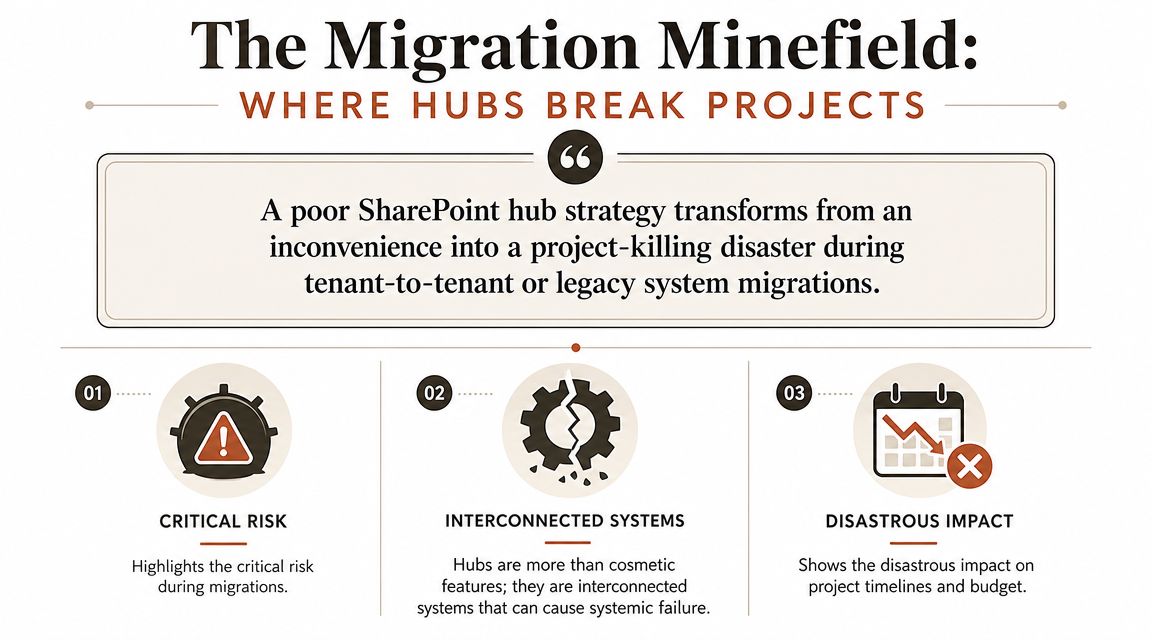
That sounds reasonable until you run a tenant-to-tenant consolidation with legacy permissions, broken inheritance, old folder habits, custom site sprawl, and years of unmanaged ownership. Then the migration tool moves files but leaves the architecture half-dead.
What actually goes wrong
We often see clients fail when they assume hub associations are just cosmetic links that can be sorted out after cutover. They're not. During real migrations, all the ugly dependencies surface at once.
The common landmines look like this:
- Broken inheritance: Legacy permissions don't map cleanly to the target model, so the destination carries forward access confusion.
- GUID conflicts and remapping pain: Hubs and related objects need deliberate remapping logic during tenant changes.
- List view threshold issues: Large libraries expose the classic 5k item limit problem if nobody redesigns structure and metadata properly.
- Long path problems: Old folder-heavy estates bring path-depth assumptions that modern governance should have killed years ago.
- API throttling: Large-scale migrations always run into service behaviour that punishes naïve bulk operations.
For a broader executive view, cloud migration insights for CTOs help frame the organisational risks, even though the SharePoint-specific pain is much more technical.
Here's the uncomfortable truth. Reorganising after migration is usually fiction. Once the wrong content lands in the wrong sites with the wrong permissions and the wrong hub associations, your team spends months cleaning up instead of stabilising.
This short walkthrough is useful if you want to see how these issues show up in practice:
If you're planning a consolidation, map the target structure before any copy job starts. Anything less is gambling. We've broken down that planning discipline in more detail in this guide to SharePoint site structure migration.
Choosing Your Weapon Why Standard Migration Tools Fail
IT Directors keep asking the same question. Why not just use SPMT or ShareGate and get on with it? Because tools don't rescue bad architecture, and some tools barely understand the architecture at all.
The comparison that matters
| Capability | SPMT (SharePoint Migration Tool) | ShareGate | Ollo Custom Scripts (PnP PowerShell) |
|---|---|---|---|
| File and library copy | Good for straightforward moves | Strong | Strong |
| Hub association logic | Weak | Partial, often needs clean-up | Strong when explicitly scripted |
| Complex permission remapping | Weak | Better, but not enough on its own at scale | Strong when designed into the runbook |
| Error handling for enterprise edge cases | Basic | Better UI visibility | Deep control and reporting |
| Large-scale repeatability | Limited | Good to a point | Best fit for complex estates |
| Web part and post-migration reconfiguration | Minimal | Partial | Strong when automated |
| Governance enforcement | None | Limited | Strong if built into provisioning scripts |
What each tool is really for
SPMT has a place. It moves content. That's useful for simple jobs. It is not an enterprise architecture tool, and using it as one is reckless. It won't think through your hub relationships, governance boundaries, or remediation logic.
ShareGate is a serious tool. We use it ourselves in the right scenarios. It handles site-level migration work well, and its interface is far better than raw admin tooling for many operational tasks. But GUI-led migrations hit a ceiling when you're dealing with large-scale hub remapping, scripted governance, and post-cutover repair work.
Custom PnP PowerShell scripting is where enterprise migrations stop pretending and start behaving like engineering. Scripts let you codify hub creation, enforce naming, manage association logic, handle exceptions, and produce defensible reporting.
The Ollo Verdict: Use SPMT for small, simple file moves. Use ShareGate for controlled site-level migration work. For complex hub architectures, tenant-to-tenant consolidation, or regulated environments, you need custom scripting.
If your team is still evaluating Microsoft's own toolset, start with this breakdown of the SPMT SharePoint Migration Tool. Then decide whether your estate is simple enough to deserve it. Most enterprise estates aren't.
The Ollo Mitigation Strategy A Repeatable Model
Rescue work is expensive because migrating first and designing later is a common approach. That order is backwards. A stable SharePoint hub model starts before cutover, not after it.
The model we trust
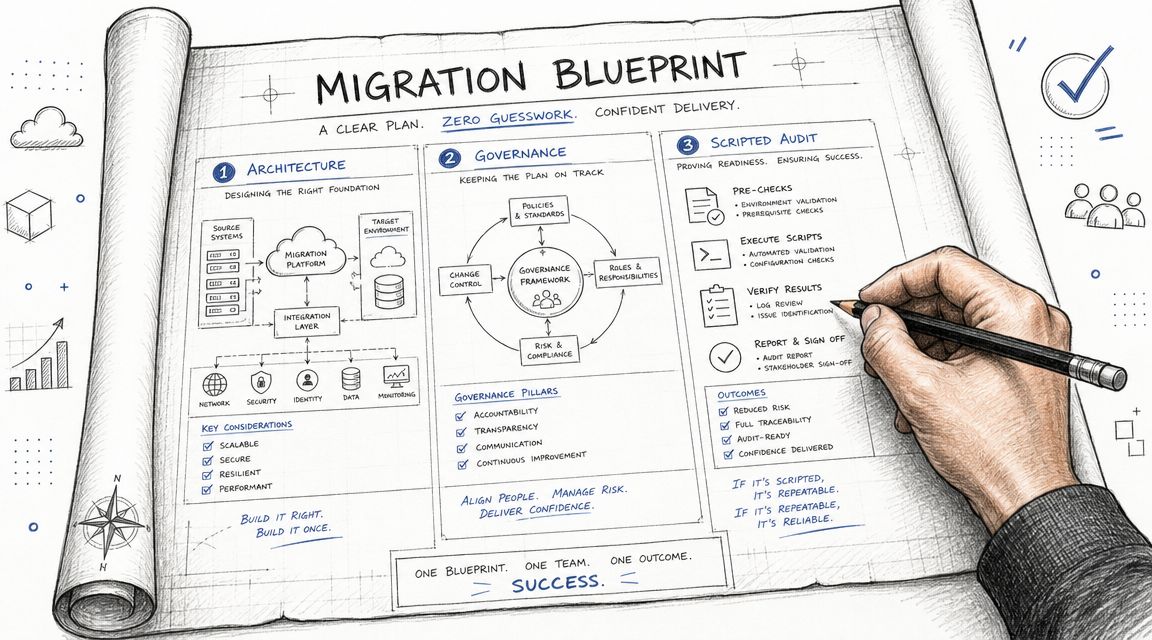
Our approach is boring on purpose. Boring is what you want in a regulated migration.
Audit the source properly
Not just file counts. We map permissions, site relationships, structural anti-patterns, and anything likely to poison the destination.Build the target architecture first
Hubs, site designs, association rules, governance boundaries, and approval logic should exist before content starts moving.Script the migration logic
This is where repeatability matters. Manual remapping doesn't scale, and it definitely doesn't survive enterprise edge cases.Validate adoption after cutover
Microsoft's support guidance confirms that site owners can view usage data in site settings, including people who visited, number of visits, and most viewed files, as documented in Microsoft's guidance on SharePoint site usage. That telemetry tells you whether a hub is functioning or just existing.
Why the measurement loop matters
We often see clients fail when they launch hubs and never review usage. Low adoption is not a branding problem. It usually means the information architecture is weak, navigation is noisy, or users don't trust the structure.
A serious migration team uses site usage as operational evidence, not vanity reporting. If users aren't visiting hub-linked content, following the right areas, or using the structure as intended, the rollout isn't complete. It needs correction.
That's also where specialist architecture work matters most. A cloud solutions architect for SharePoint should be shaping both the target model and the validation loop, not just troubleshooting after complaints begin.
Conclusion The Real Cost of Getting Hub Sites Wrong
A failed hub strategy doesn't just leave you with an ugly intranet. It leaves you with a second project. Usually a more expensive one. Usually under more political pressure. Usually after trust has already gone.
The business risk is more extensive than often acknowledged. Weak hub architecture causes inconsistent navigation, poor findability, governance drift, and access confusion. In regulated sectors, that doesn't stay technical for long. It becomes an audit issue, a legal exposure, and a credibility problem for IT leadership.
SharePoint Hub Sites are powerful because they sit at the centre of modern information architecture. That is exactly why they're dangerous when handled casually. The same control point that can organise your tenant can also spread bad decisions at scale.
Your choice is simple. You can let a DIY rollout, standard migration tooling, and “we'll fix it later” thinking define your architecture. Or you can treat hub design as the governance and migration control plane it is, and bring in people who know where the landmines are before your users find them first.
If your SharePoint hub model already feels fragile, or you're planning a migration where governance failure isn't acceptable, talk to Ollo. We handle complex Microsoft 365 and SharePoint migrations with the architecture, scripting, and post-cutover control that high-risk environments require.

















