



A SharePoint site structure migration is not a data transfer. It's a high-stakes surgical procedure on your organisation's central nervous system. I am consistently brought in to rescue projects where a simple 'lift-and-shift' was promised, only to end in a costly disaster of lost data, broken permissions, and user revolt. The root cause is always the same: a profound underestimation of the architectural rot buried in the legacy environment.
Confronting the Reality of SharePoint Migration
Forget the marketing fluff about a 'seamless transition'. We are constantly engaged to rescue projects sold on that dream. The core failure is always a dangerous underestimation of the complexity your team is facing.
This isn't just about moving files. It's about untangling years of architectural debt that standard tools and vendor documentation completely ignore. The documentation says X, but in reality, your current system is riddled with landmines that will absolutely break a standard migration:
- API Throttling: Microsoft will actively slow down your migration if you push too much data too quickly. This is not a suggestion; it's a hard limit that free tools handle by failing silently.
- List View Thresholds: Any list or library creeping up to the 5,000-item limit is a time bomb. Migrating it as-is doesn't just impact performance; it breaks views and cripples core business processes the moment you go live.
- Broken Inheritance: Years of ad-hoc, item-level permissions have created a security nightmare. You cannot move this 'as-is' without exporting that risk directly into your new, pristine environment.
- GUID Conflicts: In tenant-to-tenant moves, user and group IDs don't match. A direct copy means nobody can access their own files. Missing this doesn't just fail the migration; it breaks legal compliance.
The documentation from Microsoft outlines a path, but it doesn't prepare you for the real-world battlefield. This guide dissects the common points of failure we see every day when petabytes of business-critical data are on the line.
We won't cover what the vendor playbooks tell you. We will cover what actually happens. You can learn more by exploring some common SharePoint migration best practices we've compiled from the trenches. This is the conversation you need to have before you move a single byte of data.
Architecting Success Before Moving a Single Byte
The first casualty of any failed migration is wishful thinking. Before you move a single file, you have to confront the brutal reality of your current environment through a forensic analysis, not a simple inventory count. This is the non-negotiable first step. We often see clients fail when they treat this as a simple file count.
This process is what separates the migration dream from the all-too-common nightmare. It’s where you discover what you’re really dealing with.
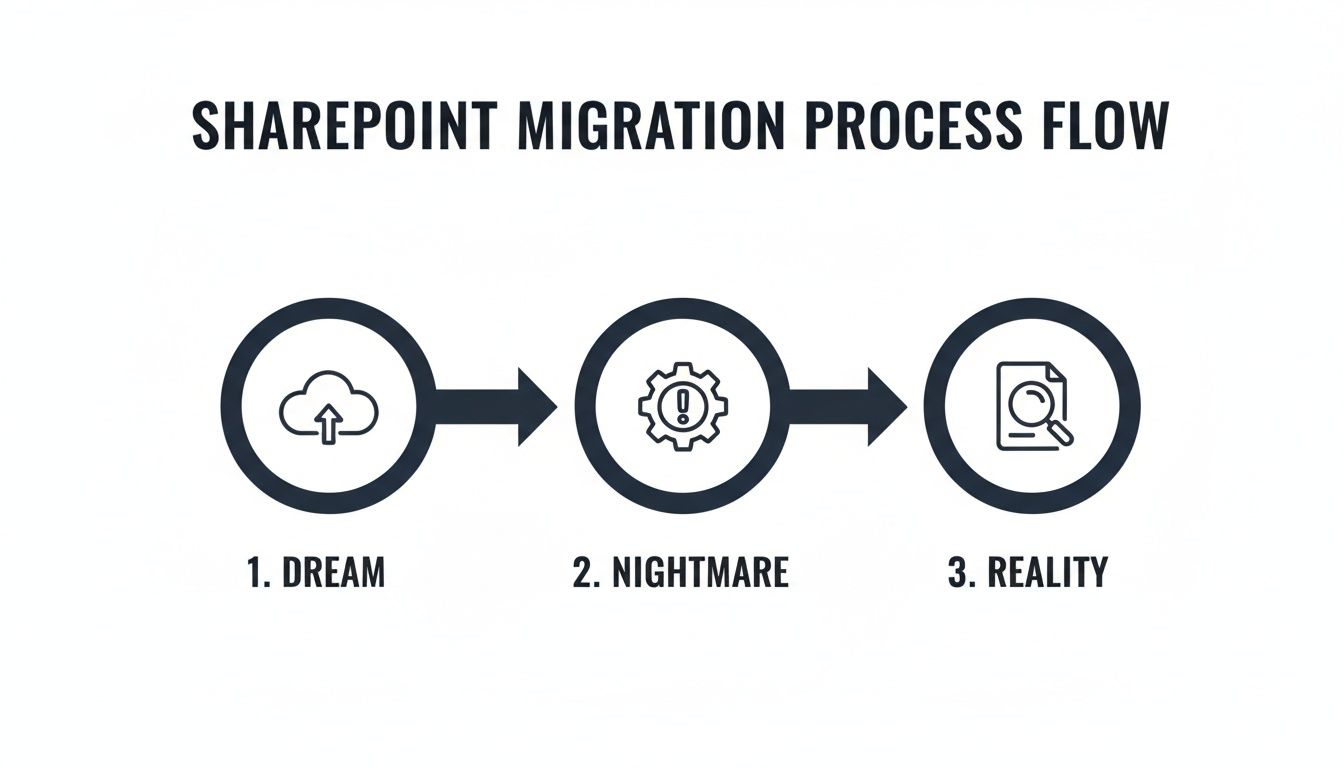
This diagram captures the project lifecycle we're often called in to rescue. It starts with an optimistic vision, descends into chaos when reality hits, and only gets back on track when a data-driven, realistic approach is finally adopted.
Exposing the Hidden Failure Points
A proper forensic scan goes far beyond counting sites and files. It is an architectural stress test designed to find what will break under the pressure of moving to the cloud. If your initial analysis doesn't produce a report detailing these specific issues, it’s incomplete and dangerously misleading.
Your deep scan must identify:
- Path Length Violations: Any file path blowing past the 400-character limit in SharePoint Online. These files won't just fail to migrate; they often fail silently, leading to data loss your users won't discover for weeks.
- Permission Fragmentation: The exact number of files and folders with broken inheritance. Discovering you have 50,000 uniquely permissioned items after you start is a project-ending event. It shatters modern security models and makes governance impossible.
- Orphaned Entities: User profiles, groups, and metadata tied to accounts that no longer exist in your directory. These are ticking time bombs for data integrity and create serious compliance risks.
- List View Threshold Risks: Every single list approaching the 5,000-item view threshold. Migrating these without remediation guarantees they will break and become unusable in SharePoint Online, causing immediate operational disruption.
Neglecting this deep analysis doesn't just make the migration harder; it ensures you're investing a fortune to move a broken system into a pristine new environment. You are simply replicating the old mess in a more expensive location.
Redesigning Your Information Architecture
The data from your analysis must drive a fundamental redesign of your Information Architecture (IA) before you migrate. It’s a sobering fact that while over 85% of Fortune 500 companies use SharePoint Online, migration failure rates remain stubbornly high. Why? Because they skip this step.
Organisations try to transplant obsolete structures—designed for a different era of work—into modern infrastructure. This just compounds existing problems like broken permissions and redundant content.
A robust pre-migration redesign isn't optional. Your strategy has to involve:
- Aggressive Consolidation: Merging redundant departmental sites and ruthlessly archiving obsolete content. Every site that doesn't have a clear owner and a real business purpose must be challenged.
- Strategic Flattening: Deconstructing convoluted, deeply nested subsite hierarchies into a modern, flat structure connected by Hub Sites. This move simplifies permissions, dramatically improves navigation, and aligns with how Microsoft 365 is designed to work.
- Governance Blueprinting: Defining a strict governance model for site provisioning, permissions management, and the content lifecycle. This is how you ensure the chaos you're fixing cannot re-emerge post-migration.
The goal isn’t to lift-and-shift your legacy problems. The real objective is to architect a new, defensible structure. To get a sense of the depth required, you can review the framework for a professional SharePoint migration assessment. This is the blueprint for getting it right.
Choosing Your Tools Without Believing the Hype
Your choice of migration tool defines the upper limits of your success, but let’s be clear: the tool itself is not a strategy. We’ve been called in to rescue projects where the team treated tooling as a silver bullet. They bought into marketing that promised a simple, automated process, only to find the tool fails silently on broken permissions, chokes on large lists, and offers no meaningful way to remediate the thousands of errors it inevitably generates.
The Free Tool Trap: SPMT
Microsoft’s SPMT is adequate for one specific job: moving a small, clean file share into a single SharePoint site. For anything beyond that, it’s a liability.
It operates like a black box, giving you little to no insight into why a file failed or what throttling limits you're hitting. Your team is left guessing, running jobs repeatedly and hoping for a different outcome. The documentation may say it works, but in reality, it lacks the granular control, error handling, and reporting you need for any complex SharePoint migration.
The performance limitations are also frequently misunderstood. Microsoft’s own telemetry data shows that antivirus software, insufficient RAM on agent machines, and poor disk performance can slash your throughput by 30-50%. Teams deploy SPMT with zero infrastructure planning and then blame the tool when performance tanks. You can get more details on these migration speed bottlenecks from Microsoft's documentation.
Third-Party Tools: The Necessary Upgrade
This is where third-party solutions like ShareGate come in. They are a massive leap forward, providing the essential pre-migration analysis, detailed logging, and granular controls SPMT lacks. Your team can run reports to identify long file paths and broken permissions before you move—a fundamental requirement.
However, even these powerful tools have breaking points. The documentation might say they can handle complex scenarios, but in the real world, they can struggle with mass migrations of highly customized classic sites or tricky tenant-to-tenant identity mapping. When Microsoft’s APIs start throttling your connection—and they will—even the most advanced tool can be brought to its knees without a proper strategy to manage the workload in waves.
The Ollo Verdict: Use SPMT for a handful of file shares under 50GB. For anything involving complex site structures, permissions, or more than a terabyte of data, a commercial tool like ShareGate is the absolute minimum entry fee. For true enterprise complexity, you need custom scripting. Relying on anything less isn't a cost-saving measure; it's an acceptance of failure.
A migration tool is only as good as the plan it's executing. The table below cuts through the marketing fluff to show what you're really getting.
Ollo Verdict: Migration Tool Reality Check
As you can see, the value isn't just in moving files; it's in the control, insight, and audibility you get at each stage of the process.
The Hybrid Approach: For When Failure Is Not an Option
For true enterprise-grade migrations, particularly those involving tenant consolidations or regulated data, a hybrid approach is non-negotiable. This is where you combine the power of a commercial tool with the precision of custom scripting. No off-the-shelf tool can perfectly handle every unique exception buried in a decade-old environment.
When considering various migration tools and platforms, it's important to thoroughly research their capabilities and review how they align with your project's needs; you can explore specific use cases to see how different platforms address unique challenges.
A hybrid model is the professional standard. Here’s how it works:
- ShareGate for the Heavy Lifting: Use the commercial tool for 80% of the migration—the bulk transfer of sites and documents where its speed and reporting capabilities excel.
- Custom PnP PowerShell Scripts for Surgical Precision: Your engineers must develop scripts to handle the complex edge cases commercial tools miss. This includes automating the remediation of thousands of scan errors, rehydrating broken user profiles, and performing post-migration validation checks that no GUI-based tool can execute.
This is the only way to achieve a truly auditable and successful migration at scale. If you are struggling with a migration, our deep dive into the SharePoint Migration Tool and its alternatives can provide further clarity. Without this hybrid capability, your team is not equipped for the realities of a complex SharePoint project.
Getting the Pilot and Cutover Right
Microsoft’s official guidance on pilot migrations is, frankly, dangerously simplistic. A pilot isn't a simple test run. It's a full dress rehearsal for war, designed to find every breaking point in your plan before you impact the entire business. Your pilot cohort absolutely must represent the worst-case scenarios lurking in your organisation. If you pick an easy group, you've learned nothing.
Stress-Test Your Plan Until It Breaks
The entire purpose of the pilot is to fail, and fail hard. You want things to break under controlled conditions so you can build a solid remediation plan. A pilot that runs perfectly is a failed pilot. It means your test case was too easy and has taught you nothing about your environment's real-world fragility.
Your pilot selection must include:
- The Most Complex Permissions: Find that department with a decade of ad-hoc, uniquely permissioned folders nested ten levels deep. This is how you discover your permission mapping rules don't cover every edge case.
- The 5,000-Item Threshold Breakers: Deliberately migrate a library that is actively hitting the list view threshold. Watching it grind to a halt in SharePoint Online is the only way you’ll validate your remediation strategy.
- The "Problem" Users: Include the team with the oldest, non-standard content and convoluted legacy workflows. Their migration will expose every flaw in your metadata mapping and classic workflow triggers.
Document every single failure—unexpected API throttling, metadata mismatches, broken links—and its exact remediation. Only then can you build a cutover plan based on reality, not on a vendor's best-case-scenario documentation.
The Siren Song of Incremental Migration
An incremental migration sounds clean on paper but is often fraught with peril. Microsoft’s own documentation describes a process involving a pilot, background migration, and a final cutover. While technically accurate, this guidance vastly understates the operational complexity. You can read the recommended migration process on Microsoft's site for their perspective.
The reality is that this approach creates a prolonged period where your data exists in two places at once, becoming dangerously desynchronized. Your team is forced to manage permission conflicts, and users become confused about the "single source of truth." We’ve seen it happen: a critical document gets updated in the old environment after it has been migrated, leading to permanent data loss.
For any significant SharePoint site structure migration, a well-planned, decisive cutover is almost always the safer path. For an overview of how we approach this, review our guide to executing a large-scale SharePoint migration.
Architecting a Military-Precision Cutover
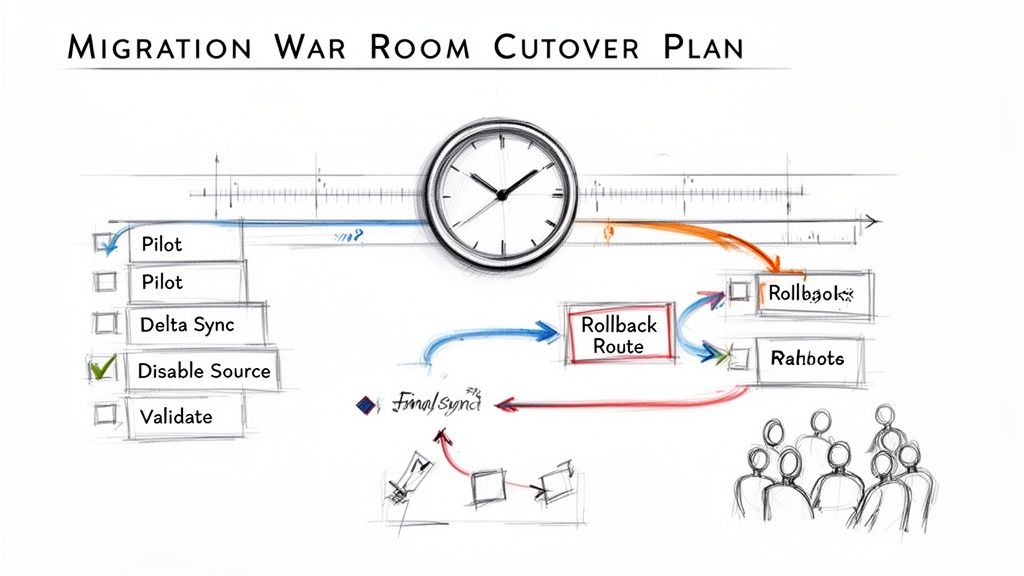
Your cutover cannot be a loose checklist. It must be a minute-by-minute sequence of events, managed from a "war room" with every key stakeholder present. Anything less is just crossing your fingers.
A battle-ready cutover plan must include these non-negotiable stages:
- Source System Lockdown: The first action is to make the source environment read-only. This prevents last-minute changes from corrupting the final delta sync.
- Final Delta Synchronisation: With the source locked, you run the final incremental sync to capture any changes made since the last major data transfer.
- Execution of Validation Scripts: This is not a manual spot-check. You must run pre-written PowerShell scripts to validate file counts, permissions on critical libraries, and metadata integrity.
- Go/No-Go Decision Point: This is a formal checkpoint. Key stakeholders review the validation results and make a final, documented decision to proceed or execute the rollback plan.
- DNS Updates and Redirection: Only after the "Go" decision do you re-point relevant URLs to the new SharePoint Online environment.
- Pre-Approved Rollback Procedure: You must have a documented, step-by-step plan to revert to the source system. This plan must be tested before the cutover weekend begins.
Failing to plan these steps doesn't just risk a failed migration; it risks operational paralysis and a complete loss of credibility for your IT team.
Implementing Post-Migration Governance and Security
Getting your data across the line isn’t the end. It’s the start of the real work. The second your new SharePoint environment goes live, it begins to decay. Without a robust, actively enforced governance and security strategy, you will recreate the exact unmanageable mess you just escaped—and it’ll happen in less than 18 months.
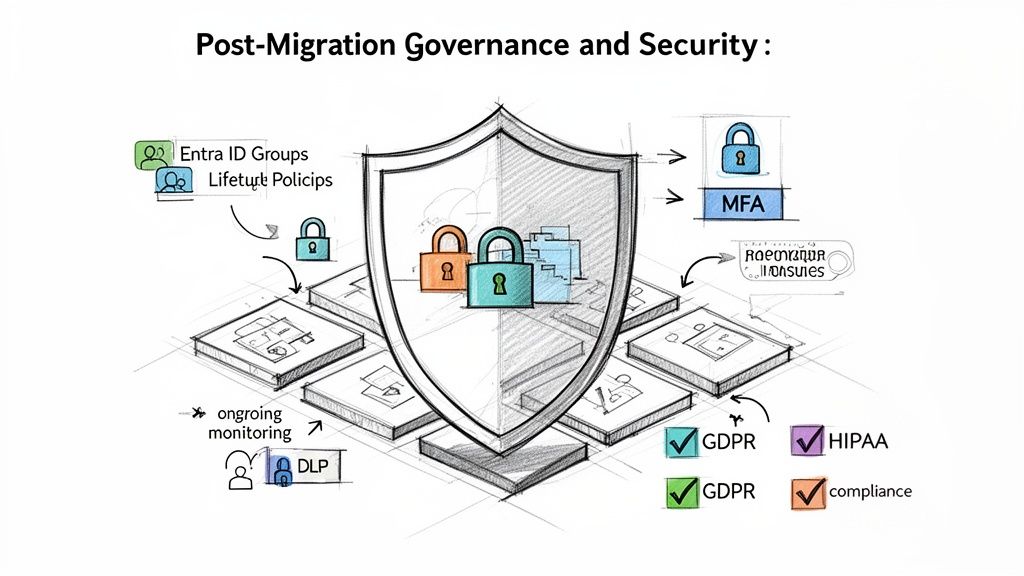
This phase justifies the entire migration investment. You're not just moving files; you're connecting them to a modern, defensible security posture. If your plan is to "lift and shift" the old permissions, stop now. The project has already failed. Your permissions model has to be rebuilt from the ground up, integrated natively with Entra ID security groups, and ruthlessly governed by automated access reviews.
Locking Down the Perimeter
Let’s be honest: the modern work environment has no perimeter. Your data is being accessed from home networks, airport Wi-Fi, and personal mobile devices. Your security model has to reflect this reality. This means implementing Conditional Access policies in Entra ID is non-negotiable.
Here are the key policies you need to enforce from day one:
- Block unmanaged devices: Enforce read-only access for any device not enrolled and compliant with your endpoint management. This prevents a massive amount of data exfiltration.
- Enforce MFA everywhere: Multi-factor authentication is not a suggestion; it’s the absolute baseline for any account accessing your data.
- Geo-location blocking: If you don’t do business in a specific country, block all sign-in attempts from that region. It’s a simple, effective way to cut down on automated attacks.
We often see clients migrate their data and completely forget to modernise the security controls. This doesn't just leave a door open; it broadcasts that the most valuable assets are now conveniently consolidated in a new, poorly guarded location.
From Data Protection to Data Defence
Protecting your data isn't just about access control. It's about classifying its value and actively defending it against misuse. This is where Microsoft Purview becomes a critical weapon. A failure here doesn't just risk a data breach; it can break legal and regulatory compliance.
You must apply sensitivity labels and Data Loss Prevention (DLP) policies to protect regulated data. This is how you align with mandates like GDPR or ISO standards.
A practical defensive strategy looks like this:
- Auto-Classification: Configure policies that automatically apply a "Confidential - Financial" label to any document containing bank account numbers.
- Enforced Protection: That label then automatically triggers a DLP policy that blocks any attempt to email that document to an external address or save it to an unmanaged device.
- Auditable Alerts: The blocked action generates a high-priority alert for your security team, providing a clear audit trail.
Remember, post-migration governance includes the secure retirement of old hardware. Ensuring sensitive data is wiped from retired servers is paramount, which can be guided by a comprehensive server decommissioning checklist.
The Ongoing Fight Against Entropy
Post-migration optimisation is not a one-off task. It's an active process of monitoring user adoption, auditing external sharing, and refining site lifecycle policies. The alternative is a slow slide back into chaos. Our guide on SharePoint data governance offers a deeper look into building these sustainable frameworks.
Your team needs automated policies that identify and archive inactive sites before they become ownerless digital junkyards. If you fail to lock down this governance from day one, your entire investment was for nothing.
Moving Beyond Planning to Execution
You now understand the anatomy of a failed SharePoint migration. You’ve seen the technical traps—from throttling APIs to dreaded list view thresholds—and the underestimated complexity of untangling permissions. More importantly, you know the catastrophic business impact of getting your SharePoint site structure migration wrong. The path forward isn't another internal committee meeting to debate tooling. That time is over.
The Real Cost of Sticking with the Plan
The cost of failure, measured in data breaches, potential GDPR fines, and operational paralysis, will always dwarf the cost of expert execution. Your team is undoubtedly skilled, but they aren't migration specialists. They haven't navigated these exact failure points dozens of times. Attempting a complex, multi-terabyte migration entirely in-house is a high-risk gamble.
Your team's job is to run the business. Our job is to de-risk the complex projects that can break it. We've been the ones called in to rescue the projects that followed the vendor playbook and still failed spectacularly.
We don't sell software licenses or consulting hours; we deliver certainty.
From Unseen Risk to a Predictable Outcome
We've cleaned up the aftermath of migrations that went wrong because an internal team, however talented, didn't know what they didn't know. They followed the documentation but were unprepared for the brutal reality of undocumented limitations and real-world failure scenarios.
Let's have a direct, technical conversation. We can help you assess the genuine risks buried in your current environment and build a migration plan that anticipates the breaking points. This is how you move from endless planning to a successful execution.
Straight Answers to Tough Questions
When we talk to IT Directors and Enterprise Architects, they’re rightly sceptical. They ask the hard questions that come from experience. Here are the direct answers.
Can We Just Use the Free SharePoint Migration Tool for Our Enterprise Migration?
Honestly, for anything more than a tiny file share move (think under 50GB), relying only on the free SharePoint Migration Tool (SPMT) is a massive gamble. The tool is a blunt instrument. It lacks detailed error reporting, gets tangled in complex permissions, and offers zero help for fixing issues before you migrate. It also gives you no control when Microsoft starts throttling your connection, which they will. In a real enterprise migration, these aren't inconveniences. They translate directly into failed transfers and users locked out of their documents.
How Do We Handle Permissions During a Tenant-to-Tenant Migration?
This is where projects fail catastrophically. You have to understand that user and group identities (GUIDs) are unique to each tenant. You can’t just copy them over. A ‘lift-and-shift’ will break everything because the user accounts from your old tenant don’t exist in the new one. It guarantees a Day One lockout. The only way through is with a meticulous identity mapping strategy, using a sophisticated tool or custom scripts to re-apply permissions using the new identities.
We often see in-house teams try to handle this with basic scripts, only to get buried under thousands of mapping exceptions after the cutover. This doesn’t just flood the helpdesk; it grinds business operations to a halt and often forces an emergency rollback.
What Is the Biggest Non-Technical Mistake Companies Make?
Without a doubt, treating a SharePoint migration as a purely IT-led project. It isn't. A successful migration is fundamentally a business change management initiative that IT executes. We’ve seen projects doomed from the start because that distinction was ignored. IT can move the data, but you need business stakeholders involved from day one to help redesign the site architecture, validate data ownership, define new governance rules, and, critically, participate in user acceptance testing (UAT). If you fail to get that buy-in, you can execute a technically flawless migration to a system that users immediately reject.
You've seen the complexity and the common points of failure. Attempting this alone isn't a cost-saving measure; it's a gamble. At Ollo, we don't sell tools; we deliver certainty for high-stakes migrations. Let's have a direct conversation about de-risking your project.

















