


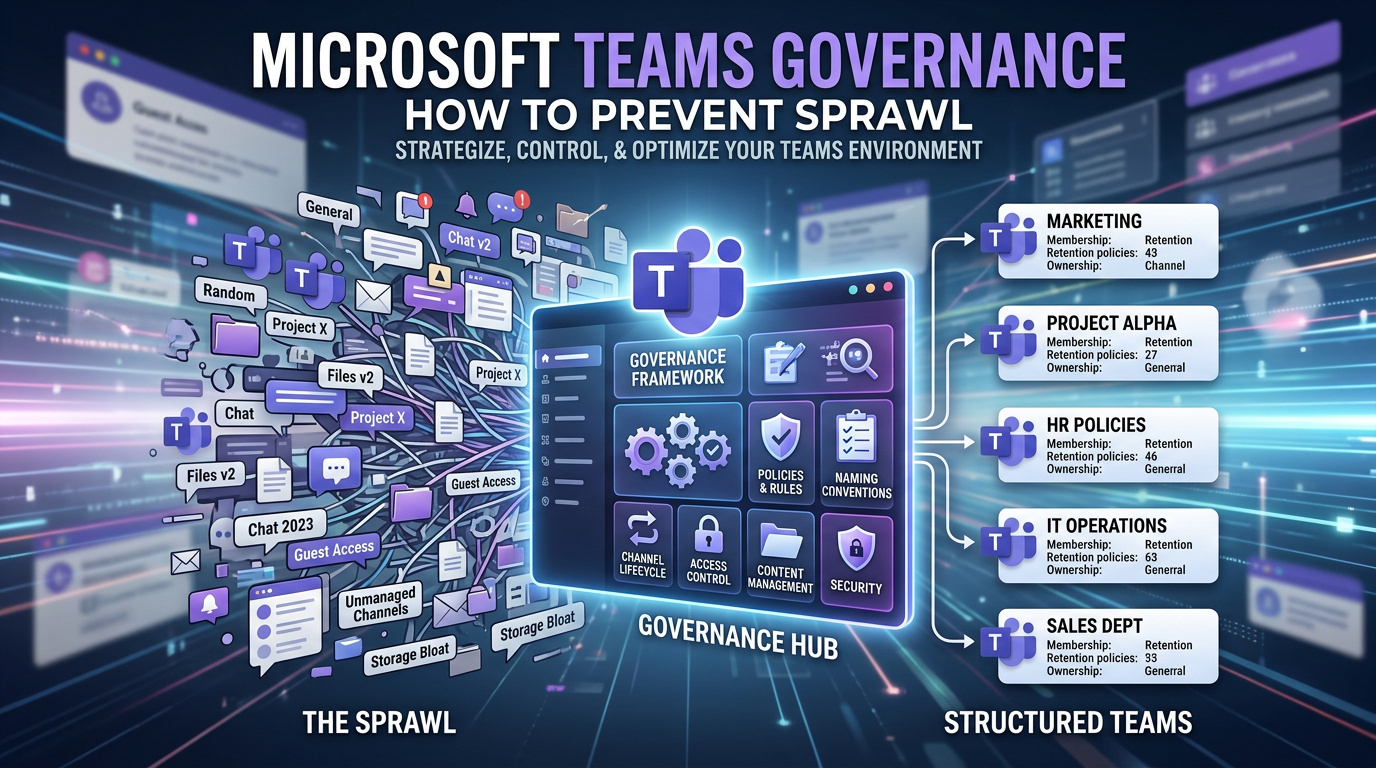

Microsoft Teams Governance: How to Prevent Sprawl
Effective Microsoft Teams governance is a set of automated rules and strategic policies that control how Teams are created, managed, and secured within your Microsoft 365 tenant. It is not about restricting users, but about building a resilient framework that prevents the uncontrolled creation of duplicate or unnecessary Teams—a phenomenon known as "Teams sprawl."
In our experience as digital solutions architects, we've seen countless organisations fall into the same trap. They roll out Teams with default settings, treating it like a simple chat app. Within months, their pristine digital workspace descends into a chaotic mess of hundreds of similarly named, abandoned, and unsecured Teams. This isn't just untidy; it's a significant security risk and a barrier to productivity.
The reality we have found is that without a proactive governance plan, your tenant's search becomes useless, users can't find the correct workspace, and sensitive data inevitably leaks into over-permissioned channels. This article provides the architectural blueprint to stop your tenant from becoming a mess before it starts.
The Anatomy of Teams Sprawl
The core of the problem lies in a misunderstanding of what a "Team" actually is. When a user clicks "Create a Team," they are not just creating a chat space. In the background, they are provisioning a suite of powerful, interconnected Microsoft 365 resources:
- A Microsoft 365 Group with a dedicated security membership.
- A SharePoint Site Collection to store all channel files.
- A shared Exchange Mailbox and Calendar.
- A OneNote Notebook.
- Ties into other services like Planner and Power BI.
When this creation process is left ungoverned, chaos is the inevitable result.

The Three Pillars of Teams Governance Best Practices
A robust governance strategy is not a single setting; it's a multi-faceted approach. We architect our solutions around three core pillars that address the entire lifecycle of a Team.
Pillar 1: Access and Creation Controls (The Front Door)
The most effective way to prevent teams sprawl is to control how Teams are created in the first place.
1. Restrict Who Can Create Teams: By default, every user can create a Microsoft 365 Group (and therefore, a Team). Your first step is to change this. We recommend restricting creation rights to a specific security group, such as "M365 Team Creators." This simple action immediately stops the flood of uncontrolled creation.
2. Implement a Microsoft Teams Naming Policy: A naming policy is a critical guardrail that enforces consistency. Configured in Azure Active Directory, it allows you to automatically add prefixes or suffixes to a Team's name based on user attributes.
- Prefixes: Add the user's department, like
MKT - Project Phoenix. - Suffixes: Add a consistent identifier, like
Project Phoenix - Team. - Blocked Words: Maintain a list of forbidden words (e.g., "HR," "Legal," "Confidential") to prevent users from creating official-looking teams for unofficial purposes.
You can find the technical steps to implement this in the official Microsoft 365 naming policy documentation.
3. Build a "Team Request" Workflow: For the ultimate level of control, we replace the native "Create a Team" button with a custom request form built in Power Apps. This form captures critical metadata upfront—like the business justification, project code, and desired owners—and routes it through a Power Automate workflow for approval before the Team is automatically provisioned via a script. This is the "Ollo Way": replacing chaos with a structured, automated catalog.
Pillar 2: Lifecycle Management (The Back Door)
Even with creation controls, Teams have a natural lifespan. Lifecycle management ensures that inactive Teams are dealt with automatically.
Microsoft 365 Group Expiration Policies are your primary tool here. You can configure a policy that automatically targets Teams that have been inactive for a set period (e.g., 180 days).
- The Process: 30 days before expiration, the Team owners receive an automated notification. They can choose to renew, archive, or delete the Team.
- The Outcome: If no action is taken, the Team is "soft-deleted" and held for 30 days before being permanently purged. This prevents your tenant from filling up with thousands of abandoned digital workspaces. It's an essential janitorial service for your digital office, as detailed in the Microsoft 365 group expiration policy overview.
Pillar 3: Information Protection (The Digital Vault)
Governance is also about protecting the data inside the Teams. This is achieved using Sensitivity Labels from Microsoft Purview.
Instead of relying on users to correctly choose between a "Public" or "Private" team, Sensitivity Labels allow you to create business-centric classifications like:
- General: A default label for non-sensitive collaboration.
- Confidential - Internal: This label automatically sets the Team to "Private" and can block external guest access.
- Highly Confidential - Legal: This label can apply even stricter controls, such as preventing users from copying content from channel messages or downloading files from the underlying SharePoint site.
When a user creates a Team, they are forced to choose a label, making security an active, conscious decision rather than a forgotten setting.
From Mess to Modern Workplace
By implementing these three pillars of Microsoft Teams governance, you transform Teams from a potential liability into a powerful, scalable, and secure asset. You move from a reactive state of constantly cleaning up messes to a proactive state where the platform governs itself. This allows your users to collaborate with confidence, knowing they are in the right place and that the organization's data is protected by an intelligent framework.
Is your organization currently struggling with Teams sprawl? A governance audit is the first step toward reclaiming control of your tenant. Contact us on www.ollo.ie

















