


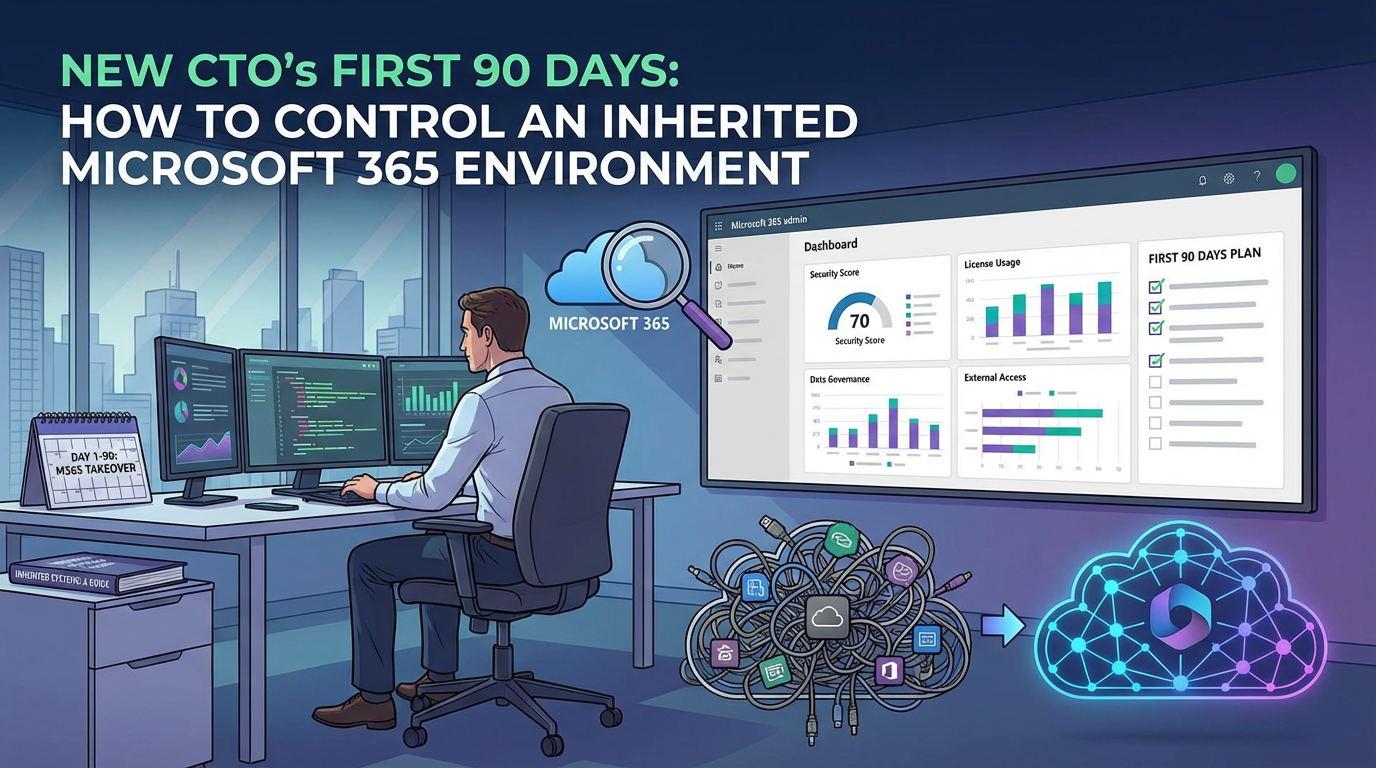

New CTO's First 90 Days: How to Tame an Inherited Microsoft 365 Environment
As a new CTO, your first 90 days are a critical window to establish credibility and set a strategic direction. You've inherited a sprawling Microsoft 365 environment—a digital ecosystem that likely grew organically, not by design. The temptation is to jump in and start making immediate changes to prove your value. This is a mistake.
The most effective approach is to first act like an architect, not a renovator. Before you move a single wall, you must understand the building's foundation, its hidden wiring, and how people actually use the space. A new CTO's Microsoft 365 audit is not a technical inventory; it's a strategic reconnaissance mission. It's about methodically assessing the landscape, identifying the true risks, and formulating a plan that addresses systemic issues, not just surface-level symptoms.
In our experience, the trap most new leaders fall into is believing the handover documentation. The real state of your tenant lies in its configuration, its sign-in logs, and the "Grey Zone" of unmanaged data. This 90-day plan is the protocol for moving from an inherited, unknown state to a governed, intentional, and secure platform.
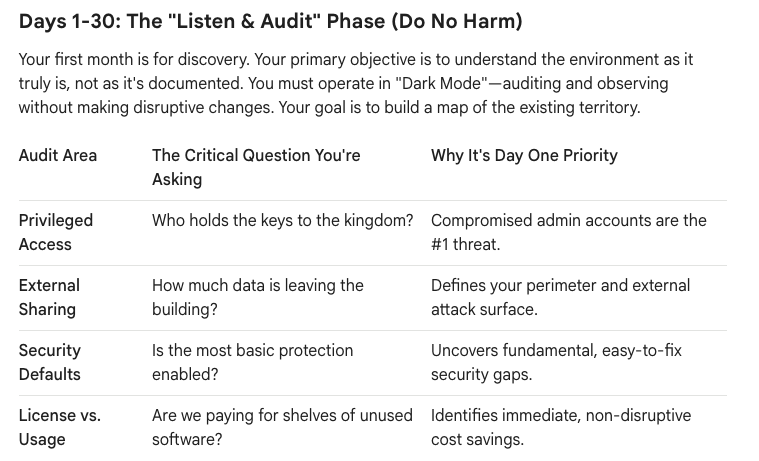
Days 1-30: The "Listen & Audit" Phase (Do No Harm)
Your first month is for discovery. Your primary objective is to understand the environment as it truly is, not as it's documented. You must operate in "Dark Mode"—auditing and observing without making disruptive changes. Your goal is to build a map of the existing territory.
Here is your tactical checklist for the first 30 days:
- Map the "Keys to the Kingdom": Don't ask for a list of admins; pull it yourself. Conduct a full audit of all Azure AD privileged roles. Identify every user with a role like Global Administrator. In our experience, this number is always higher than expected. Your immediate goal is to understand the scope of this risk. Are there service accounts with permanent admin rights? Are former employees still on the list? This is your most critical security data point.
- Quantify the "Data Leaks": Review the tenant-wide external sharing policies in SharePoint, OneDrive, and Teams. More importantly, run a report to see how many "Anyone with the link" shares currently exist. This will give you a raw, unfiltered view of your data exfiltration risk. You’re looking for the answer to: "What is our current worst-case scenario for a data leak?"
- Perform a Security Baseline Check: Go to the Microsoft 365 Security Center and review your Secure Score. While not a perfect metric, it is an excellent tool for a new leader. It quickly highlights where your inherited environment deviates from Microsoft's recommended security baseline. Pay special attention to basics like MFA adoption for non-admins and legacy authentication blocks.
- Conduct a License-to-Usage Analysis: Export a full list of all assigned Microsoft 365 licenses and cross-reference it with user activity data. How many assigned E5 licenses belong to users who haven't signed into SharePoint in 90 days? How many accounts are licensed but dormant? This is not just a cost-saving exercise; it’s a risk-reduction measure. Dormant, licensed accounts are a security liability.
At the end of 30 days, you should not have "fixed" anything. You should have a private, data-driven report detailing the four or five biggest areas of risk and inefficiency.
Days 31-60: The Strategic Triage (Build the Roadmap)
With your audit data in hand, you now move from discovery to architecture. The goal of this phase is to translate your raw findings into a prioritized roadmap. This is where you engage with business stakeholders, not to ask them what to fix, but to validate the business impact of the risks you've uncovered.
- Present the "State of the Nation": Take your audit findings to the executive team. Frame the conversation around business risk, not technical settings.
- Instead of saying: "We have 1,200 anonymous sharing links active."
- Say: "Our current configuration creates a significant risk of intellectual property leakage. We have identified over a thousand instances where sensitive data could be exposed to the public internet."
- Tackle the "Grey Zone" of Governance: Your audit likely revealed sprawl—hundreds of Teams and SharePoint sites with no clear owner or purpose. Don't try to boil the ocean. Your goal is to establish a go-forward governance protocol. Focus on three things:
- Who can create groups? Restrict M365 Group (and therefore, Team) creation to a managed process.
- What is our naming policy? Implement a simple prefix/suffix policy for new Teams to bring order to the chaos.
- What is our guest policy? Define and implement a guest user access review policy to automatically prune stale external accounts.
- Define Your First "Visible Win": From your audit, select one high-impact, low-risk project that you can execute in the next 30 days. This is crucial for building momentum and demonstrating competence. Good candidates include:
- Implementing a PIM policy for a handful of critical admin roles.
- Disabling legacy authentication after confirming no business impact.
- Reclaiming 500 unused licenses for an immediate, tangible cost saving.
The output of this phase is a formal 6-month roadmap, socialized with and signed off by business leadership. It should have clear priorities, timelines, and measurable outcomes.
Days 61-90: Execute the First Win (Establish Credibility)
This final phase is about execution. You will now "un-dark" one of the initiatives you planned in the previous month and deliver a tangible result.
- Execute with Precision: Whatever project you chose, execute it flawlessly. This is a test of your team's operational discipline. If you are rolling out PIM, ensure the affected admins are trained and the process is smooth. If you are changing a sharing policy, have the communication and support plan ready.
- Communicate the "Why": Announce the change, but lead with the business benefit. "Today, we have taken a critical step to protect our company's intellectual property by updating our external sharing protocols. This reduces our risk while still enabling secure collaboration with our trusted partners."
- Measure and Report: After execution, report back to the executive team with the results. "Our initiative to optimize license management has resulted in a recurring annual saving of $50,000. These funds will be reinvested into our security program." This closes the loop and builds a foundation of trust for your larger, more complex roadmap items.
By the end of your first 90 days, you will have accomplished something far more valuable than a random collection of technical fixes. You will have established a data-driven understanding of your environment, built a strategic roadmap based on business risk, and delivered a measurable win that demonstrates your ability to execute. You will have moved from inheriting a problem to architecting a solution.

















