



Let's be blunt. The standard SharePoint migration playbook promises a smooth ride but completely glosses over the technical icebergs that sink projects and blow budgets. Most SharePoint migration disasters happen because teams underestimate the complexity and treat it like a simple "lift and shift"—a dangerously flawed assumption that puts your data, your timeline, and frankly, your job on the line.
Your SharePoint Migration Is Built to Fail
You're probably here because you've seen a project go sideways before. Your team is likely gearing up for a SharePoint migration, following a standard plan that dangerously downplays the real-world technical hurdles we see derail enterprise projects every single week. This isn’t another cheerful "how-to" guide; it's a "how-not-to-fail" playbook forged in the trenches of complex, high-stakes Microsoft 365 migrations.
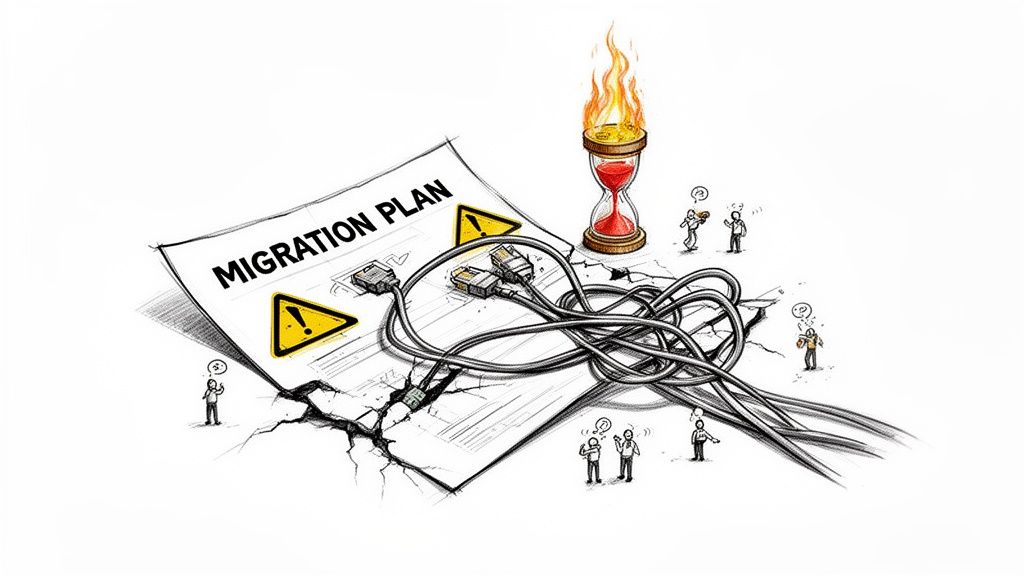
We're the specialists who get called in to rescue these projects after an internal team or a generalist IT partner has hit a brick wall. They hit that wall because they bought into the marketing fluff and completely underestimated the harsh realities of moving terabytes of business-critical data into SharePoint Online.
The Anatomy of a Doomed Project
Disaster doesn't happen overnight. It’s a slow burn, starting with what look like minor snags that quickly cascade into catastrophic failure. We see this pattern again and again when clients make these critical assumptions:
"Our tools will handle it." They won't, not completely. We often see clients fail when they treat tools like Microsoft’s SPMT or even ShareGate as a silver bullet. They have hard breaking points; they choke on API throttling, misreport failures on long path limits, and simply cannot resolve broken inheritance without expert-level scripting and intervention.
"The documentation is our guide." Microsoft's documentation describes a perfect world. The documentation says to run migrations "off-peak" to avoid throttling, but in reality, for a global enterprise, there is no "off-peak." Your environment is not a perfect world.
Your current migration plan is dangerously incomplete. It's focused on moving files but completely ignores the architecture, identity, and governance failures that will break your business processes, violate compliance, and expose sensitive data.
This guide will dissect the specific SharePoint migration issues your team isn't prepared for. We'll expose the brutal truths you need to hear to protect your data—and convince you that a DIY approach is a risk you can't afford to take.
The Unspoken Limits Microsoft's Documentation Hides
Let’s be honest. Microsoft's documentation gives you the technical theory, but it doesn't prepare you for the sheer operational chaos these limits cause during a real-world, high-stakes migration. Your team might read the specs and think they can push terabytes over a weekend, but this is exactly where SharePoint migration projects begin to unravel.
It all comes down to two horsemen of migration failure: API throttling and character path length limits.

These aren't just abstract concepts from a manual; they are hard walls that will bring your project to a grinding halt. When you hit them, basic tools are powerless, forcing a crisis mid-project that leaves your data—and your timelines—in serious jeopardy.
The Brutal Reality of API Throttling
SharePoint Online is a multi-tenant service, so when your migration bombards it with too many requests, it throttles your connection. The documentation says you can avoid this by running migrations "off-peak." But for any global enterprise operating across time zones, there is no 'off-peak.'
We constantly see clients fail spectacularly by underestimating this. The documentation is clear: don't submit more than 5,000 migration jobs at once. If you do, your throughput will plummet. With SharePoint Server 2016/2019 hitting end-of-support on July 14, 2026, we’re seeing a rush of IT Directors trying DIY tenant-to-tenant consolidations. They’re hitting this wall first, and it’s completely unforgiving.
The free SharePoint Migration Tool (SPMT) offers almost no control here. It fires off API calls with reckless abandon, making it the primary victim of throttling. One minute your team reports healthy throughput; the next, it’s ground to a near-halt with no clear explanation.
The Ollo Verdict: Relying on a tool that cannot intelligently manage its own API requests is professional malpractice. For any data volume over a few hundred gigabytes, you need a strategy that works with SharePoint's limits, not against them, using managed API calls and custom scripting.
The Silent Destroyer: Long Path Limits
The next silent killer is the 400-character URL path limit in SharePoint Online. On paper, that seems generous. In reality, it’s a landmine buried deep within your legacy file servers.
Think about it: years of deeply nested folders created by users with no regard for structure. Department > Projects > Archived > 2015 > Q4 > Sub-folder_for_John_final_v2… it adds up fast. The result is thousands of file paths that blow right past this limit.
Your team might run a pre-migration scan with a basic tool, and it reports everything is fine. The migration begins, and files start failing to copy—often silently. The tool might not even flag them as errors, leading to a disastrous false sense of security.
Here’s how this plays out in the real world:
- Source Path:
\\fileserver01\departments\Finance_and_Accounting_Div\Archived_Reports_for_Compliance\Q4_End_of_Year_Summaries_2012_to_2015_Final_Audited_Versions\Project_Phoenix_Sub-ledger_Reconciliation_Working_Documents_and_Final_Signoff_from_CFOs_Office_DO_NOT_DELETE.xlsx - The Result: The migration tool tries to map this to a SharePoint Online library, exceeds the 400-character limit, and either truncates the name or, far worse, fails to migrate the file entirely.
- The Consequence: Missing this step doesn't just fail the migration; it breaks legal compliance. Your legal team can no longer find a critical compliance document. This isn't just a technical glitch; it's a massive business risk.
Fixing this demands more than a simple tool. It requires a programmatic approach to identify, report on, and flatten these deep-seated folder structures before the migration even begins. Without this pre-emptive clean-up, you are guaranteeing data loss.
Why Your Migration Tools Will Betray You
Your team has picked a migration tool. Maybe it's Microsoft's free SharePoint Migration Tool (SPMT) or a licensed product like ShareGate. The assumption is that this software is a silver bullet.
This assumption is one of the most common—and most expensive—mistakes we see.
While these tools are adequate for small, straightforward jobs, they have critical breaking points when they meet the tangled reality of an enterprise environment. They create a dangerous illusion of control that often shatters mid-project, leaving your team scrambling.
SPMT: The Free Tool That Costs You Dearly
SPMT is free, but in a high-stakes migration, "free" is the most expensive price you pay. It gives you almost no meaningful control over its API calls, making it a primary victim of SharePoint Online throttling. Your migration will start, hit an invisible wall, and grind to a halt.
We often see projects stall because SPMT choked on:
- Complex Permissions: It has no sophisticated way to remap unique permissions or handle the broken inheritance common in on-premises environments.
- Metadata Mapping: It regularly fails to reliably transfer intricate metadata columns, which are often the lifeblood of critical business processes.
- Error Reporting: Its logs are notoriously vague. It will often report a "success" even when hundreds of files have been missed or crucial metadata has been dropped entirely.
ShareGate and Third-Party Tools: The Hidden Limitations
Licensed tools like ShareGate are more powerful, offering better reporting and more granular control than SPMT. But they are not the "set it and forget it" solution your team is hoping for. Their pre-migration checks provide a false sense of security.
Path length limits, for example, wreck migrations. Microsoft warns about the 400-character URL cap, but legacy file servers smash right through it. We see this constantly with our healthcare and legal clients, where nested paths from SharePoint 2013 cause over 70% of upload failures. The documentation says the tool handles this, but in reality, a significant percentage of DIY migrations still report broken links and inaccessible files post-cutover.
The Ollo Verdict: Use SPMT for <50GB. For anything else, you need custom scripting. Off-the-shelf tools are a component of a migration strategy, not the strategy itself. We use them alongside custom PowerShell scripts to manage throttling, remediate path length issues, and rebuild permissions. Relying on the tool alone is like giving a pilot a plane but no flight plan—disaster is a certainty.
Even the best third-party SharePoint migration tools require an expert at the controls. A tool cannot fix what it wasn't designed to see, like deep-seated governance flaws or identity mismatches. Your migration's success doesn't hinge on the tool, but on the expertise of the people wielding it.
The Silent Killers of Permissions and Identity
This is where migrations truly die. It’s not about moving files; it’s about ensuring the right people have the right access after you’ve moved. We see projects fail time and again because teams naively assume permissions will just map 1:1 from an old server or another tenant.
They won't. You're marching straight into a minefield of broken inheritance, mismatched user identities, and GUID conflicts. These aren’t just technical glitches; they are gaping security vulnerabilities.
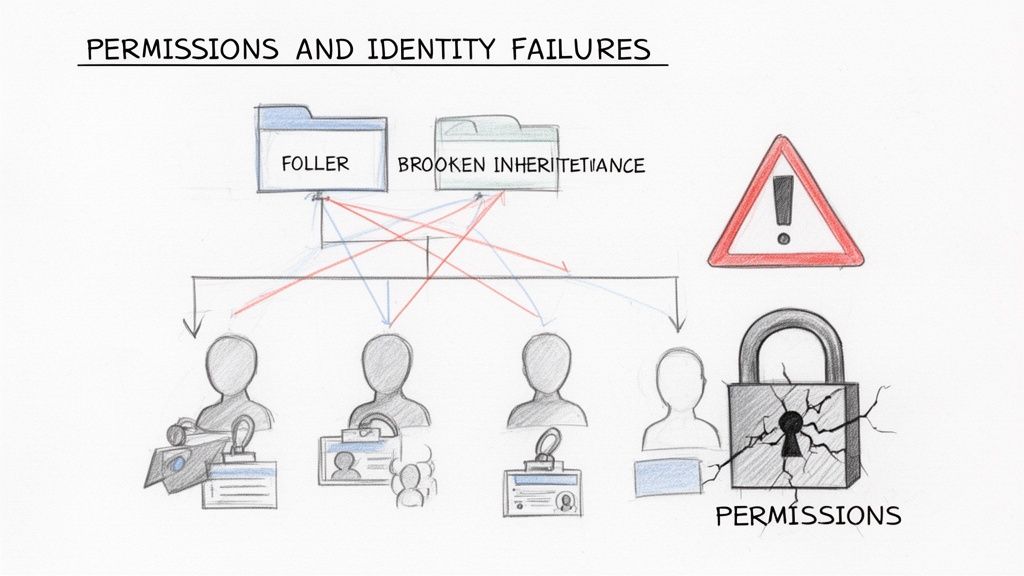
A single mapping error during a tenant consolidation could grant your entire organisation access to confidential HR or finance data. That’s not a technical hiccup; it’s a data breach, and the standard migration tools your team is using are utterly unprepared to stop it.
GUID Conflicts and Broken Inheritance
Every list and library in SharePoint has a Globally Unique Identifier (GUID). The documentation for migration tools says they'll move your content, but it glosses over a critical reality: SharePoint Online frequently assigns new GUIDs to everything inside a moved site collection.
This is the exact moment your permissions model shatters. Any custom access rights tied to the old GUIDs are instantly orphaned, leading to what we call broken inheritance.
This isn't a theoretical problem. Legacy on-premises GUIDs clash with new SharePoint Online IDs, nuking 40-60% of custom permissions post-migration. DIY teams using out-of-the-box tools almost always miss this, leading to a spike in "access denied" tickets by a factor of three in the first week.
A "successful" file transfer with broken permissions isn't a success. It's a failure that has created a ticking compliance time bomb inside your new tenant.
The Identity Mapping Nightmare
It gets worse with user identities. Your team can't just map "John.Smith" from Active Directory to "John.Smith" in Microsoft Entra ID and call it a day. Entra ID uses immutable object IDs, not usernames, to grant access. A tiny mismatch—like a newly created cloud account versus a properly synced one—means John loses access to everything.
We see clients get this wrong in three specific scenarios:
- On-Premises to Cloud: Orphaned SIDs (Security Identifiers) from long-deleted on-premises user accounts haunt your legacy permissions. If you don't clean these up before migrating, they become unresolved ghosts in SharePoint Online, making a security audit impossible.
- Tenant-to-Tenant Consolidations: The user
jsmith@companyA.commust be meticulously mapped to their new identity,j.smith@companyB.com. A generic tool will fail this test every time, stripping permissions from thousands of files. - Hybrid Environments: If your Entra ID sync isn't flawless, users can end up with duplicate or mismatched identities. Granting access to the wrong one is a security risk; denying access to the right one cripples productivity.
Fixing this demands a full audit and redesign of your Entra ID identity model before a single file is moved. This isn't an optional add-on; it's a mandatory prerequisite.
The Ollo Verdict: Permissions and identity are not tick-box exercises. They demand a forensic-level audit using custom PowerShell scripts to discover and rebuild access controls from the ground up. Any vendor who tells you their tool handles this "automatically" is either dangerously inexperienced or not telling you the whole truth. Your data's security depends on getting this right.
Calculating the True Cost of a Failed Migration
When a SharePoint migration goes wrong, the first bill you see is for wasted IT budget. But that's just the tip of the iceberg. For you, the real cost is measured in the catastrophic business impact that follows. We've been called in to rescue projects where the financial fallout from a "minor" technical failure spiralled well into six figures.
Thinking you can "save money" with a DIY migration is a dangerous miscalculation. The real question you must answer is this: is the perceived saving worth the tangible risk to your data, your legal standing, and your business continuity?
From Technical Glitch to Financial Disaster
A throttled migration isn’t just a delay; it’s a direct hit to the bottom line. When your business-critical data is stuck in limbo for weeks longer than planned, operations grind to a halt. We’ve seen this exact SharePoint migration issue force entire teams back to inefficient, manual workarounds, costing organisations thousands per day in lost productivity.
Similarly, lost or corrupted metadata doesn't just break a few workflows. It systematically cripples the business processes that depend on that data. Imagine your finance department's automated invoicing system failing because critical metadata tags were dropped during the move. The cost of manual remediation quickly eclipses any initial savings.
A failed migration isn't an IT problem; it's a balance sheet problem. The costs are not theoretical. They are measured in downtime, regulatory fines, and irretrievable data loss that directly impacts revenue and reputation.
The Uninsurable Risk of Compliance Failure
This is the risk that should keep you up at night. Broken permissions don’t just frustrate users; they create auditable, wide-scale compliance failures. We’ve witnessed scenarios where a botched permissions mapping exposed sensitive HR records to the entire organisation.
This isn't a simple mistake. Under regulations like GDPR, it’s a data breach with potentially devastating consequences.
- Massive Fines: The financial penalties for non-compliance can reach millions of euros.
- Reputational Damage: The loss of trust from customers and partners can be permanent.
- Legal Liability: The personal and corporate liability for failing to protect sensitive data is significant and very real.
When you weigh the cost of specialist intervention against the potential for a multi-million-euro fine, the calculation becomes brutally simple. The only rational choice is to de-risk the project. For a detailed breakdown of how these costs add up, you can learn more about calculating your SharePoint migration cost in our complete guide.
The Ollo Verdict on Risk
The money "saved" by attempting a DIY migration is an illusion that vanishes the moment the first critical file goes missing or the first sensitive folder is exposed. An expert-led migration isn't a cost centre; it's an insurance policy against a predictable disaster. The only way to manage SharePoint migration issues is to eliminate the risks before they materialise.
The Ollo Blueprint for Migration Success
We’ve spent a lot of time talking about how SharePoint migrations go wrong. Now, let’s flip the script and show you how they succeed.
To be crystal clear: this isn’t a step-by-step DIY guide. This is our blueprint, designed to show the level of rigour a successful migration demands. It’s a level of diligence that is almost impossible to achieve without specialist expertise.
A successful migration isn't a single event; it's a meticulously managed, multi-phased operation. Trying to rush or skip any of these phases is precisely why so many internal projects descend into chaos, leading to painful downtime, regulatory fines, or catastrophic data loss.
The hidden costs of a failed migration can quickly spiral, turning a seemingly simple IT project into a major business crisis.
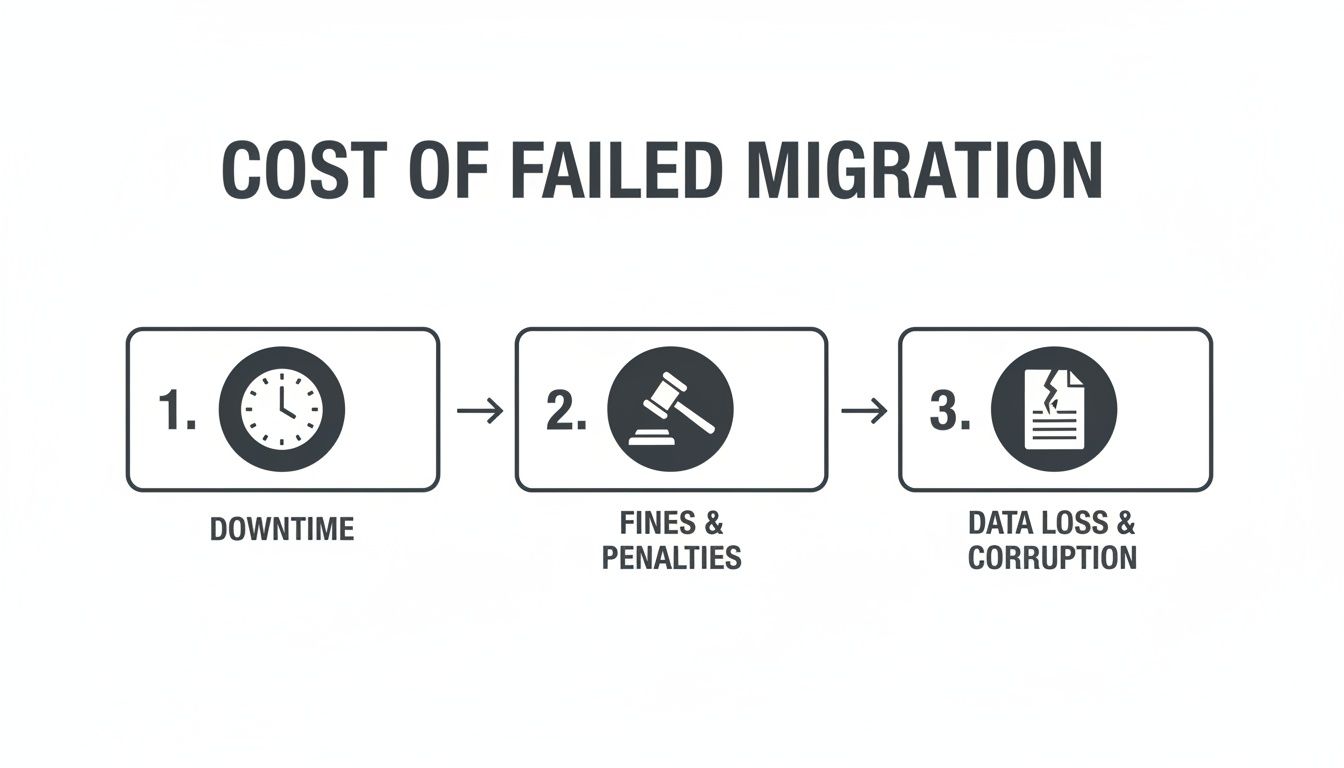
As you can see, what starts as a technical hiccup rapidly escalates into tangible business consequences, wiping out any perceived savings from a DIY approach.
Phase 1: The Discovery and Forensic Audit
This is where we stop disasters before they start. We’ve seen too many projects fail because they were based on a superficial pre-flight check from an off-the-shelf tool.
Our process starts with a deep, forensic audit of your entire source environment. We deploy custom PowerShell scripts designed to hunt for the specific breaking points we've been discussing, identifying every potential failure point before a single file is moved.
Here’s what our scripts are looking for:
- Path Length Violations: We programmatically scan every single file and folder, flagging anything that will breach the 400-character URL limit.
- Permissions Anarchy: Our scripts map your existing access control lists (ACLs), sniffing out orphaned SIDs, broken inheritance chains, and overly complex permissions that standard tools choke on.
- GUID and Identity Conflicts: We analyse user objects in both your source and target environments to preemptively fix identity mismatches that would otherwise lock users out of their critical data.
This isn’t just a scan; it’s an intelligence-gathering operation. A successful migration depends on a rock-solid plan, and it's worth exploring the different cloud migration solutions that help firms assess, strategise, and execute effectively.
Phase 2: The Surgical Remediation
Once we have a complete map of every risk, we move to remediation. The documentation might say "manually correct issues," but you can't manually fix 50,000 files with paths that are too long. That requires programmatic intervention.
Here, we don’t just patch problems—we architect your new environment for long-term success. This includes:
- Automated File Structure Flattening: We use scripts to intelligently shorten folder paths and reorganise content without losing its vital business context.
- Permissions Model Rebuild: We don't just "lift and shift" broken permissions. We use the audit data to design and script a new, clean, and compliant permissions model in SharePoint Online from the ground up.
- Content and Metadata Triage: We work with your stakeholders to define what’s business-critical and what’s just ROT (redundant, outdated, and trivial) data that should be archived or deleted, not migrated.
Phase 3: The Managed Execution and Validation
Only after the source is cleaned and the target is prepared do we begin the actual migration. This phase is a carefully orchestrated blend of fine-tuned tooling and our own proprietary PowerShell methodologies.
We configure our tools to operate precisely within SharePoint’s API throttling limits. By using a phased and controlled approach to the data transfer, we maximise throughput without triggering the service's defensive measures.
The Ollo Verdict: Success is never an accident. It is the direct result of a strategic framework that finds and neutralises SharePoint migration issues before they can blow up your project. This is the blueprint that separates a predictable success from a costly failure.
This disciplined approach makes the migration predictable and verifiable. After execution, we run validation scripts to confirm data fidelity, checksums, and permissions. This gives you auditable proof that everything that was supposed to move, moved correctly. This is the only truly safe path to migration success, and it's the managed service Ollo delivers.
Straight Answers to Tough Questions
On nearly every rescue project, we get asked the same questions. The answers you need aren't in a Microsoft manual; they're learned from pulling failed SharePoint migrations back from the brink. Here are the blunt truths we’ve learned in the trenches.
Can We Just Use Microsoft's Free SharePoint Migration Tool (SPMT)?
You can, but only for the smallest, simplest file share moves. For any project of enterprise scale, you absolutely should not. The SPMT has no sophisticated controls for API throttling, zero ability to remap complex permissions, and it completely chokes on long path limit and list view threshold (5k limit) issues.
We often get called in after a company has tried to use it, only for the tool to bring the entire migration to a dead stop. It just isn't built for complexity.
The Ollo Verdict: Use the SPMT for a single department with under 50GB of simple files. For anything more, relying on it to manage a high-stakes migration is just asking for trouble. It’s a starter tool, not an enterprise solution.
Our Internal Team Is Microsoft 365 Certified. Why Do We Need Ollo?
Certification teaches your team what the official documentation says will happen. Experience teaches you all the ways that documentation is dangerously incomplete.
Your team knows how to administer a healthy, functioning SharePoint environment. We know how to rescue a dying one and navigate the dozens of undocumented breaking points that only show up during a complex migration. You’re not paying for knowledge of the platform; you're paying for battle-tested experience that eliminates the risk of your team encountering a catastrophic, project-killing issue for the very first time.
How Long Does a Typical Enterprise Migration Take?
Honestly, that's the wrong question. The right question is, "How long does a failed DIY migration take?" Those can drag on for a year or more, burning through budget and political capital before the project is declared a failure.
Our approach flips the timeline. We front-load all the critical effort. A typical engagement involves 2-4 weeks of intensive discovery, planning, and remediation work. The actual data cutover can then happen predictably over a single weekend or two.
We consistently cut project timelines by over 50% compared to the initial DIY attempts we’re called in to fix. We get there by eliminating the costly, painful cycle of trial, error, and failure. We deliver certainty, not optimistic guesses.
A DIY migration is a gamble with your company's data, your compliance posture, and frankly, your career. Don't leave it to chance.
Contact Ollo to make sure your project is built on a foundation of expert strategy, not risky assumptions. https://www.ollo.ie

















