



Most advice about a change management approach for Microsoft 365 migration starts in the wrong place. It starts with sentiment, workshops, and generic messaging. That's backwards.
Your users usually don't revolt because they dislike change. They revolt when the migration breaks their access, strips permissions, mangles links, or leaves a department staring at a SharePoint error instead of its working files. If you want the blunt version, read the real reason enterprise Microsoft 365 projects fail. The human problem often starts as a technical failure.
I've cleaned up enough rescue jobs to say this plainly. A serious change management approach for M365 isn't an HR overlay. It's a technical risk discipline with communication wrapped around it. If your architects, migration engineers, security owners, and business leads aren't working from one plan, you're not managing change. You're scheduling a failure.
Forget Fluff Your Real M365 Change Management Problem
Generic change advice tells you to focus on buy-in, sponsorship, and early training. Fine. None of that saves you when Finance loses access to a records library because inheritance broke halfway through a tenant merge.
The fashionable version of change management assumes resistance comes first. In M365 migration, resistance often comes second. Failure comes first. Users don't wake up angry about SharePoint Online. They get angry when the system you've just rolled out can't find their files, opens the wrong version, or denies access to a team that had access the day before.
Technical failure creates political failure
A lot of leaders still separate the migration plan from the change plan. That's one of the worst habits in enterprise IT.
Your migration wave design affects user confidence. Your permission model affects trust. Your cutover method affects whether department heads support the programme or start escalating to the board. If your team treats these as separate workstreams, you create two versions of reality. One version lives in PowerPoint. The other lives in the audit log.
Practical rule: If a technical decision can trigger user confusion, legal exposure, or support overload, it belongs inside your change management approach.
We often see clients fail when they assume user resistance is emotional rather than rational. It usually isn't. It is entirely rational to resist a platform that just broke search visibility, flattened metadata, or moved a working team into a broken permission structure.
The real trigger points
Forget vague language about “adoption challenges”. In M365, the ugly stuff is specific.
- API throttling: Your migration slows, stalls, or half-processes content. Users then see inconsistent data states.
- List view threshold issues: SharePoint Online enforces a 5,000-item list view threshold, confirmed in Microsoft documentation cited by migration specialists, and that limit can block access and validation if you don't design around it.
- Broken inheritance: Users inherit the wrong permissions, or no permissions at all.
- GUID conflicts: Merged environments produce object-level chaos that generic project plans never mention.
- Long path problems: Deep legacy folder structures don't survive modern target design cleanly.
The documentation usually presents these as manageable constraints. In reality, they become organisational flashpoints because every technical fault becomes a credibility fault. Once users think the migration team doesn't understand their work, your comms plan is dead on arrival.
That's why a serious change management approach starts with technical realism, not theatre. If the platform behaves badly, your users won't care how polished your stakeholder deck looked.
Why Standard Change Management Fails in M365 Migrations
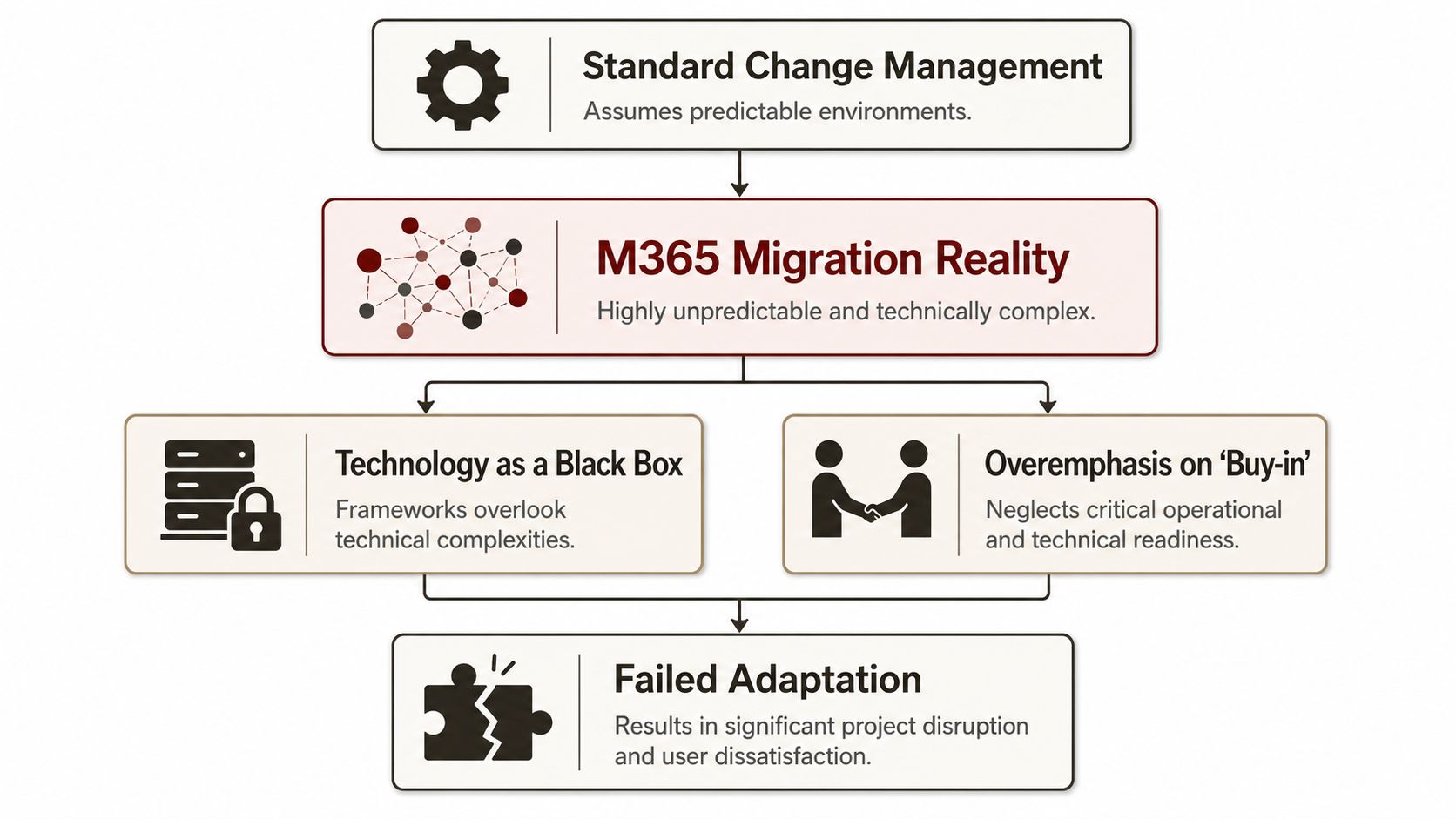
Standard change management fails here because it was built for organisational change, not platform failure. An M365 migration is a technical reconstruction project with human consequences. Treat it like a communications exercise and you will get polished updates, late surprises, and a business that stops trusting the programme.
Analysts summarised in this change management research found a wide performance gap between initiatives with strong change discipline and those without, and they also noted how often transformation efforts fail when employee resistance takes hold. In M365 projects, that resistance usually starts after the platform behaves badly, not before.
Training is not the control point
Training helps. Timing, validation, and technical fit decide whether it sticks.
Teams still run generic awareness sessions weeks before cutover, then act surprised when users forget everything. Of course they do. Nobody retains a demo for a future environment that has not broken yet. Users pay attention when the change affects search, permissions, Teams links, Outlook behaviour, and the structure of the documents they need that morning.
The smarter approach is role-based training tied to the actual migration wave, backed by rehearsals, pilot feedback, and migration testing methods that expose failures before users do. If you cannot show what changes on day one, what fails under load, and how access issues get fixed, your training deck is decoration.
Generic frameworks hide the technical failure path
Textbook change plans separate people, process, and technology into neat workstreams. That split is one of the reasons these projects go wrong.
In a Microsoft 365 migration, the technical design defines the change experience. Batching affects whether content appears in a predictable state. Permission remodelling affects who can work after cutover. Site structure affects whether teams can find anything. Validation scope affects whether the service desk gets ten tickets or ten thousand.
In practice, theory usually collapses. The framework says “build awareness.” It does not tell you what to do when a migration wave hits service limits, a large library validates badly, or a security group mapping leaves senior stakeholders locked out of live content for half a day.
The black box model is reckless
If the PMO treats migration engineering as a black box, the business gets fiction instead of risk reporting.
I have seen status reports marked healthy while the delivery team was already fighting throughput constraints, exception queues, and failed remaps that would hit users days later. By the time comms catches up, credibility is gone. Users do not care that the steering pack looked tidy. They care that files are missing, links fail, and access requests vanish into a ticket queue.
A serious change plan names the technical breakpoints early, assigns owners, and explains the business effect in plain language. It also includes security and compliance validation before cutover, not after the audit finding. If regulated content is involved, Validate M365 controls for compliance before you ask people to trust the new environment.
Architect-led change beats PM-led optimism
Project managers can coordinate. They should not be the only voice defining migration readiness.
An architect who has handled failed estates before will ask harder questions. What happens when source permissions make no sense. Which workloads are excluded from the first wave. How will you detect silent data loss. Which exceptions block cutover versus which can wait. That is actual change control. Everything else is theatre with a gantt chart.
The fix is simple. Put technical architecture at the centre of change management, not beside it. In M365 migrations, expertise is the only insurance that pays out when the platform starts behaving like itself.
Comparing Common Frameworks Through a Migration Lens
ADKAR, Kotter, and Prosci all have value. None of them, on their own, will save your migration from hard platform limits. That doesn't make them useless. It makes them incomplete.
The first mistake I see is teams choosing a framework as if they're buying insurance. They aren't. A framework gives you structure. It doesn't inspect your source estate, redesign your permissions, or stop queue saturation in a cross-tenant SharePoint move.
Where the frameworks help and where they crack
| Framework | Core Concept | Strength in M365 Migration | Critical Weakness / Blind Spot | The Ollo Verdict |
|---|---|---|---|---|
| ADKAR | Individual adoption through awareness, desire, knowledge, ability, reinforcement | Useful for role-based training, champion planning, and post-cutover support | Doesn't tell your team how to handle broken inheritance, path problems, or queue limits | Use it for user readiness, not for migration control |
| Kotter | Organisational momentum through urgency, coalition, vision, wins, and reinforcement | Good for executive sponsorship and cross-functional alignment | Too abstract for tenant merge mechanics and technical exception handling | Use it to keep leadership engaged, not to run the engine room |
| Prosci | Structured change discipline combining organisational and individual change | Strong for governance, sponsor alignment, and measurable adoption planning | Still depends on technical teams to define what the risks actually are | Use it if your architects lead it, not if comms teams own it |
That table is the polite version. Here's the less polite version.
ADKAR helps when your service desk needs scripts, your department champions need role-based guidance, and your users need just-in-time support. It does not explain what to do when legacy structures exceed practical target design limits or when a library migration creates access drift.
Kotter is useful when you need leaders to stop treating the migration like a back-office exercise. It gives you a way to create urgency and force accountability. It still doesn't tell you how to sequence high-risk batches or validate object integrity after a tenant split or merge.
Prosci gets closest because it is more structured. But even then, too many organisations apply it as a management wrapper while leaving the underlying danger hidden inside the technical workstream.
Budget exposes whether you are serious
Failing to budget for an effective, technically aware change management process is a primary cause of failure. It should account for 15–20% of total project cost, and underestimating it leads to 30–50% budget overruns when rescue work becomes necessary, according to this SharePoint migration enterprise guide.
That budget isn't for posters and town halls. It's for communication campaigns that explain real change, role-based training tied to technical reality, champion networks that can route issues correctly, and post-migration support that catches failures before they spread.
The hybrid model that actually works
A workable change management approach for M365 migration borrows selectively.
Use Kotter to force sponsorship and escalation discipline. Use ADKAR for targeted user readiness and reinforcement. Use Prosci-style structure for governance, impact assessment, and ownership. Then hand control of the operating model to migration architects who understand SharePoint Online, Entra ID, batching logic, and post-cutover validation.
Ollo Verdict: Use frameworks for alignment. Use architects for control. If your framework doesn't drive discovery, governance, batch discipline, permission testing, and post-go-live remediation, it is decoration.
The Technical Risks Your Change Plan Must Address
A realistic change management approach has to confront the platform limits that wreck migrations. Not nod at them. Not bury them in an appendix. Confront them.
Microsoft Learn documentation explicitly confirms that SharePoint Online enforces a 5,000-item list view threshold and API throttling limits. Experience from enterprise migration planning also shows that basic DIY migrations consistently fail on site collections over 500 GB because they can't handle the staggered batch processing needed to stay under those limits, as outlined in this migration planning reference.
What actually blows up
The usual disaster points aren't surprising. They are predictable.
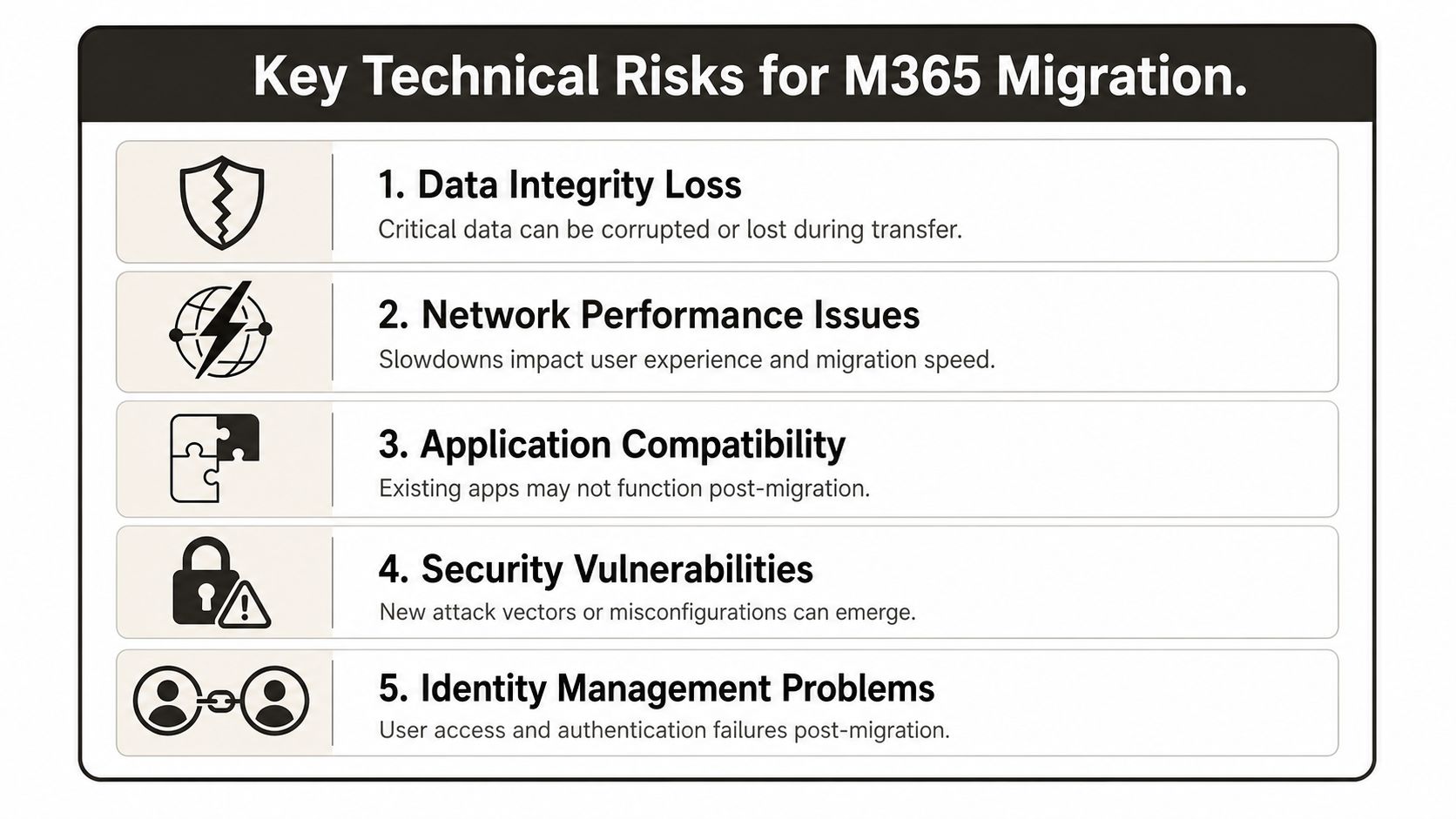
- API throttling: Too many parallel tasks and your jobs slow down or fail. Then your cutover plan drifts, users see partial states, and confidence collapses.
- List view threshold breaches: A department lands in SharePoint with a library design that looked fine in a file share but now hits the hard 5,000-item threshold. Access breaks. Validation scripts choke. The business blames “the migration”.
- Broken inheritance: Permissions that made sense in the source estate don't survive remapping cleanly. You either overexpose content or lock out legitimate users.
- GUID conflicts: Tenant-to-tenant work exposes object identity issues that generic tools don't explain well and internal teams often don't test thoroughly.
- Regional and compliance oversights: In the IE region, you must validate data residency in the Organisation Profile “Data location” area in the admin centre before migration planning. Skip that and you invite cross-region complications that feed authentication and migration errors, as noted in Microsoft guidance referenced in the verified data.
Missing these checks doesn't just fail the migration. It can break legal compliance when audit trails, permissions, or data residency assumptions don't hold.
Why change teams must care about controls
This isn't just for engineers. Your change plan has to tell security, compliance, operations, and business owners what technical risk looks like in plain language. If you don't, they approve a plan they don't understand.
Before cutover, validate the surrounding control posture as well. A practical companion step is to Validate M365 controls for compliance, especially if you're changing identity, permissions, or data access patterns during the move.
You also need proper validation stages, not one token pilot and a hope-filled sign-off. Structured test design matters. A useful baseline is to align migration assurance with the testing disciplines outlined in these types of testing, then adapt them for permissions, content fidelity, access paths, and rollback behaviour.
The tool trap
SPMT has its place. ShareGate has strengths. Neither tool absolves your team of architecture.
SPMT is fine for simpler jobs. ShareGate is stronger. But both still run into the same service limits and estate complexity if your design is poor. The tool doesn't rescue the plan. The plan has to constrain the tool.
Ollo Verdict: Use SPMT for small, low-risk migrations. For enterprise estates with complex permissions, large site collections, or regulated data, you need staged batches, deeper discovery, and custom scripting.
Building a Battle-Ready M365 Migration Checklist
Most failed migrations don't fail at cutover. They fail in discovery, governance, and source analysis long before anyone announces a go-live date.
Data shows that 84% of SharePoint migration projects fail due to poor scoping and inadequate data cleansing before migration begins. That failure usually starts with an insufficient pre-migration discovery phase, which then leads to broken permissions and GUID conflicts during remediation, according to this SharePoint migration failure analysis.
The checklist that prevents rescue work
Treat this as a pre-mortem, not a project checklist.
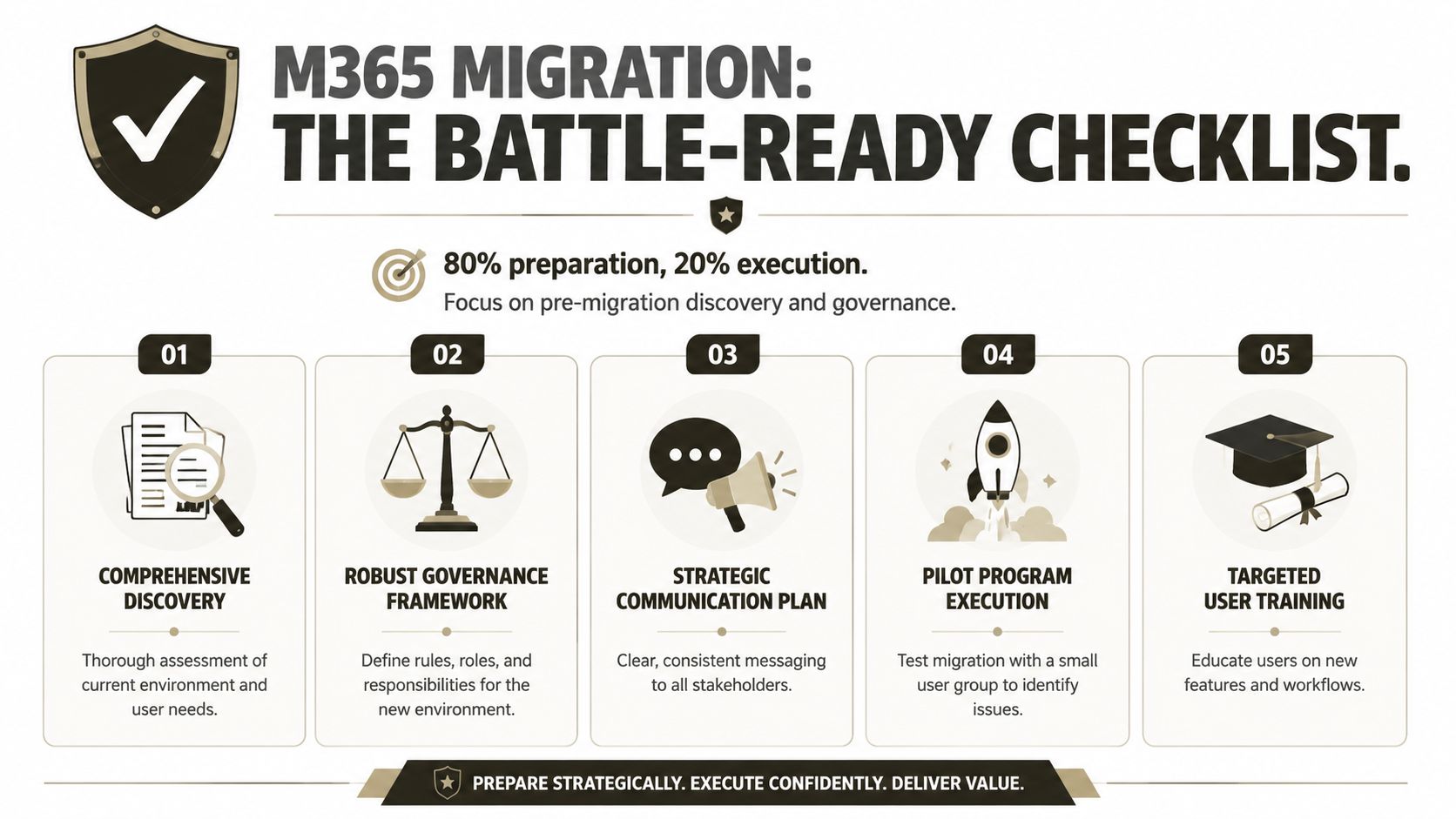
Run full discovery before you promise anything
Inventory sites, libraries, permissions, external sharing, workflows, mailbox dependencies, Teams links, and edge cases. File count alone is useless. If your discovery only tells you volume, your team is blind.Redesign information architecture before moving content
Legacy folder sprawl rarely deserves a direct lift-and-shift. Flatten where necessary. Rebuild libraries around workable structures, metadata, and permission boundaries. If you preserve bad design, you preserve future pain.Define governance before first migration batch
Decide site ownership, lifecycle rules, Entra ID group strategy, access review responsibilities, and exception handling before data moves. Governance after migration is post-incident paperwork.Pilot with hostile intent
Don't pick the friendliest department and call it a pilot. Choose a difficult workload. Stress test permissions, path depth, list structures, and high-churn collaboration areas. The point is to break the method early.Train at the point of need
Give users role-specific guidance close to cutover, then keep support close during the first weeks. Generic pre-launch awareness sessions don't solve practical confusion.
What basic tools miss
Tools can inventory content. They often miss context.
We often see clients fail when they trust default scans and ignore the weird parts of the estate. Shared mailbox delegates, inherited permissions stacked over years, external users embedded in old site structures, and brittle workflows all survive unnoticed until post-cutover support lights up.
That is why serious teams supplement tooling with PowerShell and deeper validation. If you want a broader planning framework, this SharePoint migration checklist is a useful reference point. Just don't treat any checklist as a substitute for architecture.
The documentation says migration starts with moving data. In reality, migration starts with proving that your source estate isn't lying to you.
Preparation does most of the work
The neglected truth is that preparation dominates outcomes. Risk assessment, stakeholder mapping, governance design, and source validation decide whether deployment is controlled or chaotic.
A battle-ready change management approach doesn't ask, “Are we ready to migrate?” It asks, “What will fail first, and have we already engineered around it?”
Communication Templates That Prevent Chaos
Most migration communication is useless because it tells users that change is coming without telling them what will hurt. That kind of message doesn't calm anyone. It just creates pre-emptive distrust.
A proper change management approach translates technical constraints into operational language. Your users don't need marketing lines about a modern workplace. They need to know why their folder structure is changing, why permissions are being reset, and what to do when an expected access path no longer exists.
Say what is changing and why it matters
If Finance has a nested folder structure that collapses under modern design rules, say so plainly. If you are moving to a tighter Entra ID model and resetting access to support zero-trust governance, say that too.
Use messages like these:
- For department leads: “Your team's current structure includes deep nesting and inconsistent permissions. We are redesigning this before migration so staff can still find records and authorised users keep the right access.”
- For end users: “Some folders and shortcuts will change because the new environment uses different access and content structures. If a file path you used before no longer works, use the provided site link and contact the migration support channel.”
- For security and compliance teams: “Permission inheritance and guest access are being reviewed during migration. That may change who approves access, but it reduces exposure and improves auditability.”
That sounds harder than the usual polished nonsense because it is harder. It also prevents day-one panic.
Use distributed communication, not executive broadcasts
Central messages matter. They aren't enough.
Managers, site owners, team champions, and service desk staff need specific scripts because they answer different questions. If you want a good parallel on distributed internal comms, Turn On Work discusses distributed communication in a way many IT programmes should study.
What works in practice is a layered model:
- Executive note: Why the organisation is changing.
- Department briefing: What changes for that function.
- Role-based guidance: What the user must do differently.
- Support script: What happens when access, links, or permissions don't behave as expected.
Good migration communication doesn't “build excitement”. It reduces ambiguity around technical disruption.
Stop announcing dates as if dates were the risk
Dates matter less than conditions. A user rarely complains because the migration happened on Thursday rather than Friday. The user complains because nobody explained the operational impact.
Build messages around changed behaviour, changed access, and changed support routes. If your team needs a template framework for that stakeholder work, this guide to stakeholder communication is a sensible place to start.
The best communications in a migration sound less like a campaign and more like competent operational guidance. That's the tone users trust.
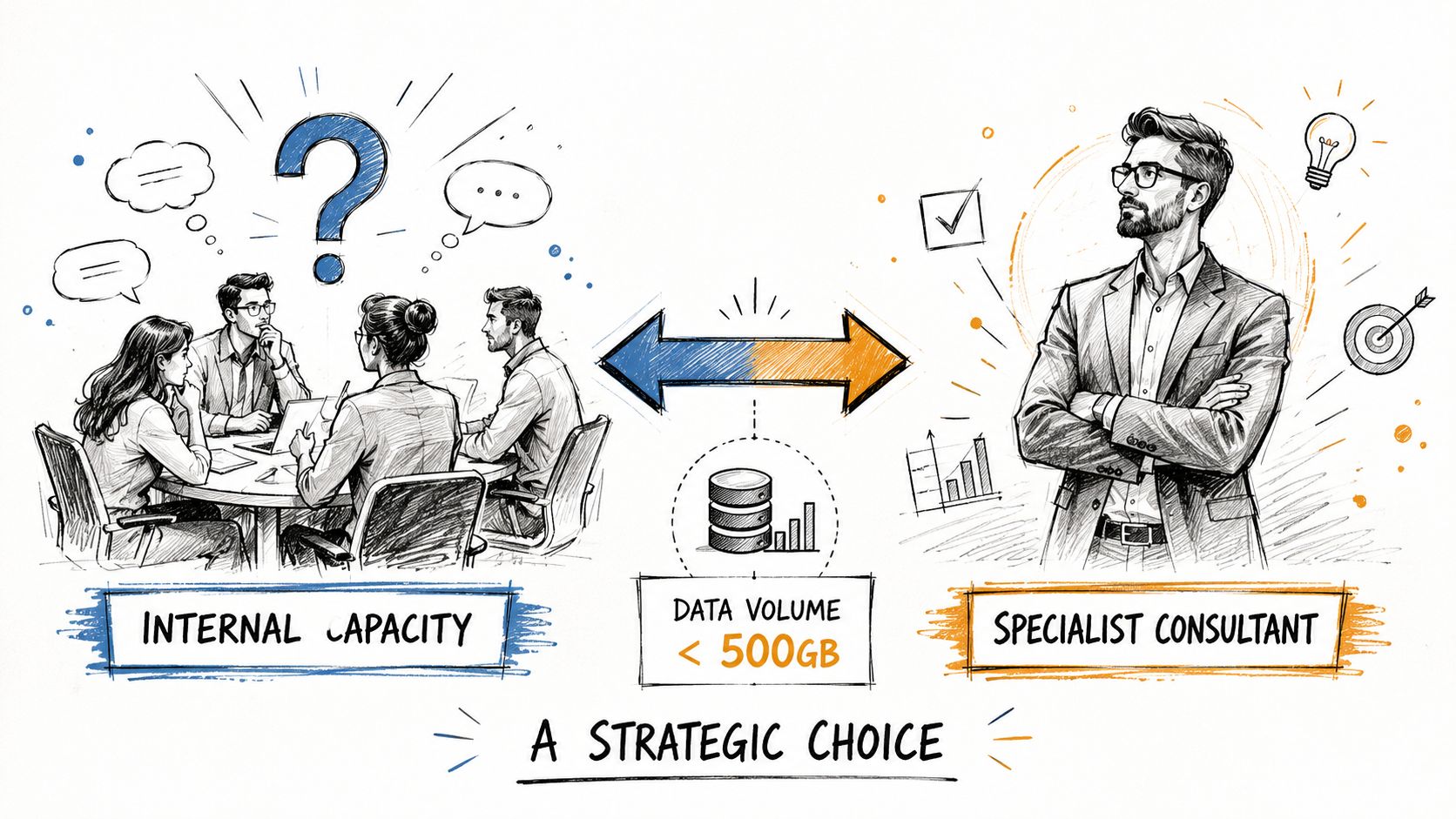
When to Engage Specialist Consultants
Bring in specialists as soon as the migration stops being administrative work and starts becoming recovery work. That line arrives earlier than internal teams like to admit.
A straightforward intra-tenant cleanup with sane permissions, modest data volume, and no identity redesign can stay in-house. A tenant-to-tenant migration with legacy SharePoint customisation, compliance constraints, broken inheritance, oversized lists, and years of abandoned sites should not. I have seen too many organisations treat that second category as a staffing stretch goal. They pay for it later in reruns, outage clean-up, and executive escalation.
The red flags you shouldn't ignore
Get outside help if your plan depends on optimistic assumptions about the platform. Microsoft 365 punishes optimism.
Bring in a specialist team if any of these are true:
- Tenant-to-tenant complexity: Multiple domains, identity remapping, cross-tenant SharePoint moves, or Entra ID redesign.
- Regulated workloads: Finance, healthcare, energy, or any environment where poor handling creates audit and retention problems.
- Permission sprawl: Broken inheritance, ad hoc sharing, unclear ownership, or site owners who left three reorganisations ago.
- Large or awkward data sets: Terabytes of content, giant libraries, high item counts, or structures already flirting with list view threshold and indexing problems.
- Tooling friction: Your migration path relies on custom scripts, API-heavy extraction, or a third-party tool your team has never used under throttling pressure.
- History of failed attempts: A failed pilot, rollback, or partial cutover usually means the underlying design is wrong, not just the timeline.
A risk-based decision
This is a risk purchase, not a resource top-up.
Your internal Microsoft 365 admins know your organisation. They often do not spend every week dealing with throttling behaviour, preserving permissions through messy restructures, resolving OneDrive ownership edge cases, fixing Teams and SharePoint mismatches, or proving that the target information architecture will not collapse under user traffic six weeks after cutover. Specialists do. That experience matters because generic change management collapses at the exact point where the platform gets stubborn.
If you are still weighing internal coverage against external delivery, this comparison of Microsoft 365 admin vs consultant makes the split clear. Use internal teams for governance decisions, business ownership, and post-migration adoption. Use specialist consultants when failure will come from technical constraints your programme slides barely mention. Expertise is the only insurance policy that pays during a bad migration.
If your team is staring at a complex Microsoft 365 migration and you don't want to learn these lessons the expensive way, talk to Ollo. We handle the ugly work that generic plans ignore, including tenant-to-tenant consolidation, SharePoint rescue projects, Entra ID redesign, and migration risk reduction for regulated organisations.

















