



Your migration has probably already been volunteered to the person who “knows Microsoft 365 best” in-house. That's usually your admin. They keep Teams running, sort licences, reset the ugly permission mess nobody documented, and somehow still answer every “my mailbox is broken” escalation. So the project gets framed as an extension of existing admin work.
That assumption wrecks migrations.
A tenant migration, consolidation, or governance recovery isn't routine platform management. It's controlled disruption. It forces decisions about privilege boundaries, identity mapping, rollback ownership, cutover sequencing, and how you'll prove nothing went missing when the auditors come calling. If your team is also dealing with old file shares, bad SharePoint structures, or inherited junk from previous acquisitions, the risk gets worse. If that sounds familiar, ARPHost's legacy system guide is worth reading because the failure usually starts before the first file moves. It starts when leaders underestimate the design debt in the source estate.
We see the same pattern repeatedly. An internal admin gets handed a migration because they have access. Access is not the same as architecture. If you want a more detailed breakdown of where migration tooling falls apart in practice, read this analysis of why SharePoint migration tools fail without custom code.
The Dangerous Assumption That Sinks Migrations
The dangerous assumption is simple. “Our Microsoft 365 admin already runs the tenant, so they can run the migration.”
No. They run the present state. A migration changes the state. That difference sounds semantic until your cutover window collapses, your permissions don't map, and the business finds out Monday morning that records are missing or exposed.
Early on, you need a blunt distinction between operational ownership and transformation ownership. An admin protects service continuity. A migration lead absorbs controlled risk and redesigns the environment while keeping the blast radius contained.
| Area | Microsoft 365 Admin | Migration Consultant |
|---|---|---|
| Primary mandate | Keep services stable | Change the platform safely |
| Typical focus | Users, licences, alerts, service health | Cutover, rollback, redesign, validation |
| Access model | Day-to-day delegated roles | Temporary specialist access with governance |
| Success measure | Low disruption in current tenant | Safe transition to future state |
| Risk posture | Avoid change unless necessary | Execute change with controls |
| Typical failure mode | Underestimating hidden migration blockers | Escalating complex issues before they become outages |
If you treat a redesign like admin work, your team will optimise for continuity when the project actually requires controlled change.
That's the trap behind most Microsoft 365 admin vs consultant debates. People compare job titles when they should be comparing failure modes.
The Admin's Real Job Keeping The Lights On
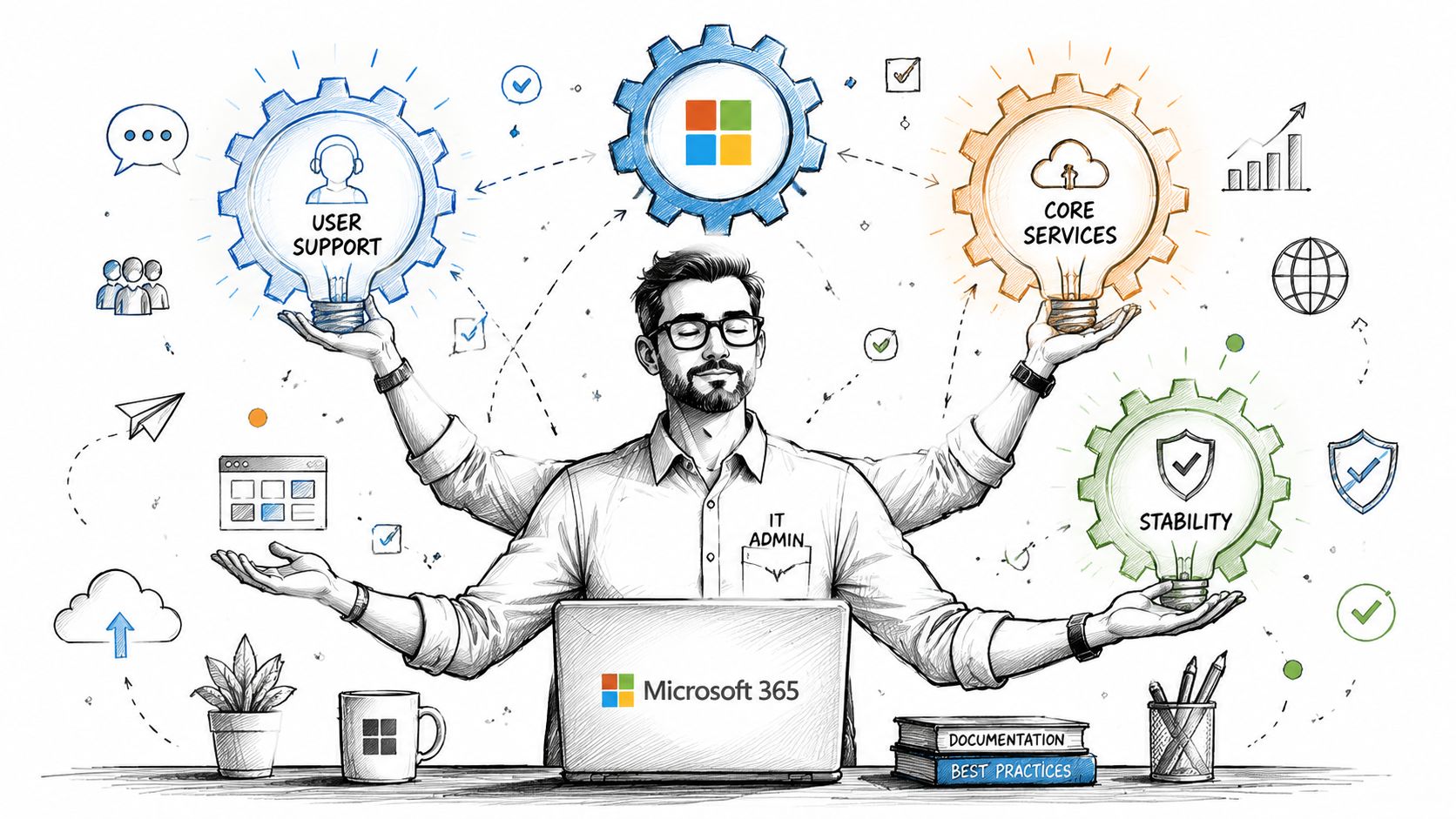
A strong Microsoft 365 admin is indispensable. They're the person who stops small operational faults from becoming visible business outages. They work in the admin centre, they manage users, they deal with service health, and they keep the tenant usable. Microsoft's own training materials describe the admin centre as the place for basic configurations for core services like Teams, Exchange, and SharePoint, which tells you exactly what the platform expects from that role. It's operational control, not deep architectural redesign.
The role is already fragmented
The phrase “the admin” sounds tidy. Microsoft 365 isn't tidy. Microsoft exposes at least 79 distinct admin roles out of the box, and CoreView found that 57% of organisations have overprivileged admins in their tenant (CoreView's admin role analysis). That should kill the fantasy that one generalist can safely own every part of a major migration.
When IT leaders hand a migration to an internal admin, they usually create one of two bad outcomes:
- They overload the existing role: The admin still has to keep Teams, Exchange, SharePoint, and identity operations alive while also planning a risky transformation.
- They inflate privilege to make the project possible: The admin gets broad access “temporarily” so they can move faster. That's how role creep hardens into permanent security debt.
- They blur accountability: Nobody can later answer who approved what, who validated the move, and who owned rollback when something went wrong.
If your team wants a grounding in the operational breadth expected from platform administrators, these Comprehensive Azure Administrator study materials are useful because they show how broad the daily operational surface already is before you add migration risk on top.
Day-to-day administration is defensive work
Admin work is reactive by design. Someone joins, leaves, loses access, trips a policy, breaks a sync, or needs a licence. The admin responds. Their job is to preserve service continuity and contain disruption.
That mindset is healthy in operations. It becomes dangerous in migration work.
Migration demands a different posture. You have to interrogate source data, identify hidden permission anomalies, model identity collisions, sequence batches, and decide what happens when the first assumption fails. Most internal admins haven't had to build that muscle because their role never required it. That isn't a criticism. It's scope.
For a practical look at what falls inside normal administrative ownership in the Microsoft stack, this Microsoft Office 365 admin guide is a fair reference point. The key issue is where that ownership stops.
Practical rule: If the work changes identity design, permission model, governance boundaries, or audit accountability, you've left administration and entered architecture.
The hidden cost of using the wrong person
We often see clients fail when they assume technical familiarity equals migration competence. The admin knows where the settings live, so leadership assumes they also know how to rebuild a tenant under pressure. Those are different capabilities.
The documentation says least privilege is best practice. Reality is harsher. Tenants drift. Permissions sprawl. Emergency exceptions become permanent. Admins inherit messy estates and keep them running because the business can't stop. Then someone asks that same person to perform a tenant-to-tenant migration as if it's a bigger version of user provisioning.
That's how projects die slowly. Not with a dramatic outage at first, but with undocumented decisions, broad access, weak rollback, partial validation, and an ugly discovery phase that starts after go-live.
The Consultant Imperative The Architect of Change
A consultant is not a premium-priced admin. Treating them that way is how buyers misunderstand the role and then resent the bill.
You bring in a consultant when the problem isn't “keep the tenant functioning” but “change the tenant without breaking the business”. That distinction matters in cloud migration, M&A stack combination, security redesign, and governance recovery. That's exactly where Microsoft-focused guidance places consultants: in projects involving cloud migration, M&A tech stack combination, or security vulnerabilities, with a role centred on redesign rather than maintenance, often including controls like Privileged Identity Management for zero-trust operations (Microsoft consultant services overview).
Consultants own the ugly questions
The consultant's value appears where the easy slides stop.
They ask things your internal team often postpones because nobody wants the answer:
- Who owns rollback? Not theoretically. By name.
- How will you validate permissions after identity remapping?
- What gets excluded, archived, transformed, or rebuilt instead of copied?
- Which privileged roles need to be time-bound during execution?
- What evidence will satisfy compliance after cutover?
That is architecture under pressure. Not administration.
A decent framing of the broader specialist profile also appears in nexus IT group Azure consultants, which is useful because it reflects how these roles get defined in the market: advisory, design-heavy, and accountable for change outcomes rather than daily support.
Why this matters in regulated estates
In finance, healthcare, and energy, failure isn't just inconvenience. Missing approval trails, inherited access that nobody rebuilt properly, or audit logs that don't line up after a rushed cutover create bigger problems than a delayed project plan.
Your admin usually lives inside the constraints of the current tenant. A consultant is there to redesign those constraints safely. That often means tightening privilege, rebuilding governance, separating operational duties, and imposing process discipline on a project that would otherwise run on hopeful improvisation.
The documentation tells you what controls exist. Experience tells you when those controls need redesign before the migration starts.
That's the answer to Microsoft 365 admin vs consultant. One role sustains the platform. The other takes responsibility for changing it when the cost of getting it wrong is intolerable.
Tooling Is Not Strategy Why SPMT and ShareGate Are Not Enough
Your team will look for a tool first. That's normal. It's also where false confidence starts.
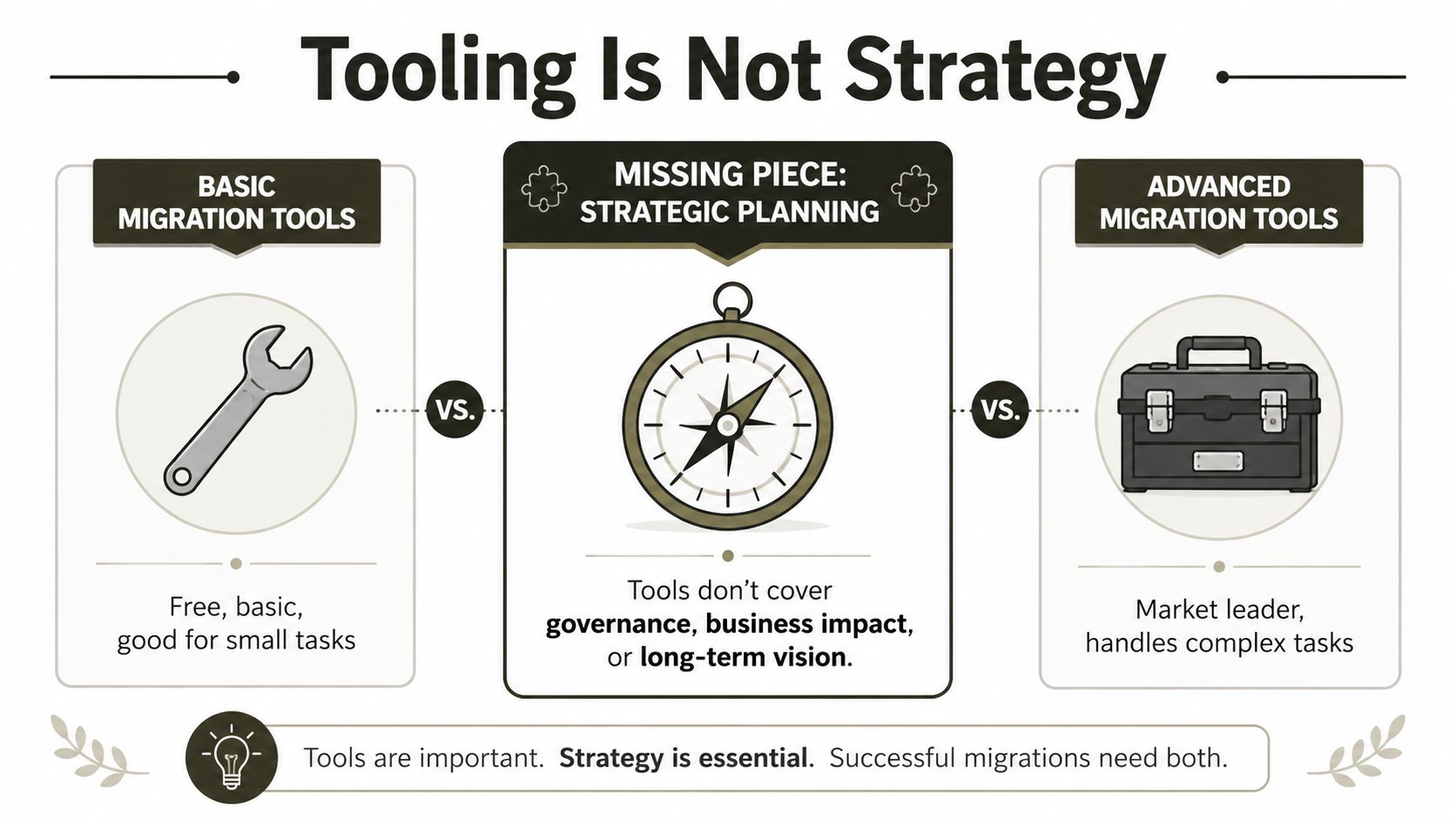
Someone finds SPMT because it's Microsoft's own tool and it's easy to justify. Someone else suggests ShareGate because it's widely used and far more capable. Both tools have their place. Neither one replaces migration design, governance planning, or custom handling for enterprise failure conditions.
What SPMT does well, and where it becomes a liability
SPMT is fine for straightforward jobs. Small file shares. Simple departmental moves. Low complexity. Minimal transformation.
The problem starts when people assume “Microsoft made it” means “Microsoft designed it for my mess”. They didn't.
We often see clients fail when they use SPMT on projects with tangled permissions, tenant-to-tenant identity remapping, or inconsistent source structures. It doesn't exist to solve governance design. It exists to move content within expected boundaries. Once you hit those boundaries, you need engineering, not optimism.
If your team is still weighing whether Microsoft's native tool is appropriate, this breakdown of SPMT and where it fits in SharePoint migration work is a useful reality check.
ShareGate is powerful, but it won't think for you
ShareGate is a serious tool. It gives you visibility, reporting, packaging, and operational advantage that SPMT doesn't. In skilled hands, it's part of a proper migration toolkit.
In unskilled hands, it just fails more elegantly.
ShareGate won't invent your target governance model. It won't decide how to rebuild broken inheritance. It won't resolve every GUID collision in a tenant consolidation just because the UI looks polished. It also won't rescue a project whose sequencing is wrong or whose validation plan is weak.
Here's the common pattern. The team buys the tool, assumes the hard part is solved, then discovers the hard part was never the copy engine. The hard part was understanding what should be copied, what should be rebuilt, what should be excluded, and how to handle the non-happy-path conditions that enterprise estates always contain.
Buy the tool if it helps. Don't confuse ownership of a tool with ownership of the migration risk.
The Ollo Verdict
Use SPMT for a small, low-complexity move where the source is clean and the business impact of failure is limited.
Use ShareGate when you need stronger reporting, packaging, and baseline migration capability.
For tenant-to-tenant consolidation, regulated data, complex permissions, or high-risk cutovers, tooling alone is not enough. You need custom PowerShell PnP scripting, explicit error handling, and a migration design that assumes Microsoft 365 will push back under load. If your plan is “we've got the tool”, your plan is weak.
The Technical Breaking Points That Cause Data Loss
The Microsoft 365 admin vs consultant argument transitions from philosophical to operational. Large migrations don't fail because people forgot the basics. They fail because teams ignore the documented breaking points until those breaking points turn into missing content, invalid permissions, and audit headaches.
The 5,000-item threshold is not a theory
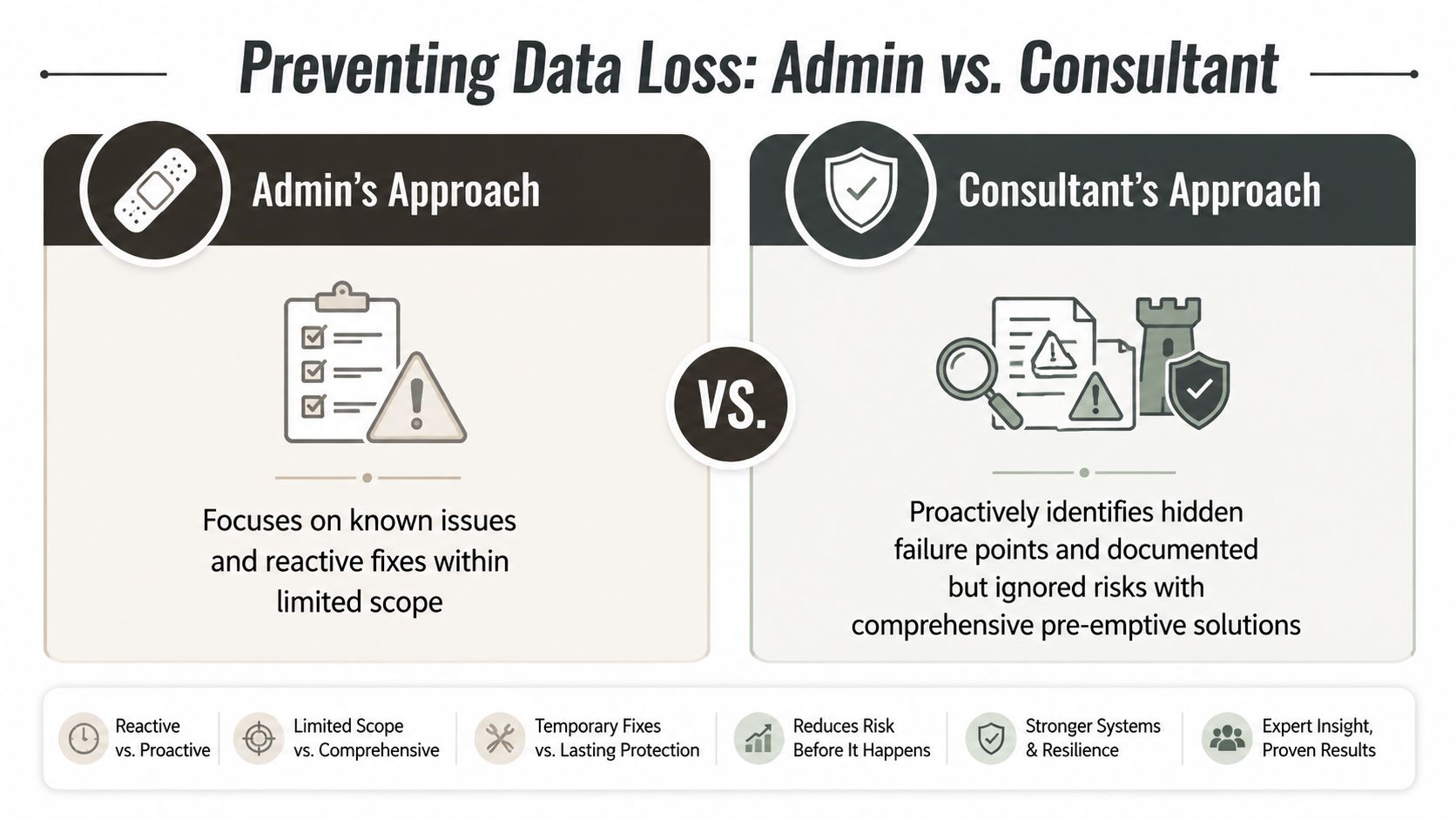
Microsoft Learn explicitly confirms a hard 5,000-item threshold for many administrative operations. That sounds manageable until your team points a basic tool or a naive script at a library that blew past that limit years ago. Then operations fail, jobs stall, or content gets processed inconsistently.
We often see clients fail when they rely on basic tools like SPMT, which cannot break Broken Inheritance or resolve GUID Conflicts during tenant-to-tenant consolidations. That failure isn't cosmetic. It means your migrated structure may look complete while security and ownership logic are already wrong.
A consultant handles this with paginated queries, staged processing, and validation logic built for ugly libraries. An admin often assumes the tool will abstract the complexity away. It won't.
API throttling punishes naive migration design
Microsoft throttles high-volume activity to protect the service. The documentation treats that as platform hygiene. In reality, it becomes a migration landmine if your execution pattern is crude.
Here's what happens in weak projects:
- The tool hammers the API: Requests stack up, retries pile on, and throughput collapses.
- The team misreads partial completion as progress: Batches “finish” while exceptions sit in logs nobody reviewed properly.
- Validation gets deferred: The team only realises content or metadata is missing after users complain.
- Audit confidence drops: You can't prove completeness if your handling of retries and exceptions was sloppy.
That's why experienced teams build back-off logic, control concurrency, and script around service behaviour instead of pretending the platform owes them a clean run.
Missing this step doesn't just slow the migration. It creates uncertainty about what actually moved.
Long paths fail quietly
Microsoft Learn also confirms that SharePoint file paths over 400 characters will fail during migration. That sounds like a niche problem right up until you scan a live estate and find years of nested folders, versioned naming conventions, and business users who never got told “Quarterly Board Pack FINAL FINAL revised” was a bad habit.
This one is especially dangerous because standard approaches often fail unnoticed. The job appears healthy. The report looks survivable. But specific files never land.
The only sane way to deal with path risk is pre-migration analysis. Not after the first failed run. Before anything moves.
Broken inheritance and GUID conflicts break security
Content copy is the easy part. Security copy is where amateur migrations become dangerous.
If your source uses unique permissions, broken inheritance, stale groups, or ad hoc access patterns, a direct move won't reproduce a trustworthy security model. In tenant-to-tenant scenarios, GUID conflicts add another layer because identities and references don't line up cleanly between source and target.
That's how teams end up with one of two nasty outcomes:
| Failure pattern | What the team thinks happened | What actually happened |
|---|---|---|
| Permissions copied | Users have the same access | Access references broke or mapped incorrectly |
| Sites migrated cleanly | Structure is intact | Security inheritance rebuilt unpredictably |
| Validation passed | Data is present | Exceptions were skipped or accepted |
| Cutover succeeded | Project is done | Audit and access issues were deferred into production |
If data protection matters in your estate, you need to think past file movement. This data loss prevention perspective is relevant because migration risk and post-move control risk are tied together. A bad move doesn't stay a migration issue. It becomes an information governance issue.
Decision Checklist When to Call a Migration Specialist
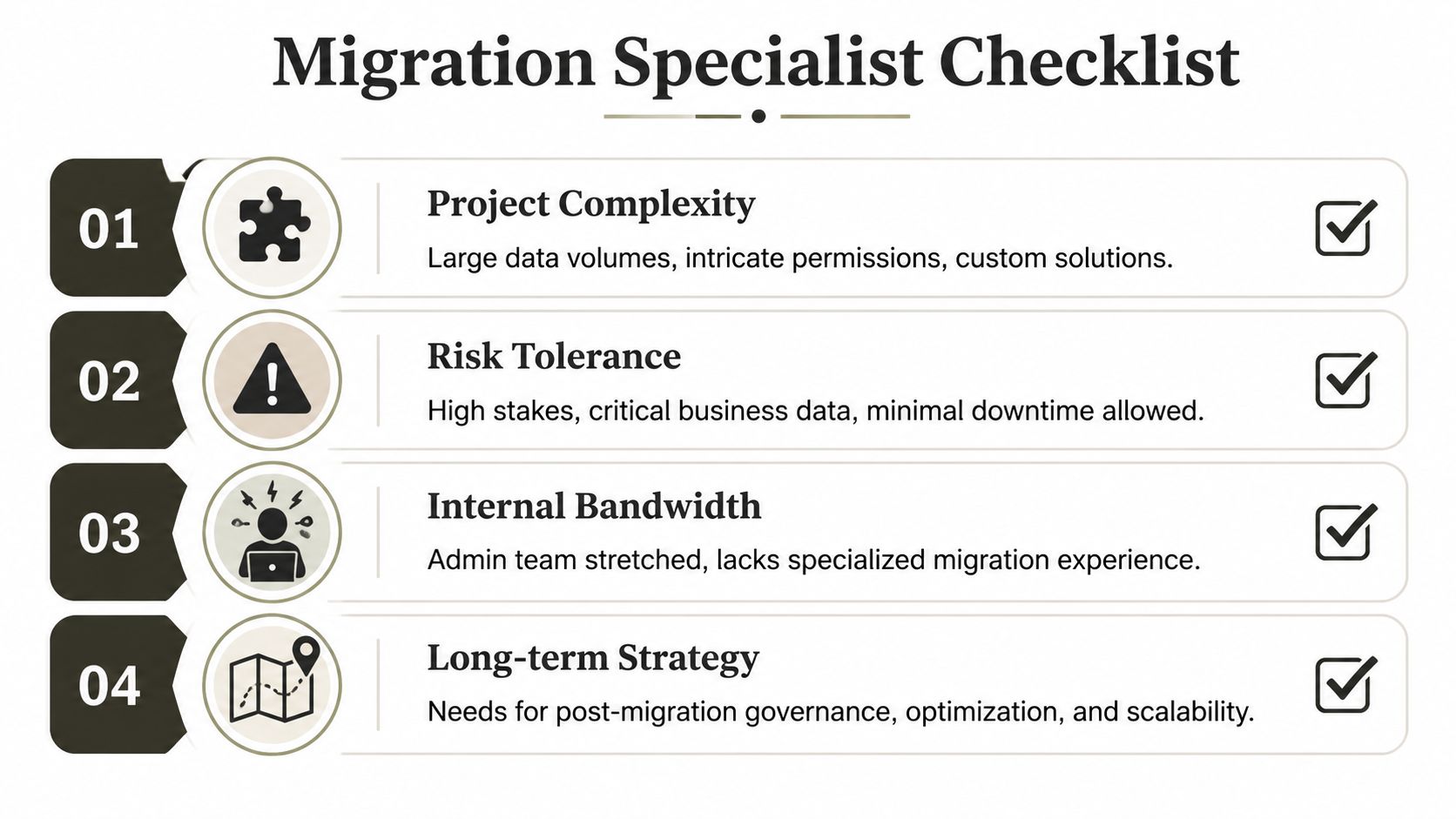
Most failed migrations start with the wrong owner, not the wrong intention. The internal admin is usually competent. That isn't the problem. The problem is asking an operational role to own architectural risk, rollback design, and audit accountability at the same time.
That's why the deciding factor isn't “Can our admin use Microsoft 365?” Of course they can. The core question is whether your project has crossed the line where administration stops and specialist migration architecture starts.
Start with ownership, not tools
Before you discuss SPMT, ShareGate, or batch windows, answer these:
- Who owns cutover risk: One named person, not a committee.
- Who signs off rollback conditions: If the move degrades mid-flight, who calls it?
- Who validates security after migration: Not just content counts. Permissions.
- Who defends the process after the fact: If compliance asks for evidence, who produces it?
If nobody has a hard answer to those questions, you don't have a migration plan. You have technical activity without control.
Microsoft Learn documents admin-role scope boundaries, which matters here because DIY teams often underestimate how much of migration is process design rather than permissions management (Microsoft admin roles guidance). Internal admins often can't safely own every migration task without crossing into risky overprivilege.
Use this checklist honestly
If you answer yes to any of the following, stop calling it an admin task.
- M&A or divestiture: If this move sits inside a merger, acquisition, or separation, identity, ownership, and governance complexity will outrun routine admin work quickly.
- Regulated data: If your content includes finance, healthcare, legal, or other sensitive information, failure creates compliance exposure, not just user complaints.
- Complex source estate: Another tenant, Google Drive, legacy SharePoint, or a badly organised file server all increase transformation risk.
- Permission anomalies: Unique permissions, stale security groups, or broken inheritance need active redesign, not blind copying.
- Identity redesign: If Entra ID cleanup, mapping, or zero-trust tightening is part of the project, the migration is also a security architecture exercise.
- Minimal downtime requirement: Tight cutovers compress your margin for error. Weak rollback becomes catastrophic.
- No tested rollback plan: If rollback exists as a slide and not as an executable runbook, you are gambling.
- Admin team bandwidth is already thin: Operational teams don't gain extra hours because leadership opened a project code.
Watch for the political smell of a doomed project
The technical warning signs usually show up after the political ones.
Bad projects often sound like this:
- “We'll sort permissions later.”
- “The tool will tell us what failed.”
- “We only need broad admin rights during the migration.”
- “Rollback is unlikely.”
- “The business won't notice if a few edge cases need fixing after.”
Those aren't harmless shortcuts. They're admissions that nobody wants to own the nasty parts up front.
Here's a useful external perspective before you lock scope. A proper request for proposal framework forces buyers to define ownership, validation, rollback, and governance expectations before the migration starts. Most organisations should do that earlier than they do.
This short video is also worth reviewing with your architecture and delivery leads before assigning ownership:
The blunt recommendation
Use your internal admin to support the migration. Don't make them solely accountable for it when the job includes redesign, tenant consolidation, identity remapping, or regulated content.
Use the admin for platform knowledge, stakeholder context, service dependencies, and operational continuity. Bring in a specialist when the project includes hidden data traps, security reconstruction, governance decisions, or high-stakes cutovers. That split protects your tenant and your people.
A good admin keeps the estate alive. A good migration specialist prevents the project from turning that estate into a post-incident review.
If you're still debating Microsoft 365 admin vs consultant at the point where rollback, audit evidence, or zero-trust redesign matters, the debate is already late. By then, specialist help isn't a luxury. It's risk control.
If your team is staring at a tenant-to-tenant move, an M&A consolidation, or a rescue migration that already smells wrong, talk to Ollo. We handle the ugly Microsoft 365 work most firms underestimate: complex SharePoint migrations, Entra ID redesigns, permission rebuilds, and cutovers where failure isn't acceptable.

















