



You're already living the problem if your migration team has a SharePoint tenant cutover on the calendar, a handful of “quick” smoke tests in a spreadsheet, and a quiet assumption that the rest will sort itself out in production. It won't. The first time a large library hits the 5,000-item List View Threshold, or a permissions chain breaks under real load, your neat migration turns into a throttling incident, a governance headache, and an executive conversation nobody wants to have.
Software Regression Testing is the only sane way to stop that. Not the watered-down version where someone clicks a few pages and calls it done, but the disciplined, measurable, enterprise version that checks performance, retry paths, permissions drift, inheritance, and platform limits before users discover the problem for you. Microsoft's own documentation on SharePoint limits makes the point bluntly, the platform does not forgive naïve bulk operations, and the earlier you accept that, the less damage you'll do to your own estate.
Understanding Regression Testing Risks
We often see migration teams celebrate too early. The test tenant works, the pilot looks clean, and then the actual content arrives, the actual permissions complexity shows up, and the environment starts throwing throttles that nobody planned for. Microsoft's documented SharePoint limits, including the 5,000-item List View Threshold, make the trap obvious once you've been burned by it. Microsoft Learn's SharePoint throttling guidance confirms the platform will throttle when you exceed that threshold, which is exactly why simple pass or fail checks miss the risk.
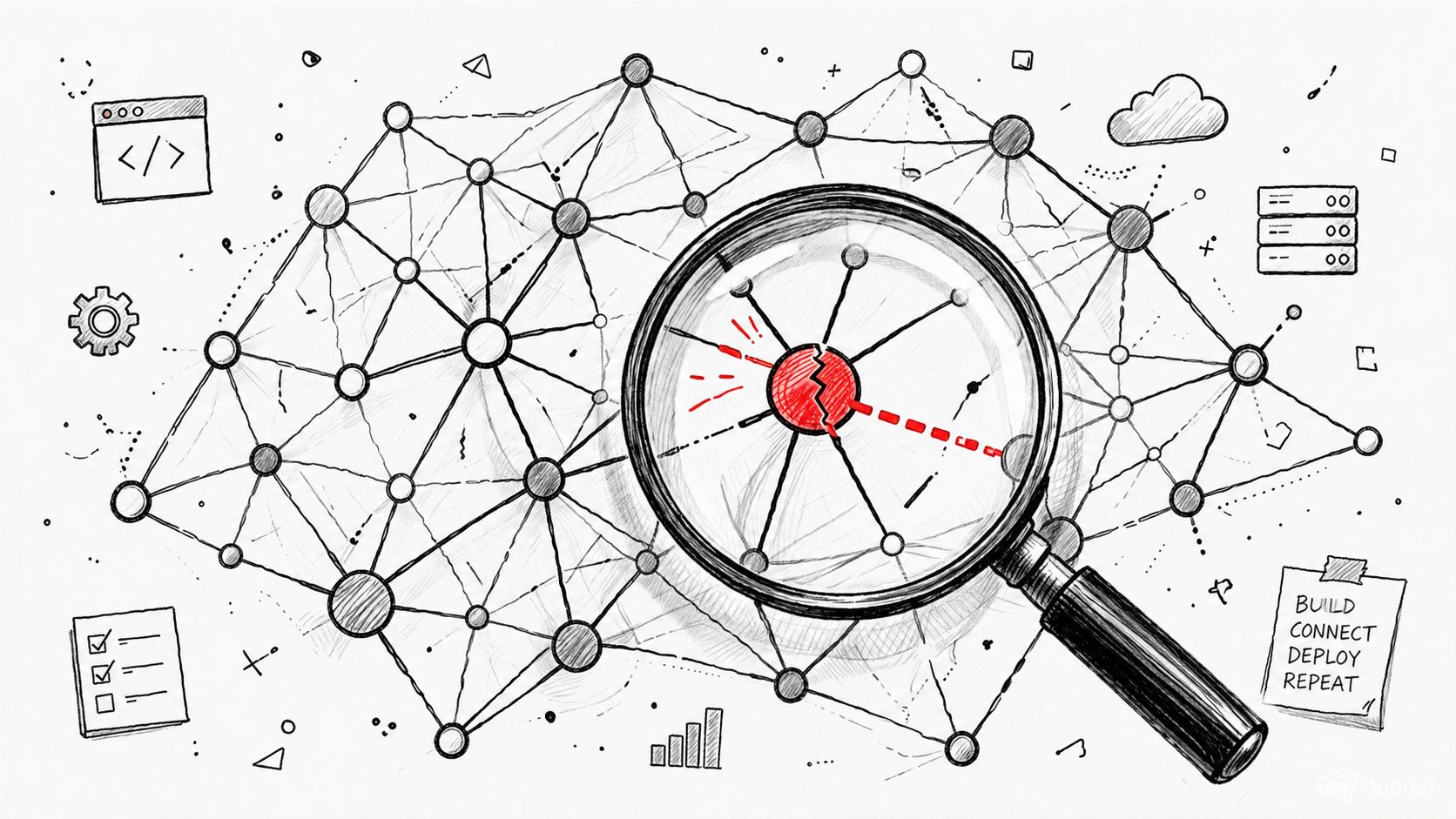
A Dublin finance client learned this the hard way. Their pilot migration passed every checklist item, but the production library volume and API request pattern forced throttling, and the remediation scripts began to fail in their retry path. That is the kind of failure that turns a planned release into a support queue, and it's why DIY validation against small sample sets is dangerous in enterprise SharePoint work.
Practical rule: if your regression suite does not test scale, retry behaviour, and permissions under real-world structure, it is not a regression suite. It's a confidence trick.
The cost of missing this goes beyond inconvenience. A failed migration can delay remediation, trigger compliance noise, and pull leadership into incident review meetings that should never have happened. The documentation says the system works, but reality is that enterprise-scale regression testing is where the limits surface.
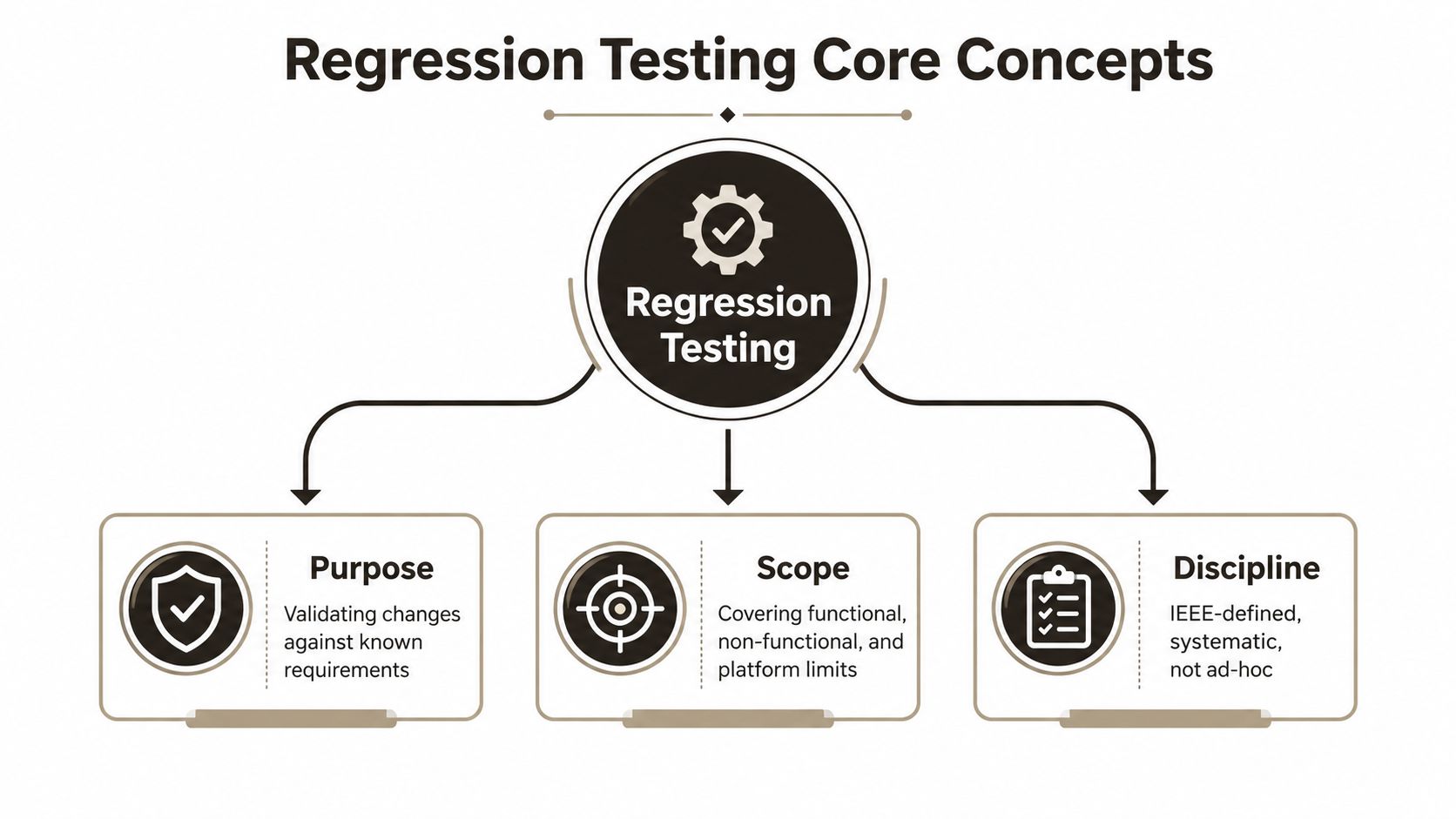
Regression Testing Core Concepts
Regression testing means rerunning previously executed tests after a change to verify that existing functionality still behaves as expected. IEEE and ScienceDirect describe it as the selective retesting of a system or component after modification, to confirm that changes have not caused unintended effects and that the system still complies with its specified requirements. ScienceDirect's regression test definition matters because it makes the discipline explicit, controlled, and measurable, not vague or ad hoc.
In enterprise Microsoft 365 work, the change does not have to be code. Notre Dame's testing material is clear that bug fixes, enhancements, configuration updates, integrations, and platform upgrades all sit inside regression scope. Notre Dame's regression testing notes match what migration architects see every week, because a tenant move changes metadata, automation, permissions, and access paths even when nobody touches the app code. In zero-trust redesigns, that includes permission drift, broken conditional access assumptions, and GUID conflicts that show up only after users hit the new tenant.
What good regression looks like
A quick rerun of a few checks and a hopeful sign-off is how teams end up with incidents in production. IBM's regression testing guidance treats regression as a discipline built around measurable, automation-driven quality gates, with a flaky test percentage below 5% and 100% pass rates on critical paths treated as the standard worth defending.
Use these metrics, or you are guessing:
- Defect detection rate, how often the suite catches breakage before release.
- Test execution time, because a slow suite gets skipped when the release window closes.
- Flakiness rate, because unstable tests train teams to ignore failures.
- Automation ratio, because manual spot checks collapse under enterprise change volume.
Regression testing is a control system. If the suite flaps, drifts, or takes too long, it stops being protection and becomes theatre.
If you want a fuller breakdown of test categories, the internal guide on full breakdown of test categories is a useful companion, but the point here is narrower. In enterprise migration work, stable, fast, repeatable checks are the only ones worth keeping.
Regression Test Types and Strategies
Not every regression test earns its place in the suite. In Microsoft 365 and SharePoint migrations, smoke, functional, performance, security, and visual checks each catch a different class of failure, and relying on only one of them leaves gaps that production will expose for you. Radview recommends that every pull request triggers smoke tests, nightly runs extend to performance baselines, and pre-release gates include functional, performance, and security checks to keep defect escape rates under control. Radview's regression testing guide gives you the cadence, and enterprise migration reality tells you why it matters.
Which test type catches which problem
- Smoke tests catch obvious breakage fast. In tenant work, they should confirm that core navigation, sign-in, and top-level access still function after change.
- Functional tests check business flow, but they still miss load-driven failures if you stop there.
- Performance tests matter because Microsoft throttles when you hit documented limits, and your regression suite has to prove retry logic still works.
- Security checks matter in zero-trust redesigns, because access paths and trust boundaries change with the tenant.
- Visual checks help, but they won't save you from broken inheritance or GUID conflicts.
Manual testing still has a place, but only where judgement matters. That includes exploratory validation of unusual permission models, document rendering, or business exceptions that scripts won't interpret cleanly. Automation should own the repetitive cases, because that's where speed and consistency matter most.
Rule of thumb: if a test runs the same way every time, automate it. If it requires interpretation, keep a human in the loop.
When teams ask whether to prioritise by risk or by coverage, I push them towards business impact first. Login, permissions, content discovery, and post-migration automation sit above cosmetic checks every single time. If your release is governed by user acceptance testing, regression should arrive before it, not after the users have already found the defects.
Building and Maintaining Effective Regression Suites
A regression suite that survives enterprise change needs structure, not enthusiasm. Start with the production shape of your tenant, not a toy dataset. If your live environment contains deep permission hierarchies, large libraries, content types, and automation flow dependencies, your test data has to mirror that shape or the suite will lie to you.
Build the suite around the pipeline
Put the suite inside your delivery tooling, not beside it. Azure DevOps or GitHub Actions should trigger the checks automatically, because human memory is a bad scheduler and an even worse control mechanism. The internal guidance on SharePoint migration automation supports that approach, because automation only helps when the pipeline enforces it.
A good suite follows a tight order of work.
- Plan the scope around high-risk business paths, large libraries, and permissions-heavy sites.
- Build repeatable checks for core SharePoint behaviours, Entra ID access, and post-migration flows.
- Automate the stable cases with PnP PowerShell or your preferred framework.
- Maintain the suite by removing stale tests the moment the estate changes.
That sequence matters because regression suites rot fast. A stale test gives you false confidence, and false confidence in a migration programme is expensive. If your team keeps a suite alive for six months without review, expect drift, noise, and tests that fail for the wrong reasons.
Design for throttling and retry behaviour
Microsoft Learn confirms the 5,000-item List View Threshold and the throttling behaviour that follows when you exceed it, so your suite has to test more than page loads. You need validation for performance baselines, backoff logic, and retry paths. If a remediation script works only when the tenant is quiet, it is not ready for production.
Use isolated test tenants for zero-trust scenarios, then seed them with production-like permissions, metadata, and content types. Build data factories that create large enough structures to trigger the failure modes you care about, not the ones you wish you had. That matters even more in tenant migration work, where permissions drift and GUID conflicts hide inside apparently successful runs, and where technical debt for startups becomes a warning sign for any team that keeps patching around broken migration habits instead of fixing the process.
Keep the suite honest
The fastest way to poison a regression programme is to let flaky tests survive. Flakiness belongs on the cleanup list, not the excuses list.
A regression suite should get sharper over time, not bigger for its own sake.
If you need a baseline for automation-heavy execution, this internal automation guide is relevant because the suite, the tooling, and the migration plan have to move together. Separate them, and teams end up debugging their own process instead of their software.
Common Failure Modes and Risk Controls
Enterprise migration failures usually come from the same place. The documentation says one thing, the tenant behaves another way under load, and nobody tested the gap. That's where API throttling, broken inheritance, long path limits, GUID conflicts, permissions drift, service throttles, and retry storms show up, usually together, usually after the business has already committed to a date.
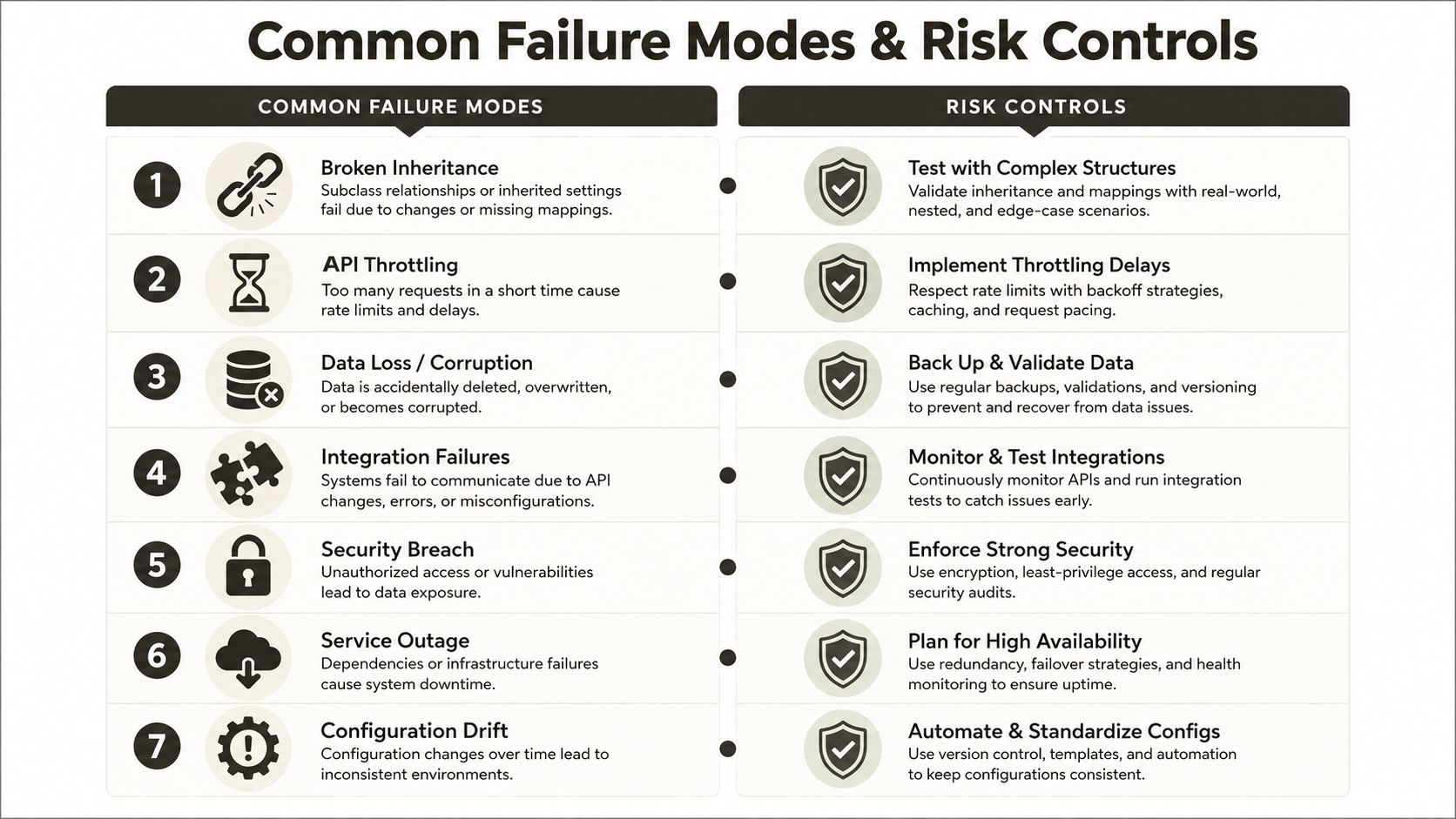
Microsoft's SharePoint and M365 migration guidance, including the material referenced in the earlier section, makes it clear that standard UI-only regression misses the core problem set. The migration-focused Microsoft guidance points to the ugly truth, permissions drift, GUID conflicts, and API throttling during bulk operations are the failures that matter most.
Match failure mode to control
| Failure mode | Risk control |
|---|---|
| API throttling | Test with realistic bulk volumes and verify retry-with-backoff logic. |
| Broken inheritance | Run permission checks across nested structures, not just top-level sites. |
| Long path limits | Include deep document structures and path-heavy samples in test data. |
| GUID and content-type conflicts | Reconcile content types before cutover and validate after remapping. |
| Permissions drift | Compare pre- and post-migration access on critical sites and groups. |
| Service throttles | Add pacing, delay logic, and queue controls to remediation flows. |
| Retry storms | Validate that failed jobs don't cascade into repeated API calls. |
The biggest mistake I see is teams treating these as isolated defects. They're not. One broken inheritance rule can trigger permissions drift, then a failed fix can create retry storms, and then your supposedly stable migration script starts hammering the service until throttling gets worse. That's how a technical issue becomes an operational incident.
For a good outside view on how accumulated shortcuts create long-term pain, the write-up on technical debt for startups is worth reading, even though the setting is different. The lesson is the same, ignore structural problems now and you pay later with interest.
Applying Regression Testing to Tenant Migrations
Tenant-to-tenant consolidation is not standard QA. It's regression testing under governance pressure, with access, metadata, automation, and identity all changing at once. The risk sits in the seams between SharePoint, Entra ID, Power Automate, custom scripts, and the permissions model your business depends on. Ollo's tenant-to-tenant migration guide sits in that reality, because the migration itself and the validation around it have to be designed together.
Test the migration as a system change
Start with the permission map. If access changes after remapping, you need targeted checks for users, groups, and inherited permissions on the most sensitive sites. Then validate metadata and content-type behaviour, because GUID mismatches and content-type conflicts can corrupt the way data behaves even when the files still appear to exist.
Zero-trust redesigns raise the stakes further. Your identity, trust boundaries, and automation triggers all change together, so a green UI doesn't prove anything on its own. A flow in Power Automate can still fail if the post-migration connector permission changes, and a Power Apps process can still break if the underlying list schema moved.
Use migration-specific regression cases like these:
- Access validation, confirm that named users and groups retain the right permissions after the move.
- Metadata mapping, confirm that content types, fields, and IDs still align with the target tenant.
- Automation checks, run the Power Automate and Power Apps flows that touch migrated lists and libraries.
- Governance checks, verify that the tenant policy and group structure still match the target design.
- Load checks, confirm that bulk remediation and content discovery don't trip throttles.
We often see clients fail when they treat migration as a copy job instead of a behavioural change. That mistake costs more than time. In regulated sectors, it can break legal compliance, disrupt audit evidence, and force a rollback that nobody budgeted for.
The documentation says you can move content. Reality is that you also move risk. If your regression suite doesn't cover access paths, metadata identity, and zero-trust governance, your migration is still unfinished.
Why DIY Fails and the Ollo Verdict
DIY regression testing falls apart because your team cannot safely simulate every enterprise edge case with ad hoc checks. The scale looks manageable in a pilot tenant, then the environment exposes API throttling, path limits, and hidden permission issues. Once that happens, you're not fixing a test problem, you're dealing with a business interruption.
The SharePoint vs OneDrive comparison is useful for teams still deciding where content belongs, but it doesn't solve migration validation. That's the gap most in-house teams miss, because platform choice and regression discipline are different problems. The internal SharePoint migration software piece sits closer to the truth, use the right tooling, but only with the right controls.
Ollo Verdict: use SPMT only for small, simple moves, under 50 GB or straightforward sites. For anything enterprise-grade, you need custom PnP scripting, retry logic, and zero-trust governance checks, because DIY always stumbles when the tenant gets real.
If your team is facing a SharePoint tenant migration, a zero-trust redesign, or a post-cutover rescue, don't guess your way through regression. Visit Ollo and talk to a team that builds migration validation around real Microsoft 365 limits, not wishful thinking.

















