



Your Exchange team already knows the date. That isn't the problem.
The problem is that too many organisations still treat exchange server 2019 end of life like a routine infrastructure task. It isn't. It's a business continuity problem with a compliance tail and a nasty habit of turning “simple” upgrade plans into mailbox corruption, hybrid breakage, and ugly audit conversations.
I've seen the same pattern too many times. An internal team reads the Microsoft path, assumes Exchange SE or Microsoft 365 will be a controlled move, then gets blindsided by throttling, broken inheritance, GUID conflicts, and migration batches that look healthy until users start screaming. The documentation gives you the clean-room version. Production gives you the version with custom forms, oversized mailboxes, forgotten relay dependencies, and years of technical debt.
If your estate sits in finance, healthcare, or energy, the risk is worse. Your mail platform isn't just mail. It's identity glue, compliance evidence, legal hold context, application relay, and a dependency nobody remembers until it breaks.
The Clock is Ticking Your Exchange 2019 EOL Problem is Here
It is May 2026. Your Exchange 2019 servers are still online, mail is still moving, and leadership assumes the crisis passed because nothing exploded on October 14, 2025.
That is how failed remediation projects start.
Exchange Server 2019 passed end of support on October 14, 2025. If you are still running it, you are operating a mail system that no longer gets security updates, bug fixes, technical support, or time zone updates. In regulated environments, that is not an IT housekeeping issue. It is an audit finding waiting for the right incident.
What end of support means in production
Unsupported Exchange does not fail politely. It fails when a certificate change breaks client access, when a cumulative update dependency blocks your recovery options, when a timezone mismatch corrupts calendar trust, or when a security issue appears and there is no vendor patch coming.
Your server can stay online for months and still be unfit for purpose. Boards confuse availability with control. Auditors do not.
Practical rule: If your incident response plan depends on Microsoft fixing the next Exchange problem, you no longer have vendor-backed incident response.
The usual executive shortcut is predictable. "We will move to Exchange Server Subscription Edition and buy time." That line survives because the paperwork looks neat. Production never is.
The documented path ignores the mess you already have
The failure point is rarely the install media. It is the estate underneath it.
In finance, healthcare, pharma, and energy, Exchange is tied to relay rules, journaling, retention workflows, shared mailbox sprawl, delegated access, line-of-business applications, and identity decisions made by people who left years ago. Microsoft documents a supported path. It does not clean your directory, fix broken ACL inheritance, untangle stale attributes, or explain why hybrid starts behaving badly the minute coexistence gets real.
That is why regulated industry migrations go wrong. The project is scoped like an upgrade and discovered too late to be an evidence preservation exercise, an identity remediation exercise, and a mail flow dependency audit at the same time.
The early warning signs are usually boring, which is why teams miss them:
- Hybrid starts exposing old sins. Relay connectors, accepted domains, legacy autodiscover assumptions, and mismatched identities surface fast.
- Permissions drift shows up after "successful" moves. Mailbox access works for one user, fails for another, and nobody trusts the inheritance model anymore.
- Completed batches hide broken user experience. Delegates lose access, archives behave strangely, mobile clients re-prompt, and compliance teams find gaps after the move, not before it.
- Recovery planning turns fictional. You discover too late that your rollback depends on components, support routes, or fixes you no longer have.
If you need a grounded view of your exposure, stop asking the internal project team if things are "on track." Get an Exchange and Microsoft 365 migration audit and force a proper dependency review before another batch gets approved.
Security teams should treat this the same way they treat any unsupported high-value platform. Inventory it, isolate it, document the compensating controls, and put it under a disciplined remediation process like GoSafe's structured security process. Hope is not a control.
The Unacceptable Risks of Inaction
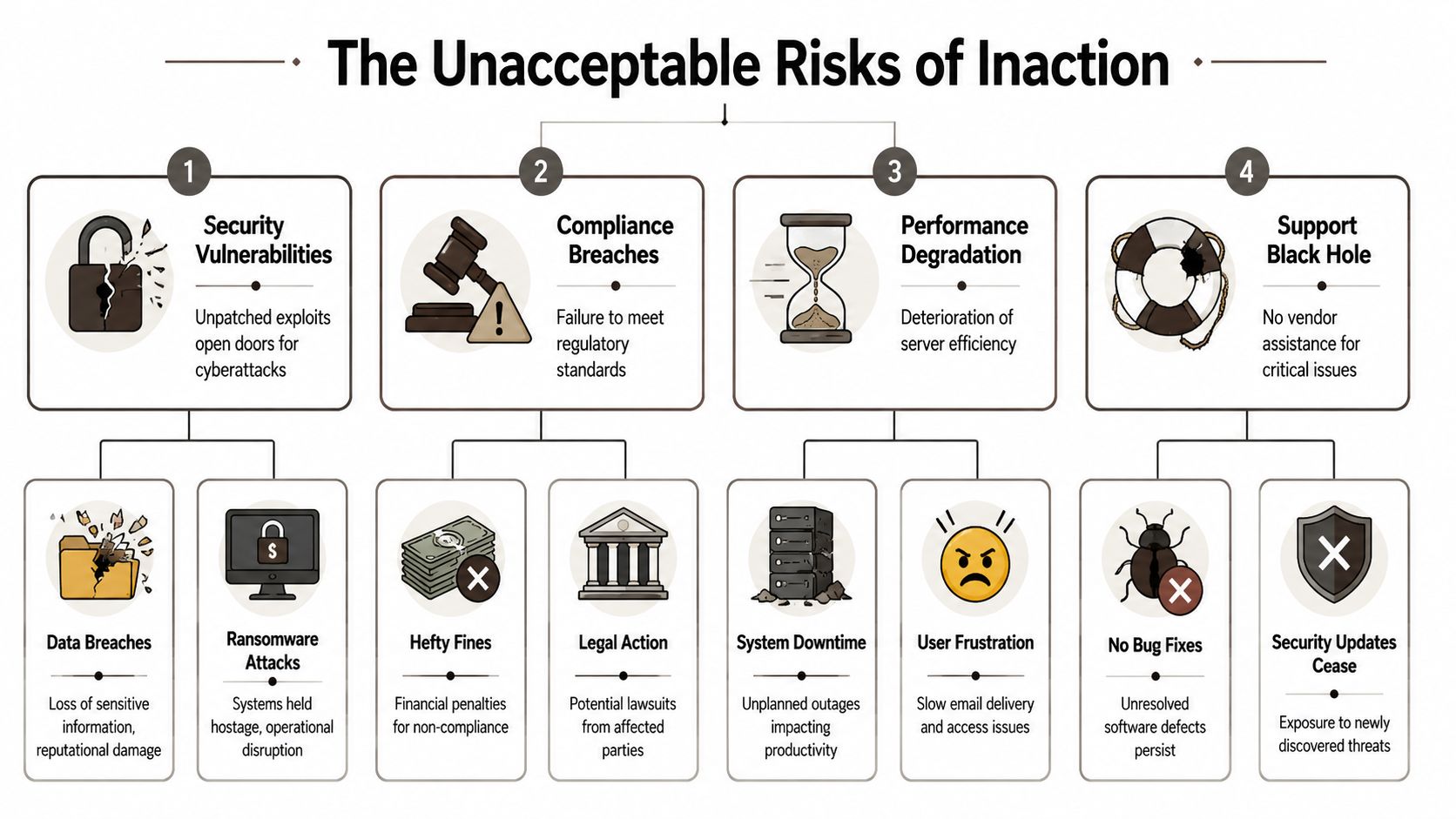
The worst migration plan is no migration plan. Running past support isn't passive. It's an active choice to carry security exposure, rising cost, and operational fragility.
This is what that looks like at board level and at server level.
ESU is not a strategy
After end of life, the ESU programme only covers Critical and Important vulnerabilities, and it starts at $5,000 per server core and doubles annually, according to the analysis of Microsoft's roadmap covered in this Exchange 2016 and 2019 EOL review. The same source notes 15,000+ on-premises Exchange installations in Irish and UK finance and healthcare sectors, which tells you this problem isn't niche.
That spend buys you a shrinking safety net, not a modern platform. You still don't get the full support model back. You still carry the technical debt. You still need a migration path.
Worse, attackers know exactly where unsupported estates sit. The same source cites a 28% rise in Exchange exploits targeting EOL versions in energy firms in a 2026 UK NCSC report. Unsupported Exchange boxes attract attention because they're predictable targets.
Security exposure isn't theoretical
When organisations keep old Exchange in place, they usually tell themselves they'll harden the perimeter and monitor more aggressively. That helps, but it doesn't fix the root problem. If the product is unsupported, every newly discovered weakness has one brutal question attached to it. Who will patch it?
Nobody.
If you want a disciplined way to think about the detection and remediation side, GoSafe's structured security process is a useful reference because it treats vulnerability management as a lifecycle, not a one-off scan. That mindset matters. Unsupported systems break that lifecycle by design.
Unsupported messaging infrastructure isn't “legacy”. It's an unbounded exception in your security model.
The hidden operational damage
Security gets the headlines. Operations suffer in quieter ways.
The same EOL analysis notes that side-by-side migration requirements and troubleshooting realities expose issues such as path lengths over 260 characters that break legacy application dependencies in some environments, and official documentation also confirms API throttling constraints in Entra ID related migration workflows. Those aren't cosmetic defects. They show up as failed syncs, partial provisioning, and application behaviour your service desk can't explain.
Here's what inaction usually creates:
| Risk area | What your team sees | What it actually means |
|---|---|---|
| Security | Server still running | New exposure with limited or no remediation path |
| Cost | ESU looks cheaper than migration | Deferred cost that compounds while risk rises |
| Operations | Only occasional odd failures | Structural instability around identity and mail flow |
| Support | Team can troubleshoot internally | No vendor backstop when edge cases escalate |
If your security team still needs proof that the mail layer needs modern controls, map your Exchange exposure against your wider Microsoft Defender for Office 365 security posture. A lot of organisations discover they've modernised the cloud controls while leaving the old on-premise fault line in place.
Why Standard Migration Paths Will Fail Your Enterprise
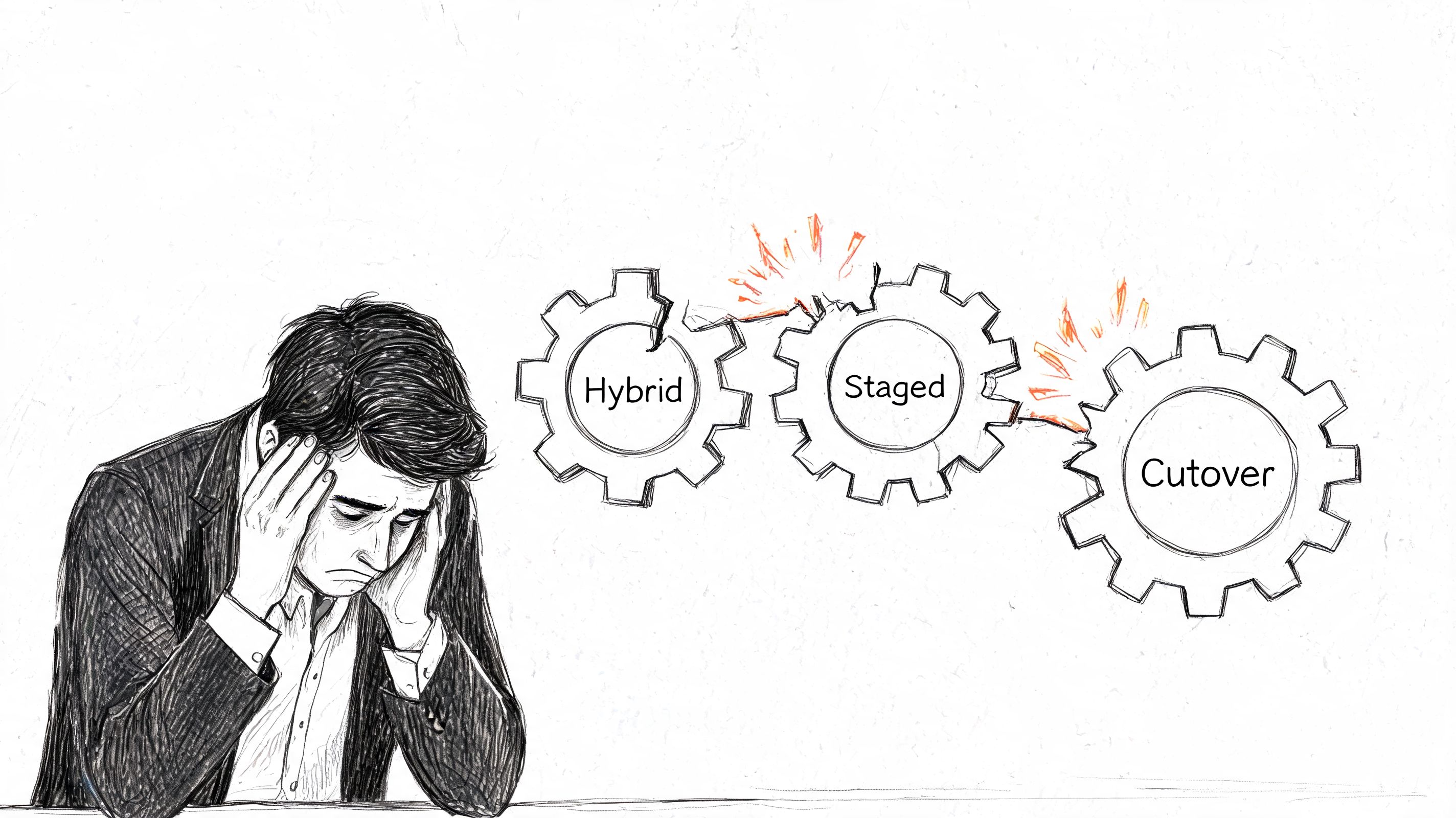
The standard playbook looks familiar. Hybrid, staged, cutover. Pick one, follow the guide, move the mailboxes, decommission the old estate.
That logic works in demos. Enterprise environments aren't demos.
What the textbook says and what actually fails
The usual migration options all have a place. The problem is that people confuse “supported” with “safe”.
| Migration path | What it promises | Where it breaks in enterprise reality |
|---|---|---|
| Hybrid | Gradual coexistence and lower user disruption | Identity edge cases, broken inheritance, relay dependencies, and hybrid cutover surprises |
| Staged | Controlled transition over time | Hard to govern in complex estates with mixed dependencies and compliance constraints |
| Cutover | Fast retirement of legacy systems | Unsafe when applications, archives, shared mailboxes, and oversized mailboxes aren't fully mapped |
The failure mode is rarely dramatic at first. It's usually slow and administrative. Batches stall. Directory sync lags. Delegation goes missing. Shared mailbox behaviour changes. The service desk starts getting tickets that don't look related until you realise they all trace back to a migration that “finished”.
Throttling is where DIY plans start to collapse
Microsoft's own documentation confirms that API throttling can cap migrations. In the field, that turns ugly fast. According to the migration experience referenced in this Exchange EOL migration article, teams have rescued over 50 clients in Ireland where DIY ShareGate or MRS moves hit 5k item limits, causing 48-hour stalls and data inconsistencies.
That same source states that standard Exchange 2019 to Microsoft 365 MRS moves show a 25% failure rate on mailboxes over 100GB. If your estate contains legal, executive, or operational mailboxes with years of history, you should assume that risk is relevant.
This is the part most internal teams miss. Migration tooling doesn't fail loudly enough. It often retries, logs a warning, and carries on. Your team reads “completed with errors” as acceptable. Users experience that as missing data, broken permissions, and trust erosion.
War-story rule: If a batch hits throttling and your plan doesn't include partitioning logic, retry strategy, and post-move validation, you're not migrating. You're gambling.
The tools don't understand your estate
Mailbox data isn't the whole problem. Identity, permissions, archives, relays, and app dependencies shape the actual blast radius.
We often see clients fail when they assume large mailboxes are the only hard part. They aren't. Unhandled X.500 proxy addresses, stale objects, custom forms, and inherited access rules create the messier failures. Those issues don't disappear because the migration dashboard shows green.
If your team is still comparing generic paths, stop looking for the “best method” in isolation. Look at the shape of your estate, your risk tolerance, and your dependencies. That's why a proper on-premise to cloud migration strategy matters more than another wizard-driven pilot.
The Compliance Minefield Awaiting Your Data
A regulated organisation can survive a rough weekend patching incident. It does not survive an audit trail that reads like improvisation.
That is why Exchange 2019 end of life becomes a compliance problem long before it becomes a technical outage. Banks, healthcare providers, public bodies, and legal firms are judged on evidence. Can you prove the platform was supportable, patched, retained correctly, and producing defensible records? If the answer is unclear, your migration has already started to fail.

ESU buys time. It does not buy a clean audit story
Internal teams often present Extended Security Updates as a reasonable buffer. That sounds tidy in a steering meeting. It falls apart under audit scrutiny.
As noted earlier in Microsoft's lifecycle guidance, end of support changes the risk posture. Separate Microsoft documentation on Exchange Server supportability makes the harder point. Extended coverage does not turn an ageing messaging estate back into a fully maintained platform, and support boundaries still matter when you are trying to justify exceptions, patch cadence, and control effectiveness. You can review the support position in Microsoft's Exchange Server supportability matrix.
Auditors do not sign off because you bought more time. They ask whether the control set remained effective, whether known limitations were accepted formally, and whether the business understood the residual risk. Many firms discover too late that ESU is an operational concession, not a compliance defence.
Compliance failures start with boring defects
The ugly failures are rarely dramatic. They are small, repetitive, and hard to explain later.
A retention tag stops applying as expected after a messy hybrid change. A journal workflow breaks for one subset of users. Calendar data becomes inconsistent across delegates. Discovery results differ between legacy mailboxes and migrated ones because permissions and archive mappings were never cleaned up properly. None of that looks catastrophic on day one. It becomes catastrophic when legal, risk, or internal audit asks for evidence and your team starts stitching together screenshots, admin recollections, and half-trusted logs.
That is the minefield most vendor playbooks skip. They describe supported paths. They do not explain how regulated estates break in the gaps between Exchange, Entra ID, Purview, mobile access, SMTP relays, line-of-business apps, and old mailbox permissions nobody has reviewed in years.
The real exposure sits in the control gaps
In failed projects, the compliance damage usually shows up in a few predictable places:
- Retention drift. Legacy policies, archive behaviour, and mailbox holds do not map cleanly during migration, especially where departments have years of exceptions.
- Discovery inconsistency. Search scope changes after moves, shared mailboxes are misclassified, or delegate access creates blind spots in review.
- Evidence weakness. Admin teams cannot produce a clean record of what changed, when it changed, who approved it, and how data was validated after each batch.
- Policy fragmentation. Messaging, identity, endpoint, and DLP controls are managed as separate workstreams, so nobody owns the end-to-end compliance outcome.
- Application spillover. Multifunction devices, relay connectors, scanners, case management systems, and archived service accounts keep using assumptions that no longer hold.
That is why generic migration plans collapse in regulated industries. The technical move can complete while the control environment degrades.
If you handle regulated or sensitive information, tie mailbox migration decisions to your wider data loss prevention controls in Microsoft 365. Retention, DLP, identity, and audit evidence must be designed together. Anything less is a paperwork factory for your next incident review.
The Sobering Truth About Migration Tools
Most tooling discussions are dishonest. Vendors show capability. They don't show failure conditions.
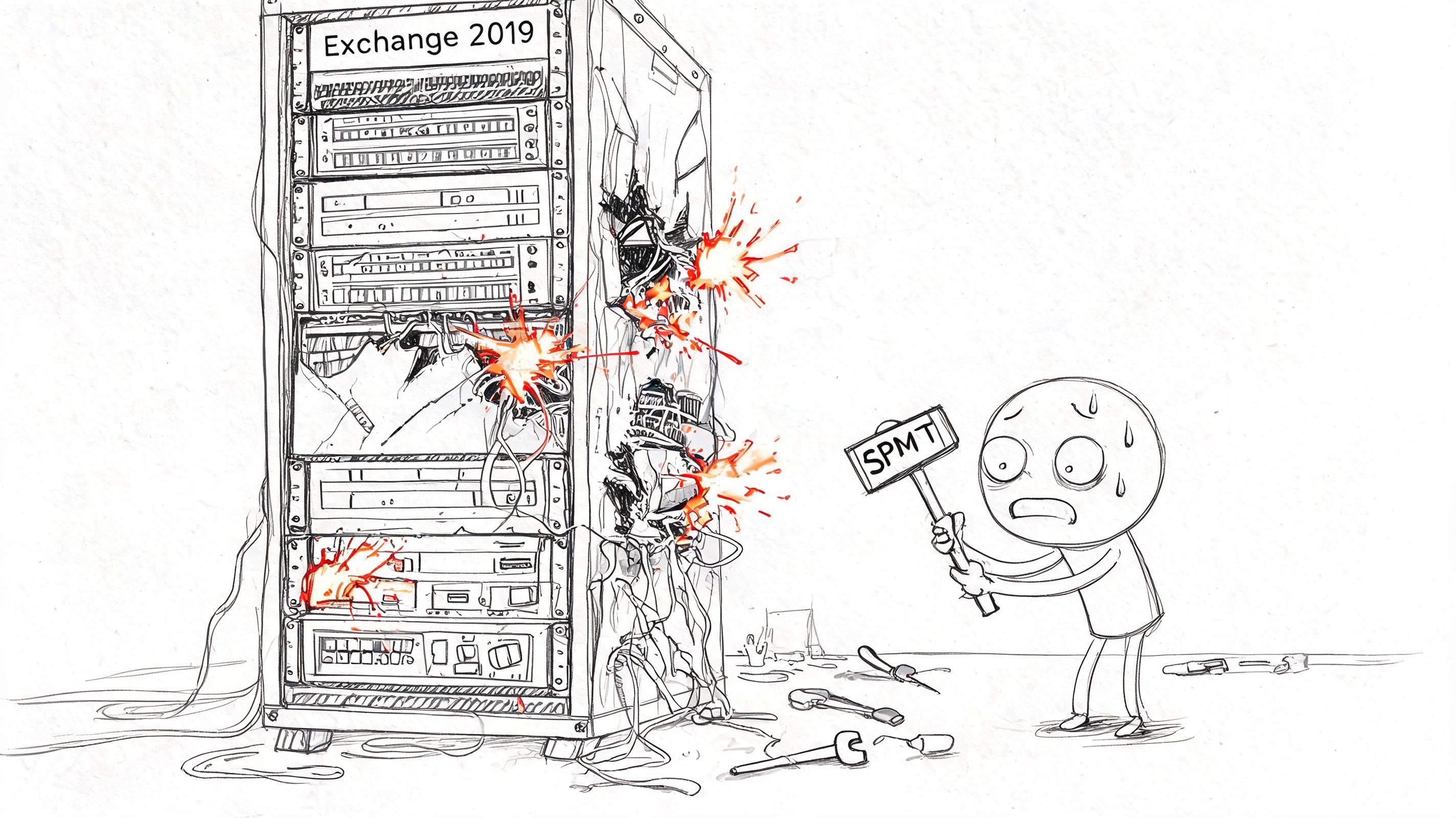
SPMT, ShareGate, native MRS, and the usual admin tooling all have valid use cases. The mistake is assuming a tool can replace migration architecture. It can't. A GUI won't save a bad plan, and a green progress bar won't fix throttling, permission drift, or dirty source data.
Where the common tools fit
Here's the blunt version.
- SPMT works for straightforward content movement. It's not what I'd trust for enterprise Exchange-led modernisation with identity complexity and compliance pressure.
- Native MRS is useful because it's built into the ecosystem. It also inherits the constraints of the ecosystem, including throttling and ugly edge cases.
- ShareGate is powerful. It's also not magic. Teams often overestimate what the interface can safely abstract away.
The documentation may confirm supported pathways, but supportability isn't the same as resilience. The enterprise failures come from the gaps between product boundaries.
Tooling without scripting is where projects get stranded
We often rescue migrations where the team bought a strong tool and then used it as if defaults were enough. They weren't.
A serious migration usually needs custom handling around batching, permission mapping, validation, retries, and exception processing. Without that, you get partial moves, silent failures, and inconsistent target states that take longer to clean up than a well-designed migration would have taken in the first place.
A practical view looks like this:
| Tool | Good for | Dangerous assumption |
|---|---|---|
| SPMT | Simple, lower-risk content movement | That it can carry an enterprise programme with complex dependencies |
| MRS | Native mailbox moves | That native means reliable at scale for every mailbox profile |
| ShareGate | Strong migration execution and reporting | That the GUI alone handles throttling, edge cases, and validation properly |
Ollo Verdict: Use simple tools for simple estates. If your environment includes regulated data, hybrid identity complexity, oversized mailboxes, or inherited permission sprawl, you need custom scripting and operator judgement, not just a licence key.
If your team is currently choosing between products instead of designing around failure modes, read this practical breakdown of Migration Manager in Microsoft 365 and then ask a harder question. What happens when the tool hits a condition it can log, but not resolve?
The Ollo Verdict How to De-Risk Your Migration
You don't need another generic migration checklist. You need a decision.
Either your team treats exchange server 2019 end of life as a serious security and compliance event, or it keeps pretending this is just another upgrade window. One approach reduces risk. The other produces expensive surprises.
What a de-risked approach actually looks like
A credible plan has to do more than move mailboxes. It needs to uncover and control the failure points before production users find them.
Start with these priorities:
- Map dependencies first. Identify relay use, shared mailboxes, delegated access, archives, legacy apps, and hybrid identity quirks before you commit to a migration path.
- Design for throttling and retries. If your plan assumes the platform will let you run at full speed, your plan is fiction.
- Validate permissions after every move. A mailbox that exists but has broken access rights is not a successful migration.
- Treat compliance evidence as a deliverable. Your auditor needs a defensible story, not a verbal assurance from IT.
The vendors will still tell you the supported path is manageable. They're not lying. They're just describing the product, not your environment.
Who should you trust with this work
Internal teams know the business. Generalist providers know the brochure. Neither fact guarantees a safe outcome.
What matters is whether the people running your migration have seen the ugly version before. The stalled batches. The X.500 issues. The broken inheritance. The API throttling. The post-cutover access complaints that weren't visible in testing. That's where projects are won or lost.
If you want a second opinion on planning discipline, this guide on Planning your Microsoft 365 migration is a useful external reference because it reinforces the need for proper assessment before execution. That part is right. Where most organisations still go wrong is assuming planning alone removes delivery risk.
The decision is simple:
- Let a stretched internal team improvise around edge cases.
- Let a generalist integrator follow a standard runbook.
- Or use a specialist that expects the mess and plans around it.
If your estate is regulated, hybrid, or politically sensitive, the last option is the only one I'd sign my name to.
Your data, your audit position, and your reputation all sit inside this decision. Choose accordingly.
If your organisation is still running Exchange 2019 or struggling through a risky Microsoft 365 migration plan, talk to Ollo. We specialise in complex, regulated migrations where failure means data loss, broken compliance, and executive fallout. We'll assess your current plan, show you where it will break, and tell you plainly what it will take to land it safely.

















